I know what I am looking for, and would like to chat.

10 min read

Marketing Automation Workflow: How to Fix Data, Lifecycle, and Attribution Gaps

Marketing Automation Workflow: How to Fix Data, Lifecycle, and Attribution Gaps

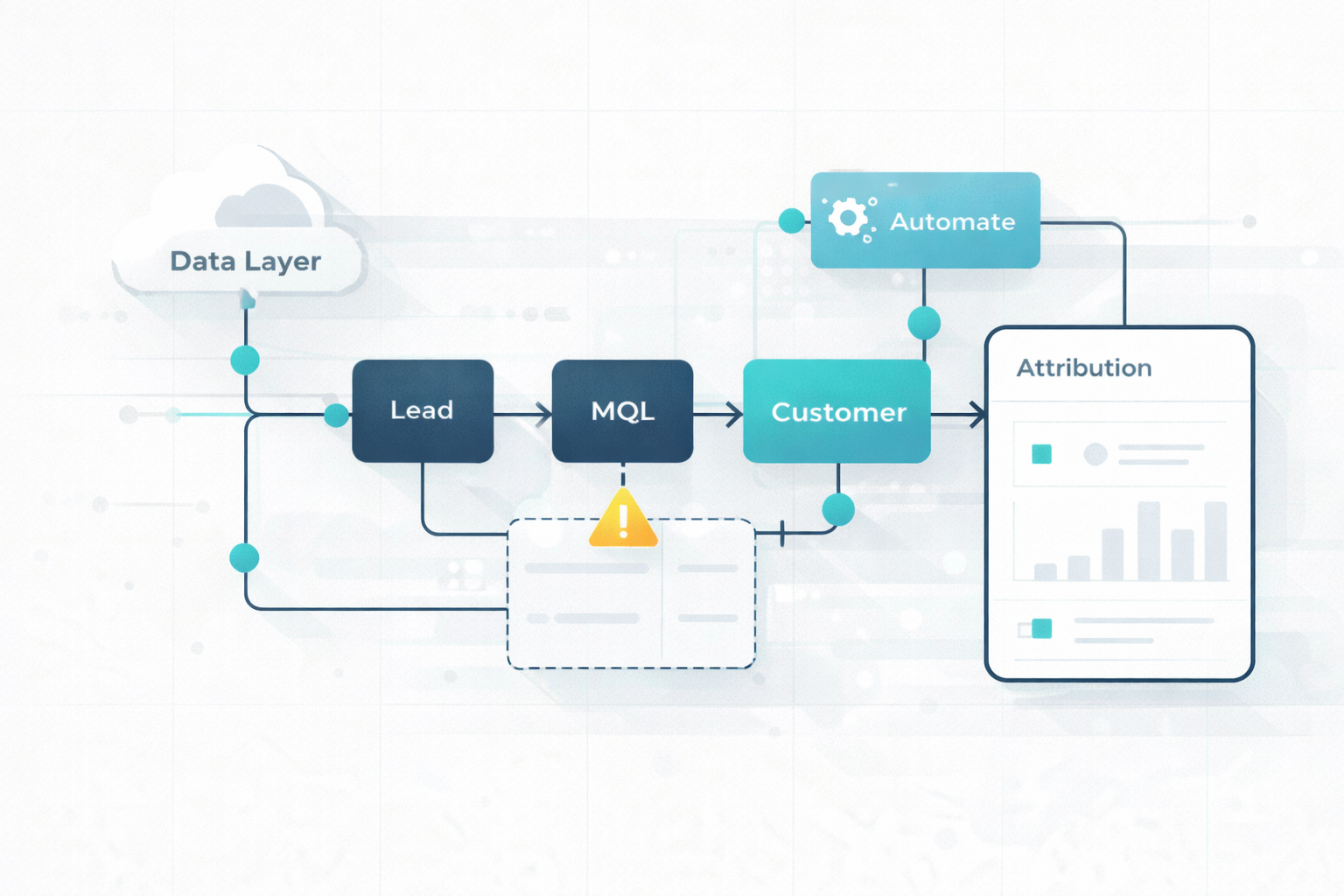
Marketing teams are expected to generate a pipeline faster and prove revenue impact. At the same time, many teams still rely on manual processes that create delays, inconsistencies, and disconnected data across systems.

What begins as spreadsheet exports or manual uploads often turns into fragmented workflows between HubSpot, Salesforce, Shopify, Mailchimp, and Google Workspace. As volume increases, these gaps compound.

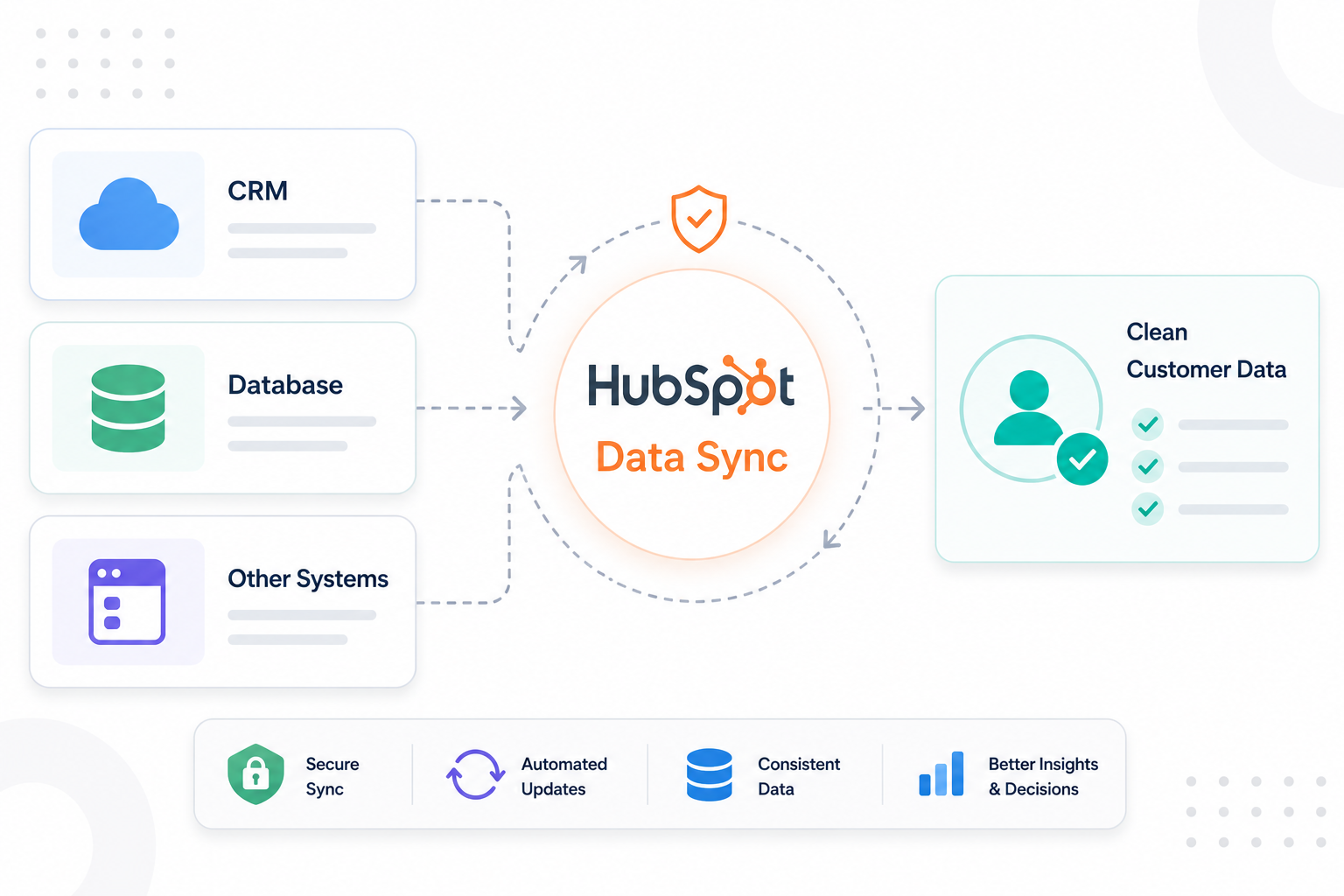
This is where the problem becomes more structural. Automation can’t deliver results if the data behind it is scattered or outdated. With tools like HubSpot Data Sync, you can connect your systems through real-time, bidirectional synchronization, so every workflow runs from a single, reliable source of truth.

Why Marketing Automation Workflows Break at Scale

A modern hyper-realistic marketing professional sitting at a desk surrounded by multiple screens and devices, each displaying different dashboards, spreadsheets, CRM systems, and analytics tools with inconsistent or conflicting data. The person looks overwhelmed and confused, holding their head slightly or staring at the screens with frustration.

As more campaigns, tools, and data points are added, small inconsistencies start to add up and turn what once worked into a fragile system. The breakdown does not stay in one place and shows up across several connected areas.

Data Drift and Fragmentation

The first point of failure appears in the data itself. Separate systems such as HubSpot, Salesforce, Shopify, and email platforms each capture their own version of customer activity. Without synchronization, these records begin to diverge.

This creates “data drift,” where multiple properties attempt to describe the same concept but carry slightly different definitions. One team may interpret a lifecycle stage differently from another, and campaign engagement may not reflect actual behavior across platforms.

As a result, teams lose confidence in reporting. Metrics no longer represent a shared reality, and decision-making becomes slower because every number requires validation before it can be trusted.

Operational Bottlenecks and Execution Risk

Manual workflows introduce friction at every stage of campaign deployment, from setup to follow-up. Campaign configuration can take 8–12 hours per campaign, limiting how quickly new initiatives can launch.

Each campaign may also be built differently depending on the person handling it, which leads to inconsistent quality and gaps in execution.

Reliance on spreadsheets, calendars, and manual updates increases the likelihood of missed steps. Follow-ups may be delayed, sequences may not trigger correctly, and handoffs between marketing and sales can break without immediate visibility.

Breakdown in Customer Experience

Operational gaps quickly surface in the customer experience. Since systems are not aligned, interactions often lack context and timing.

A contact who has already completed a purchase in an e-commerce platform may still appear as a “lead” in the CRM. Sales outreach based on outdated lifecycle stages creates irrelevant messaging and confusion for the customer.

Measurable Impact

  1. Poor data quality costs organizations an average of $12.9 million per year, based on Gartner estimates
  2. Manual processes can delay lead response times to 12–24 hours, compared to under five minutes in automated systems
  3. Up to 25% of a sales representative’s time is spent working through incomplete or inaccurate data

Without a structured and connected system, these problems start to feed into each other as you scale. It becomes harder to trace what is working, fix issues quickly, or keep systems aligned. The result is a setup that slows you down instead of supporting growth.

Build a Lifecycle That Supports Automation

Solving issues from manual processes starts with structure. Automation cannot run reliably if the system does not clearly define how contacts move through your business. A lifecycle-driven architecture gives you that structure. It organizes every contact and company based on their relationship to your organization.

Here is the process:

Establish a Clear Lifecycle Framework

At the center of this architecture is a standardized set of lifecycle stages that represent the full journey from initial awareness to long-term advocacy.

A typical framework from HubSpot includes:

  • Subscriber: Contacts who opt in for content such as newsletters or educational resources
  • Lead: Contacts who show early interest through actions like downloads or form submissions
  • Marketing Qualified Lead (MQL): Contacts who meet defined marketing criteria, often based on engagement or lead scoring
  • Sales Qualified Lead (SQL): Contacts validated by sales as potential opportunities
  • Opportunity: Contacts associated with an active deal in the pipeline
  • Customer: Contacts with a completed purchase or closed-won deal
  • Evangelist: Customers who actively promote the brand through referrals or strong engagement
  • Other: Records that do not fit standard revenue paths, such as partners or competitors

Each stage acts as a control point for automation. This creates consistency across campaigns and ensures that engagement aligns with the contact’s actual level of intent.

Maintain Clear Separation Between Lifecycle Stage and Lead Status

A common source of confusion comes from mixing lifecycle stages with lead status. Lifecycle stage defines the overall relationship between the contact and the business. Lead status reflects the current state of sales activity.

For example, a contact can be classified as an SQL based on qualification criteria, yet still have a lead status such as “New,” “Attempted to Contact,” or “In Progress.” This separation provides flexibility and precision. Sales teams can track engagement progress without altering the broader lifecycle position.

Maintaining this distinction also improves automation accuracy. Workflows can trigger based on both dimensions, such as assigning follow-up tasks only for MQLs whose lead status indicates no recent outreach.

Use Lifecycle Stages as the Foundation for Automation

Without lifecycle stages, automation tends to operate at the campaign level. This often leads to duplicated workflows, inconsistent messaging, and gaps between marketing and sales. Each campaign behaves independently, which makes it difficult to maintain consistency across the full funnel.

With lifecycle stages in place, automation becomes coordinated across all touchpoints. This reduces dependency on individual campaign setup and creates a system that scales more efficiently as volume increases.

Support Lifecycle Progression with Objective Criteria

For lifecycle architecture to remain reliable, stage transitions must be based on clear and consistent criteria. Movement between stages should reflect meaningful actions or verified signals rather than manual updates.

Examples include:

  • Advancing from Lead to MQL based on engagement thresholds or scoring models
  • Moving from MQL to SQL after a discovery call or sales qualification
  • Transitioning to Opportunity only after a deal is formally created in the pipeline
  • Updating to Customer based on confirmed transactions or closed deals

These criteria keep lifecycle movement consistent across the system. Instead of relying on individual judgment, every stage change reflects the same set of rules.

Create a Reliable Data Foundation

A lifecycle-driven system defines how contacts move through your business, but it only works if the underlying data remains accurate, consistent, and connected across every platform.

Without a strong data foundation, automation produces subtle inconsistencies that can lead to unreliable workflows and distorted reporting. To prevent this, here’s what you need to do:

Define a Clear Data Structure

Consistency begins with how data is defined. Each critical property should have a clear purpose, a controlled set of values, and a designated system responsible for maintaining it.

This is where a canonical data model becomes important. Fields such as lifecycle stage, industry, or customer type should exist in a standardized format across all platforms. If the same concept is represented in multiple ways, teams begin to interpret data differently, which creates fragmentation.

Simplifying your schema also plays a key role. Redundant or overlapping fields should be removed, and picklists should be normalized so that each value carries a single, consistent meaning.

Establish Ownership and Control

Once your data structure is defined, ownership must be enforced at the field level. Without clear ownership, multiple systems may attempt to update the same field, leading to conflicts and inconsistencies.

Control mechanisms strengthen this setup:

  • Source identification helps track where updates originate
  • Update rules prevent systems from overwriting data unnecessarily
  • Field-level permissions limit which systems can modify specific properties

These controls ensure that data remains stable as it moves across platforms.

Control How Data Moves Across Systems

Data movement needs to be clear and consistent. Real-time sync makes sure updates in one system show up across all connected platforms. With tools like HubSpot Data Sync, you can connect your apps and keep customer data aligned without manual work.

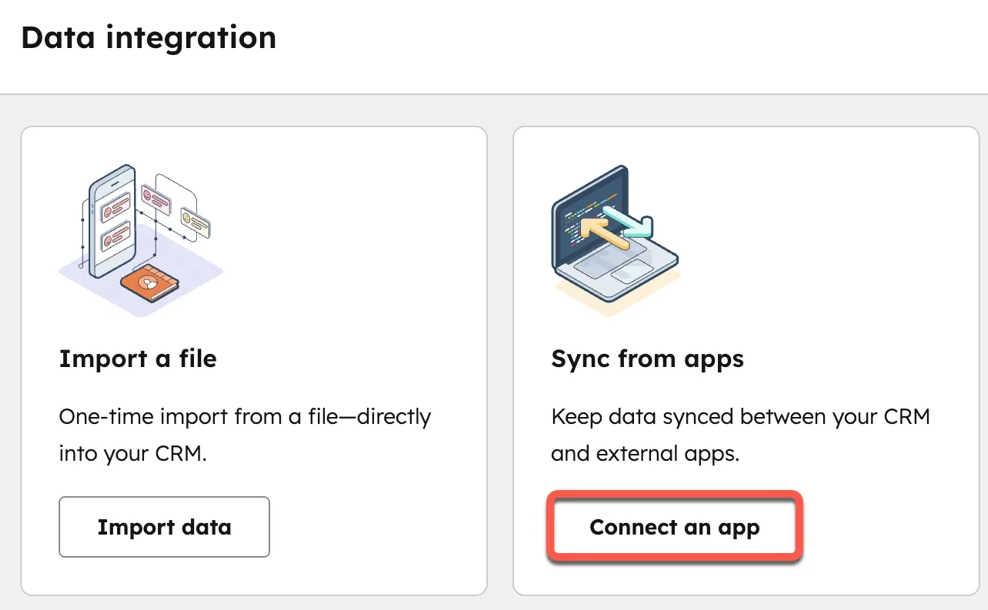
HubSpot Data Sync lets you create either a one-way or two-way sync between systems, so data flows automatically and stays up to date across your tools.

hubspot-data-sync-from-apps

Here is how to set it up:

  1. Go to the HubSpot Marketplace and choose the app you want to connect
  2. Install the app and approve access
  3. Go to Settings → Integrations → Connected Apps
  4. Select the app and click Set up your sync
  5. Choose what data to sync (contacts, companies, deals, etc.)
  6. Map the fields so both systems match (e.g., email → email)
  7. Choose sync direction (one-way or two-way)
  8. Turn the sync on and review the sync status

This setup lets you control how data moves and ensures both systems stay aligned without constant manual updates.

A state-based sync model keeps data consistent by continuously checking and reconciling differences. This keeps lifecycle stages, engagement data, and transactions aligned without relying on one-off triggers.

To keep sync stable:

  • Only update data when something has actually changed
  • Make sure systems ignore their own updates
  • Define which fields sync and when they should update

These practices reduce unnecessary updates and prevent conflicting data across systems.

Support Automation With Ongoing Governance

A reliable data foundation is not static. As your system grows, new fields, integrations, and workflows are introduced, which can gradually reintroduce complexity. Regular audits help maintain alignment:

  • Remove unused or redundant properties
  • Review lifecycle definitions and field mappings
  • Ensure data ownership rules remain accurate

This keeps your system structured and prevents regression into fragmented processes.

Close Revenue Attribution Gaps Across the Funnel

With lifecycle architecture and a reliable data foundation in place, attribution becomes a matter of continuity. The system already captures and structures data correctly. The remaining challenge is ensuring that information carries forward without interruption across the moments that define revenue.

Capture Attribution at the Point of Conversion

Attribution begins the moment a contact enters your system. If that entry point is not tied to a campaign or source, there is nothing to attribute later in the funnel.

Every conversion path needs to be structured before traffic arrives. Forms, landing pages, and ad campaigns should all connect to defined campaigns, with consistent tracking parameters applied across channels.

External tools such as Typeform or third-party landing pages should map submissions back into your CRM in a way that preserves campaign context.

Ensure Campaign Data Persists Across Systems

After initial capture, attribution depends on whether campaign data remains attached as records move between systems.

Campaign membership and engagement status should transfer alongside the contact record. This includes updates such as registered, attended, or converted.

If this connection is missing, contacts may appear in your CRM or sales platform without any record of how they engaged. Opportunities can still be created, but they exist without a marketing context, which removes visibility into influence. Maintaining this ensures that early interactions remain part of the revenue story.

Carry Attribution Into the Opportunity

One of the most common breakdowns occurs during deal creation. A deal may be created without a clear connection to the contact’s prior engagement history.

To prevent this, every opportunity should include:

  • A defined primary contact
  • Existing campaign membership tied to that contact
  • Campaign influence tracking is enabled at the deal level

If a deal exists without a contact, or a contact lacks campaign history, the attribution chain is already broken. There is no reliable way to reconstruct it after the fact.

Connect Revenue Back to the Same Records

Attribution remains incomplete if revenue is recorded outside the system that tracks engagement and pipeline.

In many cases, transactions occur in platforms such as Shopify. If this data is not connected back to the same contact and deal records, attribution stops at the opportunity stage and never reflects actual revenue.

To complete the loop:

  • Sync transaction data into the HubSpot CRM as deals or structured records
  • Match purchases to existing contacts using consistent identifiers
  • Update revenue fields tied to earlier campaign interactions

This step connects marketing efforts not only to pipeline creation but to actual financial outcomes.

Align Attribution Models With Sales Reality

Once data flows correctly across the system, the attribution model determines how credit is assigned. The model should reflect how deals actually progress:

  • Shorter sales cycles tend to emphasize recent interactions
  • Longer cycles require recognition of both early discovery and later conversion points

Attribution windows should extend far enough to capture the full journey. If the model is misaligned, reporting can still misrepresent performance even with accurate data.

With each handoff secured, attribution becomes a continuous thread. Every deal carries its interaction history, and every revenue outcome can be traced back to specific campaigns and channels.

Scale Automation and Personalization

A confident marketing professional working at a clean, modern desk with organized screens showing connected dashboards, CRM data, and automated workflows. The person appears focused and in control, interacting with the system smoothly. Bright, modern office environment, soft lighting, realistic style, high detail, no text overlays.

With a structured lifecycle, reliable data, and accurate attribution in place, your system is now capable of supporting automation at scale. At this stage, automation should enhance how your team engages with prospects and customers, making every interaction more timely and context-aware.

Personalize Based on Lifecycle and Behavior

Personalization becomes more effective when it is tied to lifecycle stages and real behavior. Each interaction reflects where a contact is in their journey and what they have already done.

With tools like HubSpot AI, you can scale this without building every segment manually. AI can analyze engagement patterns, suggest segments, and adjust messaging based on how contacts interact across email, website, and CRM data.

For example:

  • Early-stage leads receive educational content based on what they have viewed or clicked
  • Qualified leads receive messaging focused on solutions, use cases, and outcomes
  • Customers receive onboarding, upsell, or retention-focused communication

Behavioral signals like email engagement, site visits, and purchase history refine this further. HubSpot AI can use these signals to recommend content, optimize send timing, and personalize messages at scale.

Prioritize High-Intent Opportunities

As volume increases, not every contact should receive the same level of attention. A scalable system identifies and prioritizes those most likely to convert.

Lead scoring and intent signals help surface high-value opportunities based on:

  • Frequency and depth of engagement
  • Recency of activity
  • Actions tied to buying intent

This helps your team to focus effort where it has the highest impact, improving efficiency without increasing workload.

Automate Cross-Channel Coordination

Scaling automation means making your tools work as one system. When you are using HubSpot, Salesforce, Shopify, Mailchimp, or Google Workspace, coordination depends on how well data and actions connect across them.

Here is how this works in practice:

  • A new order in Shopify updates the contact and deal in HubSpot using data sync
  • HubSpot enrolls that contact into a post-purchase email flow or upsell sequence
  • High engagement (like multiple email clicks or pricing page visits) creates a task in Salesforce for sales follow-up
  • If a lead fills out a form in HubSpot, it can trigger an audience update for ads and add them to Mailchimp for targeted campaigns
  • Internal notifications or deal updates can be sent through Google Workspace (like Gmail alerts or calendar tasks)

Each action triggers the next step across systems. Messaging stays aligned with the contact’s lifecycle stage, and no step relies on manual handoffs. This setup removes gaps between marketing, sales, and operations so every interaction connects and moves the contact forward.

Continuously Optimize Based on Performance

Scaling does not end at setup. As your data, campaigns, and customer behavior evolve, your automation needs regular review to stay effective.

Track how contacts move through each lifecycle stage and identify where progress slows or stops. This helps you understand which parts of your system are working and where adjustments are needed.

Focus on areas such as:

  • Conversion rates at each lifecycle stage to see where contacts move forward or get stuck
  • Drop-off points in workflows, such as low email engagement or incomplete forms
  • Triggers, timing, and messaging to ensure actions happen at the right moment with the right context

Look for patterns in how contacts behave across the funnel. For example, if leads engage early but do not convert, the issue may be in your qualification criteria or follow-up timing. If deals stall, the problem may be in sales handoff or messaging consistency.

With accurate attribution in place, you can connect these insights directly to revenue. You can identify which workflows, channels, and campaigns drive pipeline and closed deals, making your optimization efforts more focused and measurable.

Unify Your Data, Lifecycle, and Automation!

Your system either works as one connected engine, or it slows everything you try to scale. The difference shows up in how your data flows, how your lifecycle is defined, and how your automation responds across every tool you use.

A structured setup gives you faster execution, clearer reporting, and consistent customer experiences. Without that foundation, every campaign, handoff, and report starts to break under pressure, and growth turns into constant fixes instead of forward movement.

If you want a system that runs clean and scales with you, our HubSpot Onboarding Services can help you build it right from the start.

Explore how we turn HubSpot into a performance engine!


Frequently Asked Questions

1. What is HubSpot Data Sync, and how does it work?

HubSpot Data Sync is a feature within Operations Hub that enables real-time, bidirectional synchronization between HubSpot and over 1,700 external systems like Salesforce, Shopify, Mailchimp, and Google Workspace.


2. Why is bidirectional synchronization important in marketing automation?

It ensures that data updates in one system automatically reflect in others, preventing inconsistencies and enabling accurate lifecycle tracking and attribution.

3. What is cross-hub data integrity?

It refers to maintaining consistent, accurate data across Marketing Hub, Sales Hub, Service Hub, and integrated platforms so automation workflows operate correctly.

4. Can you run marketing automation without lifecycle architecture?

You can, but it often leads to fragmented workflows, inconsistent data, and poor alignment between marketing and sales.


5. How does Data Sync improve revenue attribution?

It connects engagement, sales, and transaction data across systems in real time, allowing you to track the full customer journey and tie marketing activity directly to revenue.