I know what I am looking for, and would like to chat.

A team of data-driven marketers obsessed with generating revenue for our clients.

Because the proof is in the pudding.

At Campaign Creators we live by three principles: Autonomy, Mastery, Purpose.

9 min read

How HubSpot Lifecycle Stages Guide Lead Nurturing

How HubSpot Lifecycle Stages Guide Lead Nurturing

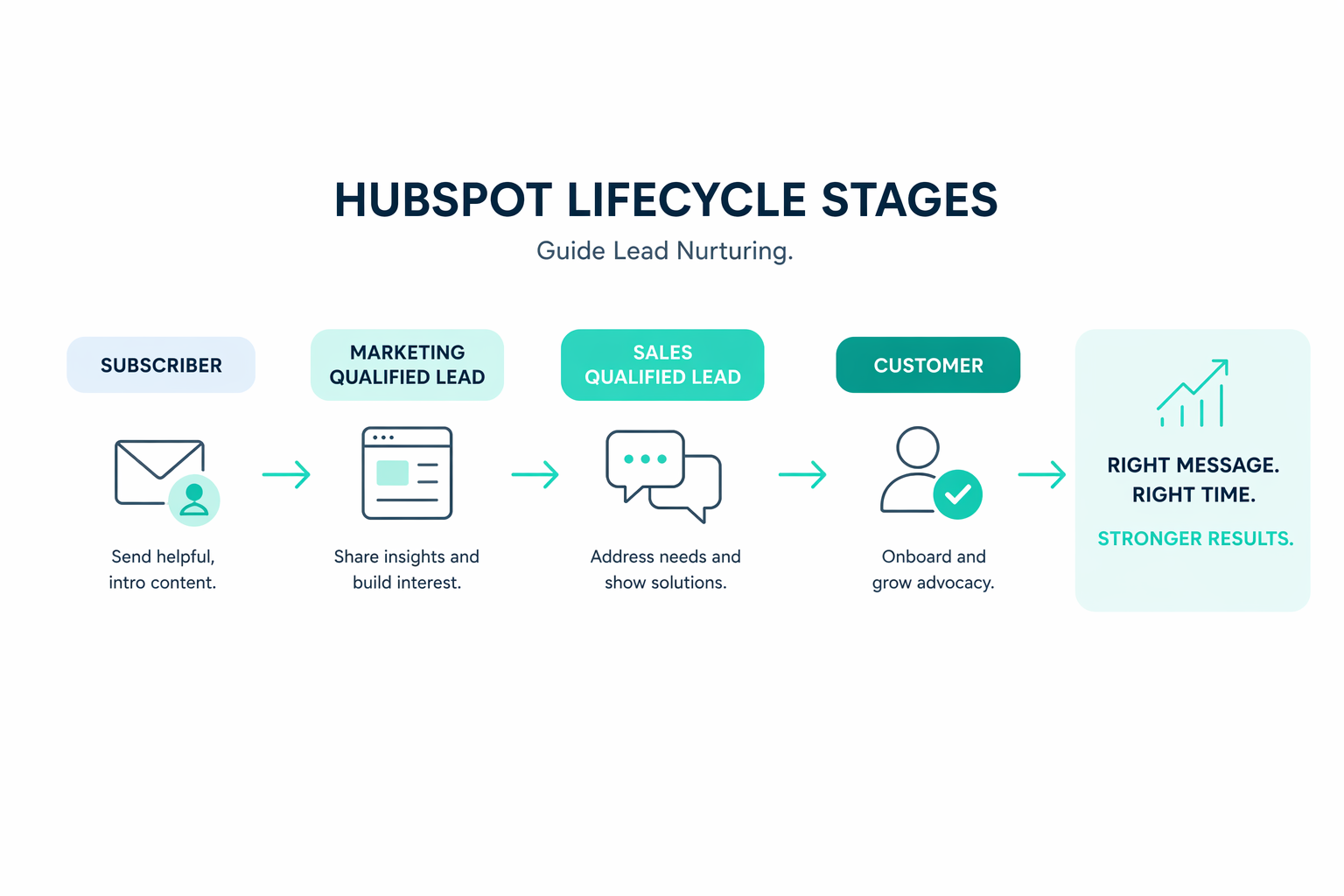
HubSpot lifecycle stages track a contact's progression from early engagement to becoming a customer. Marketing, sales, and customer success teams rely on the same property to understand how a relationship develops over time.

This shared structure helps teams to see how contacts move through the funnel and determine what actions should happen next. Without that structure, marketing automation and sales outreach often operate in parallel rather than in coordination.

A clear lifecycle framework turns HubSpot from a simple contact database into a system that reflects how buyers move through the revenue process.

Why Personalization Fails Without Lifecycle Stages

woman-questioning-personalization-without-lifecycle-stages

Without a clear lifecycle progression, automation and sales activity can move in different directions. This situation often appears during normal operations. For example:

A contact attends a webinar and downloads a resource. Marketing automation assigns the contact to the Lead stage. A sales representative later reaches out and holds a discovery call. The sales team updates the Lead Status to “Connected.” Marketing workflows continue sending introductory nurture emails designed for early prospects.

Marketing automation still treats the contact as an early-stage lead because the lifecycle stage never changed. Sales activity and marketing communication now move in different directions. The system lacks a shared signal that reflects how the relationship has progressed.

Lifecycle stages provide that shared signal. They track how a relationship evolves from early engagement to sales qualification and eventually to customer status. Other properties, such as persona, industry, or lead status, add useful context. Lifecycle stage, however, provides the structure that connects marketing automation, sales activity, and funnel reporting.

A clearly defined lifecycle framework enables automation rules, segmentation logic, and reporting dashboards to interpret the same funnel progression and coordinate communication across the customer journey.

Lifecycle Stage vs Lead Status in HubSpot

Lifecycle stage describes where a contact sits in the customer journey, while lead status records what the sales team currently does with that contact.

Both properties support different parts of the revenue process. Lifecycle stage supports marketing automation, segmentation, and funnel reporting. Lead status supports the day-to-day work of the sales team as outreach progresses.

Lifecycle Stage

It reflects the relationship between the contact and the business. HubSpot uses this property to measure how contacts move through the funnel.

HubSpot includes several default lifecycle stages:

  • Subscriber
  • Lead
  • Marketing Qualified Lead (MQL)
  • Sales Qualified Lead (SQL)
  • Opportunity
  • Customer
  • Evangelist
  • Other

Many B2B organizations simplify this structure and focus on the core funnel stages:

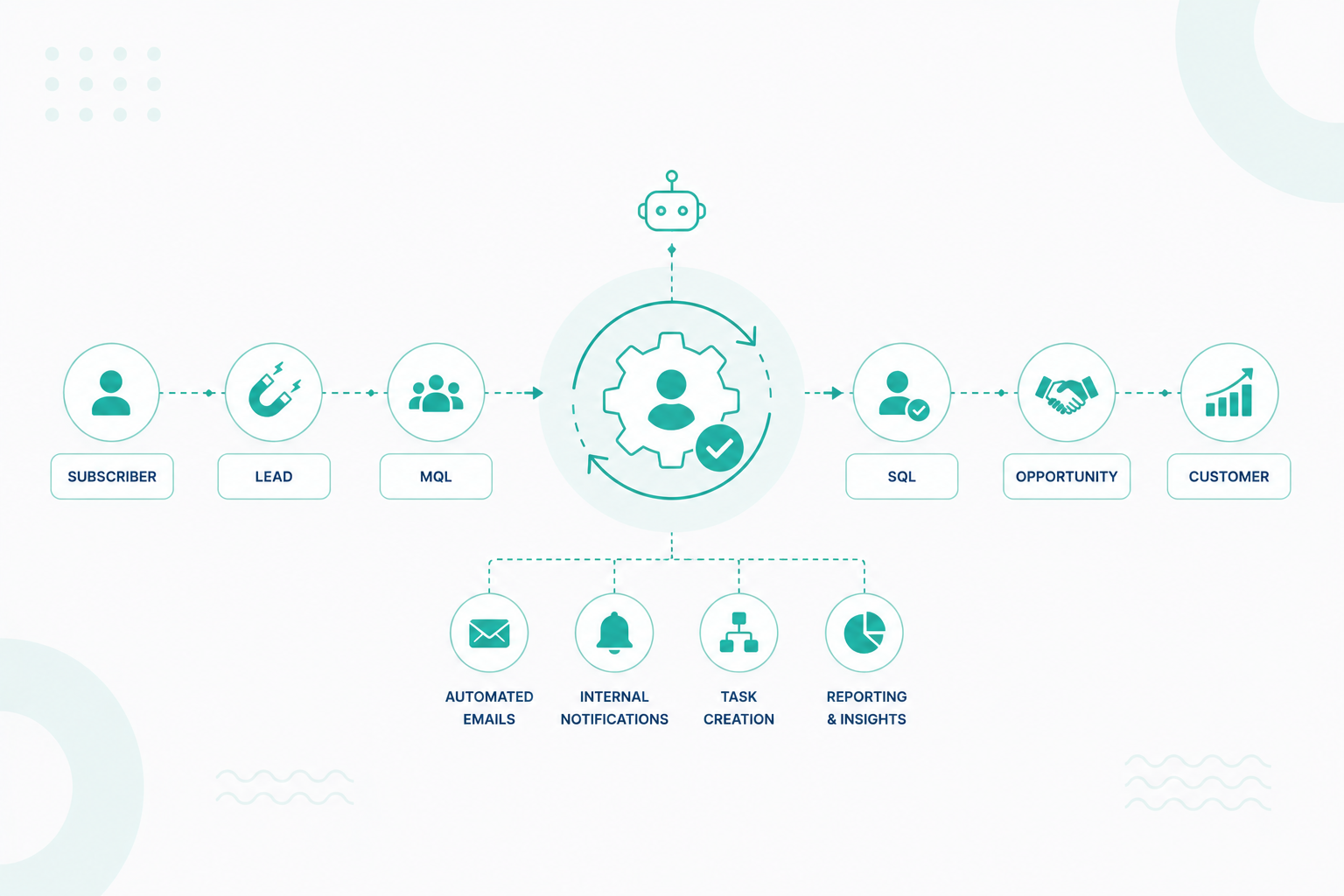
Subscriber → Lead → MQL → SQL → Opportunity → Customer

Lifecycle stage typically progresses forward as engagement and qualification increase. Marketing workflows promote contacts to MQL once strong intent signals appear. Sales conversations and qualification calls often move contacts to SQL. Deal creation promotes the contact to Opportunity.

HubSpot relies on this progression to calculate funnel conversion and pipeline velocity. Teams can then see how many contacts move from Lead to MQL, from MQL to SQL, and from SQL to Opportunity.

This visibility helps teams understand how marketing activity and sales conversations contribute to revenue growth.

Lead Status

It tracks the progress of sales outreach rather than funnel progression. Sales teams use this property to record how engagement develops once a contact becomes a Sales Qualified Lead.

Typical lead status values include:

  • New
  • Open
  • In Progress
  • Open Deal
  • Unqualified
  • Attempted to Contact
  • Connected
  • Bad Timing

Two contacts may share the same lifecycle stage and still display different lead statuses. Both contacts may qualify as SQLs. One may still sit in early outreach, while another already participates in an active deal.

Lifecycle stage reflects funnel progression while lead status reflects sales activity.

The Entry and Exit Criteria for Lifecycle Stages

Lifecycle stages require clear operational rules that determine how contacts move forward through the funnel. Entry and exit criteria help teams qualify contacts consistently and allow HubSpot workflows to automate stage progression.

Each lifecycle stage should rely on observable signals rather than subjective judgment. These signals often appear through contact behavior, form submissions, sales activity, or deal creation inside the CRM.

HubSpot workflows typically monitor these signals through page view tracking, form submissions, meeting bookings, and engagement with marketing content. Once predefined criteria appear, workflows can update lifecycle stages automatically so that automation and reporting reflect the current relationship with the contact. Here are the example qualification signals:

Marketing Qualified Lead

Marketing teams often promote contacts to MQL once profile fit and engagement signals appear.

Examples include:

  • Demo requests
  • Pricing page visits
  • Product comparison downloads
  • Repeated engagement with product-focused content

HubSpot may detect these signals through form submissions, page view tracking, or lead scoring models. Workflows often promote contacts to the MQL stage once engagement reaches a defined threshold.

Sales Qualified Lead

Sales qualification often follows a discovery conversation that confirms budget, authority, need, and timeline. Meeting bookings, recorded calls, or qualification notes often trigger stage updates.

Sales representatives may update the lifecycle stage manually after a discovery call, or workflows may promote contacts automatically once a meeting occurs.

Opportunity Qualification Signals

Opportunity status begins once a deal record appears in HubSpot and is associated with the contact or company. Deal creation often serves as a reliable signal that the buying process has moved into an active evaluation stage.

This lifecycle criteria make it possible for HubSpot workflows to update stages consistently and ensure funnel reporting reflects genuine qualification rather than manual updates.

Segmentation Data for Lifecycle-Based Nurturing

Lifecycle stages describe where a contact sits in the journey, and segmentation properties describe who that contact represents.

Segmentation makes nurture programs adapt communication based on company characteristics and buyer roles. Contacts who share the same lifecycle stage may still require different messaging depending on industry, company size, or responsibilities within the buying group.

Important segmentation fields often include:

  • Industry
  • Company size
  • Product interest
  • Persona or buying role

Buying roles often include:

  • Decision maker
  • Champion
  • Influencer
  • End user

Segmentation becomes most useful when it works together with lifecycle stages. Two contacts may both reach the Marketing Qualified Lead stage, but their communication paths may differ significantly.

A technical evaluator may receive documentation, product architecture explanations, and implementation material. A financial decision-maker may receive pricing analyses, ROI tools, or budget-justification resources. Lifecycle stage signals the level of interest, while segmentation shapes the type of information that follows.

HubSpot active lists provide the primary method for segmentation. Active lists update automatically as contact properties change, which keeps automation aligned with current data. Segmentation data supports several operational systems:

  • Workflow Enrollment: Different segments enter different nurture programs. For example, contacts in the MQL stage within the software industry may receive product comparison content tailored to SaaS buyers.
  • Dynamic Content: Emails and landing pages adjust messaging based on persona, industry, or product interest. HubSpot personalization tokens and dynamic modules allow the same campaign to display different messaging to different segments.
  • Sales Prioritization: High-value segments may receive faster follow-up or specialized outreach. Enterprise accounts, for example, may trigger account-based marketing workflows or dedicated sales outreach.

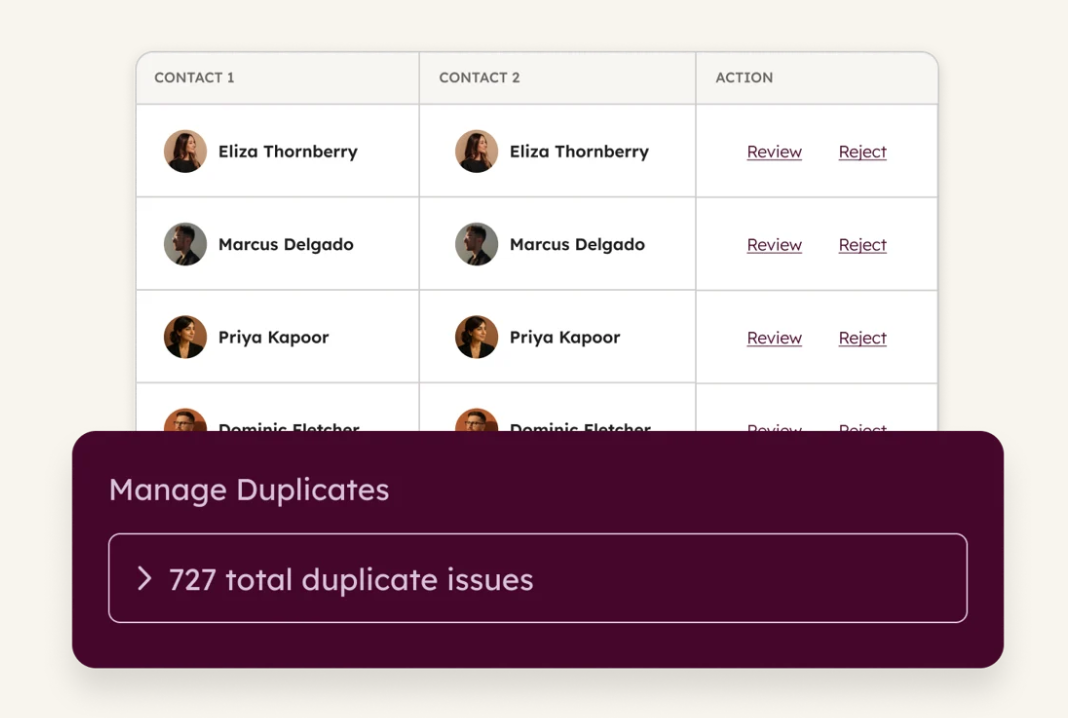
HubSpot has data quality tools that support segmentation through duplicate detection, record normalization, and property validation.

 hubspot-data-quality-tool-showing-total-duplicate-issues


The tool gives a unified overview where AI continuously scans the database to identify issues before they affect your business.

How Lifecycle Stages Shape Nurture Programs

Lifecycle structure enables nurture programs to mirror how buyers move through the funnel. Each stage has a different objective, owner, and communication style. It provides the structure that coordinates these efforts across the revenue team.

MQL Nurture Programs

Marketing Qualified Leads represent contacts that match the target profile and show meaningful engagement. The goal at this stage centers on turning interest into a conversation with sales.

Operational components often include:

  • Service level agreements for rapid follow-up
  • SDR or BDR ownership of outreach
  • HubSpot workflows that create tasks and enroll contacts in sequences

High-intent actions such as demo requests or pricing page visits often trigger immediate follow-up tasks for sales representatives. Typical MQL nurture tactics include:

  • Intent-based outreach sequences
  • SDR email cadences focused on booking meetings
  • Dynamic content tailored to industry, persona, or product interest

HubSpot workflow goals often measure lifecycle progression from MQL to SQL rather than email engagement metrics.

SQL Nurture Programs

Sales Qualified Leads actively evaluate a solution. Communication at this stage supports internal alignment and helps stakeholders reach a purchase decision.

Most B2B purchases involve multiple people inside the same company. A buying group often includes an economic buyer responsible for budget approval, technical evaluators who review implementation requirements, and internal champions who support adoption.

HubSpot associations connect contacts to companies and deals, allowing teams to track stakeholders across the buying group.

SQL nurture programs often include:

  • Account executive outreach sequences
  • Industry-specific case studies
  • ROI calculators and implementation guidance
  • Objection-handling material tailored to buyer roles

Deal properties, such as opportunity stage or product interest, often feed segmentation rules that shape communication for each opportunity.

Customer Nurture Programs

Lifecycle management continues after the initial sale. Customer nurture focuses on product adoption, retention, and revenue expansion. Product usage data often enters HubSpot through integrations, analytics tools, or custom events. These signals help automation identify adoption milestones and expansion opportunities.

Examples include:

  • Product activation milestones
  • Feature usage thresholds
  • Declining engagement signals
  • Upcoming renewal periods

Automation can trigger onboarding guidance, feature education campaigns, or account manager outreach based on these signals. Customer communication informed by real usage data from the lifecycle stage supports stronger adoption and long-term account growth.

The System Layer Supporting Lifecycle Operations


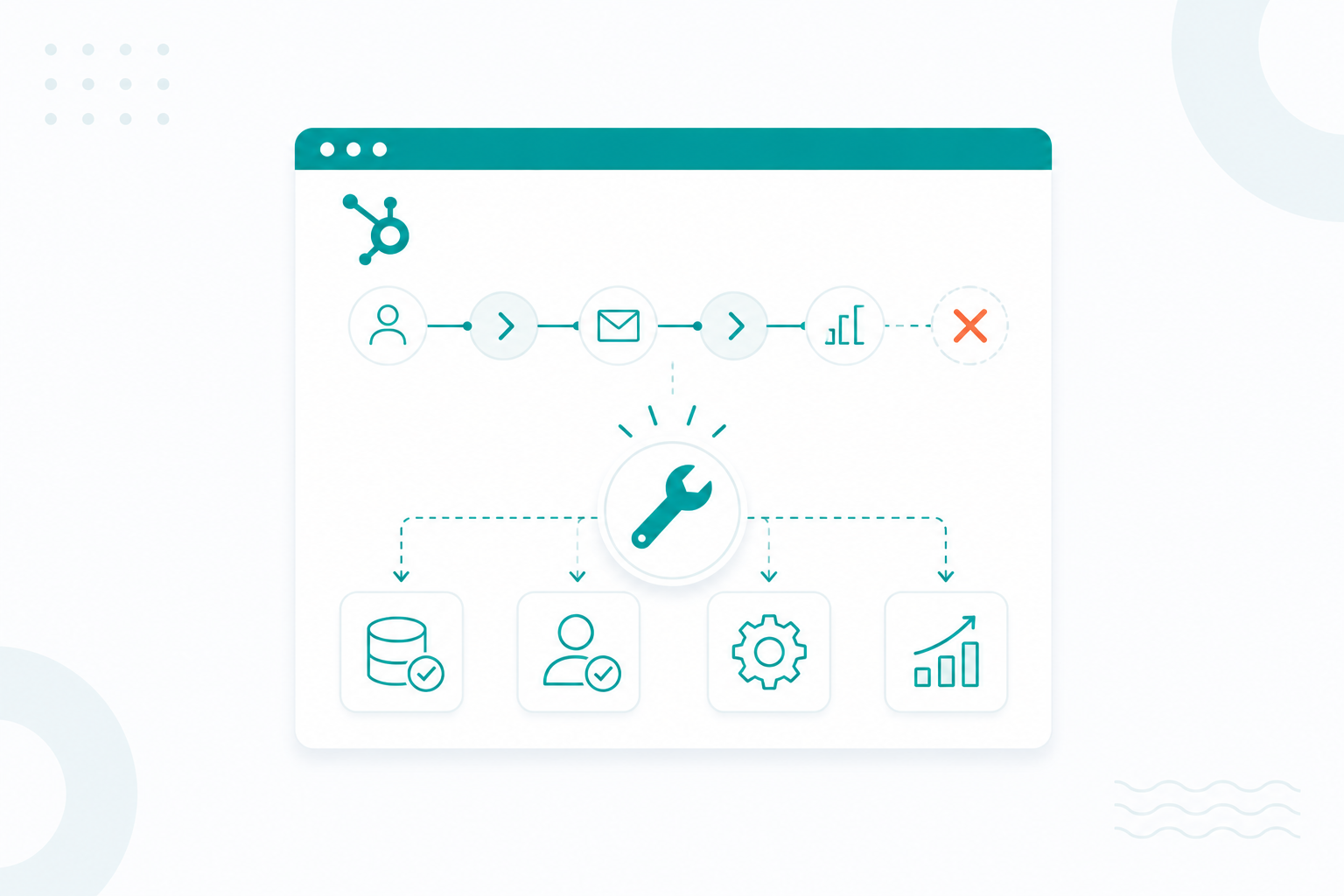
HubSpot supports it through structured data, automated processes, and reporting systems that guide contacts from one stage to the next. Three system components usually support this lifecycle structure:

1. Unified Data Architecture

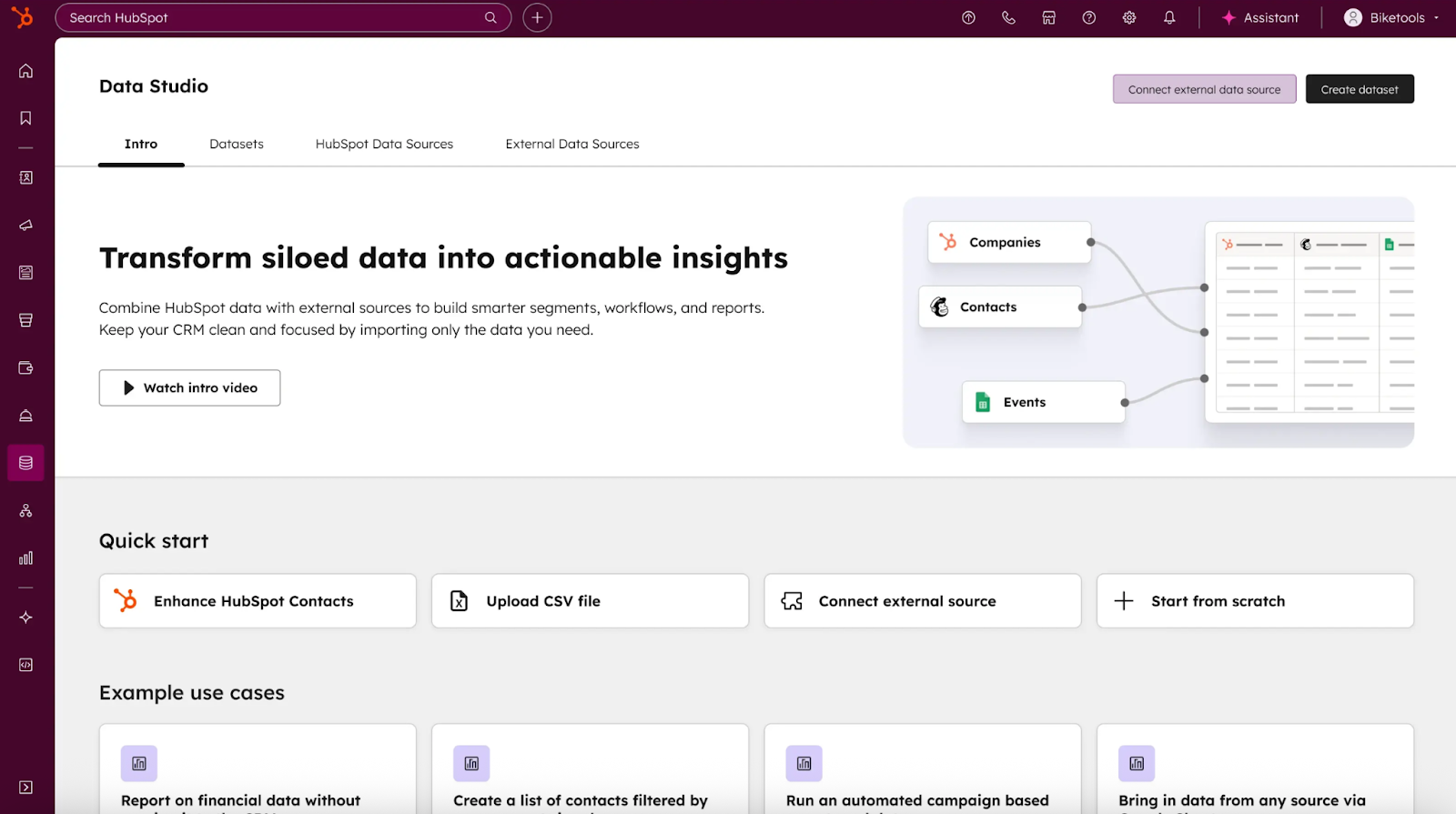
A lifecycle framework only works when teams operate from the same source of customer data. HubSpot’s CRM structure enables signals from marketing campaigns, product usage, sales conversations, and support interactions to exist within a single contact record.

hubspot-unified-data-studio

This unified structure helps every team to view the same lifecycle context when interacting with a contact.

Typical elements of this architecture include:

  • Lifecycle stage fields that define where a contact sits in the funnel
  • Standardized segmentation properties such as industry, company size, or product interest
  • Integrations that connect marketing platforms, product analytics, and support tools to the CRM

Once these elements are structured consistently, teams can see how contacts move through stages and which signals influence that movement.

2. Stage-Aware Workflow Communication

Workflows translate lifecycle strategy into day-to-day operational activity. HubSpot automation coordinates both system messaging and human follow-up based on lifecycle stage and engagement signals.

A typical workflow system combines several actions:

  • Automated nurture emails that guide early-stage prospects through educational content
  • Sales tasks that trigger when high-intent behavior appears, such as requesting a demo or viewing pricing pages
  • Alerts that highlight stalled deals or inactive opportunities that require attention

Communication can also adapt using segmentation and dynamic content. Messaging may change depending on persona, industry, or product interest. This ensures the contact experience stays aligned with their position in the buying journey.

3. AI-Supported Automation

Artificial intelligence becomes more useful once lifecycle data remains consistent and well-organized. AI models depend on historical patterns, which means reliable lifecycle progression improves the quality of automated insights.

Several HubSpot AI capabilities support lifecycle-driven operations.

Predictive lead scoring models analyze historical progression patterns across lifecycle stages. Contacts who resemble previous opportunities may receive higher scores, helping sales teams focus attention on leads that show stronger purchase intent.

AI tools can also summarize sales meetings and automatically capture key information from conversations. These summaries keep CRM records accurate and help teams to review qualification signals that may influence lifecycle movement.

AI, therefore, acts as an analytical layer on top of lifecycle data. It examines engagement patterns, highlights opportunities, and surfaces risks that may affect pipeline health.

Why Lifecycle Architecture Improves Revenue Visibility

When lifecycle architecture is implemented correctly, teams gain several operational advantages:

  • Clear pipeline visibility – teams see exactly how many contacts move from lead to opportunity and customer
  • Better lead routing – qualified contacts reach the sales team at the right stage
  • Accurate funnel reporting – stage-to-stage conversion rates reveal where the pipeline slows or improves
  • Stronger revenue forecasting – pipeline stages reflect real buying progress instead of engagement metrics

As a result, revenue teams stop measuring isolated marketing activity and start measuring how contacts progress toward revenue.

HubSpot Lifecycle Audit Checklist

Use this checklist to evaluate whether your HubSpot portal supports clear lifecycle operations and reliable pipeline reporting.

  • Lifecycle stage definitions documented across teams
    Marketing, sales, and operations use the same glossary for each lifecycle stage to prevent reporting inconsistencies.
  • Lead status is used only for sales engagement tracking
    Lead status reflects sales activity such as attempted contact, connected, or disqualified rather than lifecycle progression.
  • Standardized segmentation properties
    Key fields such as industry, persona, company size, and product interest remain consistent across contacts to support reporting and targeting.
  • Buying roles connected to contacts and deals
    Decision-makers, influencers, and users are identified so sales teams understand who participates in the buying process.
  • Lifecycle-based nurture workflows
    Automated communication supports contacts as they move through stages such as MQL, SQL, Opportunity, and Customer.
  • Defined follow-up expectations for high-intent leads
    Service-level agreements guide how quickly sales respond when strong buying signals appear.
  • Dashboards tracking lifecycle progression
    Reports measure stage-to-stage conversion rates, pipeline velocity, and revenue contribution.

Reviewing these areas helps keep lifecycle progression accurate and makes revenue reporting easier to rely on.

The Bottom Line

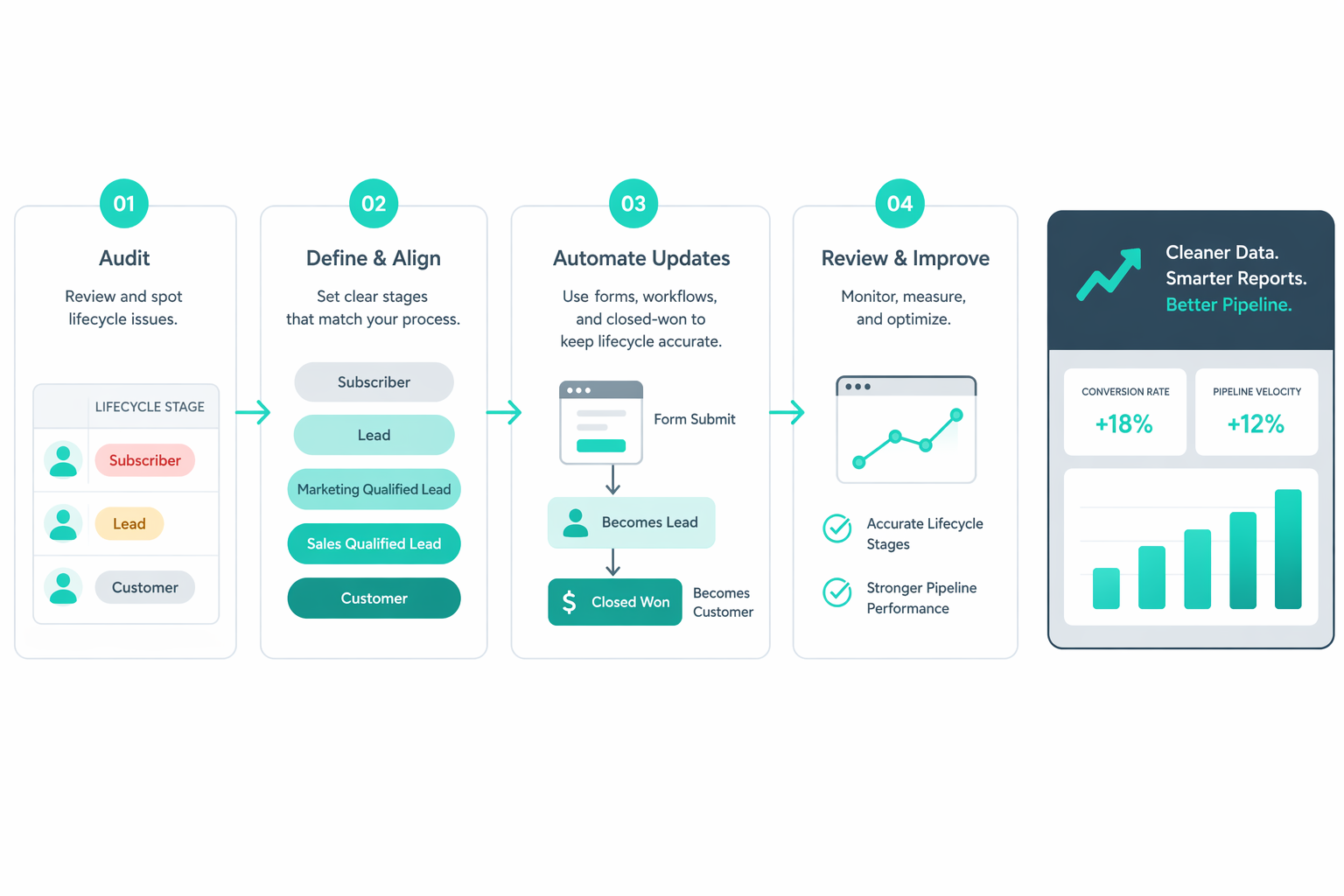
If you want your CRM to reflect how buyers actually move toward a purchase, start with a clear lifecycle framework. It gives you a shared structure that marketing, sales, and customer teams can rely on to understand where a contact stands and what should happen next.

In HubSpot, lifecycle stages connect automation, segmentation, and funnel reporting. Consistent stage definitions help your teams coordinate outreach and qualification across the funnel.

Your pipeline reports then show how contacts progress toward opportunities and customers instead of simply tracking engagement activity. Over time, this structure makes funnel performance easier to interpret and improve.

Frequently Asked Questions

1. Can lifecycle stages be customized in HubSpot?

Yes. HubSpot helps administrators to create and manage lifecycle stages through object settings so the CRM reflects the organization’s sales process. Many companies add custom stages to match their funnel structure or qualification model.

2. Can lifecycle stages move backward in HubSpot?

Lifecycle stages usually move forward because the property represents the furthest point a contact has reached in the relationship. Moving a stage backward typically requires clearing the existing value through a workflow or manual update before assigning a new stage.

3. Should contact and company lifecycle stages match?

Not always. Some organizations synchronize lifecycle stages between contacts and companies, but others manage them separately to reflect different engagement levels within the same account.

4. How does HubSpot automatically update lifecycle stages?

HubSpot can update lifecycle stages automatically through workflows or system events, such as deal creation. Automation rules monitor signals like form submissions, meeting bookings, or sales activity, and update the stage when those signals appear.

5. Why should lifecycle stage and lead status be used together?

Lifecycle stage shows how far a contact has progressed in the customer journey. Lead status records the current state of sales outreach, which helps teams track engagement after a contact becomes sales qualified.


What We're talking about... Lead Scoring

What We're talking about... Lead Scoring

Saving time and effort all while maximizing value and revenue sounds great, right? Well, that's exactly what a proper lead scoring strategy can do...

Read More
How to Make the Most of HubSpot's Free Sales, Marketing, & CRM Tools

How to Make the Most of HubSpot's Free Sales, Marketing, & CRM Tools

It's well known in the inbound marketing world that HubSpot offers some of the most powerful marketing, CRM, and sales platforms. Their software...

Read More
Automated Lead Nurturing Strategies Using HubSpot Lifecycle Automation

Automated Lead Nurturing Strategies Using HubSpot Lifecycle Automation

Many organizations invest heavily in lead nurturing, they create content libraries, building email workflows, and launching automation campaigns...

Read More