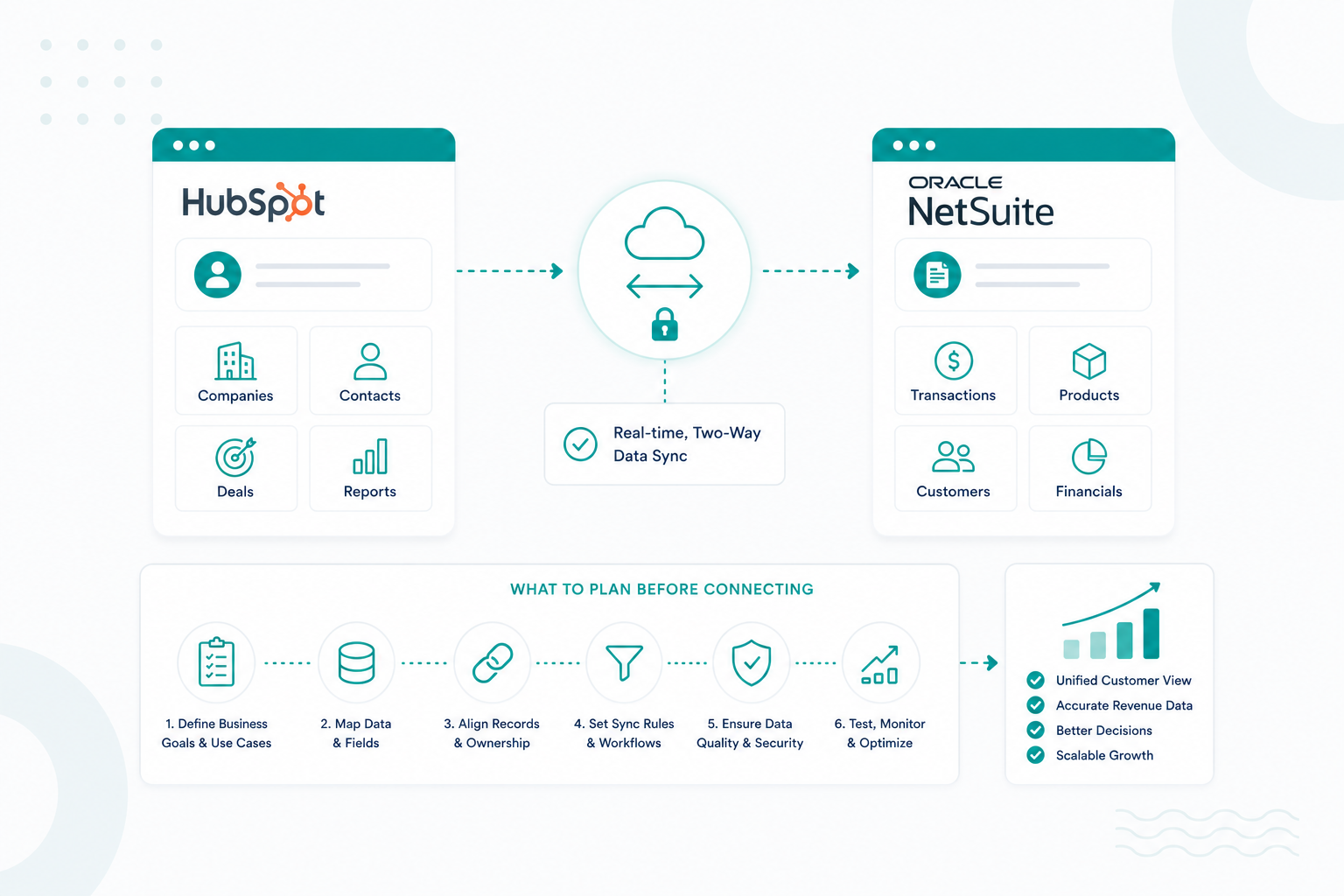
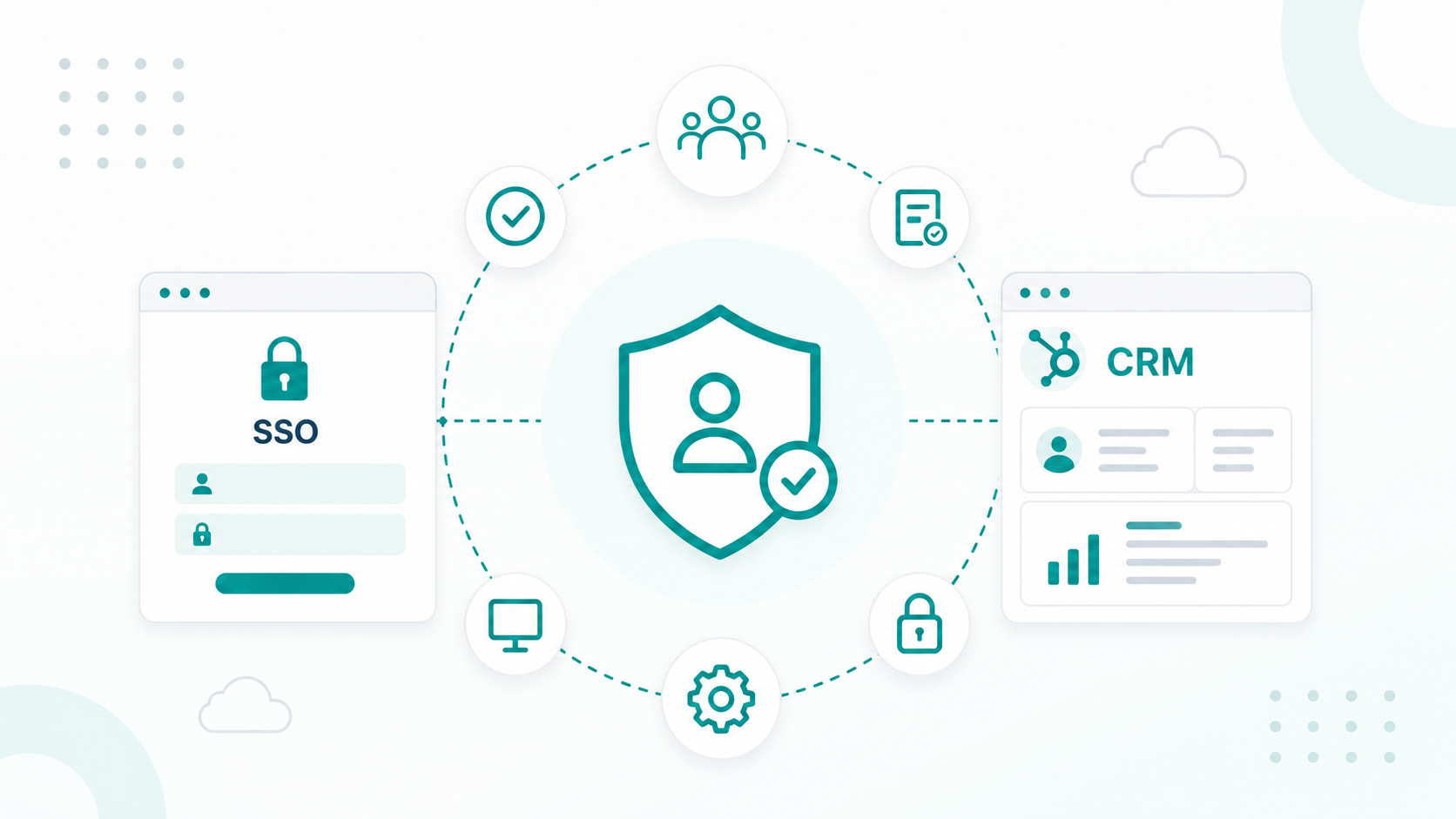
HubSpot has evolved beyond a traditional CRM into a platform that many businesses rely on as the central source of customer information. As its AI, automation, and reporting capabilities continue to expand, more organizations ask whether HubSpot should become their system of record or remain one part of a broader technology stack.
The answer depends on the type of data your business manages. HubSpot excels at customer relationship data, but other operational records often belong in specialized systems that were built for those functions.
This guide explains when HubSpot should serve as your system of record, which data it should own, when other platforms should remain the source of truth, and how to build an integration strategy that gives your teams a complete and accurate view of every customer.
Key Takeaways
- HubSpot works best as the system of record for customer relationship data.
- ERP, finance, billing, and product platforms should remain the source of truth for the data they manage.
- Clear data ownership and reliable integrations create a complete customer view without duplicate or conflicting records.
What Does It Mean for HubSpot to Be Your System of Record
A system of record is the authoritative source where a specific type of business data is created, maintained, and trusted. When HubSpot is your system of record, it becomes the primary place your teams rely on for customer information, including contacts, companies, deals, activities, communications, and lifecycle history.
HubSpot now positions its Smart CRM as a unified customer data foundation that connects marketing, sales, service, and AI on top of one trusted customer record. Here's what the Smart CRM looks like:
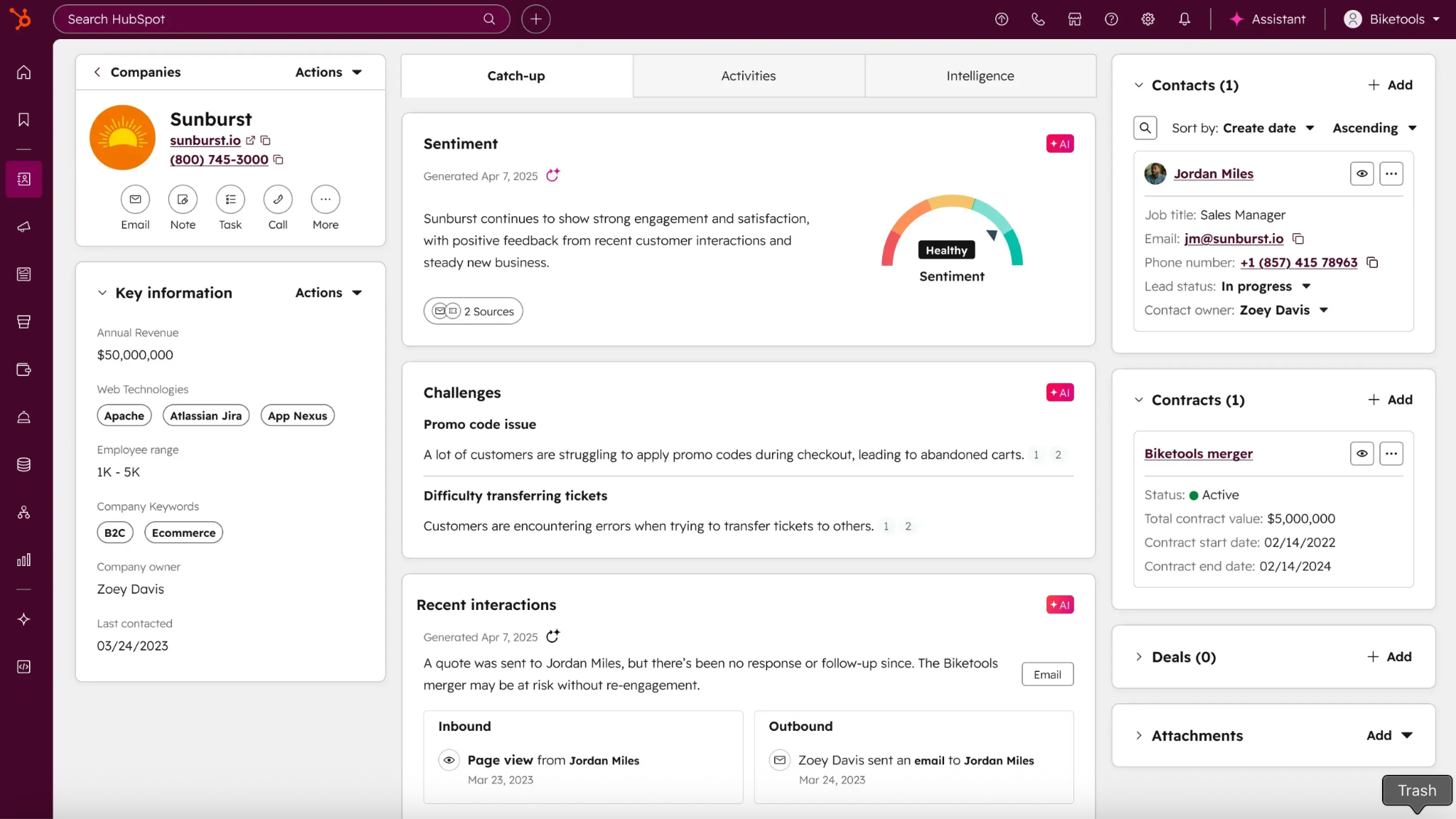
However, making HubSpot your system of record doesn't mean it should own every piece of business data. Modern SaaS architectures typically assign ownership by data domain:
- HubSpot: Customer profiles, companies, deals, marketing engagement, sales activities, support history
- ERP (NetSuite, SAP, Microsoft Dynamics): Financial records, invoices, inventory, purchasing
- Billing platforms (Stripe, Chargebee): Subscriptions, payments, renewals
- Product databases: Feature usage, telemetry, application data
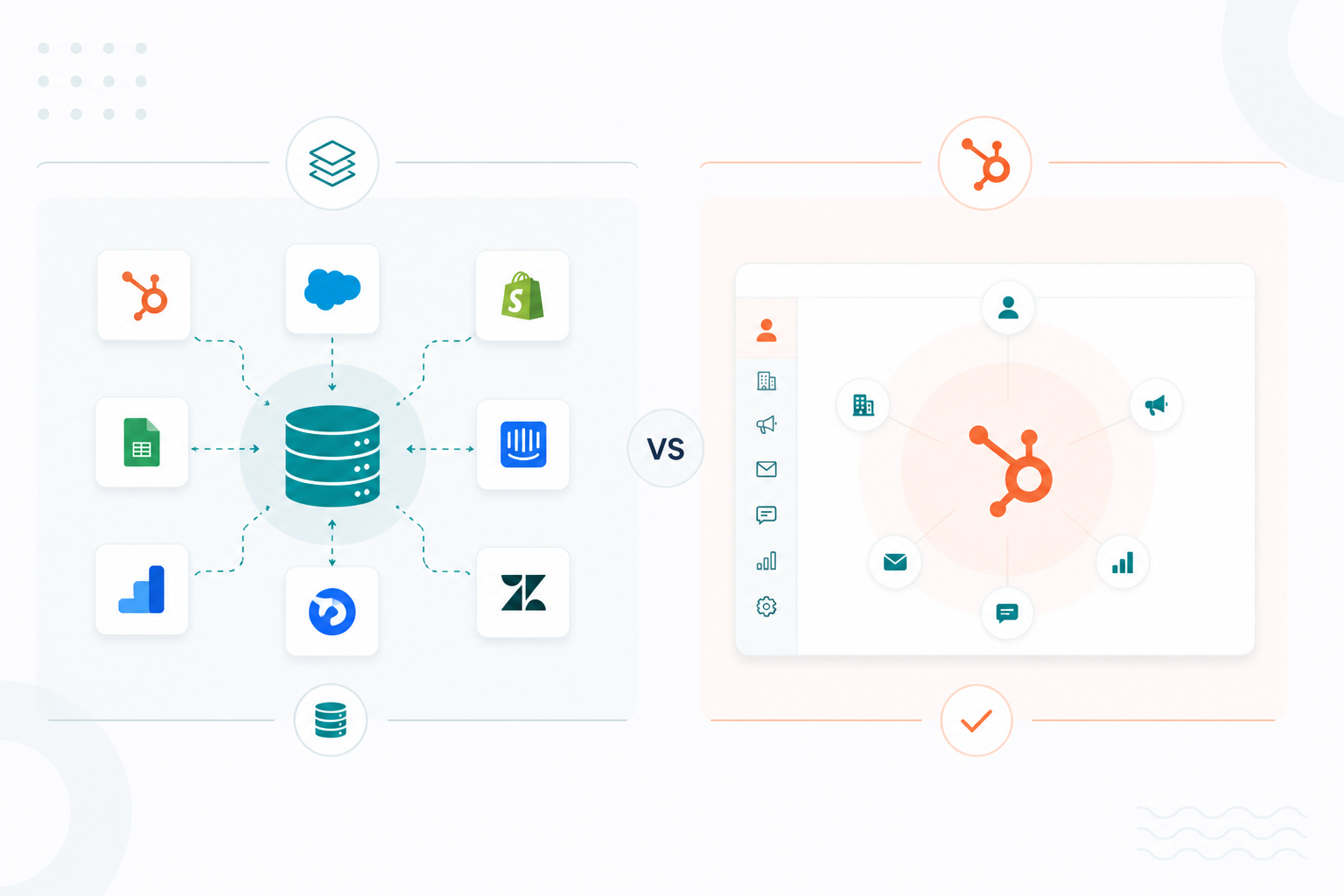
HubSpot's role is to unify customer context across these systems, while each specialized platform remains the authoritative source for its own operational data. This approach reduces duplicate records, improves reporting accuracy, and helps every team work from consistent customer information without forcing one platform to manage processes it wasn't designed for.
Which Customer Data Should HubSpot Own
HubSpot should own the customer data that sales, marketing, customer success, and service teams use to build relationships and make decisions.
The types of customer data HubSpot should typically own include:
- Contact information: Names, email addresses, phone numbers, job titles, communication preferences, and consent status.
- Company profiles: Firmographic details such as company size, industry, revenue, location, website, parent-child relationships, and associated contacts.
- Relationship history: Every email, call, meeting, note, chat, form submission, and sales activity that helps teams understand the customer journey.
- Sales pipeline data: Deals, pipeline stages, estimated value, close dates, deal owners, and associated contacts and companies.
- Marketing engagement: Website visits, email opens and clicks, form submissions, content downloads, campaign attribution, lead scores, and lifecycle stages.
- Customer service records: Support tickets, conversation history, customer feedback, satisfaction scores, and issue resolution history.
- Customer intelligence: AI-generated summaries, enriched company and contact information, custom properties, and behavioral insights that help teams personalize outreach and prioritize opportunities.
This makes HubSpot the single source of truth for customer relationship data. It stores the information that tells your business who each customer is, how they've interacted with your company, where they are in the buyer journey, and what the next best action should be.
Keeping this data centralized improves reporting, automation, personalization, and collaboration across revenue teams.
If you're planning a migration, you may also find our guide, Essential Data to Migrate for a Successful HubSpot CRM Implementation, helpful.
Which Business Data Should Stay Outside HubSpot
Although HubSpot can serve as the system of record for customer relationship data, other platforms should remain the authoritative source for operational, financial, and transactional information.
The best practice is to let each system own the data it was built to manage, while syncing the customer-facing information into HubSpot to create a complete view of every account. HubSpot emphasizes using integrations and bidirectional syncs to maintain a single customer view.
Business data that should generally stay outside HubSpot includes:
- Financial records: General ledger entries, accounts payable and receivable, invoices, tax records, journal entries, and financial statements should remain in your ERP or accounting platform, where they support compliance, auditing, and financial reporting.
- Inventory and supply chain data: Product inventory, warehouse stock levels, purchase orders, manufacturing schedules, and fulfillment workflows belong in ERP, warehouse management, or inventory systems.
- Subscription and billing data: Payment transactions, subscription plans, invoices, refunds, payment methods, and revenue recognition should stay in platforms such as Stripe, Chargebee, or your ERP, with only relevant customer status synchronized to HubSpot.
- Product and application data: Feature usage, application telemetry, authentication records, user permissions, and system logs are better managed in your product database or data warehouse. HubSpot can consume key product signals for sales and customer success without becoming their primary storage location.
- Operational and project management data: Production schedules, engineering tasks, implementation milestones, resource planning, and internal project documentation belong in project management or professional services automation platforms.
- Compliance and regulatory records: Legal contracts, financial audit trails, manufacturing documentation, and other regulated records should remain in systems designed to meet industry-specific governance and retention requirements.
A useful rule is to ask whether the data describes the customer relationship or a business operation. If it helps marketing, sales, or customer success understand and engage customers, HubSpot is often the right home. If it governs finance, inventory, fulfillment, or compliance, another business system should remain the source of truth, with HubSpot synchronizing only the fields needed to provide a unified customer experience.
This "relationship hub plus domain ownership" approach is also widely recommended by RevOps practitioners managing modern CRM ecosystems.
How HubSpot Works with ERP, Finance, and Product Systems
HubSpot works best as the customer relationship hub in your technology stack, while ERP, finance, and product systems remain responsible for their own operational data.
ERP Systems
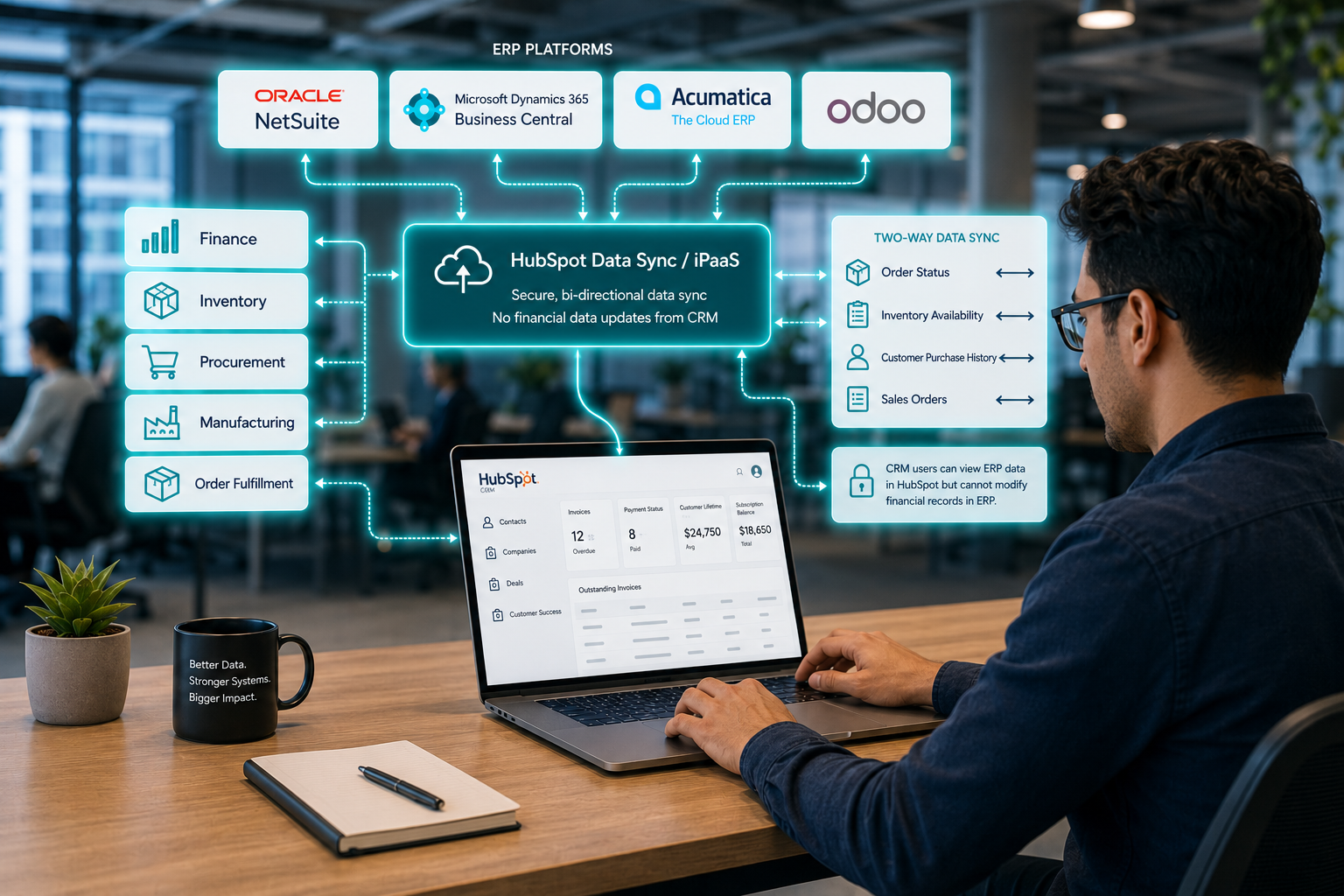
Your ERP should remain the system of record for finance, inventory, procurement, manufacturing, and order fulfillment, while HubSpot manages customer relationships. Data should flow between both platforms so sales and customer success teams can see information such as order status, inventory availability, or customer purchasing history without editing financial or operational records. This creates a seamless quote-to-cash process while allowing each platform to focus on its strengths.
To see how to build a reliable integration between HubSpot and your ERP, read HubSpot ERP Integration That Leaders Trust.
Finance and Accounting Platforms

Accounting and payment systems such as QuickBooks, NetSuite, or Xero should continue to own invoices, payments, tax records, revenue recognition, and financial reporting. HubSpot can synchronize high-level financial information such as invoice status, payment status, customer lifetime value, or outstanding balances to give customer-facing teams better visibility.
Product Systems
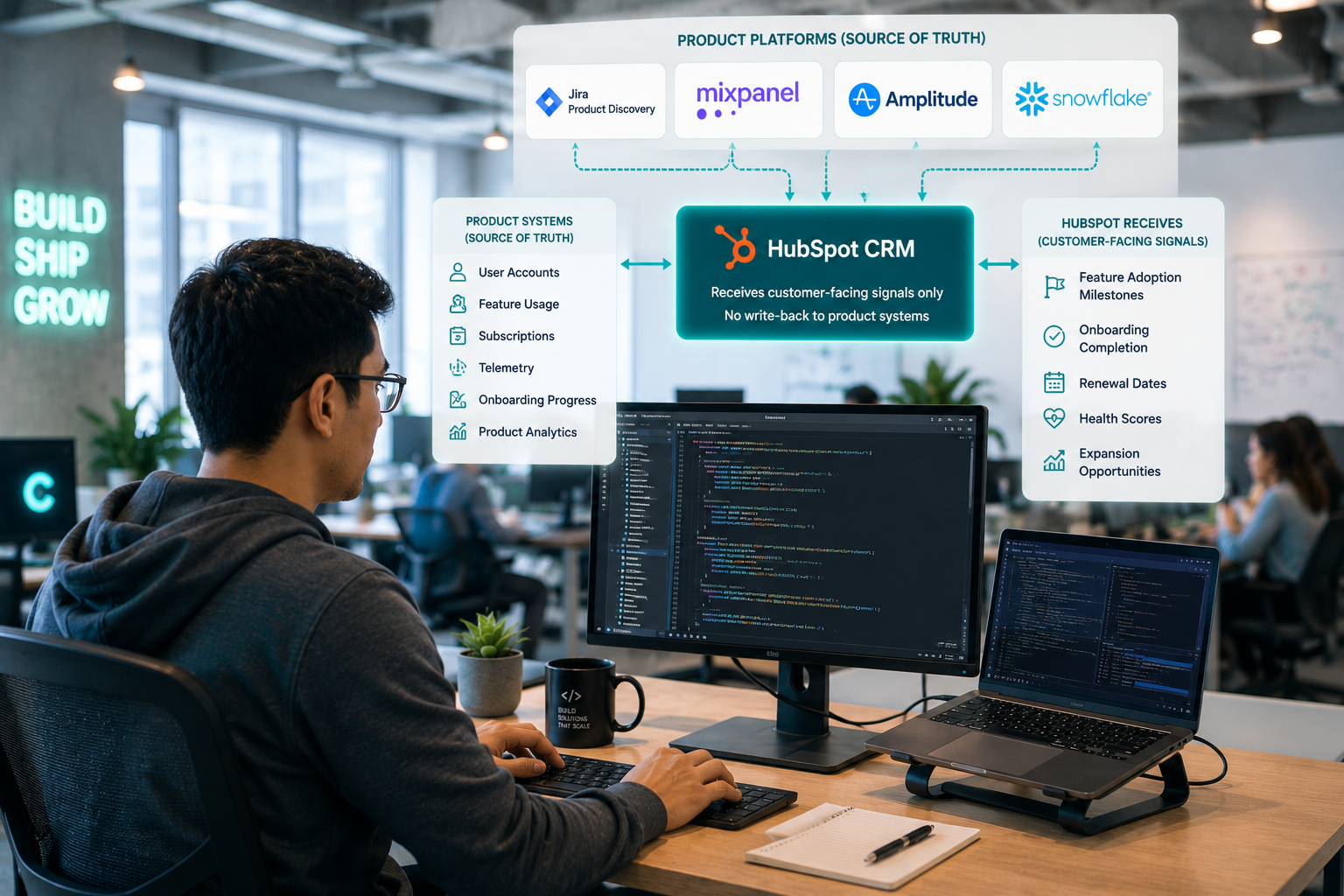
Product databases, customer portals, and application platforms should own user accounts, feature usage, subscriptions, telemetry, and product analytics. HubSpot should receive only the customer signals that improve marketing, sales, and customer success activities, such as product adoption, feature usage milestones, renewal dates, or onboarding progress. These insights help teams to personalize outreach and identify expansion opportunities without turning HubSpot into the operational backend for the product itself.
Tip: Keep Each System Responsible For Its Own Data
- HubSpot: Contacts, companies, deals, lifecycle stages, communications, marketing engagement, and customer service history.
- ERP: Financial transactions, inventory, purchasing, manufacturing, fulfillment, and operational reporting.
- Finance platform: Billing, payments, subscriptions, revenue recognition, and accounting records.
- Product platform: User accounts, feature usage, product events, and application data.
This domain-based approach minimizes duplicate records, prevents conflicting updates, and ensures every system remains the authoritative source for the information it manages best.
We've implemented HubSpot integrations for organizations across a range of industries. If you're interested in how these projects are approached and the results they achieved, explore our case studies.
What Are the Benefits and Risks of Making HubSpot Your System of Record
Benefits of Making HubSpot Your System of Record
Creates a single customer view: HubSpot centralizes contacts, companies, deals, communications, and service history into one record. This gives every customer-facing team consistent, up-to-date information.
Improves collaboration across teams: Marketing, sales, customer success, and support all work from the same customer record. Shared visibility into lifecycle stages, activities, and conversations helps teams coordinate handoffs, personalize interactions, and provide a more consistent customer experience.
Enables better automation and AI: HubSpot's AI capabilities rely on complete and reliable customer data. When contacts, engagement history, and relationship information live in one platform, AI can generate summaries, recommend next actions, enrich records, and automate workflows with greater accuracy.
Increases data quality: Using one authoritative CRM reduces manual data entry, minimizes duplicate contacts, and keeps customer records synchronized across connected applications.
Risks of Making HubSpot Your System of Record
Over-customization: Adding excessive custom objects, properties, and workflows without governance can make HubSpot difficult to maintain and slow user adoption.
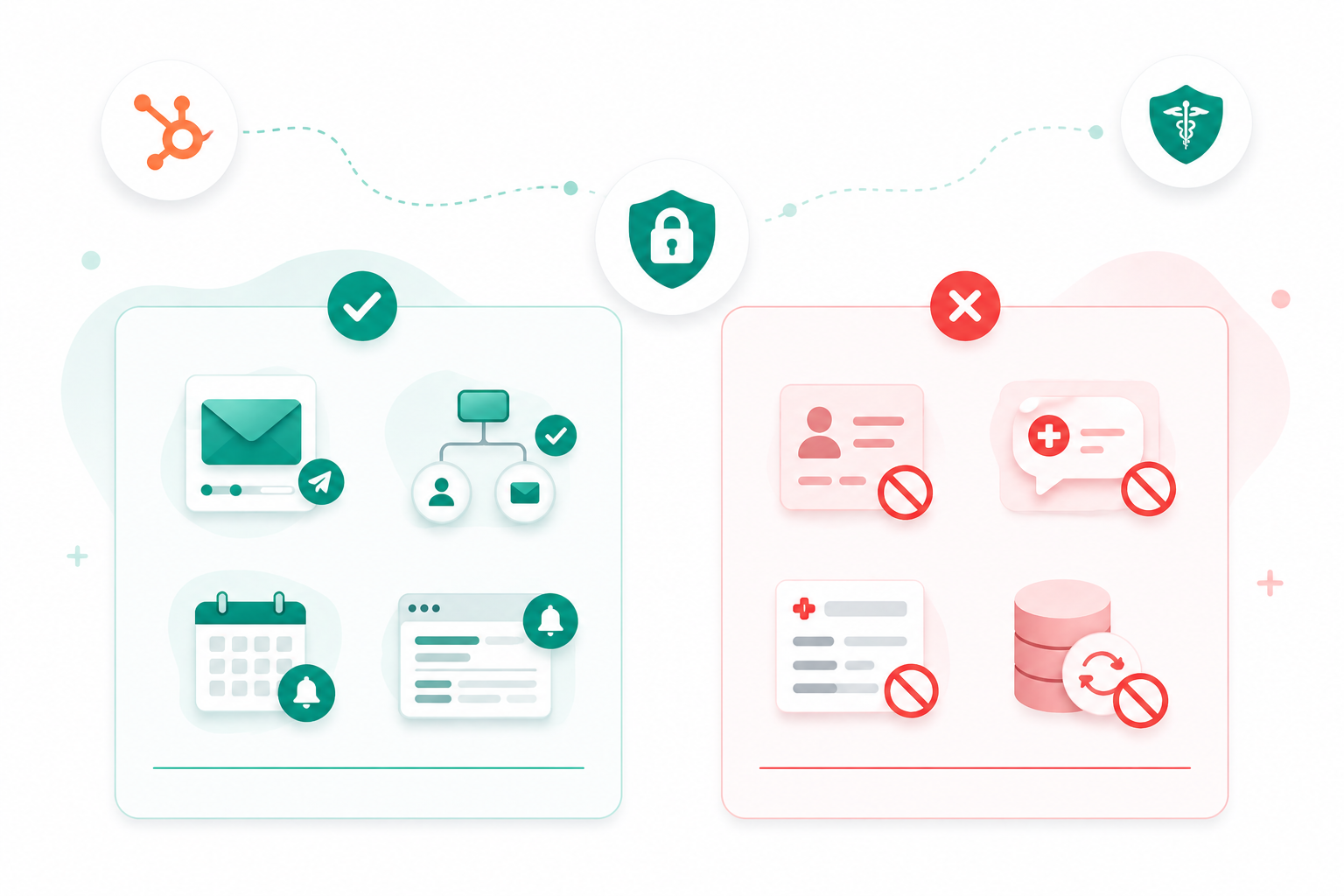
Compliance and governance challenges: As customer records grow, organizations need clear policies for data quality, permissions, retention, and regulatory compliance. Poor governance can expose sensitive customer information and create legal or operational risks.
Who Should and Shouldn't Use HubSpot as Their System of Record
HubSpot is a good fit for:
- B2B SaaS companies that need a shared view of contacts, companies, deals, customer communications, and support history while product and billing platforms manage application and subscription data.
- Professional services firms such as consultancies, agencies, and legal practices that want to centralize client relationships, proposals, contracts, and service history while accounting and project management systems handle operations.
- Growing small and mid-sized businesses moving beyond spreadsheets and looking for a centralized CRM with automation, reporting, AI, and collaboration across marketing, sales, and service teams.
- Revenue-focused organizations that prioritize lead generation, customer acquisition, retention, and expansion, and need one trusted source for customer relationship data to improve automation, forecasting, and personalization.
However, HubSpot should not be your only system of record if your business relies on platforms designed to manage operational or financial data. Those organizations include:
- Manufacturing and inventory-driven businesses that depend on ERP systems for inventory, production planning, procurement, and warehouse management.
- Finance-first organizations with complex accounting, tax compliance, revenue recognition, or multi-entity financial reporting requirements.
- Organizations with specialized operational systems, such as healthcare providers, logistics companies, or businesses using industry-specific software to manage regulated or operational records.
If your business is a good fit for HubSpot, read our guide to HubSpot's Free Sales, Marketing, & CRM Tools to see what you can start using today.
How to Decide if HubSpot Is the Right System of Record for Your Business
1. Start by Identifying Your Primary Data Domain
The first question is what type of information your business relies on most. If marketing, sales, customer success, and service teams spend most of their time managing customer relationships, HubSpot is a strong candidate for your customer system of record. If your core operations revolve around inventory, manufacturing, accounting, or logistics, those records should remain in an ERP or specialized operational platform.
2. Define Which System Owns Each Type of Data
Assign clear ownership to each system.
- HubSpot: Contacts, companies, deals, communications, lifecycle stages, support history, and customer engagement.
- ERP: Financial transactions, inventory, procurement, fulfillment, and operational reporting.
- Billing platform: Subscriptions, invoices, payments, and revenue recognition.
- Product platform: User accounts, feature usage, product telemetry, and application data.
3. Evaluate Your Integration Strategy
HubSpot delivers the most value when it connects seamlessly with the systems that own operational data. Before adopting HubSpot as your system of record, confirm that your ERP, finance, product, and support platforms can synchronize the customer information your revenue teams need.
4. Consider Your Growth Plans
A CRM should support your business today and as it scales. If your organization is expanding its sales team, investing in marketing automation, improving customer success, or adopting AI-powered workflows, HubSpot's Smart CRM provides a centralized customer database that grows with those initiatives.
Businesses that expect increasingly complex financial or operational requirements should continue investing in ERP capabilities while allowing HubSpot to manage customer relationships.
5. Ask These Five Questions Before Deciding
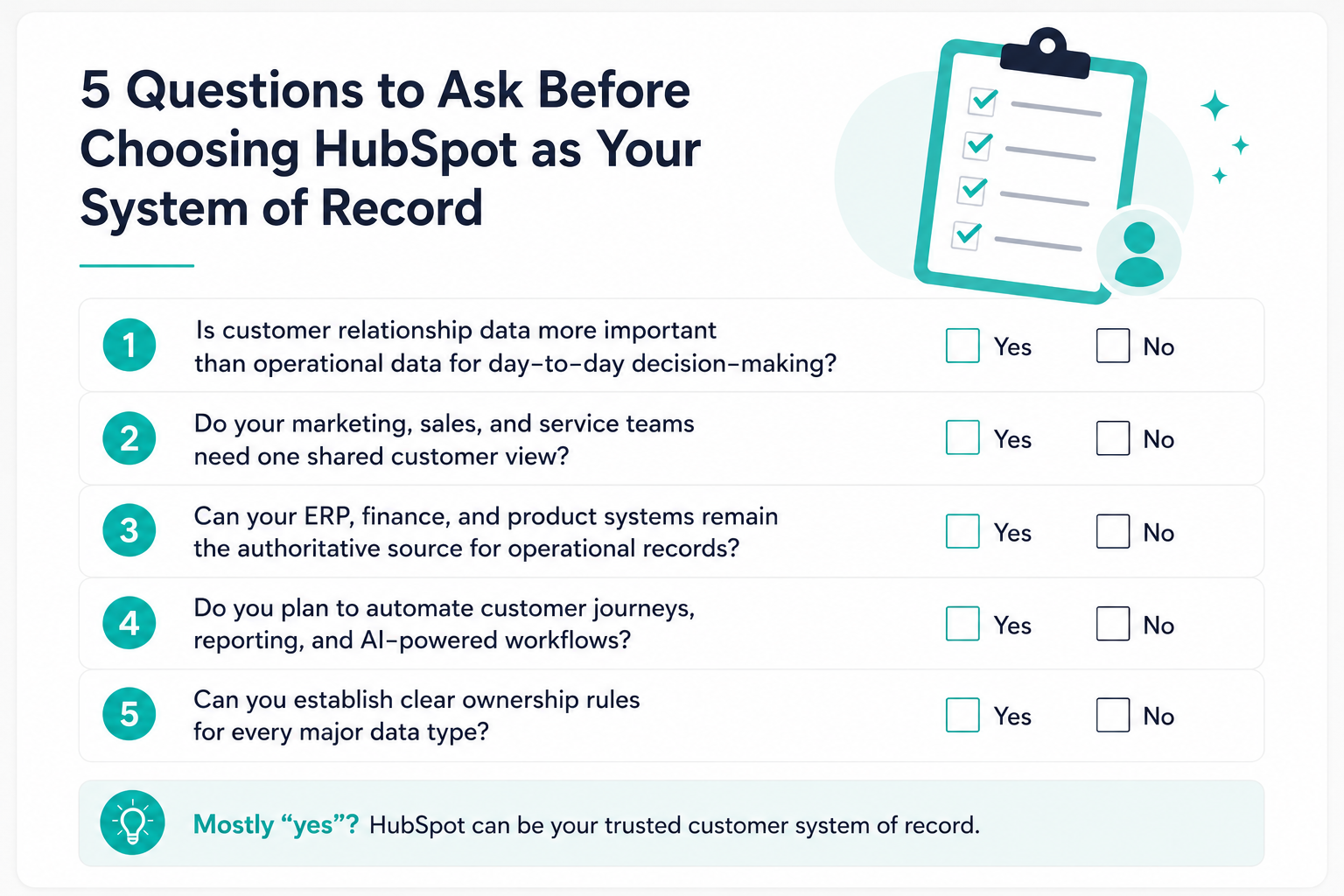
If the answer to several of these questions is no, HubSpot should still be part of your technology stack but as an integrated CRM rather than the primary system of record for the business.
Ultimately, HubSpot is the right system of record when your business needs a trusted, AI-ready source of customer truth.
Choose the Right System of Record for Your Business!
If you're implementing HubSpot alongside ERP, finance, billing, or product platforms, a clear data ownership strategy is essential. Defining which system owns each type of data before building integrations reduces duplicate records, improves reporting, and creates a scalable foundation for growth.
Campaign Creators helps businesses design and implement HubSpot as part of a connected technology stack. From CRM architecture and integrations to HubSpot implementation and optimization, we help you build a reliable customer data foundation that supports long-term growth.
.png?width=1920&height=553&name=cc-logo-color%20(2024).png "Campaign Creators - logo in dark blue and transparent background")



.png?width=170&height=170&name=Round%20Blog%20Thumbnail%20(51).png)
 Campaign Creators

 Campaign Creators : 04/28/26