I know what I am looking for, and would like to chat.

A team of data-driven marketers obsessed with generating revenue for our clients.

Because the proof is in the pudding.

At Campaign Creators we live by three principles: Autonomy, Mastery, Purpose.

10 min read

Architecting HubSpot ERP Integration That Leaders Trust

Architecting HubSpot ERP Integration That Leaders Trust

HubSpot ERP integration often starts as a technical task. Teams connect systems, map fields, and sync data between HubSpot and platforms such as NetSuite or Microsoft Dynamics 365. Yet the real impact appears in how revenue data moves across marketing, sales, finance, and customer success. When the structure is weak, companies end up with duplicate customers, conflicting revenue numbers, and reports that leadership cannot trust.

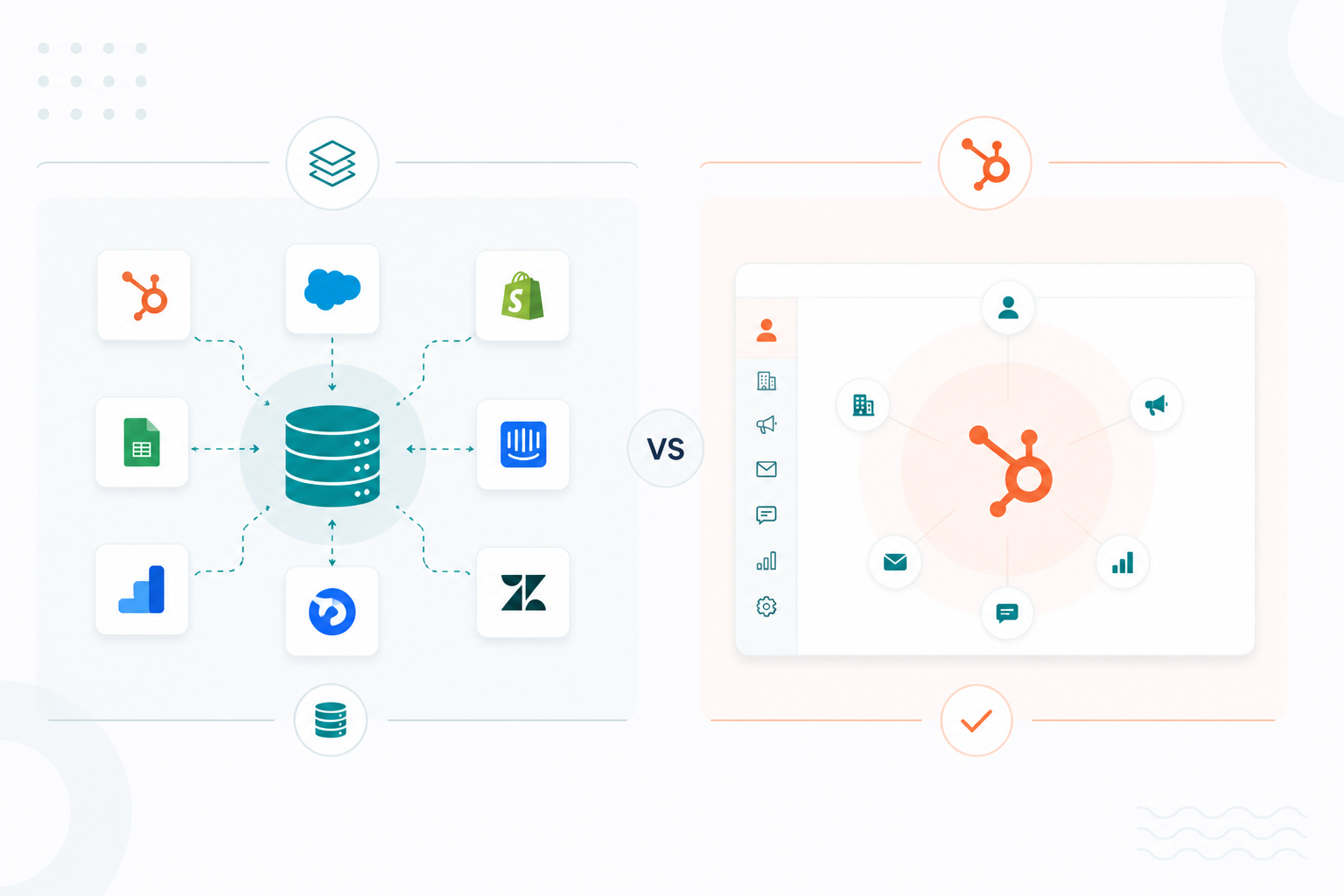
A stronger approach treats integration as revenue architecture. HubSpot manages customer engagement and lifecycle activity, the ERP manages financial operations, and both systems share consistent revenue data. HubSpot handles marketing campaigns, leads, and sales pipelines. The ERP manages accounting, orders, billing, and fulfillment.

This post explains how to design HubSpot–ERP integration as a clear revenue structure. You will see how to define system ownership, design lifecycle-based data flows, and keep the integration reliable as your company grows.

What HubSpot ERP Integration Means

Alt Text: woman-thinking-about-hubspot-erp-integration

HubSpot ERP integration connects customer engagement data in HubSpot with financial and operational data stored in ERP systems such as NetSuite or Microsoft Dynamics 365. The goal is to create a reliable flow of information across marketing, sales, finance, and operations.

Many teams treat integration as a simple technical task. They select a connector, map several fields, and activate synchronization. For mid-market and enterprise organizations, this approach introduces operational risk. The real challenge is not connecting the systems. It defines how data should move between them and which system owns each type of information.

When integration is treated only as a connector project, problems appear quickly:

  • Duplicate customer records
  • Invoices that do not reconcile with CRM data
  • Conflicting ARR and MRR numbers
  • Sales teams are losing trust in reporting

These problems occur when systems synchronize without a defined ownership structure. HubSpot becomes a user interface sitting on top of inconsistent data instead of a structured engagement platform connected to reliable revenue data.

Roles of HubSpot and ERP Systems

HubSpot acts as the engagement layer across marketing, sales, and service. It manages campaigns, lead management, deal pipelines, lifecycle stages, and customer communication workflows.

The ERP system manages financial and operational processes. ERP platforms track orders, invoices, payments, and product or inventory data. They also support accounting, procurement, inventory management, and financial reporting across the organization.

Integration connects these roles and allows organizations to achieve two outcomes:

  • A consistent customer experience across marketing, sales, service, and finance
  • A single operational view of revenue that leadership can trust

What Data Syncs Between HubSpot and ERP

In most organizations, the following data categories move between HubSpot and ERP platforms such as NetSuite or Microsoft Dynamics 365:

  • Customer and company records

  • Product catalog and pricing data

  • Deal or order information

  • Subscription details

  • Invoice status and payment records

  • Revenue metrics such as ARR or MRR

Planning these flows begins with a full system map. Teams identify every platform that touches revenue operations, which may include CRM systems, ERP platforms, billing tools, product usage systems, subscription platforms, data warehouses, and customer support tools.

For each system, two questions help define the integration structure:

  • What information must appear in HubSpot to support marketing, sales, and service decisions?

  • What information must flow into the ERP or other systems to support billing, compliance, and fulfillment?

Many organizations begin this process with a simple architecture diagram or data flow map that shows where each record originates and which systems consume it. This documentation helps prevent integration rules from being built on assumptions about where data is created or maintained.

When to Sync Data Between Systems

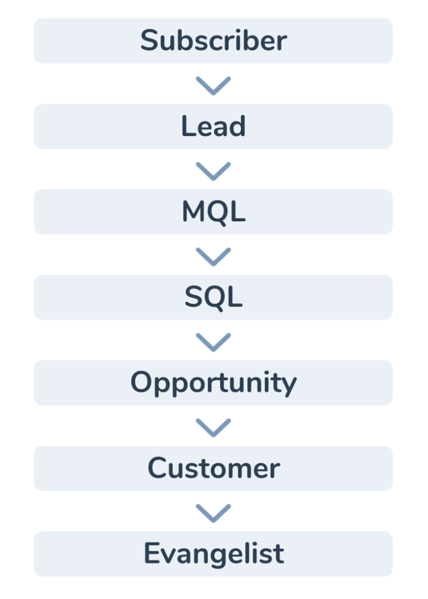
Integration design works best when it follows the customer lifecycle instead of syncing objects continuously. HubSpot organizes contacts and companies through lifecycle stage property. It contains the following default stages as options in sequential order:

Alt Text: lifecycle-stage-property

These stages help teams understand how a prospect progresses from early engagement to active customer status. Lifecycle stages also trigger operational activity across teams.

Marketing automation typically runs during the early stages, such as subscriber or lead. Sales teams begin qualification and deal management once a record becomes a sales-qualified lead. After a deal closes, onboarding and customer success workflows begin.

Integration events often align with these transitions because they represent operational milestones. For example, when a deal closes, the ERP may create an order record or billing schedule. When a subscription is canceled, HubSpot may update the lifecycle status or trigger customer success outreach.

In practice, synchronization typically occurs through two patterns: event-driven updates and scheduled updates.

Event-Driven Updates

Event-driven updates occur when a specific business event triggers synchronization between systems. When a deal is marked as won in HubSpot, the ERP can immediately create an order, start billing, or trigger fulfillment. This keeps financial and operational records aligned with the sales pipeline.

Financial changes also trigger synchronization. If an invoice becomes overdue in the ERP, that status can sync to HubSpot so sales or customer success teams see the issue directly on the customer record and can respond quickly.

Contract changes follow the same pattern. When a contract renews or a subscription is canceled in the ERP, HubSpot receives the updated status. Customer success teams can then trigger renewal outreach, retention workflows, or account reviews.

These updates happen immediately because teams need current information to make operational decisions.

Scheduled Updates

Scheduled updates occur when data changes frequently but do not require immediate synchronization. Systems exchange updates at defined intervals instead of syncing every change.

Revenue metrics often follow this model. Metrics such as monthly recurring revenue may update nightly, so dashboards reflect the latest totals without sending constant updates between systems.

Operational data may also sync on a schedule. Inventory levels, usage summaries, or entitlement data can refresh periodically so HubSpot maintains an accurate view without processing continuous updates.

This approach reduces API load and keeps integrations stable when large datasets are updated frequently. Use HubSpot’s data sync tools to configure how properties synchronize across connected systems and determine which properties update in each direction.

How to Design a HubSpot ERP Integration Architecture

Step 1: Define Systems of Record

HubSpot–ERP integration starts with defining which system owns each type of data. Without clear ownership, both systems may update the same record and create conflicts.

A practical way to do this is to create a data ownership table before any integration work begins. RevOps, finance, and IT usually review this together. Typical ownership in a HubSpot–ERP environment looks like this:

HubSpot owns

  • Contacts and companies created through marketing forms or lead capture
  • Lifecycle stage and lead qualification fields
  • Sales pipeline stages and deal activity
  • Campaign attribution and engagement history

ERP owns

  • Customer accounts used for billing
  • Sales orders and invoices
  • Payments and revenue schedules
  • Product catalog, SKUs, and inventory

For example, when a sales rep moves a deal to Closed Won in HubSpot, the integration may create a sales order in NetSuite. The ERP then becomes the authoritative source for billing and payment status.

Once ownership rules are defined, integration logic follows a simple principle: The system that owns the data controls updates.

If the ERP owns invoice status, HubSpot should only read that value and never overwrite it.

Step 2: Design Data Domains and Sync Patterns

Instead of syncing hundreds of individual fields, group related information into data domains. This makes integration easier to manage and troubleshoot. A typical HubSpot–ERP architecture includes three main domains:

A. Customer Lifecycle Domain

This domain contains customer identity and sales context. Example flow:

  1. A prospect fills out a form on the website.
  2. HubSpot creates a contact and company record.
  3. When the deal reaches Closed Won, the integration sends the customer record and deal details to the ERP.
  4. The ERP creates a customer account and sales order.

The ERP can then return information such as:

  • Customer ID
  • Order number
  • Account status

These values appear on the HubSpot company record so sales and customer success teams see the full context.

B. Billing and Transaction Domain

Financial and operational data usually originates in the ERP. Examples of ERP data that sync to HubSpot include:

  • Invoice status
  • Payment status
  • Open balance
  • Renewal date
  • Subscription plan

For example, if a customer’s invoice becomes overdue, the ERP updates the invoice record and the integration sends that status to HubSpot. Customer success teams can immediately see the issue on the account record.

C. Product and pricing domain

Most companies store product and pricing information in the ERP. Typical sync pattern: ERP → HubSpot

Examples of product data sent to HubSpot:

  • Product name
  • SKU
  • Pricing tiers
  • Billing frequency
  • Product availability

This allows sales reps to create deals in HubSpot using accurate product data that matches ERP billing rules. Many integrations also sync product line items, so quotes in HubSpot match the products and pricing used in finance systems.

Step 3: Separate Integration Logic From Application Logic

Most mid-market and enterprise environments introduce a dedicated integration layer between HubSpot and the ERP. Common platforms include iPaaS tools such as Celigo or Workato, middleware services, and custom API services. This integration layer performs several practical functions.

Object Mapping: It maps HubSpot objects to ERP records. Examples are the following:

  • HubSpot Contact → ERP Customer
  • HubSpot Deal → ERP Opportunity or Sales Order
  • HubSpot Product → ERP Item record

HubSpot’s native integrations already map many of these objects automatically.

Data Transformation: The integration layer converts data formats when systems use different schemas. Examples are the following:

  • HubSpot deal value = total contract value
  • ERP order value = sum of line items

The integration calculates and maps the correct fields.

Duplicate Prevention: The integration layer checks whether a customer already exists in the ERP before creating a new record. Typical logic:

  • Search ERP for company name or customer ID
  • Update the existing record if found
  • Create a new record only if no match exists

Event Logging and Monitoring: Each synchronization event is logged. Examples of these events:

  • Deal sent to ERP
  • Invoice status update received
  • Sync failure caused by a missing field

These logs allow teams to diagnose integration issues quickly. When integration logic is centralized and observable, it becomes part of the company’s revenue infrastructure instead of a hidden configuration maintained by one engineer.

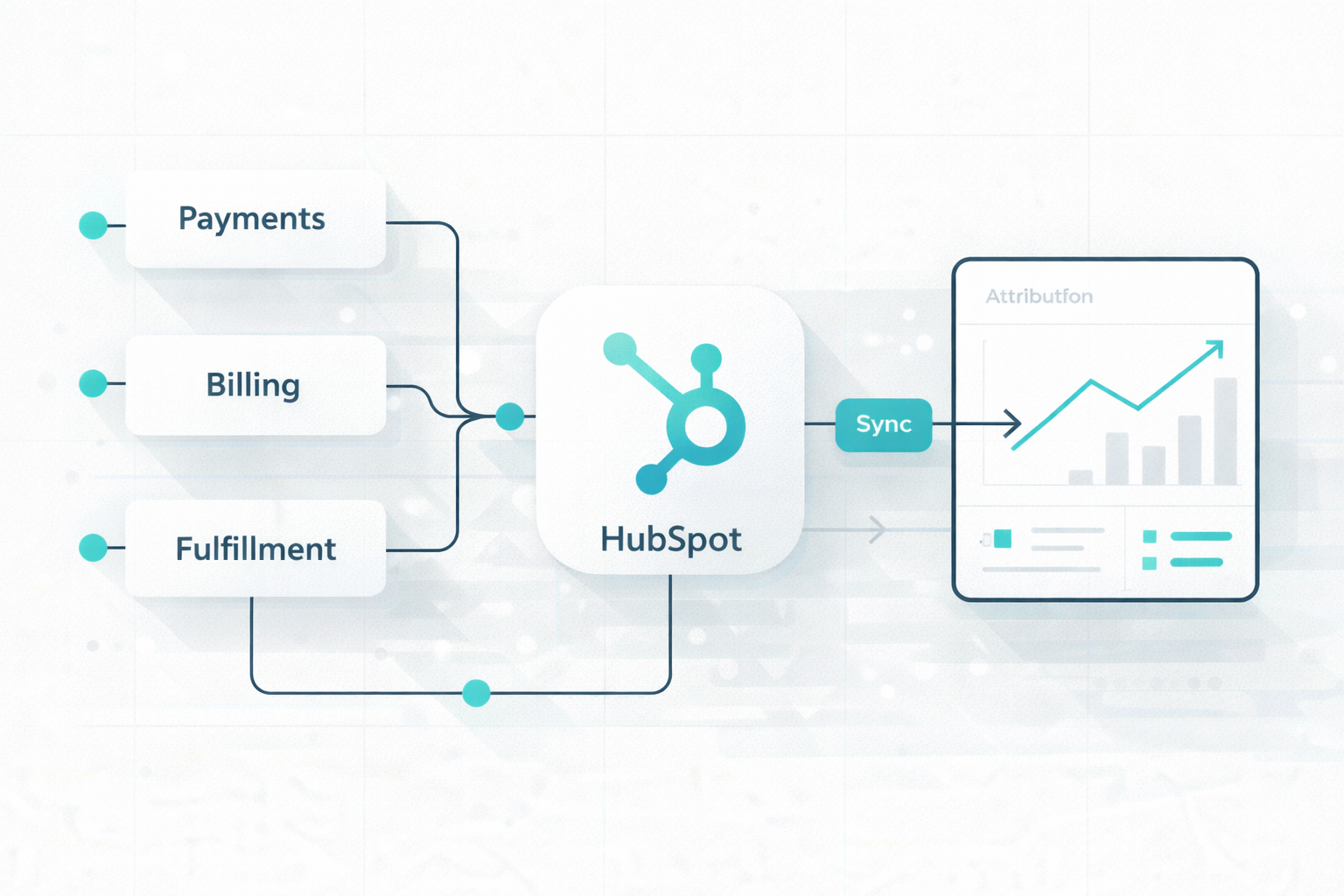
This approach also makes it easier to add new systems such as billing platforms, subscription management tools, or analytics warehouses without redesigning the entire integration architecture.

Deploying HubSpot ERP Integration in Phases

Each phase introduces a small part of the integration so teams can identify errors early and prevent issues from affecting billing or reporting.

Phase 1: Establish Data Visibility

Start with read-only ERP data inside HubSpot. This helps teams confirm that records appear correctly and that field mappings behave as expected. For example, revenue metrics, product data, and invoice status may appear on HubSpot records without allowing HubSpot to modify financial data.

During this stage, administrators should review synchronization results using HubSpot’s integration dashboards. These dashboards show which records have synced successfully and where errors occur.

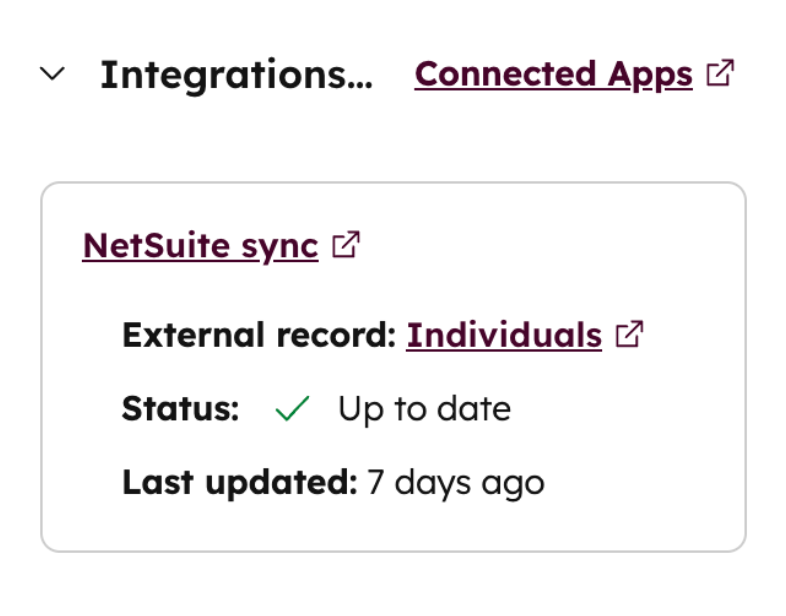
If you are integrating with NetSuite, the NetSuite sync card in HubSpot shows the synchronization status for connected records.

Alt Text: netsuite-synchronization-with-hubspot

It shows sync status, recent updates, and any errors related to the connected NetSuite record. This helps teams confirm that customer, product, and invoice data are syncing correctly during the validation stage.

Phase 2: Validate Data Consistency

After confirming that records appear correctly, administrators can now compare key metrics and record counts to confirm that synchronization rules have not introduced discrepancies.

Common validation checks include:

  • Comparing the number of customer accounts between systems

  • Confirming that invoice totals match ERP financial reports

  • Verifying that subscription values match deal values in HubSpot

  • Checking that duplicate detection rules prevent multiple customer records

  • Confirming that revenue metrics such as ARR or MRR match the finance dashboards

For example, if the ERP shows 500 active customer accounts, HubSpot should show the same set of synchronized accounts. If invoice totals or subscription values differ, administrators review field mappings and synchronization rules before moving forward.

Once revenue metrics and billing data match across systems, the integration is ready for controlled updates.

Phase 3: Introduce Controlled Write-Back

After validation, organizations can enable limited write-back actions from HubSpot to the ERP. Instead of allowing full bidirectional synchronization immediately, teams typically enable write-back only for fields that support operational workflows.

Common examples include:

  • Updating customer contact information from HubSpot to the ERP

  • Sending closed-won deal data to create ERP orders

  • Updating company attributes, such as billing address or customer status

Financial records usually remain controlled by the ERP. Invoice status, payment records, and revenue schedules continue to update only from the ERP to HubSpot.

This structure protects the ERP as the financial system of record while still allowing HubSpot to trigger operational workflows such as onboarding automation, renewal reminders, or lifecycle updates.

Administrators should monitor synchronization logs closely during this stage to confirm that HubSpot updates do not create duplicate orders or customer accounts.

Managing HubSpot ERP Integration Over Time

Alt Text: team-planning-on-how-to-manage-hubspot-erp-integration

ERP–CRM integrations evolve as companies introduce new products, pricing models, regions, and systems. It needs clear documentation, continuous monitoring, controlled system changes, and an architecture that can support long-term data growth.

Establish an Integration Runbook

Once integration becomes operational, teams need documentation that explains how the architecture works and who owns each part of it. Organizations frequently change pricing structures, product catalogs, and regional entities. Mergers or acquisitions may also introduce new CRMs or ERP systems.

A structured integration runbook typically documents:

  • System ownership for each object
  • Field definitions and naming standards
  • Allowed value sets
  • Synchronization triggers and schedules
  • Escalation paths when synchronization fails

RevOps usually maintains this documentation in collaboration with IT and finance. Runbooks also guide decisions when teams request new properties or integration changes. For example, when finance asks to add a new revenue attribute in HubSpot, teams should evaluate three questions:

  • What decision will this field support?
  • Which system should own the data?
  • Should the field appear in HubSpot or remain in analytics systems?

These questions prevent uncontrolled property growth and unnecessary synchronization between systems.

Monitor Integration Health

Even well-designed integrations require continuous monitoring. Synchronization failures, API changes, or schema updates can introduce errors that affect customer records or revenue reporting.

Integration monitoring usually tracks indicators such as:

  • Error rate thresholds that trigger alerts
  • Synchronization latency trends
  • Volume spikes caused by imports or automation loops
  • Data quality comparisons between systems

Operational monitoring often focuses on signals that indicate integration failures. For example, a sudden drop in synchronized invoices may indicate an authentication issue with the ERP API. A spike in synchronization errors may signal schema changes or property mapping conflicts. Customer lifecycle stages that stop progressing may indicate failed deal-to-order synchronization.

Teams also compare critical metrics across systems to detect inconsistencies. These metrics often include customer account counts, ARR totals, invoice records, and renewal schedules.

To review these metrics and identify synchronization issues, administrators can use HubSpot’s integration dashboards and record-level sync indicators. These tools show the status of synchronized records and highlight errors that occur during data updates.

Plan for Data Platform Evolution

As organizations grow, analytics needs often exceed what operational systems such as ERP and CRM platforms can handle. Revenue teams require deeper reporting, forecasting models, and behavioral analysis across multiple systems.

Data warehouses and analytics platforms centralize information from operational systems and allow teams to analyze revenue trends without affecting production systems.

In mature revenue architectures:

  • Historical revenue analysis runs in a data warehouse
  • Large data transformations run in analytics pipelines
  • Advanced metrics and health scores return to HubSpot through reverse ETL or governed synchronization

This structure gradually separates operational workloads from analytical workloads. HubSpot continues to focus on operational tasks such as segmentation, lifecycle routing, personalization, and sales and service playbooks

Analytics platforms handle modeling, forecasting, and long-term reporting. This separation keeps operational systems responsive while still supporting advanced analytics.

The Result: A Unified Revenue Architecture

Sales teams see accurate customer and deal data inside HubSpot. Finance teams manage billing and revenue inside the ERP. Both systems reflect the same customer and revenue information without manual reconciliation.

This structure removes many of the issues that appear in poorly designed integrations, such as duplicate customers, inconsistent revenue reporting, or broken automation workflows.

It also allows organizations to add new systems, products, or regions without rebuilding the integration from scratch. The architecture supports growth because each system has a clear role, and data flows follow defined rules.

Is Your HubSpot–ERP Integration Built for Revenue Visibility? Here’s What to Do Next

To evaluate whether your HubSpot–ERP integration supports reliable revenue operations and accurate reporting across your organization, review your current setup and confirm three things:

  1. Each data category has a defined system of record

  2. Lifecycle events trigger the correct operational updates

  3. Financial data flows from the ERP without manual adjustments

If these rules are unclear, the integration eventually creates conflicting customer records and unreliable reporting. A defined architecture keeps marketing, sales, finance, and customer success aligned on the same customer and revenue data, creating the visibility teams need to manage revenue and trust their reporting.

Frequently Asked Questions

1. How do you prevent duplicate customer records across HubSpot and ERP systems?

Use a consistent, unique identifier shared between systems, such as a customer ID or external account ID, and check for existing records before creating new ones.

2. What unique identifiers should be used to match records between HubSpot and an ERP?

Most integrations rely on a system-generated customer ID from the ERP combined with a stored external ID in HubSpot. Email, company domain, or account number may assist with matching, although they should not be the primary identifier.

3. How do you handle large data volumes when syncing CRM and ERP systems?

Large datasets are usually synchronized through batch processing, scheduled sync intervals, and pagination through APIs instead of real-time updates.

4. How do you manage conflicting field definitions between CRM and ERP systems?

Define a single system of record for each field and map values through transformation rules when schemas differ. This prevents one system from overwriting data owned by another.

5. What are the most common mistakes in HubSpot–ERP integrations?

Mistakes include letting both systems update the same data, which causes conflicts, and creating duplicate customer records because matching rules are not set. Problems also happen when integrations launch without testing, which can lead to incorrect customer or revenue data.


Prepare Your CRM for AI with HubSpot Architecture

Prepare Your CRM for AI with HubSpot Architecture

AI Opportunity in CRM AI is rapidly transforming CRM capabilities through predictive insights, automation, and personalization, but many...

Read More
What's New: HubSpot's 2018 Product Updates

What's New: HubSpot's 2018 Product Updates

It's that time of year again! HubSpot excitedly spoke at Inbound 18 about new product releases, and we're just as pumped here at Campaign Creators....

Read More
What We're Talking About...Hubspot Product Updates 2017

What We're Talking About...Hubspot Product Updates 2017

Every year HubSpotters excitedly anticipate the Product Announcement that takes place at Inbound, HubSpot's annual conference in Boston. Lucky for...

Read More