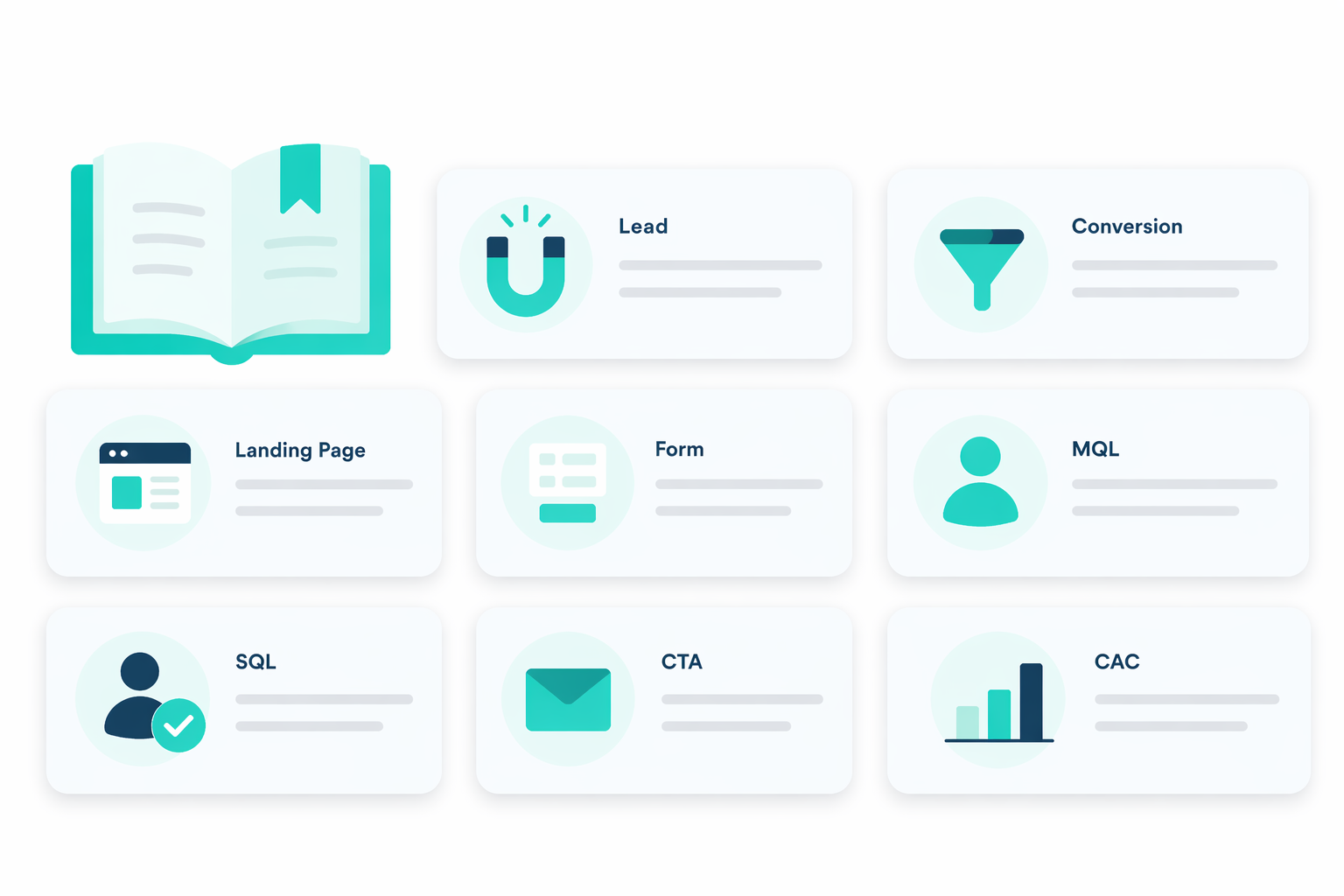
Lead Generation Terms Explained: The Essential Glossary for Marketers
Marketing is full of terms that sound similar but mean different things. “Leads,” “prospects,” “MQLs,” “SQLs,” “funnels,” and “pipelines” get used...
A HubSpot Elite Solutions Partner built to help organizations unify strategy, systems, and execution. We design HubSpot systems that scale.
See how we've solved complex HubSpot challenges across migrations, integrations, CMS, automation, and optimization.
Join a team building smarter HubSpot systems. We value strategic thinkers who move proactively, care about quality, and want to do meaningful work.
Free assessments, knowledge, and expert content for your HubSpot.
B2B lead generation helps you attract potential customers and turn their interest into qualified sales opportunities. But generating more leads does not always result in a stronger pipeline.
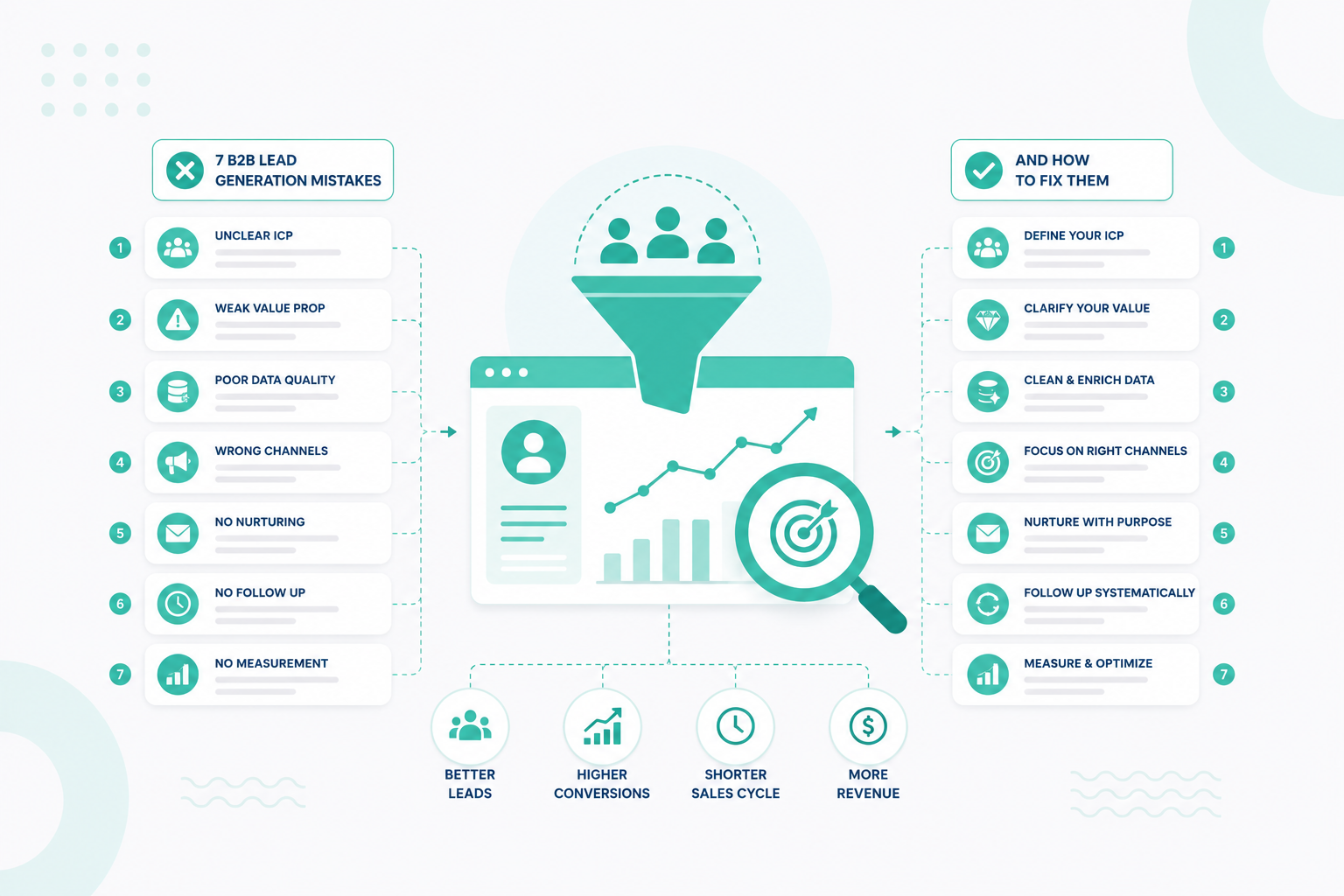
Common mistakes such as poor targeting, low-quality leads, generic messaging, limited channel reach, website friction, and slow follow-up can prevent good-fit prospects from moving forward. Changes in buyer behavior and the rise of AI as a research channel also create new gaps that B2B teams need to address.
This article covers seven common lead generation mistakes, why they affect your results, and practical ways to fix them so you can attract better-fit prospects and create more qualified opportunities.

One of the most expensive B2B lead generation mistakes is attracting people who are unlikely to become good customers. You may be generating traffic, form submissions, webinar registrations, or demo requests, but those numbers mean little if the leads do not have the right need, budget, authority, or company fit.
The problem is also common because many businesses have not formally defined who their best customers are. 53% said their Ideal Customer Profile (ICP) was not formally documented, and only 55% reported conducting customer research as part of ICP development.
The problem often becomes visible in the quality of leads. You may have an audience-targeting issue if campaigns generate plenty of leads but few qualified opportunities, sales frequently rejects marketing-generated leads, prospects repeatedly lack the budget or authority to buy, or certain industries and company sizes consistently convert much better than others.
Another warning sign is an ICP based mainly on assumptions. Your target audience may have been defined years ago, copied from broad industry characteristics, or built around the customers you want rather than the customers who actually buy, stay, and generate value.
Start with your best existing customers. Analyze closed-won and customer data to identify common characteristics among accounts that generate strong revenue, retain well, use your product successfully, and have relatively efficient sales cycles.
Your ICP can then account for factors such as:
HubSpot similarly recommends examining high-value existing accounts for patterns such as industry fit, financial readiness, active need, growth trajectory, company size, and geography. It also recommends supplementing CRM analysis with direct customer interviews to understand what triggered the purchase and what outcomes customers wanted.
Then separate your ICP from your buyer personas. Your ICP answers, “Which companies should we target?” Your personas answer, “Who within those companies should we engage?”
For example, if you sell enterprise CRM implementation services, “companies that need CRM help” is too broad. A stronger ICP might identify mid-market B2B organizations within particular industries, using a specific CRM, experiencing data or adoption problems, and reaching a stage where their existing processes no longer support growth. You can then identify the revenue, operations, IT, marketing, and sales stakeholders involved in evaluating the solution.
Then treat your ICP as something that changes with evidence. Compare qualified leads, opportunities, closed-won deals, retention, and revenue across your target segments. If one segment consistently generates better customers, refine your targeting and allocate more resources toward it.
B2B buyers are surrounded by marketing emails, sales outreach, ads, social content, and automated follow-ups. When your message sounds like it could have been sent to any company or decision-maker, it gives prospects little reason to pay attention.
This is becoming a bigger lead generation problem as buyers gain more control over how they research vendors. Gartner found that 73% of B2B buyers actively avoid suppliers that send irrelevant outreach, and 61% preferred an overall rep-free buying experience in its 2025 research. Gartner warned that poor prospecting can actively damage relationships with potential customers rather than simply being ignored.
The shift has continued. Gartner reported in March 2026 that 67% of B2B buyers preferred a rep-free experience, suggesting buyers increasingly want to research independently and engage with sellers when that interaction adds value.
Relevant messaging connects your solution to the specific context of the account, buyer, or buying situation. That context may include:
For example, do not tell every prospect that your CRM platform “helps businesses grow”. Messaging to a revenue operations leader should address fragmented customer data, inconsistent lifecycle stages, unreliable reporting, or disconnected sales and marketing processes.
More than 90% of organizations surveyed reported personalizing content across channels, meaning basic personalization has effectively become standard practice. McKinsey found that leading organizations go further by using account context, buying history, behavioral signals, and next-best-action insights to create more individualized engagement.
Not necessarily. Personalized and relevant are not the same thing. Adding someone's first name, company name, job title, or a reference to their latest LinkedIn post can make a message personalized without making the offer relevant.
For example:
“Hi Sarah, I saw your recent post about your company's expansion. Would you like to book a demo of our software?”
The opening is personalized, but there is no clear connection between the expansion and why the software would help. A stronger approach would connect that information to an actual business challenge:
“As your sales team expands, maintaining consistent lead routing and pipeline reporting across reps can become harder. We help revenue teams standardize those processes without adding more manual CRM work.”
Here, the personalization supports the reason for contacting the prospect. If you're looking for ways to apply this approach more efficiently, read How HubSpot's AI Features Automate Personalization at Scale.
Segment prospects according to meaningful differences that affect why they would buy from you. Your messaging can then connect three elements: Buyer context → relevant problem → value your solution provides.
For example, a cybersecurity company might not send the same campaign to a CIO, security manager, and CFO. The underlying product is the same, but each stakeholder may care about different risks, outcomes, and evidence.
You can also use behavioral and intent data to adjust what prospects receive. Someone reading an introductory educational article probably needs different information from someone repeatedly visiting pricing, integration, comparison, or product pages.
The same principle should apply to sales outreach. Before contacting a prospect, there should be a clear answer to: “Why is this message relevant to this person or company right now?”
If the only answer is that the prospect appears on a purchased list or matches a job title, the outreach probably needs more context.
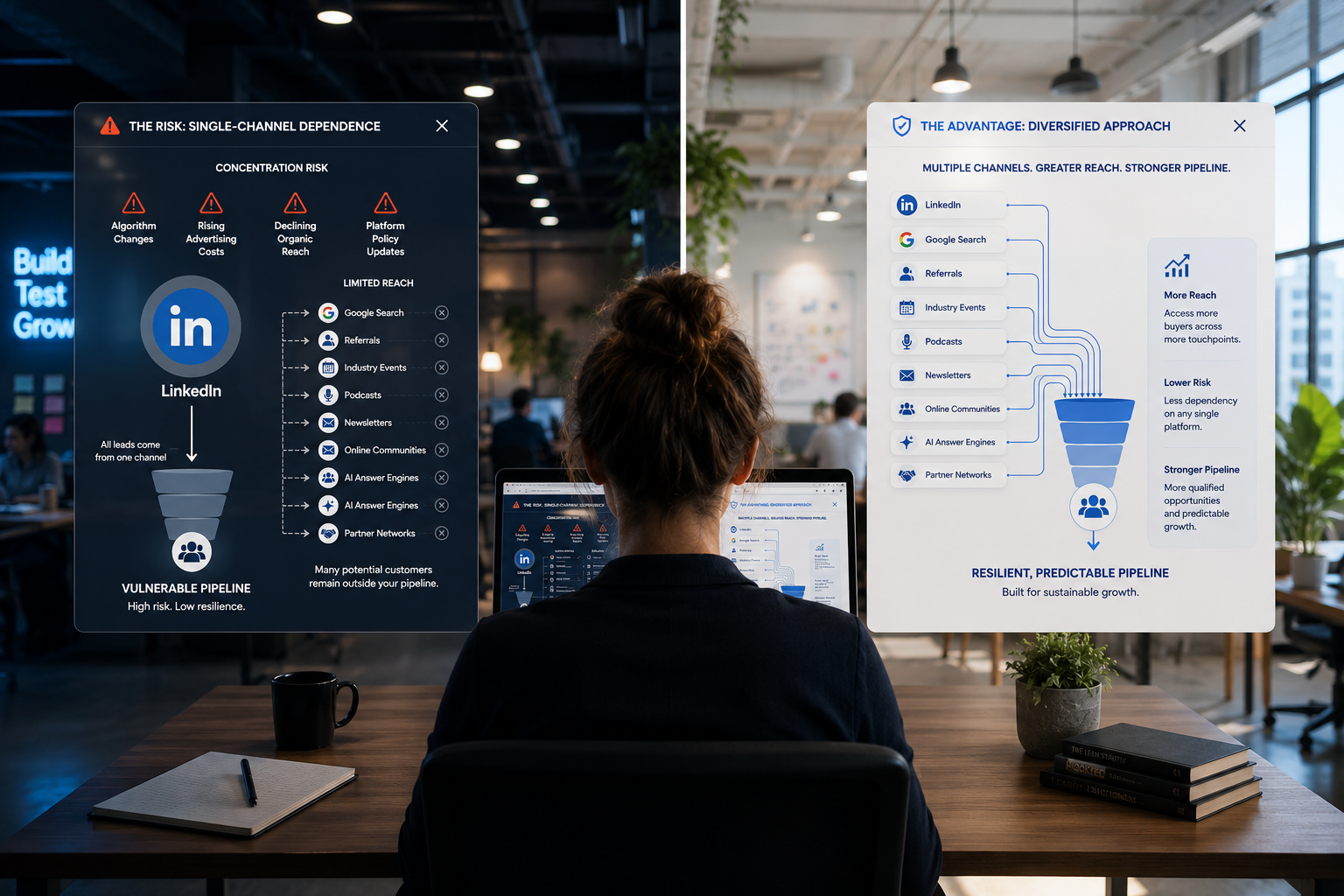
Relying too heavily on one channel like email, LinkedIn, paid search, organic search, events, or outbound sales can limit how many potential buyers you reach and how often they encounter your brand during their research.
B2B buying is increasingly multichannel rather than linear. McKinsey's 2026 Global B2B Pulse Survey, which included nearly 4,000 decision-makers across 13 countries, found that buyers now use an average of 10 channels across the purchasing journey. McKinsey concluded that omnichannel is no longer a differentiator for B2B businesses. Buyers increasingly expect it as a baseline experience.
This means a prospect may find your company through Google, read several articles, encounter your LinkedIn content, subscribe to your emails, ask an AI tool about potential vendors, attend a webinar, and eventually speak with sales. No single channel necessarily creates the lead on its own.

The first problem is limited reach. Not every potential customer spends time in the same place or researches solutions in the same way.
For example, LinkedIn may be effective for reaching particular B2B decision-makers, but some prospects may begin their research with Google. Others may hear about your company through an industry event, referral, podcast, newsletter, online community, or AI-generated answer.
If almost all your lead generation depends on LinkedIn, you may miss prospects actively searching elsewhere. If you depend almost entirely on organic search, you may struggle to reach potential buyers who fit your ICP but are not yet searching for your solution.
A single-channel strategy also creates concentration risk. Algorithm changes, rising advertising costs, declining organic reach, changes in search behavior, email deliverability issues, or platform policy changes can quickly affect pipeline when most acquisition comes from one source.
Different channels serve different purposes throughout the buying journey. A buyer might use:
That mix is especially relevant now that AI has become another research channel. 45% of B2B buyers used generative AI during a recent purchase, primarily to gather information about vendors and products.
So an effective lead generation strategy needs to account for both self-directed research and human interaction. If you want to increase your chances of being found during AI-powered and traditional search, download our AI Search Visibility Guide.
Look at your CRM, analytics, customer interviews, and attribution data to identify where successful customers first encountered your company and which touchpoints appeared before they became qualified opportunities.
Then assign different channels clear roles. For example, organic search and educational content might create initial awareness. LinkedIn can build familiarity with the brand. Retargeting can maintain visibility. Email can nurture known contacts. Case studies and comparison content can support evaluation. Sales outreach can address account-specific questions. The channels should work together and not operate as separate campaigns.
Many B2B content strategies are built primarily around capturing contact information. A prospect searches for an answer, reaches an article, and immediately encounters a CTA asking them to download an ebook, book a consultation, or speak with sales. But the buyer may still be trying to understand the problem.
Other businesses have the opposite issue. They publish large amounts of educational content but provide very little information that helps someone move closer to a purchase. Their blog may explain what something is but never address:
That creates an information gap between education and sales.
Strong B2B content should support different buying tasks. At the beginning of the journey, prospects may need educational resources that help them define the problem. As their research progresses, they need content that helps them evaluate approaches, understand trade-offs, compare vendors, justify investment, and reduce uncertainty.
That can include content such as:
You need to identify the questions and decisions buyers encounter before they are ready to contact you and make sure they can find useful answers.
Start by mapping content to the questions buyers need answered from initial research through evaluation.
Review your current content and identify where information gaps appear. You may have dozens of awareness articles but almost nothing addressing pricing, implementation, comparisons, integrations, objections, or business outcomes.
Then talk to the people closest to actual buyers. Sales calls, customer interviews, CRM notes, support conversations, search data, and lost-deal feedback can reveal questions that keyword research alone may miss.
Your content should ultimately help prospects move through a sequence such as:
Then, avoid forcing sales interaction too early. Give buyers enough information to progress independently, then make human help easy to access when they reach questions that require company-specific guidance.

Your website can attract the right B2B buyers and still lose them before they convert. Slow or confusing navigation, vague calls to action, long forms, hidden pricing or product information, and unnecessary steps between interest and action can all create conversion friction.
If prospects want to research independently, your website needs to make that process easy. A visitor should be able to quickly understand what you offer, determine whether it fits their needs, find the information required to evaluate it, and identify a logical next step.
Website friction is anything that makes a potential buyer work harder than necessary to get information or take the next step. Sometimes that friction is obvious, such as a broken form or a confusing navigation menu. Other times, it comes from seemingly small requirements that accumulate across the journey.
Common examples include:
Any one of these may seem minor. Together, they can turn a straightforward buyer journey into a series of obstacles.
Pick several high-value conversion paths, such as:
Google search → service page → case study → demo request
or:
LinkedIn post → article → solution page → consultation
Then walk through each path and identify unnecessary decisions, clicks, fields, page changes, or unanswered questions.
Your analytics can reveal where the biggest problems occur. Look at landing-page conversion rates, CTA clicks, form starts versus completions, form abandonment, demo bookings, page exits, and conversion rates by device and traffic source.
For forms specifically, balance the amount of information requested with the value of the offer. Longer forms can provide better qualification data but can also discourage completion, so businesses should ask only for information they will actually use.
You can also test individual changes rather than redesigning everything at once: shorten a form, clarify a CTA, add relevant proof near the conversion point, simplify navigation, provide more transparent information, or remove an unnecessary step before scheduling.
Ultimately, conversion optimization is not about making it effortless for everyone to become a lead. Some friction is useful when it helps qualify serious prospects. The problem is unnecessary friction, making a good-fit buyer jump through hoops that provide no meaningful value to them or your sales team.
A strong B2B website makes it easy for buyers to find answers, establish trust, evaluate fit, and take the next appropriate step. The less unnecessary effort required to do those things, the less likely you are to lose qualified prospects before they ever enter your pipeline.
For a deeper look at the warning signs of an underperforming website, explore our guide on when it's time to work with a conversion rate optimization agency.
Generating a qualified B2B lead is only part of the job. If that lead requests a demo, asks about pricing, downloads high-intent content, or otherwise signals buying interest and then waits hours or days for a response, some of the value created by your marketing can disappear before sales ever starts a conversation.
The problem is not only how fast you respond, but also whether follow-up happens reliably. Leads can sit untouched because they were routed to the wrong representative, entered the CRM outside business hours, lacked a clear owner, or simply got buried under other sales tasks.
In one example cited by HubSpot, implementing automated routing reduced response time from 4.2 hours to 37 minutes and was associated with a 23% increase in conversion rates.
Intent has a shelf life. Someone who submits a contact or demo form is actively thinking about a problem at that moment. They may also be researching your competitors, reading reviews, comparing solutions, or requesting demos from several vendors.
Waiting too long means you are no longer responding at the moment when their interest is strongest. This is especially relevant for high-intent inbound actions, such as:
Not every lead requires an immediate sales call. Someone downloading an introductory ebook, for example, may be better suited to nurturing. The key is to match response speed and type to the strength of the buying signal.
Slow follow-up is often treated as a sales-rep problem, but it can actually be a process problem. A lead may enter your CRM, but what happens next?
If the process depends on someone manually checking form submissions, identifying the correct sales representative, forwarding the lead, creating a task, and remembering to follow up, there are several opportunities for delay.
Common problems include unclear lead ownership, manual routing, overloaded representatives, poor CRM notifications, inconsistent qualification rules, missing follow-up tasks, timezone differences, and no process for reassigning leads when the original owner is unavailable.
Routing becomes especially difficult when leads need to be assigned according to territory, company size, product interest, industry, account ownership, or other criteria. Every qualified lead should have a clear owner and next action.
Automation works best when it handles repeatable coordination, not the entire relationship. For example, when someone requests a demo, your CRM could automatically:
Form submitted → qualify and route lead → assign owner → notify rep → send confirmation → create follow-up task → escalate if untouched
That removes unnecessary administrative delay without replacing the salesperson's role in the actual conversation.
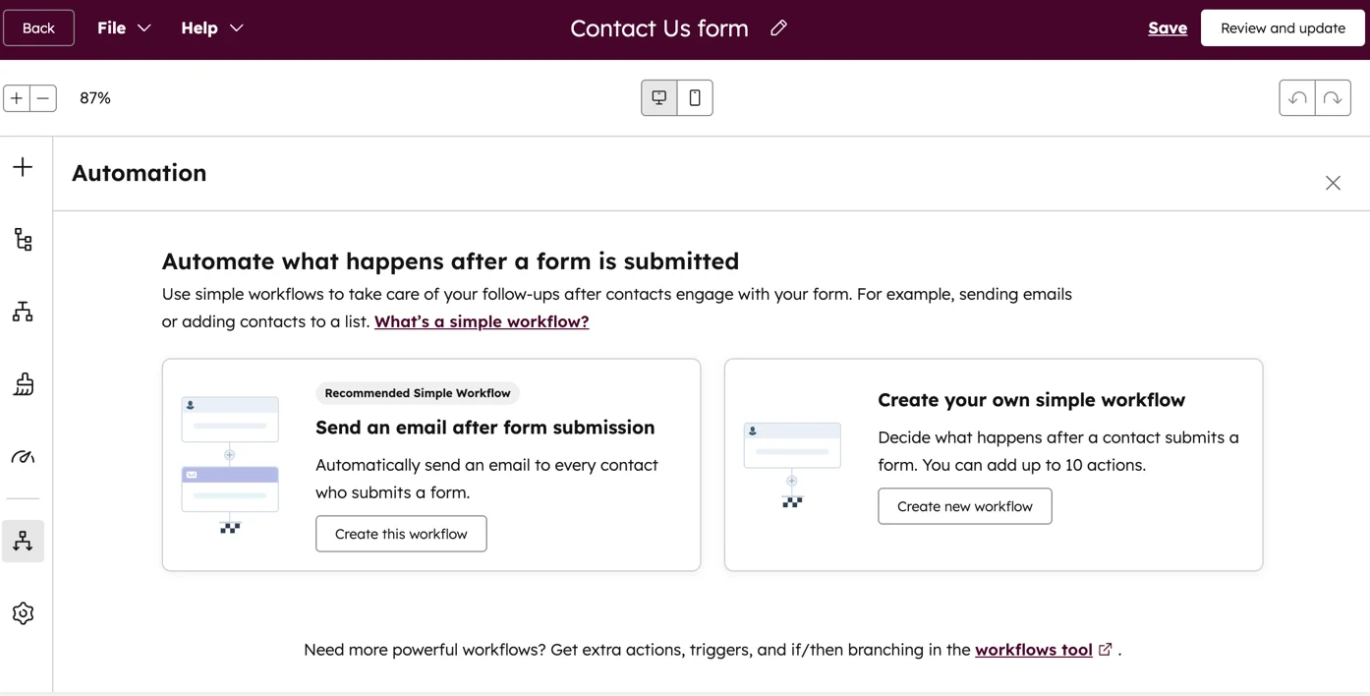
HubSpot's workflow tools, for example, can trigger actions when someone submits a form or demonstrates other buying signals.

Those actions can include assigning records, sending notifications, creating tasks, updating lifecycle stages, and triggering subsequent follow-ups.
Automation can also help when leads arrive outside normal working hours. Routing logic can consider rep availability and use backup assignments when necessary. This reduces the likelihood that a lead simply sits in someone's queue.
Define what should happen for each major type of lead. A demo request, contact form, pricing inquiry, content download, webinar attendee, and high-intent returning visitor do not necessarily require the same response.
Set clear expectations for each one:
Who owns the lead? How quickly should they respond? What should the first response contain? What happens if the prospect doesn't reply? What happens if the assigned rep doesn't act?
Then build those expectations into your CRM rather than relying entirely on memory. Use automatic lead routing where appropriate, create follow-up tasks, trigger notifications for high-intent actions, establish escalation rules for untouched leads, and use sequences for follow-up that genuinely benefit from automation.
You should also measure whether the process is actually working. Useful metrics include time to first response, percentage of qualified leads contacted within your target timeframe, follow-up completion rate, meeting-booking rate, lead-to-opportunity conversion rate, and conversion by response-time range.
Marketing has already done the work of creating the opportunity. Your follow-up process should make sure that opportunity does not disappear because nobody responded at the right time.
Many B2B buyers today now use generative AI during a recent purchase, primarily to gather information about vendors and products. Those buyers used an average of seven information sources overall. AI is now becoming part of a broader multichannel research process rather than simply replacing every other source.
Forrester's 2026 buyer research goes even further, describing generative AI searches as a starting point for B2B buyers and finding that AI is reshaping how businesses discover, evaluate, and purchase products and services.
That creates a new lead generation question: When your ideal customers ask AI about their problem, category, or potential vendors, does your company become part of the answer?

Say, for example, your company ranks well in traditional search for several commercially valuable keywords. A buyer instead asks an AI tool: “What are the best B2B lead generation agencies for SaaS companies?”
The AI mentions four competitors but not your business. From a traditional analytics perspective, nothing happened. There was no lost click, abandoned landing page, or failed form submission to measure. But you may have lost an opportunity before the buyer ever visited your website.
This is one of the biggest differences between AI visibility and conventional website conversion. Your CRM cannot easily record buyers who considered competitors because an AI-generated answer never introduced them to you.
AI search therefore adds another potential failure point: You cannot convert buyers who never encounter your brand.
No. Treating AI optimization as a replacement for traditional SEO would be a mistake. Buyers continue to move between AI, search engines, websites, review platforms, peers, and salespeople.
The best approach is: SEO + AEO/GEO + strong brand authority
Traditional SEO helps your pages become discoverable through search. Answer engine optimization (AEO) and generative engine optimization (GEO) focus more specifically on making your information understandable and useful when AI systems synthesize answers. They should reinforce each other rather than operate as separate strategies.
Start with the questions your buyers actually ask. Sales calls, search queries, customer interviews, support tickets, communities, CRM notes, and AI conversations can reveal those questions.
Then provide clear answers early, followed by enough context and evidence to substantiate them. For example, do not open an article about CRM migration with several paragraphs of general background; directly answer:
How long does a CRM migration take?
A CRM migration can take several weeks to several months depending on data volume, system complexity, integrations, customization, and data-cleaning requirements.
You can then explain each factor in detail. This structure works well for human readers because they get an immediate answer, and it also gives search and AI systems a clear passage to interpret.
Original information can strengthen the content further. Proprietary research, expert commentary, real customer examples, implementation data, benchmarks, and detailed case studies give your pages information that cannot simply be reproduced by summarizing competitors.
If you already use HubSpot, you can bring AI visibility into the same platform you use to manage content, marketing, leads, and customer data. HubSpot AEO, its answer engine optimization software for tracking and improving how brands appear in AI-generated answers. It monitors visibility across ChatGPT, Gemini, and Perplexity.
HubSpot AEO focuses on four core areas:
HubSpot also offers a free AEO Grader for businesses that want a starting point. It provides a one-time assessment of how a brand is represented across AI platforms.
You do not need to rebuild your entire content strategy around AI. Start by extending the work you already do for SEO and buyer enablement.
Identify your most commercially relevant topics and questions. Make sure your website answers them comprehensively. Strengthen product and service pages with concrete information. Publish evidence that demonstrates expertise. Build credible third-party mentions and reviews. Keep key business information accurate and consistent across the web.
Then monitor how your brand appears for commercial and problem-aware AI prompts, not just broad informational questions. Most importantly, do not optimize purely for machines. AI-generated recommendations still lead buyers into a wider validation process.
AI is therefore not replacing your website, SEO, sales team, customer proof, or broader lead generation strategy. It is becoming another influential research layer before and between those touchpoints.
If you ignore it, you risk being absent from part of the buying journey that increasingly determines which vendors buyers investigate next.
B2B lead generation works when every part of the process supports the same goal: attract the right buyers and turn their interest into qualified opportunities.
If your organization needs more qualified leads, start by identifying where potential buyers drop out of your current process. Look at who you attract, how prospects find and evaluate your business, what prevents them from taking the next step, and how effectively your team responds once they show intent.
Campaign Creators helps B2B organizations build lead generation strategies that connect marketing activity to real pipeline opportunities. From demand generation and content to conversion and lead nurture, we help create a more connected approach designed to reach the right buyers and support sustainable growth.
Demand generation creates awareness and interest in your business, while lead generation focuses on turning that interest into identifiable prospects your team can nurture or contact.
A marketing qualified lead (MQL) meets criteria that suggest potential interest and fit, while a sales qualified lead (SQL) has been assessed as appropriate for direct sales engagement.
A CRM gives marketing and sales a shared place to track prospects, interactions, qualification data, opportunities, and outcomes. It also helps connect lead generation activity to pipeline and revenue.
Purchased lists can provide contact data, but they do not necessarily indicate genuine interest in your business. First-party leads and prospects identified through relevant intent signals usually provide stronger context for outreach.
Lead nurturing keeps your business relevant to prospects who are interested but not ready to buy. It can use email, content, retargeting, events, and other touchpoints to support their research until a stronger buying signal appears.
First-party data is information your organization collects directly through sources such as your website, CRM, forms, emails, sales conversations, and customer interactions.
Marketing is full of terms that sound similar but mean different things. “Leads,” “prospects,” “MQLs,” “SQLs,” “funnels,” and “pipelines” get used...
It's no secret that video content in the next big thing. It'sforecasted to account for 80% of all internet traffic by 2019. In November 2016,...
When it comes to attracting and retaining new leads, no company wants to devote their time to leads that are unqualified or pass up the opportunity...