A HubSpot Elite Solutions Partner built to help organizations unify strategy, systems, and execution. We design HubSpot systems that scale.

See how we've solved complex HubSpot challenges across migrations, integrations, CMS, automation, and optimization.

Join a team building smarter HubSpot systems. We value strategic thinkers who move proactively, care about quality, and want to do meaningful work.

8 min read

Why Your Website Isn’t Converting and Why CRO Alone Won’t Fix It

Why Your Website Isn’t Converting and Why CRO Alone Won’t Fix It

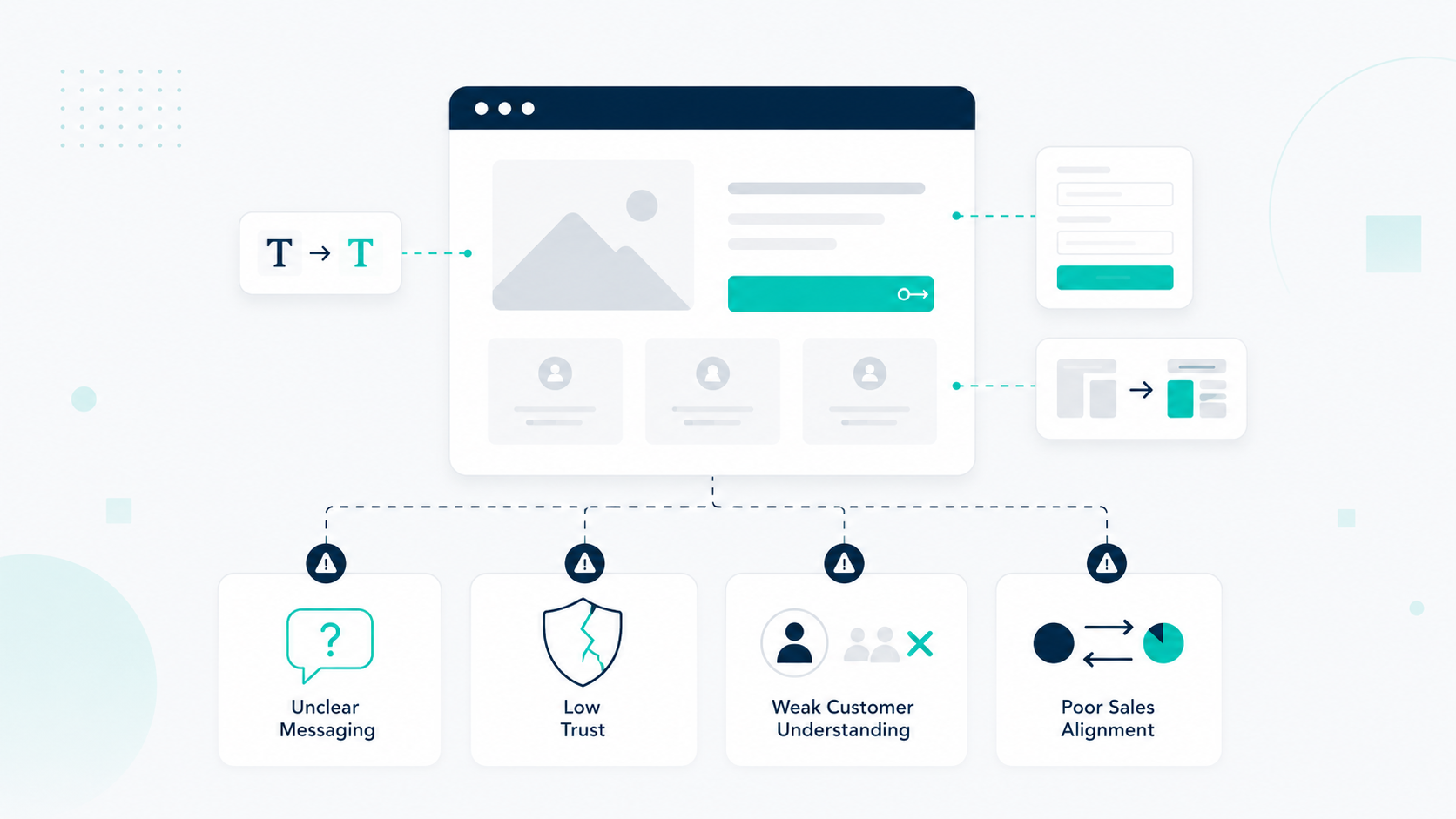
Enterprise websites can bring in thousands of visitors every month, but traffic does not always turn into customers. When conversions stay low, the problem usually goes beyond your website design, landing pages, or the small changes being tested.

Website conversion rate optimization often falls short when teams only focus on changing pages. Stronger headlines, shorter forms, and better CTAs can help, but they cannot fix bigger gaps in visitor quality, messaging, customer expectations, and the sales journey.

Improving conversions means looking at the full system behind every customer. Your website, HubSpot CMS, CRM, marketing automation, and sales process need to work together so you can turn the right visitors into qualified opportunities and measurable revenue.

Key Takeaways

  • High website traffic does not guarantee more customers when visitors do not match your ideal customer profile or buying intent.
  • Traditional CRO experiments fail because they focus on individual website elements without understanding the full customer journey.
  • Enterprise conversion strategies require alignment between website experience, CRM data, sales processes, and revenue goals.
  • HubSpot CMS can support conversion optimization by connecting website experiences with customer lifecycle data, automation, and reporting.

Why Your Website Is Getting Traffic But Not Turning Visitors Into Customers

A company can have strong traffic numbers and still struggle to generate customers when the website attracts the wrong audience, creates uncertainty, or fails to support the buying process.

1. Your Traffic Is Bringing The Wrong Visitors

Not all website traffic has the same business value. A website can attract thousands of visitors who are researching, comparing options, or looking for information without having a strong reason to purchase.

This usually happens when content strategies, SEO keywords, or advertising campaigns focus mainly on visibility rather than customer intent. More website sessions may look positive in reports, although traffic growth will have limited impact when those visitors do not match your ideal customer profile.

For example, a business might rank for a high-volume informational keyword and generate thousands of monthly visits. Those visitors may be looking for education or general advice without actively evaluating a product, service, or solution.

2. Your Website Does Not Clearly Explain Why Visitors Should Choose You

A professional-looking website can still struggle when visitors cannot clearly understand:

  • What problem you solve
  • Who your solution is built for
  • What makes your approach different
  • What results they can expect
  • Why they should trust your company
  • What happens after they take action

Research from the Baymard Institute shows that ecommerce websites continue to experience usability issues across areas like product discovery, checkout, forms, and mobile experiences. Their benchmark research covers hundreds of UX guidelines and thousands of examples showing how small moments of confusion can create friction during buying journeys.

Every unanswered question creates hesitation during the decision process. A visitor may arrive ready to request a quote, book a demo, or speak with your team, but unclear service descriptions, missing proof, confusing next steps, or weak messaging can slow down their decision.

3. Your User Journey Creates Too Much Friction

Slow pages, confusing navigation, disconnected content, long forms, missing trust signals, or poor mobile experiences can create friction throughout the decision process.

Research analyzing more than 100 million page views across B2B and B2C websites found that faster websites achieved significantly stronger conversion performance. For B2B websites, pages loading in one second converted around three times higher than pages loading in five seconds.

Increasing traffic will have limited impact when visitors arrive at a website experience that creates uncertainty. Improving the journey visitors already experience helps businesses generate more value from their existing audience.

Enterprise websites need clear paths for different buyer stages. Some visitors are learning about a problem, others are comparing solutions, and some are ready to speak with sales.

What Makes Traditional Conversion Rate Optimization Fail


Traditional conversion rate optimization fails when it is treated as a checklist of isolated experiments:

  • Changing CTA colors
  • Moving buttons
  • Shortening forms
  • Testing different headlines
  • Adjusting page layouts

These improvements can influence website behavior, although they do not always solve the reason customers hesitate.

For example, changing “Book A Demo” to “Get Started” might increase clicks. However, if visitors do not understand your value, trust your company, or believe your solution matches their needs, additional clicks will not create more qualified customers. Effective CRO requires understanding the buying barriers behind user behavior.

Customers also rarely convert because their decisions are influenced by multiple touchpoints across the buying journey. Before becoming a customer, someone may interact with:

  • Search results
  • Advertisements
  • Website pages
  • Comparison content
  • Case studies
  • Email sequences
  • Sales conversations
  • Follow-up processes

Traditional CRO becomes limited when teams only analyze the final conversion point without reviewing what happens before and after.

For example, a campaign may attract the right audience, but the website may answer different questions from what visitors expected. A visitor may complete a form, but the follow-up process may fail to continue the same message.

Modern conversion improvement connects:

  • Customer intent
  • Website messaging
  • User experience
  • CRM data
  • Sales process
  • Revenue impact

HubSpot CMS can help support this approach by connecting website experiences with the customer lifecycle. Teams can use CRM insights, automation, reporting, and personalization to understand how different touchpoints contribute to revenue.

For enterprise businesses, website conversion optimization needs to connect what happens before and after someone completes an action. A form submission, demo request, or inquiry only creates business value when that visitor becomes a qualified opportunity and customer.

Why Won’t Website Changes Alone Fix Poor Conversion Rates

Website changes alone will not fix poor conversion rates because conversions depend on the complete customer journey, not only page design or usability. Visitors need the right message, clear value, trust signals, and a connected sales process before they become customers.

A professional website can create a stronger first impression, but design alone cannot replace a clear customer journey. Visitors need answers before they take action, including:

  • Whether your solution fits their needs
  • Why they should trust your company
  • What makes your offer valuable
  • What happens after they inquire
  • How the process works

For example, a software company may redesign its website with stronger visuals and easier navigation, but potential buyers may still hesitate if they cannot understand pricing, implementation timelines, customer outcomes, or how the product solves their challenges.

Conversion problems can also continue when the website is disconnected from the wider revenue process. A company may still struggle because:

  • Marketing attracts visitors who are not the right fit
  • Campaigns create expectations the website does not support
  • Website leads are not properly qualified
  • Sales conversations deliver a different message
  • Follow-up processes are unclear or inconsistent

More conversions do not always mean better business results. If new leads rarely become customers, the website improved a metric but did not solve the larger revenue challenge.

How to Build a Revenue System That Improves Conversions

1. Map Where Visitors Drop Off Between First Visit And Final Sale

Mapping where visitors drop off helps identify which parts of the customer journey prevent website traffic from becoming revenue. Before changing pages or launching more experiments, businesses need to understand where potential customers lose interest, hesitate, or fail to move forward.

A revenue-focused conversion strategy looks beyond website analytics and reviews:

  • Which channels bring visitors with stronger buying intent
  • Which pages support or block customer decisions
  • Which offers generate qualified leads
  • How visitors engage before converting
  • How quickly leads receive follow-up
  • How many inquiries become customers

This gives teams visibility into where the journey creates momentum, where opportunities slow down, and which improvements can have the strongest impact on conversion and revenue growth.

2. Build A Conversion Model Connected To The Customer Lifecycle

A newsletter signup, resource download, pricing page visit, demo request, and consultation inquiry all represent different stages of the customer journey. Enterprise teams need a conversion model that connects website actions with lifecycle stages and revenue outcomes. This can include:

  • Primary conversions: High-intent actions that should create sales opportunities, such as demos, consultations, assessments, trials, or sales inquiries.
  • Secondary conversions: Actions that show stronger buying signals, such as pricing page visits, comparison content engagement, case study downloads, or product research.
  • Micro-conversions: Early-stage interactions such as newsletter signups, educational downloads, webinar registrations, or tool usage.

When these actions are connected inside HubSpot, teams can understand how visitors progress from first interaction to qualified opportunity.

3. Use HubSpot CMS To Connect Website Experience With Revenue Operations

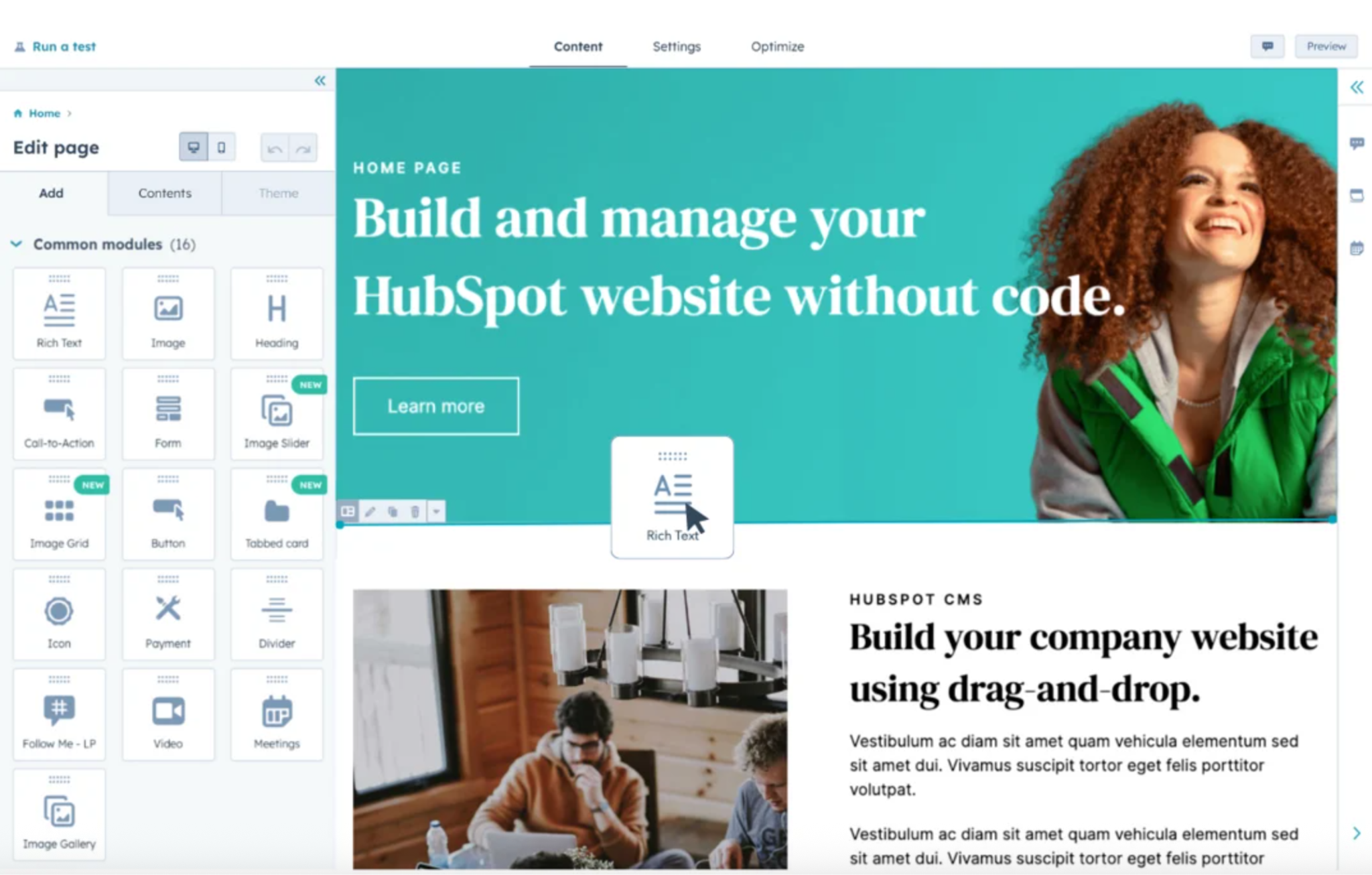
Enterprise websites perform better when website activity and customer data work together. HubSpot CMS helps businesses connect website content, forms, CRM records, automation, and reporting in one system.

hubspot-cms

This creates opportunities to:

  • Personalize website content based on customer segments
  • Adjust CTAs based on lifecycle stages
  • Show relevant resources based on visitor behavior
  • Route inquiries to the right sales teams
  • Trigger automated follow-up workflows
  • Measure how website interactions influence pipeline and revenue

For example, a first-time visitor researching a problem may need educational resources and proof points. A returning visitor who has viewed pricing pages or comparison content may need stronger buying information, case studies, or a direct path to sales.

Using CRM data to guide website experiences helps businesses create journeys based on customer behavior and intent.

4. Turn Sales Conversations Into Website Improvements

Your sales process contains information that analytics tools cannot always show. Every repeated question, concern, or hesitation from prospects reveals what visitors may need before they convert.

Create a process for collecting:

  • Common objections before purchase
  • Reasons opportunities are lost
  • Questions prospects ask during calls
  • Competitor comparisons buyers mention
  • Information customers need before making decisions

Then use those insights to improve your website experience. For example: If buyers keep asking about pricing, create clearer pricing guidance or stronger value explanations. If buyers worry about results, add more proof, customer stories, or performance examples. If buyers do not understand the process, explain timelines, expectations, and next steps.

5. Build A Regular Process For Finding And Fixing Revenue Leaks

Teams should regularly review:

  • Traffic quality: Are the right visitors reaching the website?
  • Website performance: Are visitors moving toward meaningful actions?
  • Lead quality: Are conversions becoming opportunities?
  • Sales outcomes: Are opportunities becoming customers?
  • Revenue impact: Are website improvements supporting business growth?

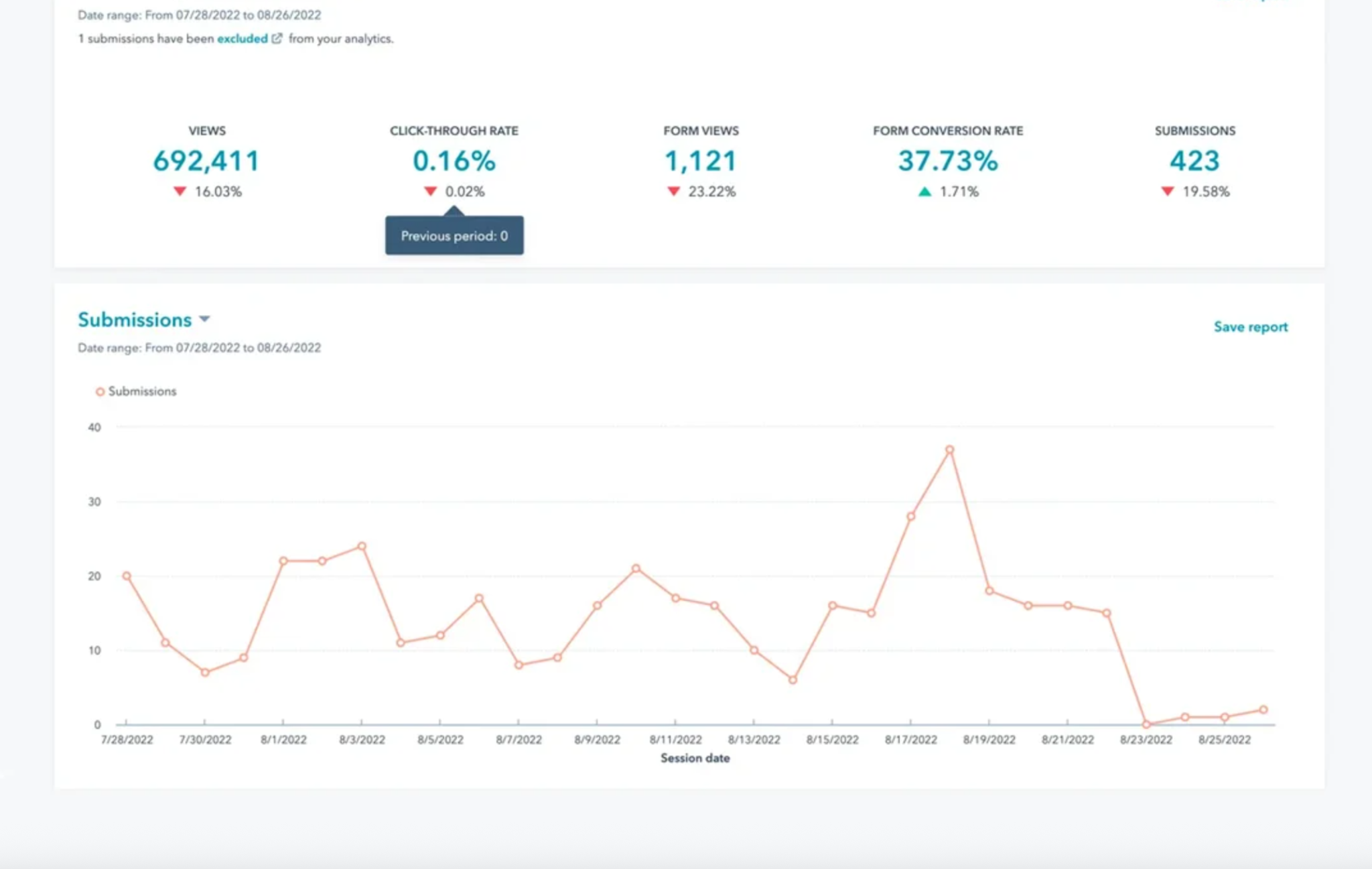
HubSpot dashboards can help teams review website analytics alongside CRM and pipeline reporting.

hubspot-analytics-dashboard

By connecting visitor behavior with sales outcomes, businesses can identify where customers get stuck and focus improvements on the areas creating the biggest revenue impact.

When Should You Move Beyond CRO And Rethink Your Growth Strategy

You should move beyond CRO when website improvements increase conversions but do not create more customers, revenue, or business growth. At that point, the problem is usually not a single page, button, or website element. It is how the entire customer journey turns interest into revenue.

Higher conversion numbers do not always mean stronger business performance. A website may generate more form submissions, trial sign-ups, content downloads, and inquiries, but those actions only create value when they become qualified opportunities and paying customers.

A revenue-focused approach looks beyond the initial conversion and connects:

  • Website engagement
  • Lead quality
  • Sales conversations
  • Pipeline creation
  • Customer acquisition

Another sign you need to rethink your strategy is when website experiments keep fixing symptoms instead of solving the actual growth problem. Common signs include:

  • Testing different headlines without improving lead quality
  • Redesigning pages but seeing the same drop-off points
  • Changing CTAs without improving customer intent
  • Increasing traffic without increasing customers

A low demo request rate may look like a landing page problem. After reviewing the full journey, the real issue may be that visitors do not understand the offer, trust the company, or see enough proof before booking.

Website analytics can show what visitors do, but CRM insights and sales data explain whether those actions contribute to revenue.

A website is only one part of how customers discover, evaluate, and choose a business. If conversion problems continue after website improvements, the next step is understanding the larger growth system:

  • Are you attracting the right audience?
  • Does your positioning match customer needs?
  • Are website conversions creating qualified opportunities?
  • Does your follow-up process turn interest into customers?
  • Are website actions connected to revenue outcomes?

A stronger conversion strategy goes beyond changing website elements. It connects customer insights, experimentation, user experience, CRM data, and sales processes to understand what actually drives business growth.

Build A Revenue System That Converts More Website Visitors

Website conversion problems are not always solved with more CRO tests, design changes, or traffic growth. Stronger results come from connecting your website, CRM, customer journey, and sales process into a system built to turn qualified visitors into revenue.

If your organization needs a stronger approach to website conversions, focus on identifying the gaps between your website experience and revenue process.

Campaign Creators helps businesses build HubSpot systems that improve conversion quality, align customer journeys, and create a clearer path from website traffic to measurable business results.

Frequently Asked Questions

What is the difference between a conversion and a qualified conversion?

A conversion measures when someone completes an action, while a qualified conversion measures whether that action creates a valuable business opportunity.

What pages should you optimise first for better conversions?

Start with pages that have high traffic, strong buying intent, or a direct impact on leads and sales, such as landing pages, product pages, and service pages.

What should you test during conversion optimization?

Businesses can test messaging, offers, forms, page structure, calls-to-action, and user experience elements that influence customer decisions.

Why should marketing and sales share conversion data?

Shared data helps teams understand which campaigns create valuable customers instead of only measuring website activity.

How often should businesses review their conversion strategy?

Businesses should review conversion performance regularly to identify changes in visitor behavior, lead quality, and revenue results.

What is the biggest mistake in conversion optimization?

A common mistake is improving individual website elements without understanding the larger customer journey and business outcome.

How HubSpot CRM Integrates With Your Website to Drive Conversions

How HubSpot CRM Integrates With Your Website to Drive Conversions

Every modern digital business depends on two connected systems: a Customer Relationship Management (CRM) platform and a Content Management System...
Read More
How to Increase Online Sales With Conversion Optimization Tools

How to Increase Online Sales With Conversion Optimization Tools

Did you know that you can increase your online conversions by using website analytics and testing tools? If you answered yes, then the more important...

Read More
Customer Lifetime Value (CLTV) in eCommerce: How to Calculate and Increase It

Customer Lifetime Value (CLTV) in eCommerce: How to Calculate and Increase It

Customer Lifetime Value (CLTV) shifts your focus from one-off sales to the full value each customer brings over time. Instead of relying on single...

Read More