










Skip to the main content.

WEBSITE GROWTH & CONVERSION

• Web Design & Development


• SEO & AEO


• Conversion Rate Optimization


• Lead Generation Strategies


HUBSPOT SUPPORT & ENABLEMENT

• HubDesk


• HubSpot Training


• HubSpot Change Management

FREE TOOLS & ASSESSMENTS

• HubSpot Portal Audit


• HubSpot Al Readiness Scorecard


• HubSpot Al Solutions Design


LEARN & WATCH

• View All Resources


• Ebooks & Templates


• Webinars On-Demand


• Expert Videos

HUBSPOT INSIGHTS

• AEO & AI Search


• Automations


• HubSpot Software


• Migration & Replatforming

• Marketing & Content


• Lead Generation


• Integrations


INDUSTRY & PLATFORM GUIDES

• HubSpot for Healthcare


• HubSpot for IT Services


• HubSpot for Saas


• HubSpot for Franchises


• HubSpot for Consumer Products & Retail


• HubSpot for Financial Services


• HubSpot for Construction


• HubSpot for Real Estate


• HubSpot vs. Zendesk

11 min read

Managing Wholesale Rep Groups and Brokers in HubSpot

Managing Wholesale Rep Groups and Brokers in HubSpot

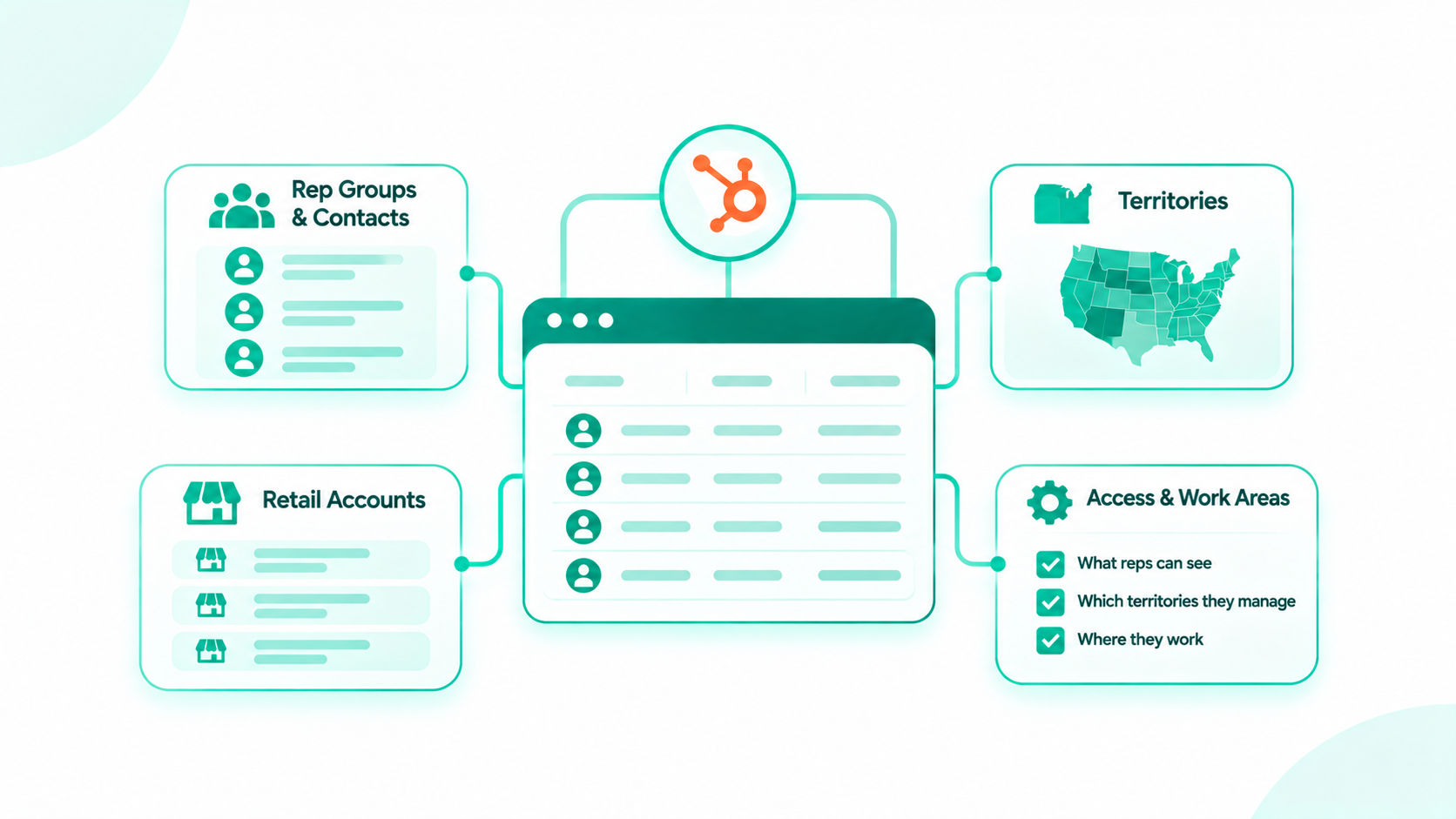
Consumer brands manage independent sales reps and rep groups in HubSpot by recording each rep group as a company with labeled rep contacts, mapping the territories and retail accounts each group covers, and deciding what reps see and where they work. Brands then report new doors, reorders, and sales by rep group, while the ERP stays the source for orders and finance calculates commissions.

That structure keeps the account history with the brand. Rep groups, brokers, and sales agencies hold relationships the brand pays for, and those agencies change. When an agency changes hands or a brand changes agencies, the brand's own record keeps the buyers, orders, and notes in place. This guide covers the rep agency record, territories, rep visibility, new door and reorder tracking, commission-eligible sales, and a clean agency transition.

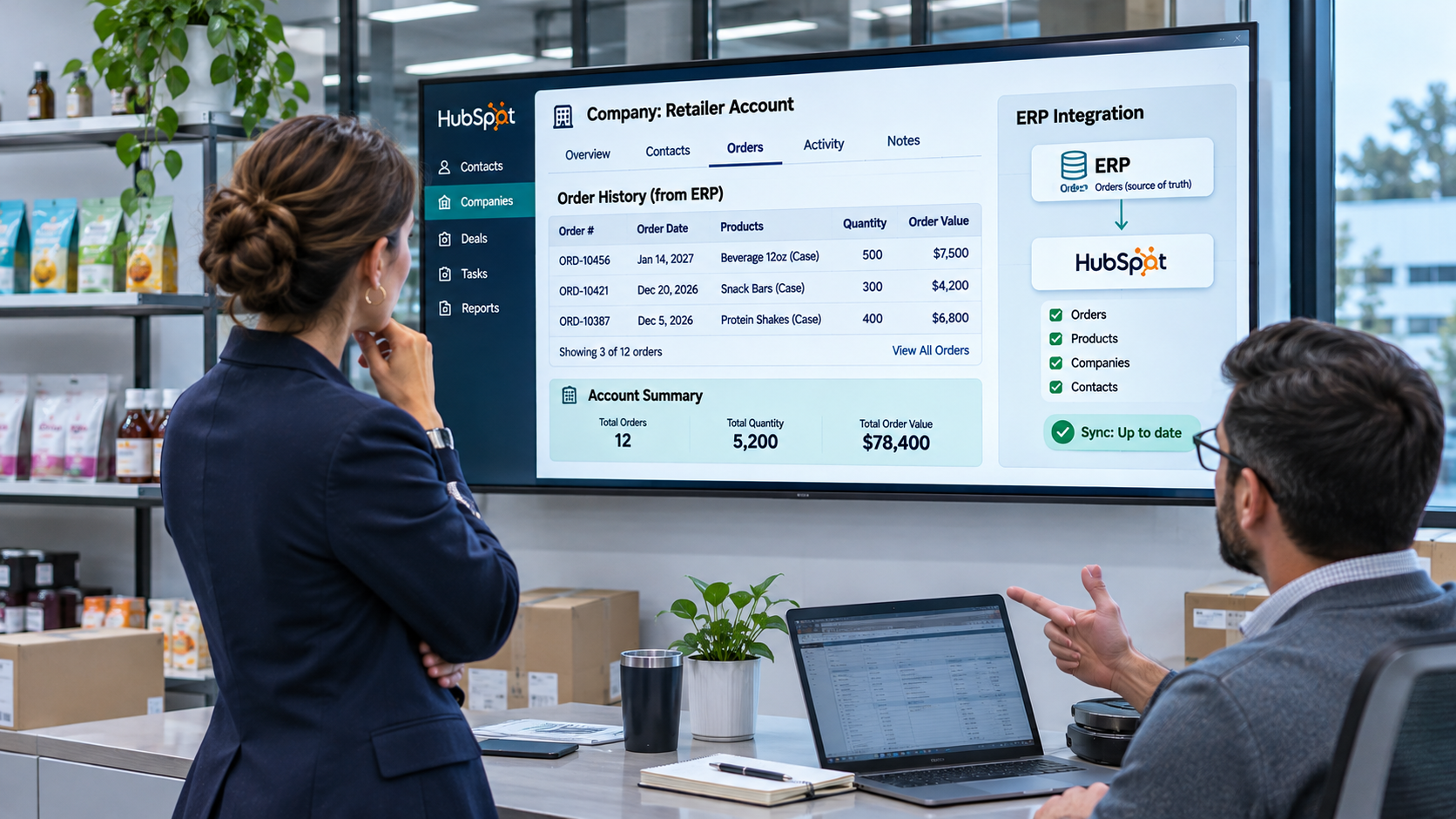
Consumer brand sales operations manager reviewing retailer order history in HubSpot after order data syncs from the company's ERP system.

Key Takeaways

  • Record each rep group as a company with a Rep agency company type, the lines it carries, agreement dates, and territory, and label each rep by role.
  • Associate each rep group to the retail and distributor accounts it covers with a labeled company-to-company association, and set a coverage type on each account to prevent channel conflict.
  • View-Only Seats are free and unlimited on Starter, Professional, and Enterprise, and team-scoped permissions let each agency see only its own accounts.
  • Track new doors and reorders in pipelines, and keep a line review date on each retailer so reps prepare for resets.
  • Commissions are calculated in the ERP or accounting system, and HubSpot shows the commission-eligible sales behind them.

Table of Contents

  1. How Can Consumer Brands Manage Independent Sales Reps and Rep Groups in HubSpot?
  2. Who Are Rep Groups, and What Do They Do for Consumer Brands?
  3. Why Does the Brand Need Its Own Record of Rep-Covered Accounts?
  4. Step 1: Build the Rep Agency Record
  5. Step 2: Add Reps With Association Labels
  6. Step 3: Map Territories and Covered Accounts
  7. Step 4: Decide What Reps See and Where They Work
  8. Step 5: Track New Doors, Reorders, and Line Reviews
  9. Step 6: Show Commission-Eligible Sales Without Calculating Commissions in HubSpot
  10. Step 7: Onboard and Replace Rep Groups Cleanly
  11. Frequently Asked Questions

How Can Consumer Brands Manage Independent Sales Reps and Rep Groups in HubSpot?

Consumer brands manage rep groups in HubSpot with four pieces: a rep agency record, territories and covered accounts, a visibility model for reps, and pipelines and scorecards for new doors and reorders. The brand owns every record, and the rep group works inside it.

Piece What it does
Rep agency record Holds the agency, its reps, lines carried, agreement dates, and territory
Covered accounts Connects each agency to the retailers and distributors it sells into
Rep visibility Decides what each agency sees and how it reports activity
Pipelines and scorecards Track new doors, reorders, line reviews, and sales by agency and territory

Who Are Rep Groups, and What Do They Do for Consumer Brands?

Rep groups are independent sales agencies, brokers, and individual reps who carry several brands and sell them into retailers and distributors for a commission. For a consumer brand, they open new doors, secure reorders, prepare for line reviews, and often handle merchandising at the shelf.

Consumer brands work with rep groups differently from industrial manufacturers. The buyer is a retail category manager or distributor, the calendar runs on line reviews and seasonal resets, and success shows up as new doors, reorders, and sell-through at the shelf. A rep group often carries complementary brands in the same category, which gives the agency access to buyers the brand might not reach alone.

Why Does the Brand Need Its Own Record of Rep-Covered Accounts?

The brand needs its own record because the rep group's relationships and history are part of what the brand pays for. When the account record lives only in the agency's tools, a change of agency can strand the buyers, notes, and order history.

The brand should own Why
Retail and distributor account records They outlast any agency agreement
Buyer and category manager contacts The next agency needs them on day one
Activity notes and line review results They explain why an account grew or stalled
New door and reorder history It shows each agency's real contribution
Commission-eligible sales by agency Finance needs one agreed source

The ERP stays the source for orders and invoices. Our guide on when HubSpot should be your system of record explains that split, with HubSpot as the relationship hub.

Step 1: Build the Rep Agency Record

Create each rep group as a company with a Company type of Rep agency, the lines it carries, its agreement dates, territory, and status. One record per agency gives every report a single place to roll up.

Property Example (illustrative)
Company type Rep agency
Lines carried Sun care, Lip care
Agreement start date March 1, 2026
Agreement renewal date February 28, 2027
Territory Southeast
Agency status Onboarding, Active, Under review, Ended
Commission-eligible sales, year to date Synced from the ERP or accounting system

Give each property one owner and a list of allowed values, following our approach to property governance with data contracts.

Rep Agency Record Table

Record What it holds Key associations Example properties
Rep agency (company) The rep group, broker, or sales agency Rep contacts, covered accounts, onboarding deal Company type, lines carried, agreement dates, territory, status
Rep (contact) Each person at the agency Rep agency with a role label Role, territory, email, phone
Retail or distributor account (company) Each chain, store, or distributor Rep agency with a Covered by label, buyer contacts, orders Coverage type, territory, line review date
New door or reorder (deal) Each opportunity in progress Account, rep agency, buyer Pipeline stage, expected order value, line
Order (from the ERP) Each shipment or invoice Account and products Order date, amount, SKUs

Who owns it: sales operations.
Sign it's working: every active agency has one company record with current agreement dates and territory.

Want a second look at your rep group model? The Architecture Blueprint maps your current HubSpot setup against where it needs to be, including the agency, account, and territory records behind clean rep reporting.

Step 2: Add Reps With Association Labels

Add each rep as a contact associated to the rep agency, with a label that names their role. Labels decide who gets territory updates, who approves line review plans, and who logs activity. Per HubSpot's guide to creating and using association labels, custom labels need a Professional or Enterprise subscription, and each object pair holds up to 50 labels.

Label Who it applies to
Agency principal The owner or managing partner of the agency
Territory rep A rep covering specific accounts or regions
Agency administrator The person who handles reporting and order paperwork
Merchandiser Field staff who handle shelf sets and store visits

Who owns it: sales operations, with updates from the agency principal.
Sign it's working: every active agency has a labeled principal and at least one territory rep.

Step 3: Map Territories and Covered Accounts

Assign each retail and distributor account a territory and an owner, and associate it to the rep agency that covers it with a labeled company-to-company association. A coverage type on each account sets who owns the relationship and prevents channel conflict.

Covered Accounts

Associate each rep agency to its accounts with a Covered by label, using the same association label tools from Step 2. Model retail chains as parent companies and stores as child companies. HubSpot's guide to adding a parent or child company notes that a parent can have many children, each child has one parent, and you can associate them in bulk through import.

Coverage Type and Channel Conflict

Set a Coverage type property on every account so everyone knows who leads the relationship.

Coverage type Who leads Rule
Key account The brand's key account manager The rep group may support store-level work but doesn't lead buyer meetings
Rep-covered The rep group The brand's team joins by invitation and logs its activity on the account
House account The brand's inside sales team No agency commission applies

When a chain is a key account at headquarters and rep-covered at the store level, record that split on the parent and child companies, so commission-eligible sales follow the right rule.

Who owns it: the head of sales, with territory changes approved by sales operations.
Sign it's working: every active account has a coverage type, a territory, and at most one covering agency per line.

Step 4: Decide What Reps See and Where They Work

Give most agency reps a free View-Only Seat with team-scoped permissions, add paid seats only for reps who manage pipeline in HubSpot, and use forms for activity and order submissions. A separate rep portal fits when agencies need their own interface.

Rep Visibility Options Compared

Option How it works What reps see Tier or limits Best fit
View-Only Seat with team permissions Each rep is a HubSpot user on the agency's team Records, reports, and dashboards for their team's accounts, plus notes they log Free and unlimited on Starter, Professional, and Enterprise, and can't edit records or log emails Most agencies
Core or Sales Seat Each rep is a full HubSpot user Everything their permissions grant, with editing and activity logging Paid seats, with Sales Seats needed for Sales Hub Professional and Enterprise tools such as sequences Agency principals who manage pipeline in HubSpot
Dashboard emails The brand emails dashboards to reps A snapshot of the dashboard Recurring emails go to HubSpot users, and one-time emails to non-users need Professional or Enterprise and a connected sending domain Agencies that only need periodic updates
Forms Reps submit visit notes, line review results, and order requests through forms Nothing beyond the form Any tier Agencies that report activity without logging in
Rep portal outside HubSpot A custom application reads and writes HubSpot data A screen designed for the agency Custom build Many agencies needing their own interface and rules

HubSpot's guide to assigning and managing seats notes that View-Only Seat users can view records, dashboards, and reports, filter reports, and log notes on records they can view. HubSpot's guide to emailing or exporting reports and dashboards adds that recurring dashboard emails send data based on the permissions of the user who set them up, so each agency's emails should come from a user scoped to that agency.

Permissions and Confidentiality

Keep each agency inside its own territory and out of other agencies' data:

  • Put each agency's reps on a HubSpot team, and set View to Their team's records. HubSpot's guide to assigning access to records notes that team-based access is available on Professional and Enterprise.
  • Turn off the Export permission for agency users. The HubSpot user permissions guide covers the Export switch and export approvals.
  • Restrict sensitive properties, such as margin or other agencies' commission-eligible sales. HubSpot's guide to managing view and edit access for properties covers property restrictions on Enterprise.

Our technology consulting team can help you weigh seats, permissions, and forms for each agency.

When a Rep Portal Becomes an Engineering Conversation

HubSpot records, teams, pipelines, and standard integrations cover rep group management for most brands. When agencies need a portal with its own interface, logins, permissions, and testing, or an ERP sync needs unusual transformations to split sales by agency, Brainstem Ventures by Campaign Creators adds custom capabilities that connect to your existing systems. It's a specialized software engineering capability within Campaign Creators, built to keep the systems that work and engineer what's missing.

Who owns it: the HubSpot admin, with access approved by the head of sales.
Sign it's working: each agency sees only its own accounts, and no agency user can export the book.

Step 5: Track New Doors, Reorders, and Line Reviews

Use one pipeline for new doors and another for reorders, and keep a line review date and outcome on each retailer. Reps and the brand's team then see what's coming and what needs follow-up.

New Door Pipeline

Stage What happens
Target The account is identified for the line
Buyer meeting The rep group presents the line
Line review The retailer evaluates the line in its review window
Authorized The retailer approves the items
First order The first purchase order arrives


Reorders

Track reorders as a pipeline or as tasks tied to each account's usual reorder cycle. A workflow can create a reorder reminder when days since the last order pass the cycle. Per HubSpot's guide to creating workflows, workflows need a Professional or Enterprise subscription. Sequences for reorder follow-up need Sales Hub or Service Hub Professional or Enterprise seats, so brands often run them from their own inside sales team.

Line Reviews

Store a Next line review date, Category, and Last line review outcome on each retailer. A task goes to the covering rep and the brand's category lead 60 days before the review, so the line plan, pricing, and samples are ready.

Per HubSpot's guide to setting up and managing pipelines, custom pipelines need a Starter, Professional, or Enterprise subscription.

Who owns it: the rep group for stage updates, and sales operations for pipeline design.
Sign it's working: every authorized line has a first order date, and no line review arrives without a task.

Step 6: Show Commission-Eligible Sales Without Calculating Commissions in HubSpot

Commissions are calculated in the ERP or accounting system under each agency agreement, and HubSpot shows the commission-eligible sales behind them. Reps see the sales that count, and finance runs the payment.

Bring Orders In From the ERP

Orders reach the account record through an ERP sync. HubSpot's guide to using its integration with NetSuite describes a native integration that syncs companies, contacts, invoices, orders, and products. Our NetSuite and HubSpot integration, powered by Commercient middleware, offers another route. For other ERPs, our HubSpot integration library lists connections we've built, and HubSpot integration development covers systems without a listed app.

Show Commission-Eligible Sales

Add a Commission-eligible sales summary to each rep agency record, by period, synced from the ERP or accounting system. The agency agreement decides which sales count, and finance applies it. HubSpot displays the totals so reps and the brand discuss the same number.

Who owns it: finance, with the ERP owner maintaining the sync.
Sign it's working: the commission-eligible total in HubSpot matches the figure on finance's commission statement.

Step 7: Onboard and Replace Rep Groups Cleanly

Run new agencies through an onboarding pipeline, and use a transition checklist when an agency leaves, so accounts move without losing history. The contacts and notes stay with the brand.

Onboarding Pipeline

Stage What happens Required properties
Recruit The brand identifies the agency Territory, lines proposed
Agreement The agency agreement is signed Agreement start and renewal dates
Training Reps learn the line and the HubSpot process Training completion
Territory assignment Covered accounts are associated with the Covered by label Covered accounts, team assignment
Active The agency is selling Agency status set to Active

Short HubSpot training helps each new agency log activity and line review results the same way.

Transition Workflow When an Agency Leaves

  1. Set the departing agency's status to Ended and record the end date.
  2. Move each covered account's Covered by association to the new agency, or to the brand's team.
  3. Change the owner and team on each account and open deal.
  4. Relabel departing reps as Former agency rep, so the history stays readable.
  5. Remove agency users' access to the account.
  6. Hand the new agency a summary of each account's buyers, open deals, and line review dates.

When the outgoing agency hands over spreadsheets of its own history, bring them in with the same mapping and validation steps as a HubSpot data migration.

Who owns it: the head of sales, with sales operations running the checklist.
Sign it's working: a new agency opens each account on day one and sees the buyers, history, and next line review.

Reports for Rep Group Scorecards

Six reports make a rep group scorecard: new doors, reorder rate, sell-in by territory, sell-through where available, activity logged, and line review results, by agency and territory.

Report Built from What it answers
New doors New door pipeline, closed as First order How many new accounts did each agency open?
Reorder rate Accounts with a reorder within their usual cycle Do accounts keep buying after the first order?
Sell-in by territory ERP orders by account and territory How much did each territory ship?
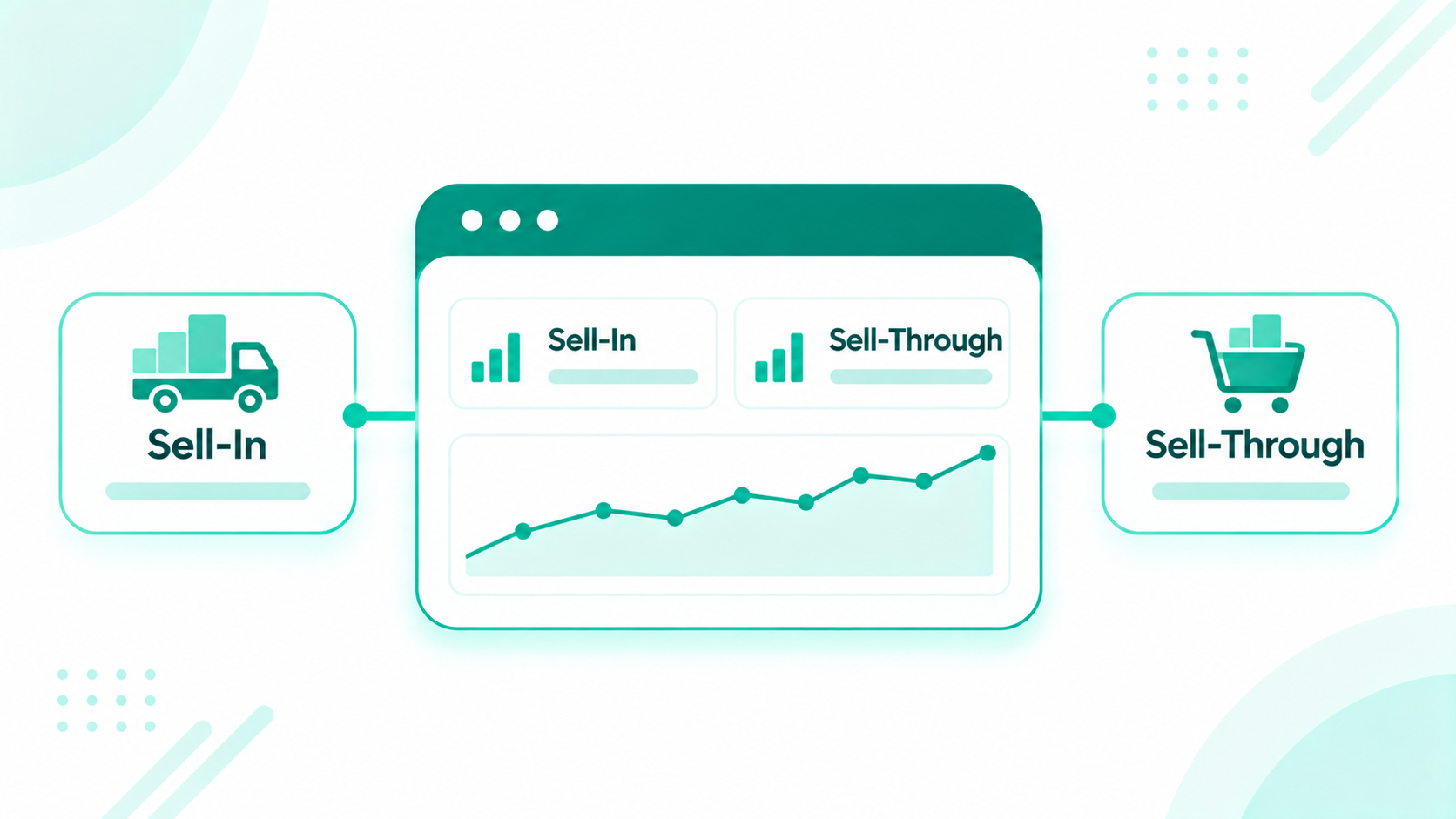
Sell-through, where available Retailer data on covered accounts Is the product moving off the shelf?
Activity logged Notes, form submissions, and meetings by agency Is each agency working its accounts?
Line review results Line review outcome by account and category How often do reviews end in authorization?

Reports that combine companies, deals, and activities use HubSpot's custom report builder, available on Professional and Enterprise subscriptions. When your team wants help keeping scorecards current, ongoing HubSpot support covers report fixes and new views.

Rep Communications

Build segments by agency, territory, and line, so launch kits, price updates, and line review dates reach the right reps. A price update for one line goes only to agencies that carry it.

Recap

Consumer brands manage rep groups in HubSpot with a rep agency company record, labeled rep contacts, and labeled associations to every covered account, with a coverage type that sets who leads each relationship. Agency reps typically work from free View-Only Seats with team-scoped access, new door and reorder pipelines track the work, and line review dates keep everyone ready. The ERP supplies orders, finance calculates commissions, and the brand keeps the account history when an agency changes.

How Can Campaign Creators Help You Manage Rep Groups in HubSpot?

Campaign Creators designs HubSpot around trade accounts, rep groups, and orders for brands that sell through retailers and distributors. As a HubSpot Elite Solutions Partner, we apply CRM architecture expertise to how consumer brands work with independent sales reps.

We map your agencies, territories, and covered accounts, implement the rep group model in HubSpot, connect your ERP at the order level, and build the scorecards your sales leaders review each month.

Ready to design rep group management in HubSpot? Book a consultation with our team.

Frequently Asked Questions

How Can Consumer Brands Manage Independent Sales Reps and Rep Groups in HubSpot?

Record each rep group as a company with labeled rep contacts, associate it to the accounts it covers, decide what reps see, and report new doors, reorders, and sales by agency, with the ERP as the source for orders.

Can Independent Sales Reps Use HubSpot Without a Paid Seat?

Yes. View-Only Seats are free and unlimited on Starter, Professional, and Enterprise, and they let reps view records, reports, and dashboards and log notes, though they can't edit records or log emails.

How Do You Keep One Rep Group From Seeing Another's Accounts?

Put each agency's reps on a HubSpot team, set their view permission to their team's records on Professional or Enterprise, turn off export, and restrict sensitive properties on Enterprise.

Should HubSpot Calculate Rep Commissions?

No. Commissions are calculated in the ERP or accounting system under each agency agreement, and HubSpot shows the commission-eligible sales so reps and finance see the same totals.

What Happens to Account History When a Brand Changes Rep Groups?

The accounts, contacts, notes, and orders stay on the brand's records. The brand moves the Covered by association and ownership to the new agency and relabels departing reps.

How Do Brands Track New Doors and Reorders From Rep Groups?

Use a new door pipeline from target to first order, track reorders against each account's usual reorder cycle, and report both by agency and territory.

How Consumer Brands Track Sell-In and Sell-Through in HubSpot

How Consumer Brands Track Sell-In and Sell-Through in HubSpot

HubSpot tracks sell-in and sell-through for consumer brands by bringing sell-in from the ERP sync and sell-through data from retailer files into the...

Read More
How Bid Management Software and HubSpot Track Hit Ratio

How Bid Management Software and HubSpot Track Hit Ratio

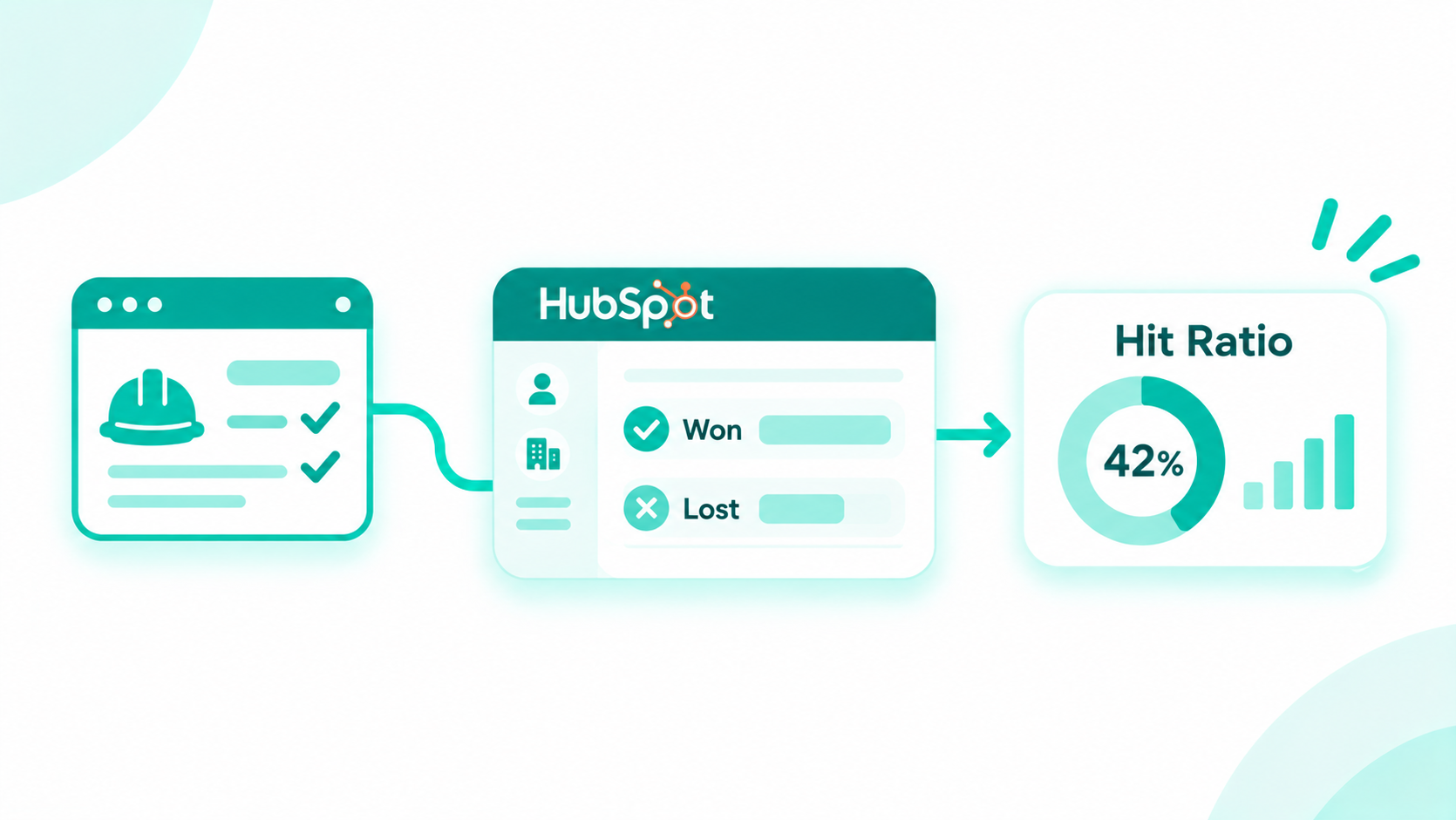
Subcontractors measure bid hit ratio accurately by counting each job once at the job level, tracking every GC bid as a labeled association or bid...

Read More
How Financial Advisors Manage Households, Referrals, and Client Reviews in HubSpot

How Financial Advisors Manage Households, Referrals, and Client Reviews in HubSpot

A CRM for financial advisors works best when each household is one record with labeled members, referral sources and centers of influence sit on that...

Read More