









Construction Bidding Software: How Subcontractors Connect Every Bid to One HubSpot Deal
Subcontractors connect construction bidding software to HubSpot by identifying each job with a matching key, creating one HubSpot deal per job, and...
12 min read
Campaign Creators
:
11/20/26
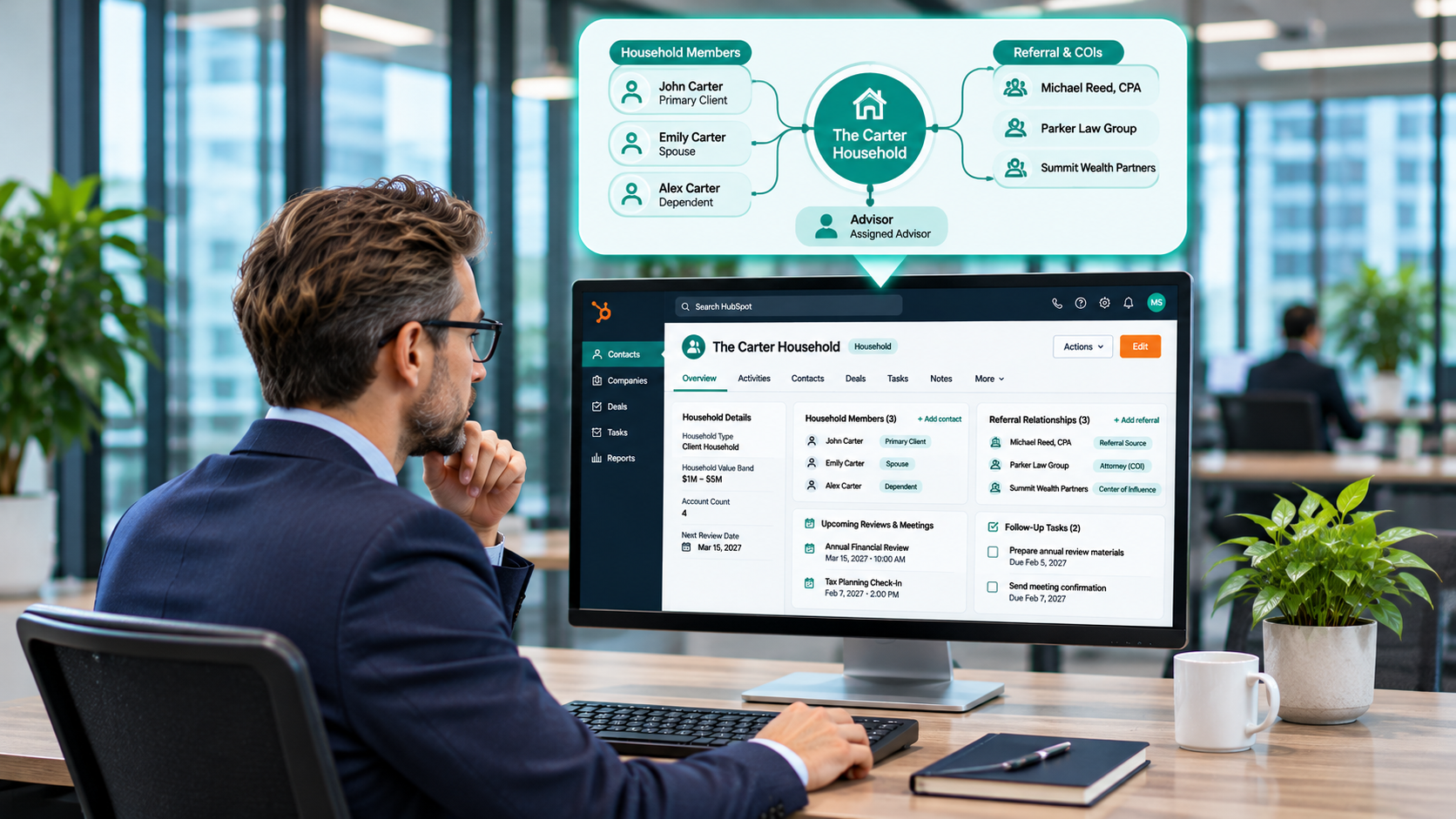
A CRM for financial advisors works best when each household is one record with labeled members, referral sources and centers of influence sit on that same record, and review dates drive tasks and meetings automatically. In HubSpot, custodian and planning platforms stay the systems of record, and HubSpot holds summary fields like account count, household value band, and next review date.
That structure follows how advisory practices grow. Cerulli's research found that referrals from clients, friends, and family account for 54.2% of new clients, and centers of influence such as CPAs and attorneys are the second most common source at 13.9%. A household view tells your team who referred each relationship, who else sits at the table, and when the next conversation is due.

Financial advisors set up households in HubSpot by making each household one record, associating every household member to it with a labeled role, and storing review dates and summary custodian fields on that record. Prospects, onboarding, service requests, and referrals all associate to the household, so the whole relationship shows in one place.
| Record | What it holds | Key associations | Example properties |
|---|---|---|---|
| Household (company or custom object) | The relationship your firm serves | Household members, advisor owner, deals, tickets, referring contact | Household tier, value band, review frequency, last and next review date, custodian account IDs, account count, referral source |
| Household member (contact) | Each person in the household | Household with a role label, related members, professional contacts | Role, communication preference, age band, email and phone |
| Professional contact (contact) | A CPA, attorney, or other center of influence | Households they serve or referred, their firm | COI tier, profession, last referral date, next touch date |
| Prospect deal | A new relationship in progress | Household, members, referring contact | Referral source, proposed service tier, expected value band, stage dates |
| Onboarding and service tickets | Account opening and client requests | Household, members | Request type, custodian, due date, client tier |
The rest of this guide builds each row, starting with the household itself.
Want a second look at your data model? The Architecture Blueprint maps your current HubSpot setup against where it needs to be, including how households, members, and professional contacts connect.
A CRM for financial advisors should handle five jobs: show each household and its people, track where new relationships come from, move prospects through onboarding, keep reviews on schedule, and route service requests. Portfolio data, planning, and trading stay in the custodian and planning platforms.
Referrals sit at the center of that list. In Schwab's latest RIA survey, 44% of firms track client referrals as a growth metric, and 70% expect referrals to drive growth over the next three years. Firms can only track that number when every household records who sent it.
| Job | What HubSpot holds | System of record |
|---|---|---|
| Household view | Household record, labeled members, owner, tier | HubSpot |
| Referral tracking | Referral source, referring contact, COI tier | HubSpot |
| Prospects and onboarding | Deal and ticket pipelines with stage dates | HubSpot, with custodian account opening |
| Client reviews | Review frequency, last and next review date, tasks, meetings | HubSpot |
| Portfolio context | Account count, value band, custodian account IDs | Custodian and portfolio platform |
| Planning context | Plan status and last plan update date | Financial planning platform |
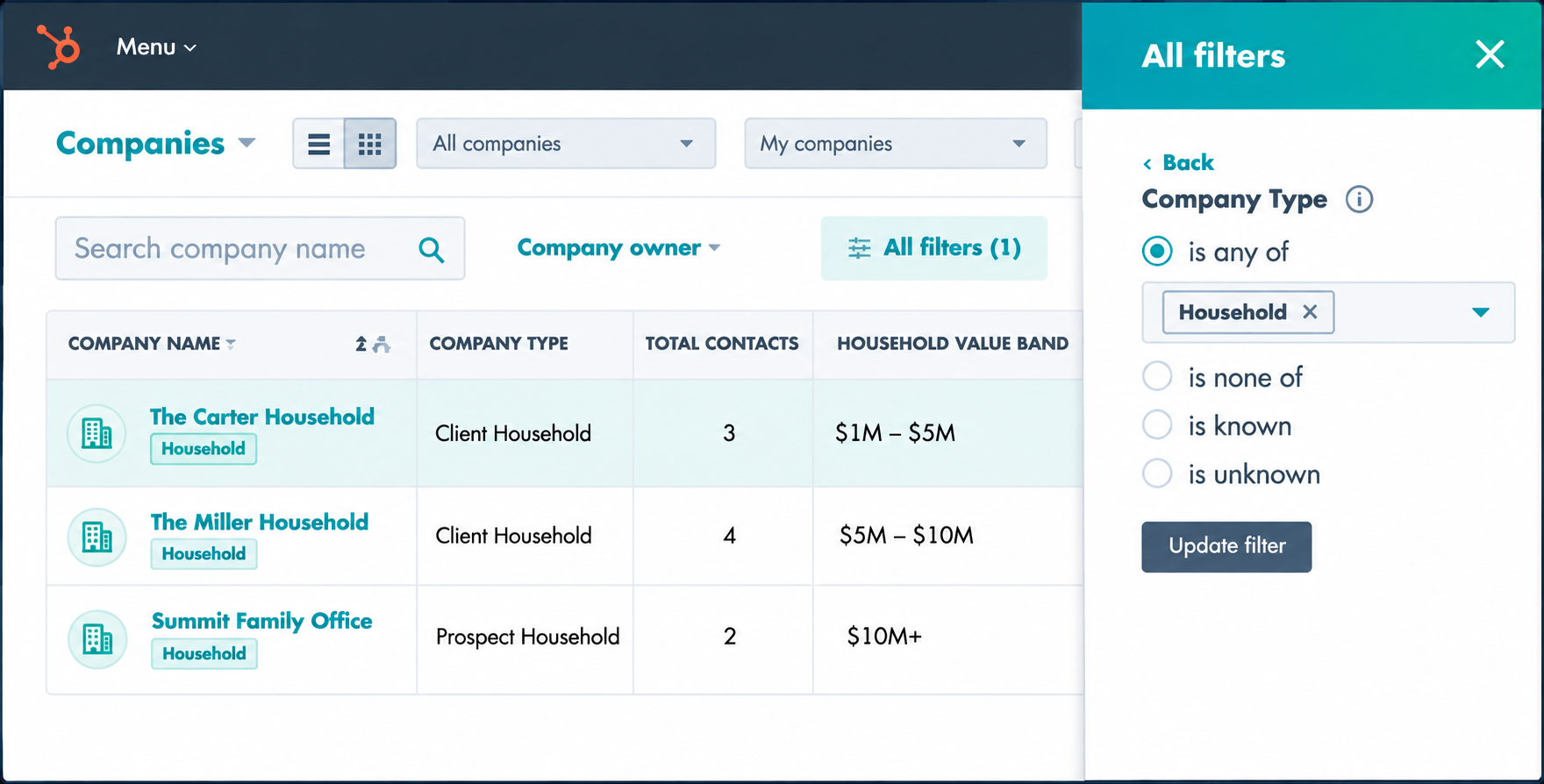
HubSpot supports two householding models: a company record that represents the household, or a custom Household object on Enterprise. Start with the company model unless your firm already uses companies for businesses, trusts, or the CPA and law firms in your referral network.
| Option | Tier | How it works | Choose it when |
|---|---|---|---|
| Company as household | Any subscription | Each household is a company record, members are contacts associated to it, and a Record type property separates households from other companies | Your firm serves individuals and families, and companies are free to represent households |
| Custom Household object | Enterprise | A Household object with its own properties and pipelines, associated to contacts, companies, deals, and tickets | You also need companies for business-owner clients, trusts, or COI firms, or you want household-specific pipelines |
The company model works on every tier and plugs into tools your team already uses. Contacts can carry a primary company, segments can filter contacts by the household they belong to, and reports group by household without extra setup.

Per HubSpot's guide to creating custom objects, custom objects need an Enterprise subscription and can carry their own properties, pipelines, and association labels. They also work in marketing emails, workflows, and reports. A Household object keeps companies free for the businesses and professional firms your advisors work with, which helps most when one person belongs to a household and also owns a business you serve.
Whichever model you pick, decide it before you import. Moving households from companies to a custom object later means rebuilding associations, reports, and workflows.
Association labels name each person's role in the household, such as primary client, spouse, or trustee, so workflows, segments, and reports can act on that role. HubSpot's guide to creating and using association labels notes that custom labels need a Professional or Enterprise subscription, Super Admins create them, and each object pair holds up to 50 labels.
| Label | Who it applies to | Suggested limit |
|---|---|---|
| Primary client | The main decision maker | One per household |
| Spouse or partner | The primary client's spouse or partner | One per household |
| Dependent | Children and other dependents | Many |
| Trustee | Trustees of household trusts | Many |
| Power of attorney | Agents named in a power of attorney | Many |
| Beneficiary | Named beneficiaries outside the household | Many |
Contact-to-contact labels connect members to the professionals around them. Use paired labels where each side has a different role, such as CPA and Client, Attorney and Client, or Referred by and Referred. A paired label counts as one label toward the limit, and setting one side fills in the other automatically.
Labels become useful once tools read them. In a workflow, a label can trigger enrollment or send a review invitation only to the primary client and spouse. In a segment, a Professional or Enterprise account can filter by label to find every household where a given CPA is listed. You can also set labels in bulk through import, which speeds up the first data load.
Use a deal pipeline for prospects, from first inquiry to funded, and a ticket pipeline for onboarding, so the handoff from advisor to operations is a visible stage change. Per HubSpot's guide to setting up and managing pipelines, custom pipelines need a Starter, Professional, or Enterprise subscription, and seat-based accounts get 15, 100, or 350 custom pipelines shared across objects by tier.
Set required properties at each stage so a deal can't move forward until the household record has what the next person needs.
| Stage | What happens | Required properties |
|---|---|---|
| Inquiry | A prospect reaches out or is introduced | Referral source, referring contact |
| Discovery meeting | The advisor meets the household | Discovery meeting date, household record created |
| Proposal | The firm proposes a service tier | Proposed service tier, expected value band |
| Onboarding | Paperwork and account opening begin | Custodian, number of accounts to open |
| Funded | Assets arrive at the custodian | Funded date, custodian account IDs |
When a deal reaches Onboarding, a workflow creates an onboarding ticket for operations and associates it to the household. Stages can run from Paperwork sent to Accounts opened, Assets in transit, Welcome meeting, and Complete. Operations works the ticket, and the advisor watches progress on the household record.
After funding, the relationship moves into the review cycle in Step 5 and the service ticket pipeline in Step 7. Keep those out of the prospect pipeline, so pipeline reports show new business only.
Track referrals with a referral source property on every household and a labeled association to the client or center of influence who made the introduction. That pairing shows where each relationship came from and who to thank.
| Field or association | Where it lives | Values |
|---|---|---|
| Referral source type | Household and prospect deal | Client, center of influence, event, website, other |
| Referred by | Contact-to-contact label | Links the referring person to each referred member |
| COI tier | Professional contact | Tier 1, Tier 2, Tier 3 |
| Last referral date | Professional contact | Date of the most recent introduction |
| Next touch date | Professional contact | Date the advisor plans to reconnect |
Tier CPAs and attorneys by how often they refer and how closely they work with your households. Tier 1 contacts might get a quarterly touch, Tier 2 a semiannual touch, and Tier 3 an annual one. A workflow can create a task for the owning advisor when a contact's next touch date arrives.
When a prospect deal is created with a referring contact, a workflow creates a task to thank the referrer. When the deal reaches Funded, a second task prompts the advisor to share the good news with the referrer, within what your firm's policies permit.
Report referrals by count of households and by household value band. Bands give leadership a clear view of referral quality without pulling balances out of the custodian.
.png?width=1672&height=941&name=Modern%20Office%20CRM%20Workflow%20(1).png)
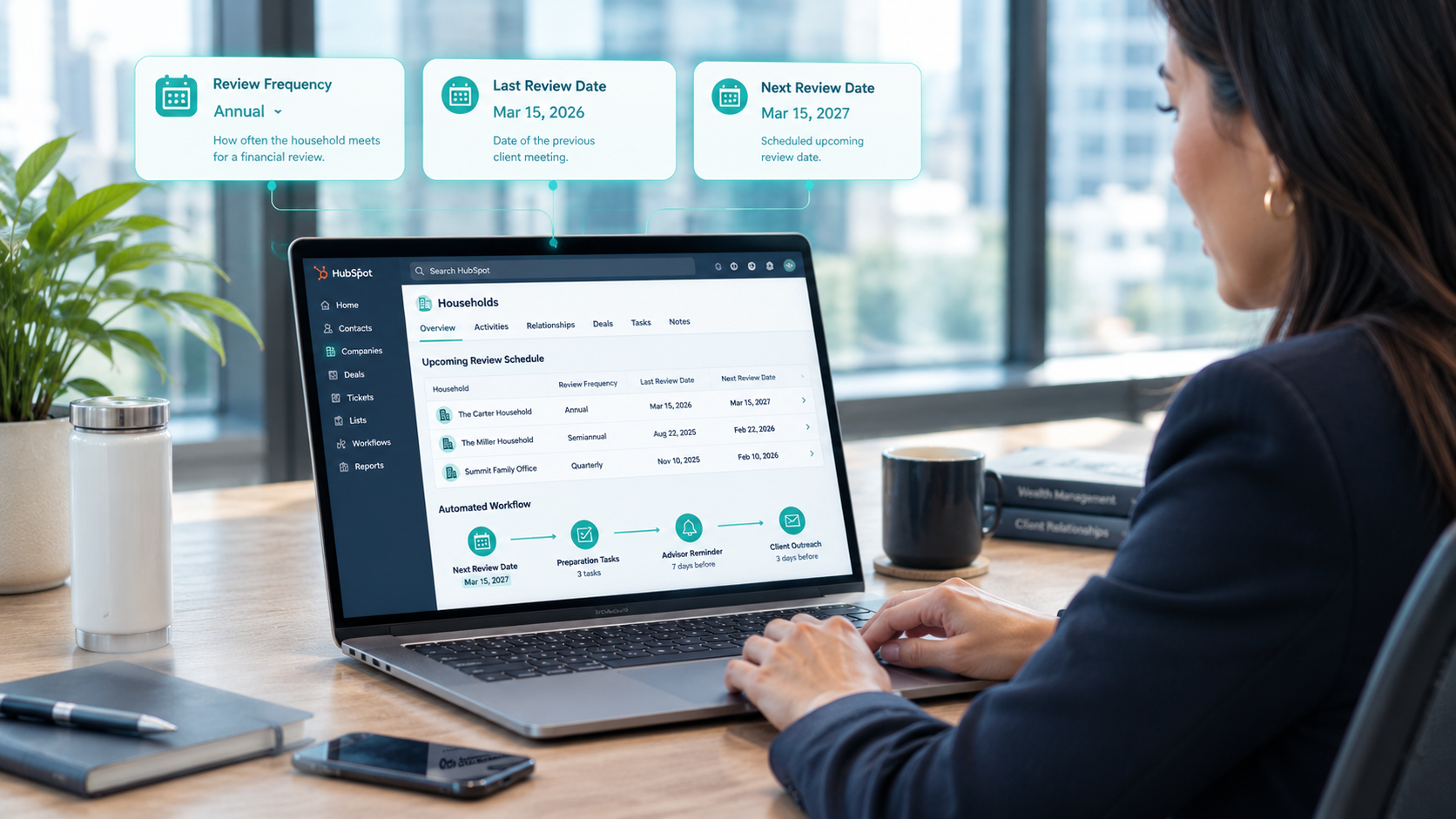
Run client reviews from three household properties, review frequency, last review date, and next review date, and let workflows create the prep tasks and outreach ahead of each meeting. Workflows need a Professional or Enterprise subscription, per HubSpot's guide to creating workflows.
Tie review frequency to the household tier your firm already uses, such as quarterly for top-tier households, semiannual for the middle tier, and annual for the rest. Store the frequency on the household, so a tier change updates the review schedule.
According to HubSpot's guide to creating tasks, workflow-created tasks need a Professional or Enterprise subscription, and recurring tasks need an assigned Sales or Service seat.
| Process | Trigger | HubSpot tool | Owner | Report |
|---|---|---|---|---|
| Review prep | Next review date is 30 days away | Workflow, task | Assistant | Reviews due in 30 days |
| Review scheduling | Next review date is 21 days away | Workflow, email, meetings link | Advisor | Reviews scheduled vs. due |
| Post-review follow-up | Review outcome logged | Workflow, task | Advisor | Open follow-up tasks |
| Overdue review alert | Next review date has passed with no outcome | Workflow, internal notification | Practice leader | Overdue reviews by advisor |
| Referral thank-you | Prospect deal created with a referring contact | Workflow, task | Advisor | Referrals thanked within 7 days |
| COI touch | Next touch date arrives | Workflow, task | Advisor | COI touches by tier |
Sync a short set of summary fields from your custodian and portfolio platform onto the household, one way into HubSpot, and keep balances, holdings, and identifiers in the custodian. Advisors see enough context to prepare for a call, and the custodian stays the system of record.
| Field | Source | Sync direction | Why advisors need it |
|---|---|---|---|
| Custodian account IDs | Custodian | Custodian to HubSpot | Links the household to its accounts without full numbers |
| Account count | Custodian or portfolio platform | Custodian to HubSpot | Shows the size of the relationship at a glance |
| Household value band | Portfolio platform | Platform to HubSpot | Drives tiers, segments, and referral reports |
| Plan status | Financial planning platform | Platform to HubSpot | Flags households due for a plan update |
| Last and next review date | HubSpot | Stays in HubSpot | Runs the review cycle in Step 5 |
| Integration type | When it fits | What to confirm |
|---|---|---|
| Native integration or data sync | The custodian or platform offers a HubSpot connection | That the listing exists on the HubSpot App Marketplace, plus field mappings and sync direction |
| Marketplace app | A third-party app connects your platform to HubSpot | The fields it writes and the access it requests |
| Middleware | Several platforms feed HubSpot on a schedule | Where data sits in transit and who can see logs |
| Custom API connection | Values need reshaping, such as balances turned into bands | Error alerts, upkeep, and an owner |
Confirm each connection on the HubSpot App Marketplace and in the vendor's own documentation before you plan around it.
Standard connectors, native integrations, custom objects, and configuration fit our HubSpot integration development services. When a custodian or planning platform needs unusual transformations or specialized orchestration, Brainstem Ventures by Campaign Creators adds custom capabilities that connect to your existing systems. It's a specialized software engineering capability within Campaign Creators, built to keep the systems that work and engineer what's missing.
Advisors adopt a CRM when it saves them time on the work they already do: email, scheduling, and notes. Service requests then move faster when every request is a ticket routed by client tier.
Pick one advisor and one assistant as champions, and launch with their households first. Run short role-based training sessions, one for advisors and one for operations, and hold a 30-minute office hour each week for the first two months.
Create a service ticket pipeline with request types such as address change, distribution request, beneficiary update, and document request. A workflow assigns each ticket by client tier, sending top-tier households to a named service lead. Associating each ticket to the household gives the advisor full context before the next review.
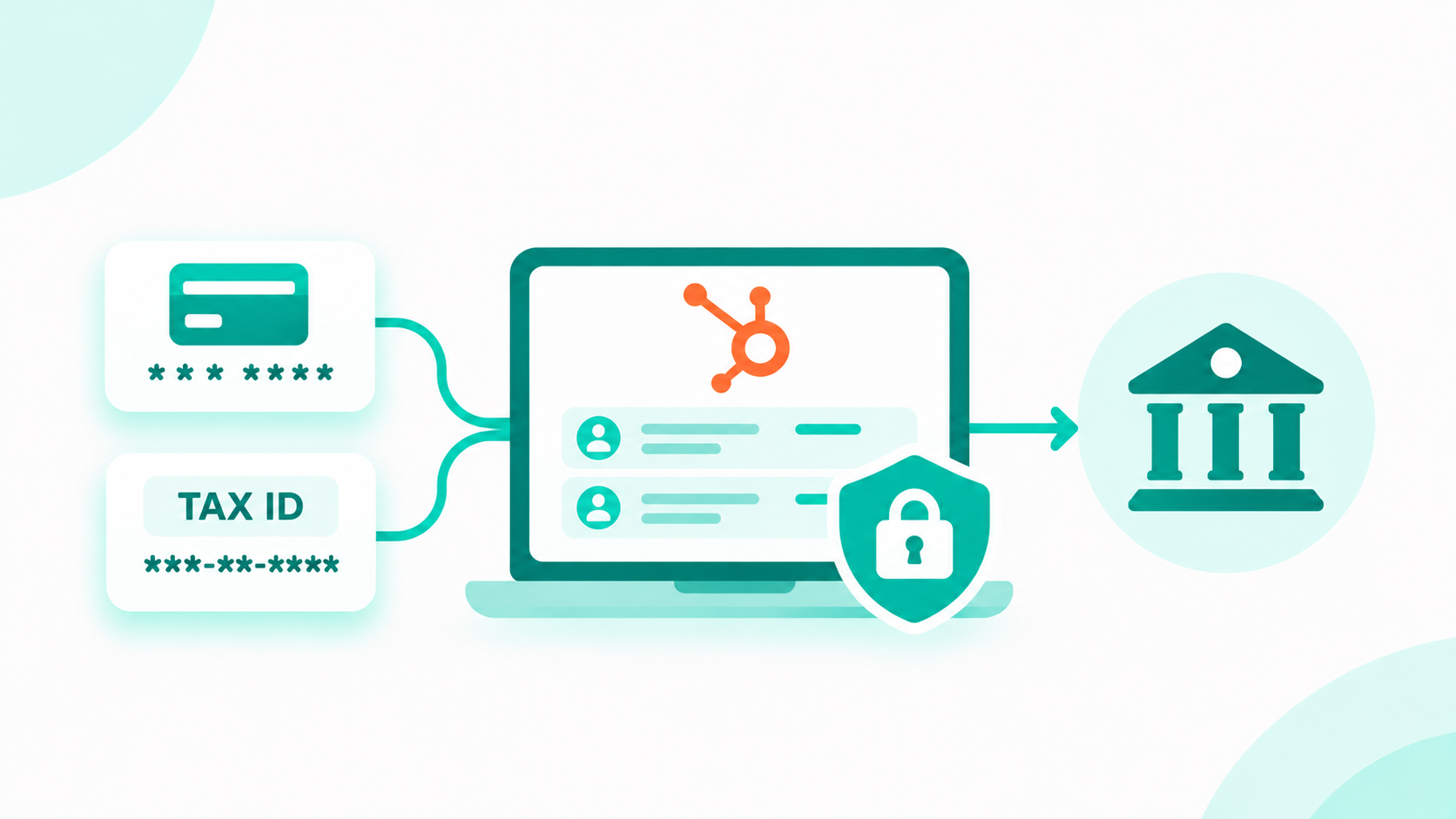
Protect client data by keeping identifiers in the system of record and giving HubSpot only references, such as a custodian account ID, the last four digits, or a verification status. Each regulated value gets one protected home, restricted visibility, and an audit trail.
Our guide to HubSpot sensitive data for financial services walks through where account numbers and tax IDs should live, plus the sensitive data properties, field-level permissions, and audit log that protect what stays in the portal.
Three habits keep the household model clean:
Emails, texts, and social messages sent from HubSpot also fall under your firm's archiving and supervision process. Confirm with your compliance advisors how that process captures them before advisors start sending from HubSpot.
Six reports cover how an advisory practice runs: households by tier, reviews due and overdue, referral sources, pipeline by stage, onboarding time, and retention signals. Put them on one practice dashboard that leadership reviews each month.
| Report | Built from | Question it answers |
|---|---|---|
| Households by tier | Household tier and owner | How is each advisor's book distributed across service tiers? |
| Reviews due and overdue | Next review date, review outcome | Which reviews are due in the next 30 days, and which have slipped? |
| Referral sources | Referral source type, Referred by label, value band | Where do new households come from, and which COIs send them? |
| Pipeline by stage | Prospect deal pipeline | How many prospects sit at each stage, and for how long? |
| Onboarding time | Onboarding ticket create and close dates | How many days from proposal accepted to funded? |
| Retention signals | Overdue reviews, open service tickets, days since last activity, value band changes | Which households need attention before they drift? |
Retention signals work best as a saved view the service team checks each week. A household with an overdue review, an open service request, and no logged contact in 90 days deserves a call this week.
Roll the model out in three phases, so each layer works before the next one depends on it.
A CRM for financial advisors runs on the household: one record with labeled members, the referral source and referring contact, and review dates that drive tasks and outreach. Pipelines carry prospects through onboarding, tickets carry service requests, and custodian context arrives as summary fields while balances and identifiers stay in the custodian. Build it in three phases, households first, then pipelines and reviews, then integrations and reporting.
Campaign Creators designs the household model, association labels, pipelines, and review workflows that let your advisors see every relationship in one place. As a HubSpot Elite Solutions Partner, we apply CRM architecture expertise to how advisory firms run day to day.
We map your households and professional network, build the prospect, onboarding, and service pipelines, set up review and referral workflows, and connect your custodian and planning platforms at a summary level.
Not sure where your portal stands today? The free HubSpot AI Readiness Scorecard is a 12-question diagnostic that takes about three minutes.
Ready to design your advisory practice model? Book a consultation with our HubSpot architecture team.
Make each household one record, either a company or a custom Household object, and associate every member to it with a labeled role such as primary client, spouse, or trustee.
Use a company record by default, since it works on every tier. Choose a custom Household object on Enterprise when your firm also needs companies for businesses, trusts, or professional firms.
Custom association labels need a Professional or Enterprise subscription, and Super Admins can create up to 50 labels per object pair.
Store CPAs and attorneys as contacts with a COI tier and next touch date, link them to the households they refer with a Referred by label, and let workflows create touch and thank-you tasks.
Yes. Sync summary fields such as custodian account IDs, account count, and household value band one way into HubSpot, and keep balances, holdings, and identifiers in the custodian.
Store review frequency and next review date on the household, then use a workflow on a Professional or Enterprise subscription to create prep tasks and send scheduling emails ahead of each date.
Subcontractors connect construction bidding software to HubSpot by identifying each job with a matching key, creating one HubSpot deal per job, and...
Automated marketing for financial advisors works when life-event campaigns are built from approved templates, every new or changed message goes...
1 min read
Full account numbers and tax IDs belong in your system of record, such as your custodian, core banking platform, or loan origination system. HubSpot...