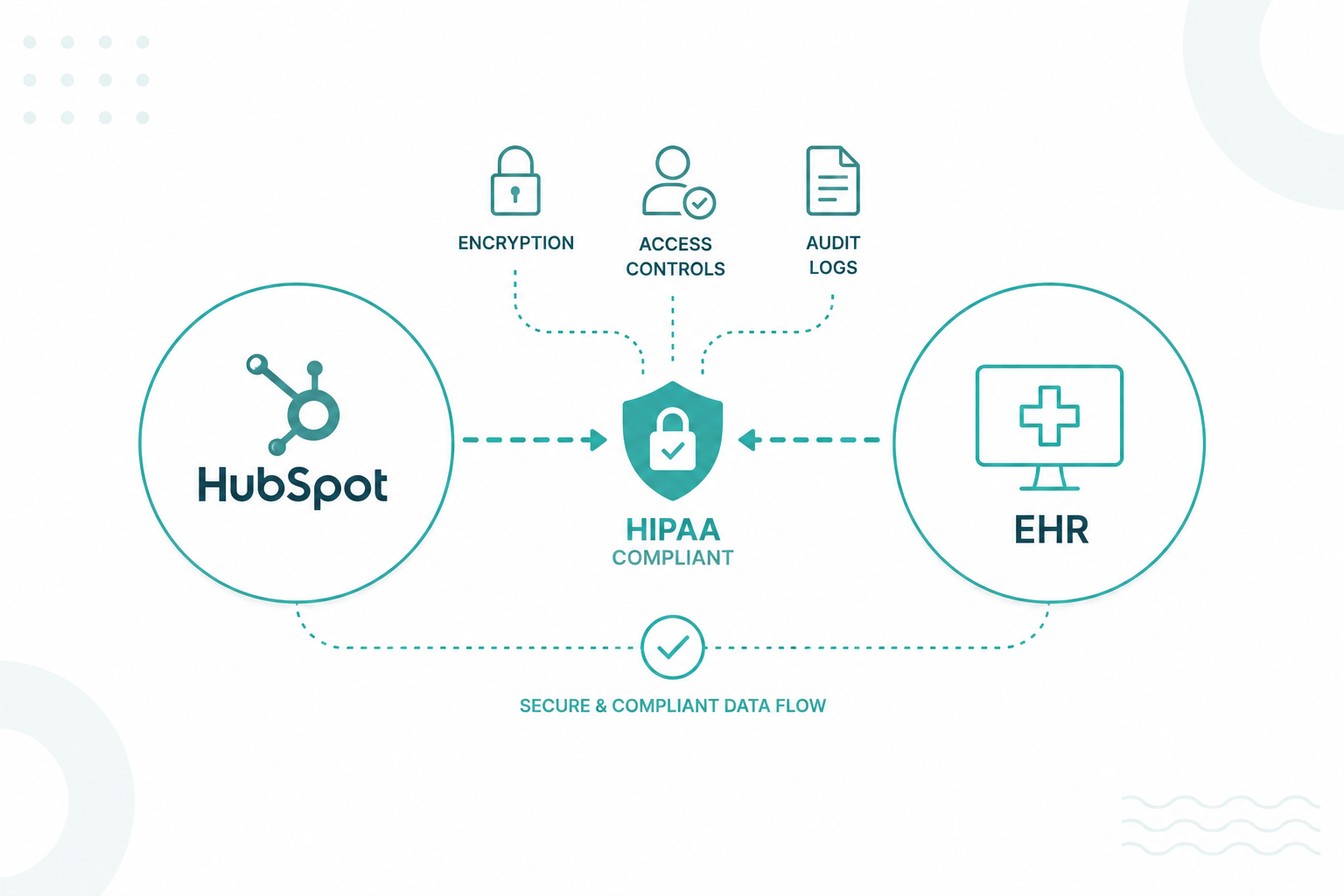
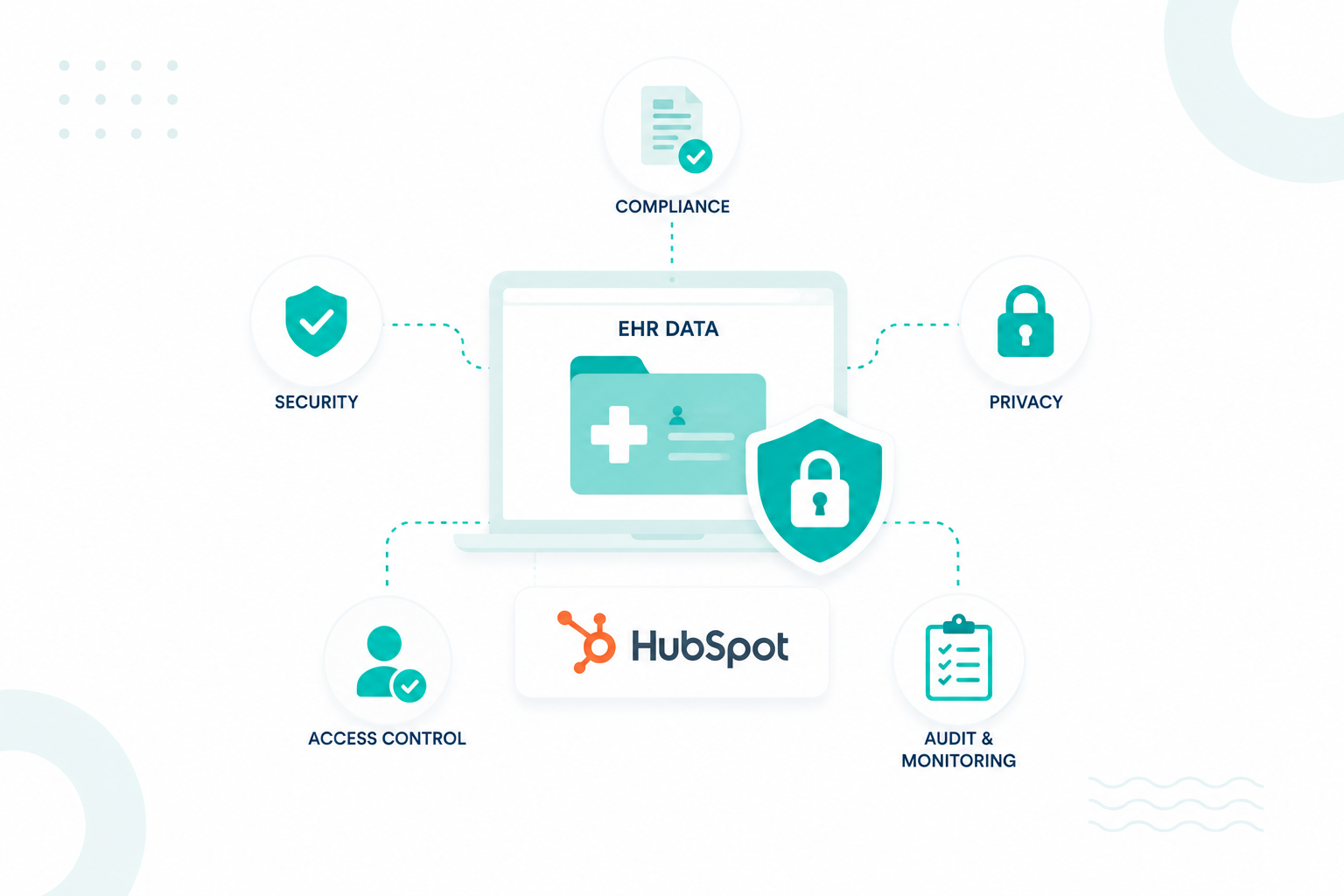
You can integrate HubSpot with an EHR system without violating HIPAA by carefully controlling how data moves between platforms, limiting the use of protected health information (PHI), securing data transfers, and enforcing strict access controls.
For many healthcare organizations, the challenge is finding a way to connect patient engagement and operational data with HubSpot without exposing sensitive clinical information or creating compliance risks.
This article explains the requirements, safeguards, and best practices that help healthcare organizations integrate HubSpot with EHR systems while maintaining HIPAA compliance.
Key Takeaways
- HubSpot and EHR systems can work together without violating HIPAA when only approved patient data moves between platforms.
- The EHR should remain the system of record for diagnoses, treatment plans, clinical notes, test results, and other sensitive medical information.
- Before integration begins, healthcare organizations should determine exactly which data fields belong in HubSpot and which should stay in the EHR.
- APIs, FHIR, and HL7 standards support secure data exchange by transferring only the information required for operational workflows.
- Common HIPAA violations during EHR integrations include excessive data sharing, weak access controls, missing risk assessments, and inadequate vendor oversight.
The HIPAA Requirements When Connecting HubSpot to an EHR

Before connecting HubSpot to an EHR, healthcare organizations should review HIPAA privacy requirements, security safeguards, Business Associate Agreement (BAA) obligations, access management policies, and PHI handling procedures. These requirements establish the rules for how patient information can move between systems and who can access it.
- HIPAA Privacy Rule Requirements: The HIPAA Privacy Rule defines how protected health information (PHI) can be used and disclosed. Organizations should identify every patient data element involved in the integration and document its purpose.
- HIPAA Security Rule Safeguards: The HIPAA Security Rule focuses on protecting electronic protected health information (ePHI). Every integration should include technical and administrative safeguards that reduce the risk of unauthorized access.
- Business Associate Agreement Obligations: Any vendor that creates, receives, maintains, or transmits PHI on behalf of a covered entity may require a Business Associate Agreement. A signed agreement alone does not create compliance. Technical controls and operational processes must support the same requirements.
- Access and Permission Policies: Not every employee requires access to patient information. Organizations should define access levels before data synchronization begins.
Once compliance requirements are documented, organizations can evaluate which patient data can safely move between systems and which information should remain protected within the EHR environment.
Which Patient Data Can Be Synced to HubSpot and What Should Stay in the EHR
Not every piece of patient information belongs in both systems. The EHR serves as the system of record for clinical data. HubSpot serves as a platform for relationship management, communication, and operational activities.
Data That Can Often Be Synced to HubSpot
Many healthcare organizations sync non-clinical information that supports patient engagement and operational workflows. Examples include:
- Name
- Email address
- Phone number
- Preferred communication method
- Appointment status
- Provider location
- Service line interest
- Lead source
- Marketing consent preferences
- Customer service interactions
This type of information helps teams manage communications and patient journeys without exposing sensitive medical details.
Data That Should Remain in the EHR
Clinical information should remain within the EHR unless a specific business need, compliance review, or security framework supports its use elsewhere.
Examples include:
- Diagnoses
- Treatment plans
- Clinical notes
- Test results
- Medication records
- Medical history
- Insurance claims details
- Lab reports
- Imaging results
- Behavioral health records
A HubSpot-EHR integration should focus on moving the right data. Once those boundaries are established, organizations can design an integration architecture that supports operational goals without placing protected health information at unnecessary risk.
Read this informative guide: 10 HIPAA Compliance Mistakes Healthcare Organizations Should Avoid
How to Structure a HIPAA-Compliant HubSpot-EHR Integration
1. Decide Whether HubSpot Will Store PHI
Before designing the integration, determine whether protected health information will enter HubSpot at all. Many healthcare organizations use HubSpot for appointment reminders, referral management, patient onboarding, customer service, and marketing communications without storing diagnoses, medications, treatment plans, or clinical notes. This creates a clear boundary between CRM activities and clinical operations.
If PHI will be stored in HubSpot, document exactly which fields will be included and why they are needed.
2. Create a Dedicated Patient Engagement Data Model
Do not mirror the entire patient record inside HubSpot. Create properties that support engagement workflows, such as:
|
HubSpot Property |
Purpose |
|
Appointment Status |
Trigger reminders and follow-ups |
|
Provider Location |
Route communications |
|
Referral Source |
Track acquisition channels |
|
Communication Preference |
Support outreach workflows |
|
Patient Lifecycle Stage |
Track engagement status |
This keeps HubSpot focused on relationship management rather than clinical record keeping.
3. Map Every EHR Field Before Synchronization
Field mapping should happen before any integration work begins. For each field, answer three questions:
- Does HubSpot need this information?
- Which workflow uses it?
- Would the workflow still function without it?
A field that cannot pass this review should not be synchronized. For example, appointment status may support reminder workflows. A diagnosis code typically has no role in those workflows and should remain within the EHR.
4. Filter Data Before It Reaches HubSpot
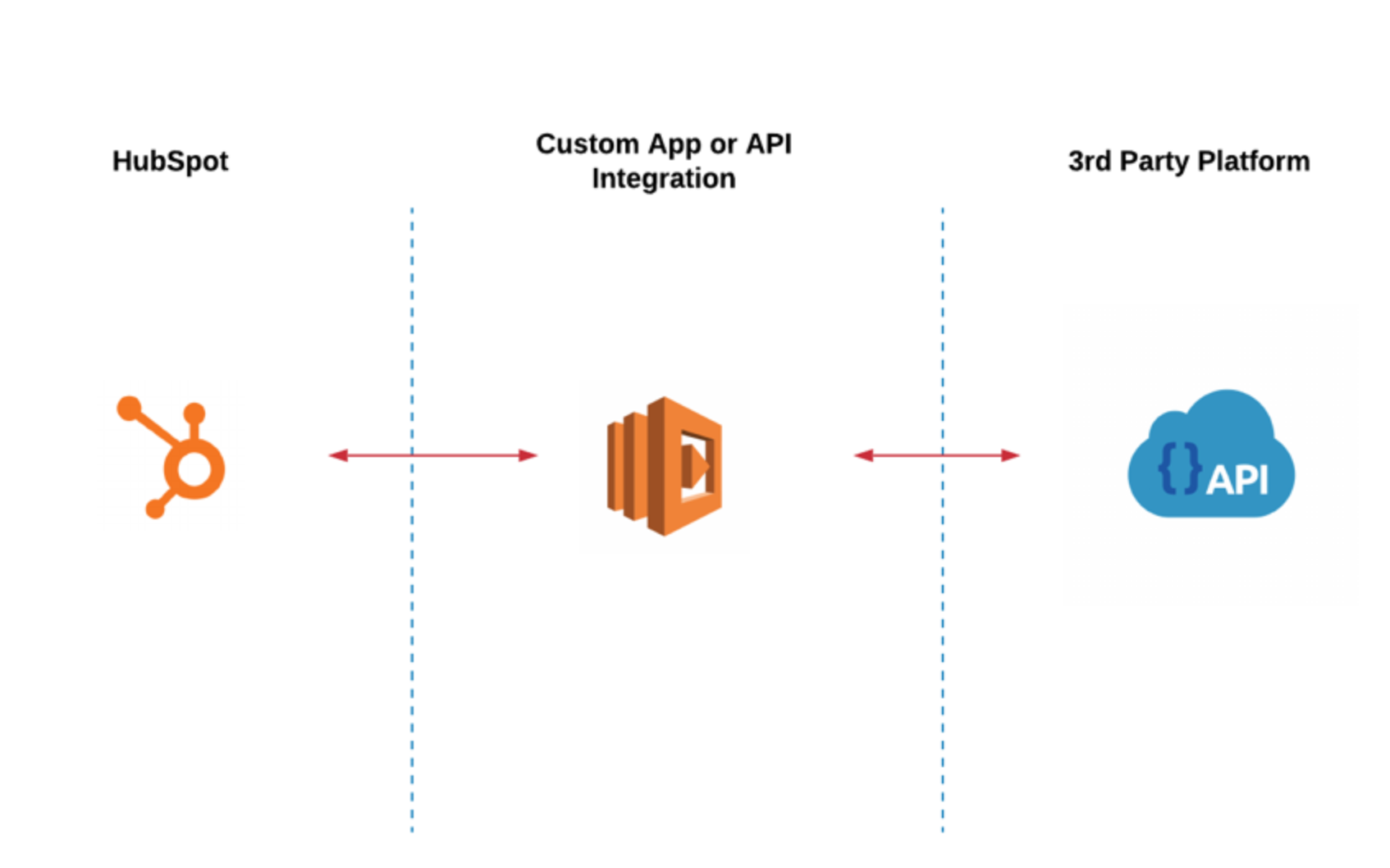
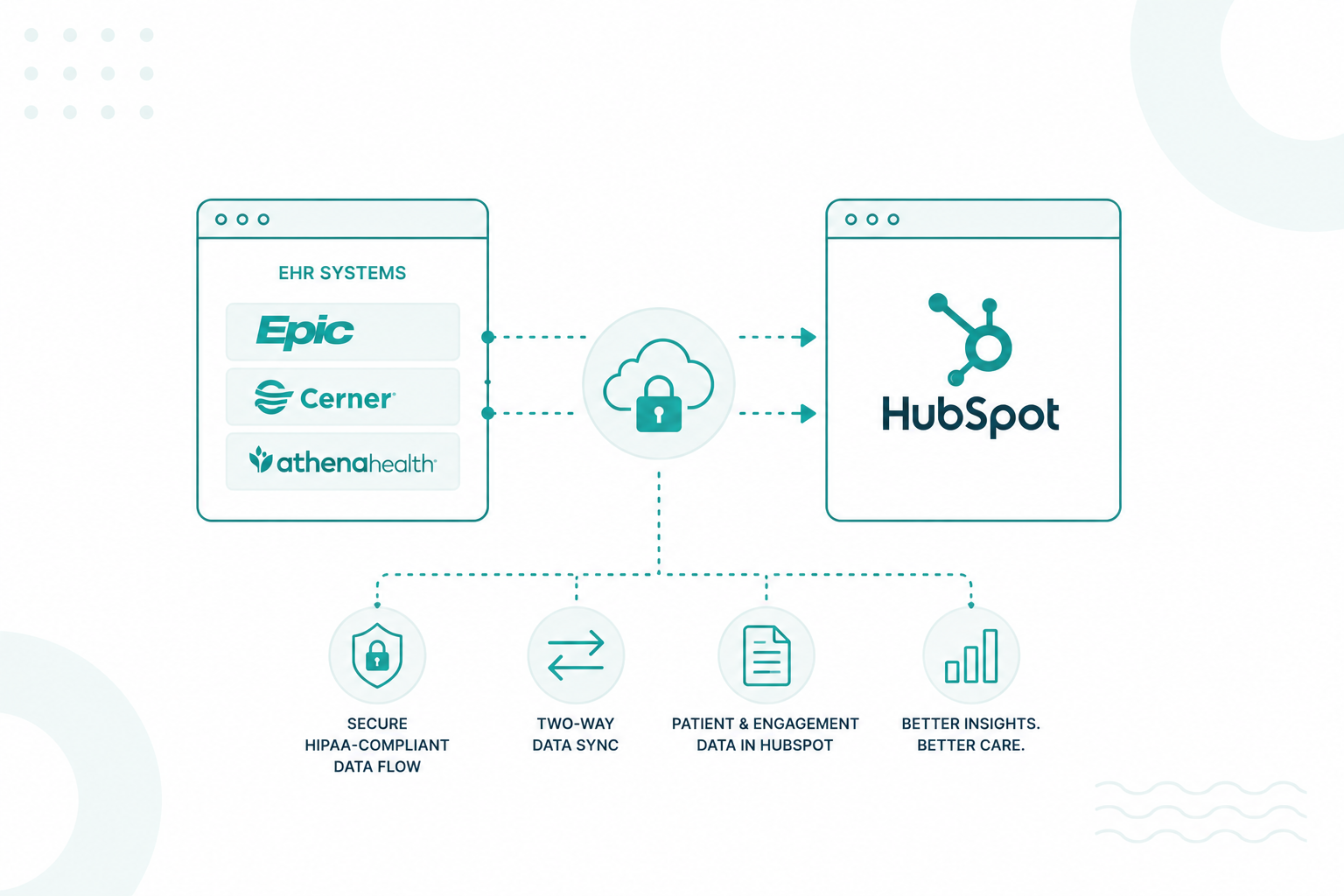
The integration layer should decide what enters HubSpot, not HubSpot itself. A common healthcare architecture follows this flow: EHR → Integration Platform → HubSpot
The integration platform filters fields, transforms data, and blocks information that should not leave the EHR. This reduces the risk of accidentally exposing sensitive records through future workflows, reports, or integrations.
5. Keep Clinical Records in the EHR
Clinical information should remain within the EHR unless a documented business and compliance requirement supports its use elsewhere. Keeping these records inside the EHR simplifies governance and reduces the number of systems that contain sensitive patient information.
The goal is to provide the information needed for patient engagement, service, and operational workflows without increasing compliance risk. Learn how to protect patient data while growing your healthcare organization.
What Role Do APIs, FHIR, and HL7 Standards Play in Secure Data Exchange
APIs, FHIR, and HL7 provide the mechanisms that move approved data between HubSpot and an EHR. APIs create the connection, FHIR provides a standardized way to access healthcare data, and HL7 supports data exchange across many healthcare systems.
APIs Connect HubSpot to the EHR

Most HubSpot-EHR integrations rely on APIs to retrieve and update information between systems. For example, an API can send a patient's appointment status from the EHR to HubSpot, which then triggers an appointment reminder workflow. The same API can update referral information, provider assignments, or communication preferences without giving HubSpot access to the full patient chart.
The API determines what information can be requested, where it comes from, and how it is transferred between platforms.
FHIR Simplifies Access to Healthcare Data
FHIR (Fast Healthcare Interoperability Resources) is a healthcare data standard designed for modern applications and API-based integrations. Rather than working with large and complex patient records, FHIR organizes information into smaller resources, such as:
|
FHIR Resource |
Example Information |
|
Patient |
Name, contact details, demographics |
|
Appointment |
Date, time, status |
|
Practitioner |
Provider information |
|
Location |
Facility or clinic details |
This makes it easier to pull specific data elements needed for HubSpot workflows without exposing unnecessary clinical information. For example, a patient reminder workflow may only require data from the Patient and Appointment resources. Diagnoses, medications, and clinical notes remain inside the EHR.
HL7 Often Powers Data Exchange Behind the Scenes
Many healthcare organizations still use EHR systems that rely on HL7 messaging. HL7 messages are commonly used to communicate events such as:
- New patient registrations
- Appointment updates
- Provider changes
- Laboratory activity
HubSpot typically does not connect directly to HL7 feeds. An integration platform usually receives HL7 messages from the EHR, extracts approved information, and converts it into a format that HubSpot can process.
Which Security Controls Should Be Implemented Before the Integration Goes Live in HubSpot?
Before a HubSpot-EHR integration goes live, organizations should secure the properties receiving EHR data, restrict access to synchronized records, review workflow automation, and control how integrated data can be exported or shared.
Configure Sensitive Data Properties Correctly
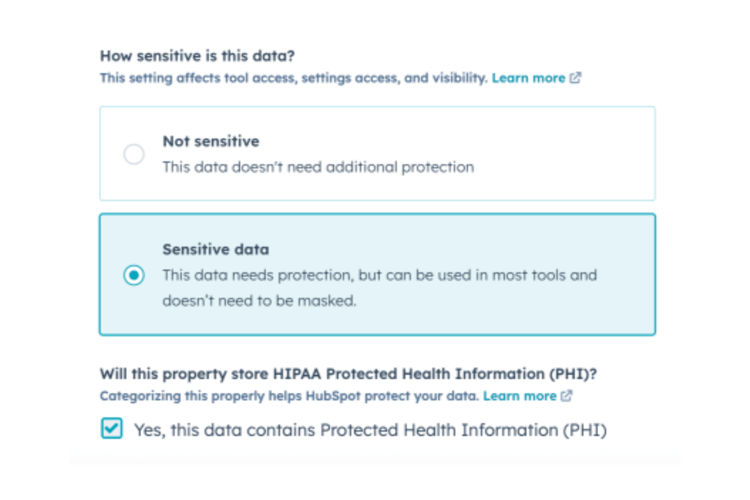
The first security review should focus on the HubSpot properties receiving information from the EHR. Every synchronized field should be evaluated to determine whether it contains PHI or patient-related information. Properties used for appointment status, referral details, patient identifiers, or care coordination activities often require additional controls.
Organizations should also configure these properties appropriately within HubSpot settings. Sensitive data properties should be designated correctly, access should be limited to authorized users, and field permissions should align with internal privacy and security policies.

Organizations should document why the property exists, which workflow uses it, and which users can access it. This creates accountability around every field entering HubSpot.
Restrict Access to EHR-Sourced Records
Before launch, review which teams actually use synchronized data. Marketing teams may only need communication preferences and engagement history. Service teams may require appointment-related information. Administrators may require broader visibility for operational support. Access should align with business responsibilities rather than system availability.
Audit Workflow Automation
Workflows are one of the most common sources of unintended data exposure. A workflow may send internal notifications, update records, trigger emails, create tickets, or pass information to another application. Any workflow that references EHR data should be reviewed before activation.
Pay particular attention to:
- Internal notification emails
- Third-party workflow actions
- Data copied between properties
- Automated record creation
A single workflow can expose information to users who were never intended to receive it.
Control Export and Reporting Permissions
Many organizations focus on record access but overlook exports and reporting. A user who can export records can often access large volumes of patient-related information in a single action. Review who can create reports, export data, build lists, and access dashboards that use synchronized fields. This becomes particularly important once patient engagement data starts flowing into HubSpot.
Validate the Entire Data Path
The final security review should follow the complete path of a synchronized record. Start at the EHR and trace the data through the integration platform, HubSpot properties, workflows, reports, and connected applications. This process identifies places where patient information could become visible beyond its intended audience.
You may also be interested in: Can You Use HubSpot Chatbots in Healthcare?
Where Organizations Commonly Violate HIPAA During EHR Integrations
Since 2009, more than 7,600 large healthcare data breaches have been reported to the Office for Civil Rights (OCR), affecting hundreds of millions of patient records.
Many investigations ultimately trace the root cause back to preventable failures involving access controls, risk assessments, vendor management, system configuration, or security oversight. EHR integrations often become the point where those weaknesses are exposed.
Failing to Conduct a Security Risk Analysis Before Integration
Organizations often prioritize functionality testing and data mapping, but neglect to perform a formal HIPAA risk assessment before an integration goes live. This oversight can leave vulnerabilities undiscovered, including excessive permissions, insecure APIs, exposed databases, and weak authentication controls.
OCR has repeatedly cited missing or incomplete risk analyses as a leading cause of HIPAA enforcement actions, and multiple settlements have resulted from organizations failing to evaluate risks before implementing new technologies.
Granting Excessive Access to Patient Data
During implementation, administrators, developers, consultants, and analysts are frequently granted broad access to EHR data to speed up testing and troubleshooting. In many cases, those permissions remain in place after deployment. HIPAA requires organizations to limit access to the minimum necessary information. OCR regularly identifies insufficient access controls as a common compliance issue, particularly when organizations cannot demonstrate who had access to ePHI and why.
Sharing More Data Than the Integration Requires
A common integration mistake is synchronizing entire patient records when only a small subset of information is needed. For example, a scheduling, marketing, or customer service platform may only require appointment data, but organizations often transmit diagnoses, treatment information, medications, or other sensitive records unnecessarily. Excessive data sharing increases exposure and may violate HIPAA's minimum necessary standard.
Inadequate Security for APIs and Data Transfers
EHR integrations rely heavily on APIs, interface engines, cloud connectors, and file transfers. When encryption, authentication, monitoring, or access restrictions are not properly configured, patient data can be exposed during transmission. Healthcare organizations continue to face growing cybersecurity risks, with hacking and IT incidents accounting for 80% of large healthcare data breaches reported in recent years.
Using Production Patient Data in Test Environments
Implementation teams frequently copy real patient records into development, testing, or sandbox environments to validate integrations. These environments often lack the same security controls, monitoring, and access restrictions found in production systems. As a result, test environments can become an overlooked source of unauthorized access and data exposure.
Missing Business Associate Agreements
Organizations commonly integrate EHRs with cloud applications, CRM platforms, analytics tools, and middleware providers without fully addressing HIPAA contractual requirements. If a vendor stores, accesses, processes, or transmits ePHI, a Business Associate Agreement is generally required. Missing or incomplete BAAs remain a recurring compliance issue during technology modernization and integration projects.
Insufficient Audit Logging and Monitoring
An integration may successfully exchange data, but without proper logging, organizations cannot easily determine who accessed patient information, what records were viewed, or whether unauthorized activity occurred. This lack of visibility can delay breach detection and complicate investigations. OCR frequently expects organizations to demonstrate ongoing monitoring and accountability for systems that handle ePHI.
Weak Vendor Oversight
Modern healthcare environments often involve multiple vendors participating in a single integration project. Each additional platform, consultant, cloud service, or middleware provider introduces potential compliance risks. Organizations can violate HIPAA when they fail to assess vendor security controls, monitor compliance obligations, or ensure subcontractors properly safeguard patient information.
Explore another healthcare HubSpot topic: Healthcare Marketing and HubSpot HIPAA Compliance
Plan Your HubSpot-EHR Integration!
A HubSpot-EHR integration can help your organization improve patient communications, reduce manual processes, and create more connected operational workflows. The key is to establish clear data boundaries, protect sensitive information, and align every integration decision with HIPAA requirements.
If your organization needs to connect HubSpot with an EHR, start by reviewing which data should move between systems, how that information will be secured, and who requires access. A well-defined strategy helps reduce compliance risk and supports long-term scalability.
Campaign Creators help healthcare organizations design, implement, and optimize HubSpot solutions that align with operational goals and compliance requirements. Our team can help you build a secure integration strategy that supports better patient experiences without compromising data privacy.
Frequently Asked Questions
Can HubSpot replace an EHR system?
No. HubSpot is a CRM designed for patient engagement, marketing, service, and operations. An EHR remains the system of record for clinical information.
Do all EHR systems support HubSpot integrations?
Most modern EHRs offer APIs or integration options, but capabilities vary by vendor. Some integrations require middleware or custom development.
Can multiple EHR systems connect to one HubSpot portal?
Yes. Healthcare organizations with multiple locations or acquired practices often connect several EHR systems to a single HubSpot environment.
Should patient consent be tracked in HubSpot?
Yes. Communication consent preferences should be documented and maintained to support outreach and compliance requirements.
How often should a HubSpot-EHR integration be audited?
Most healthcare organizations perform annual audits and additional reviews after major system changes, security updates, or compliance assessments.
.png?width=1920&height=553&name=cc-logo-color%20(2024).png)
Campaign Creators