A HubSpot Elite Solutions Partner built to help organizations unify strategy, systems, and execution. We design HubSpot systems that scale.

See how we've solved complex HubSpot challenges across migrations, integrations, CMS, automation, and optimization.

Join a team building smarter HubSpot systems. We value strategic thinkers who move proactively, care about quality, and want to do meaningful work.

7 min read

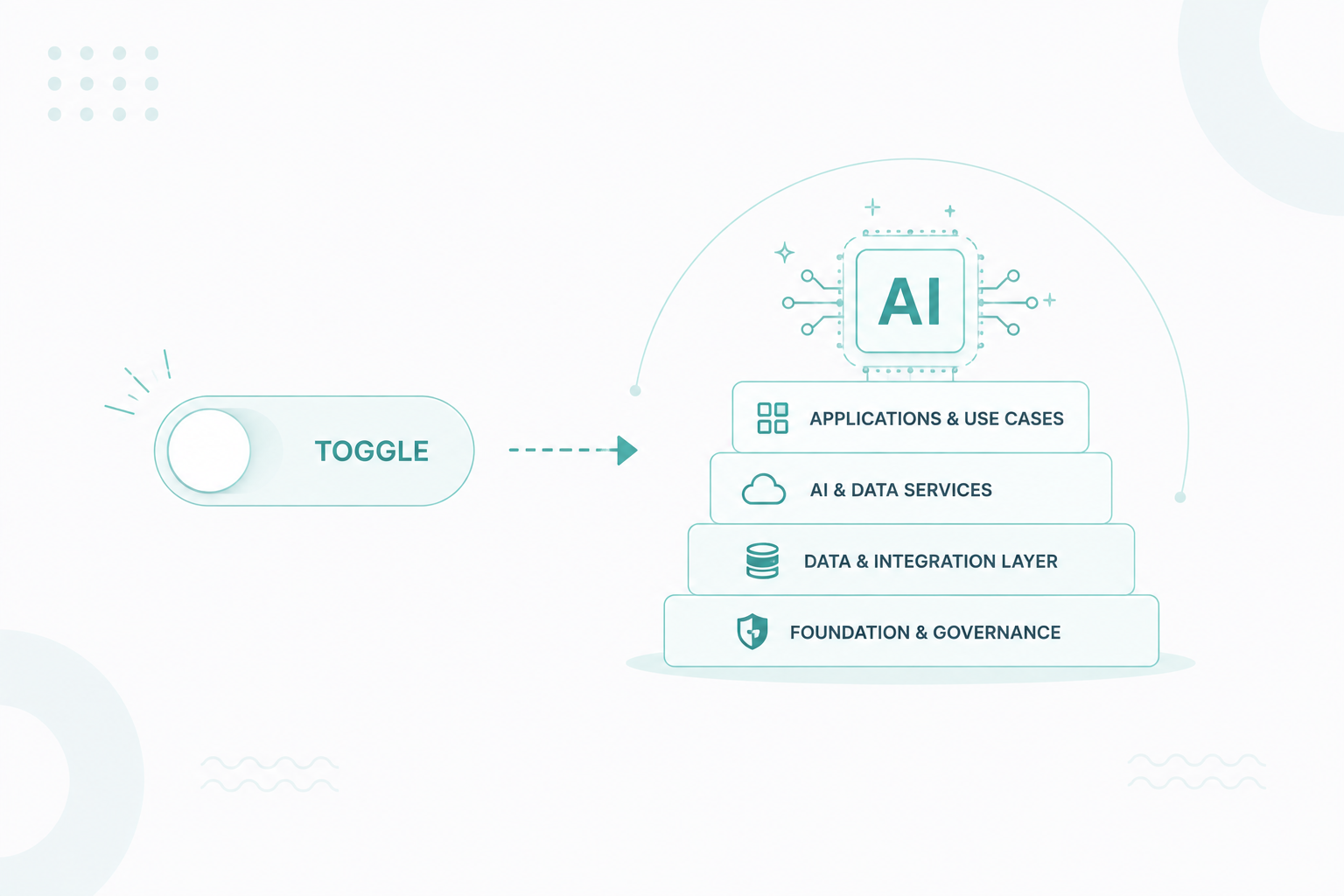
Why AI-Ready Is an Architecture Problem, Not a Feature Toggle

Why AI-Ready Is an Architecture Problem, Not a Feature Toggle

AI is changing how businesses use HubSpot. Turning AI features on, however, doesn't make your portal AI-ready. Before AI can produce accurate insights or reliably automate work, it needs clean data, standardized processes, connected systems, and clear governance.

According to an AI Data Readiness Report, only 31% of organizations believe their data is ready for AI, and just 9% fully trust their data for accurate reporting. Those numbers reflect a common mistake: companies adopting AI before building the CRM foundation it depends on.

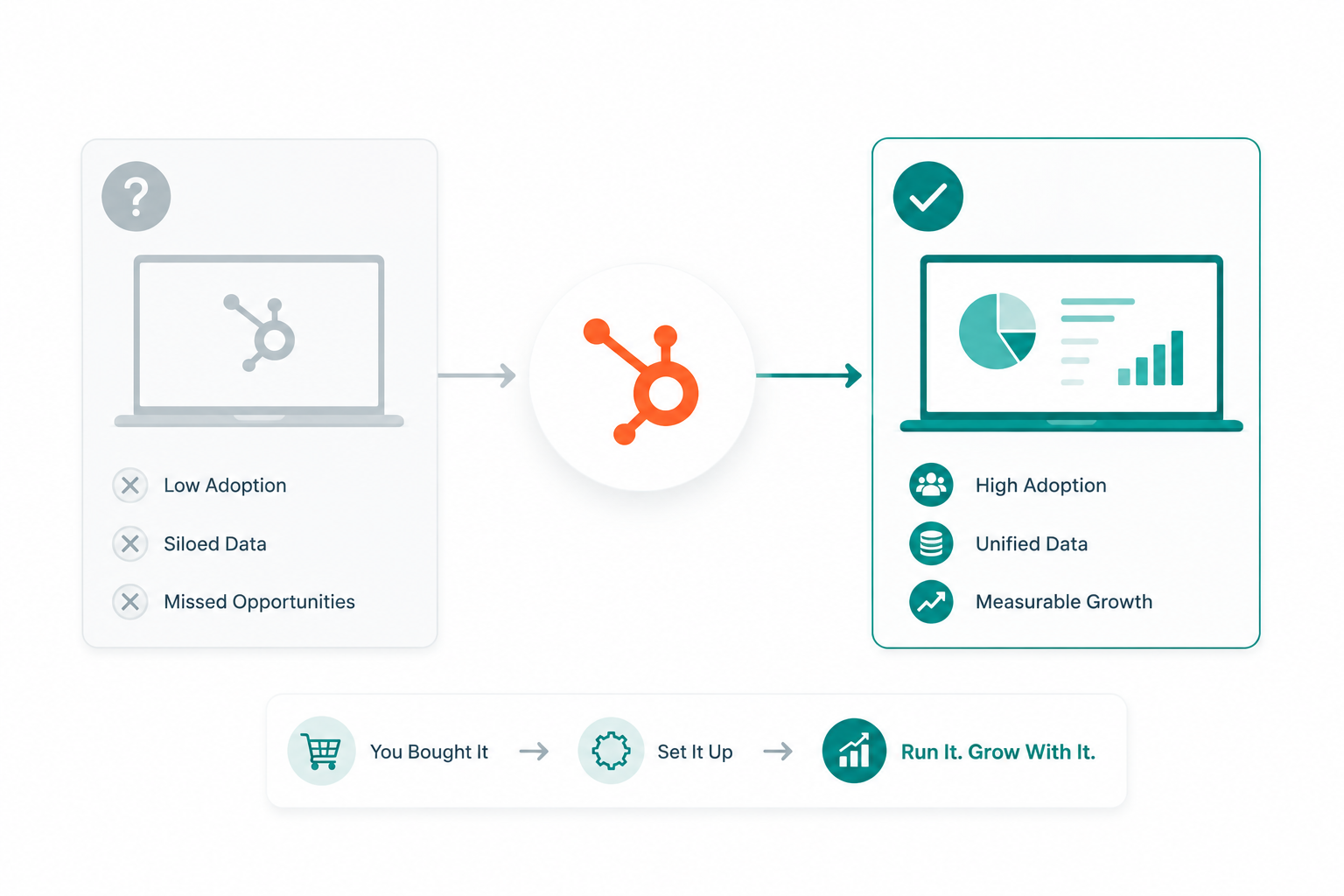
That's why HubSpot AI readiness is an architecture problem, not a feature toggle. If your portal isn't there yet, you're not alone. Most organizations aren't, even those with full access to Breeze, AI agents, and tools like ChatGPT or Claude. It's a fixable problem, and the first step is understanding what AI readiness actually means.

What Does It Mean to Be AI-Ready in HubSpot?

Your HubSpot portal is AI-ready when its architecture gives AI consistent, trustworthy context to work from. Clean records, standard properties, defined processes, connected systems, and controlled permissions. That's the whole definition.

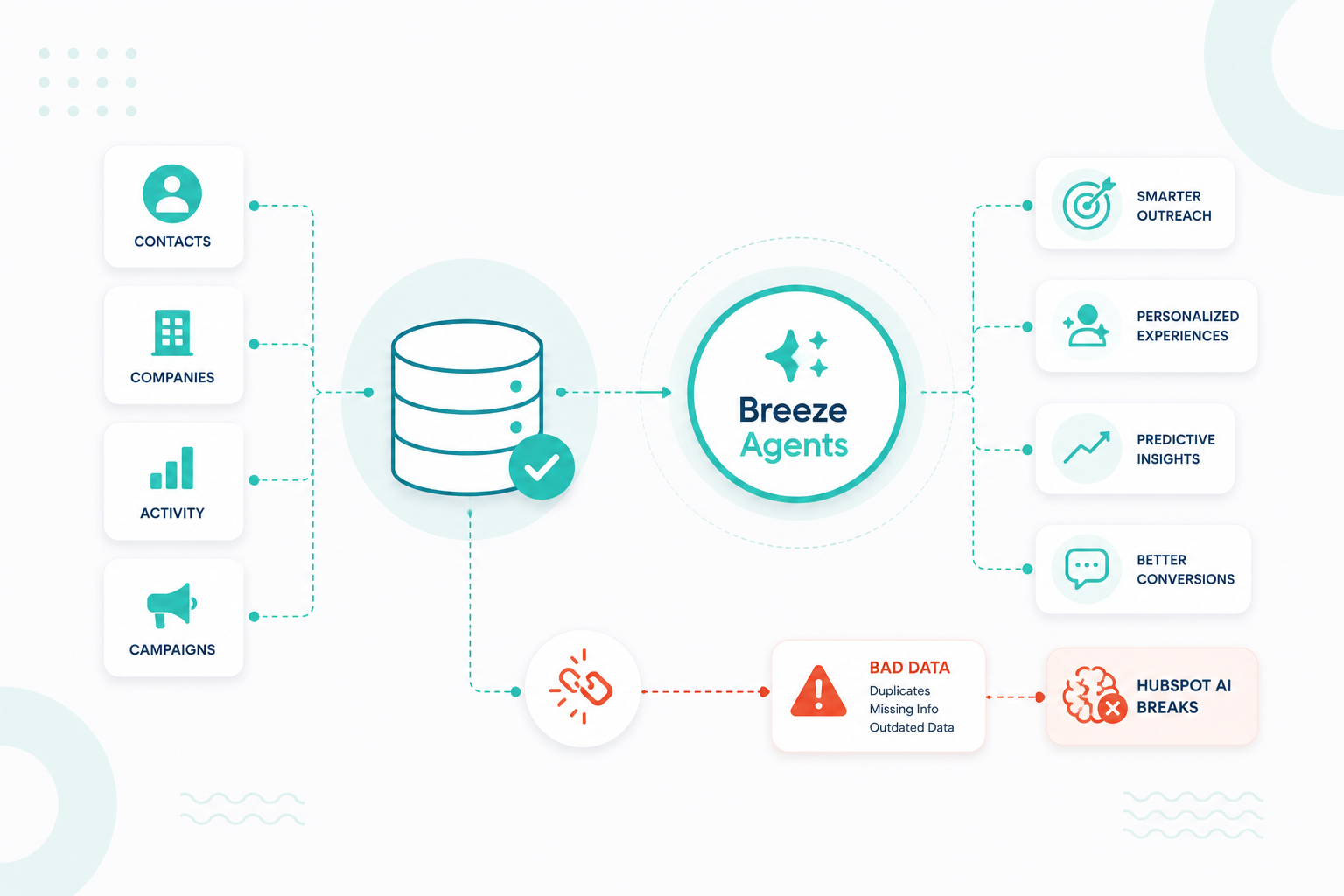
AI works with the data, workflows, permissions, and business logic already in your portal. When those foundations are organized, AI can deliver more accurate insights and automate work more reliably. When they're inconsistent or incomplete, AI simply amplifies those problems.

Seven parts of your architecture decide how well it performs:


7-parts-of-an-ai-ready-hubspot-architecture

1. CRM Data Quality

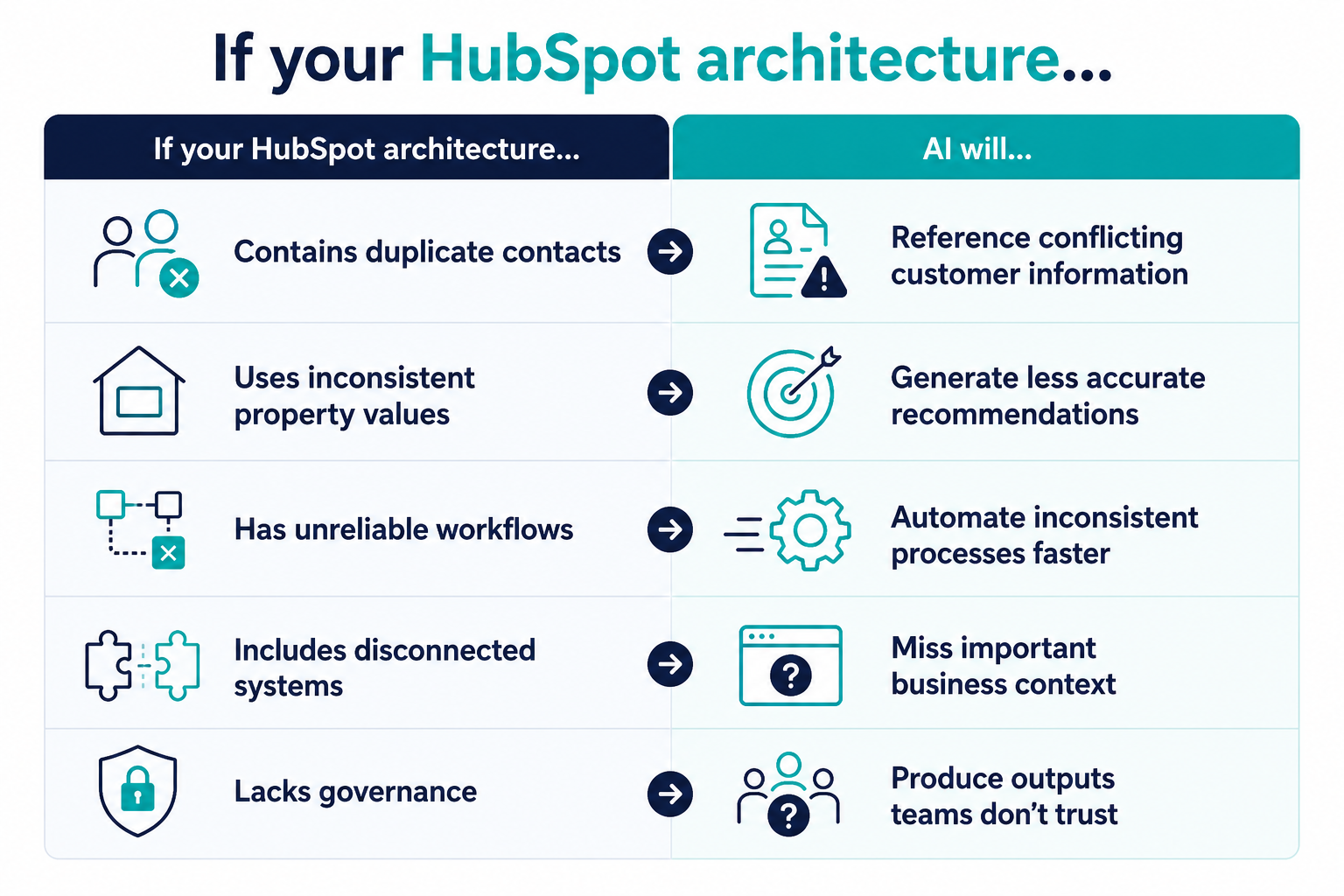
AI uses your contact, company, deal, ticket, and custom object records to understand your customers. If those records contain duplicates, missing values, or outdated information, AI has no reliable source of truth to work from. An AI-ready CRM has duplicate-free records, complete customer profiles, consistent property values, accurate associations between objects, and regular data maintenance. HubSpot recommends improving your CRM data quality before relying on AI-powered features.

2. CRM Structure and Data Model

Your data model should reflect how your business actually works. That means using standardized properties, clearly defined object relationships, and naming conventions every team follows. When different teams create separate properties for the same information or define lifecycle stages differently, AI loses the consistent context it needs to interpret your CRM records accurately.

3. Lifecycle Stages and Business Processes

Lifecycle stages, deal pipelines, lead statuses, and ticket processes are the business logic AI draws on when it recommends a next step. Your CRM should answer four questions without anyone guessing:

  • When does a lead become sales qualified?
  • Who owns each stage?
  • Which actions move a record forward?
  • What criteria trigger automation?

The clearer your answers, the more useful AI's recommendations get.

4. Workflow Automation

Workflows tell AI how work gets done at your company. Good automation keeps records current, assigns tasks to the right people, sends notifications on time, and holds customer journeys consistent. Conflicting workflows, forgotten automation, and logic nobody documented create unpredictable outcomes, and AI inherits every one of them.

5. Connected Systems

When customer information lives in systems that don't talk to each other, AI sees a fragment of the story. Connecting your marketing, sales, service, ecommerce, finance, and support tools gives it the full view of each customer interaction and a real basis for automating work across teams.

6. Permissions and Governance

Governance decides who can see data, edit records, build automation, and deploy agents. You need to assign AI permissions deliberately and limit access to agents that consume credits. Governance does something else too: it protects your data quality over time by controlling who can change the structure AI depends on.

7. Knowledge Sources

Breeze can reference knowledge bases, documents, and other approved resources when it answers questions or supports a customer conversation. Current, organized knowledge produces accurate responses. Documentation from two years ago produces confidently wrong ones.

None of these seven are AI features. They're architectural decisions, and together they set the ceiling on how good your AI outputs can be.

Why AI Readiness is an Architecture Problem and Not a Feature Toggle

AI doesn't create knowledge on its own. It builds every response from the context your HubSpot portal provides. That includes your CRM records, workflows, object relationships, permissions, and business rules. If that foundation is incomplete or inconsistent, AI's outputs will be too.

Traditional software follows predefined rules. It performs the same task regardless of how organized your CRM is. AI works differently. It interprets the information available, identifies patterns, and generates responses based on what it finds. Improve the quality of your portal, and you improve the quality of AI's results.

A feature toggle only enables AI. Your architecture determines what AI knows and how accurately it can respond.

That's why enabling AI is the easiest part. Turning on Breeze takes seconds. Building a HubSpot portal that gives AI reliable context takes planning, standardized data, governance, and ongoing maintenance. HubSpot's own guidance prioritizes account setup, data quality, governance, and access controls before expanding AI across the business.

Think of a new operations manager starting their first day. Every department uses different naming conventions, customer records are incomplete, and reports for the same pipeline don't match. Before they can improve anything, they have to figure out how the business actually works. AI faces the same challenge, except it can't ask a coworker for clarification. It can only work with the information your portal provides.

What Happens When AI Runs on a Poorly Structured HubSpot Portal?

It produces confident, inaccurate work at speed. AI doesn't repair CRM problems. It amplifies them and spreads them across more users and more customer conversations.

consequences-if-you-have-poorly-structured-hubspot-portal

Here are the five patterns that show up again and again in portals that weren't ready:

1. Outputs Look Authoritative and are Wrong

AI has no way to know your CRM is off. It treats what it retrieves as fact. Duplicate company records get you a summary of the wrong customer history. Half-filled properties get you a generic recommendation. The output still arrives polished and confident, which is exactly what makes the error easy to miss. HubSpot advises merging duplicates, standardizing property values, and filling in missing information before you rely on AI-generated work.

2. Automation Gets Less Reliable

Modern AI drafts emails, recommends actions, triggers workflows, enriches records, and supports customer conversations. When the business rules behind those actions are shaky, AI runs inconsistent processes at higher speed. Your team ends up correcting outputs and debugging automation that behaves differently every week.

3. Teams Quietly Stop Using It

Trust decides adoption. Reps who get an incorrect account summary, marketers who generate content from stale data, service teams who receive contradictory recommendations. They don't file a complaint. They just go back to doing it manually. The technology is usually fine. The CRM underneath can't feed it consistent context.

4. Reporting and Decisions Drift

AI increasingly summarizes reports, spots trends, and recommends action. Those insights carry the accuracy of the data behind them, no more. Duplicate records, inconsistent lifecycle stages, and missing activity history can turn a misleading pattern into a confident conclusion, and that affects strategy, not just Tuesday's task list.

5. Governance Gaps Turn into Real Risk

Permissions and access controls tell AI what information it can see and what actions it can take. Without them, AI may surface sensitive data to unauthorized users or support actions that conflict with your business rules. Strong governance isn't a barrier to AI adoption. It's what helps you scale AI with confidence.

What this Looks Like in a Real Portal

Fullstaq, an enterprise e-learning and affiliate marketing company, ran three business units, each with its own CRM, applications, and automations. Keap handled marketing while separate systems ran learning management, scheduling, e-commerce, webinars, and payments. Fragmented customer data, inconsistent automation, and thin operational visibility followed.

fullstaq-case-study-campaign-creators

Fullstaq partnered with Campaign Creators to consolidate those business units into HubSpot Enterprise, retire the legacy Keap architecture, and stand up one centralized revenue operations platform.

That consolidation is the architectural work AI readiness depends on, handled before any AI feature enters the conversation.

How Do You Make Your HubSpot Portal AI-Ready?

Work through it in order: data first, then processes, then connections and knowledge, then governance, then rollout. Each phase makes the next one land better, and the sequence matters more than the pace.

Phase 1: Fix the data foundation

  • Merge duplicate contacts, companies, and deals
  • Standardize property values and naming conventions
  • Archive properties nobody uses anymore
  • Require the key fields on records that drive revenue
  • Set a recurring maintenance cadence with a named owner

Phase 2: Standardize processes and automation

  • Get marketing, sales, and service aligned on lifecycle stage definitions
  • Document your deal pipeline rules and lead qualification criteria
  • Give every active workflow an owner
  • Audit for conflicting, duplicated, and dormant automation
  • Retire the workflows that no longer match how you operate

Phase 3: Connect systems and organize knowledge

  • Integrate the platforms holding customer data outside HubSpot: ecommerce, support, finance, calendars, project management, ERP
  • Refresh your Knowledge Base articles, product documentation, internal process guides, service policies, and FAQs
  • Connect approved content sources so AI pulls from current material
  • Put review dates on documentation so it doesn't drift out of date again

Phase 4: Set governance before you scale

  • Review user permissions and AI feature access by role
  • Restrict access to credit-consuming agents
  • Protect your critical CRM fields from unmanaged edits
  • Define an approval process for customer-facing AI content
  • Write down who owns which workflows and automations

Phase 5: Start with assistive AI, then expand

Nothing needs to run autonomously in week one. Begin with the low-risk use cases: meeting summaries, email drafting, record summaries, content generation with a human reviewing before anything ships. As your architecture matures and your team builds confidence in the outputs, expand into agents that automate workflows, enrich records, and handle customer conversations.

One note on sequencing. Readiness isn't a project you close out. New properties, workflows, integrations, and teams accumulate every quarter, and without governance your portal slowly becomes harder for people and AI alike to interpret. The companies getting the most from AI treat readiness as an operating discipline with a standing review cycle.

Want to strengthen governance as you grow? Read: Scaling HubSpot Business Units with Governance That Works

Ready to Measure your HubSpot AI Readiness?

Campaign Creators has audited HubSpot portals for organizations of all sizes and maturity levels. The AI Readiness Index distills that work into a 12-question diagnostic showing where your portal stands today and what to fix next.

When you finish the assessment, you'll get:

  • An overall AI readiness score
  • A breakdown across the five dimensions of a connected HubSpot growth system
  • Your biggest strengths and most significant risks
  • The three highest-impact improvements that will raise your readiness fastest
  • A shareable report link for planning and team discussion

Take the HubSpot AI Readiness Index and see how prepared your HubSpot portal really is for AI!

Frequently Asked Questions

Do I need every HubSpot Hub to become AI-ready?

No. AI readiness depends more on the quality of your CRM architecture than the number of Hubs or features you own.

Can AI replace CRM governance?

No. Governance defines who can access, edit, and automate data. AI works best when those rules are already in place.

Should I clean my CRM before enabling Breeze Agents?

Yes. Cleaning your CRM first helps Breeze Agents generate more accurate recommendations and reduces the risk of automating bad data.

Does AI work better with standardized HubSpot properties?

Yes. Consistent property names and values make it easier for AI to understand your CRM and generate more accurate responses.

Can AI help if my workflows are outdated?

Only to a limited extent. AI follows your existing workflow logic, so outdated automations should be updated before expanding AI usage.


HubSpot CRM Data Quality: How Dirty Data Hurts Reporting, Forecasting, Attribution, and AI

HubSpot CRM Data Quality: How Dirty Data Hurts Reporting, Forecasting, Attribution, and AI

Poor CRM data is not a minor operational issue. It affects reporting, forecasting, attribution, customer experiences, and the decisions teams make...

Read More
Enterprise HubSpot Marketing Hub Onboarding: Complete Implementation Guide

Enterprise HubSpot Marketing Hub Onboarding: Complete Implementation Guide

Many enterprise implementations encounter delays or require costly rework because teams prioritize technical configuration before defining business...

Read More
Enterprise HubSpot CRM Architecture Best Practices

Enterprise HubSpot CRM Architecture Best Practices

Many HubSpot CRM environments grow as more teams begin using the system. Marketing adds contacts, sales builds pipelines, service teams manage...

Read More