9 min read

How to Build Scalable Agentic AI Pipelines for Customer Service Automation

How to Build Scalable Agentic AI Pipelines for Customer Service Automation

Building a scalable agentic AI pipeline for customer service automation requires a system that connects CRM data, AI agents, knowledge retrieval, workflows, routing logic, escalation paths, and reporting into one operational environment.

HubSpot provides the infrastructure for this through Smart CRM, Service Hub, Breeze Agents, workflows, and knowledge base tools. These systems help AI agents retrieve customer context, classify requests, generate responses, route conversations, trigger actions, and support service teams across the customer journey.

In this guide, we explain how to build an agentic AI customer service pipeline in HubSpot, including CRM preparation, knowledge retrieval, workflow orchestration, routing frameworks, escalation systems, and governance controls.

Key Takeaways

  • Traditional automation follows predefined rules, while agentic AI can retrieve context, make decisions, and trigger actions across multiple systems.
  • A connected HubSpot CRM helps AI agents deliver more accurate responses, routing decisions, and workflow outcomes.
  • Knowledge bases, workflows, and CRM records work together to support intelligent customer service automation.

What Makes an Agentic AI Pipeline Different From Traditional Customer Service Automation

modern customer support operations center powered by advanced AI. Customer service agents work alongside intelligent digital assistants displayed on large screens that analyze customer messages, retrieve account information, access knowledge bases, prioritize tickets, and recommend next actions. The environment conveys real-time decision-making, contextual understanding, and seamless collaboration between human teams and AI systems. Premium SaaS technology aesthetic, realistic enterprise software environment, highly detailed, professional atmosphere.

An agentic AI pipeline combines reasoning, workflow execution, decision-making, customer context retrieval, and automated action generation across customer service operations. Traditional automation, on the other hand, typically follows fixed rules that trigger the same outcome every time a condition appears.

For example, a traditional workflow may assign a ticket based on a dropdown selection or create a task after a form submission. The workflow follows a predefined path regardless of customer complexity.

An agentic AI workflow can:

  • Interpret customer intent
  • Retrieve CRM information
  • Search knowledge sources
  • Generate responses
  • Update customer records
  • Trigger workflows
  • Route conversations
  • Escalate complex requests
  • Generate summaries for service teams

This creates a more dynamic customer service environment because the AI system uses context rather than relying solely on fixed automation rules.

Consider a customer who submits the following message:

"Our enterprise users cannot access SSO after yesterday's update."

A traditional workflow may simply create a ticket and assign it to a support queue. An agentic AI pipeline can:

  1. Identify authentication-related intent.
  2. Recognize the enterprise account tier.
  3. Retrieve previous support history.
  4. Search relevant knowledge documentation.
  5. Generate a troubleshooting response.
  6. Create a high-priority ticket.
  7. Escalate the issue to a specialized technical team.

The workflow becomes more intelligent because multiple systems contribute to the decision-making process.

How to Structure HubSpot CRM Data Before Deploying AI Agents

Step 1: Remove Duplicate Records

Duplicate contacts and companies often create fragmented customer histories that reduce AI accuracy. Review contact records, company records, ticket associations, ownership assignments, and lifecycle stages to identify duplicate entries.

For example, the same customer may appear under multiple company records because different departments submitted separate forms. When AI agents retrieve information from disconnected records, they may generate inconsistent responses because the customer history appears incomplete. HubSpot's duplicate management tools can help consolidate records before deployment.

Step 2: Standardize Customer Properties

Customer properties should support both workflow automation and AI retrieval. Create structured fields for:


Property Category

Operational Purpose

Lifecycle stage

Customer journey visibility

Account status

Service prioritization

Subscription tier

Routing decisions

Customer segment

Ticket classification

Support priority

Escalation workflows

Product ownership

Context retrieval

For example, a support priority property can trigger separate escalation paths for enterprise accounts and standard users. Missing property values frequently create automation failures because workflow branches cannot identify the correct service path.

Step 3: Organize Ticket Structures

Create standardized ticket categories that reflect the most common customer service requests, such as:

  • Technical support
  • Billing
  • Product onboarding
  • Security requests
  • Account management
  • Feature requests

Consistent ticket structures help AI agents classify customer intent more accurately, retrieve relevant information faster, and route requests to the appropriate team. Without standardized categories, similar issues may be categorized differently, reducing automation accuracy and creating inconsistent customer experiences.

Step 4: Connect Customer History

Associate contacts, companies, deals, tickets, conversations, and activities throughout the CRM. A connected customer timeline gives AI agents access to previous interactions, account details, purchase history, and support activity.

For example, an enterprise customer with several unresolved support tickets may require a different service path than a new customer asking a basic onboarding question. Connected records allow AI agents to make decisions using complete customer context rather than isolated data points.

Step 5: Audit CRM Quality

Before deployment, review records for missing values, outdated information, broken associations, inconsistent naming conventions, and unused properties.

Even advanced AI systems depend on the quality of the data available to them. Inaccurate or incomplete CRM records can lead to incorrect responses, routing errors, and workflow failures. Regular audits help maintain data quality and improve retrieval accuracy across the customer service pipeline.

A well-structured HubSpot CRM provides the foundation AI agents need to operate effectively. When customer records are connected, properties are standardized, and data quality remains consistent, AI agents can retrieve more accurate information, follow the correct workflows, and deliver more reliable customer interactions.

The Components Behind a HubSpot AI Automation Pipeline

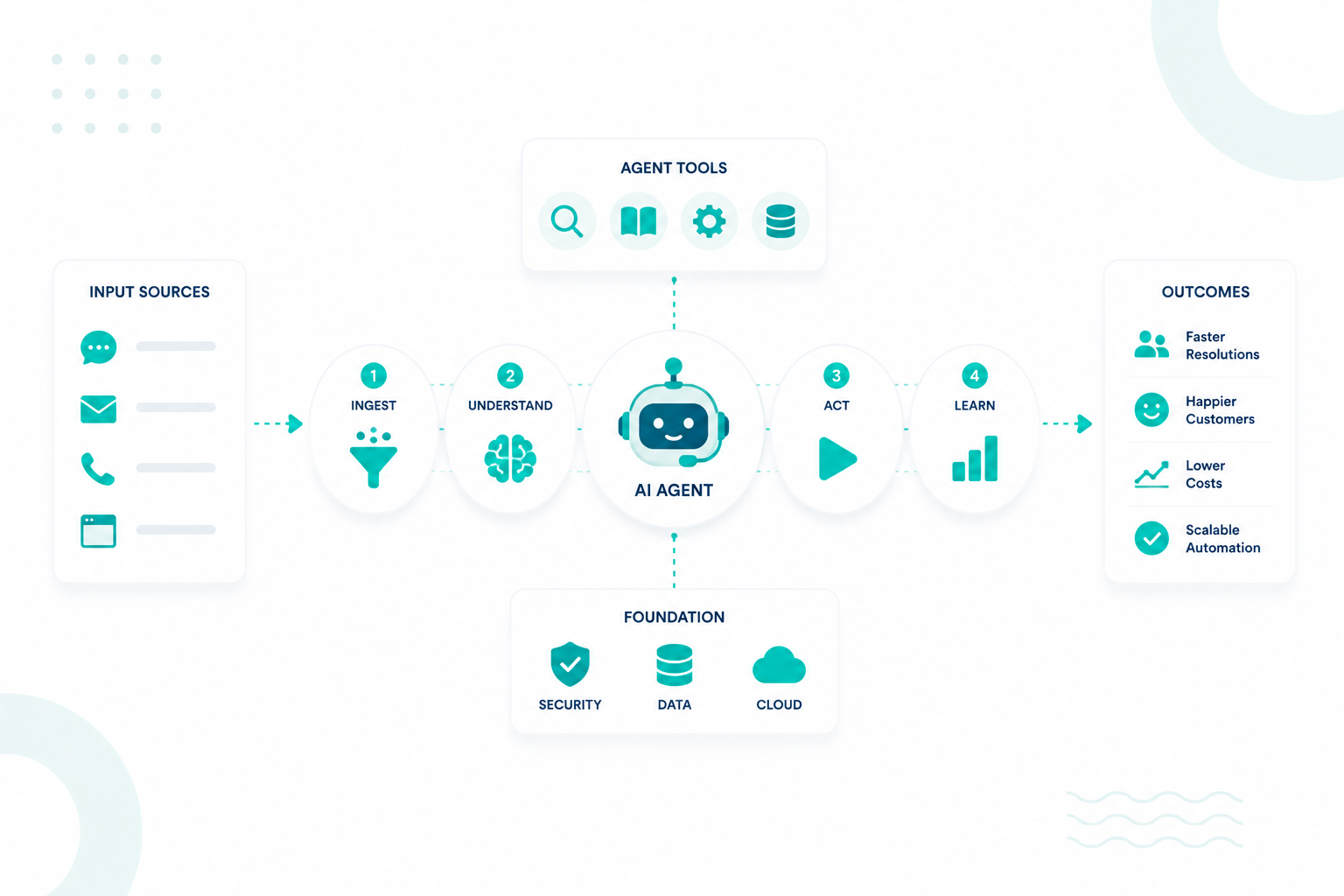
A scalable customer service automation pipeline connects customer channels, AI agents, CRM records, knowledge systems, workflows, and support teams into a single operational environment. Each component performs a specific function within the service process.

Customer Intake Channels

Customer requests typically enter through live chat, email, forms, support portals, and messaging channels.

These channels connect directly to HubSpot Service Hub, creating a centralized intake layer where ticket creation, customer identification, workflow execution, and reporting remain connected.

Knowledge Sources

Knowledge retrieval often has a greater impact on response quality than the AI model itself. Common knowledge sources include:

  • Knowledge base articles
  • Product documentation
  • Troubleshooting guides
  • Help center content
  • Internal service documentation

Knowledge resources should use clear titles, direct answers, consistent terminology, and structured troubleshooting steps to improve retrieval accuracy.

For example, "How to Reset Multi-Factor Authentication for Enterprise Accounts" provides stronger retrieval signals than a generic title such as "Login Information."

Breeze Agents

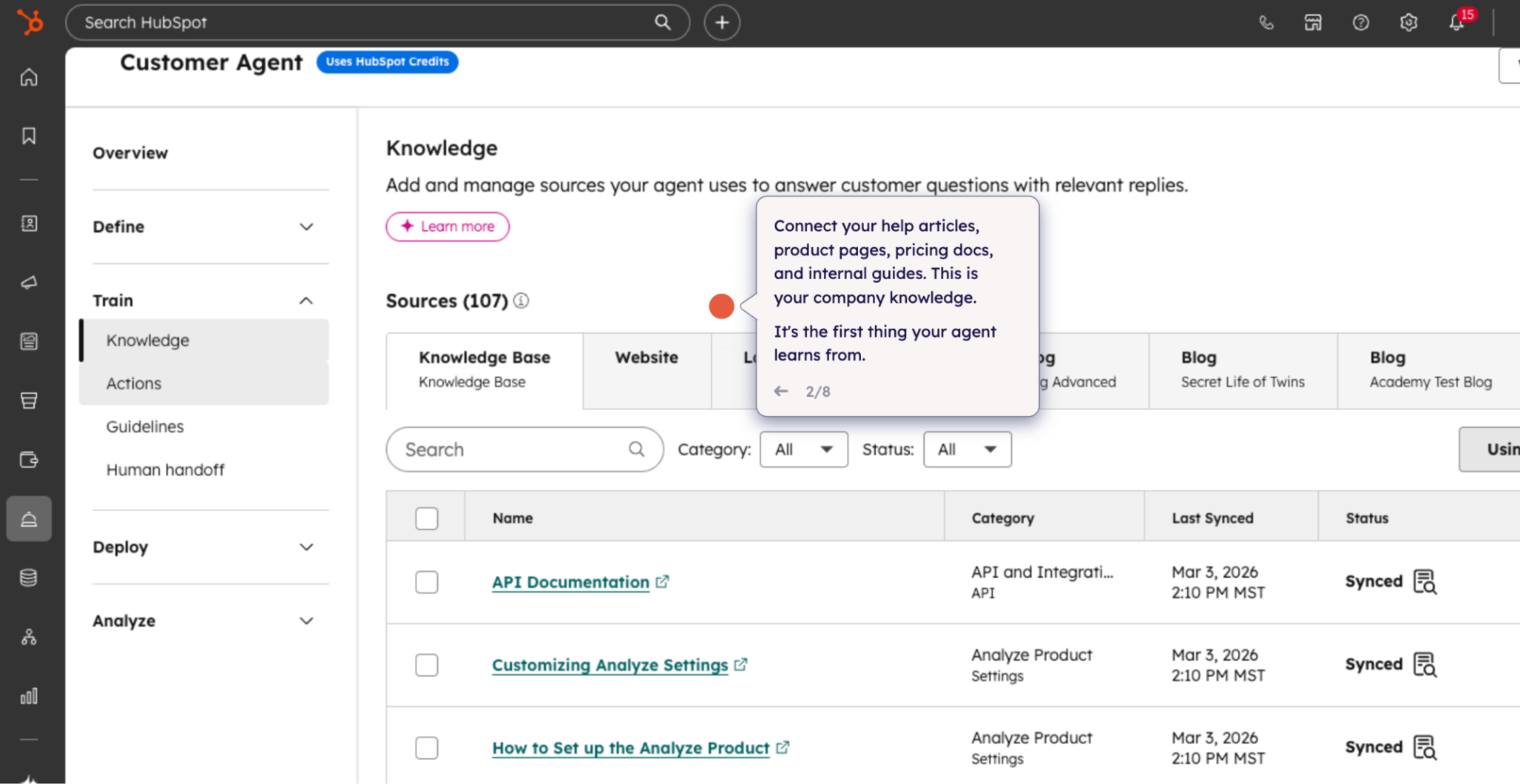
HubSpot Breeze Agents can retrieve customer information, search knowledge sources, generate responses, support workflow actions, and assist service teams.

hubspot-breeze-customer-agents

Customer Agents typically perform best when handling repetitive requests with well-documented resolution paths, including password resets, subscription questions, billing requests, and product navigation support.

Because the required answers are standardized, AI agents can respond quickly and consistently without requiring direct involvement from a support representative. This helps service teams to spend more time on complex cases that require judgment, investigation, or personalized assistance.

Workflow Orchestration

Workflows coordinate actions across the customer service pipeline. Common workflow functions include:

  • Ticket creation
  • Ownership assignment
  • Priority classification
  • Internal notifications
  • Escalation triggers
  • Follow-up actions

For example, a workflow may create a ticket, classify customer intent, determine priority from CRM properties, route the request to the appropriate queue, and send notifications to both the customer and support team.

CRM Context and Feedback Loops

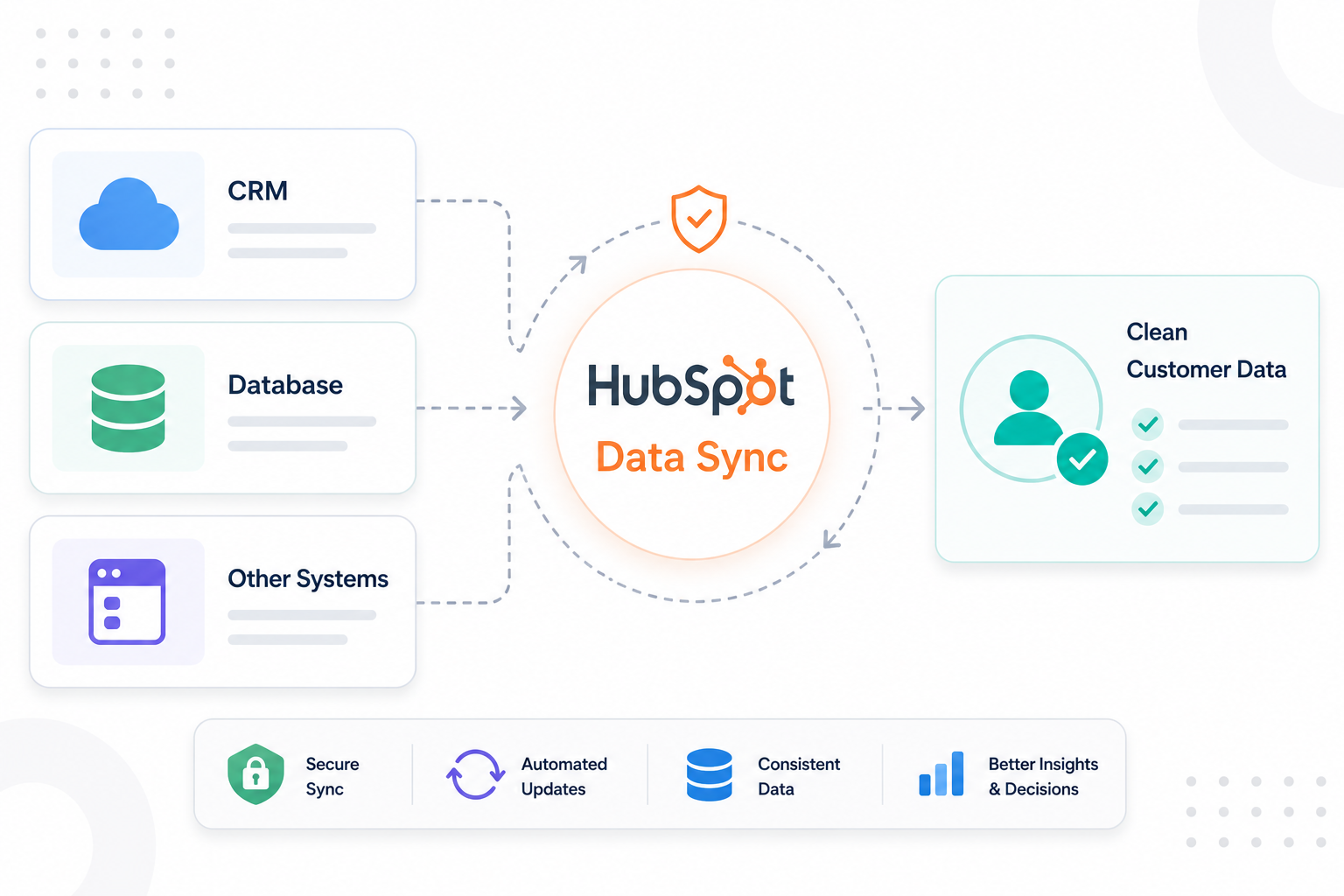
Every AI-generated action should update the CRM through ticket updates, notes, summaries, tasks, and follow-up workflows. These records create a complete history of customer interactions that remains accessible across service, sales, marketing, and customer success teams.

This creates a closed-loop system where customer interactions continuously enrich the data available to future workflows, service teams, and AI agents. For example, when an AI agent resolves a billing inquiry and records the outcome, future interactions can reference that history instead of treating the request as a new case.

As customer data accumulates, AI agents gain access to richer context, workflows can trigger more relevant actions, and support teams can make decisions using a more complete view of the customer.

How the Components Work Together

The automation pipeline begins when a customer submits a request through a connected channel. Breeze Agents retrieve information from knowledge sources and CRM records, workflows coordinate routing and escalation actions, and every interaction updates the CRM.

Because all components operate within the same environment, customer service teams gain better visibility, automation accuracy improves, and AI agents have access to a more complete context.

How to Build Intelligent Routing and Escalation Paths Across Customer Service Workflows

Step 1: Define Support Categories

The first step is creating standardized support categories that reflect the types of requests your organization handles most frequently.

Common categories include:

  • Technical support
  • Billing
  • Product onboarding
  • Enterprise support
  • Security requests
  • Account access

These categories become the foundation of your routing framework. They can be stored as ticket properties and used throughout workflows, ticket pipelines, reporting, and escalation processes. Standardized categories also help ensure that similar requests follow consistent service paths instead of being handled differently across teams.

Step 2: Create Intent Classification Logic

Once categories are established, the next objective is identifying the customer's actual issue before assignment occurs.

Classification logic can use information from:

  • Customer messages
  • CRM properties
  • Ticket fields
  • Form submissions
  • Workflow conditions
  • Conversation history

For example:

Customer message:

"Our enterprise users cannot access SSO."

Classification outcome:

  • Authentication issue
  • Enterprise account
  • Technical support request

This gives workflows and AI agents a clearer understanding of the request, allowing the system to make more accurate routing decisions before a support representative becomes involved.

Step 3: Assign Priority Levels

After classifying intent, assign a priority level that reflects the urgency and business impact of the issue.

Priority Level

Example Situation

Critical

Platform outage or major service disruption

High

Enterprise account issue affecting operations

Medium

Product troubleshooting or a feature-related problem

Low

General inquiry or informational request

Within HubSpot, priority levels can be stored as ticket properties and used to trigger workflow actions, notifications, escalations, and service-level targets. For example, a critical outage may require immediate assignment to senior technical personnel, whereas a low-priority inquiry may enter a standard support queue.

Step 4: Configure Workflow Routing Paths

With classifications and priorities established, workflows can direct requests to the appropriate destination.

Common routing paths include:

  • Billing request → Finance queue
  • Technical issue → Support queue
  • Enterprise issue → Customer Success Manager
  • Security request → Security or compliance team

HubSpot workflows can automate these assignments based on ticket properties, customer attributes, lifecycle stages, account types, and priority levels. This reduces manual routing decisions and creates a more consistent service process across teams.

For example, an enterprise customer reporting an SSO outage may be classified as a technical support issue, assigned a high priority level, routed to an enterprise support queue, and flagged for accelerated response.

Step 5: Define Escalation Rules

Not every issue can be resolved through standard workflows or AI-assisted interactions. Escalation rules help identify situations that require additional attention.

Common escalation triggers include:

  • Unresolved tickets exceeding SLA targets
  • Negative customer sentiment
  • Multiple ticket reopenings
  • VIP or enterprise accounts
  • Security-related concerns
  • Manual escalation requests

When escalation conditions are met, workflows can automatically notify managers, reassign ownership, increase priority levels, or route conversations to specialized teams. This helps maintain service quality and ensures that complex issues receive appropriate attention before customer satisfaction declines.

Step 6: Transfer Complete Customer Context

Escalations should include the full context of previous interactions so customers do not need to repeat information.

Important context may include customer history, previous conversations, AI-generated summaries, ticket activity, account details, CRM records, and associations.

Because HubSpot centralizes customer information across contacts, companies, tickets, conversations, and activities, human representatives can quickly understand the situation and continue the interaction with minimal disruption.

Step 7: Measure Routing and Escalation Performance

Continuous improvement requires visibility into routing outcomes. Key metrics to monitor include:

  • Escalation frequency
  • First-contact resolution rates
  • Resolution success
  • Reopened tickets
  • Customer satisfaction scores
  • Average response times
  • SLA compliance

These metrics help identify bottlenecks, misrouted requests, recurring escalation patterns, and opportunities to improve workflow design.

Intelligent routing brings together classification, prioritization, workflow automation, and escalation management to ensure customer requests reach the right team at the right time. Within HubSpot Service Hub, these processes can be powered by CRM data, workflows, and AI-driven insights to reduce manual triage, improve response times, and create a more seamless experience across both automated and human-assisted support interactions.

Why Scalability, Governance, and Security Matter in Agentic AI Operations

view of an advanced AI operations platform used by a growing enterprise. The interface showcases governance controls, permission settings, audit trails, customer service workflows, security monitoring tools, knowledge repositories, and performance reporting dashboards. The visual emphasizes operational discipline, oversight, and scalable AI infrastructure rather than futuristic technology concepts. Realistic software interface, enterprise-grade design, clean and highly detailed.

Scalability, governance, and security determine whether an AI system can operate reliably across expanding customer service environments.

According to IBM's Cost of a Data Breach Report, organizations that extensively use security AI and automation experience significantly lower average breach costs than those without these capabilities. The findings highlight the importance of governance, monitoring, access controls, and security oversight as AI systems gain greater access to customer data, workflows, and operational processes.

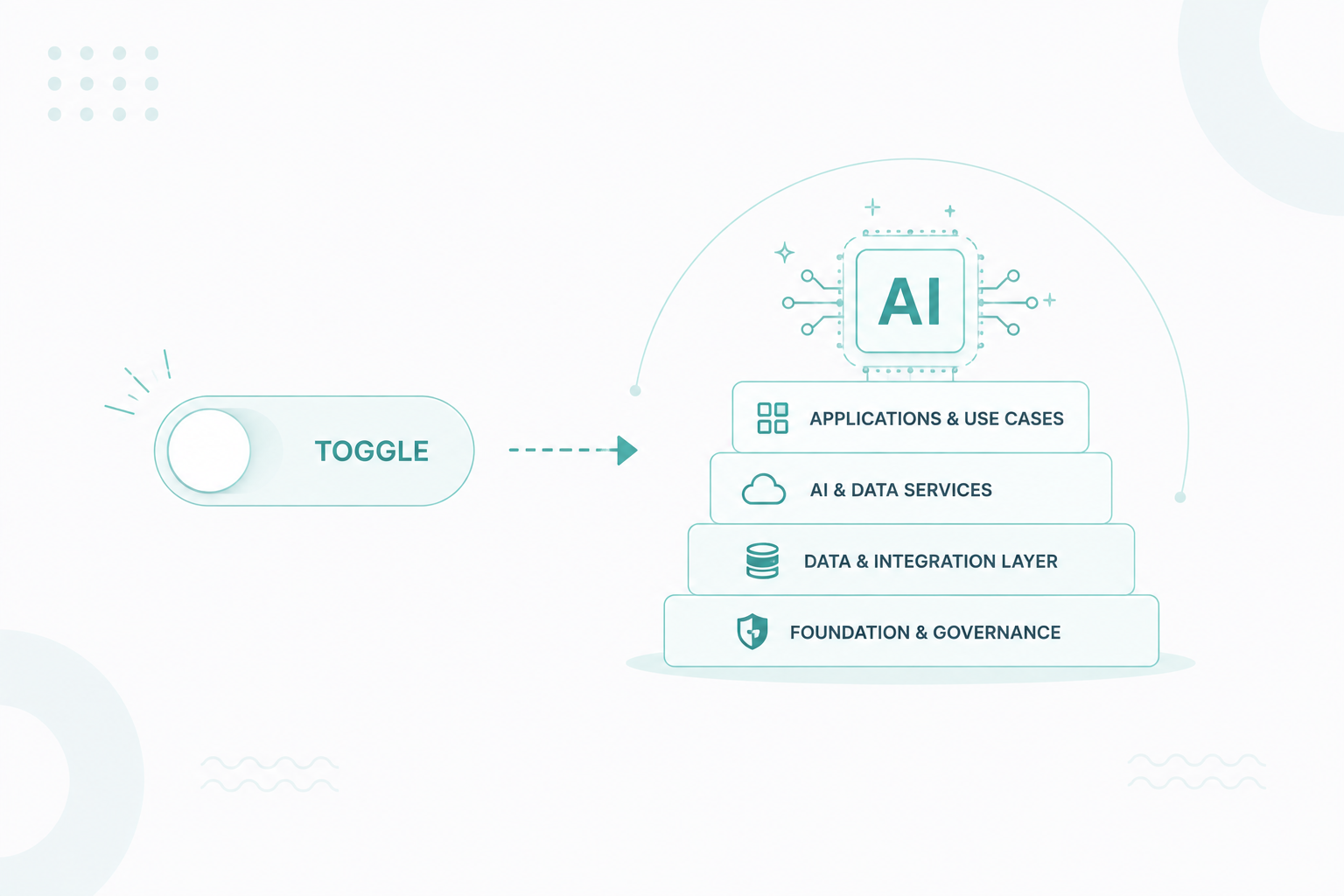
A practical governance framework typically includes three operational layers.

Governance Layer

Governance establishes the rules, responsibilities, and oversight mechanisms that guide how AI agents operate within customer service environments. Organizations should create controls for agent permissions, workflow ownership, approval processes, audit logs, and change management.

These controls help ensure that AI agents operate within defined boundaries and that teams can track how decisions, workflow changes, and automated actions occur over time. Governance frameworks also create accountability by assigning ownership for workflows, knowledge sources, and service outcomes.

Security Layer

Security controls help protect the information and systems that AI agents access during customer interactions. Organizations should secure customer records, ticket information, internal documentation, knowledge sources, and service workflows.

Access permissions should align with operational responsibilities. For example, internal troubleshooting documentation may support service teams but should remain unavailable to public-facing AI agents. Similarly, sensitive customer information should only be accessible to authorized users and approved workflows.

Strong security practices help reduce the risk of unauthorized access, accidental data exposure, and unintended workflow execution as AI systems become more integrated across service operations.

Scalability Layer

Scalability focuses on creating operational structures that can support growing service volumes without requiring constant redesign.

Common scalability components include:

  • Shared workflows
  • Standardized ticket structures
  • Centralized knowledge bases
  • Reusable routing frameworks
  • Consistent CRM property structures

These systems create consistency across teams and service processes. For example, a standardized ticket structure allows routing workflows, AI classifications, reporting systems, and escalation rules to operate using the same data framework across multiple departments.

Reusable operational frameworks also simplify expansion because new teams, products, and service channels can be incorporated without rebuilding core processes.

Together, governance, security, and scalability create the foundation for sustainable agentic AI operations.

Where Is HubSpot’s Agentic AI Ecosystem Heading Next

HubSpot’s AI ecosystem continues moving toward deeper workflow orchestration, expanded CRM intelligence, broader automation capabilities, and stronger agent collaboration. Several developments continue shaping this direction:

  • Workflow-triggered AI agents
  • Multi-agent coordination
  • CRM-connected decision-making
  • Agent customization
  • Cross-functional orchestration
  • AI-assisted service operations

Customer service environments increasingly depend on systems that coordinate multiple actions across customer journeys. Future workflows may include:

  1. AI identifies customer intent.
  2. CRM retrieves account context.
  3. Knowledge systems provide resolution data.
  4. Workflow engine determines next actions.
  5. AI generates responses.
  6. Service teams receive operational context.
  7. Reporting systems measure outcomes.

Using HubSpot’s agentic AI capabilities can help you build a more scalable and efficient service operation over time. As AI agents become more connected to your CRM, workflows, and knowledge systems, you can reduce manual work, improve consistency, and support growth more effectively.

Moving From Automation to Intelligent Service Operations

Agentic AI customer service pipelines help connect CRM data, knowledge systems, workflows, and automation into a more intelligent service operation. As HubSpot continues expanding its AI capabilities, organizations can create more scalable processes, improve response quality, and reduce manual work across the customer journey.

Many organizations work with experienced HubSpot partners to design the CRM structure, workflows, and governance frameworks needed to support AI at scale and ensure every system works together effectively.

At Campaign Creators, we help organizations build connected HubSpot ecosystems that align AI, automation, CRM data, and customer service operations to support long-term growth and operational efficiency.


Frequently Asked Questions

What is the difference between an AI chatbot and an agentic AI customer service pipeline?

An AI chatbot mainly responds to conversations, while an agentic AI pipeline can retrieve CRM data, execute workflows, update records, route tickets, access knowledge sources, and coordinate actions across customer service operations.

Can HubSpot Breeze Agents perform actions across multiple workflows?

Yes. HubSpot Breeze Agents can work alongside workflows, CRM records, ticketing systems, and automation sequences to support customer service actions across different operational processes.

How does HubSpot Customer Agent retrieve information from knowledge sources?

HubSpot Customer Agent retrieves information from connected knowledge base articles, support documentation, and help center content to generate responses based on approved customer service resources.

How can you reduce hallucinations in customer service AI workflows?

You can reduce hallucinations through structured knowledge bases, verified documentation, retrieval-based responses, governance controls, and human escalation paths for low-confidence situations.

How can you prevent AI agents from accessing restricted customer information?

You can restrict access through role-based permissions, CRM access controls, workflow limitations, knowledge source restrictions, and governance policies that define which data agents can retrieve or use.

How can you identify knowledge gaps affecting AI response quality?

You can identify knowledge gaps by reviewing escalated tickets, unresolved conversations, failed resolutions, repeated customer questions, and low-confidence AI responses that indicate missing or incomplete documentation.