







What Is HubSpot Growth Context, and How Do You Improve Your Context Score?
HubSpot Growth Context is everything HubSpot knows about your business, your customers, and your team, and it's what Breeze Assistant and HubSpot's...
8 min read
Campaign Creators
:
11/11/26
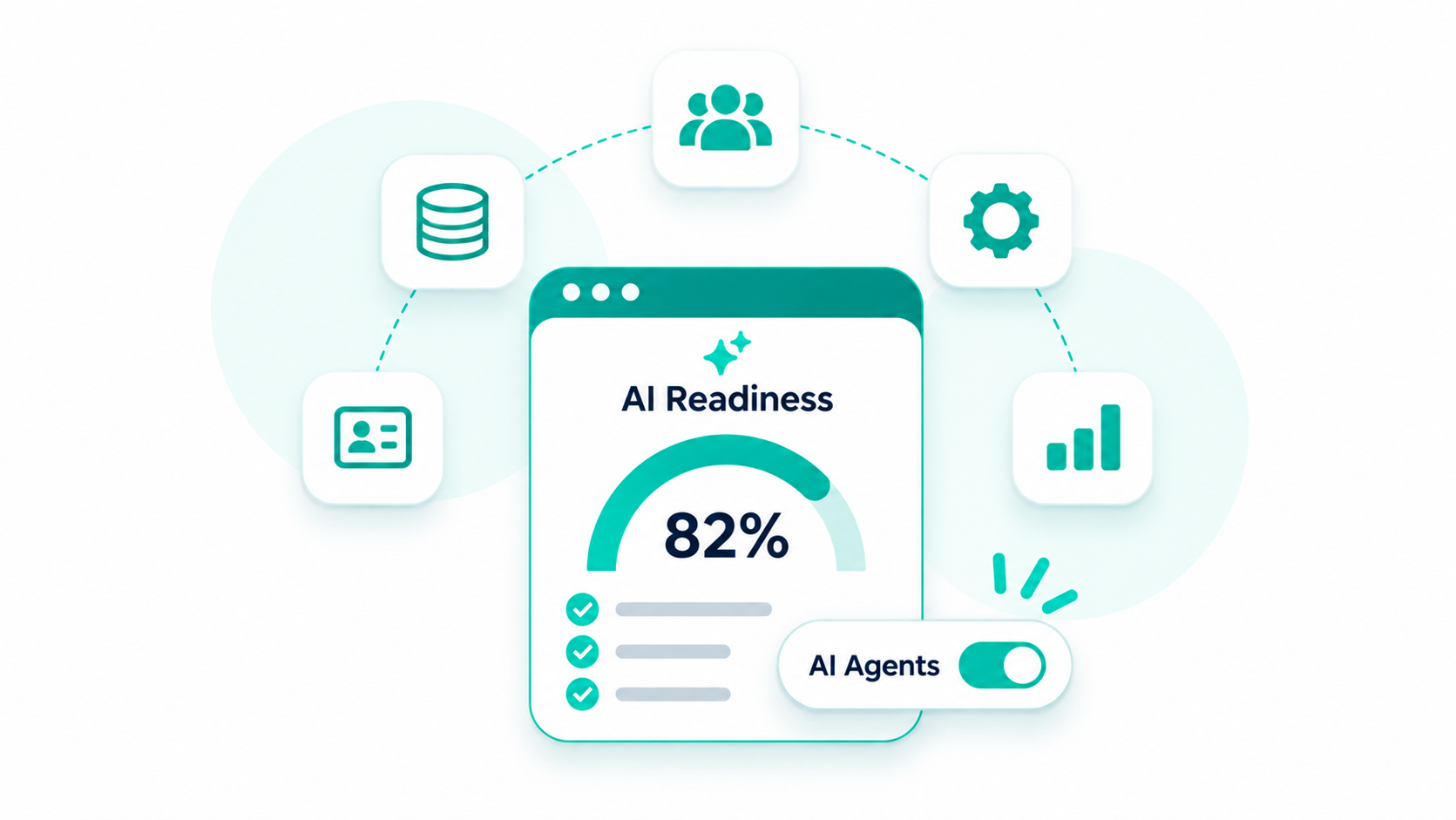
HubSpot AI readiness means your CRM holds enough clean, complete context for Breeze Assistant and HubSpot's AI agents to give accurate answers and take the right actions. To get there, fill in your business details in Context Home, run the Data Model Health Check, merge duplicate records, fix associations and lifecycle stages, and connect email, calendar, and calls so activity logs itself.
AI agents only know what your portal tells them, so a portal full of blank lifecycle stages and orphaned deals gets you generic outreach and needless handoffs. A few weeks of cleanup before launch costs far less than months of correcting bad AI output after it.
If you're getting ready to launch Customer Agent or Prospecting Agent, our HubSpot AI agent implementation team prepares your data, knowledge sources, and handoff rules before anything goes live.

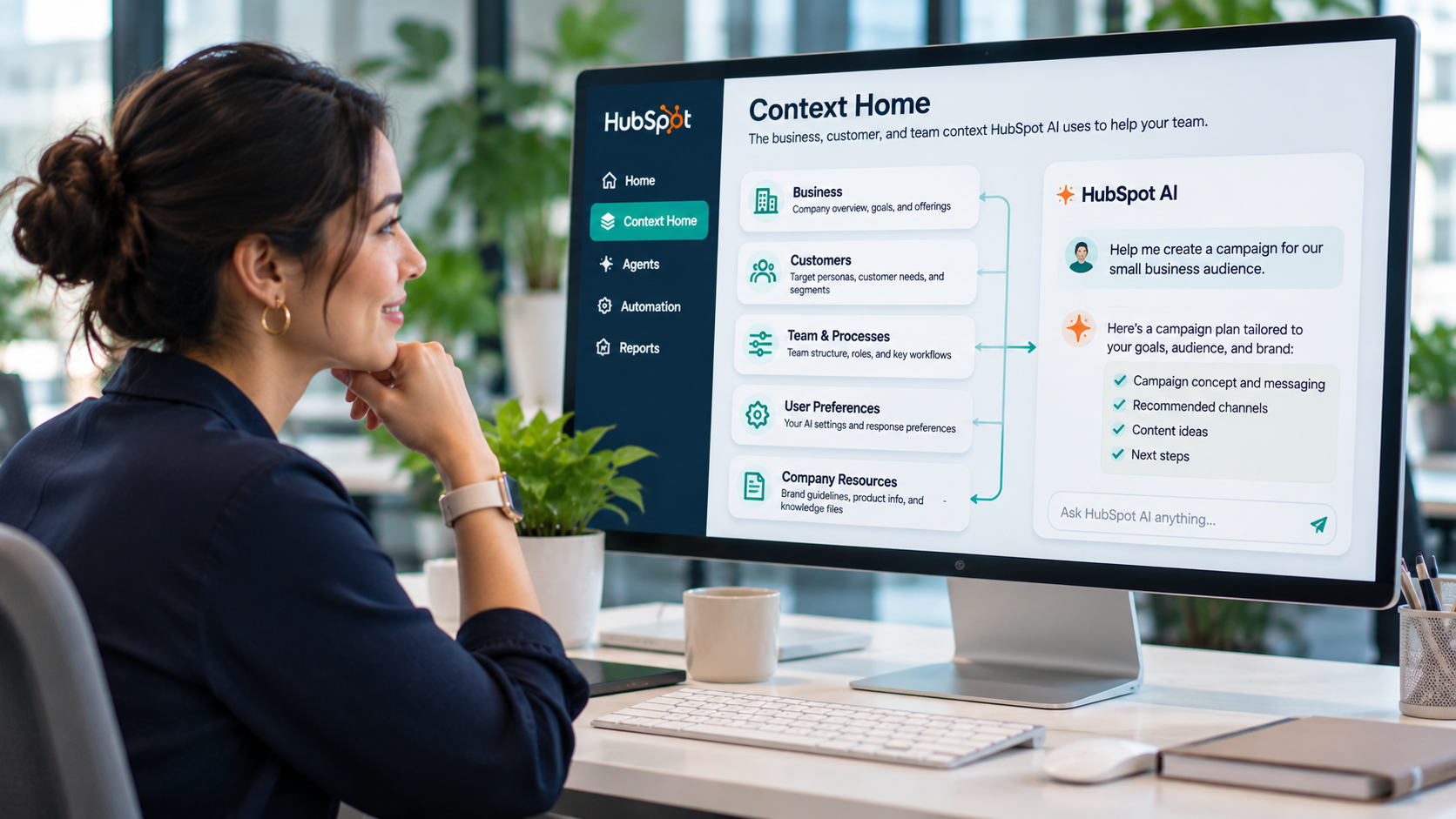
Customer context is the information HubSpot's AI uses to understand who you sell to, what you sell, and how your team works. HubSpot groups it under Growth Context, the combined customer, team, and business data behind every Breeze Assistant answer and agent action. That context lives in two places, and both need attention.
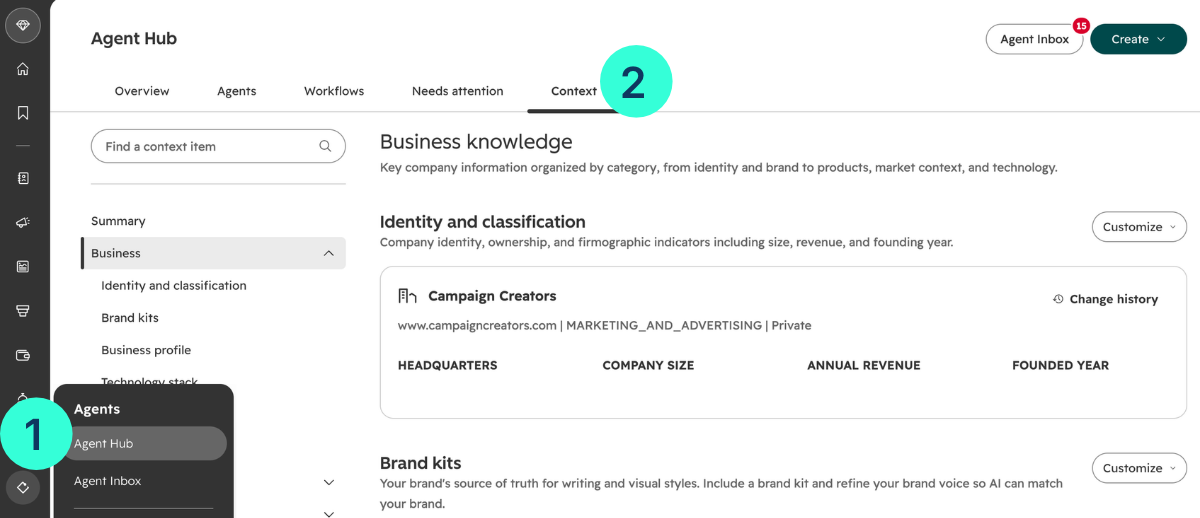
Context Home sits in Agents > Agent Hub > Context and is available on all products and plans. It holds the foundational details HubSpot applies across its AI tools automatically.
Most of these sections need Super Admin or Partner Admin permission to edit, so your admin usually owns this step.
Record-level context is everything stored on contacts, companies, deals, and tickets. It includes property values, associations between records, and the history of emails, calls, and meetings. The self-updating CRM captures calls, emails, and meetings automatically once you connect your email and calendar.
Context Home tells agents how your business works, and clean records tell them what's true about each customer. An agent with only one of the two still guesses.
HubSpot's AI agents build every draft, score, and answer from your CRM records, so gaps and errors in the data turn into gaps and errors in the output. The model isn't the weak link. The records it reads are.
The gap shows up in HubSpot's own numbers. Customers using AI with high-quality context generated 5x more MQLs, closed 4.7x more deals, and resolved 6.8x more tickets than customers with low-quality context. Treat that as vendor data, but outside research points the same way. Only 21% of marketers say their CRM data is very well prepared to support AI, and Gartner predicts organizations will abandon 60% of AI projects unsupported by AI-ready data through 2026.
Here's how common data problems turn into agent problems.
|
Data Problem |
What Goes Wrong |
|
Duplicate contacts or companies |
Activity history splits across two records, so the agent sees half the relationship |
|
Blank or vague ICPs in Context Home |
Prospecting Agent scores accounts against a profile it can't match |
|
Tickets not associated with companies |
Customer Agent answers without purchase or support history |
|
Missing lifecycle stages |
Nurture Agent writes to a customer as if they were a cold lead |
|
Calls and emails logged outside HubSpot |
Deal summaries skip the conversations that moved the deal |
|
Unused or duplicate properties |
Agents pull values from the wrong field, or from one nobody updates |
Duplicate records should be the top priority because they split customer information across multiple records. This makes it harder for every agent to see the complete and accurate customer history.
You can check your HubSpot AI readiness with three built-in tools: Context Home, the Data Model Health Check, and the Duplicates Manager. They show what your agents know about your business and how clean your records are, in under an hour.
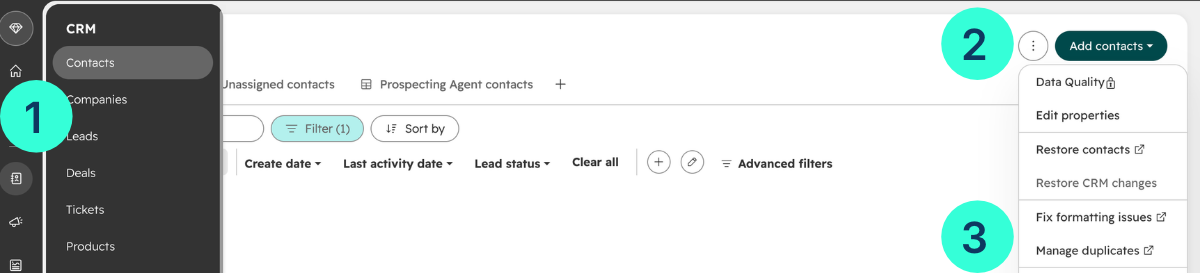
Open Agents > Agent Hub > Context and go through each tab. HubSpot surfaces recommendations when your context may be outdated, so act on those first, then fill any empty sections.

Empty ICPs and a missing products and services list are the two gaps we'd close first, since prospecting and content agents lean on both.
Go to Data Management > Data Model and open the Health tab. The scan starts on its own and takes up to 20 minutes. It checks for 16 issue types across objects, properties, associations, pipelines, and lifecycle stages, such as low-fill-rate properties, duplicate properties, and pipelines missing a closed stage. The tool is available on all products and plans.
Open Contacts or Companies, click the three-dot menu, and choose Manage duplicates.

HubSpot checks for likely duplicate pairs as new records are created, and at least once a day. The tool requires a Professional or Enterprise subscription, and the queue size gives a quick sense of how much cleanup you're facing.
If you want a broader view that also covers architecture and team adoption, our HubSpot AI Readiness Index is a 12-question diagnostic that takes about 3 minutes. It doesn't require a portal login and gives you a score and the areas to fix first.
Prepare your data in eight steps, starting with business context and ending with a tested pilot agent.
Steps 2 through 5 are the ones teams most want to skip, and they're the ones that decide how good the agent's first week looks.
Each HubSpot AI agent leans on a different slice of your CRM, so the data you clean first should depend on the agent you launch first. Sales agents need strong ICPs and company data, service agents need associated tickets and approved answers, and marketing agents need lifecycle stages and brand context.
|
Agent |
What It Does |
Context It Draws On |
Fix First |
|
Prospecting Agent |
Monitors target accounts, scores them against your ICP, and drafts outreach |
ICPs, company records, buying signals, brand voice |
ICPs in Context Home, duplicate companies |
|
Customer Agent |
Answers questions across chat, email, voice, and social |
Purchase and support history, knowledge sources |
Ticket associations, help content, handoff rules |
|
Nurture Agent |
Writes each nurture email for the person receiving it |
Contact properties, engagement signals |
Lifecycle stages, contact fill rates |
|
Campaign Agent |
Turns a goal into a campaign plan |
Brand identity, target audience, past channel performance |
Personas, campaign attribution |
|
Content Agent |
Drafts blog posts, social posts, and landing pages for review |
Brand voice, audience data, AI search recommendations |
Brand kit, products and services |
|
Deal Progression |
Suggests next steps and CRM updates on deals |
Emails, calls, and meetings on each deal |
Email and calendar connection, deal associations |
Campaign Agent, Content Agent, Nurture Agent, and Deal Progression were all in public beta at the time of writing, so check availability for your tier before you plan around them.
If you're not sure where to start, Customer Agent is usually the easiest pilot to measure, because resolution rate and handoff rate show results within weeks.
Making a portal AI-ready takes anywhere from a few days to a few months, and the size of your duplicate queue and the state of your associations decide most of that range. The checks themselves are fast. The cleanup they uncover is where the time goes.
|
Phase |
Typical Effort |
What Drives the Time |
|
Check readiness |
Under an hour |
The health check runs in up to 20 minutes |
|
Fill in Context Home |
A few hours |
How much positioning, ICP, and product material you already have written down |
|
Clean properties and duplicates |
Days to weeks |
Number of duplicate pairs. Without Data Hub, the tool shows up to 10,000 pairs at a time |
|
Fix associations and lifecycle stages |
Days to weeks |
Past imports and integrations that created records without links |
|
Pilot and test one agent |
A few weeks |
Volume of real conversations or prospects to test against |
Our recommendation is to clean the data the first agent depends on, launch a narrow pilot, and clean the next slice while the pilot runs.
Most weak agent launches we review trace back to context nobody prepared, like empty ICPs, split records, and tickets with no company attached. As a HubSpot Elite Solutions Partner, we run a six-stage deployment that covers discovery, planning, data and knowledge preparation, configuration, testing, and scaling. The preparation stage is where we organize the FAQs, policies, sales messaging, and CRM data each agent needs before it talks to anyone.
If you're getting ready to launch Customer Agent or Prospecting Agent, learn how our HubSpot AI agent implementation service works.
AI agents are only as good as the business context and records behind them. Fill in Context Home, run the Data Model Health Check, clear your duplicates, fix associations and lifecycle stages, and pilot one agent on the data it depends on.
Check how ready your portal is with the free HubSpot AI Readiness Scorecard, and you'll know what to fix first.
Yes. Admins can turn individual AI features on or off, control what data is shared in the account's AI settings, and choose what goes into Context Home and knowledge vaults.
HubSpot's AI tools can use outside data once it syncs into HubSpot through an integration, and Breeze Assistant can also connect to tools like Gong and Asana. Data that never reaches HubSpot stays invisible to your agents.
Clean it before you migrate. Importing duplicates and unused fields into a new portal moves the problem into HubSpot, and it's harder to fix once agents and workflows depend on those records.
Yes. Prospecting Agent improves its email drafts based on rep edits. Customer Agent improves through coaching based on test results. But both still depend on accurate and complete CRM data to work well.
Yes. Start by fixing existing records, removing duplicates, updating outdated information, and organizing knowledge sources.
HubSpot Growth Context is everything HubSpot knows about your business, your customers, and your team, and it's what Breeze Assistant and HubSpot's...
A client handoff doc usually starts the same way. Someone opens a blank page, copies deal notes out of the CRM, pastes in contact names, and hopes...
HubSpot Work is HubSpot’s new AI-powered workspace for managing business work alongside your CRM. It connects everyday business workflows to the data...