WordPress vs. HubSpot CMS: what’s the real difference?
WordPress gives you a website and a list of jobs: hosting, security, plugins and updates, and every plugin is another vendor to patch and watch. The HubSpot CMS gives you a website that runs on your CRM, with hosting, security and upkeep handled by HubSpot. This guide shows what that changes day to day, where WordPress is still stronger, and what HubSpot can do that most teams don’t know about.
Both platforms can build a beautiful, fast, custom website. The difference is everything around it. On WordPress, your team keeps a stack of separately updated pieces patched and compatible. On HubSpot, the platform handles that, and the website knows who your visitors are.
WordPress
Open-source software you assemble and run
You pick a host, then install themes and plugins for forms, SEO, caching, security, backups and CRM sync.
Huge ecosystem and full code access, which is its real strength.
Every plugin is a separate vendor with its own update schedule, quality and security record.
Someone on your side owns updates, compatibility testing, backups and recovery.
HubSpot CMS (Content Hub)
A fully hosted CMS built on the CRM
Hosting, SSL, a global CDN, a web application firewall and 24/7 monitoring are included.
Forms, SEO tools, CTAs, chat, analytics and personalization are native, not add-ons.
Every page view and form fill lands on a contact record, so pages can change for each visitor.
Fully customizable themes and modules, editable by marketers or by AI through HubSpot’s MCP server.
A typical WordPress stack
each piece updated separately
Web host & server
WordPress core
Theme or page builder
Security / firewall plugin
Caching plugin
Backup plugin
SEO plugin
Forms plugin
CDN service
SSL certificate
CRM connector plugin
Analytics add-on
The yellow pulse marks something that needs its own updates, licence or monitoring.
HubSpot CMS
Website + Smart CRM, managed by HubSpot
one platform, one login
Managed hosting
SSL, auto-renewed
Global CDN
Web app firewall
24/7 threat monitoring
Native forms & CTAs
SEO & AEO tools
Smart content
CRM on every page
Analytics tied to revenue
Nothing to patch. Your team spends its time on pages and campaigns.
0Plugins, server patches or core updates for your team to run on the HubSpot CMS.
Section 2
WordPress and HubSpot, side by side
An honest comparison. HubSpot wins most rows for marketing teams, but WordPress has real strengths, and we mark them.
Area
WordPress
HubSpot CMS
Edge
Hosting
Your jobChoose, pay for and manage a host. Quality varies by provider and plan.
IncludedFully hosted and managed by HubSpot on scalable cloud infrastructure. No server to run.
HubSpot
Uptime & downtime
DependsSet by your host, your plugins and how well updates are tested.
Monitored 24/7Managed hosting, monitored around the clock by HubSpot’s team.
HubSpot
Security
Your jobPatching, firewalls and malware scans, often through more plugins. Plugins are the main attack surface.
Built inWeb application firewall, DDoS protection, 24/7 threat detection and a dedicated security team.
HubSpot
SSL & CDN
Set up separatelyThrough your host, a plugin or a separate CDN service.
AutomaticStandard SSL on every HubSpot-hosted page, served through a global CDN.
HubSpot
Updates & maintenance
OngoingCore, theme and plugin updates, which can conflict with each other and break layouts.
None to runHubSpot ships platform updates for you. No version upgrades, no plugin conflicts.
HubSpot
Themes
Largest marketThousands of themes and page builders.
Theme marketplaceFree and paid themes, fully editable in the drag-and-drop editor and in code.
WordPress on volume
Customization
UnlimitedFull PHP and server access.
DeepCustom themes, templates and modules (HubL or React), HubDB tables, serverless functions and APIs.
Even
Editing experience
VariesDepends on the theme and page builder chosen.
Built for marketersDrag-and-drop editing inside modules your developers define, so the brand stays consistent.
HubSpot
Dynamic, data-driven pages
Custom workCustom post types and development.
NativeHubDB and CRM objects power filterable listings, locators and resource libraries.
HubSpot
CRM connection
Needs a connectorForms and activity sync through a plugin you maintain.
NativeEvery form fill, page view and chat lands on the contact record.
HubSpot
Personalization
Add-onsExtra plugins or tools, plus a data feed from your CRM.
Smart contentShow different content by list membership, lifecycle stage, country, device, source or language.
HubSpot
Gated & member content
PluginsMembership plugins with their own user database.
MembershipsAccess controlled by CRM data, with personalized member pages.
HubSpot
Analytics & attribution
Separate toolsTraffic is visible; revenue attribution needs more tooling.
ConnectedPage performance tied to contacts, deals and campaigns in one place.
HubSpot
AI editing after launch
Depends on pluginsVaries by setup and add-ons.
MCP-readyCreate and edit draft pages and blog posts in plain language through HubSpot’s MCP server, within each user’s permissions. A person reviews and publishes.
HubSpot
AI-assisted development
Open codeAny AI coding tool can work on the codebase.
Developer MCPAI coding tools build themes, templates and modules with HubSpot’s own docs as context.
Even
Upfront licence
Free softwareThe software is free; hosting, premium plugins, security and developer time are not.
SubscriptionFree tools exist; advanced features such as smart content need Content Hub Professional or Enterprise.
WordPress
Total cost to run
Spread outMany small bills plus the hours spent on upkeep and fixes.
One line itemHosting, SSL, CDN, security and the CRM connection are in the subscription.
Depends on stack
Control & portability
Full controlOpen source; move hosts whenever you like.
ManagedHubSpot runs the platform. Content and data can be exported; templates are HubSpot-specific.
WordPress
“Edge” reflects what matters to most B2B marketing teams. A content-only site with an in-house developer who enjoys server work can reasonably weigh these rows differently.
Section 3
The questions we hear most often
Most people have never seen what the HubSpot CMS can do. These are the questions that come up in nearly every website conversation we have.
Open any question for the full answer.
01The basicsWhat’s the difference between WordPress and the HubSpot CMS?Software you run versus a platform that runs for you.AnswerHide
WordPress is open-source website software. You install it on a host and extend it with themes and plugins. The HubSpot CMS (part of HubSpot’s Content Hub) is a fully hosted content management system built on the same database as HubSpot’s CRM.
In practice
With WordPress, your website is one system and your CRM is another, joined by a plugin. With HubSpot, they are the same system: the website knows who each known visitor is, what they’ve done and where they are in your pipeline.
What that changes
No hosting, security or update work for your team
Forms, CTAs and chat report straight into the CRM
Pages can personalize for each visitor
Marketers edit pages without breaking the design
02HostingIs the HubSpot CMS hosted? Do I need a web host?No host needed. HubSpot hosts and manages everything.AnswerHide
What’s included
Managed hosting on scalable cloud infrastructure
24/7 monitoring
Standard SSL on every page, auto-provisioned
A global CDN for fast load times worldwide
A web application firewall and DDoS protection
What you still own
Your domain. You connect it to HubSpot once and HubSpot serves the site from then on. There is no server to size, scale, patch or restart, and traffic spikes are absorbed automatically.
03DesignCan you customize HubSpot as much as WordPress?Yes. Themes, templates and modules are fully custom when you need them to be.AnswerHide
Two ways to start
A marketplace theme, customized. Faster and lower cost. We restyle it to your brand and extend it with custom templates.
A custom theme. Built from a UI kit designed for your brand, with modules made for your content.
What developers can build
Custom modules in HubL or React
HubDB-driven listings, locators and libraries
Serverless functions for custom logic
Integrations through HubSpot’s APIs and webhooks
Membership areas and gated resources
The difference from WordPress is guardrails. Developers decide which fields each module exposes, so marketers can change copy, images and layouts without breaking the design system.
04PluginsCan HubSpot do what my WordPress plugins do?For most marketing sites, the plugin list goes away.AnswerHide
Here is how the usual WordPress plugins map to what HubSpot already includes.
Forms pluginNative forms, straight to the CRM
SEO pluginBuilt-in SEO and AEO recommendations
Security pluginPlatform firewall and 24/7 monitoring
Caching pluginGlobal CDN, no setup
Backup pluginManaged platform with page revision history
Pop-up / CTA pluginNative CTAs with tracking
Live chat pluginChat and chatbots in the shared inbox
CRM connector pluginNothing to connect: it’s the same system
Anything HubSpot doesn’t include natively can usually be added through the HubSpot App Marketplace or built with HubSpot’s APIs.
05Honest answerAre there limitations compared to WordPress?Yes, a few. Here is what they are and how we handle them.AnswerHide
Where WordPress has the edge
No server-level access. You can’t run arbitrary PHP or touch the server. HubSpot manages it.
A smaller ecosystem. Fewer themes and apps than WordPress’s plugin directory.
Licence cost. WordPress is free software; advanced HubSpot features such as smart content and memberships need Content Hub Professional or Enterprise.
Platform-specific templates. Content exports, but HubL templates only run on HubSpot.
Full online stores. HubSpot isn’t a shopping-cart platform; large catalogs are usually integrated rather than rebuilt.
How we handle them
Custom logic runs in serverless functions or through HubSpot’s APIs
Missing features are built as custom modules or integrations
We size your Content Hub tier to the features you’ll actually use
Commerce data syncs into the CRM so the website and sales team see it
06UpkeepWhat does maintenance look like on HubSpot?No server, core or plugin maintenance. Your effort goes into content.AnswerHide
There are no versions to upgrade, no plugins to update and no compatibility testing after updates. HubSpot runs the platform. What stays with your team is the work that grows the business: new pages, fresh content, tests and campaigns. When you want help with that, our on-demand theme and CMS support picks it up.
07MigrationWill I lose SEO if I move from WordPress to HubSpot?Not when the move is planned properly.AnswerHide
What protects your rankings
A URL map from every old page to its new page
301 redirects set up in HubSpot before launch
Page titles, meta descriptions and headings carried over
Structured data (schema) rebuilt on the new templates
Blog posts, authors and tags migrated with their history
After launch
We check indexing, redirects and broken links after go-live.
08AICan AI update my HubSpot website after launch?Yes. AI assistants can create and edit draft pages through HubSpot’s MCP server.AnswerHide
HubSpot’s remote MCP server connects AI assistants to your HubSpot account. A marketer can ask for a new draft page from an existing template, copy edits or a check on how pages are performing, all in plain language. Changes are saved as drafts, and a person on your team reviews and publishes them. Every action follows the user’s existing HubSpot permissions. See it step by step in Section 6.
Section 4
The maintenance you stop doing
The same website, the same month, on each platform. Count how many tasks land on your team.
A month on WordPress
Update WordPress coreYou
Update the theme and page builderYou
Update plugins and test them togetherYou
Fix layouts an update brokeYou
Patch a disclosed plugin vulnerabilityYou
Check backups and restore pointsYou
Renew SSL, CDN and plugin licencesYou
Monitor uptime and server loadYou
Clean up spam and malwareYou
Confirm form leads still reach the CRMYou
Publish new content and campaignsYou
11tasks on your team
A month on HubSpot
Platform updatesHubSpot
Theme compatibilityHubSpot
Security patchesHubSpot
Firewall and threat monitoringHubSpot
Hosting, scaling and uptimeHubSpot
SSL and CDNHubSpot
Spam protection on formsHubSpot
Form leads to the CRMAutomatic
Page revision historyHubSpot
Plugin updatesNone to run
Publish new content and campaignsYou
1task on your team
Illustrative, based on a typical marketing website. The one task that stays with you on HubSpot is the one that grows the business.
Section 5
One page, a different experience for every visitor
Because the HubSpot CMS sits on the CRM, a page can read the visitor’s contact record and change what it shows. Pick a visitor below and watch the same page respond.
What HubSpot knows
Contact record
None yet
Country
United States
Device
Desktop
Source
Organic search
yourcompany.com/solutions
HubSpot website design
Websites that run on your CRM
See how a HubSpot website turns anonymous traffic into known contacts and revenue.
See our work
Case studiesHow it worksWebsite packages
Rule matched:Default content
What HubSpot knows
Name
Jordan Reyes
Lifecycle stage
Lead
List
Downloaded migration checklist
Last visit
3 days ago
yourcompany.com/solutions
Planning your move?
Ready to plan your move off WordPress, Jordan?
You have the checklist. Next is a 30-minute scoping call to map your pages, redirects and forms.
Proof for your buying committee: security, uptime, results from similar builds and what happens after launch.
Download the decision pack
Security overviewCoreSite resultsLaunch plan
Rule matched:Lifecycle stage = Opportunity
What HubSpot knows
Name
Priya Kapoor
Lifecycle stage
Customer
Plan
Content Hub Professional
Open tickets
0
yourcompany.com/solutions
Welcome back
Welcome back, Priya. What are we building next?
Skip the sales pitch. Request new pages, a CRO sprint or on-demand theme support in one click.
Request website support
New page requestCRO sprintTraining library
Rule matched:Lifecycle stage = Customer
What HubSpot knows
Contact record
None yet
Country
Germany
Device
Mobile
Source
Paid social
yourcompany.com/solutions
HubSpot-Webdesign
Websites, die auf Ihrem CRM laufen
Hosting, Sicherheit und Updates inklusive. Ihr Team konzentriert sich auf Inhalte, nicht auf Wartung.
Kontakt aufnehmen
ReferenzenSo funktioniert esPakete
Rule matched:Country = Germany · Language = German
Known contacts
Rules by list membership or lifecycle stage, plus personalization tokens such as first name or company. These use the contact record, so they apply to tracked visitors HubSpot already knows.
Every visitor
Rules by country, device type, referral or ad source, preferred language and query parameter work for anonymous visitors too.
Members
Memberships go further: logged-in pages built from CRM data, such as a customer’s resources, recent orders or upcoming appointments.
Smart content on website pages is available with Content Hub Professional and Enterprise. The visitors and copy above are illustrative.
Section 6
Change your website by asking for it
HubSpot’s MCP (Model Context Protocol) server connects AI assistants to your account. After launch, your team can update pages in plain language instead of filing a ticket and waiting.
AI assistant · connected to HubSpotIllustrative session
Update the hero headline on our Website Design page to “HubSpot websites that run themselves” and add a CTA to book a call.
hubspot · search site pages: "Website Design"
Found Website Design (/services/websites). Drafting the change:− Websites built to convert + HubSpot websites that run themselves + CTA: Book a call, linking to /contact
hubspot · update site page (draft saved)
Draft saved. Open it in HubSpot to review the change, then publish when it looks right.
Press play to watch an edit happen.
For marketers
Remote HubSpot MCP server. Create draft website pages, landing pages and blog posts from existing templates, edit copy and check performance, all in conversation. Your team reviews and publishes.
For developers
HubSpot Developer MCP server. AI coding tools create and manage themes, templates, modules and serverless functions with HubSpot’s developer docs as context.
Guardrails
Every AI action follows the user’s existing HubSpot permissions. We set up a review step before anything is published, so a person always approves the change.
Section 7
HubSpot websites we’ve built
Custom HubSpot builds across IT infrastructure, education, healthcare staffing, financial services and creative production. Every one is fully editable by the client’s own team.
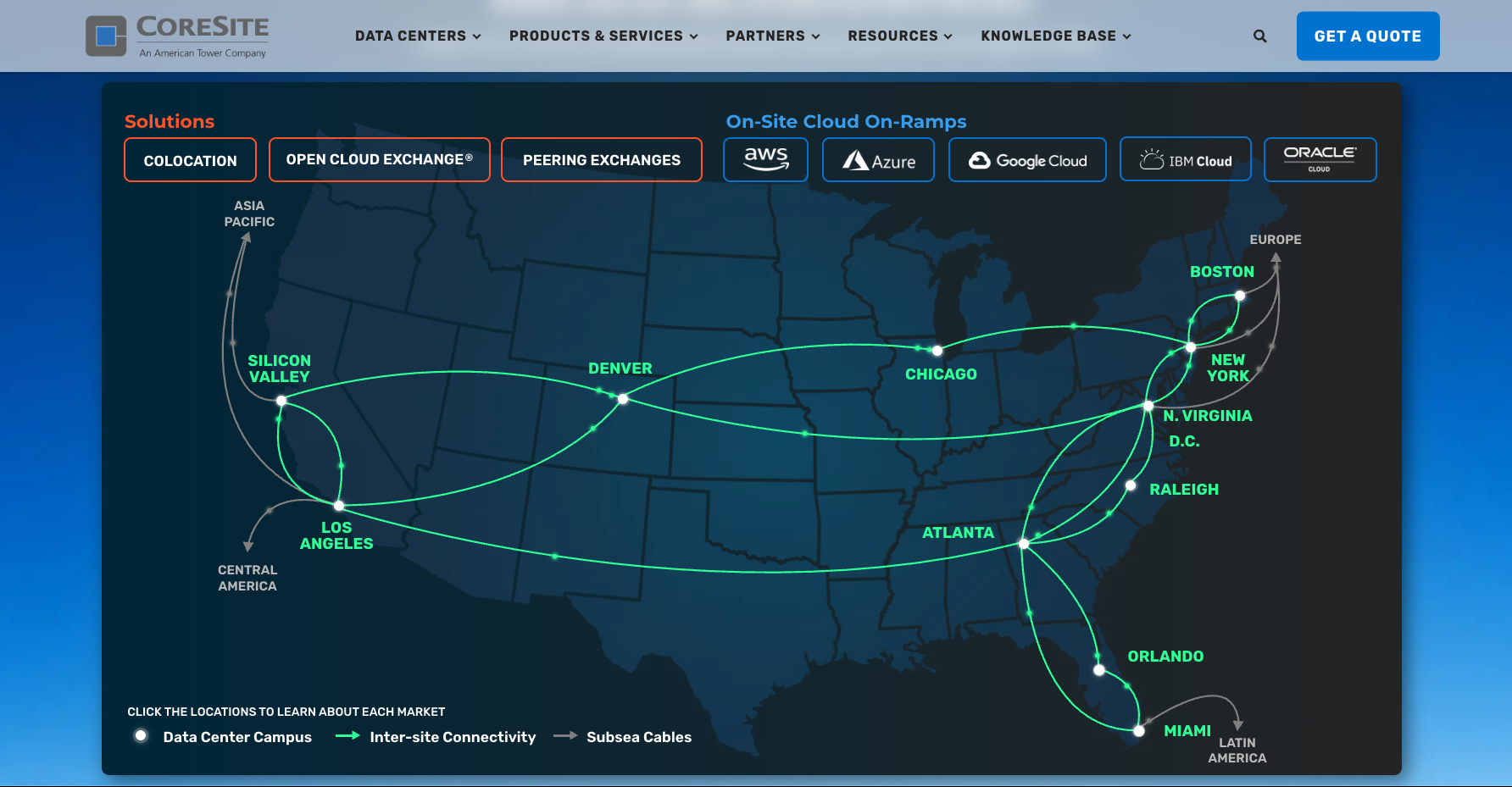
CoreSite
IT infrastructure. Moved from Webflow and Marketo onto HubSpot with a Figma UI kit, a customized theme with custom templates, 100+ pages and posts, and HubDB-powered filterable pages. CoreSite’s team now manages the site without outside developers.
25% increase in visitor-to-contact conversion7.98% more sessions
Redirects live, SEO checked and your team trained.
Section 8
Why build it with Campaign Creators
An Elite HubSpot Solutions Partner that designs websites as part of a connected system, not a brochure.
We build HubSpot websites the same way we build HubSpot portals: CRM first, with fixed scope and defined deliverables. You know what you’re getting before we start, and your team can run the site the day we hand it over.
What you get when we build on HubSpot
A site connected to your CRM from day one. Every form, CTA and page is wired to contact records, lists and reporting.
A design system your team can’t break. A UI kit and modules that keep the brand consistent while marketers edit freely.
Personalization you can actually use. Smart content and HubDB set up around your real segments and lifecycle stages.
An AI-ready website. A clean module structure that AI assistants can edit safely through HubSpot’s MCP server, with a review step before publishing.
Accredited across the HubSpot stack, and we run our own agency on the same systems we build for clients.
Productized website packages
Fixed-scope packages with published pricing, from foundational sites to fully custom builds.
25%
Increase in visitor-to-contact conversion for CoreSite after moving to HubSpot
Your HubSpot should work as one system.
Looking to talk with a HubSpot Expert? Whether you’re migrating, mid-build, or stalled after launch, we connect your data, tools, and teams into one system, then optimize it with AI.