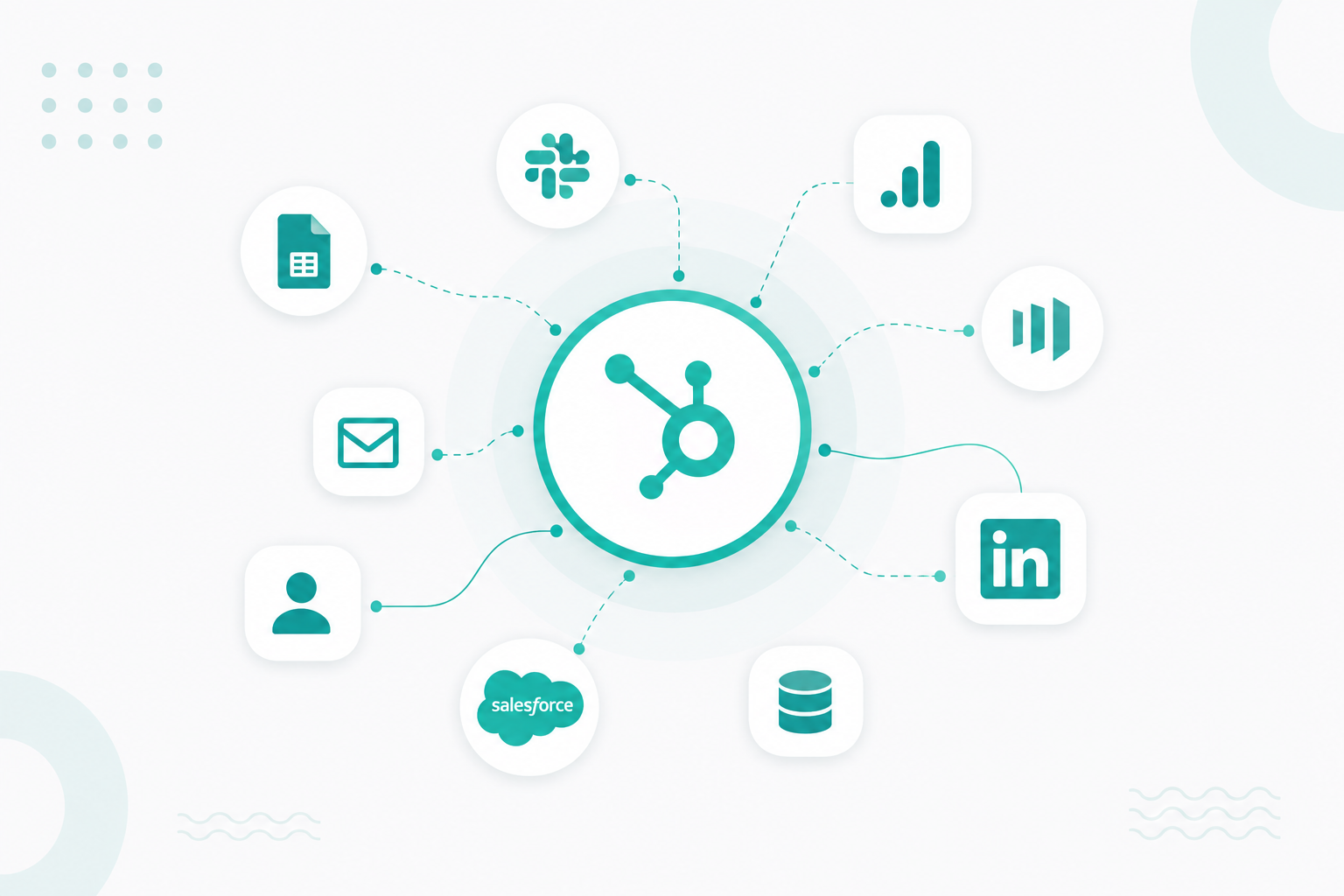
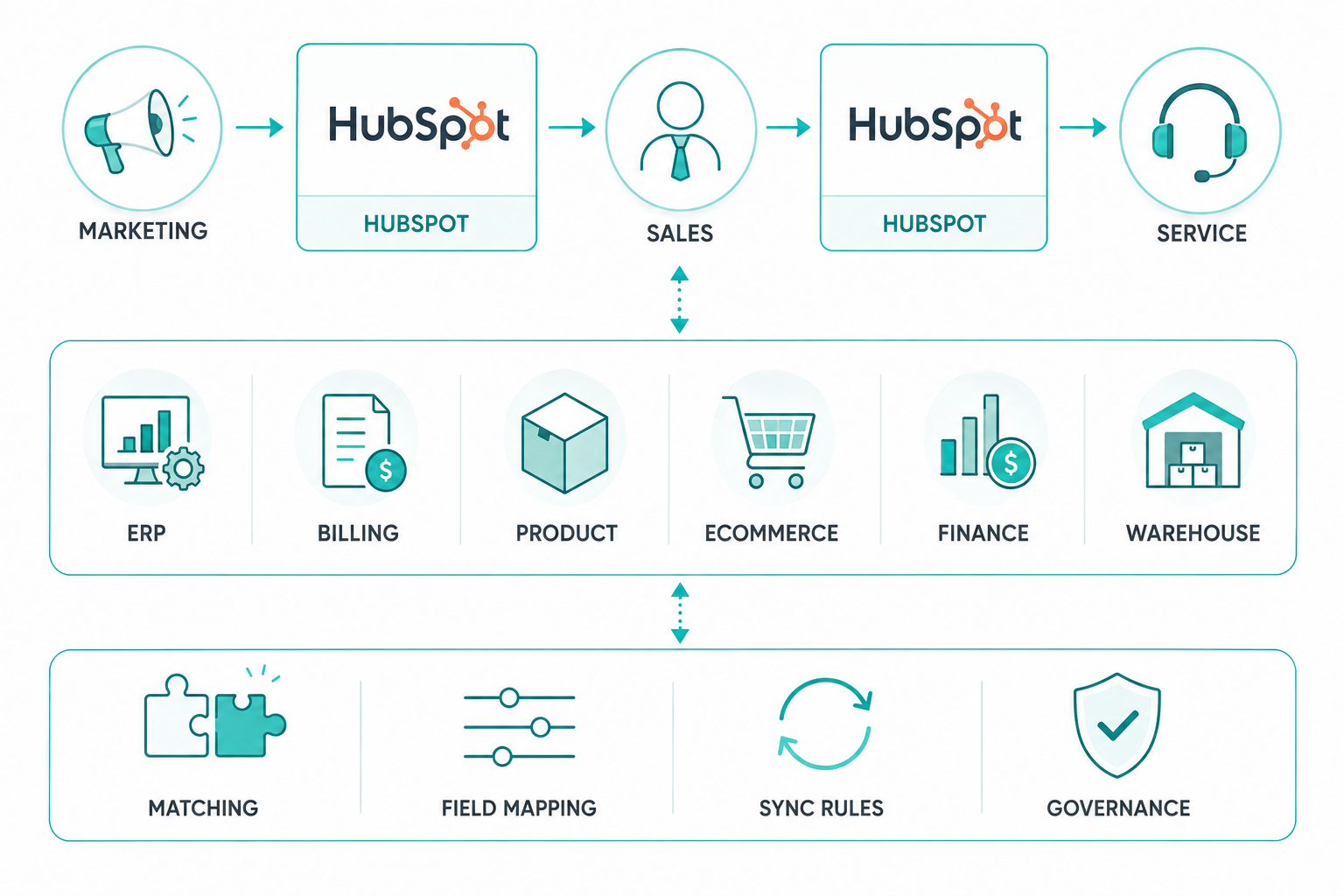
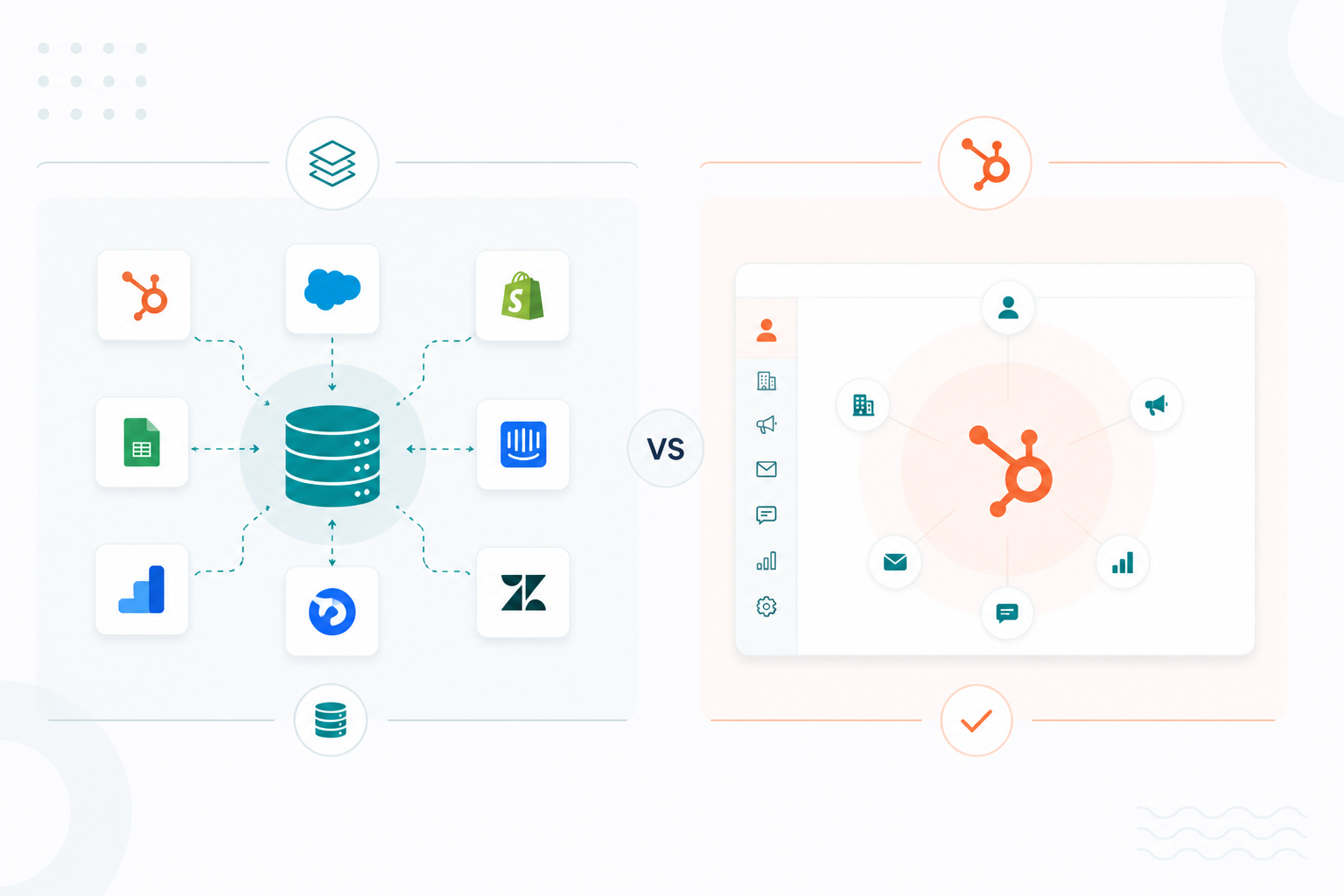
HubSpot can be the center of your tech stack when it gives marketing, sales, service, and revenue teams one reliable view of the customer while specialized platforms keep running the processes they were built for. Centering your stack on HubSpot is an architecture decision and not a migration project. You decide which platform owns each type of data, how that data moves, and which system wins when two values disagree.
Most companies ask this question because their stack is fragmented. Customer, financial, product, and operational data sit in different tools, and when those tools disagree, teams get duplicate records, conflicting numbers, and manual workarounds. Gartner estimates that poor data quality costs organizations an average of $12.9 million annually, while Validity’s research found that 76% of CRM users say less than half of their CRM data is accurate and complete. Those numbers describe an ownership problem more than a software problem.
A strong HubSpot-centered stack solves ownership first. The integrations come second.
Key Takeaways
- HubSpot earns the center of your stack when it holds the shared customer and revenue context your customer-facing teams work from daily.
- Specialized platforms can stay authoritative for their own domains: an ERP for finance, a billing platform for subscriptions, a product database for usage.
- Every connection needs four decisions documented before launch: what moves, who owns it, which direction it flows, and which value wins in a conflict.
- Reliable record matching keeps connected systems accurate and stops duplicates from multiplying.
What Does It Mean to Center Your Stack on HubSpot?
It means HubSpot holds the customer context your customer-facing teams need, and connected systems keep running the specialized processes they were designed for. Being the center does not require every transaction to pass through HubSpot.

Your teams open HubSpot to see who the customer is, where they sit in the lifecycle, what they have engaged with, who owns the account, what is happening with the deal, and what recent service history exists. They open the connected systems for the operational detail those systems manage best.
Centralization and Ownership Are Different Decisions
Centralization is about where teams work. Ownership is about which system is responsible for keeping each piece of data accurate. HubSpot can be the main platform teams use without being the source of truth for every field.
This distinction helps you use HubSpot as a customer platform without trying to turn it into your company’s entire database. HubSpot can bring customer information and workflows together, while specialized systems continue to manage the data and processes they are built for.
What Should HubSpot Own?
HubSpot should own the customer and revenue data your teams use to understand, manage, and act on relationships across the customer journey. HubSpot's Smart CRM is built around contacts, companies, deals, tickets, and custom objects, with associations connecting those records, so relationship data maps naturally to how the platform already works.
Strong candidates for HubSpot ownership:
- Contacts and core customer information
- Companies and account information
- Lifecycle stages and lead status
- Sales qualification and deal stage
- Pipeline amount and expected close date
- Sales ownership and account assignment
- Customer-facing activities and communication history
- Marketing engagement and attribution
- Service interactions and tickets
- Key relationships and associations between records
These are the records marketing, sales, service, and RevOps need to read together, in one place, without opening five tabs.
One Test That Settles Most Cases
Ask one question about any data point: does this help a customer-facing team understand who the customer is, where the relationship stands, and what should happen next?
When the answer is yes, HubSpot has a strong claim. When the answer is no, the data probably belongs to the system that runs the underlying process, and HubSpot may still need to see a summarized version of it.
Where to Draw the Line
Take a B2B company selling annual software subscriptions. HubSpot can own account owner, lifecycle stage, lead status, deal stage, pipeline amount, sales activity, marketing engagement, communication history, and renewal opportunity.
Meanwhile:
- The billing platform keeps invoice status, payment transactions, tax calculations, and accounts receivable.
- The accounting system keeps the general ledger.
- The product platform keeps usage, feature adoption, login activity, and technical events.
HubSpot can pull relevant pieces of those systems onto the customer record without becoming the authoritative database for any of them.
Which Systems Should Remain Authoritative?
A system should stay the source of truth for data it creates and manages as part of its core business process. That principle produces a map that looks something like this:
| Data Domain | Likely System of Record |
|---|---|
| Contact and company relationships | HubSpot |
| Lifecycle stage and lead status | HubSpot |
| Sales pipeline and deals | HubSpot |
| Marketing engagement | HubSpot |
| Customer communications | HubSpot |
| Support tickets | HubSpot, when Service Hub runs support |
| Product usage and events | Product or application database |
| Orders | Ecommerce or order management platform |
| Invoices and payments | Billing platform or ERP |
| Accounting and general ledger | ERP or accounting system |
| Inventory | ERP or inventory system |
| Payroll and employee records | HR or payroll platform |
| Cross-system analysis | Warehouse or analytics platform |
Treat that as an example and not a rule. Your architecture should follow the system closest to the process that creates the data.
What Each Specialized System Contributes
- ERP: Financial and operational process, inventory, fulfillment.
- Billing: Subscriptions, invoices, payments, balances, renewal dates.
- Product database: Usage, feature adoption, product events, capacity against contract limits.
- Ecommerce: Orders and transactions.
- Warehouse and analytics: Modeled metrics, health scores, and cross-system reporting that no single application can produce alone.
The warehouse case has become more interesting. HubSpot now supports bidirectional integrations with Snowflake, Google BigQuery, and AWS S3 through Data Hub Enterprise, and Snowflake Direct Sync lets teams connect a table or view, map columns to HubSpot properties, and schedule recurring syncs. Once warehouse data lands on CRM records, it becomes usable in lists, workflows, reports, and Data Studio.
How Does a System of Record Differ From a Source of Truth?
A system of record is the authoritative system for a specific business domain or process. A source of truth is the trusted value used when information from multiple systems needs to be reconciled.

A CRM can be a system of record without being your only source of truth. Multiple systems of record are normal in a growing business, and they work fine when their boundaries are explicit.
How Should Data Move Between HubSpot and Everything Else?
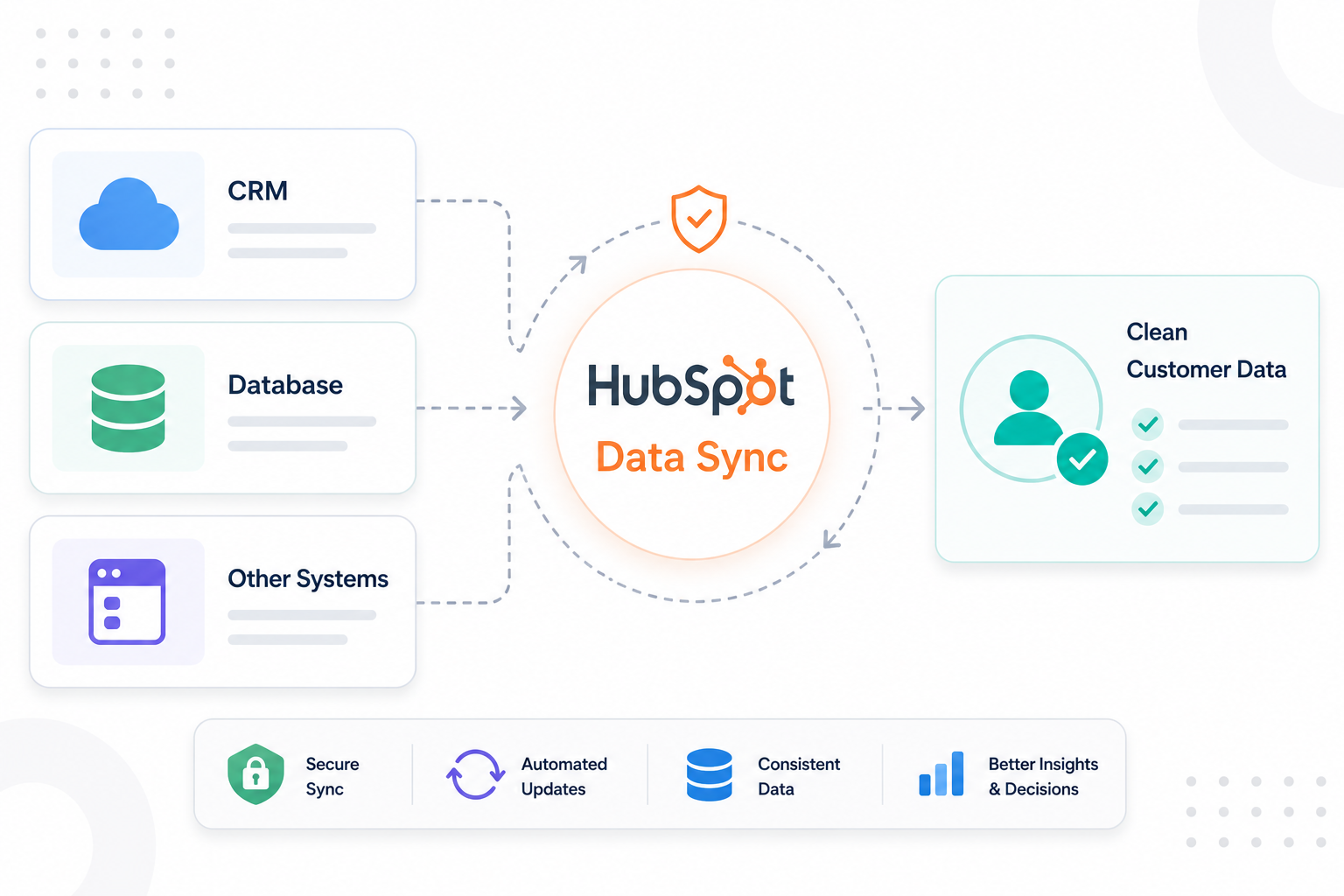
HubSpot data sync supports three configurations, and each one fits a different situation.
|
Pattern |
Example |
Best fit |
|
One way into HubSpot |
Billing → HubSpot |
Customer-facing teams need visibility, no edit rights |
|
One way out of HubSpot |
HubSpot → downstream execution tool |
HubSpot defines the segment or lifecycle state; another system acts on it |
|
Two way |
HubSpot ↔ ERP |
Both sides genuinely maintain the field, with explicit rules |
Data sync also supports filters that limit which records are included, so a connection does not have to carry your entire database to be useful.
Related readings:
When Two-Way Sync Is Necessary
Two-way sync is useful when both systems need to update the same data. More synchronization does not automatically create a better architecture.
For example, if both HubSpot and your ERP can update a company's industry, address, or account status, you need clear rules for which system wins when values conflict. You also need rules for blank values and conflict resolution. HubSpot provides field mapping and sync settings to control these behaviors, but the business must still decide how the data should work.
Use two-way sync only when both systems need to make changes. Do not use it simply because the integration supports it.
What Goes Wrong Without Clear Data Owners?
Unclear ownership shows up as operational friction long before anyone calls it an architecture problem. Common symptoms:
- Sales and finance report different revenue numbers
- Customer status differs between HubSpot and billing
- Teams update the same field in several systems by hand
- Employees keep spreadsheets because they do not trust the CRM
- Reports need manual reconciliation before anyone shares them
- Integrations overwrite values unexpectedly
- Teams use different definitions for the same metric
- Duplicate records keep reappearing
- Nobody knows which system to update first
- A sync breaks, and nobody can say which data is authoritative
Each of those is an ownership symptom and not an integration bug. Connecting more tools makes an ownership gap travel faster.
How Do You Map Ownership Across Your Stack?
Start with your most important business objects and document them one at a time. Five questions per data domain will get you most of the way:
- Where is this data created?
- Which team is responsible for its accuracy?
- Which system holds the business rules that determine its value?
- Which system should be able to change it?
- Which systems only need a copy?
The Documentation That Holds Up
Your ownership map should be specific enough to settle an argument:
|
Data element |
System of record |
Who can change it |
Sync direction |
Downstream users |
|
Lifecycle stage |
HubSpot |
Marketing / RevOps |
HubSpot → connected systems |
Sales, Service |
|
Deal stage |
HubSpot |
Sales |
HubSpot → reporting |
Leadership |
|
Subscription status |
Billing |
Finance / Operations |
Billing → HubSpot |
Sales, CS |
|
Product usage |
Product database |
Product / Engineering |
Product → HubSpot |
Sales, CS |
|
Invoice status |
ERP |
Finance |
ERP → HubSpot |
Sales, CS |
HubSpot's CRM administration guidance recommends a data dictionary along the same lines, covering property definitions, ownership, naming conventions, validation, and intended use.
Three Questions That Reveal Gaps
Skip the integration audit for a moment and ask three business questions.
- Who is this customer's account owner? Can everyone name one authoritative answer?
- What is this customer's current subscription status? Same test.
- How much revenue has this customer generated? Can sales, finance, and leadership produce the same number without reconciling spreadsheets?
If the answer changes depending on which application someone opens, your source of truth is undefined. Repeat the exercise across your most important customer and revenue data, and the gaps will sort themselves into a priority list.
How Did One Company Make HubSpot Its Hub?
Fire Aside, a software company in San Anselmo, California, managed marketing, sales, and customer engagement across more than 10 tools. Customer records were also spread across three separate databases, making it difficult to get a complete customer view, track deals, and measure campaign performance.
Campaign Creators made HubSpot the central CRM by implementing Marketing Hub Professional and Sales Hub Professional. The team started with the CRM structure, creating customized deal pipelines and 14 custom properties for industry-specific data. This gave every record a consistent place before data was imported. Website and email domains were used as unique identifiers to preserve relationships between agencies, sub-agencies, and partner organizations and prevent duplicate records.
What the Project Delivered
- 10+ business systems connected to one CRM
- 3 historical databases consolidated with data integrity intact
- 14 custom properties for industry-specific data
- 6 dashboards covering lead generation, channel performance, website analytics, and sales activity
Webflow remained the website platform. Google Ads and LinkedIn Ads continued to handle advertising, and Zoom remained the meeting platform. HubSpot became the central place where customer and business context came together, connecting the existing technology stack without adding unnecessary complexity.
Why Does AI Raise the Cost of Messy Data?
AI features act on whatever your CRM says is true, which turns a tolerable data problem into a visible one. An agent that drafts outreach, scores a lead, or recommends a next step inherits all duplicate records and stale fields beneath it.
Gartner found that 63% of organizations either do not have or are unsure they have the right data management practices for AI. They also identified poor CRM data quality as a barrier to AI-driven CRM.
This makes data ownership more important. Field-level ownership determines which data AI can trust. Data enrichment and quality tools also become more important as AI use increases. HubSpot's Data Hub includes Data Studio for combining data from spreadsheets, apps, and warehouses, along with tools for identifying duplicates, formatting issues, and missing fields.
Decide ownership before you point AI at the record. Otherwise, you get faster answers built on the same disputed numbers.
More related insights: Why Data Governance Determines Whether HubSpot Scales or Fails in Enterprise
When Should a Different Platform Take the Center?
HubSpot may not belong at the center when your most important operations happen outside the customer journey. Businesses built around complex manufacturing, inventory management, financial operations, supply chain logistics, highly specialized product data, or large-scale transaction processing often need a different platform anchoring their operational architecture.
Warning signs that centering on HubSpot would create work:
- Your most important processes run outside HubSpot entirely
- Another system already owns the authoritative data you need
- Teams would maintain the same information in several places by hand
- Integrations cannot reliably match your critical records
- The underlying process depends on functionality HubSpot does not offer
HubSpot can still serve as the customer-facing hub in all of these scenarios. A customer-facing platform and an operational master database serve different purposes, and one system does not need to handle both.
How Do You Know the Architecture Is Working?
Ask your teams:
- Can sales find what they need without checking multiple systems?
- Can marketing trust lifecycle and engagement data?
- Can service see the sales and account context they need?
- Can leadership trust pipeline and customer reports without manual reconciliation?
- Does external data arrive with enough context to be useful?
- Does everyone know which system owns each important field?
When the answer is consistently yes, HubSpot is working as the hub. When teams have to check HubSpot, the ERP, and spreadsheets to confirm basic information, the systems are connected, but the architecture is not working.
A healthy architecture has clear ownership for each data domain, defined sources of truth for duplicate fields, clear integration sync rules, consistent reporting definitions, traceable records, and trusted data.
Where to Begin Structuring Your Technology Stack
Start by mapping your existing systems to understand where key data lives, how it moves, and where gaps or conflicts may exist. This gives you a view of how your technology stack works today and what needs to improve.
Use the HubSpot AI Readiness Index to assess your current setup and identify areas that may need attention. Campaign Creators can help you evaluate those gaps and build a clearer path toward a more connected, reliable stack.
Frequently Asked Questions
Can HubSpot Replace Every Other Tool in My Stack?
HubSpot can centralize customer-facing data and processes, and specialized systems may remain better suited to accounting, billing, product data, inventory, and other operational work.
Should All Customer Data Live in HubSpot?
HubSpot should hold the customer data your teams need to manage relationships and make decisions. Data tied to another system's core process can stay in that system and sync a summarized version into HubSpot.
Can HubSpot and Another CRM Run at the Same Time?
Yes, with clearly defined ownership and synchronization rules. Without them, you get duplicate and conflicting customer records across both platforms.
Can an ERP and HubSpot Hold the Same Customer Data?
Yes. Both systems can contain customer information as long as you define which system owns each specific field and how updates flow between them.
Does a HubSpot Integration Mean My Data Is Unified?
No. An integration connects systems. Data becomes unified when records match correctly, ownership is clear, and sync rules keep values consistent.
How Do I Stop Integrations From Creating Duplicate Records?
Pick a stable unique identifier, confirm matching rules before launch, clean existing duplicates first, run a test sync against real records, and monitor duplicates afterward using HubSpot's data quality tools.
.png?width=1920&height=553&name=cc-logo-color-horizontal%20(1).png)
Campaign Creators