A HubSpot Elite Solutions Partner built to help organizations unify strategy, systems, and execution. We design HubSpot systems that scale.

See how we've solved complex HubSpot challenges across migrations, integrations, CMS, automation, and optimization.

Join a team building smarter HubSpot systems. We value strategic thinkers who move proactively, care about quality, and want to do meaningful work.

9 min read

HubSpot and Jira: A Better Way to Manage Customer Feedback

HubSpot and Jira: A Better Way to Manage Customer Feedback

Customer feedback helps SaaS companies improve their products, but valuable insights are often lost when requests stay separated across support tickets, sales conversations, customer success notes, and product backlogs. HubSpot and Jira help teams connect customer feedback with account context and development workflows so Product and Engineering teams understand what customers need and why it matters.

Customer Success teams can use HubSpot to capture adoption challenges, renewal risks, and feature requests connected to customer records. When those insights move into Jira, Product and Engineering teams can prioritize work with more context around affected customers, business impact, and recurring product issues.

A connected HubSpot and Jira workflow creates a clearer feedback process from customer request to product improvement. SaaS teams can identify patterns across customer feedback, prioritize changes based on customer impact, and keep customer-facing teams updated when product issues are resolved or new improvements are released.

Key Takeaways

  • HubSpot connects customer feedback with account history, lifecycle data, and support interactions so Product teams understand the impact behind each request.
  • Jira turns validated customer feedback into organized development work with clear priorities, ownership, and progress tracking.
  • SaaS teams can use HubSpot customer context and Jira workflows to prioritize requests based on affected accounts, adoption issues, and retention risks.
  • Connecting HubSpot and Jira helps teams move feedback from customer conversations to product fixes, feature improvements, and customer updates.

Why SaaS Companies Struggle to Manage Customer Feedback Across Teams

client support representative in their home office because customer feedback coming from multiple sources such as support conversations, sales calls, surveys, and customer messages shown as pop-ups around the workspace or desktop, zoom out the scene to have enough space. The feedback becomes scattered across different teams including Customer Success, Product, Engineering, and Leadership, with missing connections between them.

SaaS companies struggle to manage customer feedback when customer insights and product workflows are managed in separate systems. Without a connected process, teams can lose the context needed to prioritize requests, resolve issues, and improve the customer experience.

Product teams cannot easily measure the impact behind each request

A product team may receive multiple requests for the same feature, but without connected customer data, it is difficult to understand which requests should take priority. A request affecting several enterprise accounts approaching renewal may require a different priority than a feature suggestion from a single customer.

Connecting customer data with product workflows helps teams understand how each request relates to adoption challenges, recurring issues, revenue impact, and customer relationships.

Engineering teams receive Jira issues without the full customer context

When customer feedback becomes a Jira ticket, Engineering teams may only see the technical requirement, such as fixing a workflow issue or adding a feature.

Without the original customer context from HubSpot, teams may not understand how many customers are affected, how often the issue appears, or how the improvement affects the overall customer experience.

Customer-facing teams lose visibility once feedback reaches Product and Engineering

Customer Success and Support teams are responsible for maintaining customer relationships, but feedback often becomes difficult to track after it moves into development.

A Customer Success Manager may submit a product request for an important account but have limited visibility into whether it was reviewed, prioritized, delayed, or completed. This makes it harder to manage customer expectations and communicate product updates.

Leadership teams have customer data but limited product insight

SaaS leaders need to understand which product issues create friction across the customer journey. Customer feedback may exist across support conversations, sales notes, onboarding calls, surveys, and account interactions, but having more information does not always mean teams have clearer insights.

An estimated 80% of business information exists as unstructured data, which makes it difficult for teams to identify patterns and make decisions when customer information is spread across disconnected systems. Without a connected feedback process, important trends across support volume, feature requests, adoption challenges, and retention risks can remain hidden across different teams.

Connecting HubSpot and Jira helps SaaS companies create a shared view of customer needs, product priorities, and development progress so teams can make better decisions based on customer impact.

How HubSpot and Jira Can Create a Closed Customer Feedback Loop

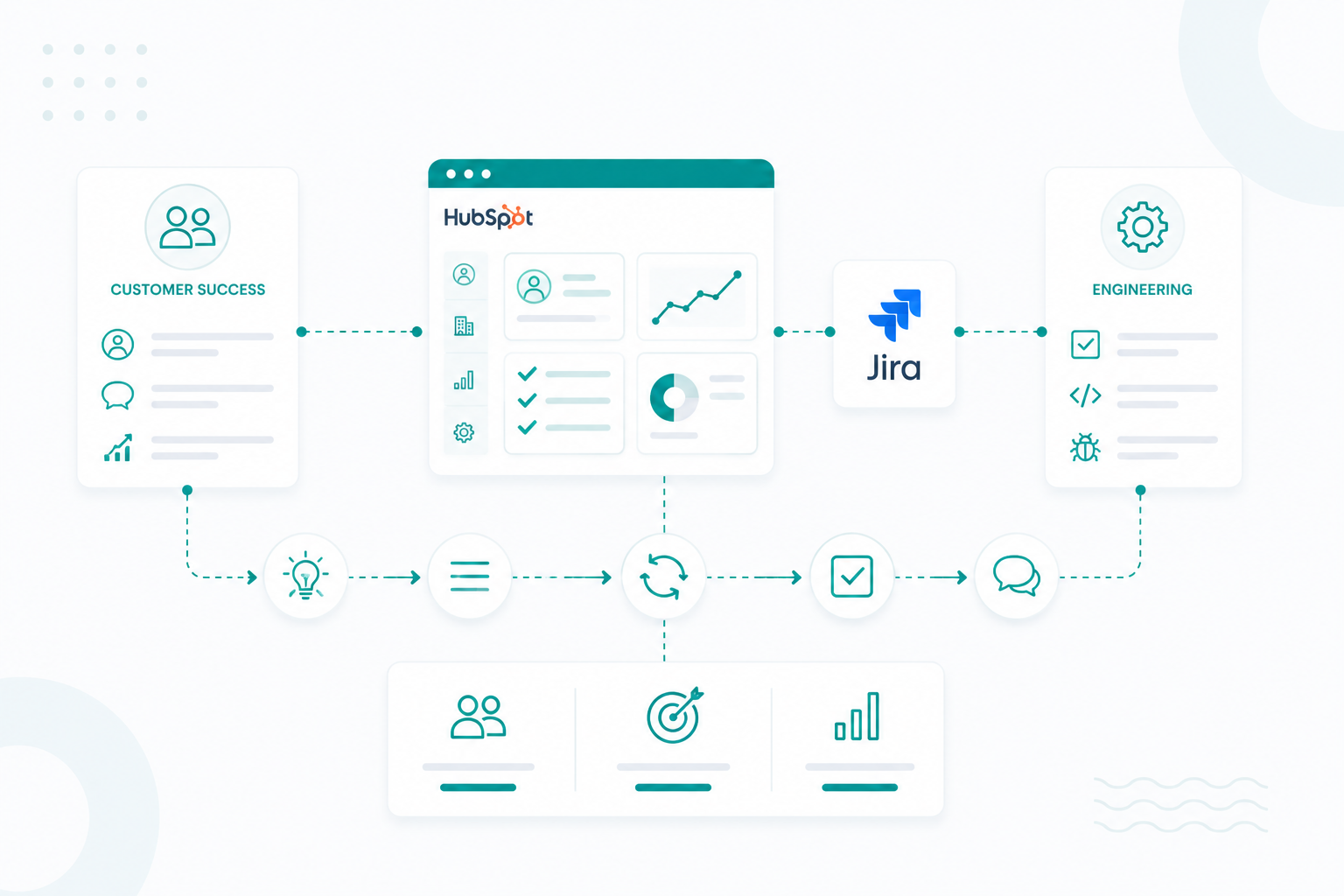
HubSpot and Jira help teams turn customer feedback into actionable product improvements. Customer-facing teams can capture requests in HubSpot, while Product and Engineering teams manage the related work in Jira with the customer context needed to make informed decisions.

A closed customer feedback loop usually works through four stages:

1. Customer feedback is captured and organized in HubSpot

Customer feedback usually starts before a product task exists. A Customer Success Manager may document an onboarding blocker during a customer call, a Support team member may create a ticket for a recurring issue, or a Sales representative may record a feature request from a prospect.

In HubSpot, this feedback can stay connected to important customer details such as:

  • Company record
  • Contact history
  • Lifecycle stage
  • Support interactions
  • Customer conversations
  • Account ownership

For example, if multiple enterprise customers request better reporting customization, Product teams can see that the request is connected to several high-value accounts instead of viewing it as a single feature idea.

2. Product teams review feedback with customer impact data

Before creating development work, Product teams need to understand the business impact behind each request.

HubSpot gives teams visibility into questions such as:

  • Which companies submitted this request?
  • Are affected customers still onboarding?
  • Are support teams repeatedly solving the same issue manually?
  • Is the limitation affecting renewals or customer expansion?
  • Is the request appearing across similar customer segments?

This helps teams prioritize based on customer impact instead of only looking at the number of requests received.

3. Validated requests are converted into Jira work items

After Product teams decide a request should move forward, the feedback can become a Jira issue connected to the original customer need.

For example:

  • A HubSpot ticket: “Customers cannot customize monthly reporting dashboards.”
  • Can become a Jira issue: “Add advanced dashboard customization options.”

The Jira issue can include context from HubSpot, such as affected customers, related conversations, priority level, and the reason behind the request. This gives Engineering teams visibility into the problem they are solving instead of only receiving a development task.

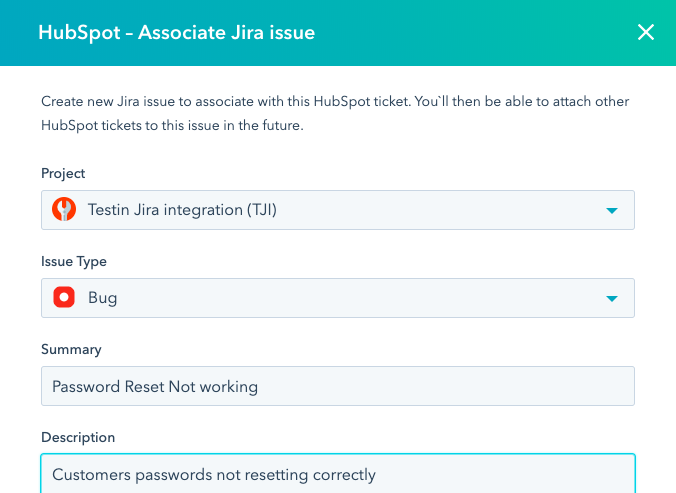
HubSpot helps teams to create a Jira issue directly from a customer ticket, keeping the original feedback connected to the development work that follows.

jira-issue-associate-to-hubspot-ticket

4. Product and Engineering manage progress in Jira

Once work moves into Jira, teams can manage development stages such as backlog review, prioritization, sprint planning, development, testing, and release. Customer-facing teams no longer need to ask Product teams for manual updates because Jira progress provides visibility into where the request stands.

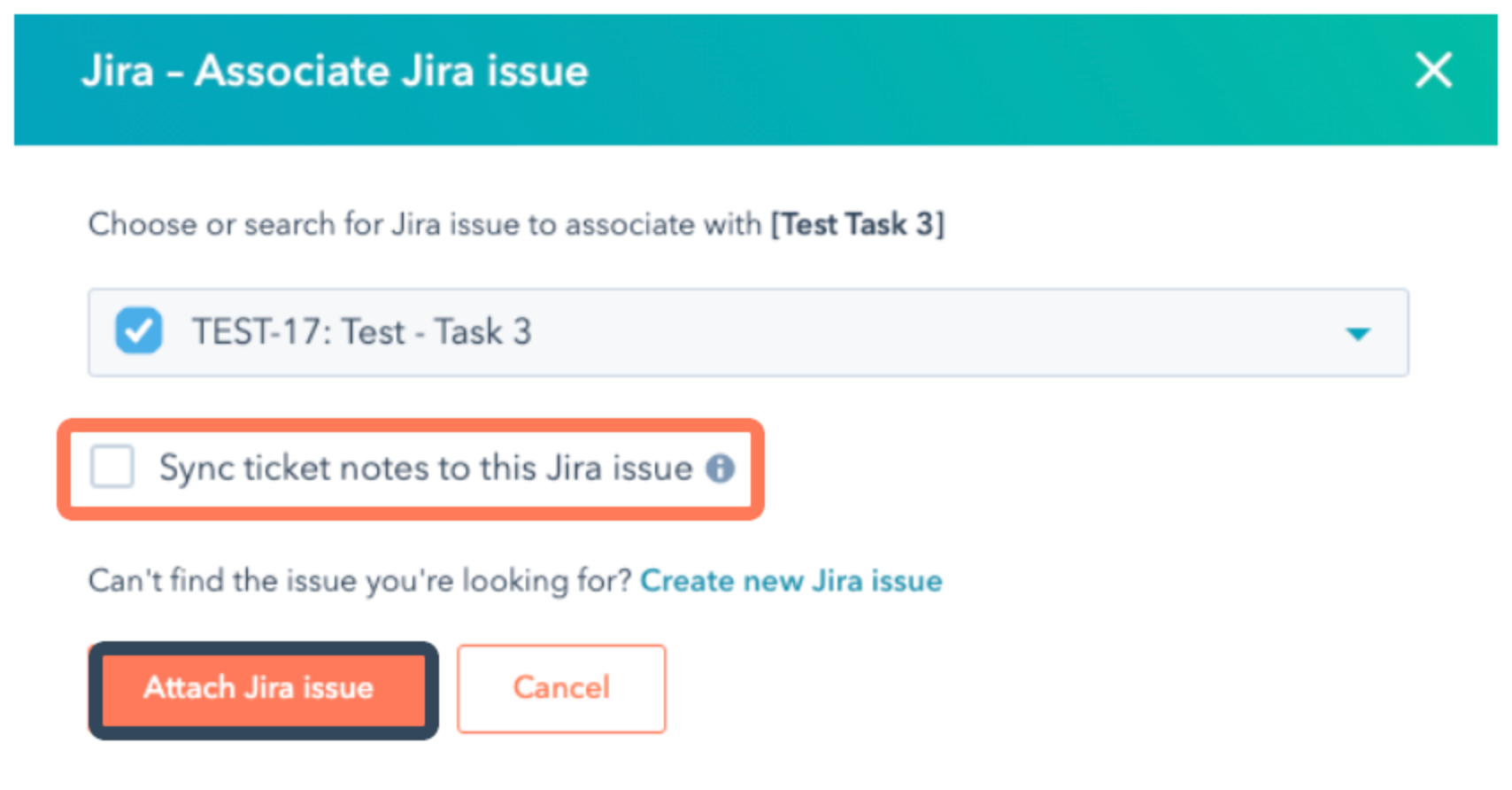
Teams can also connect HubSpot tickets to existing Jira issues, allowing customer conversations and development work to stay aligned without creating duplicate tasks.

sync-ticket-notes-jira-issue-hubspot

A connected HubSpot and Jira workflow gives SaaS teams a repeatable process for moving from customer conversation to product decision, development work, and customer communication.


What Role Does HubSpot Play in Understanding Customer Needs and Lifecycle Data

HubSpot helps SaaS teams organize customer feedback with the account details, conversations, and lifecycle data behind each request.

Connecting feedback to customer records

Customer feedback comes from different points in the customer journey. A new customer may report an onboarding challenge, an existing customer may request an improvement, and a prospect may ask about missing functionality during the sales process.

HubSpot helps teams to organize these insights alongside customer information such as:

  • Company details
  • Customer conversations
  • Support tickets
  • Lifecycle stage
  • Account activity
  • Previous interactions

They can now understand the customers and situations connected to that request instead of Product teams receiving a feature request without background information.

Understanding where feedback appears in the customer journey

The same product request can mean different things depending on when and why it happens.

For example, a reporting feature request from a new customer during onboarding may indicate an activation barrier. The same request from a long-term customer may represent a need for more advanced functionality as their usage grows.

HubSpot helps teams understand whether feedback is connected to onboarding friction, adoption challenges, retention risks, or expansion opportunities.

Building this level of visibility requires a HubSpot structure that supports more than sales activity. SaaS companies also need the right setup for products, customer success processes, partner relationships, and renewals. Learn how to structure HubSpot for SaaS products, renewals, partners, and customer success.

Prioritizing feedback based on customer impact

When feedback is connected with HubSpot data, teams can evaluate questions such as:

  • How many customers experience this issue?
  • Which customer segments are affected?
  • Are important accounts repeatedly requesting this improvement?
  • Does this issue create additional support volume?
  • Could solving this improve customer retention?

This helps teams prioritize product improvements based on impact instead of reviewing requests without context.

Identifying patterns across customer feedback

For example, several customers reporting difficulties with the same workflow may reveal a usability problem. Multiple feature requests from the same customer segment may highlight an opportunity to improve the product experience for that audience.

HubSpot helps teams organize these signals before they move into Jira, allowing Product and Engineering teams to work from clearer customer insights.


How Jira Helps Product and Engineering Teams Prioritize Customer Feedback

Jira gives teams a clear process for evaluating what needs to be fixed, improved, or added based on customer impact, technical requirements, and product priorities.

Turning customer feedback into structured development work

Customer feedback can include bug reports, feature requests, usability challenges, and product improvement ideas. Without a clear development process, these requests can become difficult to organize, compare, and prioritize.

Jira helps teams convert validated customer feedback into work items such as:

  • Bug investigations
  • Feature enhancements
  • Product improvements
  • Roadmap initiatives
  • Engineering tasks

Multiple HubSpot tickets about customers struggling with a reporting workflow can become a Jira issue focused on improving that specific product experience. Engineering teams gain clearer visibility into the customer problem behind each request, why the improvement matters, and the expected outcome.

Prioritizing product improvements based on impact and effort

Not every customer request should immediately become a product update. Product teams need to balance customer needs with development resources, technical complexity, and long-term product strategy.

Jira helps teams evaluate requests based on factors such as:

  • Customer impact
  • Urgency
  • Engineering effort
  • Technical requirements
  • Product goals

When Jira work is connected with customer insights from HubSpot, Product teams can prioritize with more complete information.

Connecting customer feedback to product roadmaps

Individual customer requests can reveal larger product opportunities when teams identify recurring patterns. For example, repeated requests for better user permissions may become part of a larger security and account management initiative rather than being handled as individual updates.

Jira helps Product teams organize related issues, connect customer feedback themes to larger initiatives, and plan improvements that support long-term product development.

Improving visibility between Product, Engineering, and customer-facing teams

Customer feedback processes often create communication gaps when teams cannot see what happens after a request moves into development. Jira gives teams visibility into ownership, development status, priority changes, and release progress.

Jira’s role in a connected feedback process creates the development structure SaaS teams need to prioritize the right improvements, align engineering work with customer needs, and turn feedback into better product experiences.

Examples of HubSpot and Jira Customer Feedback Workflows

Here are common scenarios where HubSpot and Jira create a stronger customer feedback process.

Scenario 1: Prioritizing a Feature Request

A Customer Success Manager notices that several customers are requesting more advanced reporting customization during onboarding and account review conversations.

In HubSpot, these requests can be connected to customer records, making it easier to understand:

  • Which accounts requested the feature
  • How often the request appears
  • Whether it affects adoption
  • Whether important customers are impacted

Product teams can review this context before creating development priorities. Once the request is validated, a Jira issue can be created to define requirements, assign ownership, manage development progress, and connect the improvement to the product roadmap.

Scenario 2: Resolving Recurring Product Issues

Support teams often identify product friction through repeated customer conversations and support tickets. For example, several customers may report difficulty completing the same setup step during onboarding. Viewed separately, each ticket may look like a small issue, but together they reveal a larger problem affecting customer adoption.

HubSpot helps teams identify patterns across customer interactions and understand which accounts are experiencing the issue. After the problem is reviewed, Jira provides the workflow for Engineering teams to investigate the issue, prioritize the fix, and track progress until release.

Scenario 3: Closing the Loop After Product Updates

The feedback process continues after Product and Engineering teams complete the work. When a requested improvement is released, Customer Success teams need to know which customers originally shared that feedback.

A connected HubSpot and Jira workflow helps teams track completed improvements and reconnect updates with the right customer accounts. For example, after Engineering releases a reporting enhancement, Customer Success can follow up with customers who requested that capability and provide a relevant update.

This creates a stronger customer experience because teams can show that feedback was reviewed, connected to product decisions, and used to guide improvements.

How Connected Feedback Improves Retention and Product Decisions

generate a professional working on a laptop showing customer feedback turning into product improvements. Customer requests flow into a shared process where teams review customer impact, prioritize the most important needs, create product updates, and share improvements back with customers through pop-up sabove him to show his progress, start-up vibes office brightly lit and cool tonee

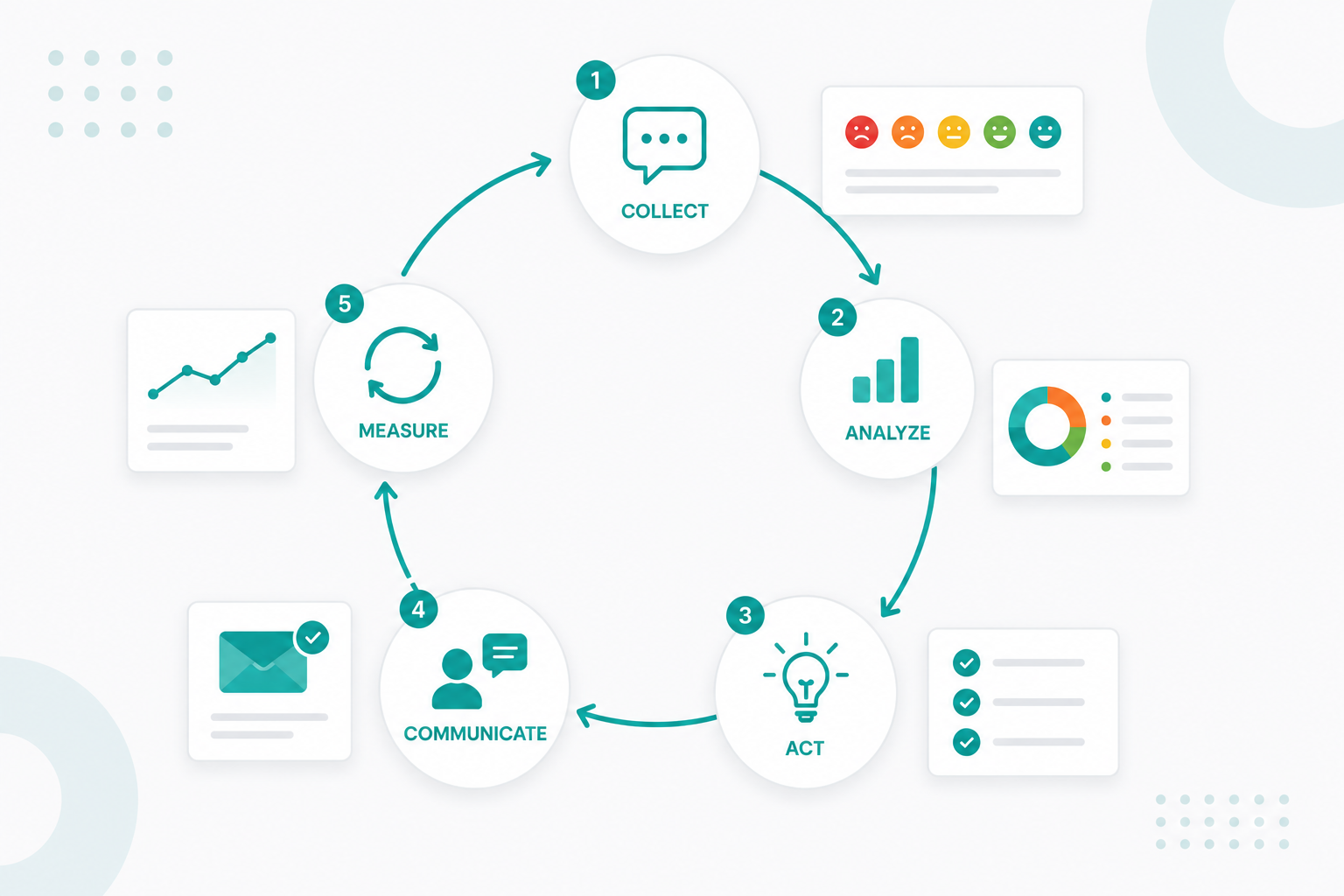
Customer insights from HubSpot give teams visibility into customer impact, while Jira helps Product and Engineering teams turn those priorities into planned improvements.

1. Prioritizing product decisions with customer and account data

Product teams often receive more requests than they can immediately build. Without customer context, it can be difficult to understand which requests represent the greatest opportunity or risk.

Connecting HubSpot and Jira helps teams to evaluate product decisions using information such as:

  • Number of affected customers
  • Customer segments requesting the change
  • Support tickets connected to the issue
  • Lifecycle stage of affected accounts
  • Renewal or expansion opportunities

A feature request connected to multiple customers struggling during onboarding may become a higher priority because it affects product adoption, not just because several users requested it.

2. Reducing retention risks caused by unresolved product issues

Customer frustration often appears through support tickets, success conversations, and repeated product questions before it becomes a retention problem. HubSpot helps teams identify recurring issues across customer interactions, while Jira gives Product and Engineering teams a process for investigating and resolving those issues.

If several customers submit tickets about difficulties setting up user permissions, teams can identify the pattern, prioritize the improvement in Jira, and update affected customers once the issue is resolved.

Customer feedback is only one part of protecting retention. SaaS teams also need a clear renewal process that tracks customer health, upcoming decisions, and expansion opportunities. Learn how to build a scalable HubSpot renewal pipeline for SaaS companies.

3. Creating a repeatable customer feedback system as SaaS companies grow

As SaaS companies add more customers, feedback volume increases across support tickets, sales conversations, and account management activities.

HubSpot and Jira process gives teams a structured way to collect feedback, identify recurring themes, prioritize development work, and communicate product changes back to customers. This creates a feedback system where product improvements are connected to real customer needs, not scattered requests across different teams and tools.

Build a Stronger Customer Feedback Process With HubSpot and Jira

A connected HubSpot and Jira workflow helps SaaS companies turn customer feedback into a structured process across Customer Success, Support, Product, and Engineering teams. With customer context connected to development workflows, teams can prioritize product improvements, maintain visibility, and create stronger customer experiences.

If your organization needs a better way to connect customer feedback, product priorities, and internal workflows, the right HubSpot and Jira setup can help your teams create a more scalable process for managing customer insights.

Campaign Creators help SaaS companies build connected HubSpot systems that align teams, improve operational visibility, and support better customer experiences throughout the customer lifecycle.

Frequently Asked Questions

What customer information can be shared between HubSpot and Jira?

Teams can connect information such as ticket details, customer requests, issue updates, comments, and related customer records between HubSpot and Jira.

Does HubSpot replace Jira for product teams?

No. HubSpot manages customer relationships and feedback context, while Jira manages product development tasks, engineering workflows, and release processes.

Can Customer Success teams track Jira updates inside HubSpot?

Yes. Connecting HubSpot and Jira gives customer-facing teams visibility into issue progress so they can provide better updates to customers.

Can multiple HubSpot tickets connect to one Jira issue?

Yes. Teams can connect related customer tickets to Jira issues to understand how many customers are affected by the same product request.

What types of feedback should move from HubSpot into Jira?

Common examples include recurring bugs, feature requests, usability issues, customer blockers, and product improvement opportunities.

What is the difference between a HubSpot ticket and a Jira issue?

A HubSpot ticket usually represents a customer request or support need, while a Jira issue represents the product or engineering work required to address it.

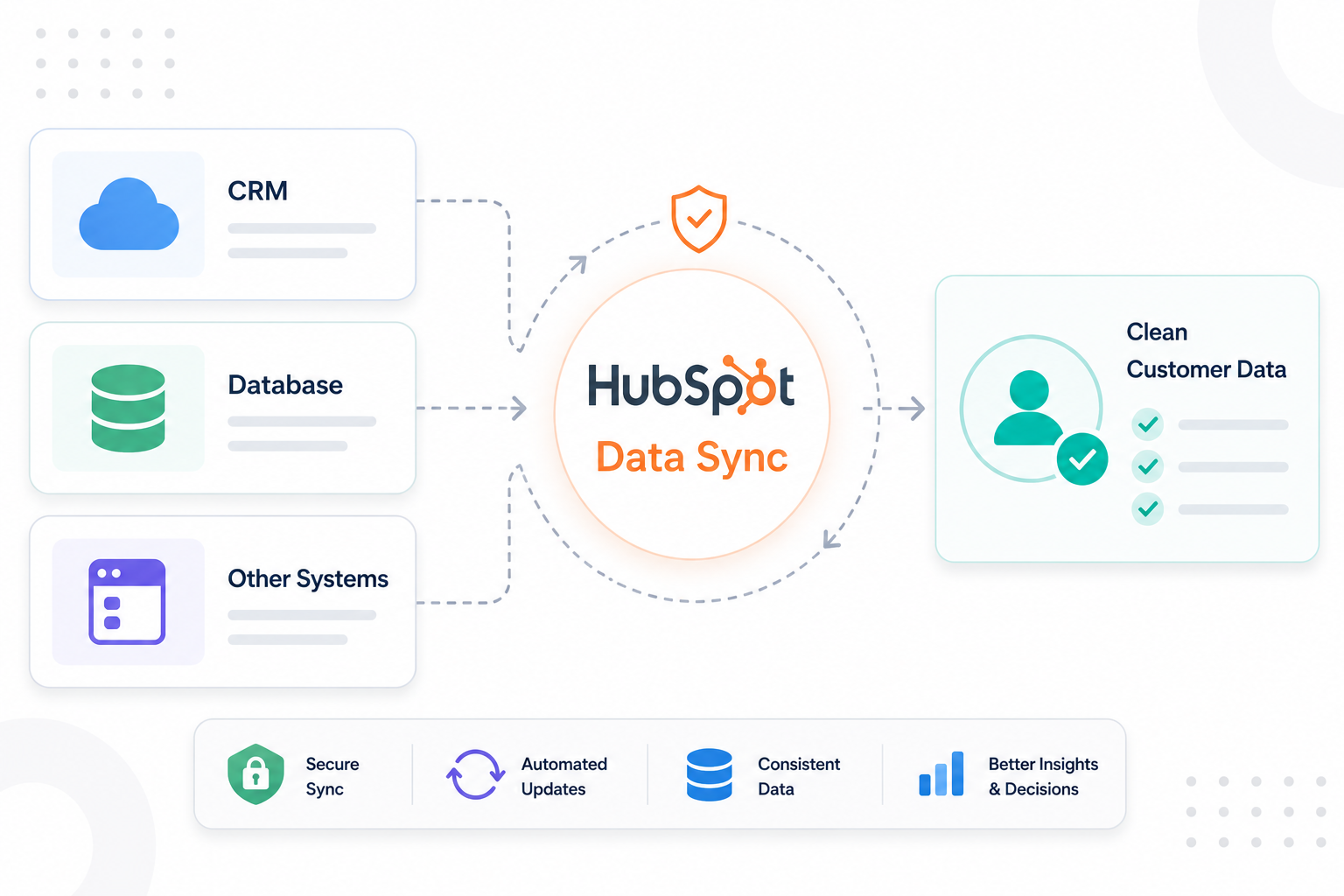
HubSpot Data Sync for IT Teams: How to Keep Customer Data Clean Across Systems

HubSpot Data Sync for IT Teams: How to Keep Customer Data Clean Across Systems

IT teams use HubSpot alongside platforms like Salesforce, NetSuite, Zendesk, ERP systems, support tools, and internal databases. As customer data...

Read More
When Should Technology Companies Use HubSpot Custom Objects?

When Should Technology Companies Use HubSpot Custom Objects?

Technology companies can use HubSpot custom objects once standard CRM records can no longer support how the business operates. For SaaS companies,...

Read More
How to Automate Order and Customer Data Sync Between ShipStation and HubSpot

How to Automate Order and Customer Data Sync Between ShipStation and HubSpot

Many companies rely on multiple platforms to manage customer information, orders, shipping activity, and post-purchase communication. Problems emerge...

Read More