.png?width=420&height=121&name=cc-logo-color%20(2024).png "Campaign Creators - logo in dark blue and transparent background")


 Campaign Creators
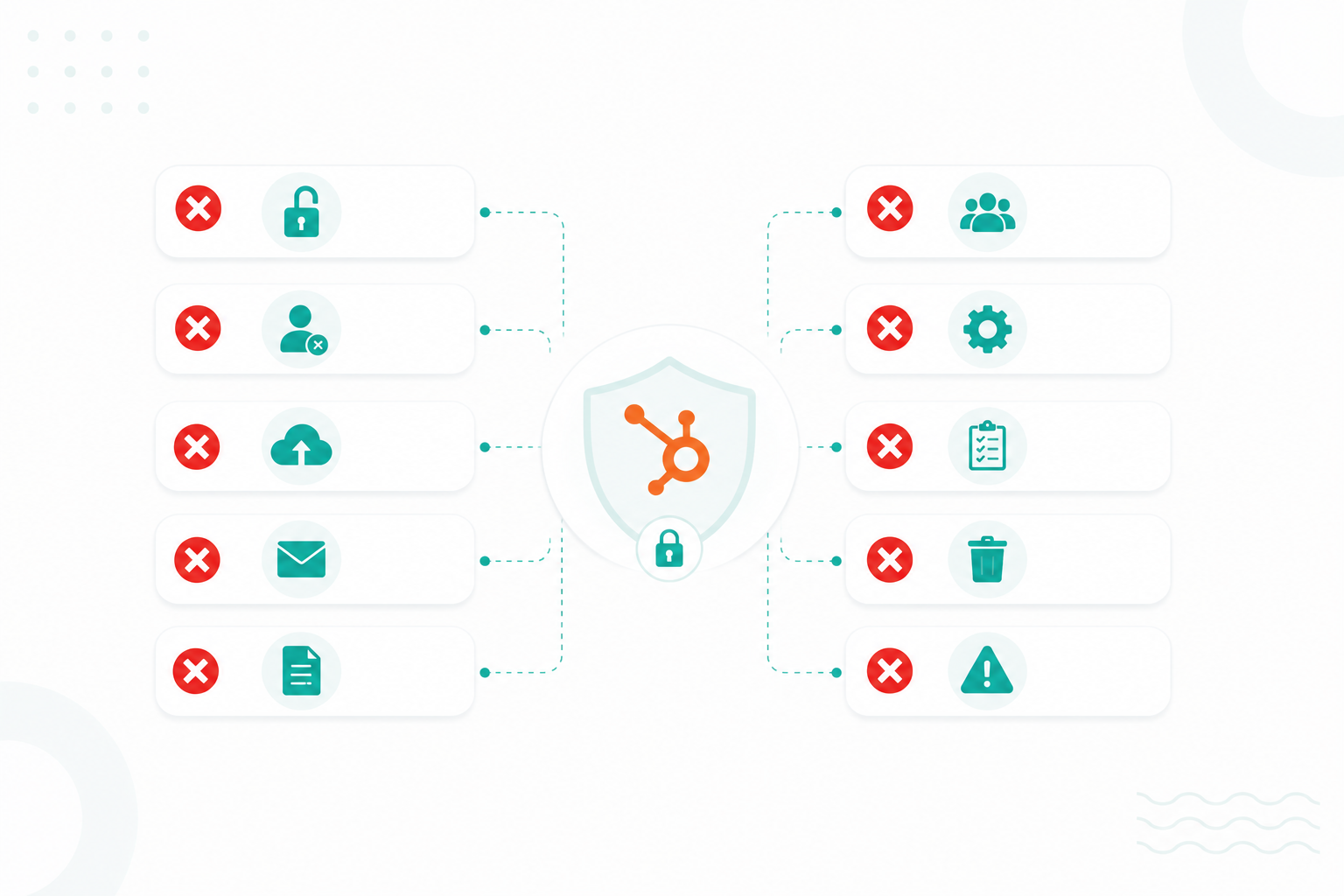
Protected health information (PHI) can become exposed in HubSpot in more ways than many healthcare organizations realize. Common mistakes, such as storing patient information in the wrong properties, granting excessive user access, collecting unnecessary sensitive data, connecting unreviewed integrations, or including PHI in emails, can create compliance risks that are often overlooked until an investigation or security incident occurs.
Most of these issues are preventable. With the right configuration, access controls, governance processes, and ongoing monitoring, healthcare organizations can significantly reduce the risk of unauthorized disclosures and better control how PHI is collected, accessed, and shared throughout the platform.
This guide explains the common PHI mistakes healthcare organizations make in HubSpot, along with practical steps to help reduce compliance exposure.
Key Takeaways
- Patient information can be exposed when it is stored in unsecured HubSpot fields, shared with too many users, or connected to tools that have not been properly vetted.
- HubSpot's security features can help protect PHI, but they must be configured and managed properly.
- Integrations, automations, AI tools, and data exports are common sources of PHI exposure.
10 Common PHI Mistakes in HubSpot That Can Lead to Compliance Issues
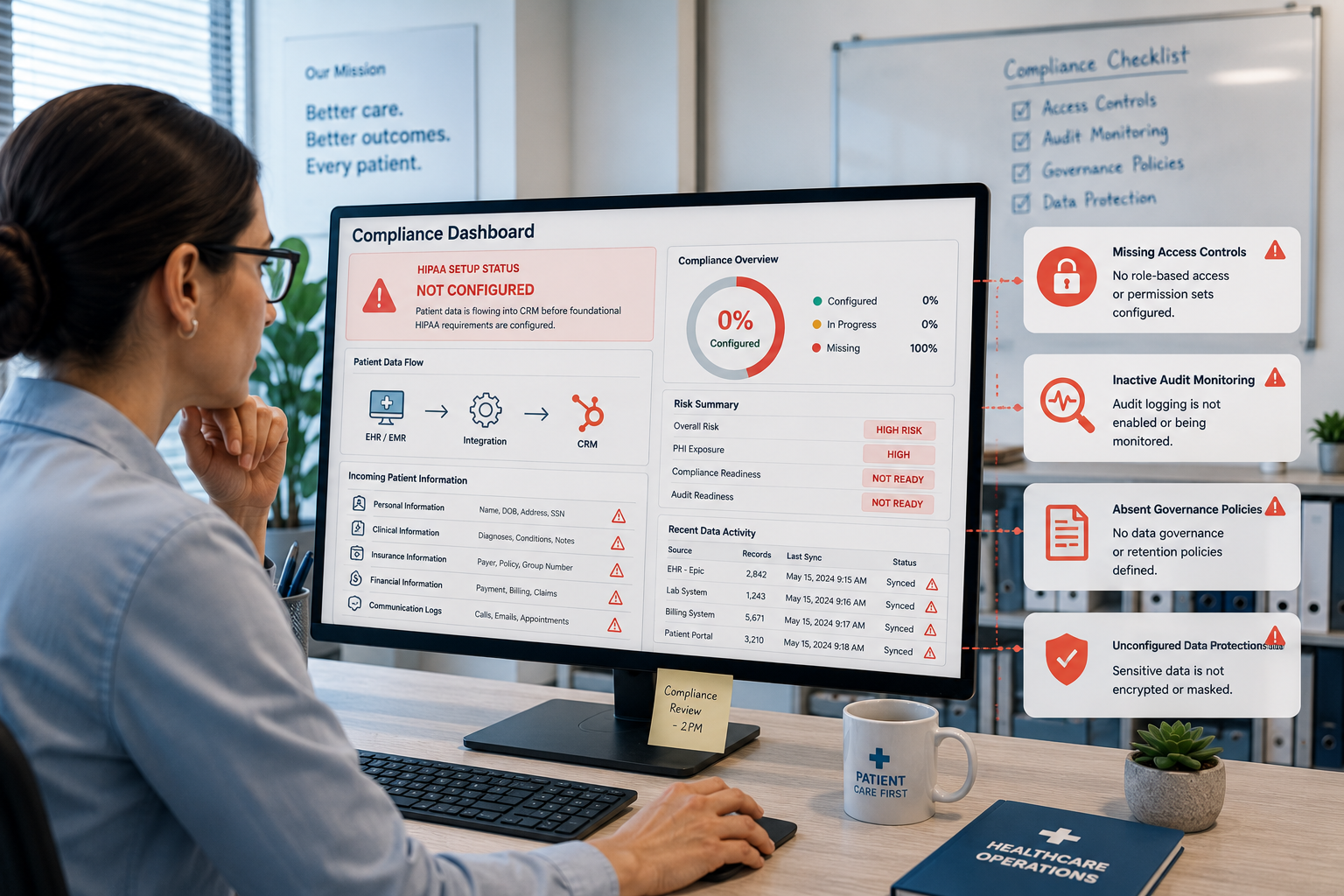
1. Assuming HubSpot Is HIPAA Compliant By Default
Many organizations assume that HubSpot becomes HIPAA compliant as soon as they purchase an eligible plan. That is not how HIPAA compliance works.
HubSpot offers features to support HIPAA compliance, but your organization is responsible for how the platform is used. You also need to configure it first with HubSpot’s settings.
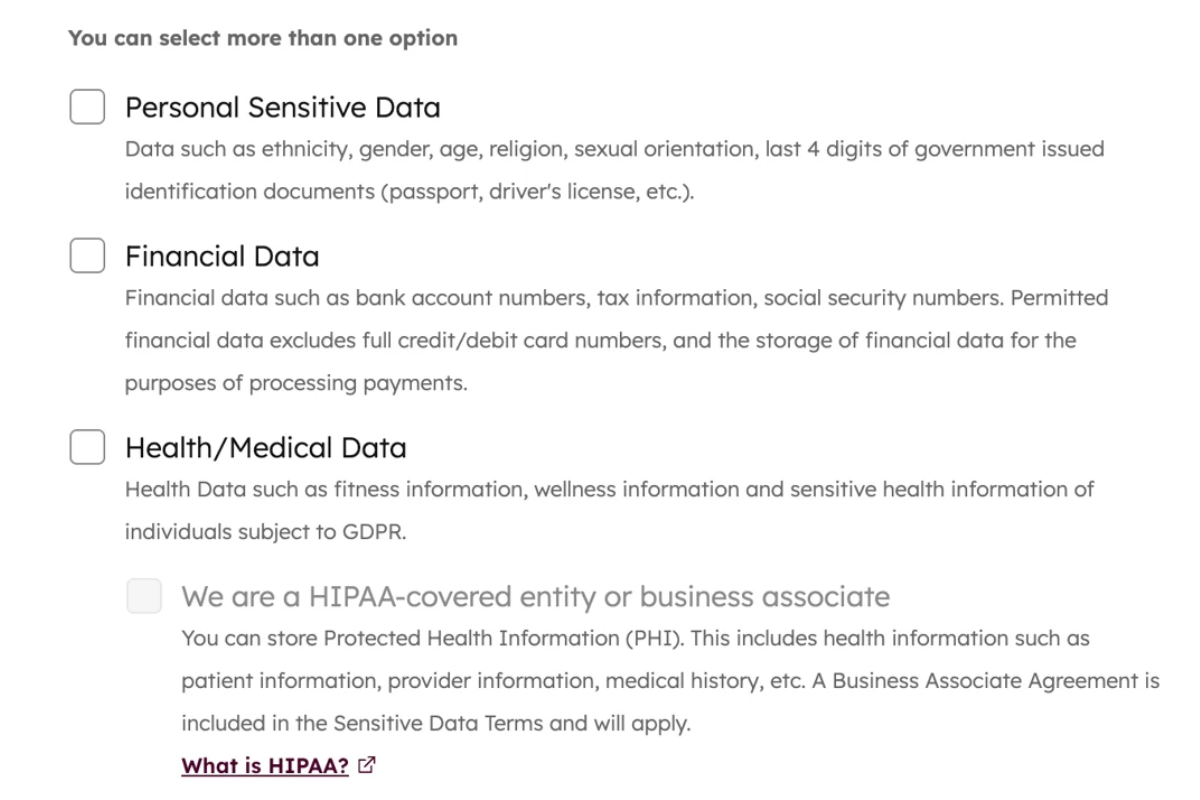
If PHI is stored in the wrong tools, shared with unauthorized users, or sent through unsupported integrations, compliance issues can still occur.
Before storing PHI in HubSpot, you should understand which features are covered under your agreement, who can access patient information, and how data will move throughout your systems.
2. Collecting More PHI Than Necessary
One of the easiest ways to increase compliance risk is to collect information that is not needed. Every piece of PHI your organization collects must be protected, monitored, and managed.
Requesting medical histories, diagnoses, treatment details, or insurance information when it is not required increases your compliance obligations and expands the amount of sensitive data that could be exposed during a security incident.
3. Saving PHI in Standard Contact Properties
HubSpot contact records make it easy to store information, but not every field is appropriate for PHI. When sensitive information is entered into standard properties, notes, or custom fields, it can become visible across reports, lists, workflows, and other areas of the platform.
As that information spreads throughout the CRM, it becomes more difficult to control access and maintain proper oversight.
4. Giving Too Many Users Access to PHI
Not every employee needs access to patient information. A common mistake is granting broad permissions to large groups of users for convenience. The more people who can view PHI, the greater the risk of accidental disclosures, unauthorized access, or human error.
Access should be limited to designated super admins and individuals who need the information to perform their job responsibilities.
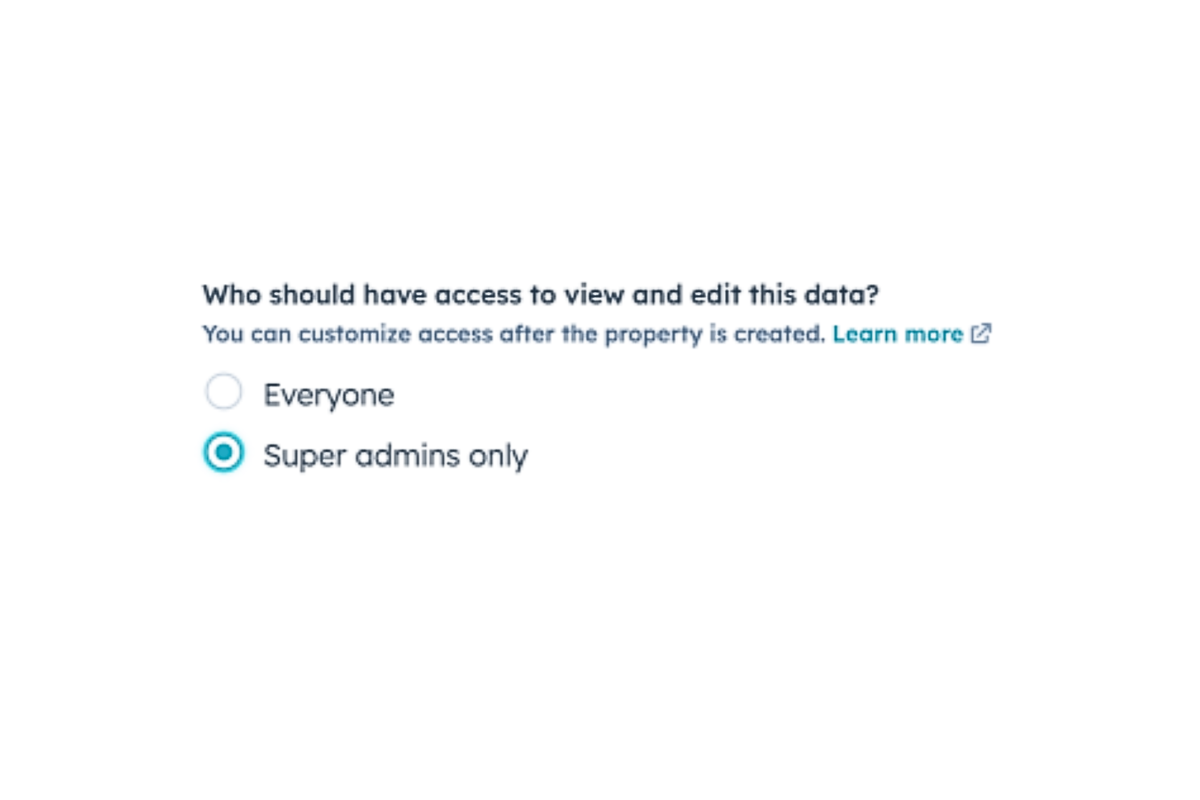
This helps maintain consistent access controls, reduces the risk of excessive permissions, and supports compliance with healthcare privacy requirements.
5. Including PHI in Marketing Emails
Marketing emails are designed for engagement, not for sharing sensitive medical information. Including treatment details, diagnoses, medications, appointment information, or other PHI in email content can create compliance risks if the message is sent to the wrong address, forwarded to another person, or viewed on a shared device.
Even when email systems are secure, the content of the message itself may expose protected information.
Read this informative guide: EHR Data for Patient Segmentation
6. Connecting PHI to Third-Party Integrations Without Review
Many organizations connect HubSpot to scheduling tools, customer support platforms, communication software, analytics systems, and other applications. Each integration creates another pathway for data to leave HubSpot. If those platforms are not evaluated carefully, PHI may be shared with systems that do not have appropriate security controls or compliance safeguards in place.
Before connecting any application to HubSpot, organizations should understand exactly what data will be transferred and where it will be stored.
7. Using Forms That Collect Sensitive Information Unnecessarily
Online forms often become a source of unnecessary PHI collection. Patients may provide detailed medical histories, symptoms, diagnoses, medications, or treatment information through forms even when that level of detail is not needed.
The more sensitive information a form collects, the more compliance responsibilities the organization takes on. Forms should only request information that serves a clear business or operational purpose.
8. Storing Call Recordings and Conversation Transcripts Without Oversight
Call recordings and conversation transcripts frequently contain highly sensitive patient information. Patients often discuss symptoms, diagnoses, medications, insurance information, and treatment plans during conversations.
When recordings accumulate over time without clear retention policies or access controls, organizations may end up storing large volumes of PHI that few people actively manage or review.
9. Failing to Monitor Exports and Data Downloads
Organizations often focus on protecting data inside HubSpot but overlook what happens after information is exported.
Reports, contact lists, spreadsheets, and downloaded records can easily be shared, copied, emailed, or stored on unsecured devices. Once data leaves the platform, it may no longer be protected by the same controls that exist within HubSpot. Monitoring and restricting exports can help reduce this risk.
10. Keeping PHI Indefinitely
Keeping PHI longer than necessary increases both compliance and security risks. Inactive contacts, outdated patient inquiries, old form submissions, and historical records often remain in the CRM long after they are needed.
Every unnecessary record increases the amount of sensitive information that must be protected. Establishing a clear data retention policy helps reduce risk and limits the amount of PHI stored over time.
You may also find this article helpful: How Healthcare Brands Are Using AI Without Breaking Compliance
Could Missing HIPAA Setup Requirements Put PHI at Risk?
Yes. Missing foundational HIPAA requirements can expose PHI even if HubSpot security features are enabled within your account. HIPAA compliance depends not only on the platform's security capabilities but also on how the account is configured, managed, and governed.
Before PHI enters HubSpot, several foundational requirements should be in place to help reduce compliance risks and support the proper handling of sensitive health information:
|
HIPAA Requirement |
Purpose |
|
Business Associate Agreement (BAA) |
Defines responsibilities between parties handling PHI |
|
Sensitive Data Settings |
Identifies and protects regulated information |
|
User Access Controls |
Restricts PHI visibility |
|
Audit Monitoring |
Tracks user activity |
|
Data Governance Policies |
Establishes approved PHI handling procedures |
A healthcare organization should verify each requirement before collecting patient information inside the platform. Compliance gaps often begin during implementation rather than daily usage.
Where Integrations, Automations, and AI Create Hidden Compliance Gaps
Integrations, automations, and AI tools can create hidden HIPAA compliance risks, even when HubSpot itself is configured properly.
PHI often moves between HubSpot and connected systems such as scheduling platforms, patient portals, email tools, analytics software, and reporting applications. Each integration creates another location where PHI may be stored, shared, or accessed.
Automated workflows can also expose PHI if sensitive information is sent to the wrong users, systems, or communications channels. AI tools introduce additional risks when PHI is entered into prompts or processed without proper controls and oversight.
To reduce these risks, healthcare organizations should regularly review all integrations, automations, and AI-enabled tools connected to HubSpot and understand exactly how PHI flows across their systems.
How You Should Control Access, Monitoring, and PHI Governance
Healthcare organizations should follow a least-privilege access model supported by monitoring and documented governance policies. A least-privilege model gives users only the permissions required to perform their responsibilities.
Administrative access should be limited to designated super admins and other authorized personnel whose roles require elevated permissions.
Strong governance typically includes:
- Role-based permissions to limit access based on job responsibilities
- Two-factor authentication (2FA) to strengthen account security. This may vary depending on your HubSpot subscription level and country.
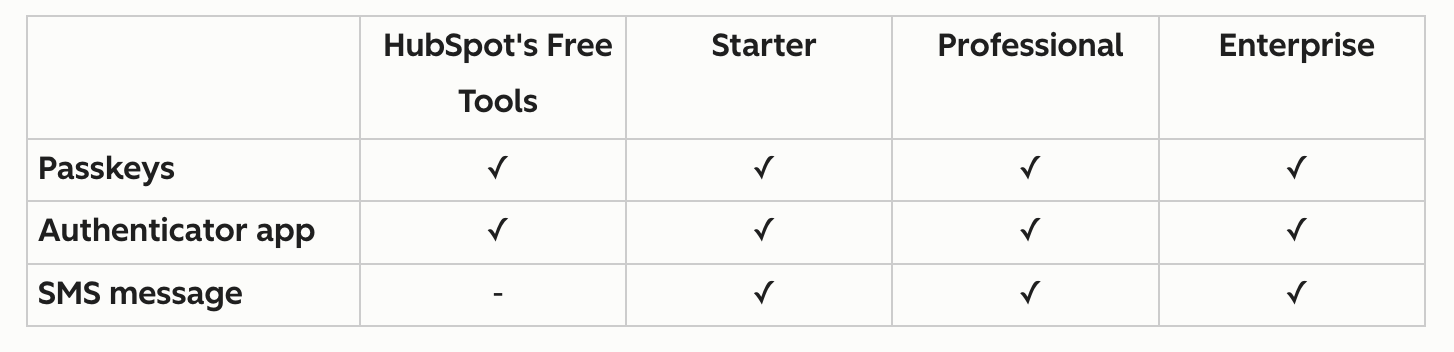
- Audit log monitoring to track user activity and identify suspicious behavior
- Documented PHI handling procedures that define how sensitive information should be collected, stored, used, and shared
- Employee security training to help staff recognize compliance risks and follow approved procedures
- Incident response planning to establish clear steps if a security or compliance issue occurs
Organizations should review login activity, permission changes, exports, workflow modifications, and integration behavior. Without governance, technical safeguards operate in isolation and become difficult to enforce consistently.
What Your HIPAA-Compliant HubSpot Configuration Should Include
A HIPAA-compliant HubSpot environment should include controls that protect PHI, limit access to authorized users, monitor activity, and manage how sensitive information moves throughout the platform.
A properly configured environment typically includes:
|
Configuration Area |
Recommended Approach |
|
Sensitive Data |
Enable sensitive data features before storing PHI |
|
Business Associate Agreement (BAA) |
Execute a BAA with HubSpot before PHI enters the platform |
|
User Permissions |
Use role-based access controls and least-privilege permissions |
|
Authentication |
Require multi-factor authentication (MFA) for all users |
|
Monitoring |
Review audit logs and user activity regularly |
|
Integrations |
Evaluate connected systems for HIPAA compliance before use |
|
Workflows |
Audit automations to prevent unauthorized use or disclosure of PHI |
|
Data Retention |
Establish policies for retaining and deleting PHI |
Each part of the environment should work together to support the secure handling of patient information throughout its lifecycle.
7 Ways Healthcare Teams Can Better Protect PHI in HubSpot
1. Turn On Sensitive Data Settings Before Importing PHI
PHI should only be added to HubSpot after sensitive data settings have been enabled and configured properly.
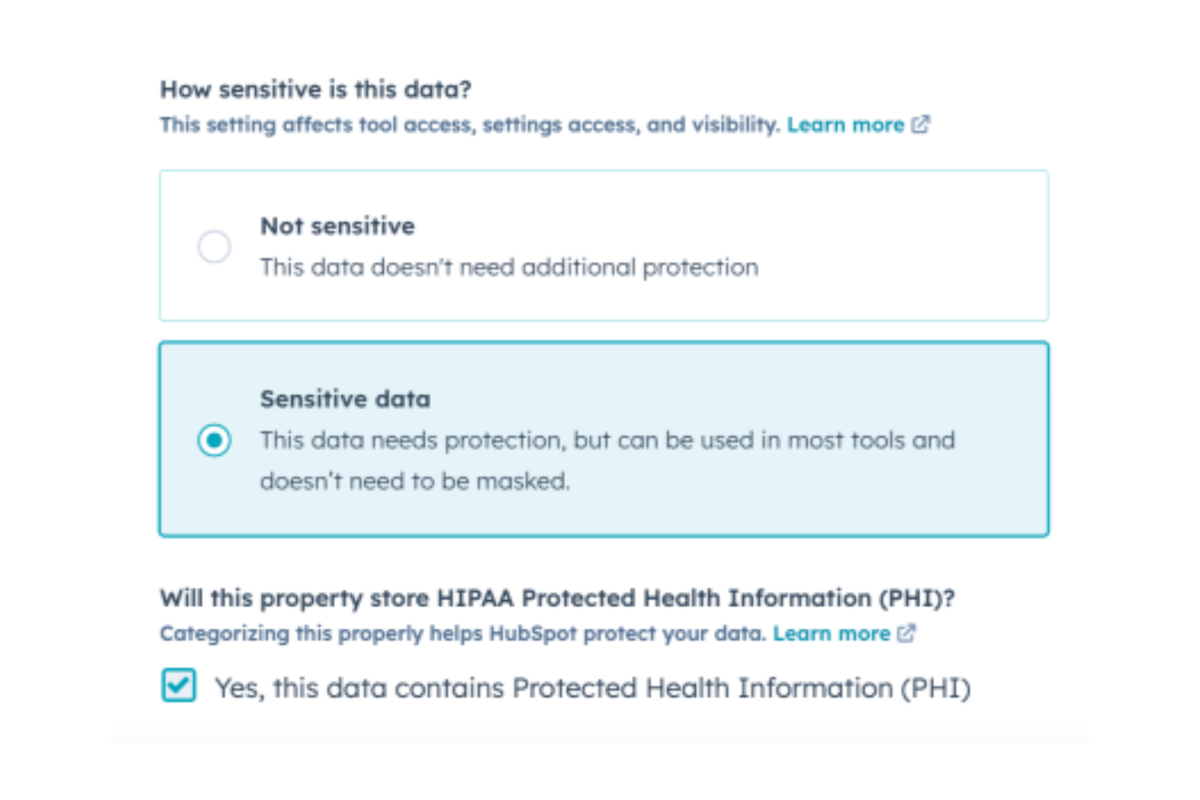
A common mistake occurs during CRM migrations when patient information is imported into standard properties instead of sensitive data properties. Fixing this later can require significant cleanup and data migration work.
Before storing PHI, healthcare organizations should identify themselves as a covered entity or business associate within HubSpot and enable the appropriate health data settings.
2. Review Every Integration That Touches PHI
Create a quarterly integration review that documents:
- What data does each integration receive
- Whether PHI enters the application
- Who can access that information
- Whether a BAA exists
- Whether the integration still serves a business purpose
Many healthcare organizations discover dormant integrations that continue receiving patient data long after they stop being actively used.
3. Audit Workflows Before They Scale PHI Across Systems
A workflow that automatically sends form submissions, creates tickets, updates records, and triggers notifications can distribute PHI across multiple systems in seconds. Every automation should be reviewed to identify:
- What PHI enters the workflow
- Where the information travels
- Which users can access it
- Which connected systems receive it
Organizations often focus on securing the original record while overlooking the copies created through automation.
4. Monitor High-Risk User Activity
Monitoring should focus on actions that create the greatest compliance risk. Review large contact exports, permission changes, new integrations, workflow modifications, unusual login activity, and bulk record updates.
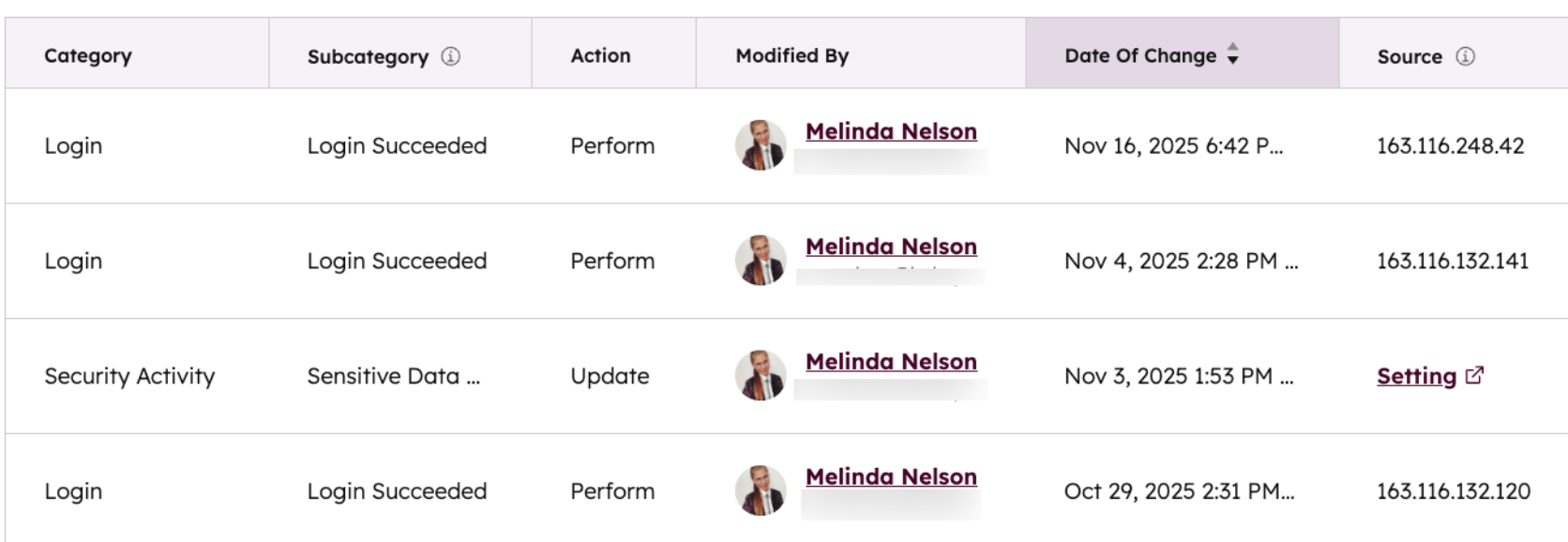
HubSpot's audit logging and access controls can help organizations track these activities and identify suspicious behavior earlier.
5. Establish a PHI Retention and Deletion Policy
Many healthcare organizations retain inactive patient inquiries, outdated intake forms, and old marketing records long after they serve a useful purpose. Those records increase exposure during audits, investigations, and security incidents.
Create retention rules that define:
|
Data Type |
Recommended Review Question |
|
Patient inquiries |
Is this information still needed? |
|
Intake forms |
Does a retention requirement exist? |
|
Marketing contacts |
Is there an active relationship? |
|
Attachments |
Does the file still support patient care or operations? |
|
Archived records |
Should the data be deleted or anonymized? |
6. Create a Formal PHI Governance Process
The strongest healthcare organizations treat PHI governance as an operational process rather than a technology feature. Assign ownership for user access reviews, integration approvals, workflow audits, incident response, data retention reviews, and AI governance decisions. This creates accountability across the organization and prevents compliance responsibilities from becoming fragmented across departments.
7. Evaluate AI Tools Before Connecting Them to PHI Workflows
AI adoption is creating new compliance challenges across healthcare organizations. Before connecting AI-powered tools to HubSpot, document:
- What data enters the model
- Whether PHI is processed
- How information is retained
- Who can access outputs
- Whether audit trails exist
Special attention should be given to AI chatbots and conversational AI tools. These systems often interact directly with patients, collect information through conversations, answer questions, and generate responses based on user input.
Recent healthcare AI research has raised concerns about how AI systems handle sensitive patient information, particularly when organizations lack visibility into data processing, retention, access controls, and audit logging. These findings reinforce the need to evaluate AI tools with the same level of scrutiny applied to any other system that may access or process PHI.
By following these practices, healthcare organizations create multiple layers of protection around PHI rather than relying on a single security control. That approach helps reduce exposure across users, workflows, integrations, and emerging technologies while supporting a more defensible HIPAA compliance program.
Strengthen HIPAA Compliance in HubSpot!
If your organization needs a more secure approach to managing PHI in HubSpot, start with a review of your sensitive data settings, user permissions, integrations, automations, and governance policies. Small configuration issues can create significant compliance risks if they remain unnoticed across multiple teams and systems.
Campaign Creators help healthcare organizations build HubSpot environments that support both growth and compliance objectives. From HIPAA-focused CRM implementations to workflow audits and integration reviews, our team helps reduce PHI risk while creating a more reliable foundation for patient engagement.
