Many organizations migrate to HubSpot expecting cleaner data and more reliable reporting. Instead, they end up with dashboards that don’t match reality. This happens because a CRM migration is not just a technical data transfer. It is a structural rebuild of how your data connects, flows, and supports reporting across your business.
By default, HubSpot organizes data into separate objects like Contacts, Companies, and Deals. If these are not intentionally connected during migration, your reports stay fragmented. You cannot accurately track which marketing efforts drive revenue, or how leads progress into closed deals.
When data is moved without proper auditing and mapping, inconsistencies become embedded in your system. To build reporting you can trust from day one, your migration needs to be designed around how data connects across objects. This guide walks you through how to do that step by step.
Step 1: Audit Your Current CRM Data Before Migration
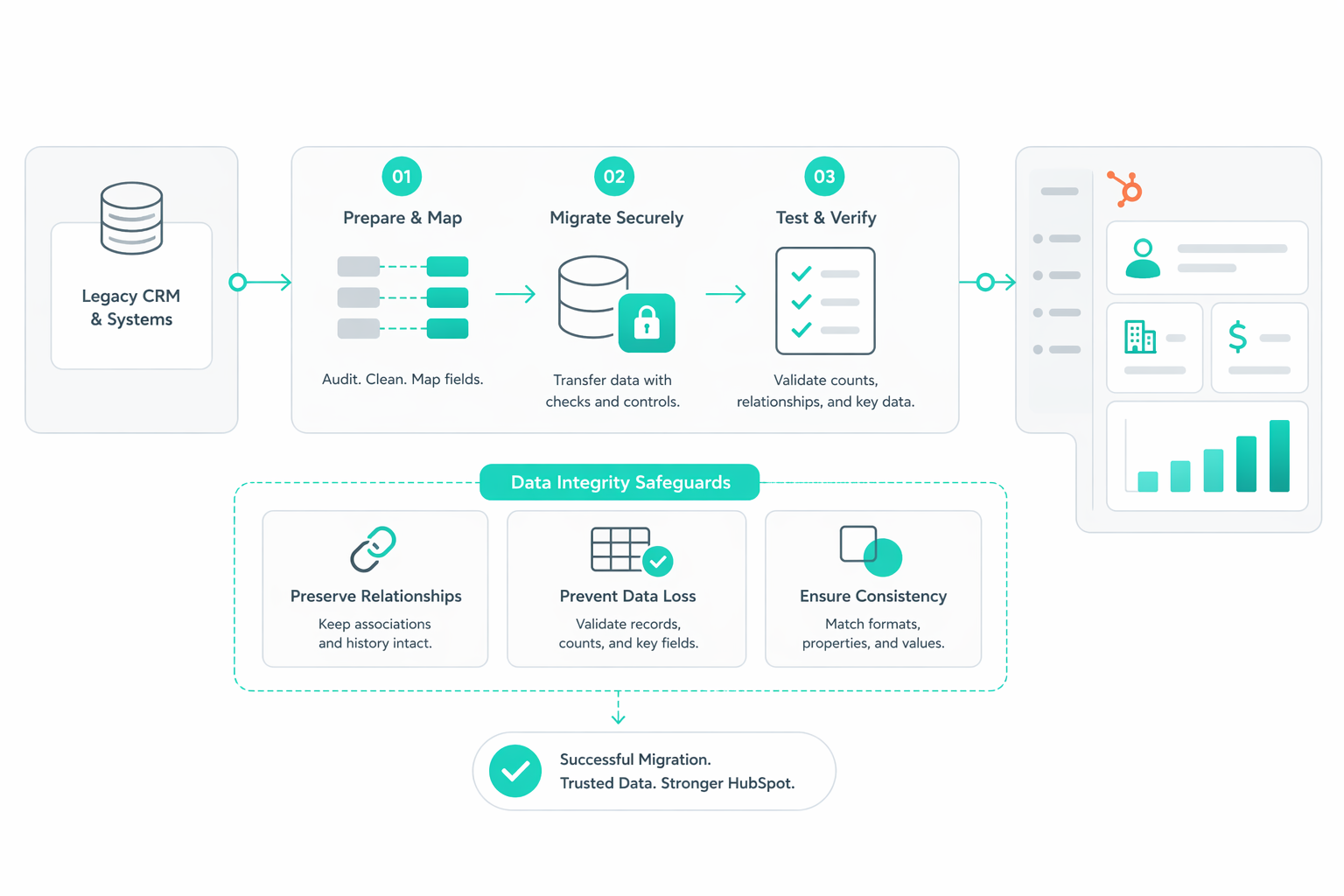
The success of a CRM migration is determined long before the first record is imported. To avoid a "garbage in, garbage out" scenario, you must perform an audit of your legacy system's data quality and architecture.

Conduct a Comprehensive Data Assessment
Assess the volume, completeness, and consistency of your current data. This involves identifying redundant, obsolete, or junk data that should be purged rather than migrated.
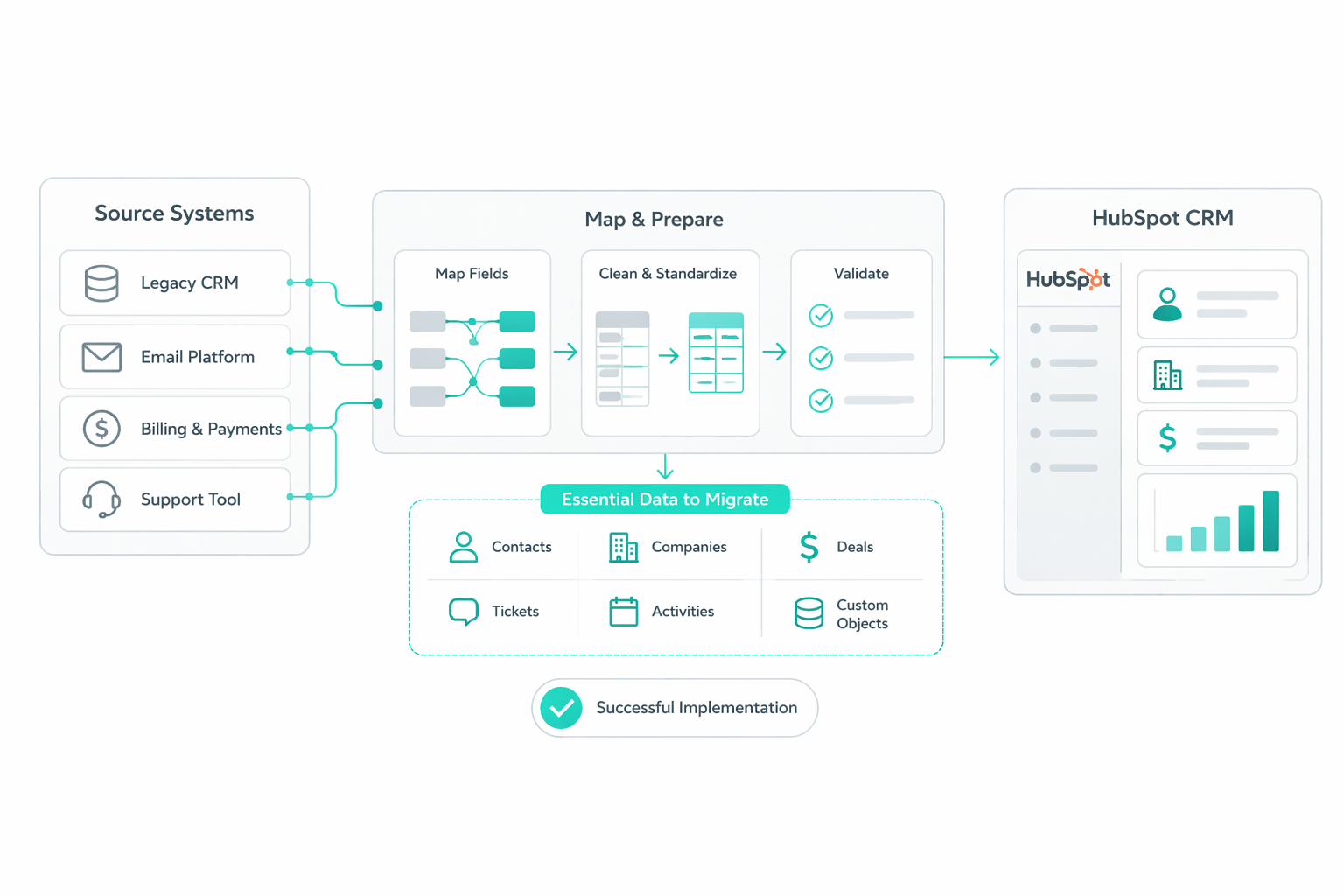
Document an Entity Relationship Diagram (ERD): Map out every object type being migrated, such as contacts, companies, deals, and custom objects, to understand how they relate to one another.
Create a Data Mapping Matrix: This document serves as your source of truth, mapping every field in your legacy system to its corresponding HubSpot field and flagging any data points without a clear landing spot.
Identify and Fix "Dirty Data" Upstream
Inconsistent deal stages or missing lead sources will be presented as facts in your new reports if not corrected before the move. During your audit, check these four critical areas:
- Lead Sources: Ensure they are filled in consistently on every contact record.
- Deal Stages: Verify that all reps use the same terminology and process for moving deals forward.
- Close Dates: Check if close dates are set at deal creation or left blank, as missing dates will break your forecasting reports.
- Internal Records: Identify test contacts and internal records to exclude from your final production views.
Additionally, pay attention to null values in your current system; if a critical field like "Cost of Goods Sold" is missing, it will cause errors in HubSpot's calculated formula fields later.
Establish Pruning and Archiving Rules
You do not need to bring over every log ever recorded. Moving unnecessary legacy data adds high cost and complexity with very little benefit.
- The Activity Rule: Consider importing only contacts who have shown activity within the last two years.
- The "Trim the Fat" Strategy: Archiving old leads or deals outside of HubSpot can lower your contact tier costs and ensure your new CRM isn't cluttered from day one.
Plan for the "Gap Period" and Delta Migrations
One of the most overlooked aspects of an audit is the data gap. The period between your initial data export and the actual go-live date. If your team continues working in the old system while you clean and map data, you will lose a week or more of new activity.
To solve this, your audit must include a plan for a delta migration, a second, targeted import that captures only the records created or updated during that transitional gap. Building this into your plan from the start prevents a frantic, manual cleanup after you launch.
Step 2: Map Your Data Structure to HubSpot Properly
Once your audit is complete, turn your findings into a structured system that supports reporting, automation, and scalability.

Translate Your Audit Into a Functional Data Model
Your audit already identified objects, relationships, and gaps. Now, you need to finalize how those relationships will operate inside HubSpot, not just document them.
Use your existing ERD to validate:
- Whether relationships reflect real business processes
- Whether any relationships need to change to support reporting
- Whether additional objects are required to avoid forcing mismatched data into the wrong structure
This step is about making structural decisions, not rediscovering your data.
Define Where Data Lives in HubSpot
Now decide how your data is distributed across HubSpot’s architecture:
Standard Objects (Contacts, Companies, Deals, Tickets): Use these when the data directly supports sales, marketing, or service workflows.
Custom Objects: Use these when your data represents a distinct entity that needs:
- Its own lifecycle
- Independent reporting
- Multiple relationships (e.g., subscriptions tied to both contacts and companies)
Your goal is to prevent overloading standard objects with data that will later break reporting or automation logic.
Finalize Your Data Mapping Logic
Your mapping matrix now becomes an implementation tool. At this stage, focus on consistency in property naming, choosing stable internal names that will not become outdated over time.
You also define clear ownership of fields to avoid multiple teams creating overlapping properties, and ensure each field has a clearly defined purpose tied to reporting or automation. These decisions are being locked in at this point, making them difficult to reverse later.
Build for Cross-Object Reporting From the Start
Most reporting issues come from data that can’t be connected.
To avoid this:
- Ensure lead source data can flow from contacts into deals
- Ensure revenue data can be tied back to marketing activity
- Ensure associations allow HubSpot’s Custom Report Builder to combine multiple objects
If this isn’t designed upfront, you end up with dashboards that show isolated metrics instead of full-funnel performance.
Step 3: Rebuild Lifecycle Stages and Deal Pipelines
With your data architecture defined, the next step is to configure the systems that drive how your CRM operates day to day.
Standardize Lifecycle Stages With Clear Ownership

Lifecycle stages should reflect how contacts actually progress through your funnel, based on real actions and qualification criteria rather than assumptions.
Each stage needs:
- A clearly defined entry trigger, such as a specific action, qualification threshold, or behavioural signal
- A designated owner, ensuring accountability for moving contacts forward
- A shared definition across teams so that movement between stages is consistent
In most cases:
- Marketing manages early stages such as Subscriber, Lead, and MQL
- Sales takes ownership once a contact becomes an SQL or enters an opportunity
Without clear ownership, contacts tend to stall between stages, and reporting becomes unreliable because there is no consistent standard for progression.
At the same time, you should evaluate whether HubSpot’s default lifecycle stages accurately reflect your funnel. If your process includes additional steps, such as free trials or onboarding phases, you may need to introduce supporting properties (e.g., Lead Status or custom fields) rather than forcing everything into the default lifecycle stage property.
Use Lifecycle Stages to Surface Conversion Gaps
Once lifecycle stages are properly configured, they become a tool for identifying where your funnel is underperforming.
You should rebuild your Lead-to-Customer view to track:
- Conversion rates between each lifecycle stage
- Volume of contacts entering and exiting each stage
- Drop-off points across the funnel
For example, a consistent drop between MQL and SQL often indicates a mismatch in how leads are being qualified. Marketing may be passing contacts based on engagement, while sales evaluates them based on revenue potential. Without aligned criteria, this gap will persist regardless of lead volume.
Configure and Enforce Deal Pipeline Progression
Deal pipelines should represent how your sales process actually works in practice. Each stage needs to correspond to a real milestone in the deal cycle.
Define stages such as:
- Prospecting
- Qualified
- Proposal
- Negotiation
- Closed Won / Closed Lost
Each stage should be:
- Easy for reps to understand and apply consistently
- Directly tied to how deals are forecasted and reviewed
- Limited in number to avoid unnecessary complexity
To maintain data quality, you also need to enforce how deals move through the pipeline. This involves setting required fields that must be completed before a deal can advance. For example, require a deal value before entering a proposal, a defined next step before negotiation, and require a close reason when marking a deal as lost.
Preserve Historical Accuracy During Migration
A key limitation when migrating to HubSpot is that stage entry timestamps cannot be backdated. HubSpot automatically records the time of import as the moment a deal enters a stage. If not addressed, this distorts sales cycle length, time-in-stage reporting, and historical performance trends.
To maintain accuracy, you should:
- Create custom date properties to store original stage entry timestamps from your legacy system
- Map and import those values alongside your deals
- Use these custom properties when analysing historical performance
This helps you to rebuild accurate reporting even though HubSpot’s native timestamps reflect the import date rather than the original activity.
Step 4: Handle Historical Data Without Breaking Reports
Once your data structure and pipelines are configured, the next phase is executing the migration of historical data in a way that preserves reporting accuracy.

Reconstruct Historical Timelines Using Custom Properties
Because HubSpot cannot preserve original system timestamps during import, your historical reporting depends entirely on how well you replicate those timelines using custom properties. You should:
- Ensure all required custom date properties are already created (e.g., stage entry dates, original close dates)
- Validate that each property is mapped correctly during import
- Confirm that values reflect the original system timestamps, not the import date
Once imported, these properties should become the primary source for any historical reporting, including sales cycle length, time spent in each stage, and pipeline velocity.
Execute Controlled Imports in Phases
Rather than importing all historical data at once, you should break the migration into controlled phases. This helps you to validate mappings on a smaller dataset before scaling, identify structural issues early, and prevent large-scale data corruption
A typical phased approach includes:
- Import a small sample dataset for validation
- Import core objects (contacts, companies)
- Import deals with validated associations
- Layer in historical properties and activity data
At each stage, you should confirm that relationships between objects are intact, property values are populating correctly, and no unexpected duplication is occurring.
Validate Reporting Outputs Immediately After Import
Once data is imported, your next priority is to confirm that reports reflect reality. You should not wait until dashboards are built. Validation needs to happen immediately.
Check:
- Total deal value against your legacy system
- Number of deals per stage
- Conversion rates between lifecycle stages
- Sales cycle length using custom date properties
If discrepancies appear at this stage, they are significantly easier to trace and fix than after reports are widely used.
Step 5: Rebuild Reports and Dashboards in HubSpot
After your data is cleaned, mapped, and imported, you move into the most critical phase for leadership: transforming raw data into real-time, actionable insights.
The "Must-Have" Reporting Suite
To ensure your migration delivers immediate value, prioritize rebuilding these five essential reports:
- Pipeline Performance: Move beyond simple volume to track weighted pipeline values based on probability. Add a "days in current stage" column to identify at-risk deals sitting longer than your average sales cycle.
- Marketing Attribution: Utilize multi-touch revenue attribution (available in Enterprise) to assign credit across every interaction that contributed to a closed deal, preventing the over-allocation of budget to low-performing channels.
- Sales Rep Performance: Instead of just total revenue, sort your reps by average time to close. This identifies your "fastest closers" who may be better suited for time-sensitive opportunities.
- Lead to Customer Conversion: Track the conversion rate between every lifecycle stage. A significant drop between MQL and SQL often signals a sales-marketing alignment problem that requires a process tweak.
- Revenue and Retention: For strategic oversight, build views that show new revenue, expansion revenue, and churn side-by-side, segmented by customer segment or manager.
Architecting Dashboards for Specific Audiences
Organize your reports into three distinct dashboards:
- Sales Performance: A daily view for reps and managers featuring leaderboards, active deals closing this week, and activity metrics like calls made and meetings booked.
- Marketing ROI: A dashboard focused on whether marketing is actually working, featuring MQL conversion rates and email engagement metrics.
- Executive Overview: Keep this clean with 6 to 8 tiles maximum. It should include high-level metrics like monthly revenue versus quota, customer acquisition cost (CAC), and retention.
Use Advanced Pro and Enterprise Features
Use HubSpot’s AI engine to generate reports using plain English prompts. For example, you can ask Breeze to "Show me deals closed this quarter by rep broken down by lead source," and it will automatically set the filters and visualization.
You can also use Data Sync to pull in external data from billing systems or SAS platforms, allowing you to see invoice data and product usage natively alongside your CRM records.
Hygiene and Governance Best Practices
To prevent report sprawl, limit each dashboard to 6-10 key reports. Any more, and the data becomes noise that no one reads. Establish a review cadence where each dashboard is tied to a specific meeting, such as using the Sales Performance dashboard for Monday stand-ups and the Executive Overview for monthly leadership meetings.
Then always ensure date filters are applied to every report to prevent old legacy data from skewing your current quarterly averages.
When to Use a HubSpot Migration Partner
You should prioritize hiring an elite HubSpot implementation partner when your CRM setup directly impacts revenue reporting, compliance, or large-scale operations. If the cost of an inaccurate migration, such as broken sales forecasts or failed marketing attribution, is higher than the cost of a professional setup, an expert partner usually pays for itself.
Partners are often hired not just for their technical speed, but for their professional judgment and ability to build a "boring" but rock-solid architecture that remains scalable years later.
Manage Immense Technical and Structural Complexity
For B2B tech companies using multiple hubs (Sales, Marketing, Service, and Content), the complexities of a migration are immense. A partner brings a structured methodology to handle these high-stakes transitions, often utilizing frameworks like the ARISE® methodology (Assess, Research, Ideate, Strategize, Execute) to move teams from assessment to go-live in as little as 48–72 hours.
Professional partners also provide technical safeguards that are frequently overlooked in in-house projects, such as:
- Data Mapping Matrices: Establishing a formal source of truth for every field before a single record is moved.
- Entity Relationship Diagrams: Visually mapping how contacts, companies, and custom objects relate to ensure no data gaps exist.
- Delta Migrations: Planning for the "gap period" between the initial data export and go-live to ensure no new sales activity is lost.
Avoid the Hidden Cost of Re-implementation
The most significant risk of an inexperienced migration is not total failure, but the eventual need for re-implementation. When a CRM is built reactively without documentation or a clear architecture, organizations eventually lose team trust and reporting credibility, forcing a costly "reset" within 12 months. A partner helps avoid this "technical debt" by ensuring the system is built the first time correctly.
A Decision Framework for Leadership
To determine if you need a partner, ask your leadership team three critical questions:
- If this goes wrong, what breaks first? If the answer is revenue, reporting, or compliance, you likely need a partner.
- Does the internal owner wear multiple hats? In-house builds often break down when the primary builder has other competing responsibilities or leaves the company.
- Are you using advanced Enterprise features? Setting up sophisticated tools like multi-touch revenue attribution, custom objects, or row-level formula fields typically requires a level of expertise that goes beyond basic CRM administration.
If multiple answers point to risk, bringing in a partner shifts your migration from a fragile setup to a system your team can rely on long term.
Migration as a Reporting Reset Opportunity
A HubSpot migration is an opportunity to rebuild how your data connects, flows, and informs decisions across your entire revenue engine. If you approach it as a structured redesign rather than a lift-and-shift, you move from fragmented reports to a clear, reliable view of what actually drives growth.
That said, the complexity behind getting this right often sits below the surface. When your reporting, forecasting, or attribution ties directly to revenue, working with a migration partner becomes less about convenience and more about protecting outcomes.
At Campaign Creators, as an Elite HubSpot Solutions Partner, we help organizations avoid rebuilding the same problems in a new system and instead create a stable foundation that scales with their business.
Frequently Asked Questions
How do you decide which data should not be migrated into HubSpot?
Exclude data that no longer supports active reporting or operations, such as outdated contacts, closed-lost deals beyond your reporting window, and incomplete records with missing key fields. If a data point will not be used for reporting, automation, or segmentation, it usually creates more noise than value.
How do you set realistic timelines for a HubSpot migration?
Base your timeline on data complexity, not just volume. Migrations with clean data and simple structures may take a few weeks, but multi-object setups with custom relationships and reporting requirements often take several months due to validation, testing, and iteration.
Can you migrate multiple CRMs into HubSpot at the same time?
Yes, but you need to consolidate and standardize the data before importing. Without aligning field definitions, lifecycle stages, and ownership rules across systems, you risk creating conflicting records and breaking reporting from day one.
What happens to unsupported or custom fields during migration?
Unsupported fields do not transfer automatically, so you need to recreate them as custom properties in HubSpot before importing. If you skip this step, the data either gets lost or ends up misaligned, which can break reporting and automation later.
Can large datasets (millions of records) be migrated without performance issues?
Yes, but only through phased imports and careful validation. Trying to move everything at once increases the risk of timeouts, duplication, and mapping errors, so breaking the migration into controlled batches helps maintain data integrity and system performance.
.png?width=420&height=121&name=cc-logo-color%20(2024).png)
Campaign Creators