8 min read
How to Automate Order and Customer Data Sync Between ShipStation and HubSpot
Campaign Creators
:
06/09/26
Many companies rely on multiple platforms to manage customer information, orders, shipping activity, and post-purchase communication. Problems emerge if customer and order data remain isolated inside separate systems. Teams spend valuable time copying information between platforms, customer records become outdated, and reporting loses accuracy.
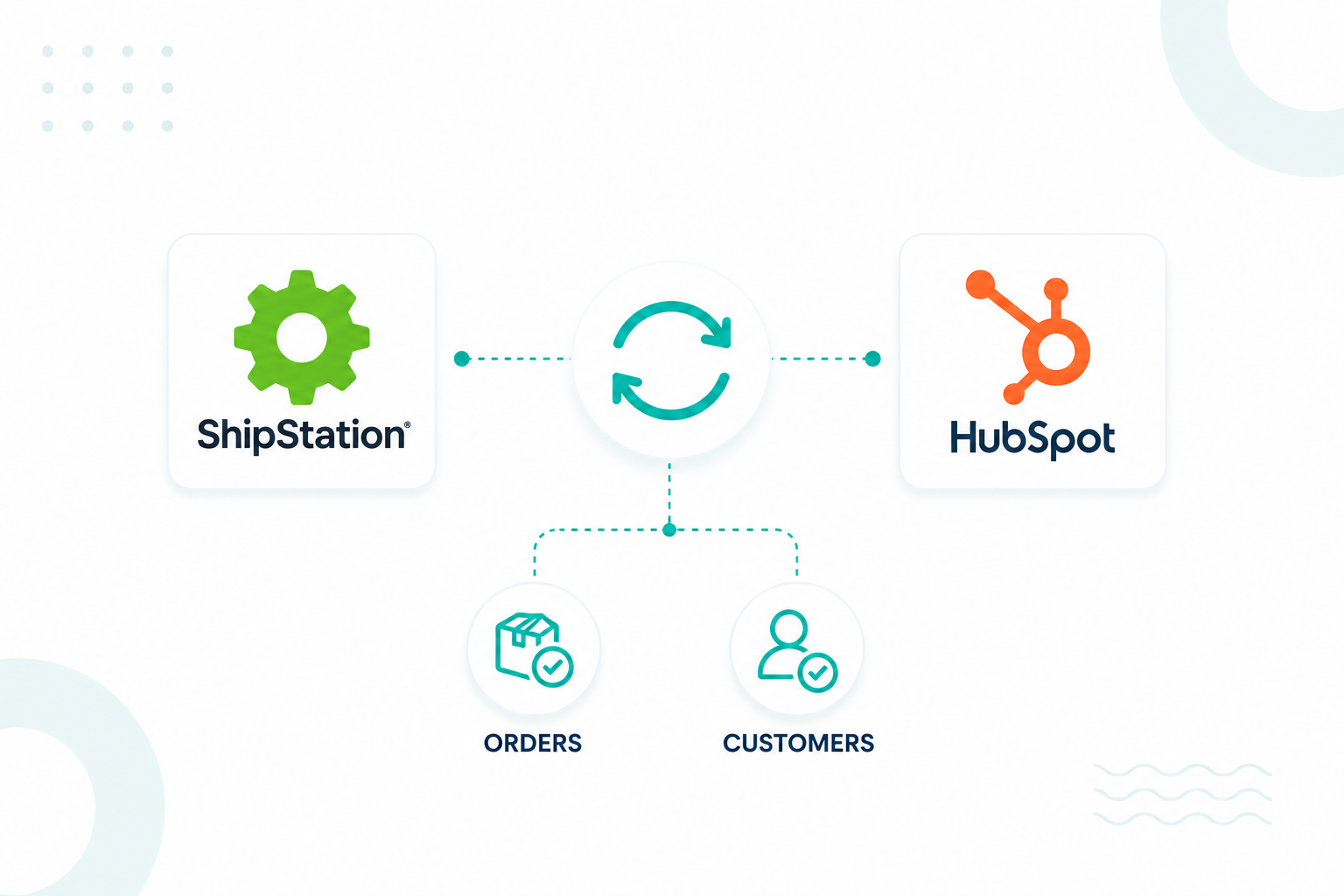
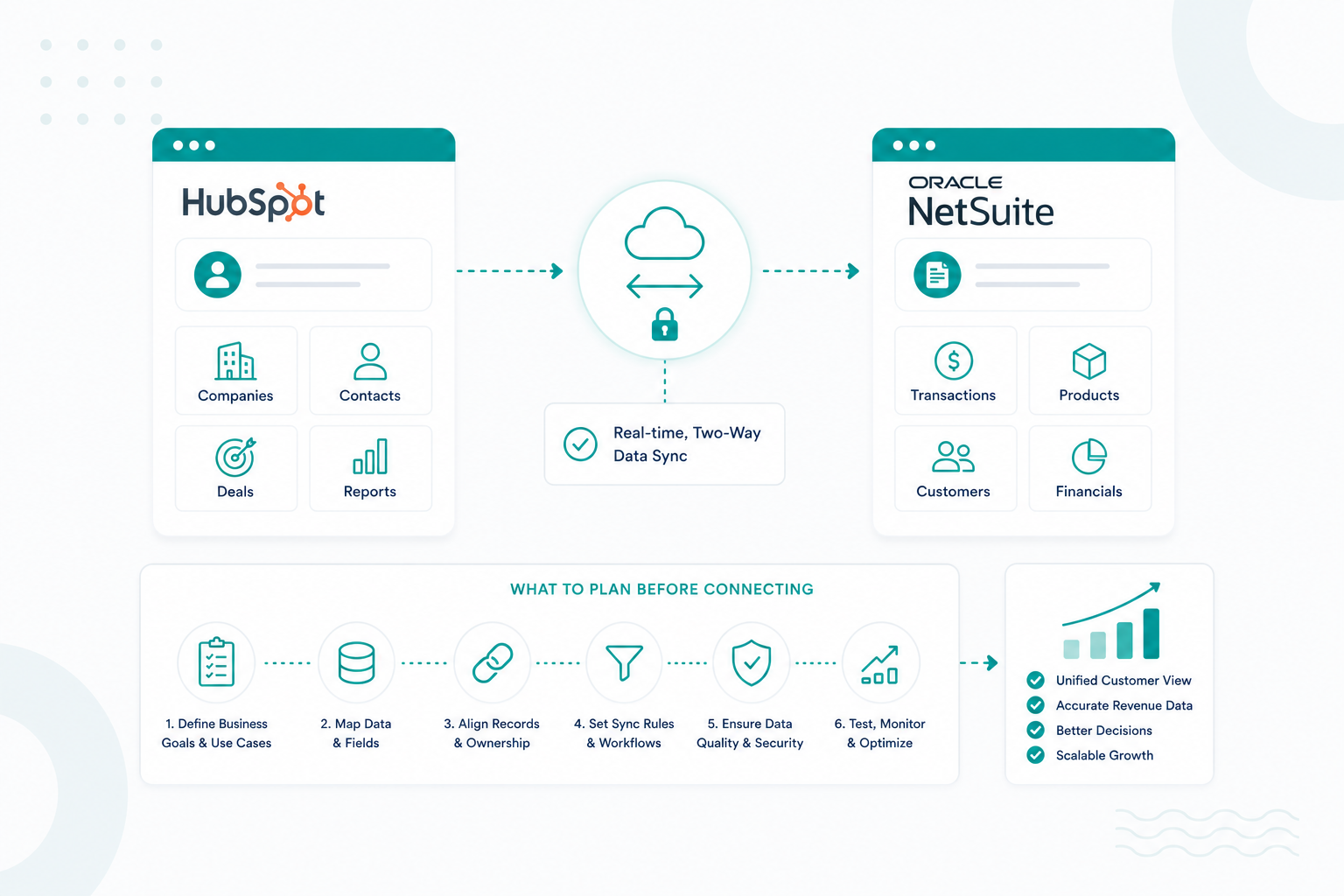
Automating data synchronization between ShipStation and HubSpot helps create a connected workflow. Using HubSpot Data Sync, businesses can automatically transfer customer and order-related information from ShipStation into HubSpot. Customer information, order details, and shipping updates move between systems automatically, helping teams work from the same source of truth.
This creates a stronger foundation for sales, marketing, customer success, and operations teams that depend on accurate information to support growth.
Key Takeaways
- ShipStation and HubSpot can automatically sync customer records, order details, and shipping updates to keep data consistent across both platforms.
- Automated synchronization reduces manual data entry, helping improve data accuracy and operational efficiency.
- Order and shipment activity can trigger HubSpot workflows for customer communications, segmentation, onboarding, and internal notifications.
- Proper field mapping and contact matching help prevent duplicate records, synchronization errors, and reporting inconsistencies.
Why Manual Data Entry Creates Problems for E-commerce Operations Nowadays

Manual data entry creates operational inefficiencies because customer and order information must be entered, reviewed, and updated repeatedly across multiple systems.
For companies that sell physical products, hardware, subscription kits, onboarding packages, or branded merchandise, every order generates customer data that multiple teams need. Sales teams require accurate contact records. Marketing teams need customer segmentation data. Customer success teams benefit from visibility into shipping activity and purchase history. Manual processes create friction between these functions.
Even a seemingly low error rate can create significant operational challenges. Research on manual data entry frequently cites an average error rate of about 1%, meaning a business processing 1,000 orders could expect roughly 10 records to contain errors that require investigation and correction. These issues can quickly compound across customer records, order histories, and fulfillment data.
Common issues include:
|
Manual Data Entry Challenge |
Business Impact |
|
Missing customer information |
Incomplete customer profiles |
|
Duplicate contact creation |
Reporting inaccuracies |
|
Delayed record updates |
Outdated customer data |
|
Incorrect order details |
Customer service issues |
|
Repeated administrative tasks |
Reduced team productivity |
The operational impact extends beyond administrative work. Poor data quality affects customer communication, campaign targeting, revenue reporting, and customer experience.
An organization may send onboarding content to the wrong customer segment, trigger an email sequence based on outdated information, or miss opportunities to identify high-value customers. These problems often originate from disconnected systems rather than strategic mistakes.
Automated synchronization addresses this challenge by creating a consistent flow of information between ShipStation and HubSpot. Customer records stay current, teams work from the same data source, and operational processes become easier to manage.
What Data Can Be Automatically Synced Between ShipStation and HubSpot
ShipStation and HubSpot can automatically synchronize customer details, order information, shipping activity, and fulfillment data to keep records aligned across both platforms.
The specific data available depends on the integration method and workflow configuration. Most organizations focus on customer records, orders, shipment activity, and lifecycle information because these data points support sales, marketing, customer success, and operations teams.
Common data categories include:
|
Data Category |
Example Information |
|
Customer Data |
Name, email address, phone number, company name |
|
Order Data |
Order ID, products purchased, order value |
|
Shipping Data |
Carrier, tracking number, shipment status |
|
Transaction Data |
Purchase history, order line items |
|
Customer Activity |
Purchase frequency, fulfillment milestones |
Customer data often serves as the foundation of the synchronization process. New orders created in ShipStation can create new contacts in HubSpot or update existing records with the latest customer information. This helps maintain accurate profiles without requiring manual updates from internal teams.
Order information provides additional context that software companies can use for reporting and customer engagement. Purchase details, transaction records, and order line items can flow into HubSpot, helping teams understand customer behavior and product adoption patterns.
Shipping data adds another layer of visibility. Shipment creation, tracking activity, and delivery updates can be incorporated into the customer record, giving customer-facing teams immediate access to fulfillment information. This reduces the need to switch between systems during customer conversations and support interactions.
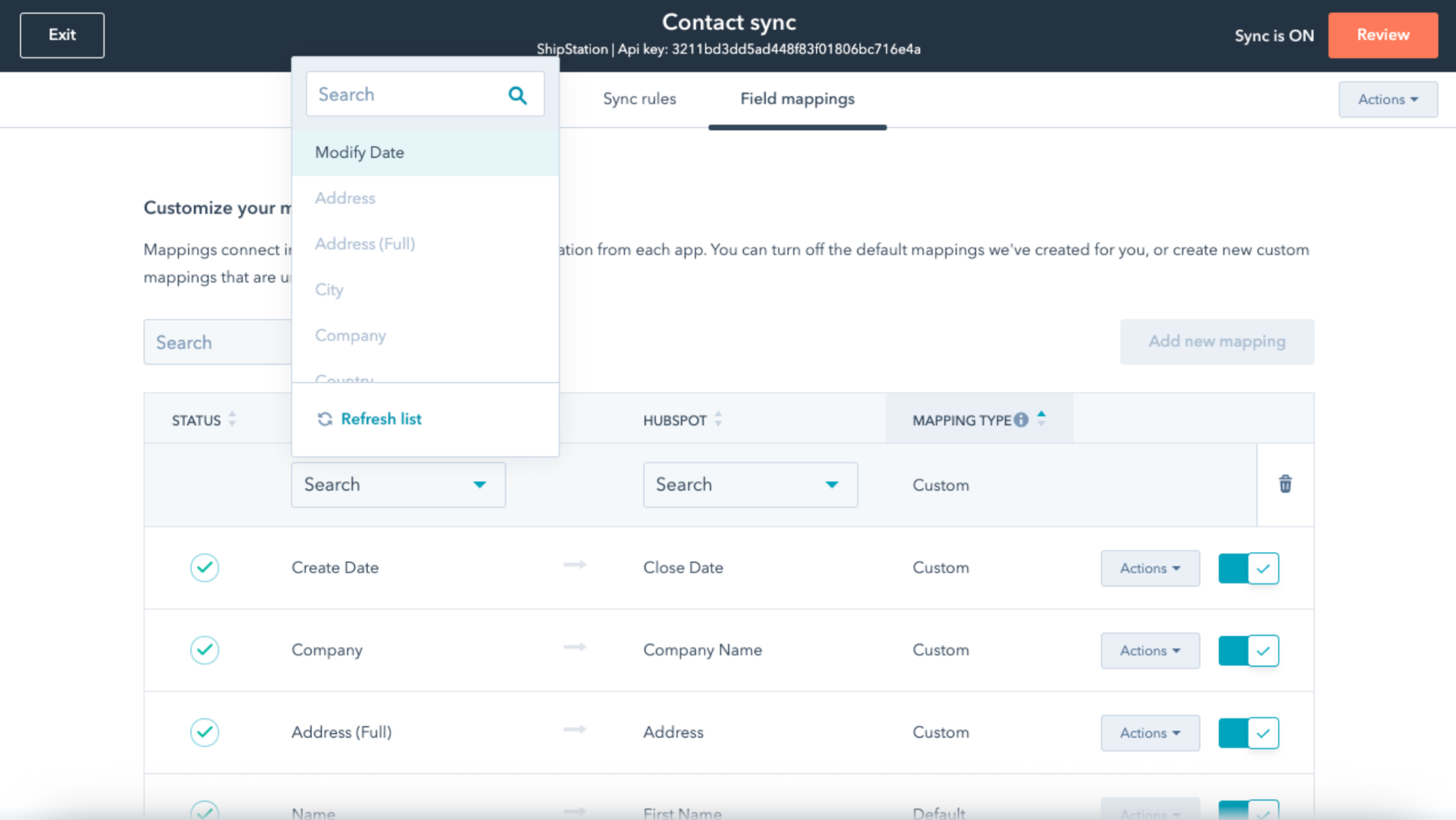
Field mapping plays an important role in this process. Each ShipStation field connects to a corresponding HubSpot property, ensuring information lands in the correct location. Businesses can use default mappings or configure custom mappings that match their reporting and operational requirements.
With customer, order, and shipping data connected, companies gain a more complete view of the customer journey.
How to Connect ShipStation and HubSpot for Automated Data Sync
You can connect ShipStation and HubSpot through HubSpot Data Sync, middleware platforms, or custom API integrations. The right approach depends on the complexity of your workflows, reporting requirements, and internal technical resources.
For most companies, HubSpot Data Sync is the simplest option because it provides a native connection that automatically transfers ShipStation data into HubSpot without custom development.
Step 1: Install the ShipStation Integration
In HubSpot:
- Navigate to Marketplace > App Marketplace.
- Search for ShipStation.
- Select the ShipStation integration.
- Click the Connect app.
- Sign in to your ShipStation account and authorize access.
Step 2: Configure Data Sync Settings
After connecting the app:
- Open the integration settings.
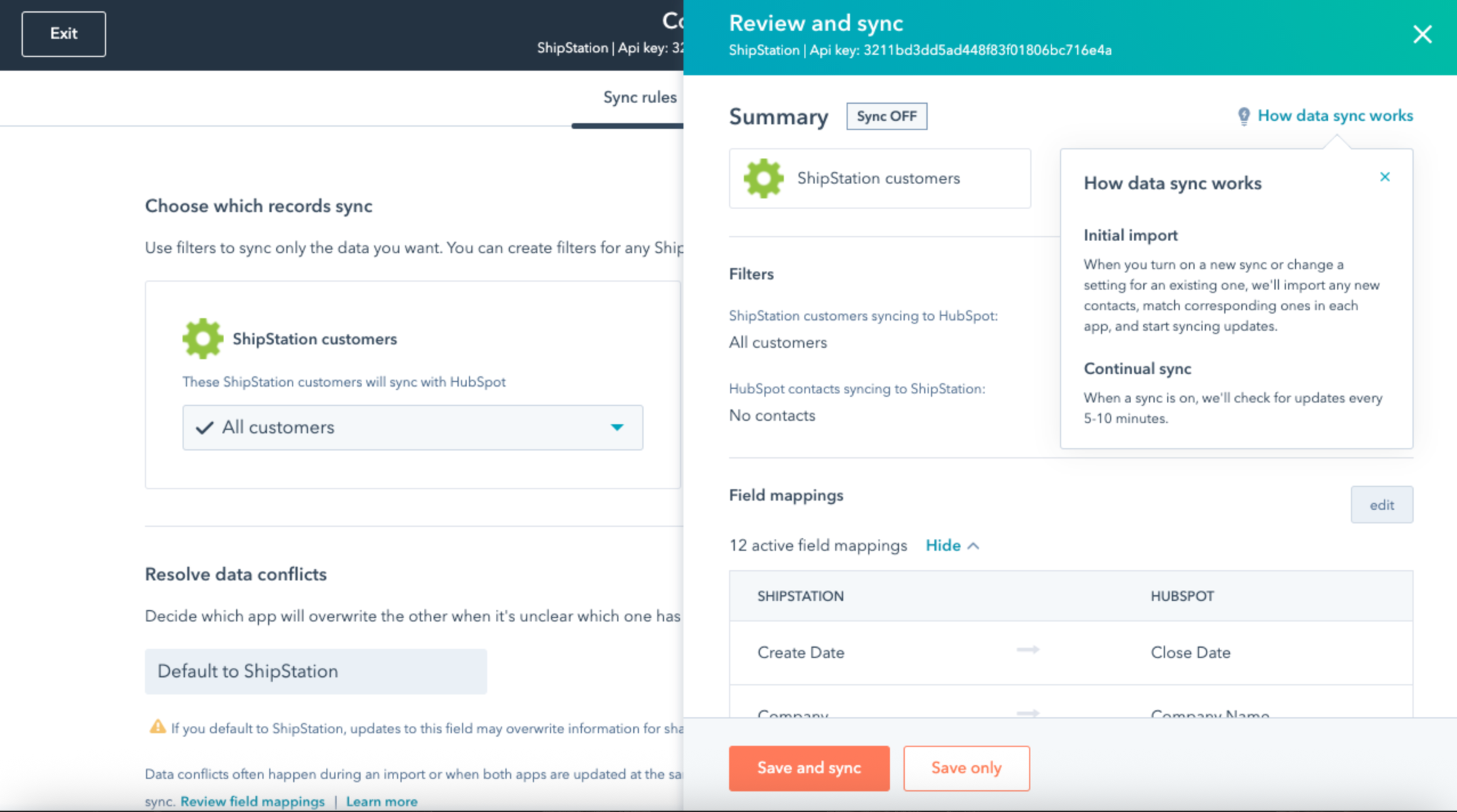
- Select Data Sync.
- Choose the records you want to sync.

- Review the default field mappings.
- Add custom mappings if needed. HubSpot includes pre-built mappings to speed up setup, but you can customize them to match your CRM structure.
Step 3: Review Sync Direction

The ShipStation integration uses a one-way sync from ShipStation to HubSpot. When records are created or updated in ShipStation, that information is automatically shared with HubSpot in near real time. Due to how ShipStation functions as a fulfillment platform, the integration does not support native two-way synchronization.
Step 4: Run the Initial Sync
Once your settings are configured:
- Enable synchronization.
- Allow HubSpot to import existing ShipStation records.
- Verify that contacts and mapped properties appear correctly in HubSpot.
The integration supports historical syncing, allowing existing ShipStation data to populate HubSpot immediately before ongoing updates are synchronized automatically.
Best Practices for HubSpot Data Sync
To keep data clean and reliable:
- Use the email address as the primary contact identifier.
- Review field mappings before enabling sync.
- Test with a small sample of records first.
- Create custom properties in HubSpot before mapping specialized ShipStation data.
- Periodically audit synced records to identify duplicate contacts or unmapped fields.
The Automated Workflows Triggered by Order and Shipping Activity
Order and shipping events can trigger marketing, customer success, sales, reporting, and operational workflows inside HubSpot. These automations help companies keep customer records current and initiate actions based on real customer activity.
The value comes from connecting fulfillment activity to business processes. Every order, shipment, delivery, or purchase milestone contains information that can trigger a response without requiring manual intervention.
Common workflow opportunities include:
|
Event |
Automated Action |
|
New order created |
Create or update customer record |
|
Order shipped |
Send shipping notification |
|
Order delivered |
Launch onboarding sequence |
|
High-value purchase |
Notify the sales team |
|
Repeat purchase |
Update customer segment |
|
Failed delivery |
Create a support task |
A new order often serves as the first trigger. Customer information can flow into HubSpot, contact properties can update automatically, and lifecycle stages can change based on purchase activity. This gives sales and customer success teams immediate visibility into new customers entering the business.
Shipping events create additional opportunities for automation. Shipment creation can trigger confirmation emails, tracking updates can support customer communications, and delivery confirmations can start onboarding programs. HubSpot workflows can use these events to deliver relevant information at the appropriate stage of the customer journey.
These communications matter because customers actively expect shipment visibility. According to a survey from Narvar, 83% of consumers expect regular communication about their orders, including shipping and delivery updates. Automated workflows help businesses meet these expectations without requiring manual outreach from customer-facing teams.
Customer segmentation can also update automatically.
For example:
- First purchase customers can enter a new customer segment.
- Repeat purchasers can move into loyalty campaigns.
- Enterprise customers can receive account management workflows.
- Customers purchasing specific products can enter product-specific nurture sequences.
These automations help maintain accurate audience segmentation without requiring teams to manually review orders and update records.
Operational workflows benefit as well. Internal notifications can alert teams about large orders, priority accounts, shipping exceptions, or fulfillment issues. Support teams gain visibility into delivery activity, reducing the effort required to investigate customer inquiries.
Reporting becomes more valuable because order and shipping data remain connected to customer records. Marketing teams can analyze campaign performance against actual purchases. Customer success teams can identify customers based on fulfillment milestones. Revenue reporting gains additional context through integrated operational data.
A connected workflow ecosystem transforms order and shipping activity from operational events into business signals. Every event becomes an opportunity to improve customer experience, increase operational efficiency, and maintain accurate customer data throughout the lifecycle.
Where Data Sync Errors and Duplicate Records Typically Happen
Data sync errors and duplicate records typically occur during contact matching, field mapping, data formatting, and synchronization rule configuration. Most issues originate from inconsistent data across systems rather than problems with the integration itself.
Contact matching is one of the most common sources of errors. ShipStation and HubSpot rely on identifiers such as email addresses to determine whether a record already exists. Problems emerge if customers use different email addresses, submit incomplete information, or appear in both systems with conflicting data.
Other common causes of duplicate records include:
|
Issue |
Potential Impact |
|
Multiple email addresses |
Duplicate contacts |
|
Inconsistent naming conventions |
Record matching failures |
|
Missing required fields |
Incomplete customer profiles |
|
Incorrect field mapping |
Data stored in the wrong properties |
|
Conflicting sync rules |
Unpredictable record updates |
Field mapping issues create another major challenge. Every ShipStation field must connect to the correct HubSpot property. A mapping error can place shipping status data into unrelated fields, create incomplete records, or break workflow automation. HubSpot documentation highlights field mapping accuracy as a key factor in successful synchronization projects.
Data formatting inconsistencies can also create synchronization problems.
Examples include:
- Different phone number formats
- Inconsistent country abbreviations
- Variations in company names
- Missing postal codes
- Incomplete customer records
These inconsistencies make it harder for systems to identify matching records and maintain accurate customer profiles.
Workflow conflicts can create additional challenges. A ShipStation event may update a HubSpot property, which triggers a workflow that modifies the same record again. Without clear governance, multiple automations can interact in unexpected ways. This creates inaccurate customer statuses, repeated notifications, or reporting discrepancies.
A structured data governance process helps reduce these risks.
Recommended practices include:
- Standardizing customer data formats
- Reviewing field mappings before deployment
- Establishing clear record ownership rules
- Testing workflows with sample data
- Auditing synchronization results regularly
Data quality supports every downstream process connected to the integration. Accurate records improve segmentation, workflow automation, customer reporting, and operational visibility. Once synchronization runs reliably, companies can focus on the broader business impact that connected customer and order data creates.
Business Results You Can Expect From Automated Order and Customer Data Synchronization
Automated order and customer data synchronization improves operational efficiency, data accuracy, customer visibility, reporting quality, and workflow execution across the business.
Several business outcomes commonly emerge after synchronization is implemented.
|
Business Area |
Expected Result |
|
Operations |
Reduced administrative workload |
|
Data Quality |
More accurate customer records |
|
Marketing |
Better audience segmentation |
|
Customer Success |
Improved customer visibility |
|
Reporting |
More reliable business insights |
|
Customer Experience |
Faster and more relevant communication |
Operational efficiency is often the first improvement teams notice after automating data synchronization. Customer information, order details, and shipment updates flow between systems automatically, reducing the time spent updating records, checking fulfillment status, and reconciling data across multiple platforms. This frees teams to focus more on customer engagement, account management, and initiatives that contribute directly to growth.
The benefits extend beyond efficiency. Data accuracy improves because information moves directly from the source system into HubSpot. Automated field mapping and synchronization help keep records consistent, reducing the risk of errors that often occur during manual updates.
With more complete and reliable data, marketing teams can create stronger customer segments. Order history, purchase activity, fulfillment milestones, and customer attributes become part of a unified customer record, making it easier to deliver relevant campaigns based on actual behavior. The impact can be significant. McKinsey reports that companies leading in personalization generate 40% more revenue from those efforts than their peers.
Customer success teams also gain a clearer view of the customer journey. Purchase information, shipping activity, onboarding milestones, and engagement history are available in a single place, helping teams understand customer status quickly and provide more informed support.
That same visibility improves reporting. Customer and operational data remain connected, giving leadership teams access to insights such as:
- Customer acquisition and purchase activity
- Revenue generated from specific customer segments
- Product adoption patterns
- Customer retention trends
- Fulfillment performance metrics
Because the underlying data remains consistent across systems, teams can make decisions with greater confidence.
Customers benefit as well. Automated workflows can send onboarding resources, shipping notifications, account updates, and customer success communications based on real customer activity. This creates a more relevant experience because communications reflect what is actually happening throughout the customer lifecycle.
For growing companies, these improvements create a stronger foundation for scale. New customers, orders, and fulfillment activity move through established processes automatically, reducing administrative effort and helping teams dedicate more time to supporting customers and driving business growth.
Move From Manual Updates to Automated Workflows!
Automating order and customer data sync between ShipStation and HubSpot helps companies reduce manual work, improve data accuracy, and keep customer information consistent across teams.
With the right integration setup, customer records, order details, and shipping updates flow automatically between systems, supporting better reporting, stronger customer experiences, and more efficient operations.
If you need help connecting HubSpot, ShipStation, and other business systems, Campaign Creators can help. We have worked with many companies building scalable CRM, automation, and integration solutions that support growth and improve operational efficiency.
Frequently Asked Questions
Can ShipStation Create New Contacts Automatically in HubSpot?
Yes. A ShipStation order can automatically create a new HubSpot contact if no matching record exists, or update an existing contact based on matching identifiers such as email addresses.
How Frequently Does Data Sync Between ShipStation and HubSpot?
Sync frequency depends on the integration method. HubSpot Data Sync and automation platforms typically update records automatically throughout the day, with some integrations providing near real-time synchronization after qualifying events occur.
Can You Sync Custom Fields Between ShipStation and HubSpot?
Yes. Many integration solutions support custom field mapping, enabling businesses to connect ShipStation data fields with custom HubSpot properties that support reporting, segmentation, and operational workflows.
What Permissions Are Required to Connect ShipStation and HubSpot?
Administrative or integration-level permissions are typically required in both ShipStation and HubSpot. These permissions enable authentication, field mapping configuration, and management of synchronization settings.
Can ShipStation Data Be Used for HubSpot Lead Scoring?
Yes. Order history, purchase frequency, order value, and shipping activity can be added to HubSpot records and incorporated into lead scoring models to help identify engaged customers and high-value accounts.
How Does Automated Order Syncing Affect Customer Segmentation in HubSpot?
Automated order syncing improves segmentation by continuously updating customer records with purchase and fulfillment data. This creates more accurate audiences based on buying behavior, product ownership, customer value, and lifecycle stage.
.png?width=420&height=121&name=cc-logo-color%20(2024).png)