HubSpot Data Sync for IT Teams: How to Keep Customer Data Clean Across Systems
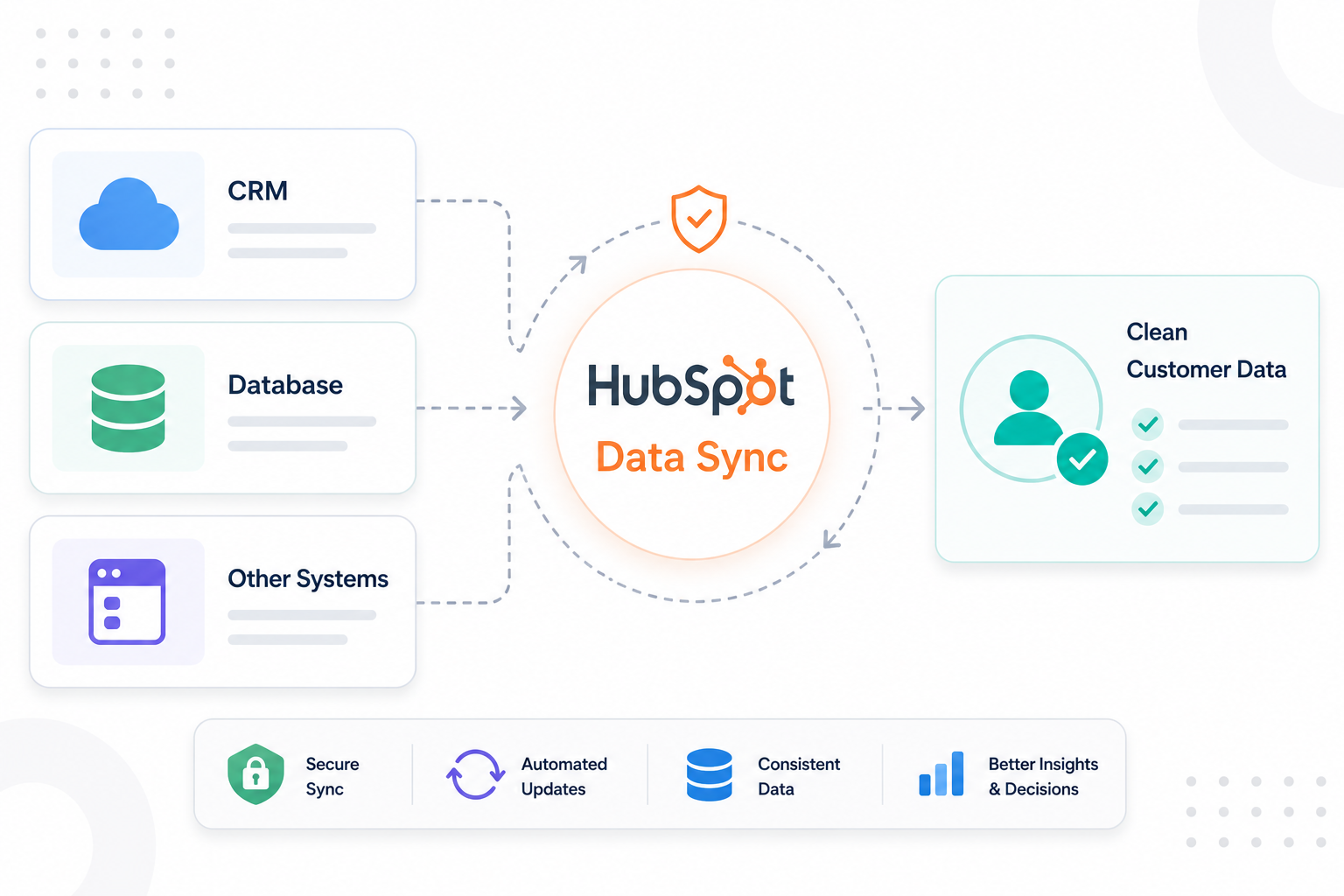
IT teams use HubSpot alongside platforms like Salesforce, NetSuite, Zendesk, ERP systems, support tools, and internal databases. As customer data...
A HubSpot Elite Solutions Partner built to help organizations unify strategy, systems, and execution. We design HubSpot systems that scale.
See how we've solved complex HubSpot challenges across migrations, integrations, CMS, automation, and optimization.
Join a team building smarter HubSpot systems. We value strategic thinkers who move proactively, care about quality, and want to do meaningful work.
8 min read
Campaign Creators
:
07/06/26
A HubSpot-Salesforce integration keeps your marketing, sales, and customer data in sync so every team works from the same information. When the integration works properly, you can automate processes, improve reporting accuracy, and run more efficient revenue operations. But poor data synchronization has real business costs. Research found that 34% of businesses have lost revenue because of fragmented customer data.
Even small integration issues can disrupt your operations. Failed syncs, incorrect field mappings, validation rule conflicts, and permission changes can create outdated records, interrupt lead routing, break automation, and reduce confidence in your pipeline data.
This article covers 8 common HubSpot-Salesforce integration problems, why they happen, how they affect your revenue operations, and the best practices to keep both platforms synchronized and your CRM data accurate.
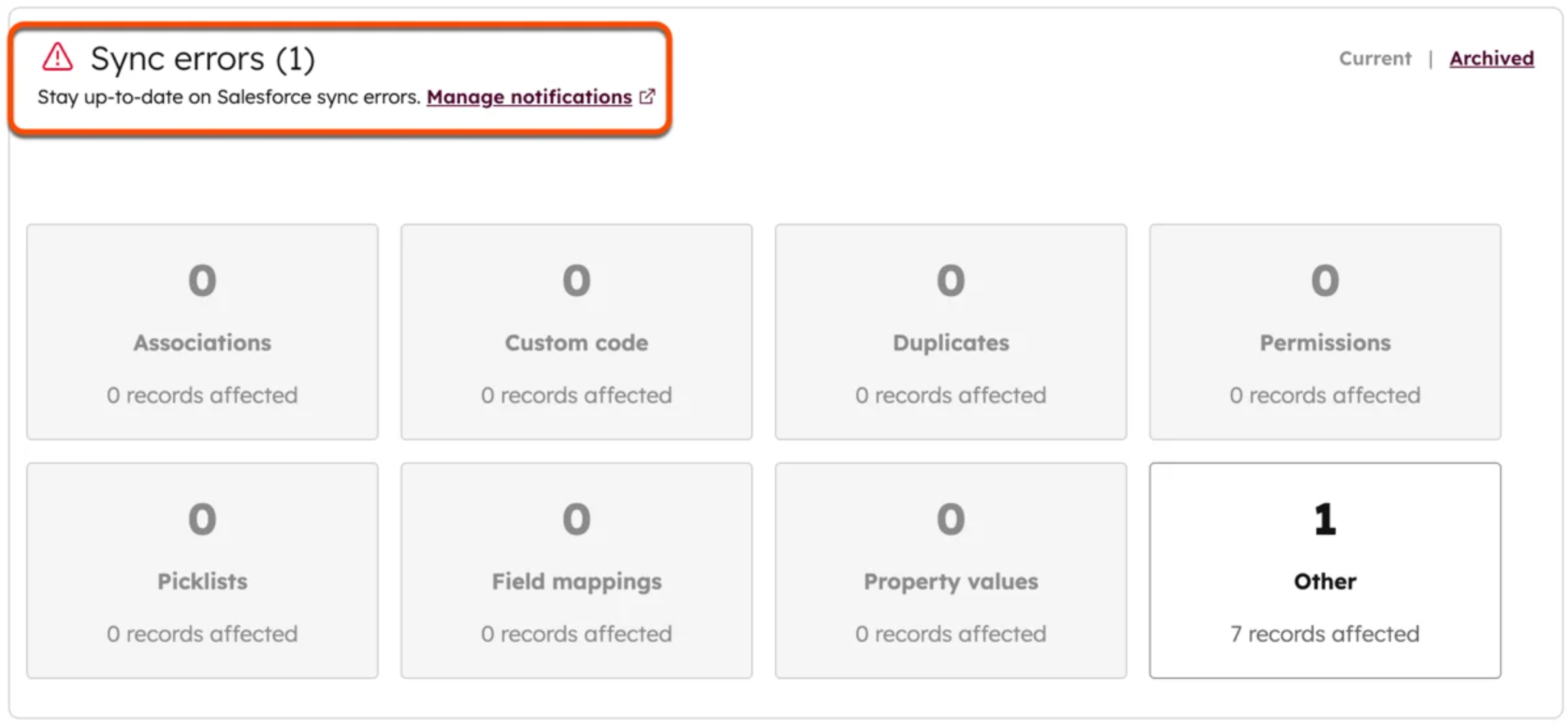
Data sync errors happen when HubSpot or Salesforce rejects a record during synchronization. The most common causes include missing required fields, invalid picklist values, field type mismatches, validation rules, and insufficient permissions.
To fix it, open Sync Health in HubSpot and review the failed record. The error message usually identifies the exact field or rule causing the failure.

Resolve the issue based on the error:
After fixing the configuration, resync the failed records. If the same error appears repeatedly, review recent changes to field mappings, validation rules, or custom properties before syncing additional records.
Duplicate records happen when HubSpot and Salesforce create separate records for the same person or company instead of updating an existing one. This occurs after CSV imports, web forms, or incorrect record matching. Businesses often report 10% to 30% duplicate records in their CRM databases, making duplicate management an ongoing data quality challenge.
Duplicates make it harder for sales and marketing to work from the same data. Sales reps may contact the same prospect twice, marketing may send duplicate emails, and reports can overstate lead volume, pipeline, and campaign performance.
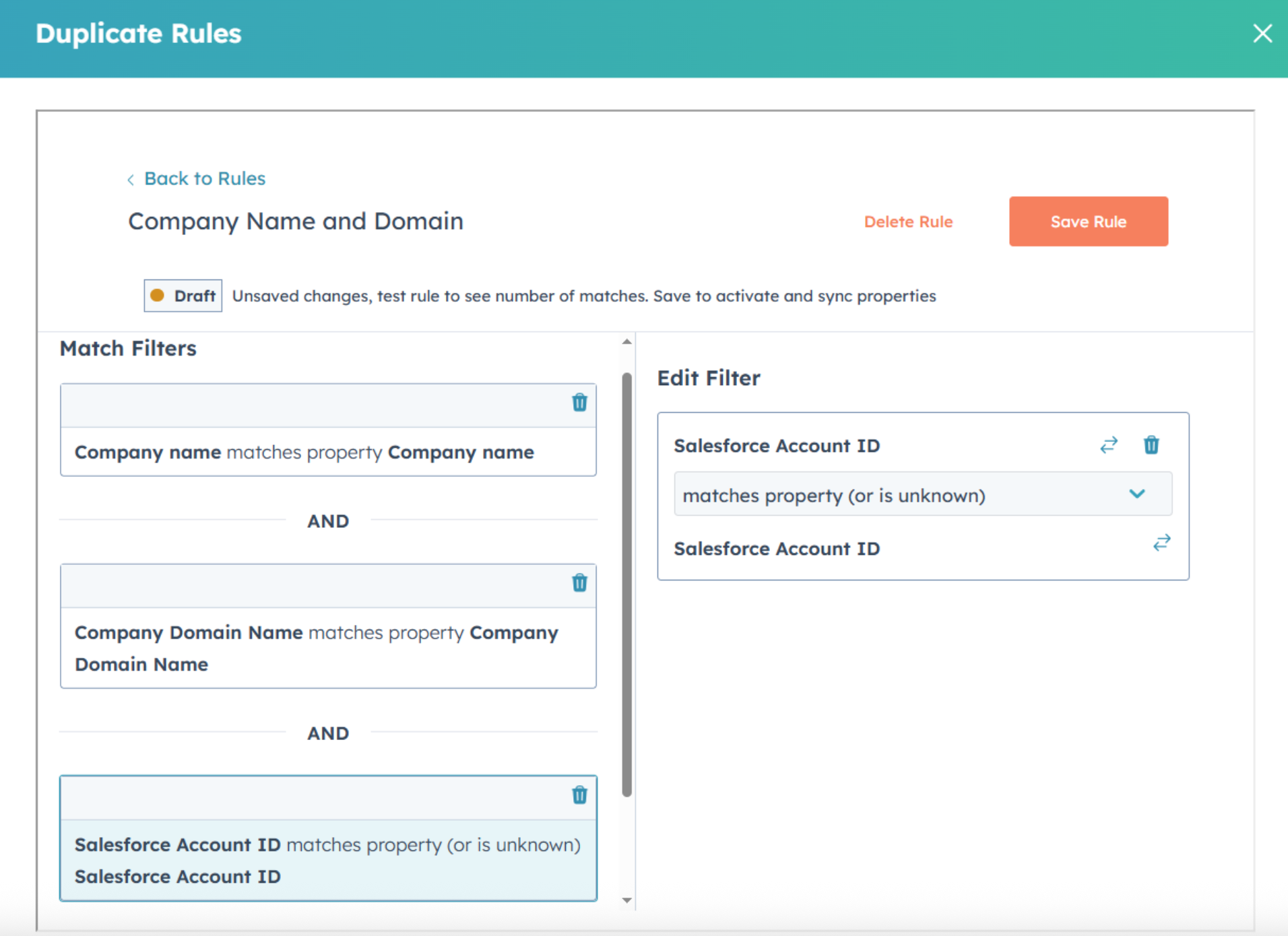
Start by identifying how duplicates are being created before removing them.

Preventing duplicates is more effective than cleaning them up later.
Incorrect field mapping happens when the sync data goes to the wrong fields, uses incompatible field types, or overwrites the wrong values. You need to review your field mappings and confirm that every synchronized field has a clear business purpose.

Review your field mappings whenever you add custom fields, change business processes, or modify the integration.
Salesforce validation rules can block HubSpot records from syncing when an update doesn't meet Salesforce's requirements. Common causes include invalid field combinations, restricted status changes, or date and formula conditions that fail during the update.
When this happens, Salesforce rejects the record, HubSpot logs a sync error, and the record remains out of sync. Lead routing, lifecycle updates, workflows, and reporting can all be affected until the issue is resolved.
Fix this by identifying which validation rule is rejecting the record.
Review validation rules whenever new business requirements are introduced in Salesforce.
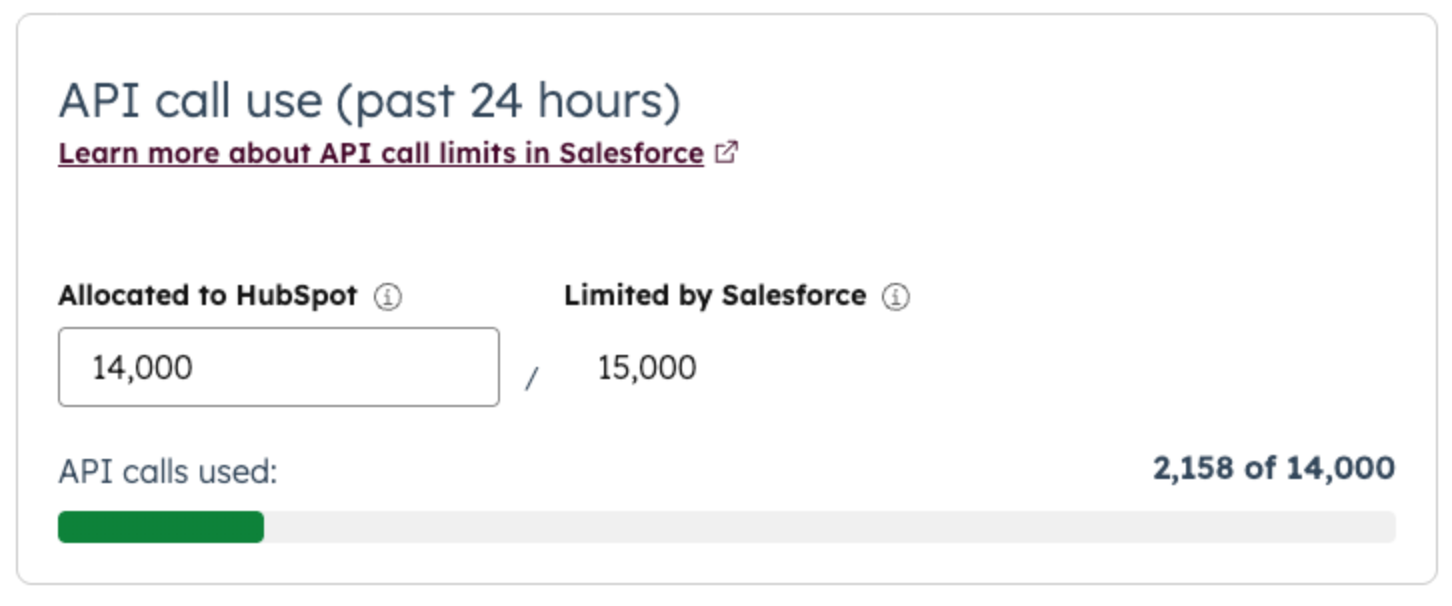
API rate limits can slow your HubSpot-Salesforce integration when Salesforce reaches its daily or short-term API request limits. Every synced record uses API calls, so large imports, bulk updates, workflow changes, and data migrations can quickly consume the available capacity.

When API limits are reached, records remain in the sync queue until more API requests become available. This can delay lead routing, lifecycle updates, workflows, reporting, and other processes that rely on up-to-date CRM data.
Identify what's consuming the most API requests before increasing sync activity.
Monitoring API usage and spreading large data operations across multiple batches helps maintain consistent synchronization performance and reduces delays during periods of high CRM activity.
User permission and record ownership issues occur when the Salesforce user connected to HubSpot doesn't have permission to view, create, or update certain records or fields. These issues often appear after changes to Salesforce profiles, permission sets, field-level security, sharing rules, or record ownership.
Review the permissions assigned to the Salesforce user connected to HubSpot.
Review the integration user's permissions after every Salesforce security update.
Workflow and automation conflicts happen when HubSpot and Salesforce both update the same records or fields. Instead of working together, the automations trigger each other, causing repeated updates, incorrect field values, or automation loops.
For example, a HubSpot workflow updates a contact's Lifecycle Stage, which triggers a Salesforce Flow to change Lead Status. That Salesforce update then triggers another HubSpot workflow, creating a continuous cycle of unnecessary record updates.
Assign a single system to manage each business process and avoid having both platforms update the same fields.

Whenever you introduce a new workflow or Salesforce Flow, review the integration to confirm it doesn't overlap with existing automation.
Many HubSpot-Salesforce integration problems keep coming back because there isn't a clear process for managing CRM changes. New fields, workflows, validation rules, integrations, and custom objects are added over time without reviewing how they affect the integration. As a result, field mappings become outdated, duplicate properties accumulate, automation conflicts increase, and sync errors reappear after every CRM update.
Create a governance process that reviews CRM changes before they reach production.
A documented review process keeps HubSpot and Salesforce synchronized as your CRM evolves and reduces the risk of unexpected data issues.
Continue reading with this article: Salesforce to HubSpot Migration for SaaS
Yes, if your HubSpot-Salesforce integration is business-critical or involves complex CRM processes. A HubSpot Solutions Partner is especially valuable if you have custom objects, multiple sales or marketing teams, complex field mappings, lead routing, lifecycle automation, or large volumes of customer data. They can help you avoid implementation mistakes, configure the integration correctly from the start, and establish clear data governance.
Campaign Creators is a HubSpot Elite Solutions Partner with extensive experience in HubSpot implementations, CRM migrations, Salesforce integrations, RevOps, automation, and CRM optimization. Our team takes an architecture-first approach by evaluating your CRM, business processes, data structure, and integration requirements before configuring HubSpot and Salesforce.
We help organizations build reliable integrations that support clean data, accurate reporting, and scalable operations, not just sync records between two platforms.
A well-designed HubSpot-Salesforce integration gives your sales, marketing, and customer success teams a shared view of every customer, improves reporting accuracy, reduces manual work, and supports automation across the revenue funnel.
If your integration still suffers from sync errors, duplicate records, inconsistent data, or reporting gaps, it may be time to optimize your CRM architecture instead of applying another temporary fix. Addressing the root causes creates a more reliable system that scales with your business.
Campaign Creators has helped many businesses migrate to HubSpot, implement and optimize HubSpot-Salesforce integrations, and build scalable CRM systems that support long-term growth.
Yes. It can automatically sync supported records between HubSpot and Salesforce based on your sync settings and field mappings.
The integration supports contacts, companies, deals, leads, accounts, opportunities, activities, and other supported objects, depending on your configuration and subscription.
The integration uses scheduled synchronization with real-time triggers for supported events. Sync timing depends on the type of record and the configured integration settings.
Yes. You can use inclusion lists and sync filters to determine which records are eligible for synchronization.
No. Only the properties you want to synchronize need matching Salesforce fields. Mapping unnecessary fields can increase complexity and maintenance.
IT teams use HubSpot alongside platforms like Salesforce, NetSuite, Zendesk, ERP systems, support tools, and internal databases. As customer data...
Many companies rely on multiple platforms to manage customer information, orders, shipping activity, and post-purchase communication. Problems emerge...
Marketing teams are expected to generate a pipeline faster and prove revenue impact. At the same time, many teams still rely on manual processes that...