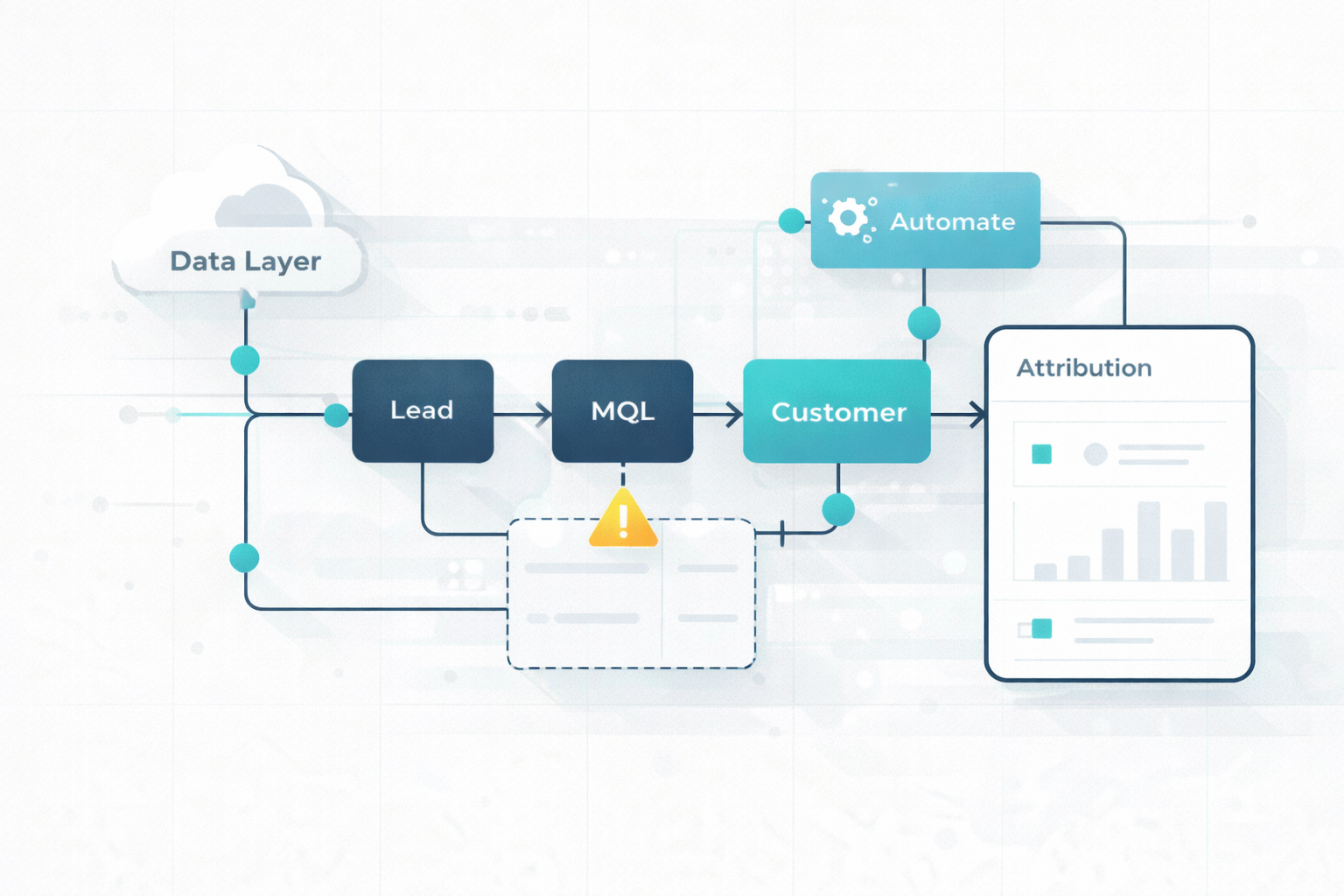
Marketing Automation Workflow: How to Fix Data, Lifecycle, and Attribution Gaps
Marketing teams are expected to generate a pipeline faster and prove revenue impact. At the same time, many teams still rely on manual processes that...
A team of data-driven marketers obsessed with generating revenue for our clients.
Because the proof is in the pudding.
At Campaign Creators we live by three principles: Autonomy, Mastery, Purpose.
11 min read
Campaign Creators
:
10/04/16
Every time someone visits your site, opens an email, or clicks a link, your business has a chance to respond. Marketing workflows define how that response happens. Instead of relying on manual follow-ups, you create a system that reacts in real time, moving people through clear steps based on what they do.
That’s why most teams lean on automation today, with 93% of marketers using it to handle repetitive tasks and keep their pipeline organized. With tools like HubSpot, workflows go beyond simple triggers. Your data, marketing, and sales actions work together, helping you guide leads, track progress, and build momentum without adding complexity.

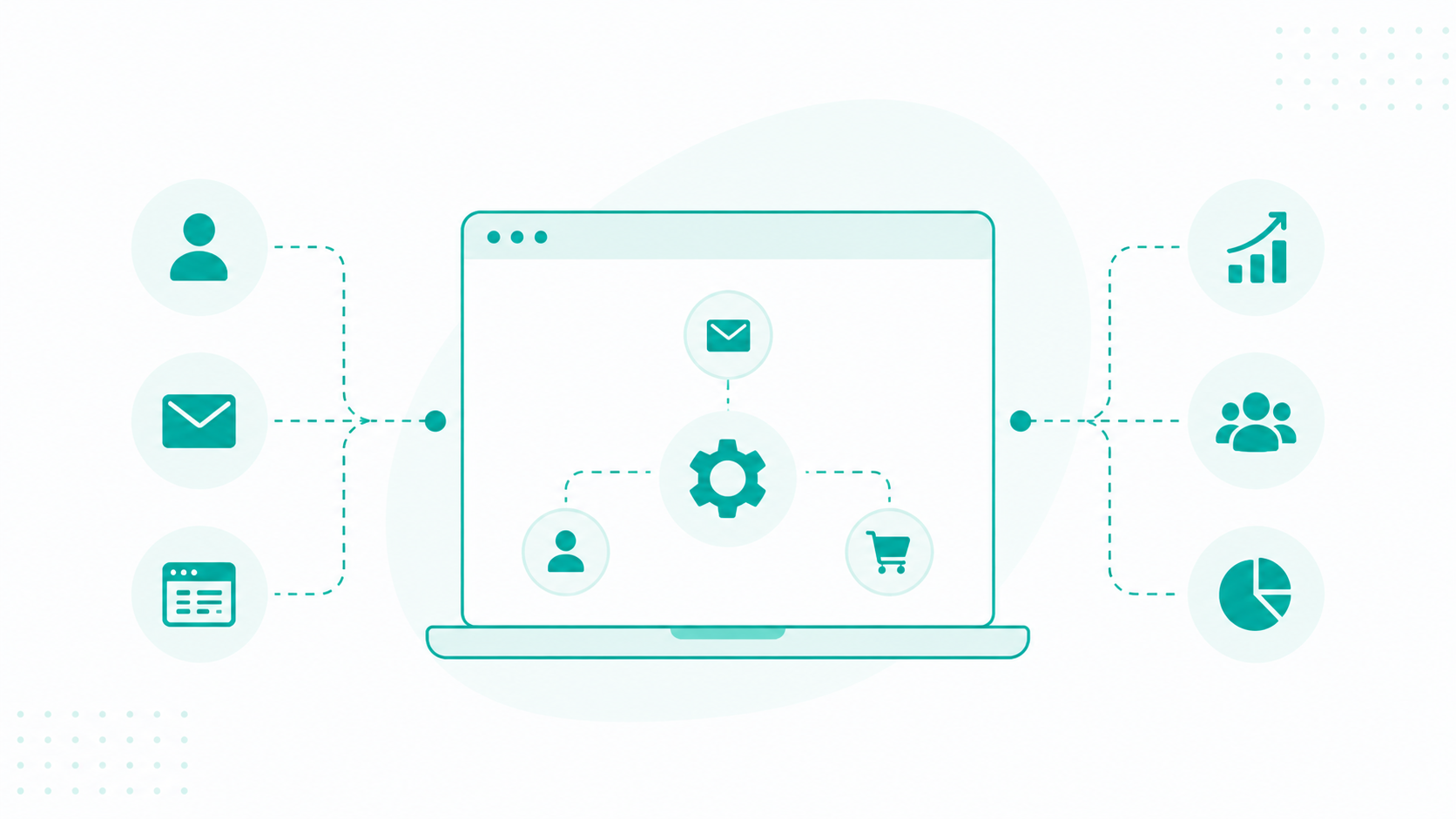
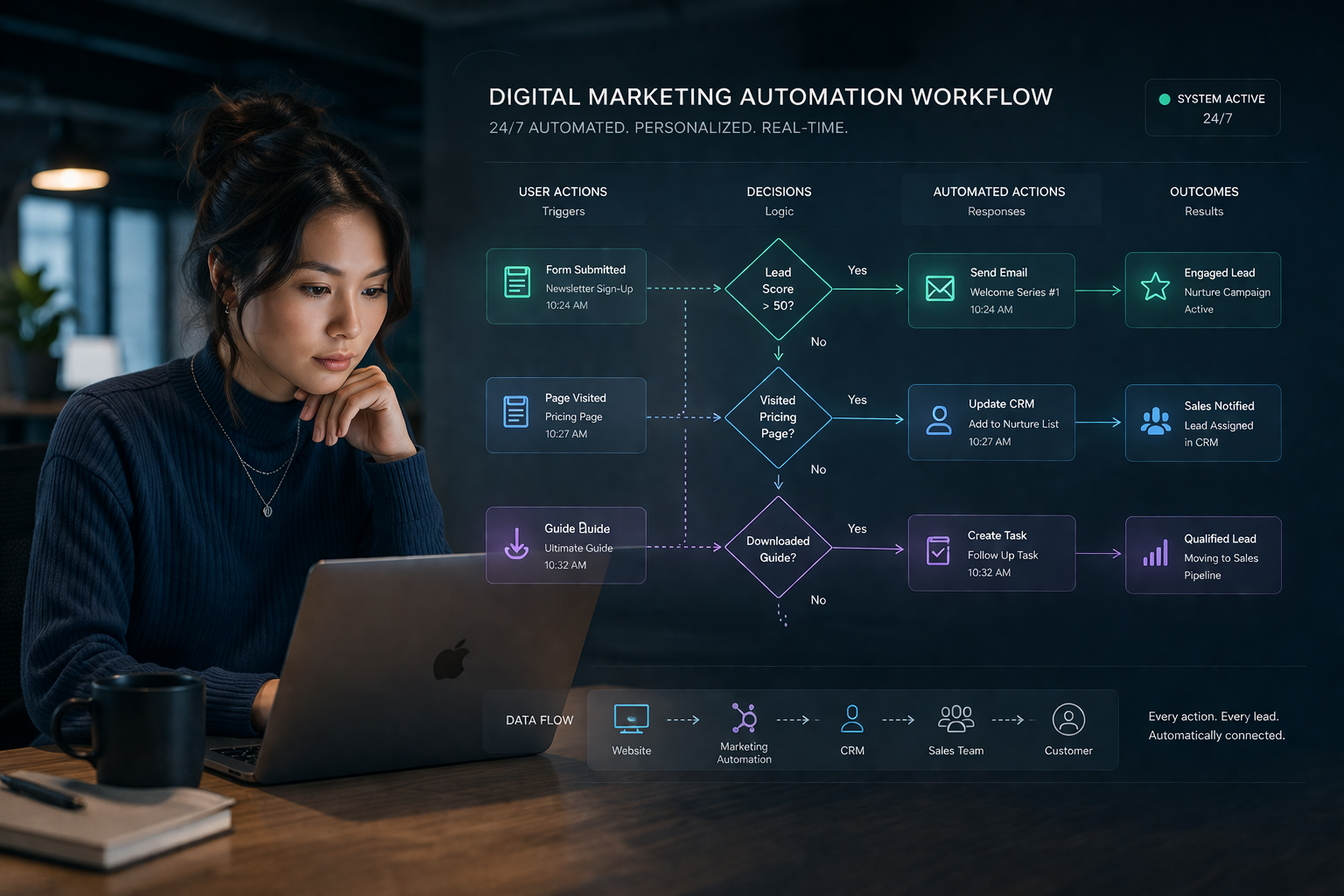
Marketing workflows represent automated sequences initiated through specific user behaviors. It is designed to guide leads or customers through a dedicated journey. These systems function as a 24/7 digital workforce that executes multi-step processes without manual effort from staff members.
Workflows rely on three core components to function effectively:
Using these automated marketing pipelines ensures that no lead is forgotten and every customer receives a personalized experience based on their unique intent and behavior.
Many teams spend more than half their week on administrative work. Workflows take that off your plate, giving you more time to focus on conversations that actually lead to deals. Even simple automations, like reporting, can save a manager up to 11 hours each month.
That time savings shows up in performance. Re-engagement workflows can bring back around 10% of inactive subscribers, and businesses using structured workflows often see a 10% to 30% lift overall. In e-commerce, small changes like improving the timing of an abandoned cart sequence can quickly increase recovery rates.
As your system runs, personalization becomes easier to manage at scale. You respond to behavior as it happens, sending messages that match where someone is in their journey. A follow-up after a pricing page visit or a resource download reaches people at the right moment, which keeps them moving forward instead of dropping off.
Workflows also help your team act with better timing. Triggers highlight important signals, like repeated visits to a pricing page, so you can step in when intent is high. This shortens the sales cycle and makes outcomes more consistent.
With tools like HubSpot, you can manage everything in one place. Your workflows, data, and actions stay connected, making it easier to scale without adding unnecessary complexity.
Marketing workflows differ based on the role they play in your funnel and the type of interaction you want to create. Each type supports a specific stage, which keeps your system organized and your messaging relevant.
Email workflows focus on structured communication triggered by a specific action, such as a signup or content download. You are guiding someone through a sequence of messages that build familiarity and encourage the next step.

A welcome sequence is a common example. After someone subscribes, they receive an introduction to your brand, followed by content that explains your value, then a message that encourages deeper engagement, such as booking a call or exploring a product. Another example is a follow-up sequence after a webinar where attendees receive a replay, key takeaways, and a related offer.
These workflows work best when each message has a clear purpose and builds on the previous one. Here are some helpful tips to make your email marketing work better.
Lead nurturing workflows focus on helping prospects move from initial interest to a point where they feel ready to take action. You respond to signals such as content engagement, page visits, email clicks, or repeated interactions, and use that behavior to guide what comes next.
For example, someone who downloads a guide on student loans could enter a sequence that starts with educational content to build understanding, then introduces repayment strategies based on common concerns, and later presents a consultation offer. Each step builds on the previous one, so the messaging becomes more specific and relevant as engagement increases.
These workflows also help you stay consistent without overwhelming the lead. You can space out communication, adjust timing based on activity, and segment users based on what they show interest in.
Customer onboarding workflows help new customers get started and experience value early. They guide the first impression after a purchase or sign-up, which often shapes how long someone stays and how deeply they engage.
A typical onboarding flow includes a welcome message, simple setup guidance, and introductions to key features. For a SaaS product, this might mean walking users through account setup, then showing how to use core tools, followed by prompts that encourage deeper usage, such as integrations, customization, or advanced features.
These workflows also give you a way to guide different types of users based on their goals. Some may need basic guidance, while others are ready to explore more advanced capabilities. You can adjust the experience based on behavior, such as completed steps, skipped actions, or time spent in the product.
Retargeting workflows help you reconnect with people who showed interest but did not complete an action.
A common example is an abandoned cart workflow. A user adds a product but leaves before completing the purchase. The workflow can start with a simple reminder, followed by a message that highlights product benefits or customer reviews, and then a final follow-up that adds urgency or a small incentive. Another example is re-engagement for inactive users. If someone stops opening emails or visiting your site, you can trigger a sequence that introduces fresh content, updates, or relevant offers.
These workflows work best when they are timely and relevant. So make sure your triggers activate soon after inactivity starts, your messaging reflects what the person previously engaged with, and your offers give them a clear reason to come back.

Sales handoff workflows manage the transition from marketing to sales, making sure qualified leads receive attention at the right moment. You need to define triggers, such as a lead reaching a certain score, requesting a demo, or showing strong buying signals through repeated engagement.
When those conditions are met, the system automatically assigns the lead to a sales representative, updates their status in your CRM, and notifies the team. It can also create internal tasks, set follow-up reminders, or provide context about the lead’s activity so the sales team knows how to approach the conversation.
These workflows help you avoid delays and missed opportunities. High-intent leads receive timely outreach, which improves the chances of conversion. At the same time, your pipeline stays organized, with clear ownership and visibility across teams.
Learn more from this guide: Using AI to Create Killer B2B Lead Nurturing Workflows
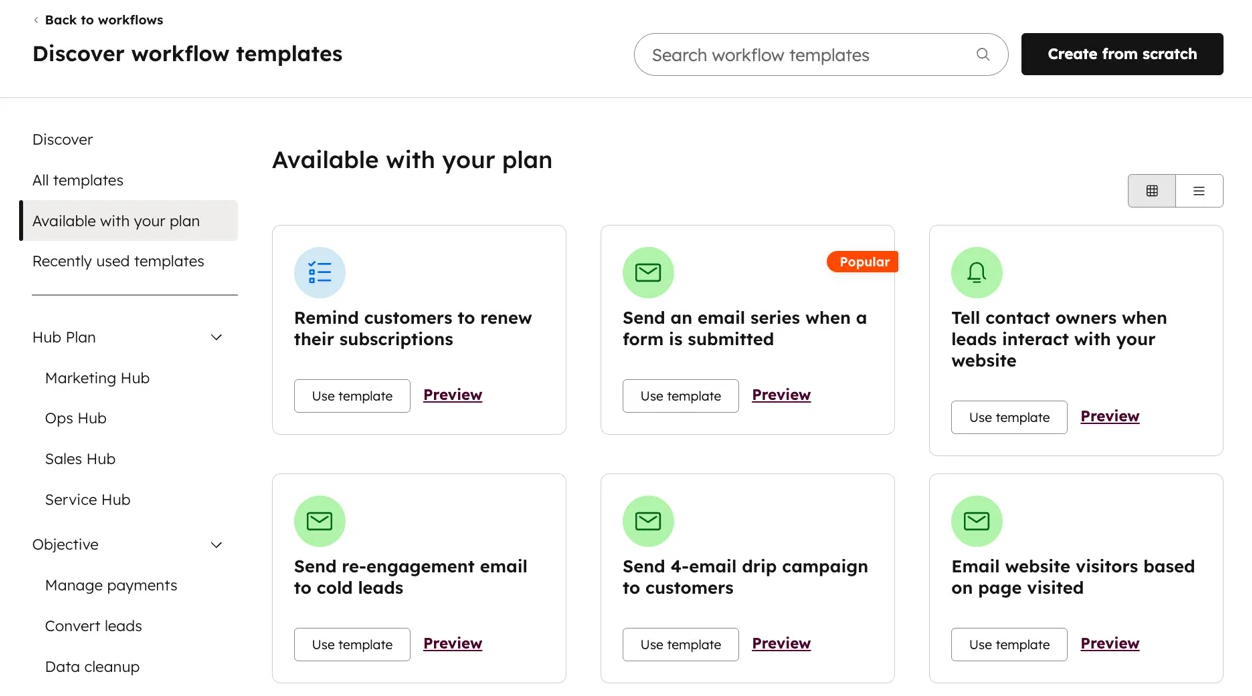
Inside HubSpot, go to Automation → Workflows, then select “Create workflow.” You will choose between starting from scratch and using a template.
Templates are useful if you want a quick starting structure, such as a simple follow-up or lead rotation flow. They come with pre-set triggers and actions, which you can modify. While starting from scratch gives you full control, which works better if your process has specific rules or conditions.

You also need to choose the object type. A contact-based workflow is the most common and works for email sequences, lead nurturing, and lifecycle updates. A deal-based workflow fits better if your process depends on pipeline stages or revenue tracking.
If you are unsure, start with a contact-based workflow. It gives you flexibility and covers most marketing use cases.
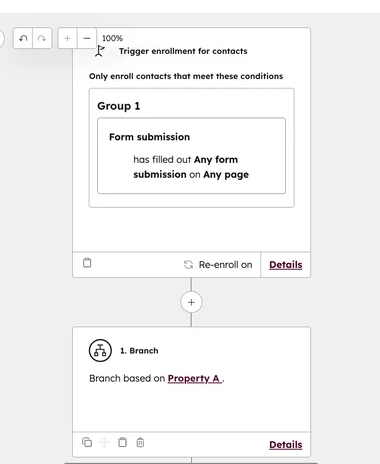
Enrollment triggers define who enters the workflow. You can set these in HubSpot using filters based on behavior or properties.
For example, you might enroll contacts who submitted a consultation form and have a lifecycle stage set to “Lead.” This keeps the workflow focused on people who are relevant and ready for the next step.
Be careful not to stack too many filters early. If your conditions are too strict, valid contacts may never enter the workflow. On the other hand, broad triggers such as “any page view” often bring in low-intent users, which weakens performance.
You should also decide if contacts can re-enroll. This matters when the same action can happen again, such as downloading multiple resources or submitting another form.
Once triggers are set, enter the workflow editor. This is a visual canvas where you add actions step by step using the plus icon between nodes.

Common actions include sending emails, updating contact properties, assigning leads to sales reps, or creating internal tasks. Each action should move the contact closer to a defined outcome.
Logic is where your workflow becomes more intelligent. HubSpot lets you add if/then branches that split contacts based on behavior or data. For example, after sending an email:
This prevents every contact from receiving the same experience and keeps communication relevant. A common mistake here is adding too many branches too early. This creates a workflow that is difficult to manage and harder to debug. Start with one or two key decision points, then expand only if needed.
After building the structure, refine how the workflow runs. Timing plays a major role in engagement.
You can insert delays between actions, such as waiting one day before sending a follow-up email after a form submission. You can also control when actions execute, such as limiting sends to business hours.
At this stage, review workflow settings. Give the workflow a clear name that reflects its purpose. Set suppression rules if needed, such as excluding existing customers from a lead-focused workflow.
You should also think about how properties are used inside the workflow. For example, updating a property like “Lifecycle Stage” or “Lead Status” helps track progress and can trigger other automations. If properties are inconsistent or unclear, your workflows become harder to control and measure.
Before turning the workflow on, test it using HubSpot’s testing feature. You can enroll a sample contact and see how each step executes.
This helps you catch issues such as:
Testing also shows how timing feels from a user perspective. If messages are too close together, it can feel overwhelming. If they are too spaced out, engagement can drop.
Once everything looks correct, activate the workflow. From that point, any contact who meets the enrollment criteria will enter automatically. After activation, monitor performance inside the workflow dashboard. Look at enrollment numbers, email engagement, and where contacts drop off. Small adjustments to timing, messaging, or triggers can improve how the workflow performs.
Creating a workflow in HubSpot is about structuring how your system responds to real behavior. When triggers are precise, actions are intentional, and logic stays simple, your workflows become reliable and easier to scale.
These are the popular marketing workflow templates you can use as a starting point to build your own processes. You can adapt each one based on your goals, audience, and the type of journey you want to create.
This starts when someone submits a form. At this stage, the person is still exploring a topic and looking for guidance. You can map this out in three key steps:
What makes this effective is the flow. Each message builds on the previous one, so the person feels guided through the process rather than pressured to act too soon.
This activates when a user shows purchase intent but does not complete the transaction. A common structure includes:
This template works when each step answers a different question in the buyer’s mind. If all messages feel the same, the workflow loses impact.
This template starts after a purchase or sign-up. The focus is on helping the customer reach value so they stay engaged. A structured onboarding flow includes:
For more ideas on keeping customers engaged long term, you can check this guide on 10 B2B marketers’ customer retention strategies to lower churn.
HubSpot is an all-in-one platform where your CRM, marketing, sales, and service data live in one place. This shared data foundation allows every workflow to pull from a single contact record, including behavior, lifecycle stage, deal activity, and communication history.

You can build one workflow that sends emails, updates lifecycle stages, assigns leads to sales, and triggers internal notifications. This creates a connected process that moves from marketing into sales and customer management without gaps.
The platform is also easy to use. Its visual, drag-and-drop builder helps you map out logic clearly and understand how contacts move through each step. Even more advanced workflows remain structured and easy to manage.
HubSpot also includes built-in AI features that help draft emails, analyze data, and identify high-intent leads. These features work directly with your CRM data, so your automation stays relevant to each contact.
You also get clear visibility into performance. You can track how workflows influence customer journeys, conversions, and revenue, not just engagement. Many businesses report improved results, with some seeing up to an 83% increase in conversion rates when using HubSpot. This makes HubSpot a strong choice if you want one system that connects your workflows, data, and teams into a streamlined process.
ActiveCampaign focuses on email automation, behavioral targeting, and AI-driven features. It is designed for teams that want precise control over how contacts move through communication sequences.

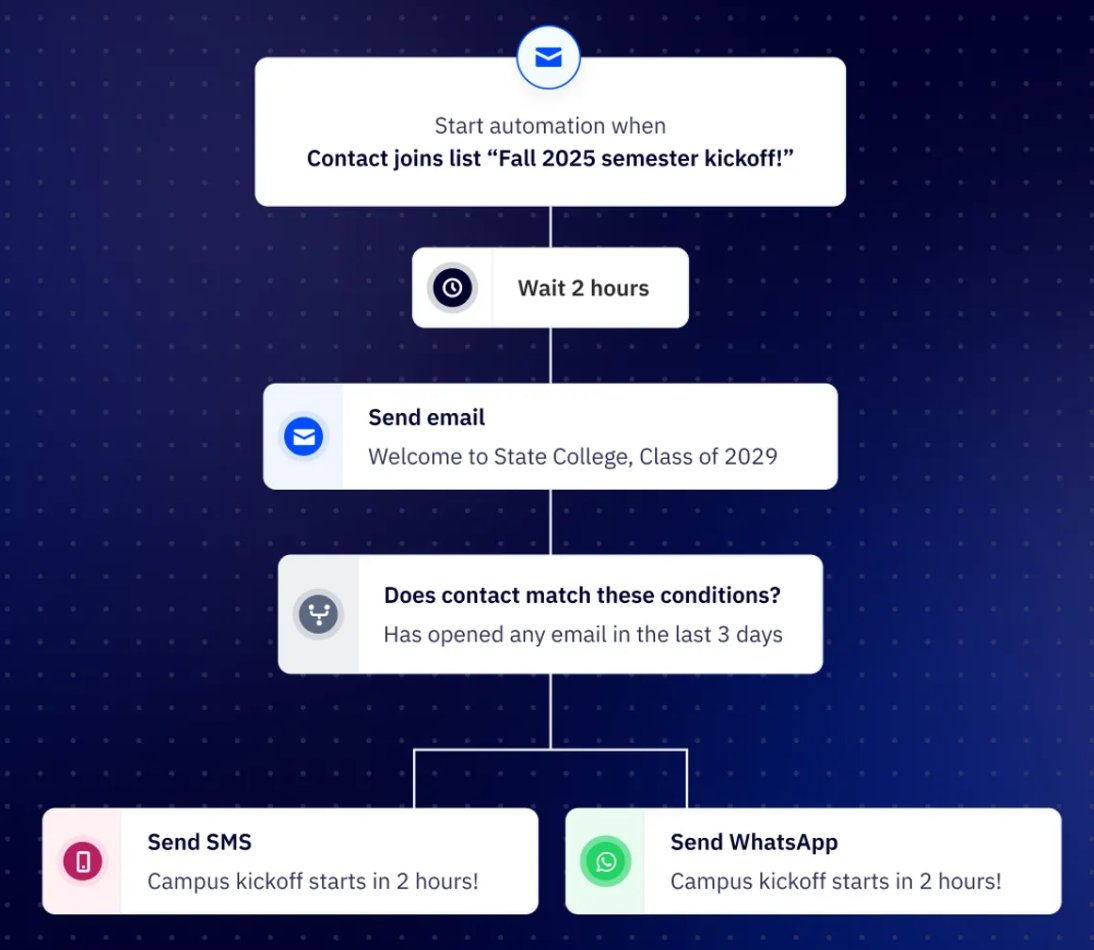
Its main strength is advanced segmentation and flexible branching logic. You can group contacts based on behavior, demographics, past interactions, or custom data points, as shown below, then place them into highly specific paths.
This helps you to create segments such as highly engaged users, inactive contacts, or leads showing strong buying intent. You can then trigger different actions based on those segments, such as sending targeted emails, adjusting timing, or moving contacts into new sequences.
ActiveCampaign is a good choice when you want detailed control over how contacts progress through your workflows.
Adobe Marketo is designed for enterprise-level automation where workflows need to support large datasets, long sales cycles, and multi-channel campaigns.

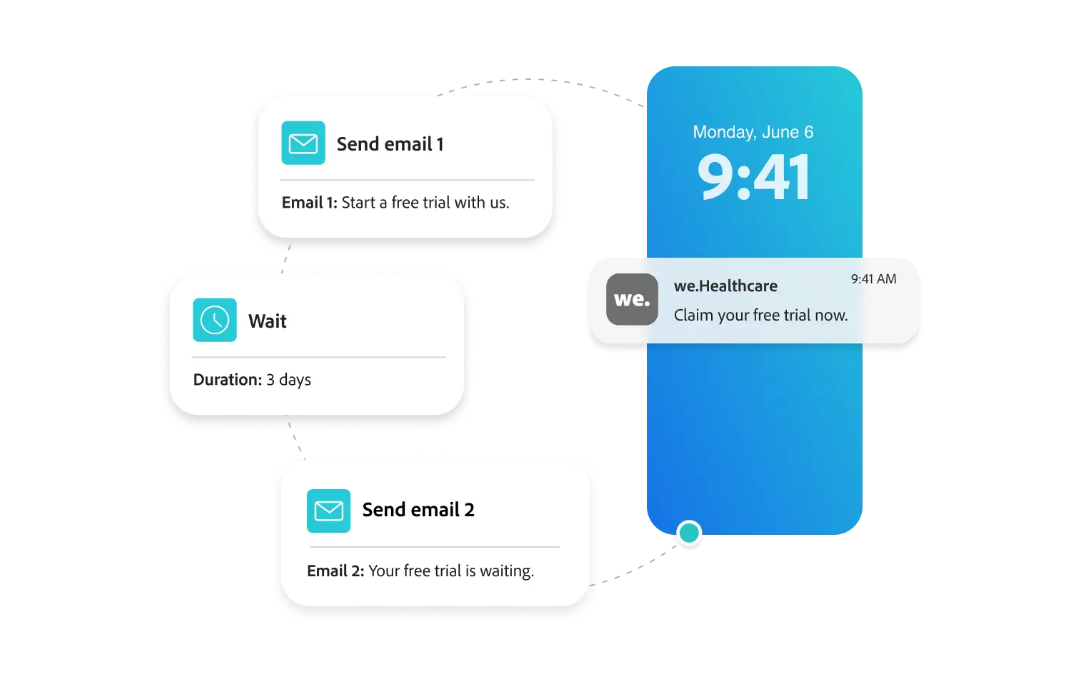
You can build workflows that incorporate lead scoring, advanced segmentation, and interactions across multiple channels such as email, web activity, and CRM integrations.
Marketo gives you a high level of customization, which makes it suitable for businesses with more complex needs. It works best for teams that have the resources to manage a more technical setup and want deeper control over how their workflows operate across the entire customer lifecycle.
Each of these platforms serves a different level of complexity, so your choice depends on how much control, scale, and flexibility your team needs to manage workflows effectively.
With a marketing workflow in place, you can create a system that manages timing, messaging, and progression automatically. This brings consistency to how leads and customers experience your brand and reduces the gaps where opportunities often get lost.
Using AI-enabled CRM platforms like HubSpot strengthens that system by keeping your data, marketing, and sales actions connected. You can adjust workflows based on real behavior, which makes your processes more responsive and easier to manage as you scale.
If you want a more structured setup from the start, working with HubSpot CRM experts can help you design and implement workflows that align with your business goals. At Campaign Creators, you get support building and optimizing marketing workflows in HubSpot, so your system runs efficiently from day one.
Start with workflows tied to high-intent actions, such as form submissions or demo requests, where follow-up directly impacts revenue. Focus on points in your funnel where delays or missed responses are most likely to cost you opportunities.
You should have enough workflows to cover each key stage of your funnel, but not so many that they overlap or create confusion. A smaller set of focused workflows performs better than a large, unstructured system.
Yes, poorly timed or irrelevant workflows can overwhelm users and reduce trust in your communication. When messages feel repetitive or disconnected from user behavior, engagement tends to drop.
Single-channel workflows operate through one medium, such as email, which limits how you reach users. Multi-channel workflows combine email, ads, SMS, and CRM actions to create a more consistent and connected experience.
AI helps you adjust timing, messaging, and targeting based on real user behavior and patterns. Over time, this leads to more accurate personalization and better overall conversion performance.
Marketing teams are expected to generate a pipeline faster and prove revenue impact. At the same time, many teams still rely on manual processes that...
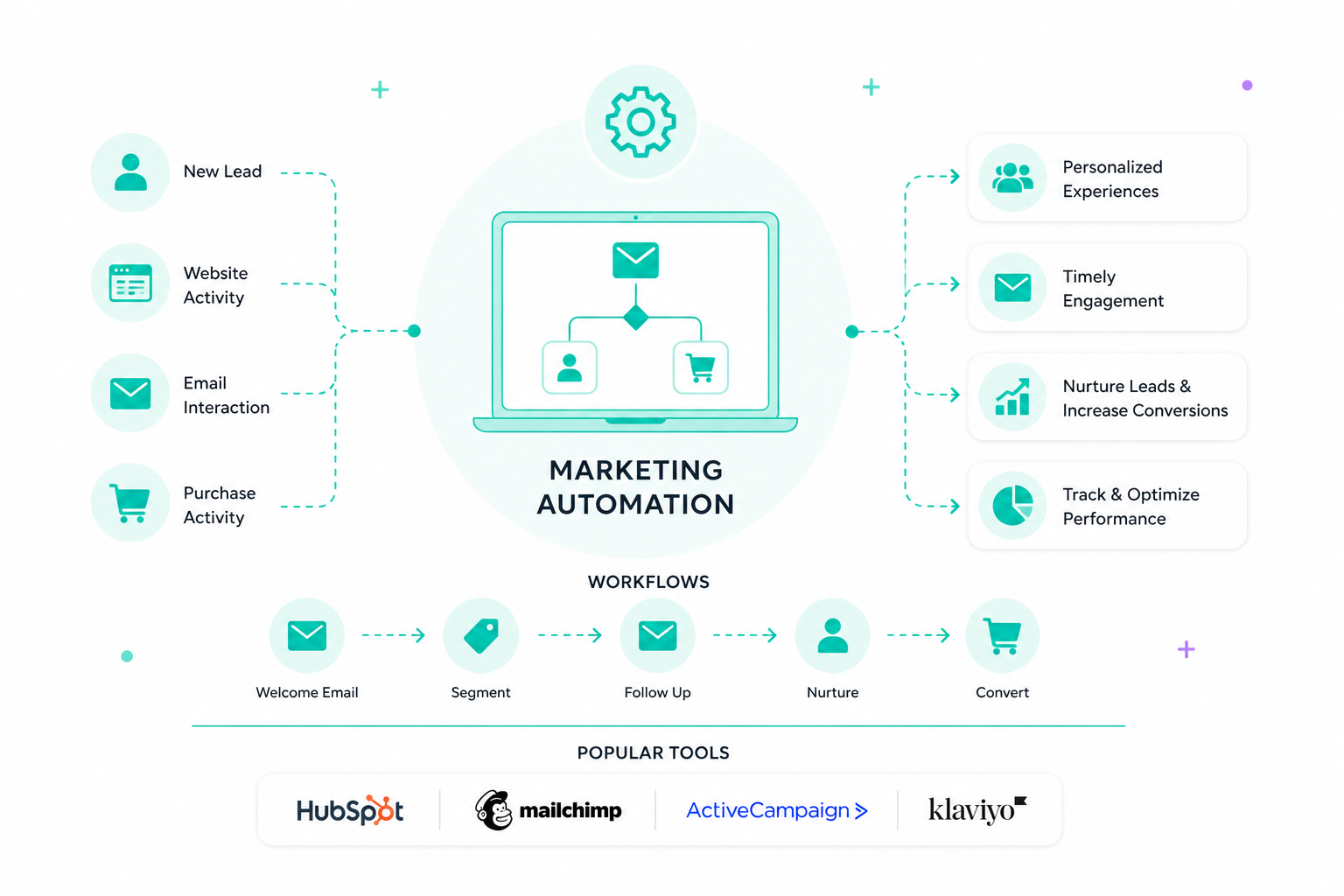
Marketing automation uses software to handle repetitive tasks like emails, social posts, and campaign management. It sets up workflows that respond...
HubSpot lifecycle stages track a contact's progression from early engagement to becoming a customer. Marketing, sales, and customer success teams...