Skip to the main content.

WEBSITE GROWTH & CONVERSION

• Web Design & Development


• SEO & AEO


• Conversion Rate Optimization


• Lead Generation Strategies


HUBSPOT SUPPORT & ENABLEMENT

• HubDesk


• HubSpot Training


• HubSpot Change Management

FREE TOOLS & ASSESSMENTS

• AEO Auditor


• HubSpot Al Readiness Scorecard


• HubSpot Al Solutions Design


LEARN & WATCH

• View All Resources


• Ebooks & Templates


• Webinars On-Demand


• Expert Videos

13 min read

What Sales Activities Should You Automate?

What Sales Activities Should You Automate?

Automate the sales work that repeats, follows clear rules, and needs no human judgment. That includes lead capture, qualification and routing, CRM data entry and activity logging, follow-up reminders and sequences, meeting scheduling, and the digging that goes into pre-call prep. Discovery, negotiation, and relationship building stay with your reps, and they should.

Forrester has found the average rep burns roughly 14 of 51 working hours a week on administrative work, close to two full days on paperwork, and HubSpot's Sales Trends research found that sellers spend less than half of their time actually selling. Those hours are the budget you actually have, and automation is how you claw some of them back.

None of that means handing your buyer relationships to a robot. The useful way to think about it is three tiers. Repetitive admin gets automated outright, research and drafting go to AI with someone reading the output, and anything resting on trust or judgment stays with a person. Everything below follows that logic, along with the HubSpot tools and settings that do each job.

Key Takeaways

  • Keep discovery, negotiation, relationship building, and sensitive conversations with people.
  • Treat AI as a middle layer for research, summaries, and drafts that a salesperson reviews before anything reaches a buyer.
  • Judge automation by response time, meetings booked, conversion, and CRM accuracy, never by the number of workflows you switched on.

How Do You Know Which Sales Activities to Automate?

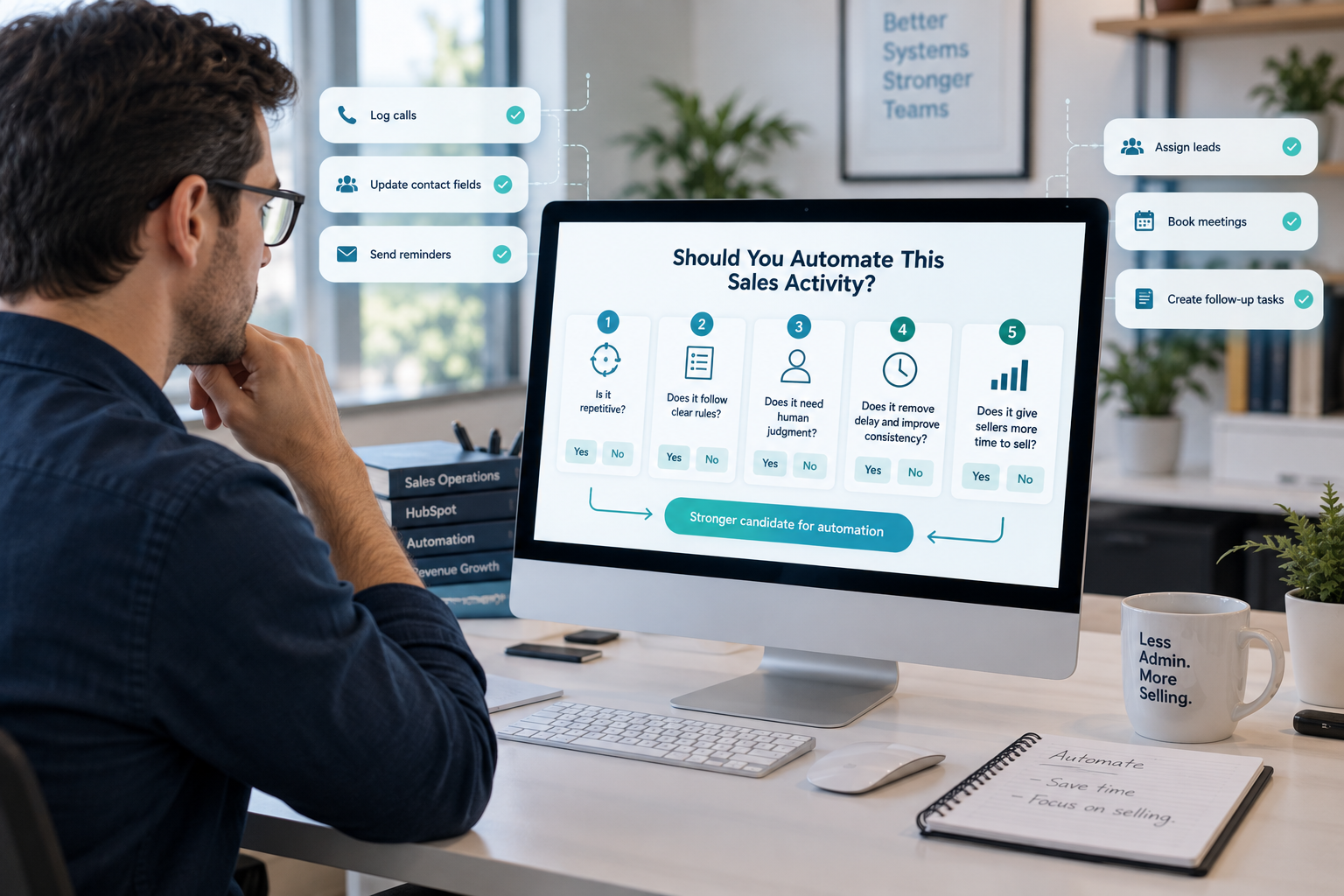
business-owner-thinking-about-which-sales-activity-to-automate-in-hubspot

Run each activity through five questions before you build anything around it. Is it repetitive, does it follow clear rules, does it need human judgment, does automating it remove delay, and does it hand real selling time back to your reps? The more times the answer is yes, the stronger the candidate. Hours consumed is a weaker signal on its own, since plenty of slow work still needs a person sitting in the middle of it.

1. Is the Task Repetitive?

Activities that happen again and again across deals, reps, and customers are the first place to look, including logging calls, updating contact fields, sending routine reminders, assigning leads, and booking meetings. Repetition also makes a task easier to build, since the steps follow a pattern you can draw.

New lead enters the CRM → meets qualification criteria → owner assigned → follow-up task created → salesperson notified

When that chain runs hundreds of times a month, managing each step by hand is pure overhead, and every step is another chance for something to get skipped.

2. Does the Task Follow Clear Rules?

Tasks with predictable inputs and outputs are safe to hand over, and lead routing is the classic example. Enterprise leads go to the enterprise team, North American leads to the North American territory, and existing customers to their account owner. The criteria already exist, so software can apply them the same way every time.

A negotiation with a high-value prospect follows no fixed sequence, since the rep has to read the buyer's concerns and decide how to respond. That makes it a poor fit for full automation, though the prep around it automates fine.

3. Does It Need Human Judgment?

Automate the process around the decision and leave the decision itself with the rep. Software can pull a prospect's history before a call, summarize past interactions, and surface the relevant CRM fields, and the salesperson decides how to run the conversation from there. That distinction gets its own section further down, because it is the one people get wrong most often.

4. Does Automation Remove Delay and Improve Consistency?

Some activities earn automation because doing them by hand creates gaps, and follow-up is the obvious one. A rep plans to circle back after a demo, gets pulled into a live deal, and the thread goes quiet for a week. A workflow creates the task or sends the approved touch on schedule every time, and it never has a bad Tuesday.

Speed counts most at the front of the funnel, where a demo request can clear four steps before anyone opens the CRM.

Prospect submits a demo request → confirmation sends → lead assigned → notification fires → follow-up task created

Nobody has to remember a handoff, and the prospect hears from a person while their interest is still fresh.

5. Does the Task Pull Sellers Away From Selling?

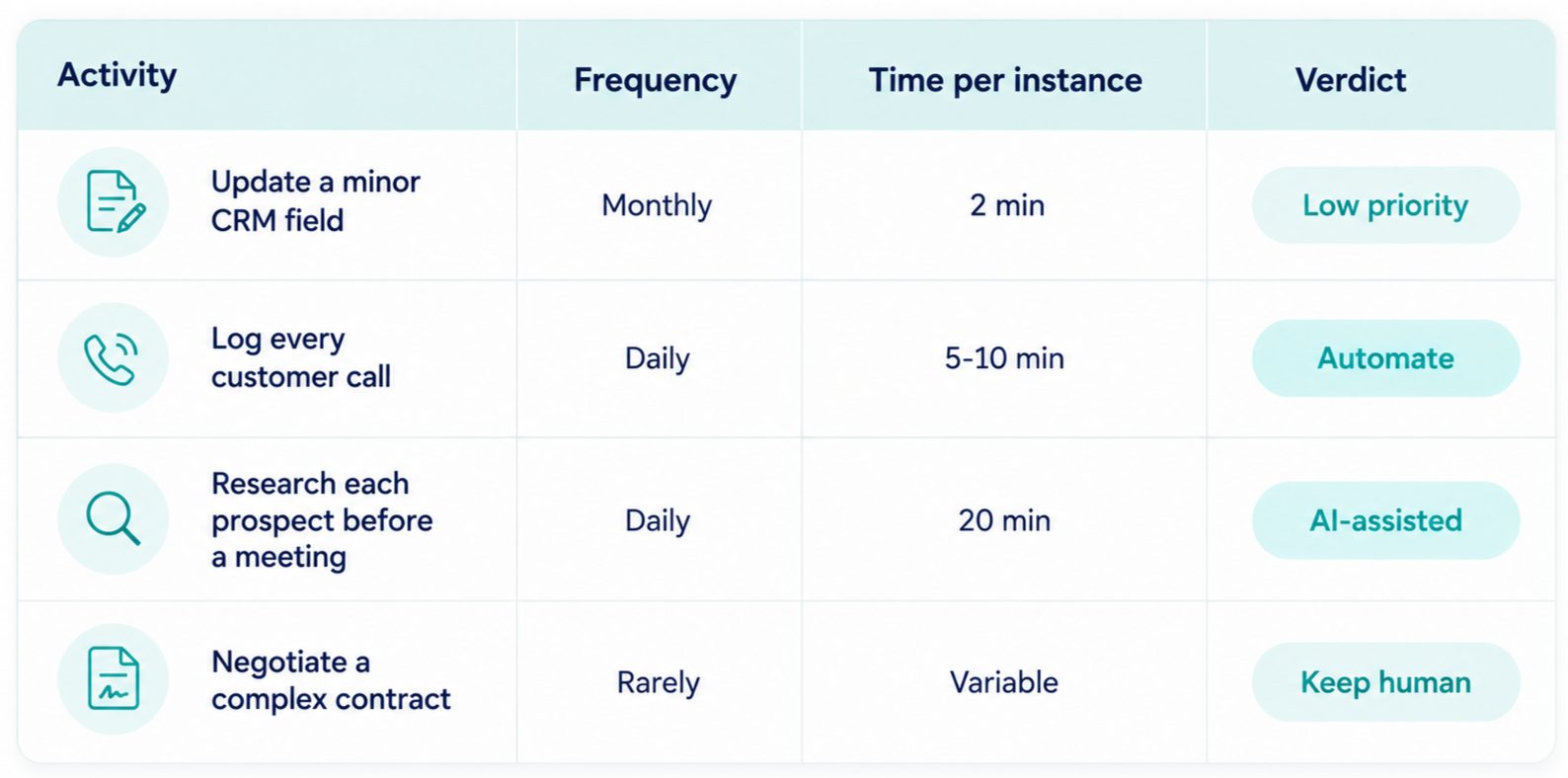
Capacity is the filter that decides which builds are worth doing, because volume changes the arithmetic completely. A five-minute job done twice a month is noise. A ten-minute job done after every customer interaction across a twenty-person team is real money, and HubSpot's research suggests AI tools were already handing sales pros back around two hours a day.

A rough formula keeps the list honest.

Automation opportunity = frequency × time per instance × people affected × business impact

crm-activities-by-frequency-time-required-and-recommended-approach

What Should You Automate in Lead Capture, Qualification, and Routing?

Automate the capture of every inbound signal, the scoring and qualification rules your teams have already agreed on, the assignment of each lead to an owner, and the tasks and notifications that follow.

Lead handling sits at the front of the process, where a short delay or a bad assignment affects everything downstream. It is also the area with the deepest native tooling, since HubSpot forms, chatflows, meeting links, and ad integrations all write straight into the CRM, and Workflows can carry it the rest of the way.

Capture Every Inbound Signal

Prospects show intent in a dozen places, including contact forms, demo requests, resource downloads, trial signups, webinar registrations, live chat, and campaign replies. A capture workflow can create or update the record, log the source, store form responses, associate the campaign, check for duplicates, start qualification, and notify the right team.

HubSpot deduplicates contacts by email address on the way in, so a repeat form fill updates the existing record and does not spawn a second one. Its AI agents now cover part of the front end too.

The prospecting agent researches accounts and builds outreach, and a customer agent can answer site visitors and pass qualified prospects toward booking, which closes the gap between a late-night form fill and a real conversation.

Qualify and Score on Agreed Criteria

Qualification weighs fit, buying readiness, and likelihood of becoming a customer, and once sales and marketing agree on those signals, they turn into rules the CRM can apply.

  • Company size above 500 + target industry + demo request → high priority
  • Existing customer + interest in a new product → account management
  • Outside target geography + low engagement → nurture

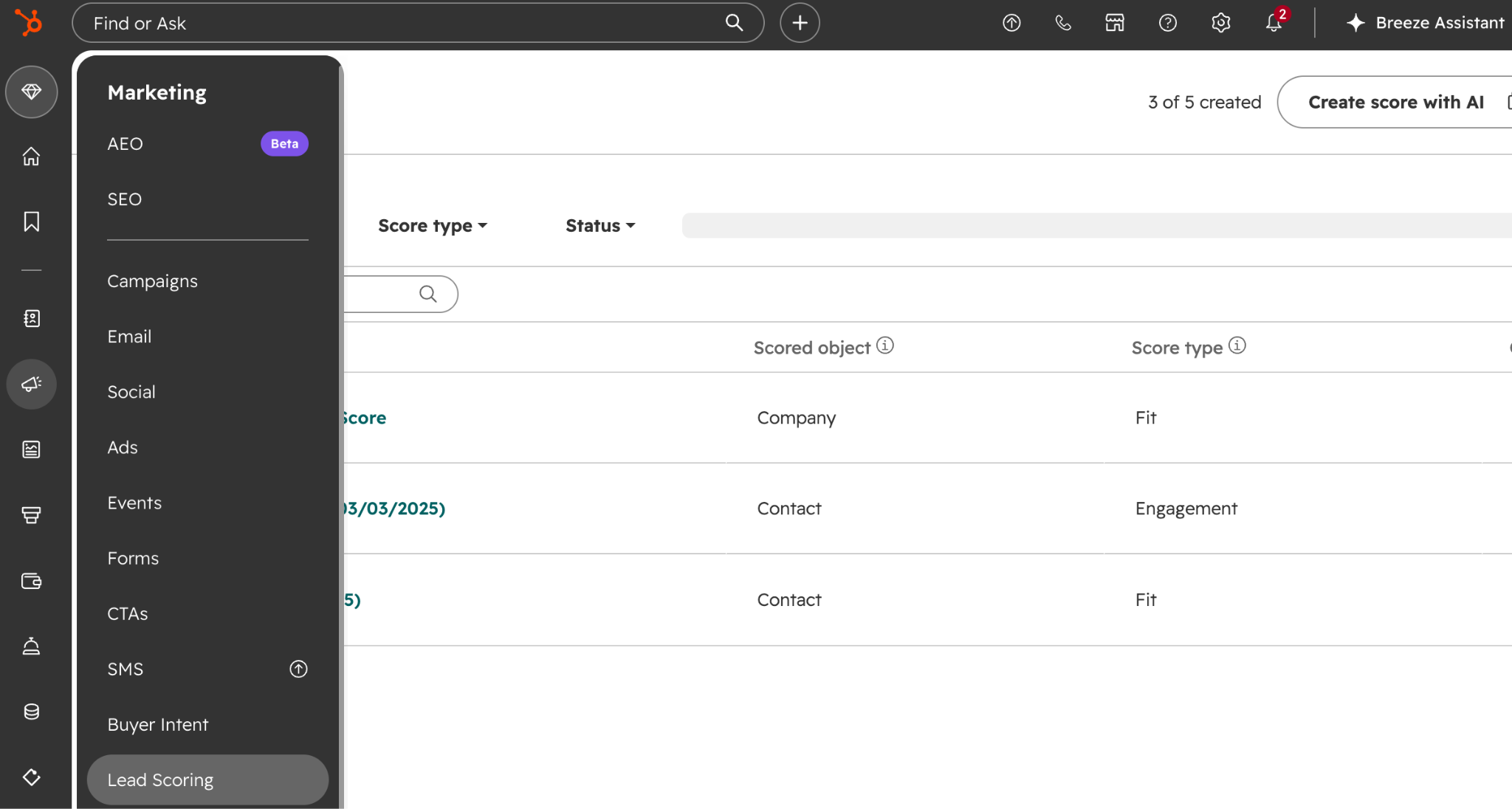
HubSpot's lead scoring tool is where those rules live, under Marketing > Lead Scoring.

hubspot-marketing-lead-scoring

You can build a fit score from property values like industry, company size, and job title, an engagement score from actions like form submissions, meetings, and email clicks, or a combined score that keeps both visible. Three settings do most of the heavy lifting.

  • Group limits cap how many points one category can contribute, so a run of page views cannot outrank a demo request.
  • Score decay shrinks an event's value as it ages, which keeps a lead who went quiet in March out of today's priority list.
  • Thresholds turn the number into a label: High, Medium, and Low for single scores and an A1 through C3 grid for combined ones, which is far easier to act on than a raw number.

Scoring is available on Marketing Hub and Sales Hub Professional and Enterprise, and AI-built contact scores require Marketing Hub Enterprise.

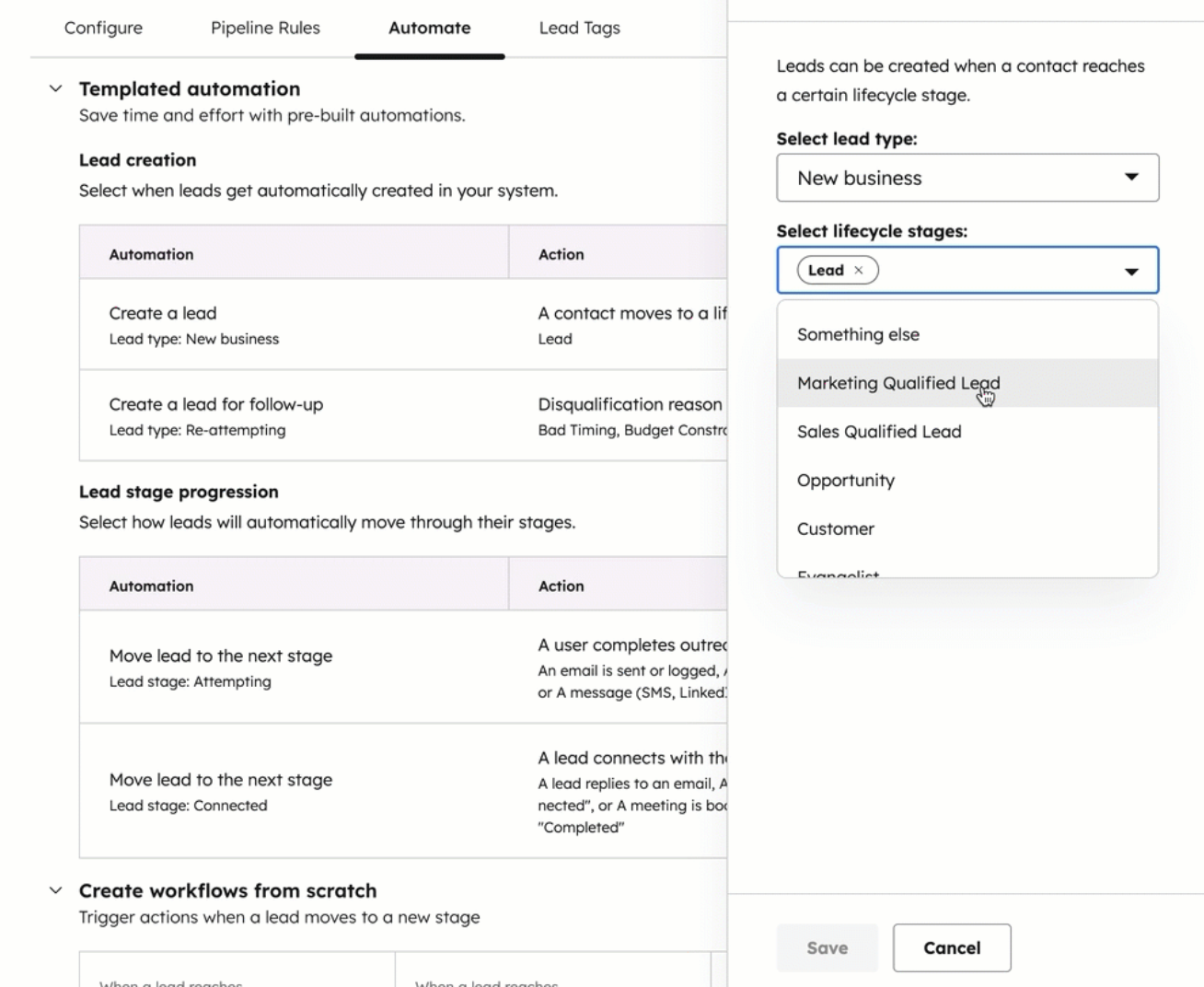
Lead pipeline automation handles the stage side of qualification. Under Settings > Data Management > Objects > Leads > Pipelines > Automate, HubSpot can create a lead when a contact reaches a lifecycle stage you choose, move it to Attempting once a rep sends or logs outreach, and move it to Connected when the prospect replies, completes a booked meeting, or answers a call.

hubspot-lead-pipeline-automation

You can also hang workflow actions off each lead stage from the same screen. That removes a whole category of manual status updates nobody enjoys doing.

Route to the Right Salesperson

Assignment gets complicated as a team grows, since it can depend on territory, product interest, industry expertise, account ownership, company size, language, deal value, and rep capacity. Manual routing fails in predictable ways. Leads sit unassigned, two reps call the same prospect, a major account lands with a new hire, or one rep drowns while another sits idle.

  • Enterprise account → enterprise AE
  • APAC prospect → APAC team
  • Healthcare prospect → healthcare specialist
  • Existing customer → current account owner
  • High-value opportunity → senior sales queue

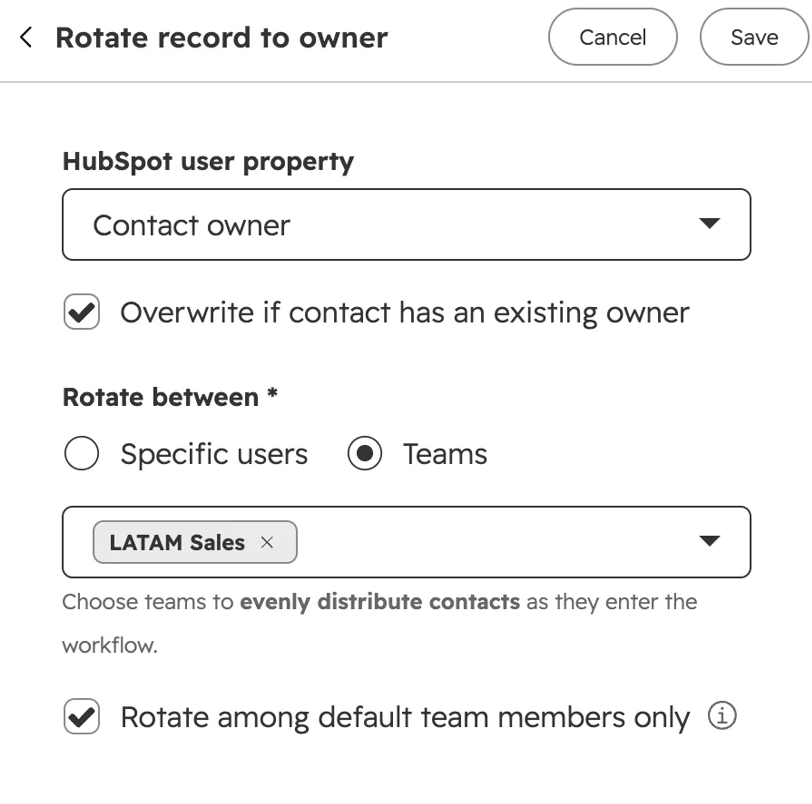
You can build this under Automation > Workflows. An if/then branch reads the properties you route on, and the Rotate record to owner action distributes records across a chosen group of users or a team, which is HubSpot's round-robin engine.

hubspot-rotate-record-to-owner-automation-workflows

Plain rotation ignores workload, so if your reps carry uneven loads, branch on capacity or availability before the rotate step.

How Do You Automate CRM Data Entry and Activity Logging?

Automate the fields your systems already know, the logging of calls, emails, and meetings, the property updates that follow defined sales events, and the notes AI can draft from a recorded conversation. Reps then review a record in place of building one from memory.

CRM upkeep is the clearest win in the stack because it is frequent, administrative, and almost entirely mechanical. It is also the work reps quietly skip when the week gets busy, which is how pipeline reviews turn into guesswork. The rule of thumb is that nobody should retype data the CRM, the scheduling tool, or a connected app already holds.

Log Calls, Emails, and Meetings Automatically

Connecting the CRM to the tools reps already use lets the timeline build itself. In HubSpot, that means a connected inbox and calendar, the calling tool, and meeting links, all of which log activity against the record without a click.

  • Email sent → activity recorded on the contact timeline
  • Meeting completed → meeting activity logged
  • Call made → call and outcome attached to the record
  • Form submitted → prospect activity added
  • Task finished → activity marked complete

The account history assembles itself, which means the next person to touch the account can see what happened without asking anyone.

Turn Conversations Into Notes With AI

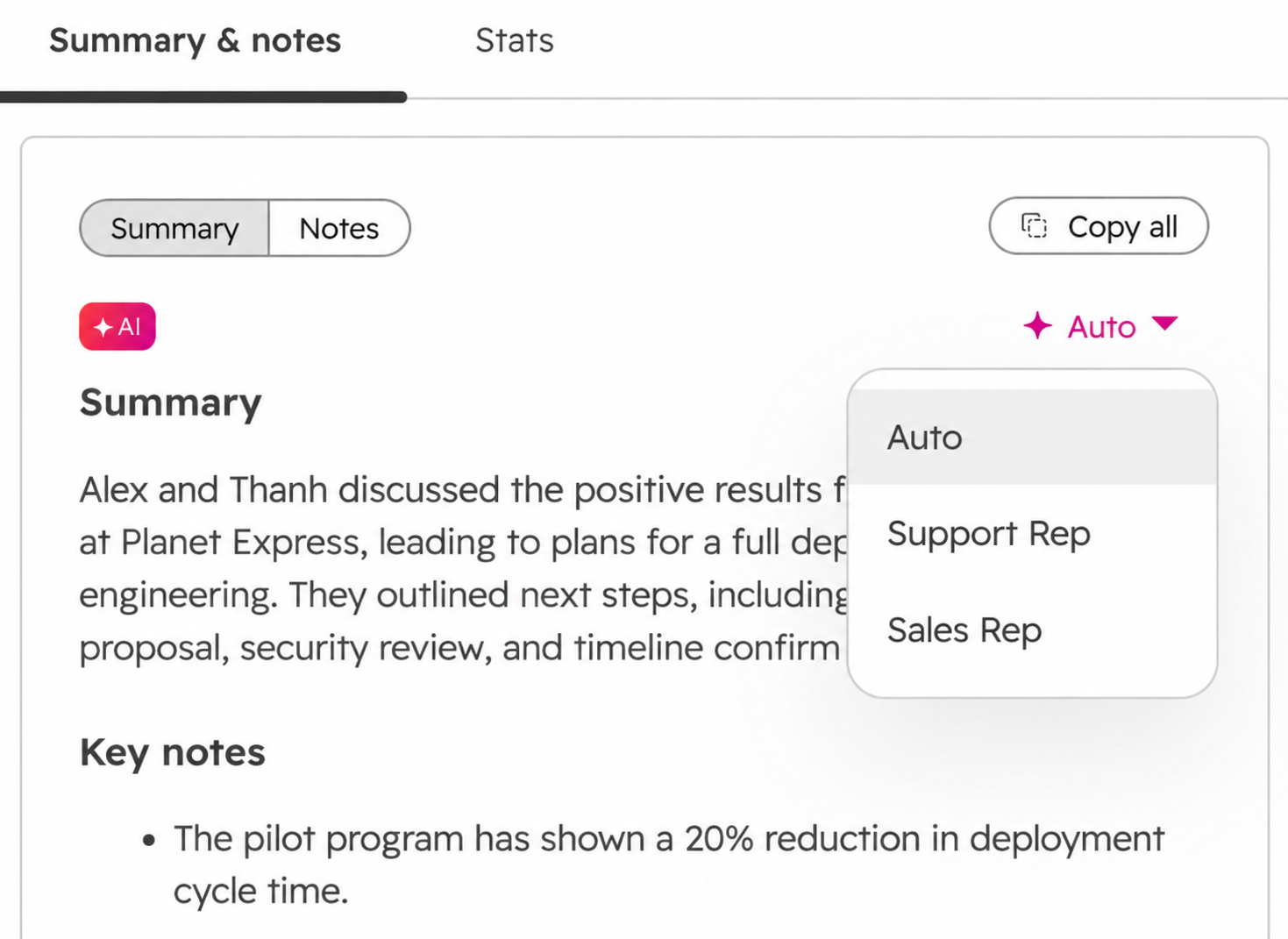
Notetakers push activity logging one step further, since a recorded discovery call can produce a summary, the pain point the buyer named, the agreed next step, and a follow-up date, all staged against the record.

HubSpot's Notetaker joins calls, records and transcribes them, and writes summaries back into the CRM, with versions for Zoom, in-person meetings on iOS, and the mobile app.

 hubspot-notetaker-with-ai

Check your local consent rules before you switch recording on, and set the transcription options at the account level so reps are not deciding case by case. Review AI-written updates before they change anything downstream, because a summary that misstates a requirement or overwrites a deal property creates more work than it saved.

Standardize Values Before You Build

Automation is only as good as the fields underneath it, and a free-text industry field where reps type Technology, Tech, Software, SaaS, and IT company will break every report built on top of it. Predefined values, controlled field types, validation rules, and duplicate management fix that at the source. Apply the same discipline to deal stages, lead statuses, customer types, and regions, since those feed forecasting, routing, and the dashboards your leadership actually reads.

Enrich Records, Then Verify What Counts

Enrichment fills company size, industry, location, and job title without a rep researching each account, and HubSpot handles this through its own data enrichment tools as well as marketplace integrations.

What Follow-Up and Sales Sequences Should You Automate?

Automate the trigger, the timing, the reminder, and the exit. Post-meeting tasks, timed outreach sequences, behavior-based branching, and automatic unenrollment all belong to the system, while the wording of anything heading into a live negotiation belongs to the rep.

Follow-up is repetitive and predictable, which makes it a natural candidate. HubSpot splits the work across two tools. Workflows handle internal tasks and record updates at scale, and Sequences handle the one-to-one outreach that sends from a rep's own inbox.

Trigger Follow-Up After Defined Events

The strongest triggers sit immediately after a clear sales event, where the next action is obvious to everyone involved.

  • Demo completed → recap email sends → follow-up task created
  • Proposal sent → wait three days → reminder fires
  • Information requested → resource delivered → task created
  • No response to first outreach → contact enters follow-up track
  • Meeting booked → confirmation and prep details sent

A rep juggling thirty open opportunities cannot hold every follow-up date in their head, and the workflow does it for free.

Build Sequences Around Your Buying Cycle

A sequence is a defined series of steps over a set period, mixing automated emails with manual tasks. HubSpot supports automated emails, manual emails, call tasks, general tasks, and LinkedIn connection or InMail tasks, with delays of up to 90 business days between steps and the option to pause a sequence until a task is done.

  • Day 1 → introductory email
  • Day 3 → follow-up email
  • Day 5 → call task for the rep
  • Day 8 → value-focused email
  • Day 12 → final check-in

Length should track your sales motion, since a short transactional cycle can carry more touches while a complex B2B deal needs fewer emails and more personalization across a longer window. One constraint worth designing around is that a contact can sit in only one sequence at a time, so plan your tracks as a set and not as overlapping campaigns.

Branch on Behavior

Sequences do not need to be identical for everyone, and engagement is the cheapest signal you have for splitting them.

  • Opens and clicks → prioritize for a rep call
  • Opens but no clicks → send a different value-led email
  • No engagement → drop to a lighter-touch track
  • Visits the pricing page → create a high-priority task
  • Replies → stop automation and hand to the owner

Segment on the record too, since an enterprise prospect, a returning customer, an inbound demo request, and a cold outbound lead should never share one cadence.

Exit the Sequence the Moment Someone Engages

Knowing when to stop is the most important part of follow-up automation, and it is the part teams most often leave on default.

  • Prospect replies → automated emails stop
  • Meeting booked → contact leaves the prospecting track
  • Opportunity created → deal-stage workflow takes over
  • Opt-out requested → future outreach suppressed
  • Lead becomes a customer → removed from prospecting campaigns

HubSpot covers the common cases out of the box, unenrolling a contact when they reply, book a meeting from a sequence link, unsubscribe, or bounce. On the Automation tab of any sequence, you can turn those triggers on or off and choose to unenroll only that contact or every contact at the same company, which is useful when several people from one account are in your outreach.

How Do You Automate Meeting Scheduling and Sales Preparation?

Automate booking, confirmations and reminders, the questions asked at booking, the pre-call brief, the internal notifications, and the post-meeting tasks. What you ask in the room, and how you read the answers, stays with the rep.

Scheduling looks minor until you count the steps around it, since coordinating availability, confirming, reminding, collecting context, and prepping notes add up across a full calendar. HubSpot's Meetings Scheduler, meeting-based workflows, and sales workspace cover most of that chain natively.

Let Prospects Book From Your Calendar

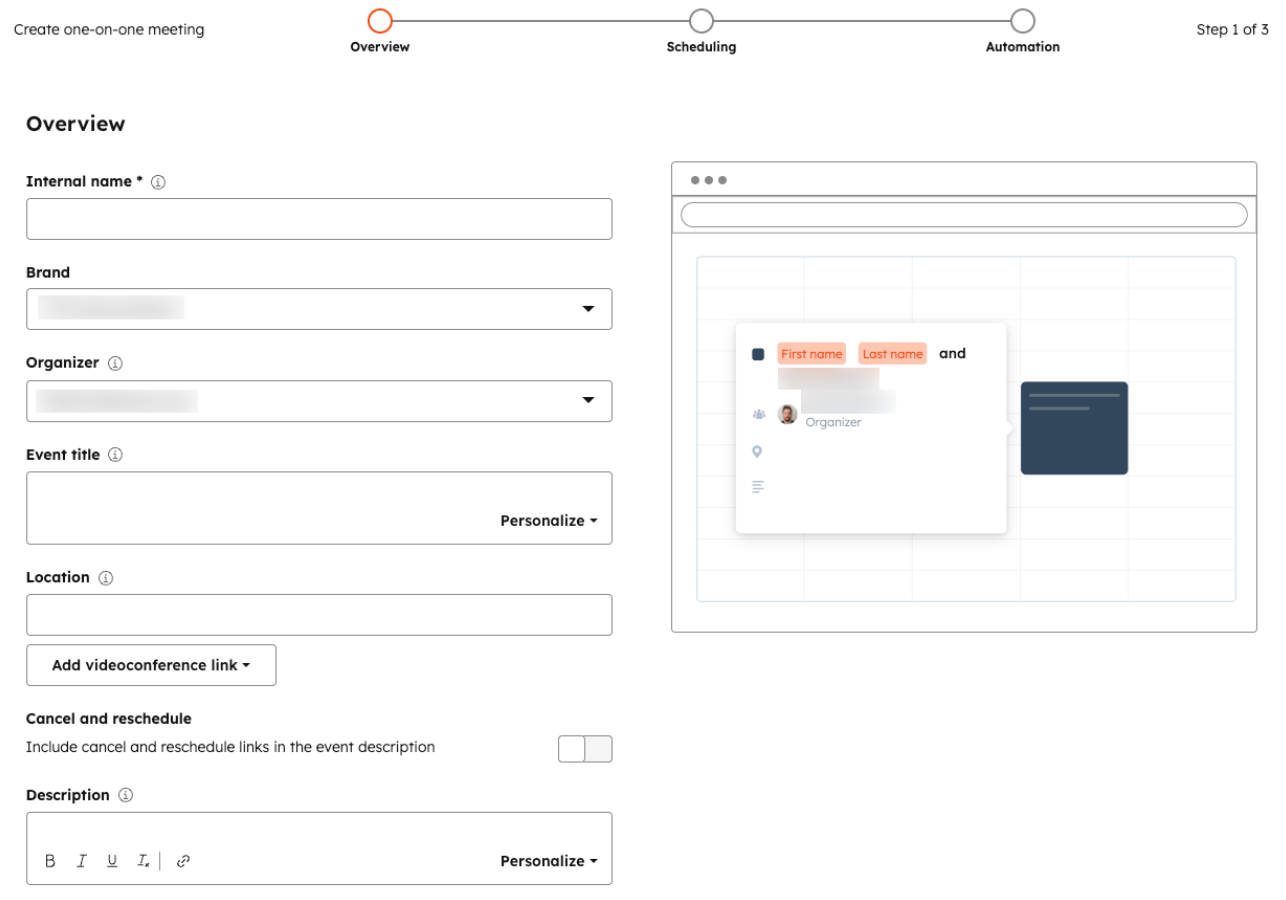
A scheduling page removes the email back-and-forth, and the build takes about ten minutes. Under Sales > Meetings Scheduler, Create scheduling page gives you three options.

  • One-on-One books time with a single rep.

hubspot-meetings-scheduler-create-one-on-one-meeting


  • Group shows only the slots where everyone you select is free.
  • Round robin shows individual availability so the prospect lands with whoever suits their schedule.

Round robin can follow a meeting rotation, and the Prioritize contact owner toggle sends known contacts to the rep who already owns them.

Four settings on that same page protect your reps' calendars from chaos. Minimum notice stops same-hour bookings, buffer time keeps calls from stacking back to back, start time increment controls how slots are offered, and Consider working hours keeps bookings inside each rep's set hours. Team pages need a Sales or Service Hub subscription and an assigned seat, while free and Core-seat users get a single one-on-one page with HubSpot branding.

Reminders and confirmations live on the Automation step of the same setup flow. The confirmation email sends by default, and you can add up to three pre-meeting reminders at intervals you choose, each customizable with contact, company, host, and meeting tokens.

  • Meeting booked → confirmation sends immediately
  • 24 hours out → reminder with agenda and link
  • 1 hour out → final nudge

This is the single biggest speed win for inbound leads because it collapses the gap between interest and conversation, and the reminder cadence quietly cuts your no-show rate at the same time.

Collect Context During Booking

Booking forms are an underused qualification tool, and two or three short questions land well while the prospect is already engaged. On the Form tab, you can add existing contact properties, write custom questions, mark fields optional, turn on CAPTCHA, and block free email domains to cut spam bookings. Pre-populating known values means a returning contact does not retype what you already have. Storing the answers on the record means the rep starts the call knowing what prompted it, and those same answers can feed your routing rules.

Assemble the Pre-Meeting Brief

Preparation eats time, and most of what it involves is retrieval a system can handle on its own.

Upcoming meeting detected → gather CRM records → summarize prior interactions → surface open deal details → generate brief

A useful brief answers who is attending, why they booked, what has already been discussed, what problem they named, what stage the deal sits in, and what the rep should accomplish. HubSpot's sales workspace now groups meeting prep, review, and follow-up in one place alongside the day's tasks and guided actions. For an AE running six calls a day, that removes an hour of tab-switching without removing any thinking.

Coordinate the Internal Cast

B2B meetings often involve more than one person from your side, so automate the internal handoffs with the same triggers.

  • Enterprise demo booked → notify the AE and the solutions consultant
  • Technical call scheduled → prep task for the specialist
  • High-value opportunity → notify the sales manager
  • Existing customer meeting → include the account owner

Everyone walks in knowing why they are there, which is the difference between a coordinated call and four people improvising.

Close the Loop After the Call

Meeting automation should not end when the call starts, since the follow-through is where deals stall.

Meeting ends → summary generated → key points logged → follow-up task created → next-step field updated

HubSpot supports workflows triggered by meeting activity, so you can update a deal stage after a meeting or create and assign a deal the moment a demo is booked. Set priority rules across these workflows so overlapping automations cannot stack three reminders and two questionnaires on the same prospect, because booking a call should feel like one smooth handoff.

Summary of the HubSpot Automation Stack

HubSpot tool

What it handles

Workflows

Lead management, routing, record updates, tasks, notifications, handoffs

Sequences

Timed one-to-one follow-up and outreach

Dynamic sequences

Automated nurture plus rep tasks for engaged contacts

Lead scoring

Fit, engagement, and combined scores with decay and thresholds

Lead pipeline automation

Lead creation and stage progression from rep activity

Meetings Scheduler

Scheduling pages, confirmations, reminders, team rotations

Sales workspace

Daily prioritization of leads, tasks, and meeting prep

AI agents and Notetaker

Research, prospecting, call recording, summaries, drafting

Reporting

Conversion, activity, pipeline, and sequence performance

What Sales Activities Should You Keep Human?

Keep discovery, relationship building, negotiation, objection handling, sensitive customer conversations, and decisions about which deals deserve your time. These activities rely on context, judgment, and trust, which automation cannot handle as effectively.

Discovery and Needs Assessment

A form collects information, and AI summarizes an account, and neither one understands what a buyer actually needs. Two companies with identical firmographics can have completely different reasons for buying, so automation can tell you a 500-person company in your target industry requested a demo, while only a conversation reveals if the real driver is cost, implementation risk, operational drag, or growth pressure.

Discovery is worth more as buyers arrive better informed, not less. HubSpot found 91% of reps say prospects already know their product before the first call, and 74% say AI is making that research easier. Features and pricing are settled before you speak, so the value you add is in the diagnosis.

Relationship Building

Relationships do not scale with touch count, so automate the reminder to reach out and never the reaching out. A CRM can flag that a customer has not heard from anyone in fourteen days, and the rep decides why to call, what to say, and how it should sound given everything that came before.

Negotiation and Objection Handling

A pricing objection rarely means the buyer wants a discount, since it can signal a budget cycle, unclear value, an approval process, implementation worry, or a competing quote. A workflow would answer with a discount or a canned value statement, while a good rep asks what is actually blocking the deal.

Automation still helps in the background by surfacing pricing bands, approval limits, past concessions, contract history, and competitive context. The decision on what to concede stays with the person in the conversation.

Complex and Sensitive Conversations

Certain interactions need human oversight regardless of how good the tooling gets, including contract disputes, serious complaints, pricing exceptions, renewal risk, implementation failures, and security or privacy questions. AI can prepare the rep by pulling account history and drafting a response, and a person should be the one to send it.

Interesting read: What You Shouldn’t Automate in HubSpot for HIPAA Compliance

Find the Right Sales Activities to Automate

Effective sales automation starts with knowing which activities are the strongest candidates for automation. Campaign Creators can help you assess your sales process, identify repetitive and rules-based activities that are strong automation candidates, and separate them from the work that still depends on human judgment.

As a HubSpot Elite Solutions Partner, we can help map those opportunities to your existing process, then build the workflows, sequences, scoring, and reporting that put the strategy into practice. Get in touch to identify where automation can make the biggest difference in your sales pipeline.

Frequently Asked Questions

What Is the Difference Between a HubSpot Workflow and a Sequence?

Workflows automate rule-based actions across records at scale, while sequences send timed one-to-one emails and rep tasks from a salesperson's own connected inbox.

Can You Automate Lead Qualification?

You can automate the scoring and routing that come from agreed criteria, though a rep should still confirm the business problem is real before the opportunity moves forward.

Can AI Write Your Sales Follow-Up Emails?

AI can draft a follow-up from call notes and CRM context, and the rep should read and adjust it before sending.

Which HubSpot Tools Do You Need for Sales Automation?

Workflows, sequences, lead scoring, and lead pipeline automation sit on Professional and Enterprise tiers, while the Meetings Scheduler, connected inbox logging, and email templates are available on lower tiers and free tools.

How Do You Stop a Sales Sequence When Someone Replies?

HubSpot unenrolls a contact by default when they reply to a sequence email or book a meeting from a sequence link, and you can adjust both triggers on the sequence Automation tab.


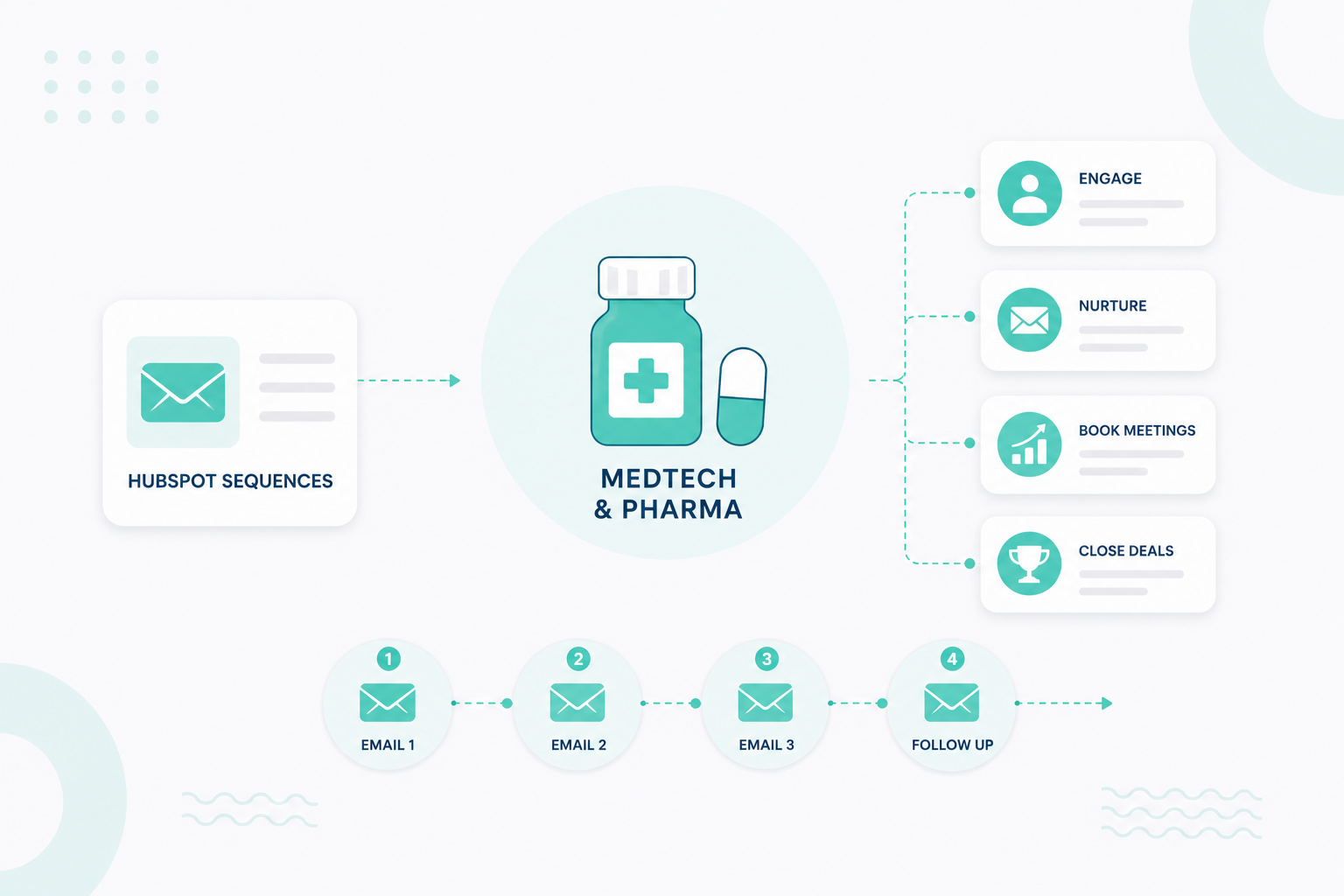
How to Use HubSpot Sequences for MedTech and Pharma Sales

How to Use HubSpot Sequences for MedTech and Pharma Sales

MedTech and pharma sales often involve long buying cycles, multiple decision-makers, and frequent follow-ups. Sales reps need a clear way to stay...
Read More
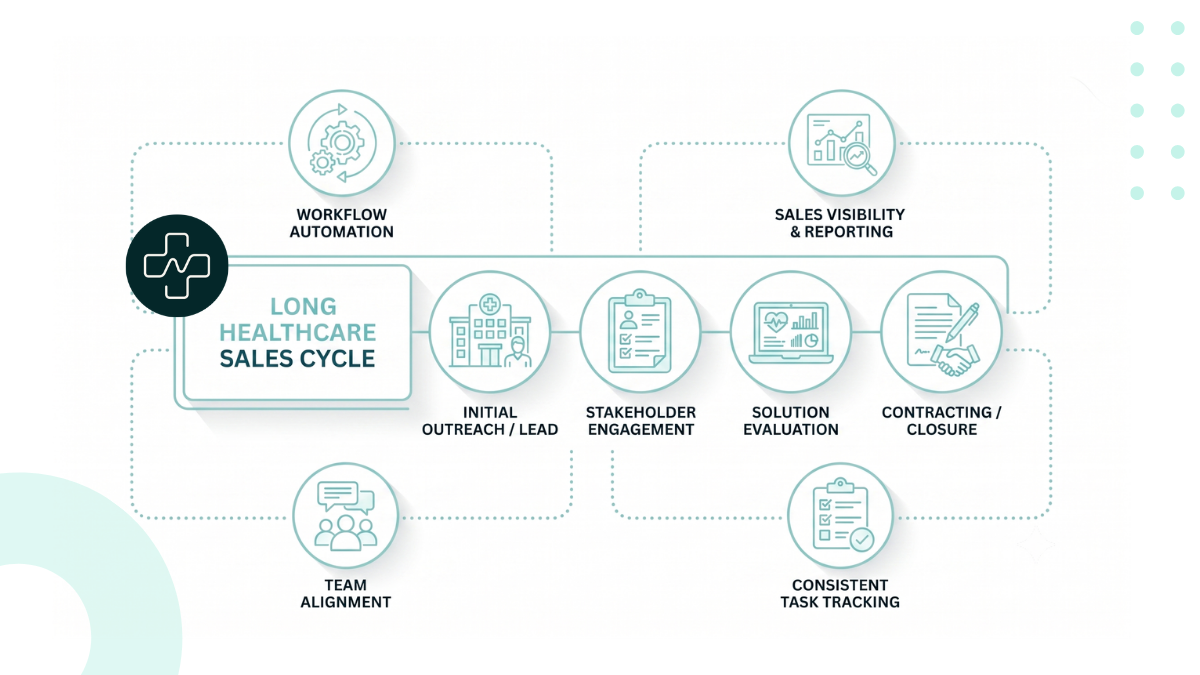
Managing Long Healthcare Sales Cycles in HubSpot

Managing Long Healthcare Sales Cycles in HubSpot

HubSpot helps you manage long healthcare sales cycles by giving your team a structured way to track opportunities, manage multiple decision-makers,...

Read More
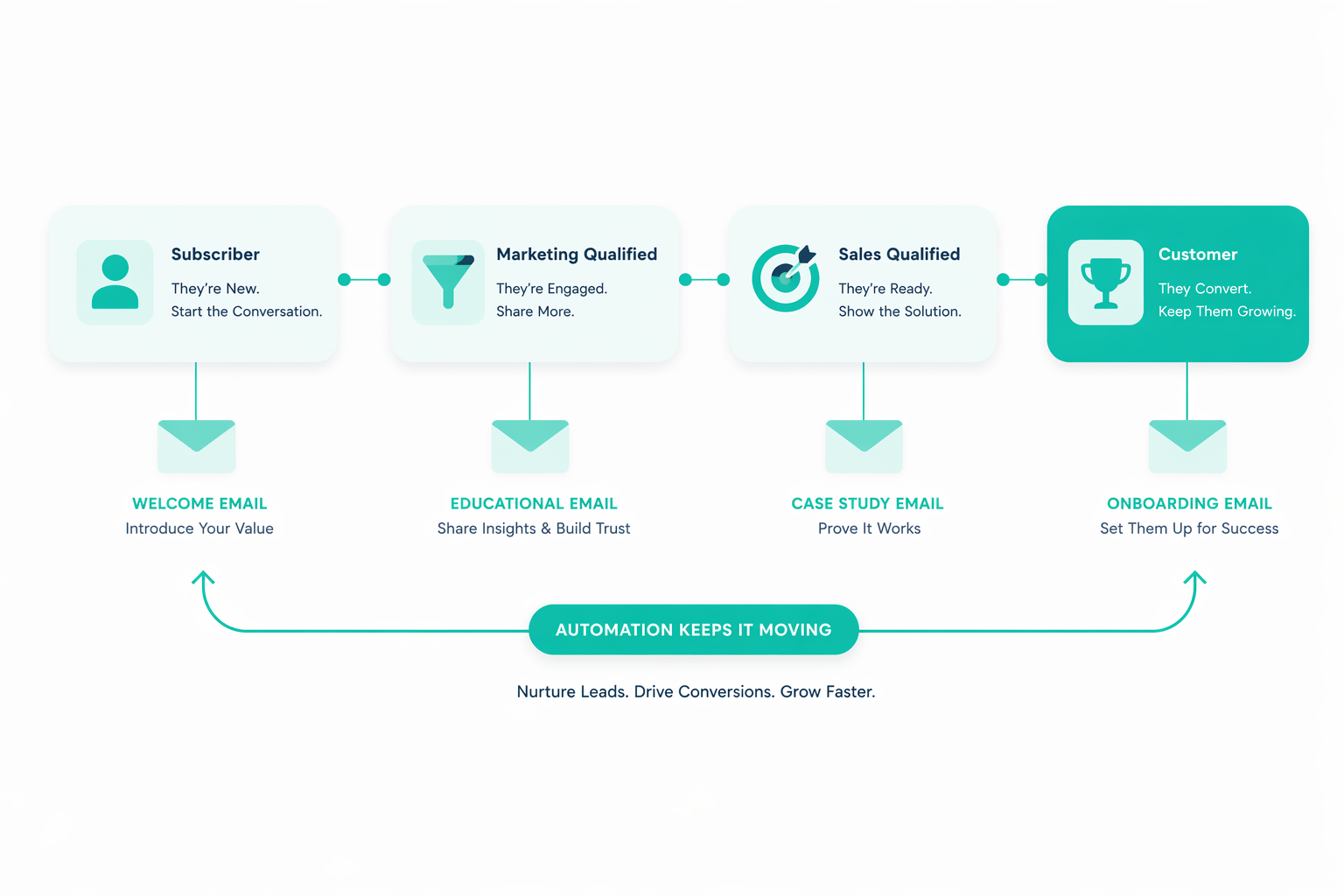
Automated Lead Nurturing Strategies Using HubSpot Lifecycle Automation

Automated Lead Nurturing Strategies Using HubSpot Lifecycle Automation

Many organizations invest heavily in lead nurturing, they create content libraries, building email workflows, and launching automation campaigns...

Read More