Campaign Creators
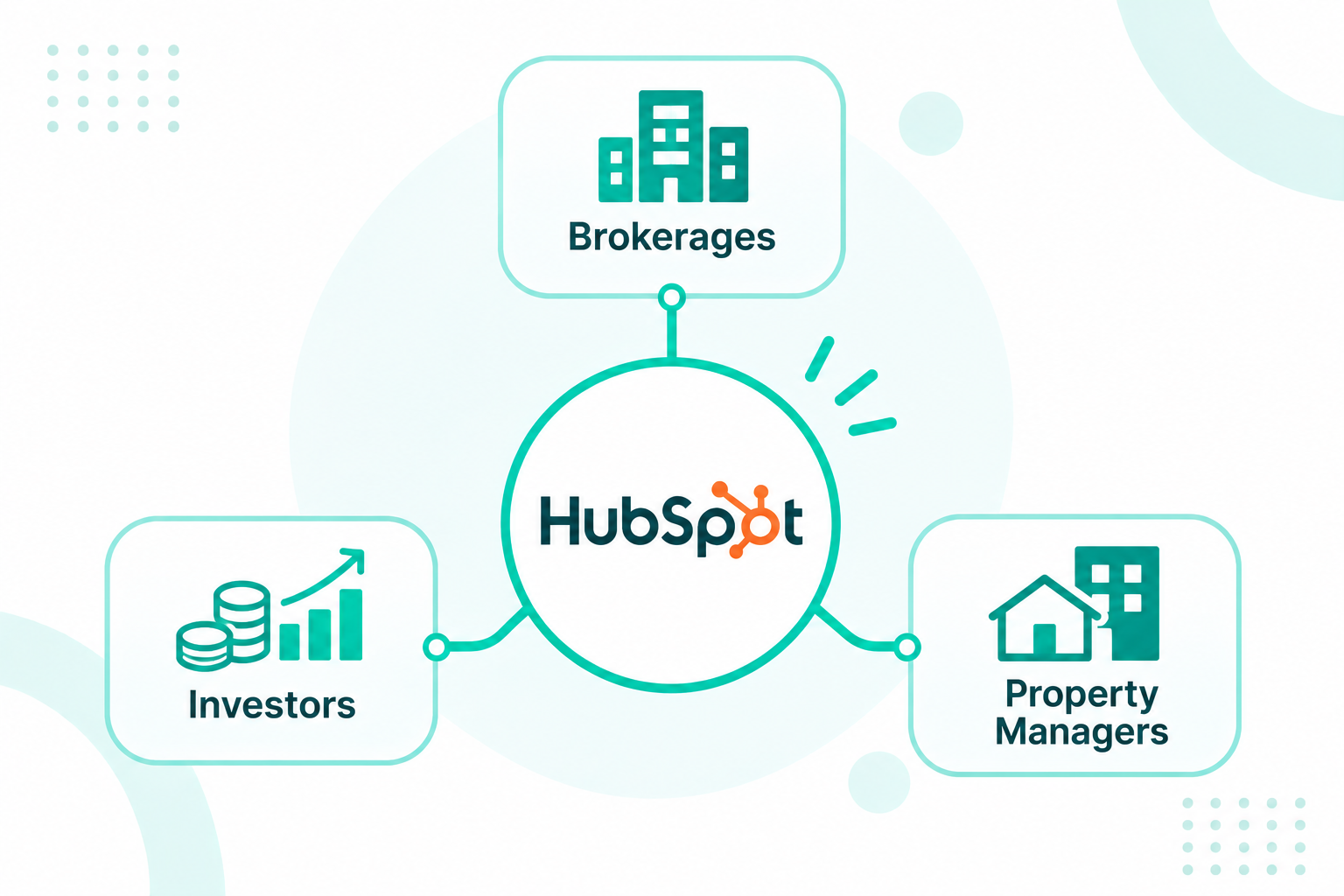
CRM in real estate is software that keeps every buyer, seller, tenant, owner, and investor in one place. Each person is tied to the properties and deals they're part of. A real estate CRM captures leads, routes them to the right agent or team, automates follow-up, and keeps past clients close. For firms, it also brings MLS, property management, and investor data onto each person's record.

Real estate relationships outlast any single deal. Sellers now stay in a home for a median of 12 years before they sell. The firm that stays in touch between moves usually wins the next listing.
For a brokerage, investment firm, or property manager starting on HubSpot, our HubSpot onboarding and setup team builds the property and people model first.
Key Takeaways
- A real estate CRM stores people, properties, and deals as connected records, so one person can hold several roles over time.
- Brokerages, investment sponsors, property managers, developers, and services firms are the 5 main types of firms that use a real estate CRM.
- The CRM works alongside 4 systems of record, and the MLS, PMS, transaction platform, and investor portal each keep their own data.
- Agent-focused CRMs fit one agent or a small team, and a firm-wide CRM adds office permissions, shared reporting, and records for every property.
Table of Contents
- What Does a CRM Do for a Real Estate Firm?
- How Is a Real Estate CRM Different From a Standard CRM?
- What CRM Do Real Estate Agents Use?
- How Do Different Real Estate Firms Use a CRM?
- What Systems Should a Real Estate CRM Connect To?
- How Do You Use a CRM for Real Estate?
- Can HubSpot Work as a Real Estate CRM?
- How Can Campaign Creators Help Set Up a Real Estate CRM?
- Frequently Asked Questions
What Does a CRM Do for a Real Estate Firm?
A CRM for a real estate firm keeps one shared record of every lead, client, and deal. It gives agents, leasing teams, and investor relations staff the same view of each person, so nobody starts a conversation from scratch.
Agents already rely on this kind of tool. In NAR's 2026 technology research, 46% of agents list a CRM among the tools they use most. And 51% are watching CRM tools as an emerging technology this year. A real estate CRM handles five core jobs.
Capture and Route Leads
Leads arrive from listing portals, IDX websites, open houses, ads, and referrals. The CRM records each lead with its source, then assigns it to the right agent, office, or leasing team by market, property type, or rotation. Response times show up in reporting, so managers can spot slow follow-up before the lead goes cold.
Nurture Long Buying Cycles
Many buyers and investors are months away from a decision when they first reach out. The CRM segments them by timeline, price range, location, and property type, then sends emails, texts, and tasks that fit where each person is. An agent gets a task when a contact opens a new listing alert or books a showing.
Keep Past Clients and Referrals Close
Repeat and referral business carries much of the industry. Among first-time buyers, 52% found their agent through a referral. The CRM tracks who referred whom, sends home-anniversary and market-update emails, and reminds agents to check in with past clients and their sphere.
Track Deals From Inquiry to Closing
Pipelines show each deal by stage, from first showing or tour to offer, escrow, and closing. Commercial teams add lease expirations and tenant requirements. Each stage can create tasks, so the next step always has an owner and a due date.
Report on Production
Leadership can view GCI, closed volume, lead source, and conversion rate by agent, office, and market. Property managers track occupancy and renewals, and sponsors track capital raised per offering. Those reports only work when every lead and deal lives in the same system.
How Is a Real Estate CRM Different From a Standard CRM?
A real estate CRM treats the property as a record of its own, with every person linked to it in a named role. A standard CRM is built around contacts, companies, and deals, and it assumes each deal is a one-time sale.
Real estate breaks that assumption. One property can carry an owner, a tenant, two agents, and a lender at once. One person can buy a home this year, list it in eight years, and invest in a rental fund in between. The CRM has to connect people to properties, units, listings, and investments in the role each person plays.
| Area | Standard CRM | Real estate CRM |
|---|---|---|
| Main records | Contacts, companies, and deals | Contacts, properties or units, listings, deals, and sometimes funds or leases |
| Relationships | Contact works at a company | Owner, tenant, buyer, seller, listing agent, or investor on each property |
| Sales cycle | One sale, then account management | Repeat moves over many years, plus referrals |
| Systems of record | The CRM itself | MLS, property management system, transaction platform, or investor portal |
| Main reports | Pipeline and revenue | GCI, occupancy, lease expirations, and capital raised |
RedWeek's Listings and Bookings Objects
Our client RedWeek runs a timeshare rental and resale marketplace with 4.2 million+ registered users. RedWeek wanted HubSpot to represent what it actually sells. We built Listings and Bookings custom objects with owner, renter, broker, and affiliate labels on every record. Two custom objects replaced the deal pipeline, and a custom Zendesk sync avoided an estimated $800 a month in add-on fees.
The same pattern applies to brokerages, sponsors, and operators. If you're mapping objects and roles for the first time, our HubSpot data architecture guide walks through how to structure records before you import anything.
What CRM Do Real Estate Agents Use?
Individual agents and small teams usually use agent-focused CRMs such as Follow Up Boss, BoldTrail (formerly kvCORE), or Lofty. These tools center on lead capture, follow-up reminders, texting, and listing alerts for one agent's book of business, and many teams run them well.
A firm has a wider job. A brokerage, franchise, sponsor, or property manager needs marketing, sales, and service to share one record across offices and teams. That's where a firm-wide CRM such as HubSpot fits, either by replacing the agent tools or by connecting to them.
When Does a Firm Need More Than an Agent CRM?
A firm usually needs a broader platform when several of these are true.
- Several offices or franchisees need their own view of the data, while corporate needs every office's numbers.
- Corporate marketing runs brand campaigns that agents and offices reuse.
- The firm recruits agents and wants a pipeline for that process.
- Properties, units, or funds need records of their own, with people linked in different roles.
- Leasing, resident service, or investor relations work from the same contacts as sales.
- Leadership wants one report across lead source, deals, and service.
Our client Pillar To Post is a home inspection franchise network of 400 independently owned locations. Each franchise has its own HubSpot portal fed by corporate Salesforce.
We built one corporate onboarding package with an ownership checklist, a tier quiz, and shared templates. Five franchises onboarded on the same fixed-scope package in six months, and each got its own sending subdomain to protect email reputation.
How Do Different Real Estate Firms Use a CRM?
Each type of real estate firm uses a CRM around its own cycle, from agent recruiting at a brokerage to capital raises at a sponsor.
| Firm type | Main cycle | Core records | What the CRM tracks |
|---|---|---|---|
| Brokerages and franchise networks | Listings, buyers, and agent recruiting | Contacts, listings, deals, and offices | Lead routing, buyer agreements, GCI, and recruiting |
| Investment sponsors and REITs | Capital raises and investor updates | Investors, offerings or funds, and commitments | Accreditation status, commitments, and approvals |
| Property managers and operators | Leasing, renewals, and service | Residents, units, communities, and tickets | Tours, renewals, and service requests |
| Developers and home builders | Model-home traffic and reservations | Buyers, lots, homes, and communities | Appointments, reservations, and long nurture |
| Real estate services and PropTech | Partner referrals and repeat orders | Agents, partners, and orders | Referral sources and repeat business |
Brokerages and Franchise Networks
Brokerages sell to two audiences at once: the agents who join the brand and the clients those agents serve. The CRM runs a recruiting pipeline for agents, routes client leads by office or market, and gives each office its own view with team permissions. Brand-level templates and reports stay with corporate, the same model behind HubSpot for franchises.
Residential brokerages also track buyer paperwork in the pipeline. Agents who use an MLS have needed written agreements with buyers before touring a home since August 17, 2024. A pipeline stage for the signed agreement keeps that step visible for every buyer.
Investment Sponsors and REITs
Sponsors raise capital over months of calls, webinars, and follow-up, then report to investors through each hold period. The CRM runs a pipeline per offering, tracks commitments, and stores accreditation status on the investor's record. For individuals, one common test is a net worth over $1 million, excluding the primary residence.
Some sponsors also need strict sign-off rules. Our REIT client's policy called for 7 approvals per deal, and native approvals covered 3 approvers when we built the workflow. We added a pipeline rule, an approvers team, and per-approver tasks with a one-day reminder, so no deal closes without 7 recorded sign-offs. Native deal approvals now support up to 30 approvers per pipeline, so check them first for a new build.
Property Managers and Operators
Multifamily, HOA, coworking, and vacation rental operators fill units, renew residents, and answer service requests across many communities. The CRM tracks each prospect from first inquiry to signed lease, then keeps renewal campaigns and service history on the same resident record. The property management system stays the home for leases and rent.
Service requests work best as tickets tied to the unit and the resident, routed by community. A HubSpot Service Hub setup adds ticket pipelines, SLAs, and a knowledge base for common resident questions.
Developers and Home Builders
Developers and builders sell lots and homes through model homes, reservations, and long buyer nurture. The CRM links each buyer to the lot or home they're considering, books model-home appointments, and tracks reservations and cancellations by community.
Each lot or home can live as a listing record, linked to every buyer who toured it or placed a reservation. A reservation pipeline then tracks deposits, contract dates, and closing, so sales counselors know where every home stands.
Buyers in new-home communities often take many months to decide. Nurturing by community, home type, and move-in date keeps them engaged until a lot opens up or a price changes.
Real Estate Services and PropTech
Inspection, title, valuation, tax appeal, and software firms sell to agents, owners, investors, and lenders. Many of their orders come from agent referrals or franchise networks. The CRM tracks each referral partner, credits repeat orders to the right source, and runs campaigns to the agents who send the most work.
PropTech firms add trials and onboarding to that mix. Their CRM tracks product usage next to sales activity, so the sales team can spot the accounts that are ready to buy.
What Systems Should a Real Estate CRM Connect To?
A real estate CRM should connect to the MLS or IDX feed, the property management system, transaction management, the investor portal, and listing portals. Each of those systems stays the source of truth for its own data, and the CRM shows the parts sales, marketing, and service need.
| System | Examples | What it owns | What the CRM shows |
|---|---|---|---|
| MLS and IDX | Local MLS feeds, IDX website vendors | Listings and listing status | Listings a contact viewed or saved, and status changes |
| Listing portals | Zillow, Realtor.com, LoopNet, Crexi | Portal inquiries | New leads with their source |
| Property management system | Yardi, AppFolio, RealPage, Entrata, Buildium | Units, leases, and rent | Lease dates, unit, and renewal status |
| Transaction management | dotloop, SkySlope | Contracts and compliance documents | Contract and closing dates on the deal |
| Investor portal | Juniper Square, AppFolio Investment Manager | Documents and distributions | Commitments and investor type |
| Data warehouse | Snowflake, Azure Synapse, BigQuery | Combined reporting data | Datasets for reports |
Pick an Owner for Each Record
Every integration starts with a field map. The map names the system that owns each field, the direction each field syncs, and the value that wins when two systems disagree. Without that map, a PMS sync can overwrite good contact data, or an MLS feed can create duplicate listings.
Teams usually sync only the fields that sales, marketing, and service act on. Lease end dates drive renewal campaigns, and closing dates drive past-client nurture. Full rent ledgers and contract files stay in their own systems.
Choose How Each System Connects
Connections fall into three groups. Some systems have an app in the HubSpot App Marketplace, so check for a current app before you plan anything custom. Others send data through spreadsheets, webhooks, or a data warehouse. Data Studio syncs work on Data Hub Professional or Enterprise, and warehouse connectors need Data Hub Enterprise.
The rest need a custom HubSpot integration built on HubSpot's APIs. PMS and investor portal connections often land in this group, since each firm syncs different fields.
How Do You Use a CRM for Real Estate?
Use a CRM for real estate by modeling properties and people first, then connecting your systems, routing leads, building nurture, and training each team. Teams that start with automation before the data model usually rebuild later.
- Map properties, people, and roles. List the records your firm works with, such as listings, units, communities, funds, or leases. Then name every role a person can play on each one, like owner, tenant, buyer, or investor. HubSpot custom objects fit when the standard objects can't hold a record type.
- Pick the system of record for each data type. Decide what stays in the MLS, PMS, transaction platform, and investor portal. Write down the fields that come into the CRM and the direction each one syncs.
- Clean and migrate existing data. Pull contacts, notes, tasks, and deal history from agent tools and spreadsheets. Fix duplicates and missing owners first, since dirty CRM data breaks reporting and automation. Plan what data to migrate before you export a single file.
- Set up lead capture and routing. Connect portal, website, and open-house forms so every lead arrives with its source. Use automated lead routing to assign leads by agent, office, market, or property type.
- Build nurture by timeline and property type. Segment buyers, sellers, investors, and residents by how soon they plan to act. Add past-client, sphere, and renewal campaigns, with consent tracked for every email and text.
- Set permissions by office and team. Give each office, franchisee, or community team access to its own records. Keep brand templates and firm-wide reports with corporate.
- Train teams and track adoption. Build views around how agents, leasing teams, and investor relations work each day. Track logins, task completion, and lead response time, and fix the views people skip.
Can HubSpot Work as a Real Estate CRM?
Yes, HubSpot can work as a real estate CRM when its data model is set up for properties and roles. Sales Hub runs agent, investor, and leasing pipelines, Marketing Hub runs nurture and campaigns, and Service Hub handles resident and client requests.
The Listings object is the starting point. A listing stores a property or unit to be bought, sold, or rented, and the object must be activated in the account before use. Activation happens in the data model settings, and editing the data model needs Super Admin permissions.
Association labels name each person's role on a property. You can create up to 50 labels per object pair, such as Owner, Tenant, Buyer, or Listing Agent between contacts and listings. Those labels then drive segments, reports, and workflow branches.
| Need | HubSpot feature | Plan note |
|---|---|---|
| Properties and units | Listings object | Must be activated in the data model |
| Roles on each property | Association labels | Super Admin permissions needed to create labels |
| Funds, communities, or leases | Custom objects | Enterprise subscription required |
| PMS, MLS, or warehouse data in reports | Data Studio | Data Hub Professional or Enterprise |
| Lead routing and nurture | Workflows, sequences, and email | Varies by Hub and tier |
| Resident and client requests | Help desk, ticket pipelines, and SLAs | Service Hub |
HubSpot tiers and feature names change often. Confirm the current tier for each feature in HubSpot's product catalog before you plan a build.
How Can Campaign Creators Help Set Up a Real Estate CRM?
Real estate CRM projects go best when the property and people model comes before any automation. Our team maps your listings, units, investors, and roles, then connects the MLS, PMS, or investor platform around that model. We used the same approach to build Listings and Bookings objects for our client RedWeek.
If your history lives in Follow Up Boss, BoldTrail, Salesforce, or spreadsheets, our HubSpot migration services move it into the new model. That includes contacts, deals, notes, and agent ownership.
Recap
CRM in real estate connects every person to the properties and deals they're part of, across a relationship that can last decades. A firm-wide setup adds offices, investors, residents, and the systems that run each one. Routing, nurture, and reporting all depend on that data model, so it comes first.
Get your HubSpot portal set up right the first time with our onboarding team.