I know what I am looking for, and would like to chat.

A team of data-driven marketers obsessed with generating revenue for our clients.

Because the proof is in the pudding.

At Campaign Creators we live by three principles: Autonomy, Mastery, Purpose.

6 min read

How Long Does a HubSpot Migration Take in Enterprise Reality

How Long Does a HubSpot Migration Take in Enterprise Reality

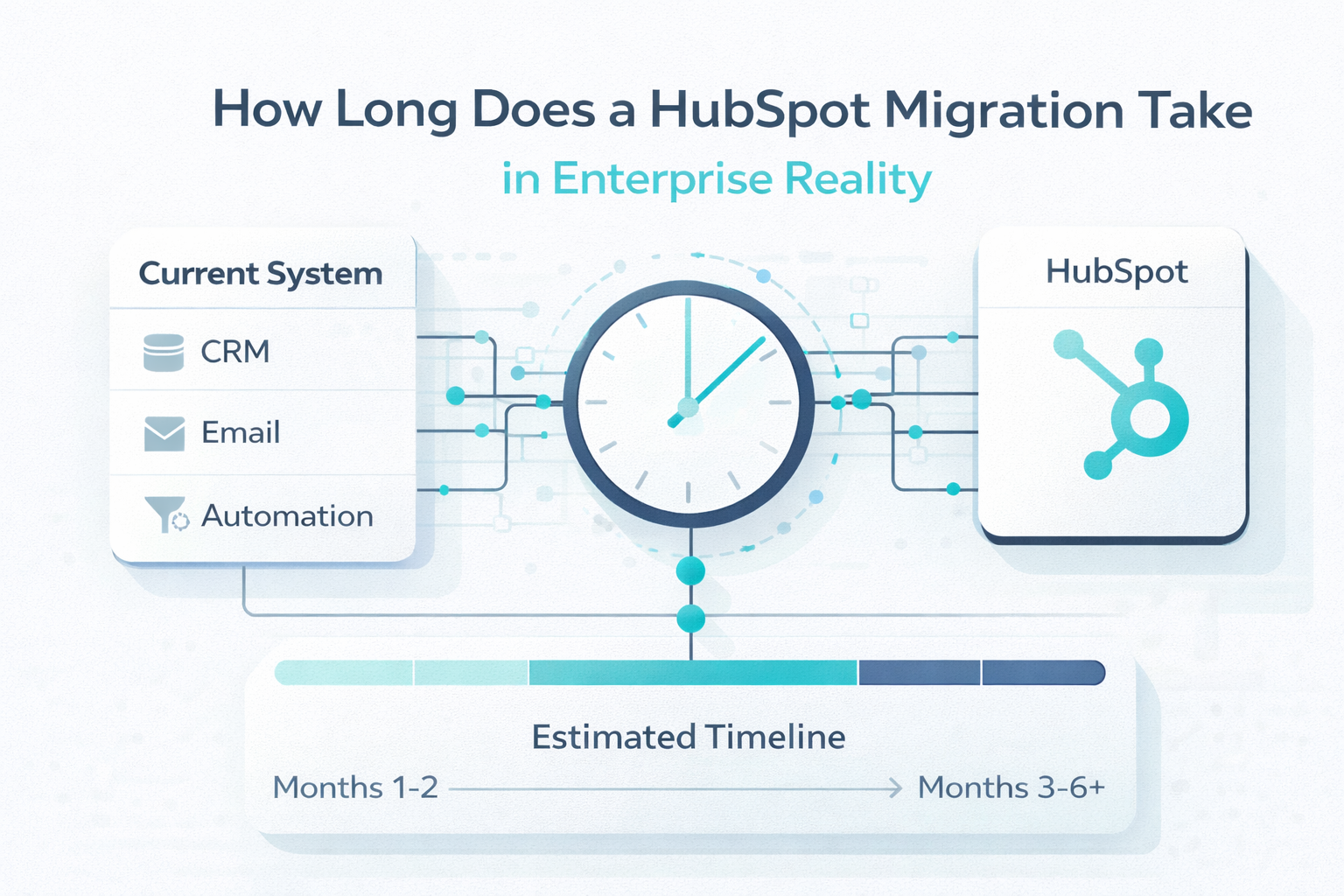
A HubSpot migration takes about 3 to 6 months in most enterprise environments.

That timeline is shaped less by how fast data moves and more by how your system is structured before the migration begins. Data quality, internal alignment, and integration complexity all determine whether the process stays predictable or stretches beyond expectations.

In many cases, the timeline becomes clear only after teams start defining how the system should actually work.

What Actually Determines Your Migration Timeline

calendar-pen-computer-planning-hubspot-migration

A migration timeline reflects how structured your system is before the migration even begins.

Most delays do not come from moving data. They come from resolving inconsistencies that already exist across your systems. These issues may stay hidden in separate tools, but they become visible the moment everything is brought into one platform. You start to see this most clearly in how teams define and use data.

Where Misalignment Starts

In many enterprise environments, teams operate on different definitions without realizing it. These differences seem minor at first, but they create friction during migration.

Common examples include:

  • Marketing and sales use different criteria for qualified leads
  • Lifecycle stages are tracked differently across departments
  • Customer success measures retention in a way that does not align with revenue reporting

Once migration begins, these inconsistencies surface quickly. If lifecycle stages are not aligned, records cannot be mapped cleanly into a single structure. Reports that once worked in isolated systems begin to conflict. Pipeline numbers shift depending on the source, and teams start questioning which data is accurate. That uncertainty slows everything down.

How Data Issues Extend the Timeline

Data inconsistency creates another layer of complexity. Issues that seemed manageable in separate systems become more visible after consolidation.

Typical problems include:

  • Duplicate records are inflating the reporting
  • Outdated or unused fields carried into the new system
  • Conflicting values across different data sources

Each of these affects how the system behaves after migration. In many enterprise environments, the scale of the issue is larger than expected. The average duplicate rate in a database can reach 20% to 30%, which significantly distorts reporting once systems are consolidated.

For example, duplicate records can inflate conversion rates and make pipeline performance appear stronger than it actually is. A mismatched field can change how performance is measured across teams. If these issues are not addressed early, they lead to rework after launch, which adds time to the overall process.

Why Decisions Take the Longest

The biggest driver of delays is not technical work. It is decision-making. Every issue uncovered during migration requires alignment across teams. Even a single definition can affect multiple areas of the business, including:

  • Reporting accuracy
  • Revenue forecasting
  • Performance tracking
  • Compensation structures

Reaching an agreement across departments takes time. Without alignment, progress slows, and downstream work gets delayed. This is why timelines are rarely clear at the start.

A migration does not just move data from one system to another. It forces the business to define how it operates, how data is interpreted, and how teams measure performance. The more clarity you have before migration begins, the more predictable your timeline becomes.

This is where structured HubSpot onboarding helps. It sets clear definitions, ownership, and reporting logic before those decisions delay your migration.

The 4 Phases of a Structured HubSpot Migration

Phase 1: Architecture and Alignment

This phase defines how your system should work and reveals where teams are not aligned.

Lifecycle stages and pipeline structures often look straightforward, but different teams use different definitions. Marketing may qualify leads one way, sales another, and customer success may track retention differently from revenue reporting.

These differences affect reporting, forecasting, and compensation, which is why alignment takes time. This is also where hidden inconsistencies appear. What seems like a clean pipeline often includes workarounds built across multiple systems. If this phase is rushed, those issues carry into the new system and lead to rework later.

Phase 2: Data and Integration Design

This phase starts with technical mapping but quickly becomes about decision-making.

Field mapping is not just connecting systems. Each field needs a clear definition, along with a decision on whether it should remain and how it should be standardized. For example, a field like “Lead Source” may exist across multiple systems but follow different rules. Mapping it without redefining it leads to inconsistent reporting after migration.

Data quality also becomes more visible. Duplicate records are common, and once they reach double-digit percentages, reporting becomes unreliable.

At the same time, enterprise environments often include 3 to 7 connected systems such as CRM, marketing tools, support platforms, and external databases. Each system has its own structure and dependencies.

Workflows often rely on data from other systems. Small inconsistencies can break these connections, especially if the logic is undocumented. This is why the phase takes time. It is not just preparing data, but aligning how systems interact and how data is used after launch.

Phase 3: Execution Waves and Cutover

This is where the plan is tested in a live environment.

Data is migrated, workflows are activated, and teams begin using the system. Issues that did not appear during planning start to surface at this stage.

A single cutover may seem faster, but it increases risk. Errors in data mapping or workflows can affect the entire organization at once, leading to reporting issues, broken automations, and missing relationships between records.

A wave-based rollout reduces that risk. Migration is divided into smaller segments such as regions, product lines, or teams. This limits exposure and makes issues easier to isolate.

Each wave acts as a checkpoint. Active deals stay accurate, lifecycle history remains intact, and reports match expected benchmarks. Issues are resolved before moving forward, which keeps disruption lower and the rollout more controlled.

Phase 4: Stabilization and Optimization

After launch, the system enters a period of adjustment. Real usage introduces conditions that testing does not fully capture. Lead routing may behave differently under actual volume. Reports may reveal inconsistencies. Sync errors can appear between systems.

User adoption also becomes part of the process. Teams adjust to new workflows, reporting structures, and expectations. Without this phase, the system may look complete but fail to perform reliably in daily use.

Total Timeline for Enterprise Migration

A structured enterprise migration typically follows this path:

  • Architecture and alignment: 3–5 weeks
  • Data and integration design: 4–8 weeks
  • Execution waves and cutover: 4–8 weeks
  • Stabilization and optimization: 30–60 days

This results in a total timeline of about 3 to 6 months for complex environments.

Why Migration Timelines Slip

Decision Delays Across Teams

The most common source of delay is decision-making. A migration forces teams to agree on shared definitions, but those definitions often impact multiple parts of the business.

Common decision bottlenecks include:

  • Defining lifecycle stages across marketing, sales, and customer success
  • Standardizing pipeline stages and deal progression
  • Aligning reporting metrics used by leadership

Each decision requires input from multiple stakeholders. Without alignment, progress pauses, and downstream work cannot move forward.

A real-world example shows how this plays out.

In one enterprise migration, three regions attempted to move into a single unified pipeline. Each region had its own definition of deal stages. During migration, deals could not be mapped consistently into the new structure.

As a result:

  • Reports became unreliable immediately after launch
  • Pipeline visibility broke across regions
  • Teams lost confidence in the data

The delay that followed was not technical. It came from redefining pipeline stages across teams and rebuilding reporting logic. What was planned as a short execution phase extended into several additional weeks of alignment work.

Data Cleanup That Expands Mid-Process

Data issues often seem manageable before migration. Once systems are combined, their impact becomes more visible.

Typical data-related delays include:

  • High volumes of duplicate records
  • Inconsistent field values across systems
  • Legacy fields that no longer serve a purpose

These issues affect how data is mapped and how reports function after migration. If they are not addressed early, they create problems after launch. Teams then need to revisit and fix them, which leads to rework and extends the timeline further.

Integration Dependencies That Were Never Documented

Integrations introduce another layer of delay, especially in enterprise environments with multiple connected systems.

Common challenges include:

  • Workflows that rely on data from other tools
  • Sync rules that were built without documentation
  • Dependencies between systems that only appear during testing

What looks like a straightforward integration can break once these dependencies are exposed. When that happens, teams need to:

  • Investigate how systems are connected
  • Redefine how data should flow between tools
  • Rebuild or adjust workflows to match the new structure

Each adjustment adds time, especially if multiple systems are involved.

What Changes After Migration

A structured migration reshapes how your team operates each day. Instead of checking data across multiple tools, you rely on a single system for reporting. As a result, pipeline reviews move faster since numbers stay consistent across departments.

That consistency also improves forecasting. Historical data and current pipeline follow the same structure, which reduces manual adjustments and makes projections more reliable. At the same time, automation becomes more dependable. Lead routing, follow-ups, and reporting workflows run on clean and standardized data, so processes break less often.

The impact goes beyond a cleaner system. You move toward faster decisions, fewer interruptions, and more predictable operations.

Plan Your HubSpot Migration the Right Way!

A HubSpot migration typically takes 3 to 6 months in an enterprise environment. That timeline reflects more than execution. It reflects how much clarity exists in your system before the migration begins.

If structure and data are not clearly defined, the migration exposes those gaps and extends the timeline. If they are addressed early, the process becomes more predictable, and the system becomes more reliable faster.

Explore how we turn HubSpot into a performance engine.

Frequently Asked Questions

1. How do you know if your business is ready for a HubSpot migration?

You’re ready if your team has clear definitions for lifecycle stages, reporting, and ownership across departments. If those are still unclear, the migration will surface gaps that slow progress.

2. What should you audit before starting a HubSpot migration?

Focus on data quality, duplicate rates, field usage, and how lifecycle stages and pipelines are defined across teams. This reveals inconsistencies that can affect mapping and reporting later.

3. How do you prioritize what to migrate first in a complex system?

Start with core objects like contacts, companies, and deals tied directly to revenue and reporting. Supporting data and historical records can follow once the structure is stable.

4. What data should you clean before migrating to HubSpot?

Clean duplicate records, outdated fields, inconsistent values, and unused properties. These issues distort reporting and break workflows after migration.

5. How do integrations affect your HubSpot migration timeline?

Each connected system adds dependencies that require mapping, testing, and validation. Undocumented workflows or sync rules often create delays during execution.

6. What breaks most often during a CRM migration?

Field mappings, workflows, and integrations tend to fail first due to inconsistent definitions and hidden dependencies. These issues often appear only after data is live.


HubSpot Migration Without Losing System Integrity

HubSpot Migration Without Losing System Integrity

Most discussions about HubSpot migration focus on data movement, timelines, and tooling. That framing misses the real decision you are facing. This...
Read More
Top Tips for Effective HubSpot Change Control Strategies

Top Tips for Effective HubSpot Change Control Strategies

Switching to HubSpot as your CRM platform could be the boost your business has been waiting for. Its cutting-edge CRM platform offers streamlined...

Read More
Avoid These Re-Platforming Pitfalls During HubSpot Migration

Avoid These Re-Platforming Pitfalls During HubSpot Migration

Switching to HubSpot is like upgrading from a crowded two-lane road to a high-speed highway. It opens a world of new possibilities for your business....

Read More