.png?width=420&height=121&name=cc-logo-color%20(2024).png "Campaign Creators - logo in dark blue and transparent background")


 Campaign Creators
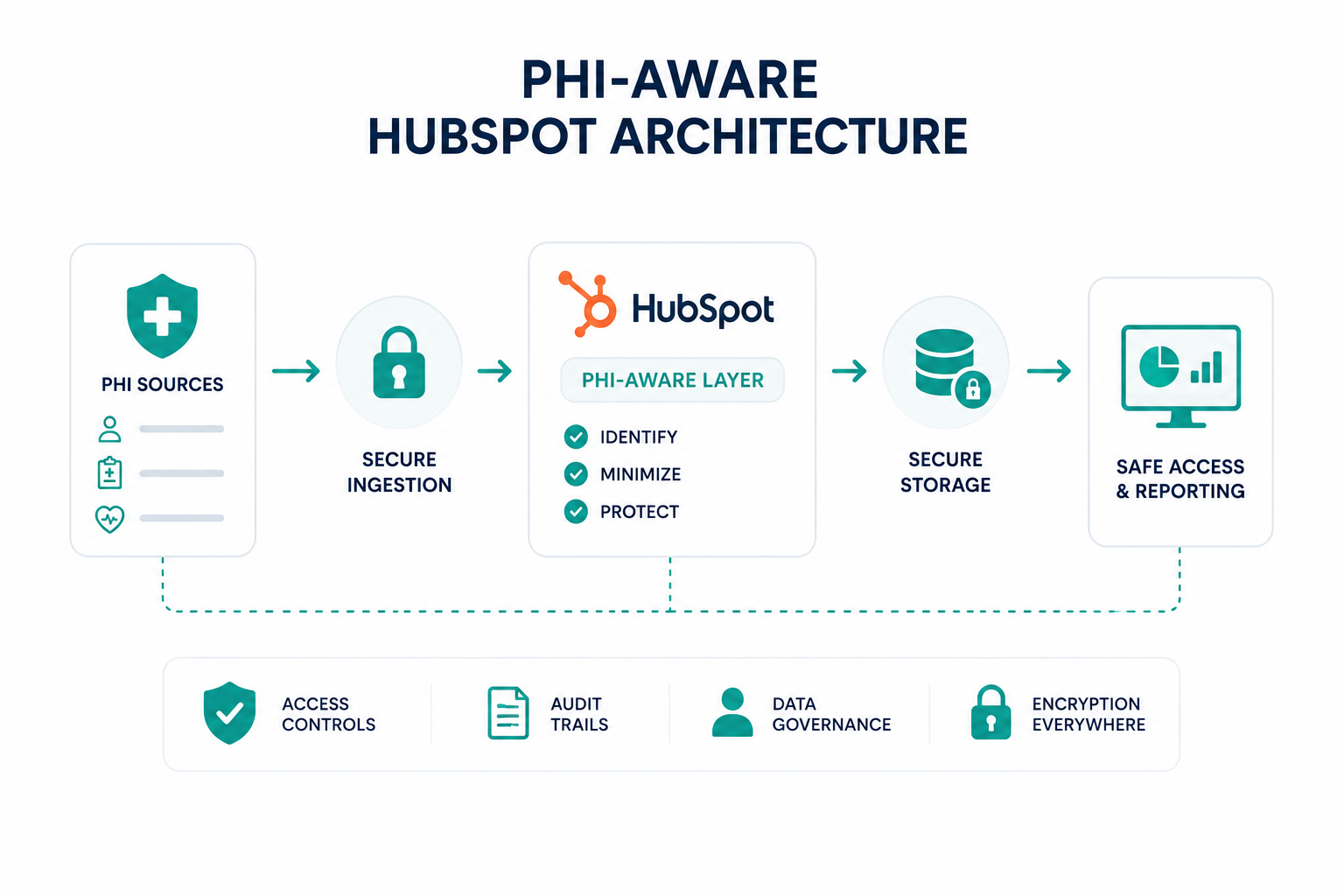
Healthcare companies need customer data to support marketing, sales, onboarding, customer success, and support. At the same time, they must protect protected health information (PHI) and comply with HIPAA requirements. The challenge is that many organizations assume stronger compliance controls automatically create operational friction, limiting visibility, slowing workflows, and making it harder for teams to grow efficiently.
In reality, protecting PHI and supporting growth are not competing priorities. A well-designed HubSpot architecture can help healthcare organizations safeguard sensitive information while still enabling automation, reporting, customer engagement, and cross-functional collaboration. The key is understanding how data should be stored, who should have access to it, and how workflows and integrations should be governed.
This guide explains how healthcare organizations can use HubSpot's HIPAA support and Sensitive Data capabilities to protect PHI without creating unnecessary barriers to growth.
Key Takeaways
- HIPAA compliance and business growth can coexist when HubSpot is configured with the right data architecture, permissions, and governance controls.
- Sensitive Data properties, role-based permissions, audit logs, and encryption help create stronger safeguards for PHI within HubSpot.
- Automations, integrations, APIs, and AI tools are common sources of compliance risk and should be reviewed before handling healthcare data.
- A HIPAA-aware HubSpot architecture can improve operational efficiency, reporting, customer engagement, and cross-team collaboration while maintaining compliance standards.
Why Healthcare Companies Need a HIPAA-Compliant HubSpot Setup
Healthcare companies need customer data to support marketing, sales, onboarding, customer success, and support. At the same time, they must protect PHI and comply with HIPAA requirements. The consequences of getting it wrong can be significant. According to the U.S. Department of Health and Human Services' Office for Civil Rights, HIPAA enforcement actions have resulted in more than $144 million in settlements and civil monetary penalties across enforcement cases, highlighting the ongoing regulatory focus on protecting patient data.
Many organizations addressed this challenge by keeping PHI separate from their CRM and go-to-market systems. Although this reduced some compliance concerns, it often created disconnected data, limited visibility, duplicate processes, and additional administrative work.
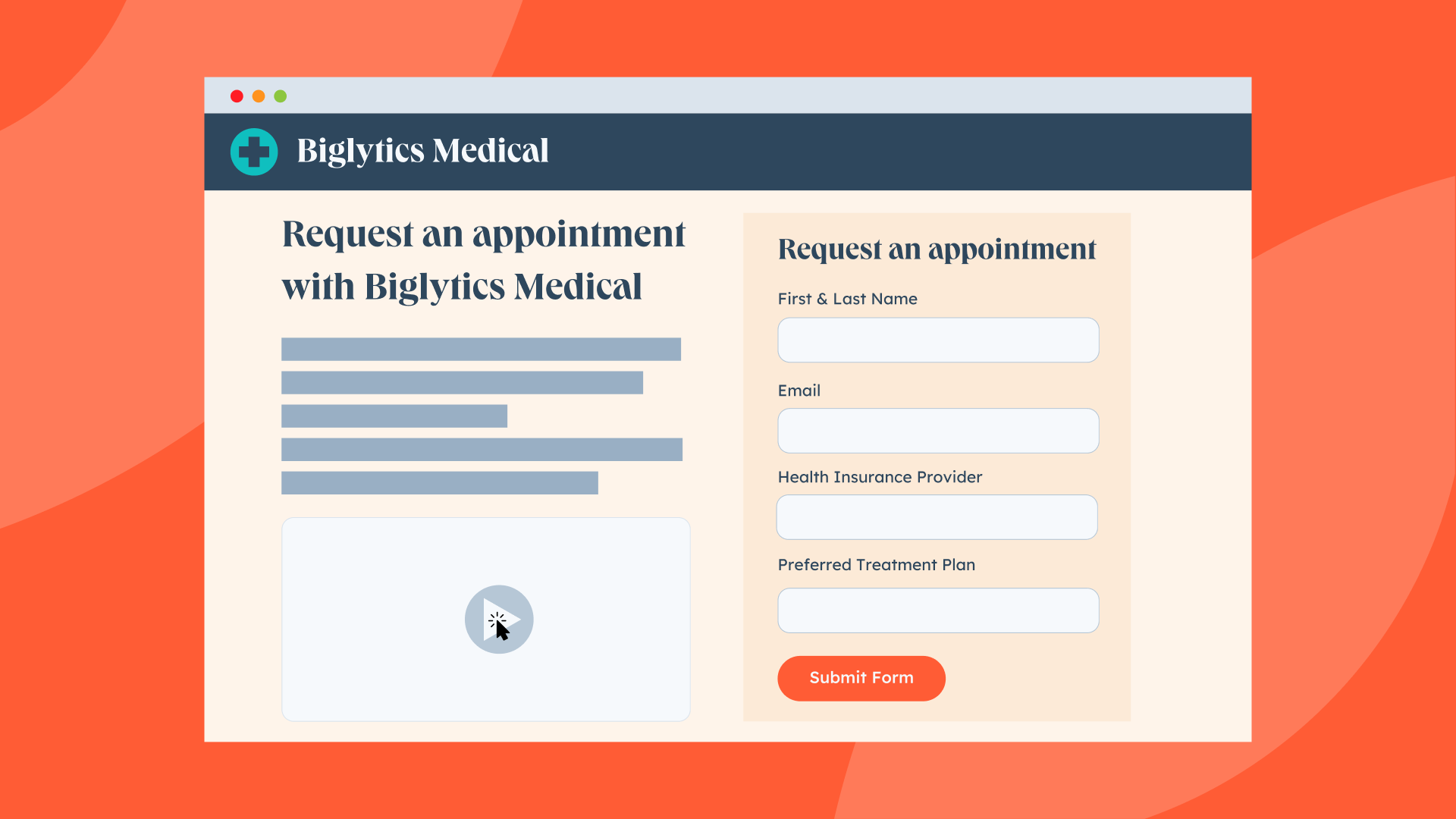
HubSpot's HIPAA support and Sensitive Data capabilities have changed what is possible. Eligible organizations can now manage certain healthcare-related customer data within HubSpot. This makes it easier to connect teams and workflows across the customer lifecycle.
However, HIPAA compliance does not come from the platform alone. How data is stored, who can access it, how workflows are configured, and how external systems connect to HubSpot all influence whether a deployment remains compliant.
For healthcare companies, the goal is not simply to store PHI safely. It is to create operational efficiency and a connected customer experience without introducing unnecessary compliance risk. That balance is what makes a HIPAA-compliant HubSpot setup an important part of modern healthcare operations.
What HIPAA Rules Should Guide Your HubSpot Configuration
The most important HIPAA requirements influencing HubSpot architecture involve data protection, access controls, auditability, governance, and the secure handling of PHI throughout its lifecycle.
A HIPAA-aware architecture begins with understanding which data qualifies as PHI and then building processes, permissions, workflows, and integrations that support the appropriate level of protection.
PHI includes health-related information connected to an identifiable individual. Once that information enters a system, security, privacy, and access requirements become significantly more important, making data classification the foundation of an effective architecture.
Data Classification Should Come First
Before building workflows, integrations, or reporting structures, organizations need a clear understanding of their data categories.
|
Data Category |
Example |
|
Public Data |
Website content, product information |
|
Business Data |
Company names, job titles, pipeline stages |
|
Sensitive Business Data |
Financial information, contracts |
|
PHI |
Medical information linked to an identifiable person |
Not every customer record contains PHI. In many healthcare organizations, a large portion of CRM activity involves operational, commercial, and account-level information that falls outside PHI classification. Establishing clear data categories helps teams understand which information requires elevated controls and reduces the likelihood of inappropriate data handling.
Access Controls Should Follow Business Need
Once data has been classified, access controls should be aligned with legitimate business responsibilities.
HIPAA places significant emphasis on limiting access to sensitive information, yet a common mistake is granting broad visibility across teams. Marketing personnel rarely need access to detailed PHI, sales representatives often require only limited visibility, and customer success teams may need different access levels than implementation or clinical teams.
HubSpot's Sensitive Data capabilities include field-level permissions and access controls that support this type of governance. A well-designed architecture grants access based on business need rather than convenience, helping organizations reduce risk without disrupting operations.
Auditability Supports Accountability
Organizations also need visibility into how sensitive information moves throughout their systems. Audit logging supports this objective by creating records of user actions, data access activity, and administrative changes.
These records help teams investigate incidents, validate controls, and demonstrate compliance practices. HubSpot includes audit capabilities within its Sensitive Data framework, providing healthcare companies with greater visibility into system activity and strengthening accountability across security, compliance, operations, and leadership teams.
Encryption Should Protect Data Throughout Its Lifecycle
Encryption is another foundational requirement because sensitive healthcare information must remain protected both during storage and transmission.
HubSpot's Sensitive Data framework includes encryption-related safeguards designed for regulated environments, but protection should extend beyond the CRM itself. The same standards should apply to connected systems, APIs, integrations, and data-transfer processes, since a weak integration can undermine an otherwise secure architecture.
Governance Creates Long-Term Stability
Technical controls alone are not enough to maintain compliance over time. Governance provides the operational framework that ensures those controls remain effective as the organization grows.
A mature governance model defines:
- Which teams can create sensitive properties
- Which users can access PHI
- How integrations receive approval
- How audits occur
- How incidents receive escalation
- How data-retention decisions occur
Without clear governance, technical controls often become inconsistent across departments and business processes. Companies that scale successfully typically establish governance standards early and incorporate them into onboarding, training, security reviews, and day-to-day operations.
This approach creates a more stable environment for growth initiatives, customer engagement programs, and revenue operations while helping maintain compliance requirements as the business evolves.
You may also find this article helpful: How Healthcare Organizations Use HubSpot to Grow Patient Volume
How to Protect PHI Without Restricting Marketing and Sales Operations

Companies can protect PHI without limiting growth activities through data separation, role-based access controls, and thoughtful workflow design.
Many organizations assume HIPAA compliance requires marketing and sales teams to operate with limited visibility into customer activity. In practice, that assumption often creates unnecessary friction across the customer journey.
The objective is to ensure each team has access to the information needed to perform its responsibilities without exposing sensitive healthcare information beyond legitimate business requirements.
A practical approach begins with separating commercial data from PHI. Marketing teams often rely on information such as:
- Company name
- Industry
- Product interest
- Content engagement
- Webinar attendance
- Lifecycle stage
- Deal status
These data points support segmentation, lead nurturing, reporting, and campaign optimization without requiring access to detailed patient information. As a result, organizations can execute sophisticated marketing and sales strategies while keeping PHI protected through dedicated controls and restricted access.
For example, a company selling remote patient monitoring technology may run campaigns targeting hospital administrators, care coordinators, and clinical leadership. In this scenario, the marketing team benefits from engagement data, campaign performance metrics, and account-level insights, but it does not need access to patient diagnoses, treatment information, or clinical records.
Role-based permissions further strengthen this model because different departments require different levels of visibility.
|
Team |
Typical Data Requirements |
|
Marketing |
Campaign engagement, attribution, segmentation |
|
Sales |
Opportunity data, account activity, buying signals |
|
Customer Success |
Product adoption, account health, implementation progress |
|
Clinical Operations |
PHI and healthcare-specific information |
|
Leadership |
Aggregated reporting and performance metrics |
This helps teams to collaborate effectively while maintaining stronger control over sensitive information and limiting access to those with a legitimate business need.
Workflow design is equally important. Many growth-focused activities can operate using account-level and behavioral data rather than patient-level information. Examples include:
- Lead scoring
- Customer onboarding sequences
- Product education campaigns
- Renewal communications
- Customer satisfaction programs
- Expansion opportunity identification
When workflows are designed around appropriate data boundaries, organizations can keep PHI within controlled processes while allowing revenue operations to function efficiently.
This article expands on some of the concepts discussed here: How to Use EHR Data for Patient Segmentation in HubSpot
Where to Store Sensitive Data in HubSpot
Before collecting any protected health information, your team should establish clear rules around where data can and cannot live within HubSpot.
Store PHI Only in Sensitive Data Properties
The data should be stored only in properties specifically designated as Sensitive Data or Highly Sensitive Data. These properties provide additional protections beyond standard CRM fields, including application-layer encryption, restricted access, auditability, and tighter controls over how the data is used across the platform.
Before creating PHI fields, administrators must:
- Enable Sensitive Data settings
- Select the Health/Medical Data category
- Indicate that the organization is a HIPAA-covered entity or business associate
- Accept the applicable Business Associate Agreement
- Create properties that are explicitly marked as containing PHI
Without these configurations, healthcare organizations risk storing patient information in locations that are not intended for HIPAA-regulated data.
Use Highly Sensitive Data Properties for the Most Restricted Information
For information that requires additional protection, HubSpot offers Highly Sensitive Data properties. These have stricter limitations on where they can be used and require users to explicitly decrypt values before viewing or editing them. Access is more tightly controlled than standard sensitive properties.
Organizations commonly reserve highly sensitive properties for data such as:
- Patient identifiers
- Medical record numbers
- Insurance information
- Government-issued identifiers
- Other regulated healthcare data that requires enhanced safeguards
The goal is to reduce unnecessary exposure and limit access to only the employees who need the information to perform their jobs.
Be Careful With Notes, Emails, Activities, and Attachments
Even organizations that properly configure sensitive properties often create risk through operational workflows.
Patient information frequently ends up inside:
- Contact notes
- Email threads
- Meeting notes
- Tasks
- Call records
- Attachments uploaded to records
Before allowing teams to store PHI in these areas, healthcare organizations should confirm that the specific HubSpot services being used are covered under their BAA and internal compliance policies.
Not every tool within HubSpot has the same HIPAA coverage or usage restrictions. Some features have additional limitations around how sensitive information can be accessed, processed, or shared.
Compliance Risks to Watch for in HubSpot Automations and Integrations
Automations and integrations are often where HIPAA compliance breaks down in HubSpot. Sensitive data may be stored correctly within the CRM, but workflows, third-party applications, AI tools, and automated processes can unintentionally expose PHI outside approved systems.
PHI Can Flow Beyond Approved Systems
A workflow may seem harmless when it updates records or creates tasks internally. The risk appears when that workflow sends data to another application through an integration, webhook, API connection, or synchronization process.
Every connected platform that receives PHI becomes part of your compliance chain. If an integration receives protected information and does not support HIPAA requirements or does not have a BAA in place, your organization may create compliance exposure even if HubSpot itself is configured correctly.
Common examples include:
- Scheduling tools
- Form providers
- Customer support platforms
- Analytics tools
- Data enrichment platforms
- CRM synchronization tools
- Custom API integrations
Organizations should map every integration that touches HubSpot and verify how sensitive information moves between systems.
Automated Workflows Can Expose Sensitive Information
Workflows often automate communication, lead routing, task creation, notifications, and record updates. Problems arise when sensitive information becomes part of those automated actions.
For example, a workflow might:
- Include PHI in internal notifications
- Send sensitive information through email alerts
- Push PHI into external applications
- Create records in systems that are not approved for healthcare data
Because workflows operate automatically, a configuration error can expose information repeatedly without immediate visibility. Every workflow that touches patient information should be reviewed from a compliance perspective, not just an operational one.
This related article covers the topic in more detail: What You Should and Shouldn’t Automate in HubSpot for HIPAA Compliance
AI Features May Not Be Approved for PHI
Organizations increasingly use AI-powered tools to summarize conversations, generate content, and automate administrative tasks. However, not every AI capability is covered under HubSpot's sensitive data protections.
HubSpot specifically advises against entering sensitive data into AI prompts. Certain AI features may process information in ways that fall outside the scope of sensitive data protections or HIPAA-supported services.
Examples include:
- Conversation summaries
- AI-generated call summaries
- Conversation intelligence tools
- AI assistants
- Automatic data population features
Before enabling AI-driven workflows, compliance teams should verify whether those tools are approved for handling PHI.
Learn more about this topic: Can You Use HubSpot Chatbots in Healthcare?
API Integrations Can Bypass Governance Controls
Third-party applications connected through APIs may have the ability to read, write, export, or synchronize sensitive information. If integrations are configured broadly, PHI can move into systems that were never intended to store healthcare data.
Risk increases when organizations:
- Grant excessive API permissions
- Enable bidirectional synchronization unnecessarily
- Allow unrestricted data exports
- Fail to audit application permissions regularly
The principle of least privilege should apply to integrations just as it applies to employees. Connected systems should only receive the minimum information required to perform their function.
Data Synchronization Can Create Hidden Exposure
As organizations connect more systems, PHI often becomes duplicated across multiple platforms. A single patient record may exist in:
- HubSpot
- An EHR
- A scheduling platform
- A support system
- A reporting tool
- A marketing platform
The more systems holding PHI, the harder it becomes to manage access, retention, auditing, and deletion requirements. Data synchronization should be intentionally designed rather than broadly enabled.
Recommended Approach
The safest approach is to treat every automation, integration, API connection, and AI feature as a potential PHI transfer point. Before enabling any automated process, verify where data originates, where it travels, who can access it, and whether every system involved falls within your organization's HIPAA compliance framework.
Organizations that actively govern these data flows are far less likely to encounter compliance issues as their HubSpot environment grows.
Build a HubSpot Architecture That Supports Compliance and Growth!
HubSpot's HIPAA support gives healthcare companies new opportunities to unify customer data, improve visibility, and support growth initiatives. A well-designed HubSpot architecture can support marketing, sales, customer success, and reporting while helping maintain HIPAA compliance.
If you need help building a HIPAA-aware HubSpot environment, Campaign Creators helps organizations design CRM, RevOps, automation, and integration strategies that support growth without compromising PHI protection.
