.png?width=420&height=121&name=cc-logo-color%20(2024).png "Campaign Creators - logo in dark blue and transparent background")


 Campaign Creators
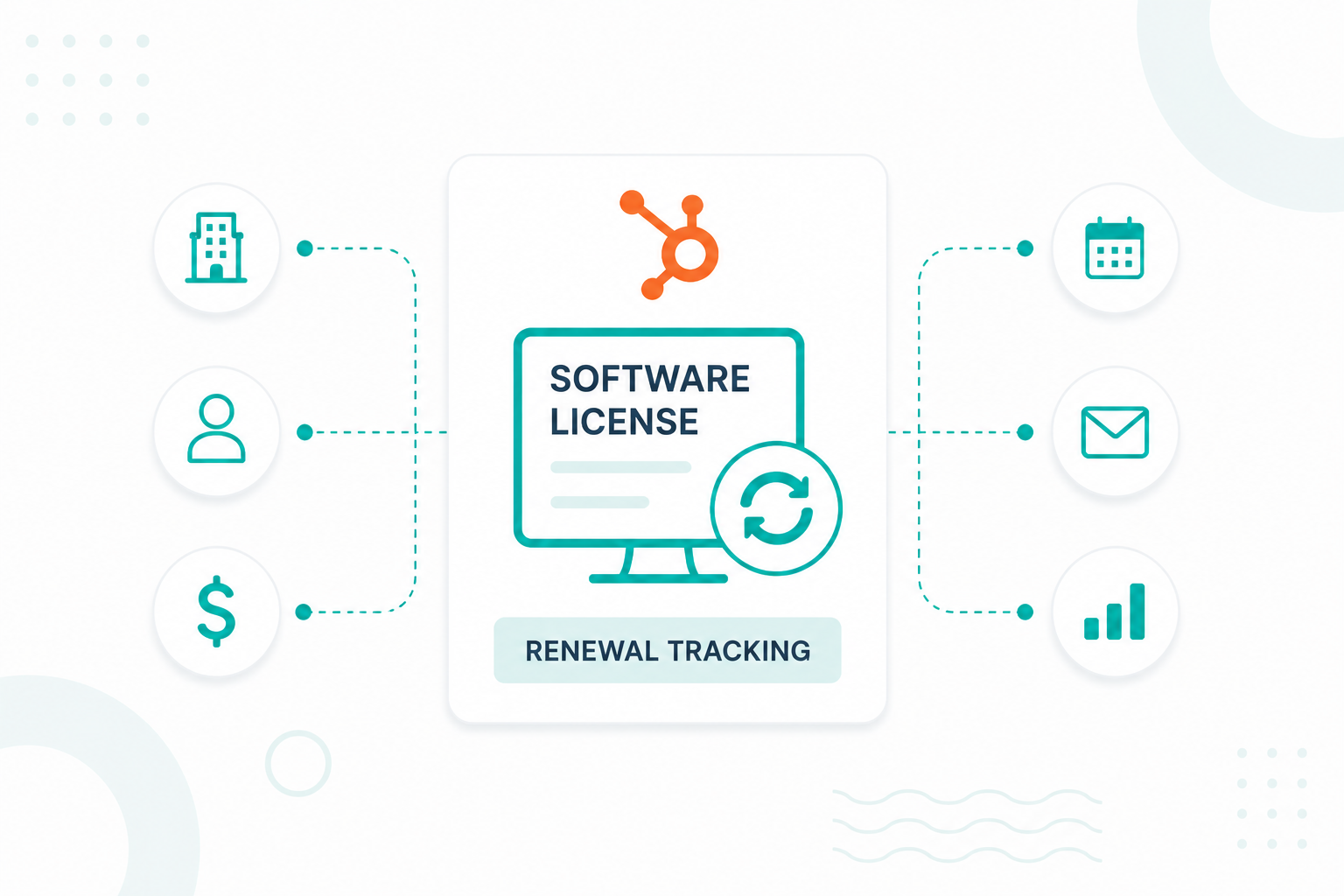
You can track software license renewals in HubSpot using deals, subscriptions, or custom objects. For businesses that manage multiple licenses, products, or contract terms for the same customer, a custom Software License object is often the most scalable option because it keeps renewal dates, contract information, and customer records connected in one place.
A Software License object helps store license-specific details, automate renewal reminders, track renewal status, and report on upcoming renewals without creating duplicate company or contact records.
This guide explains how to set up software license records in HubSpot, create the properties needed for renewal tracking, build a renewal process, automate renewal reminders, and monitor upcoming renewals.
Key Takeaways
- You can track software license renewals in HubSpot using deals, subscriptions, or a custom Software License object.
- A custom Software License object works best when customers have multiple licenses, products, or contract terms.
- License records should include details such as renewal date, expiration date, contract value, renewal status, and account owner.
- Saved views, dashboards, reports, and tasks make it easier to monitor upcoming renewals and identify contracts that need attention.
Why Businesses Use HubSpot for License Renewal Tracking

Businesses use HubSpot for license renewal tracking because it keeps renewal dates, customer records, contract details, and communication history in one place. This helps teams monitor upcoming renewals, stay organized, and reduce the risk of missed contracts.
Many organizations manage renewal information across multiple spreadsheets, calendars, and software tools. HubSpot centralizes this data within a single platform, giving sales, customer success, and account management teams a shared view of upcoming renewals and customer activity. This makes it easier to coordinate outreach and maintain a consistent renewal process.
Centralizing renewal tracking also improves revenue visibility. Many SaaS companies target renewal rates of 80%–90% or higher because recurring revenue depends heavily on retaining existing customers. When renewal dates and contract values are stored in HubSpot, teams can forecast recurring revenue more accurately, identify potential churn risks earlier, and take action before contracts expire.
By managing software license renewals in HubSpot, organizations can reduce missed renewals, improve forecasting accuracy, strengthen customer retention efforts, and maintain better visibility into recurring revenue.
The Best Way to Track Software License Renewals in HubSpot
For simple renewal processes, many companies track renewals using deals. A renewal deal can be created for each contract renewal and moved through a dedicated renewal pipeline. This works well when each customer has only one active subscription or contract.
Some businesses use HubSpot subscriptions through Commerce Hub to manage recurring billing and payment collection. This is useful when renewals are closely tied to automated billing, but may not provide the flexibility needed to track multiple licenses, products, or contract terms for a single customer.
For more advanced renewal management, custom objects are often the most scalable option. A custom Software License object helps track multiple licenses for the same company, store license-specific details such as renewal dates and contract values, automate renewal reminders, and report on renewal performance without creating duplicate company or contact records. To use this approach, you first need to create Software License records in HubSpot.
How to Set Up Software License Records
Step 1: Create a Software License Custom Object
- In HubSpot, click Settings.
- Navigate to Data Management → Data Model.
- Click Create a custom object.
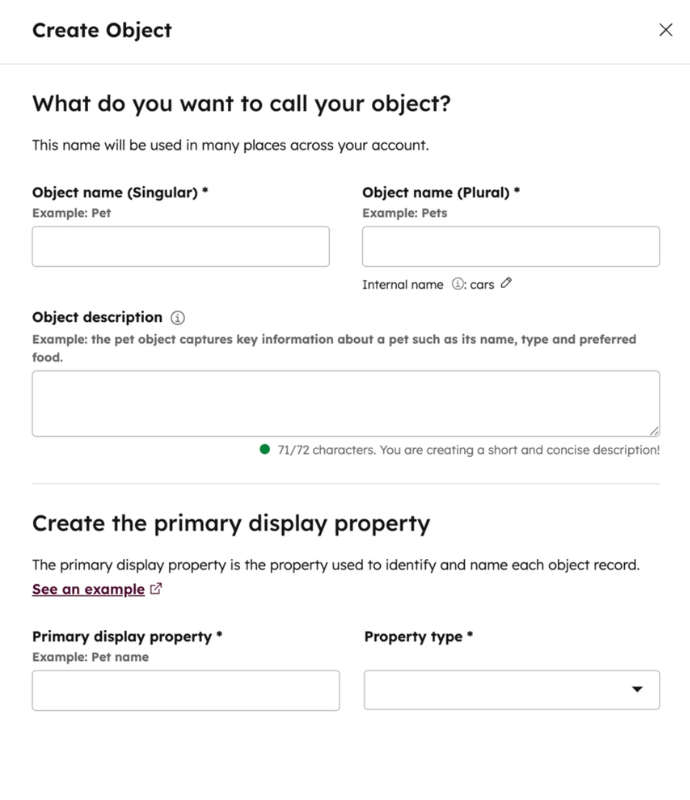
- Enter the following information:
- Object Name (Singular): Software License
- Object Name (Plural): Software Licenses
- Primary Display Property: License Name
- Click Create.
Step 2: Create License Properties
After creating the object, add the properties needed for license tracking. Go to: Settings → Data Management → Properties
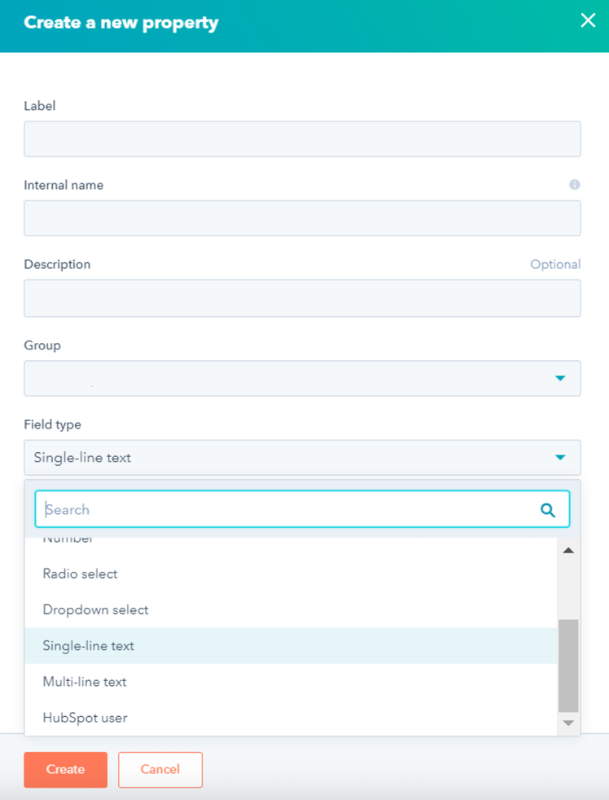
Select your Software License object and create properties such as:
- License ID
- License Type
- Start Date
- Expiration Date
- Renewal Date
- Contract Value
- Renewal Status
- Auto-Renewal
- Account Owner
Use Date Picker fields for expiration and renewal dates so they can be used in workflows and reports.
Step 3: Associate the License Object With Other Records
Next, connect the Software License object to your CRM records.
- Go to Settings → Data Management → Data Model.
- Select your Software License object.
- Click Add Association.
- Create associations with Companies, Contacts, and Deals
This allows each license record to be linked to the customer and the original purchase deal.
Step 4: Create License Records
After completing the setup, you can begin adding software license records to HubSpot. Navigate to CRM and select Software Licenses, then click Create Software License. Enter the relevant license information, such as the product, renewal date, contract value, and license status.
Next, associate the license record with the appropriate company, contact, and deal to keep all related customer information connected. Once all details have been entered, save the record to start tracking the license and its upcoming renewal activities.
Step 5: Verify Your Record Structure
A completed license record might contain:
- License Name: Enterprise Plan
- License ID: ENT-2026-001
- Start Date: January 1, 2026
- Expiration Date: December 31, 2026
- Renewal Date: December 1, 2026
- Contract Value: $12,000
- Renewal Status: Active
- Associated Company: ABC Software
Once these records are in place, you can use renewal dates in workflows, reports, dashboards, and automated reminder sequences to manage upcoming renewals more efficiently.
Find out how technology companies use custom objects in HubSpot in this guide.
The License Properties You Should Track
At a minimum, every software license record should include details about the customer, contract dates, renewal status, and contract value. These fields provide the data needed for workflows, dashboards, and renewal forecasting.
Core License Information
|
Property |
Purpose |
|
License Name |
The product or subscription name |
|
License ID |
Unique identifier for the license |
|
License Type |
Annual, monthly, perpetual, or multi-year |
|
Customer |
The company or customer using the license |
|
Account Owner |
Team member responsible for the account |
Contract and Renewal Dates
Date properties are the most important fields for renewal management because they can trigger automated workflows and reminders.
|
Property |
Purpose |
|
Start Date |
When the license becomes active |
|
Expiration Date |
When the license ends |
|
Renewal Date |
When should renewal outreach begin |
|
Last Renewal Date |
Previous renewal date |
|
Next Billing Date |
Upcoming billing date, if applicable |
Revenue and Contract Details
|
Property |
Purpose |
|
Contract Value |
Total contract amount |
|
Annual Recurring Revenue (ARR) |
Revenue generated annually |
|
Monthly Recurring Revenue (MRR) |
Revenue generated monthly |
|
Contract Term |
Length of the agreement |
|
Currency |
Currency used for the contract |
Renewal Management Properties
|
Property |
Purpose |
|
Renewal Status |
Upcoming, In Progress, Renewed, Lost, Expired |
|
Auto-Renewal |
Indicates whether the contract renews automatically |
|
Renewal Probability |
Estimated likelihood of renewal |
|
Churn Risk |
Low, Medium, or High |
|
Renewal Notes |
Additional renewal information |
Recommended Minimum Setup
If you're building your system for the first time, start with these eight properties:
- License Name
- Customer
- Start Date
- Expiration Date
- Renewal Date
- Contract Value
- Renewal Status
- Account Owner
These fields provide enough information to track upcoming renewals, automate reminders, assign ownership, and forecast recurring revenue. As your process becomes more advanced, you can add fields such as ARR, churn risk, auto-renewal status, and renewal probability to improve reporting and customer retention efforts.
How to Create a Renewal Process in HubSpot
Step 1: Create a Renewal Pipeline
Start by creating a dedicated pipeline for renewals. Go to Settings → Objects → Deals → Pipelines and click Create Pipeline. Name it Renewals and add stages that reflect your renewal process, such as:
- Upcoming Renewal
- Renewal Outreach Started
- Negotiation
- Renewed
- Lost Renewal
Keeping renewals separate from new sales helps you track retention performance and forecast renewal revenue more accurately.
Step 2: Create Renewal Properties
Next, create the fields that will power your renewal process. Navigate to Settings → Data Management → Properties and create properties such as renewal date, contract end date, renewal status, renewal value, auto-renewal, and renewal owner.
Step 3: Automatically Create Renewal Deals
To avoid manually creating renewal opportunities, build a workflow that creates a renewal deal whenever a deal is marked Closed Won.
Go to Automation → Workflows and create a deal-based workflow. Set the enrollment trigger to Deal Stage = Closed Won, then add a Create Record action that generates a new deal in the Renewal Pipeline. Copy relevant information such as the company, deal owner, contract value, and renewal date into the new record.
Step 4: Automate Renewal Follow-Up
Create workflows that trigger based on the Renewal Date or Contract End Date. For example, you can automatically:
- Create renewal tasks 90, 60, and 30 days before expiration
- Notify the account owner
- Update renewal statuses
- Send internal reminders
You can then build dashboards to track upcoming renewals, renewal revenue, and renewal success rates. This creates a repeatable process that helps reduce missed renewals and gives your team a clear view of future recurring revenue.
What Workflows Can Automate License Renewal Reminders
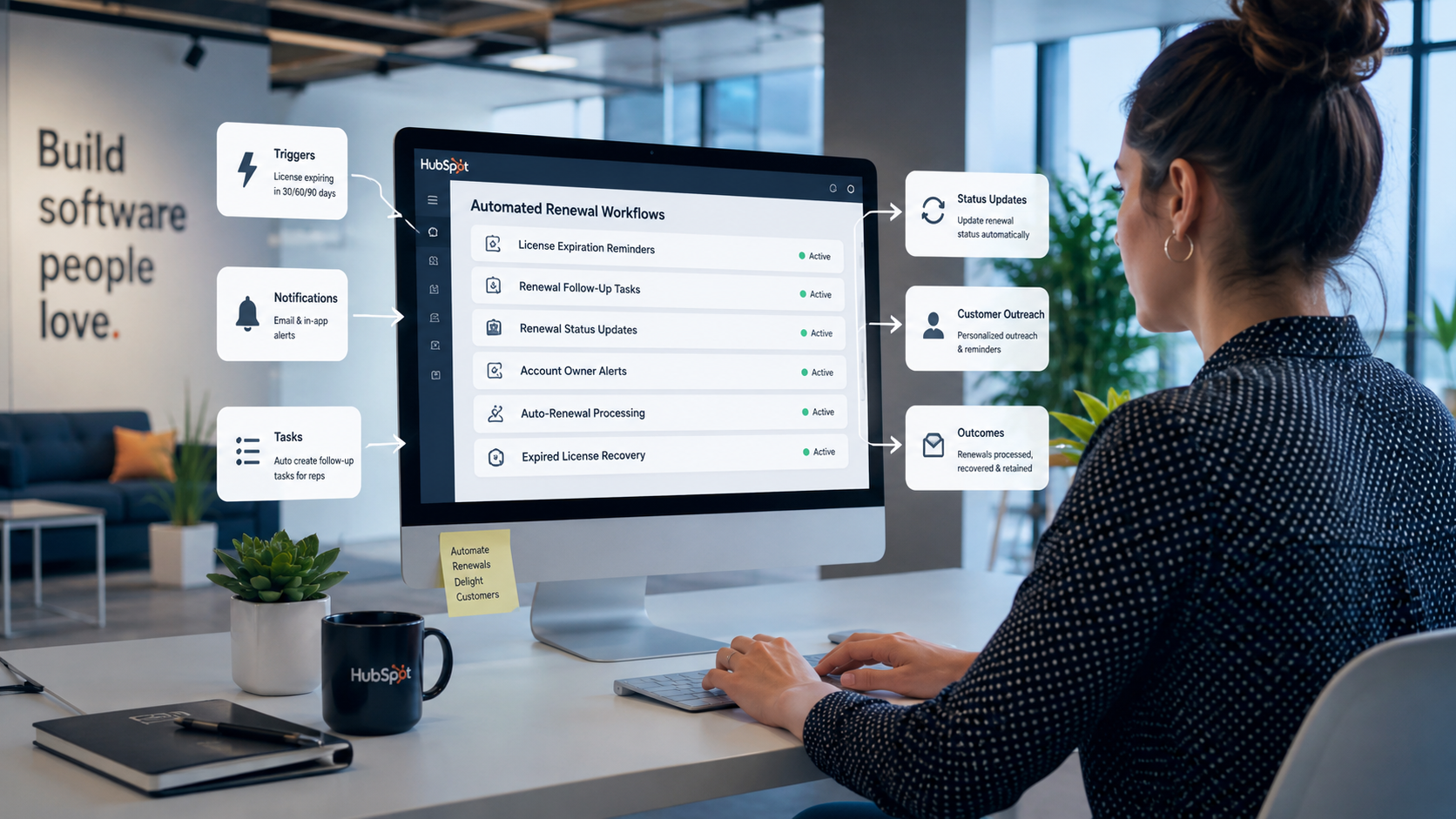
With software license data stored in HubSpot, workflows can automatically trigger reminders, assign tasks, update renewal statuses, and notify account owners when action is needed. Below are some common renewal automation workflows.
1. License Expiration Reminders
Create reminders based on the Expiration Date property. For example, HubSpot can automatically notify the account owner 90, 60, and 30 days before a license expires, giving the team enough time to begin renewal conversations and prevent unexpected lapses.
2. Renewal Follow-Up Tasks
Create tasks automatically when a Renewal Date approaches. For example, HubSpot can assign a task to review the account 60 days before renewal, schedule a renewal call 30 days before expiration, and prepare a renewal quote two weeks before the contract ends.
3. Renewal Status Management
Automatically update the Renewal Status property based on license activity. For example, licenses approaching expiration can be marked as Upcoming Renewal, active renewals can be marked as In Progress, and completed renewals can be marked as Renewed.
4. Account Owner Alerts
Send notifications to the assigned Account Owner whenever a high-value license enters a renewal window. This ensures account managers are immediately aware of licenses that require attention without having to monitor reports manually.
5. Auto-Renewal Processing
For licenses marked as Auto-Renewal, automatically update the renewal date, extend the expiration date, and change the renewal status after the renewal period is completed. This helps keep subscription records accurate without manual updates.
6. Expired License Recovery
Identify licenses that reach their expiration date without being renewed. HubSpot can automatically change the license status to Expired, create a follow-up task for the account owner, and trigger an outreach sequence designed to recover the customer.
For additional details, read: How to Build a Scalable HubSpot Renewal Pipeline for SaaS Companies
Where to Monitor Upcoming Software License Renewals
HubSpot can surface upcoming renewals through filtered views, pipelines, dashboards, and automated tasks, giving teams multiple ways to monitor renewal activity.
Saved Views
A saved view is one of the easiest ways to track upcoming renewals. Create a filtered view of your Software License records using criteria such as:
- Renewal Date is within the next 30 days
- Renewal Date is within the next 60 days
- Renewal Date is within the next 90 days
- Renewal Status is Upcoming Renewal
Renewal Pipeline
If you use a dedicated renewal pipeline, upcoming renewals can be monitored directly from the pipeline view. Each renewal deal moves through stages such as Upcoming Renewal, Renewal Outreach, Negotiation, and Renewed, making it easy to see where every renewal stands in the process. Many HubSpot users use a separate renewal pipeline specifically for renewal visibility and forecasting.
Dashboards and Reports
HubSpot dashboards can display reports showing renewals due this month, renewals due next quarter, renewal pipeline value, expired licenses, and renewal success rate. These reports provide a high-level view of upcoming renewal activity and recurring revenue performance.
Tasks
If renewal reminder workflows are configured, HubSpot automatically creates tasks as renewal dates approach. Account managers can monitor their task queue to see which customers require renewal outreach, account reviews, or contract discussions. Automated task creation is a common approach for managing upcoming renewals.
Using a combination of saved views, renewal pipelines, dashboards, and automated tasks gives your team complete visibility into upcoming software license renewals and helps ensure no contract is overlooked.
Build a More Reliable Renewal Process
HubSpot can help you keep software license renewals organized in one place. With the right setup, you can track renewal dates, contract details, license status, and customer information without relying on spreadsheets or separate systems.
If your organization needs a more reliable way to manage renewals, HubSpot can automate reminders, create renewal tasks, track upcoming expirations, and give your team a clear view of every license that needs attention.
Campaign Creators help organizations set up HubSpot for software license management, renewal tracking, workflow automation, and reporting. Whether you need help creating a renewal process or improving an existing setup, our team can build a solution that fits your goals.
