Most ecommerce teams start looking at CRM options for the same reason. Order history sits in the store platform, email engagement sits in the marketing tool, and support conversations sit somewhere a rep has to go ask about. With 91% of companies with 10 or more employees already using a CRM, the key question is which system should hold the customer record and how every other tool should feed into it.
CRM implementations have a rough track record. Research puts the share that miss their objectives between 30% and 63%, depending on how failure is defined. The causes are less about the software itself and more about what happens around it. Poor user adoption leads at 43%, bad data quality follows at 34%, and insufficient training accounts for 22%, according to aggregated CRM research.
That makes ecommerce CRM selection more than a platform comparison. You need to evaluate how well the CRM models your customer data, how cleanly information moves between systems, what implementation and ongoing support the business needs, and what the total cost looks like before you sign.
Key Takeaways
- Adoption and data quality cause most CRM failures, so weight your evaluation toward usability and data flow over feature counts.
- HubSpot fits ecommerce brands that want marketing, sales, and service on one customer record, with the store platform still handling transactions and inventory.
- Twenty states had comprehensive privacy laws in force in 2026, which makes consent capture and deletion propagation functional requirements.
What Do Ecommerce CRM Services Include?

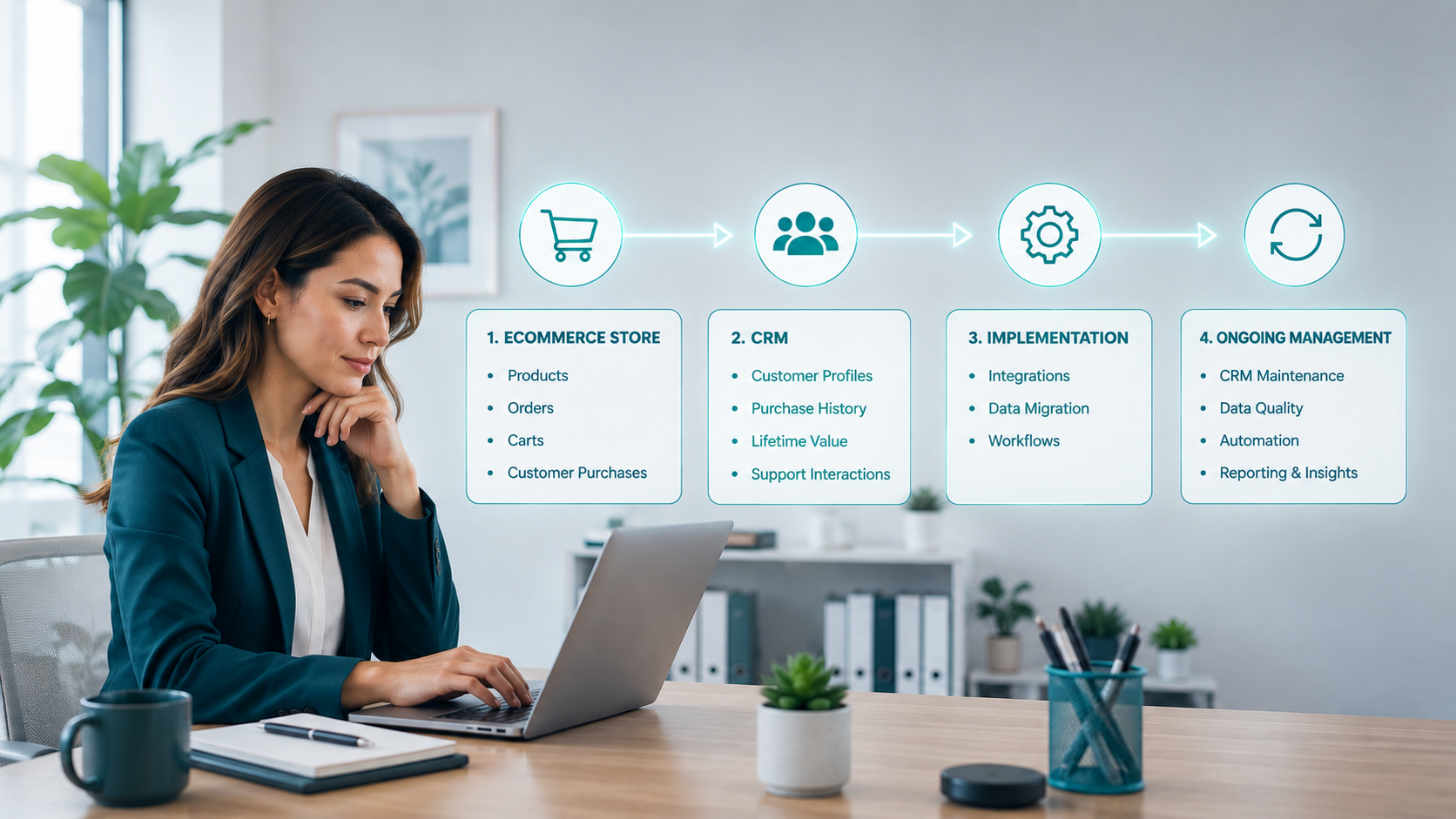
Ecommerce CRM services cover two things that get sold together and should be evaluated separately. There is the platform itself, and there is the work of making that platform reflect how your store operates. Buying the first without scoping the second is how projects slip.
Platform Capabilities
An ecommerce-ready CRM models more than contacts and deals. The customer record needs to carry order history, lifetime value, product affinity, subscription state, return behavior, and support history in one place. Lifecycle automation needs to fire on commerce events like first purchase, replenishment window, cart abandonment, and refund, not on generic lead stages borrowed from B2B software. Reporting needs to connect revenue back to campaigns without a spreadsheet sitting in the middle of the calculation.
Implementation Scope
The services layer covers architecture design, data migration, integration build, workflow configuration, and team enablement. Most of the project risk lives here. A platform with excellent reviews still fails when 40% of migrated records arrive incomplete, and reps stop trusting what they see on screen.
Ongoing Administration
Someone owns the system after launch. That person maintains field definitions, prunes duplicate records, updates automation as merchandising changes, and answers questions from the team. Vendors quote licenses. They do not quote this role, and skipping it is how a working CRM quietly decays into a filing cabinet.
Some ecommerce teams handle this work in-house. Others rely on an agency that can support both the CRM and the broader marketing operation around it. The right partner depends on what your team needs beyond the software itself. Learn what to look for when evaluating your options in this guide.
When Does Your Current Setup Need Replacing?
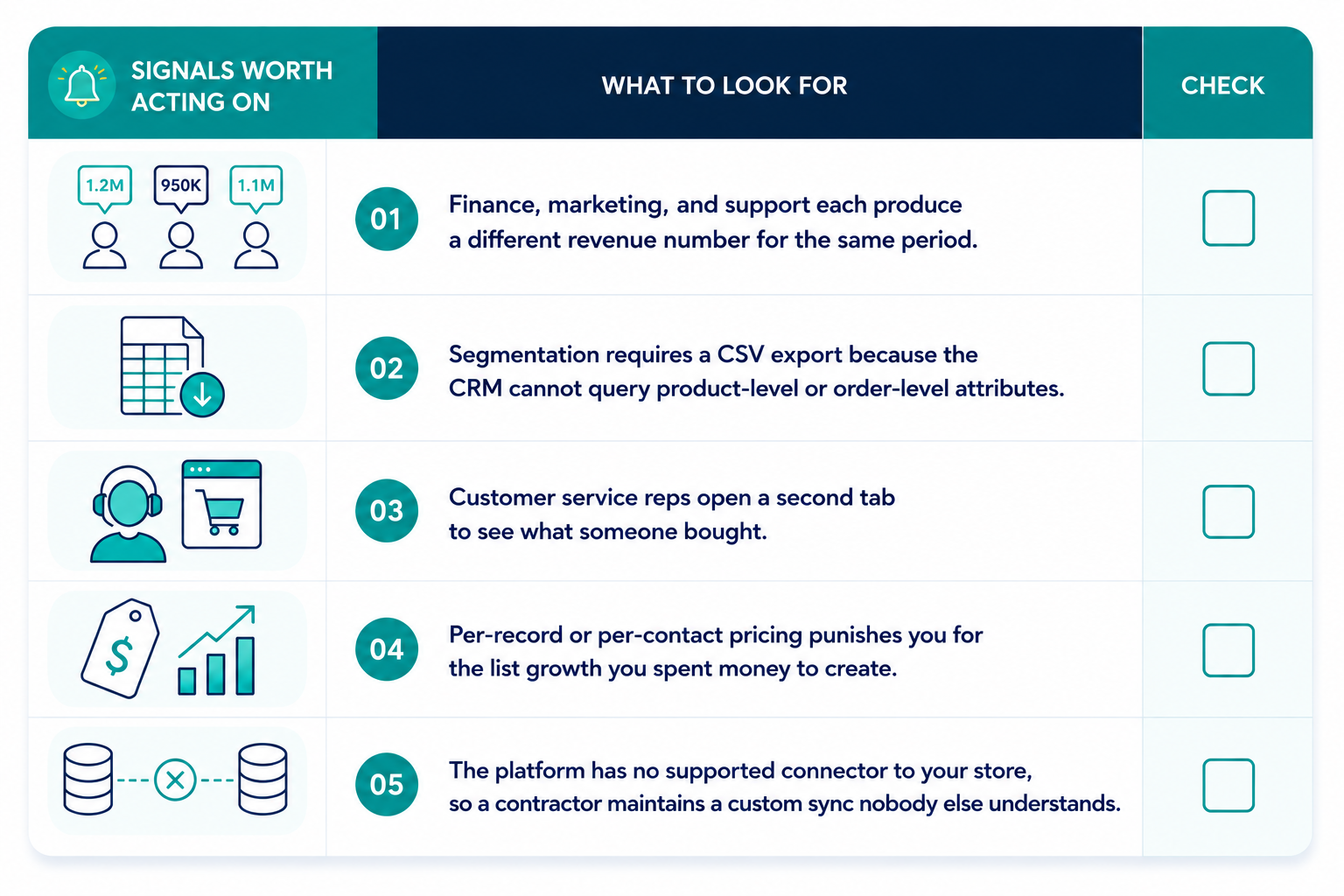
Your current setup needs replacing when the constraint is structural, which is less often than vendors suggest. Configuration problems and data problems both look like platform problems from the outside, and both cost far less to fix.
Signals Worth Acting On
Data condition is its own signal. A data management study found 76% of CRM users say under half their organization's data is accurate and complete, and a survey of more than 1,250 companies found 44% estimate they lose over 10% of annual revenue to low-quality CRM data.
Problems A New Platform Will Not Fix: Migrating dirty data into better software produces dirty data in better software. If duplicate contacts, missing consent flags, and abandoned custom fields are the real issue, a cleanup project costs a fraction of a replatform and takes weeks. Run the audit first, then decide.
How Should You Evaluate Data Architecture and Integrations?
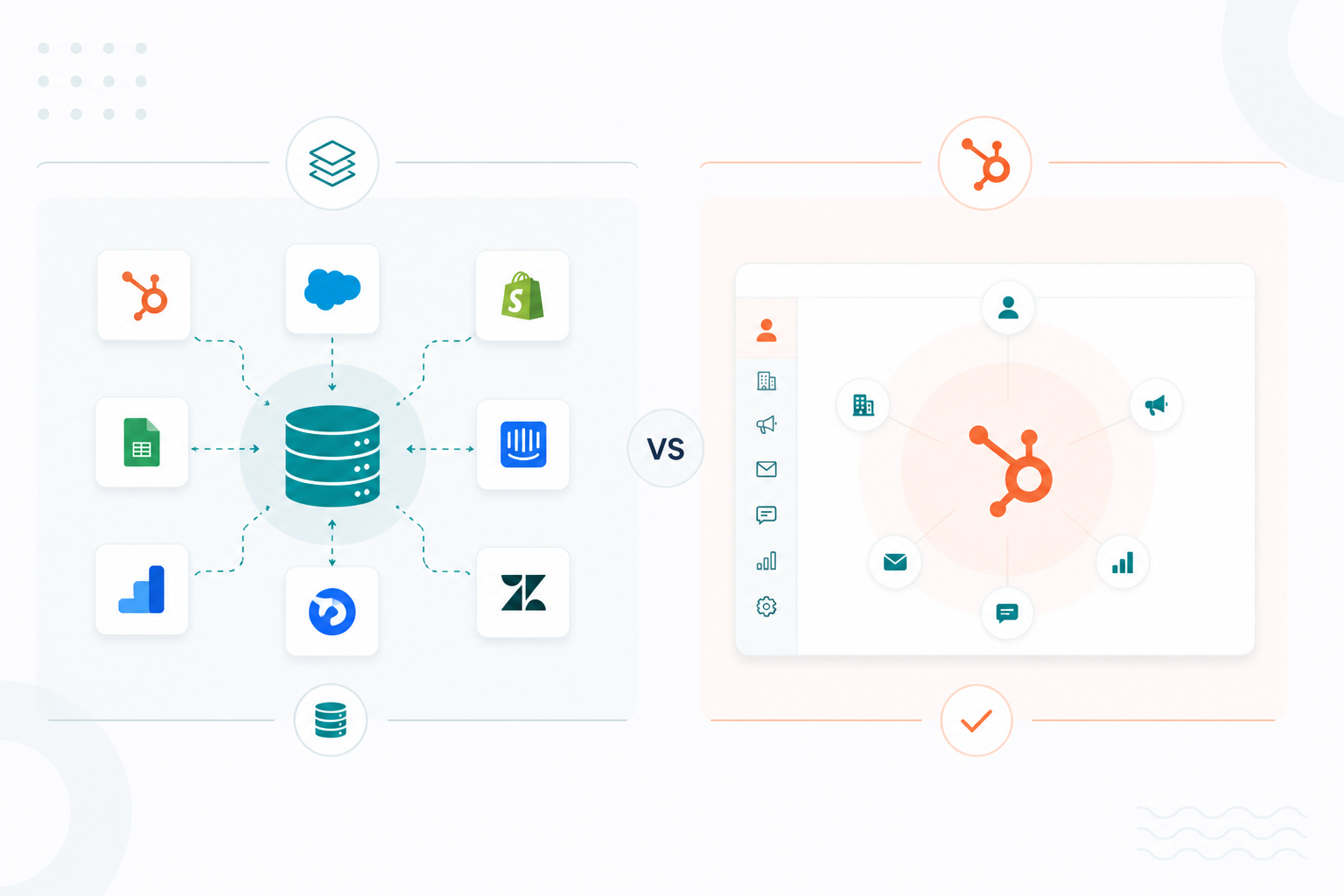
Evaluate data architecture by mapping ownership before you map features. Name which system holds each object, how identities get matched, and how the sync behaves under load.
System Of Record Decisions
Write down which system owns what before you sit through a single demo. On modern ecommerce platforms, the store usually stays the transactional source of truth while the CRM becomes the source of truth for identity, consent, and lifecycle state. Shopify notes that for brands running on ecommerce platforms, the CRM does not need to be the system of record for transactions. Getting this wrong produces two systems arguing about the same order forever.
Identity Resolution
Guest checkouts, marketplace orders, in-store purchases, and support tickets arrive with different identifiers. Ask each vendor how records get matched and merged, which field acts as the primary key, what happens when two profiles conflict, and how a merge gets reversed. Vague answers here become duplicate records at volume.
Sync Reliability
Real-time is a marketing word until you test it. Webhook delivery degrades during traffic peaks, which is exactly when accuracy counts most, and mature integrations pair webhooks with backup polling logic to protect consistency. Ask about API rate limits, retry behavior, sync latency under load, and what the error log looks like when a batch fails at 2 am on Black Friday.
The payoff for getting this right shows up in operations. Retailers who reached unified ecommerce through integration reported 23% higher inventory turnover and 1.5x higher customer lifetime value compared with peers who did not.
What AI and Agentic Capabilities Are Worth Paying For?
The AI features worth paying for are the ones that save your team time or help them make better decisions. Below are the AI features:
- Predictive churn scoring
- Next-best-action recommendations
- Automated data capture from email and chat
- AI-assisted segmentation
All produce measurable effects when the underlying data is clean. Automated capture deserves particular attention, since it attacks the manual-entry problem that drives most adoption failure in the first place.
Basic AI is now included in many mid-tier plans from Salesforce, HubSpot, and Microsoft Dynamics. More advanced AI and agent features often cost extra or use usage-based pricing.
What Does HubSpot Offer Ecommerce Teams?
HubSpot gives ecommerce teams a unified customer and revenue layer that sits alongside the store platform without replacing it. Marketing, sales, service, and reporting run on one record, while the store handles checkout, inventory, and fulfilment. That division of labor is why HubSpot shows up on so many ecommerce shortlists.
Native Commerce Data Sync
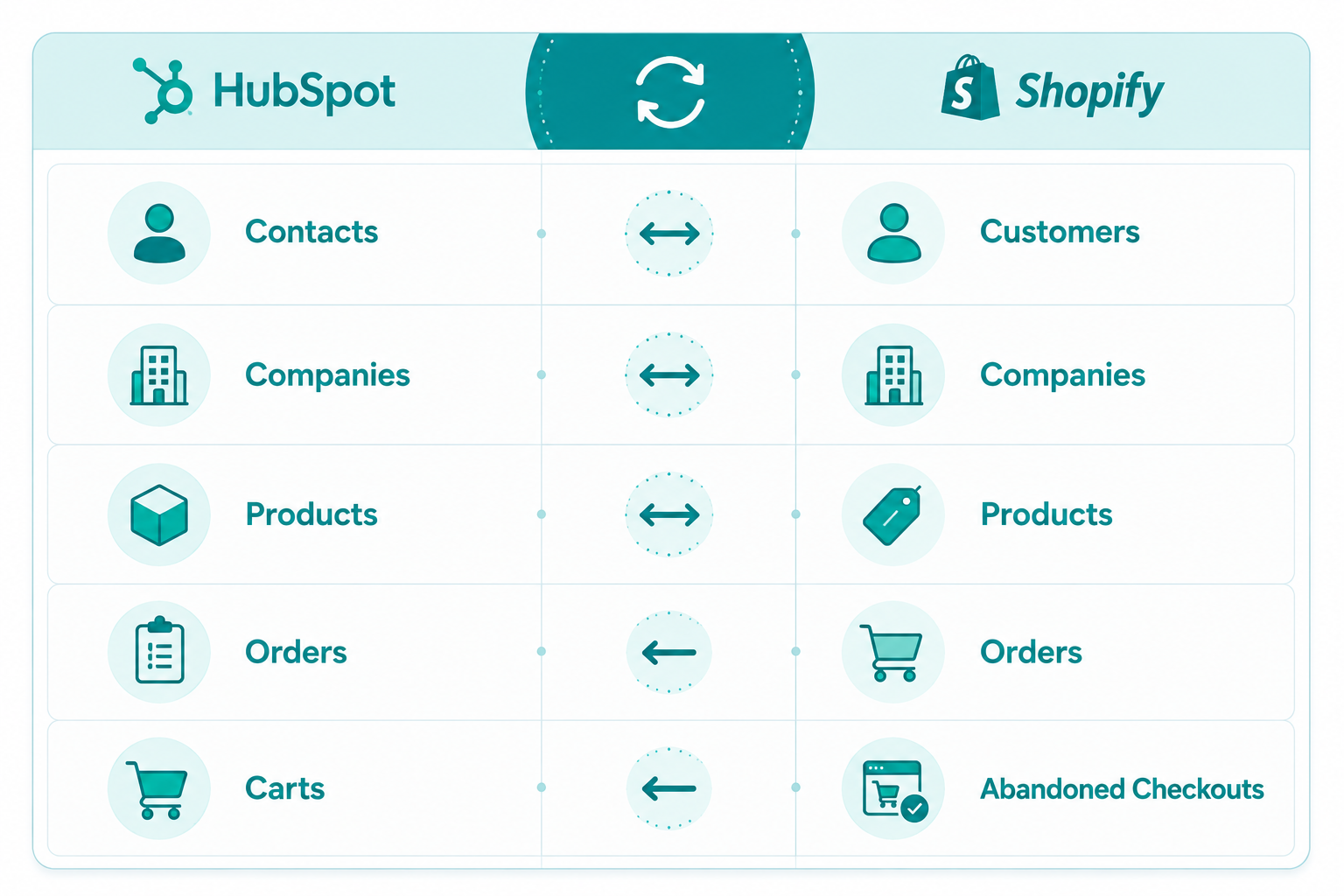
First, connect Shopify through the HubSpot Marketplace. In your HubSpot account, go to Marketplace → App Marketplace, search for Shopify, and connect the app. Then go to Settings → Integrations → Connected Apps → Shopify → CRM Syncs → Set up your sync, and choose the object you want to sync.

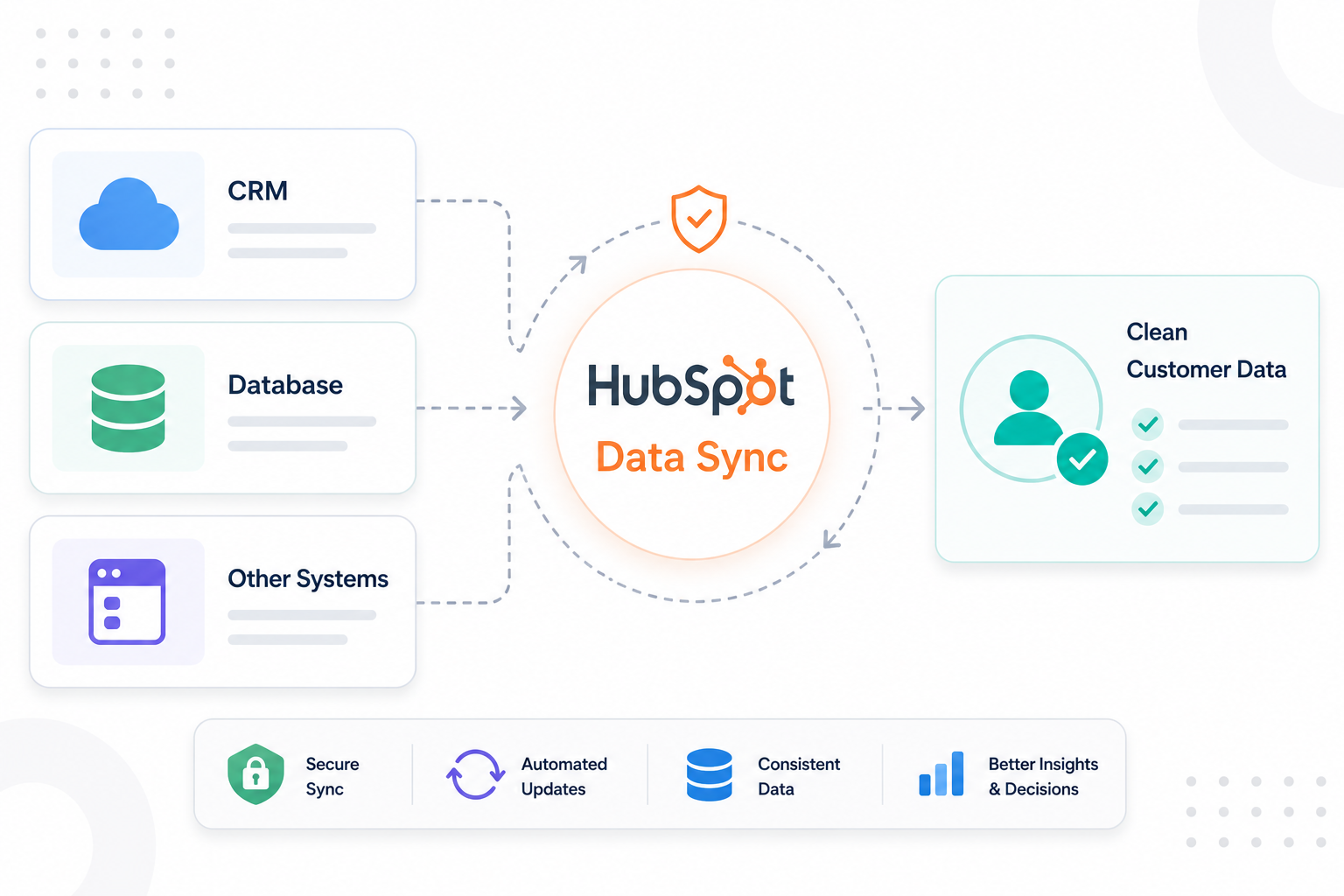
The native Shopify integration is free across all HubSpot plans and syncs customer profiles and product data into the CRM.
Hub Coverage Across The Lifecycle
- Marketing Hub runs segmentation, email, and SMS through partner apps, plus landing pages and off-commerce properties.
- Service Hub tickets post-purchase issues against the same contact record.
- Operations Hub handles data sync, field mapping, and programmable automation for teams with custom logic.
- Commerce Hub adds payments, invoicing, and quoting, which suits brands running B2B or wholesale motions next to their DTC storefront.
- Breeze brings HubSpot's AI layer across those hubs for scoring, content, and agent-assisted service.
Where Native Coverage Ends
Native connectors often fall short for more complex requirements. Stores with custom checkout flows, B2B pricing tiers, or multi-store setups typically need custom integrations, which can take a few weeks to build for mid-market businesses.
What Are the Usual Costs of Ecommerce CRM Services?
Ecommerce CRM pricing varies widely depending on the platform, plan, number of users, and features you need. Costs can range from free or low-cost plans to higher-priced options for advanced features, automation, integrations, and larger teams. Setup, customization, data migration, and ongoing support may also add to the total cost.
Treat every figure in this section as a planning range and not a quote. Confirm the numbers with your CRM implementation partner before you build a budget around them.
Subscription Tiers
Entry pricing starts around $7 per seat for HubSpot, $25 per user for Salesforce, and $65 per user for Microsoft Dynamics 365. Those entry numbers get you a fraction of the product. Workflow automation, email sequences, lead scoring, custom reporting, and the integrations most ecommerce teams need sit in professional or growth tiers running roughly $30 to $100 or more per user per month. Price the tier you will use in month three, not the one on the comparison page.
One-Time Setup Charges
Migration, integrations, customization, onboarding, and training may all come with separate fees depending on the complexity of your setup. Larger or more complex implementations can cost considerably more, especially when moving data from multiple systems or building custom workflows.
Recurring Charges After Launch
Several costs can continue after your CRM goes live.
- System ownership. Your team may need dedicated time to manage the CRM, or you may need an administrator to handle ongoing maintenance and support.
- Marketplace apps. Individual app fees may seem small, but they can add up as you connect more tools.
- API and storage overages. These costs can increase as your order volume, customer data, and system usage grow.
- Annual price increases. Some contracts include price increases over time, which can raise your total cost at renewal.
Explore the costs that can come with HubSpot implementation beyond your subscription fees here.
Which Compliance Requirements Affect Your Shortlist?
The main compliance requirements to consider when choosing an ecommerce CRM are consent management, opt-out handling, and customer data rights. Your CRM should record consent, honor opt-out requests, and support access, correction, export, and deletion requests across connected systems.
In 2026, 20 U.S. states have comprehensive consumer privacy laws in effect, with Indiana, Kentucky, and Rhode Island joining on January 1, 2026. Rhode Island's law does not provide a cure period, meaning businesses may face penalties without an opportunity to fix a violation first.
Consent should stay connected to the customer record, including what permission was given, when it was given, where it was collected, and what it covers. Your CRM should also support privacy signals such as Global Privacy Control (GPC). Privacy requests also need to extend across your connected systems. State laws can give customers rights to access, correct, delete, and transfer their personal data, with response periods that generally range from 30 to 45 days depending on the state.
Check how each CRM handles these requests across ecommerce, marketing, analytics, and support tools before making your choice.
Why Work With Campaign Creators on Implementation?
Campaign Creators is a HubSpot Elite Solutions Partner that helps ecommerce businesses build and use HubSpot around their sales, marketing, and customer data. Its work covers HubSpot setup, data migration, integrations, ecommerce marketing, automation, and ongoing support.
1. Architecture Before Configuration
Campaign Creators takes an architecture-first approach, mapping business goals, data structures, workflows, and integrations before configuring the portal. This helps ecommerce teams avoid unnecessary properties, duplicate data, and workflows that become difficult to manage as the business grows.
2. Migration and Integration Delivery
For ecommerce teams moving to HubSpot, the work can include mapping and migrating customer data, setting up the CRM, and connecting HubSpot with ecommerce and other business systems.
Campaign Creators has also built custom HubSpot integrations for ecommerce businesses when standard connections were not enough. Wild for Salmon is one example. The ecommerce seafood retailer was new to HubSpot and needed help using its automation capabilities, improving its online sales process, and connecting its marketing efforts. Campaign Creators helped set up its HubSpot CRM and Shopify ecosystem, then built abandoned cart, re-engagement, welcome, post-purchase, and retargeting campaigns.
The work contributed to an increase in revenue of more than $200,000, a 30% increase in email click-through rate, and a 167% increase in the contact database.
3. Adoption and AI Readiness
Implementation also needs to prepare the team to use the system after launch. Campaign Creators provides training, documentation, and change-management support as part of its HubSpot services.
A well-structured CRM also provides the data foundation needed for automation and AI. Clean customer records, connected systems, and consistent data make it easier to use HubSpot for personalization and AI-powered workflows.
Map Your Data Before You Book the Demo
Start by mapping where your customer and ecommerce data lives today. Then decide which system should own each type of data. Use that structure to compare CRM options and see which platform fits your needs.
The right CRM is not just about features. It needs to support the way your data is structured, work well for your team, and integrate with the systems you already use.
Campaign Creators helps ecommerce teams with CRM implementation, from architecture and migration to integration and enablement. Reach out for a second look at your plan before you commit to a platform.
Frequently Asked Questions
What Is The Difference Between An Ecommerce CRM And A CDP?
A CRM manages relationships and interactions on a governed customer record, while a customer data platform unifies raw behavioral data from many sources and pushes segments out to activation tools.
How Long Does An Ecommerce CRM Implementation Take?
Small and midsize rollouts typically run two to four months, with enterprise migrations involving complex integrations extending to six months or longer.
Is HubSpot A Good CRM For Ecommerce?
HubSpot suits ecommerce brands that want marketing, sales, and service on one customer record and are comfortable leaving inventory, shipping, and returns to the store platform and connected apps.
Should The CRM Or The Store Platform Hold Order Data?
The store platform generally stays the transactional source of truth while the CRM holds identity, consent, and lifecycle state, with orders synced in as read-only context.
Do Ecommerce CRMs Handle Subscriptions Natively?
Few do, so verify subscription state, billing cycle, pause events, and churn reason are supported as first-class fields before assuming an integration will cover it.
What Happens To Your Data If You Leave A CRM Vendor?
Export rights, file formats, and retention windows are governed entirely by your contract, so confirm you can retrieve complete records including custom fields and activity history before you sign.
.png?width=1920&height=553&name=cc-logo-color-horizontal%20(1).png)
Campaign Creators