Prepare Your CRM for AI with HubSpot Architecture
AI Opportunity in CRM AI is rapidly transforming CRM capabilities through predictive insights, automation, and personalization, but many...
I know what I am looking for, and would like to chat.
A team of data-driven marketers obsessed with generating revenue for our clients.
Because the proof is in the pudding.
At Campaign Creators we live by three principles: Autonomy, Mastery, Purpose.
Many HubSpot CRM environments grow as more teams begin using the system. Marketing adds contacts, sales builds pipelines, service teams manage tickets, and operations teams create properties for reporting. Each update expands how the CRM supports daily work. As the system grows, a clear architecture helps organise data and keep the platform structured.
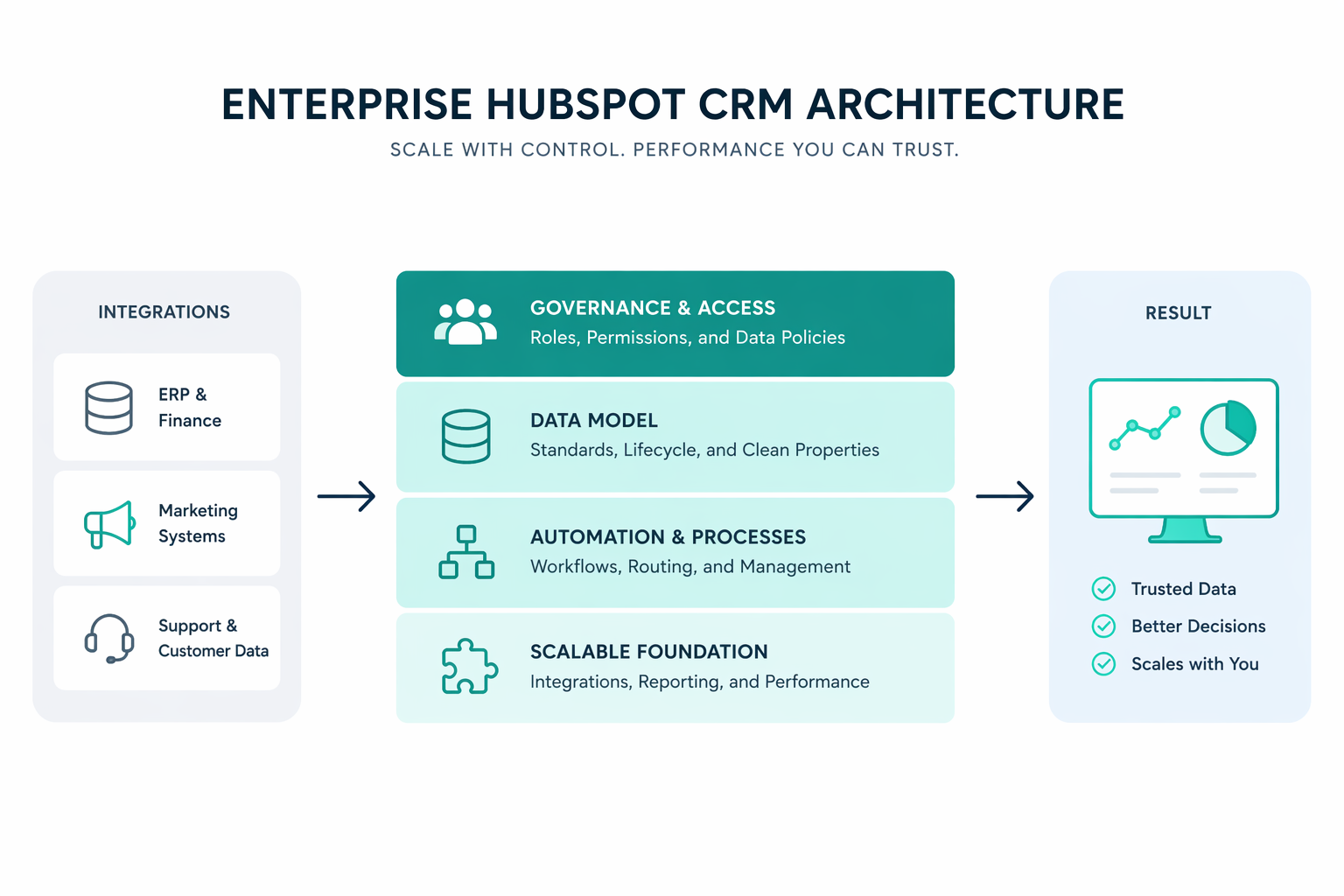
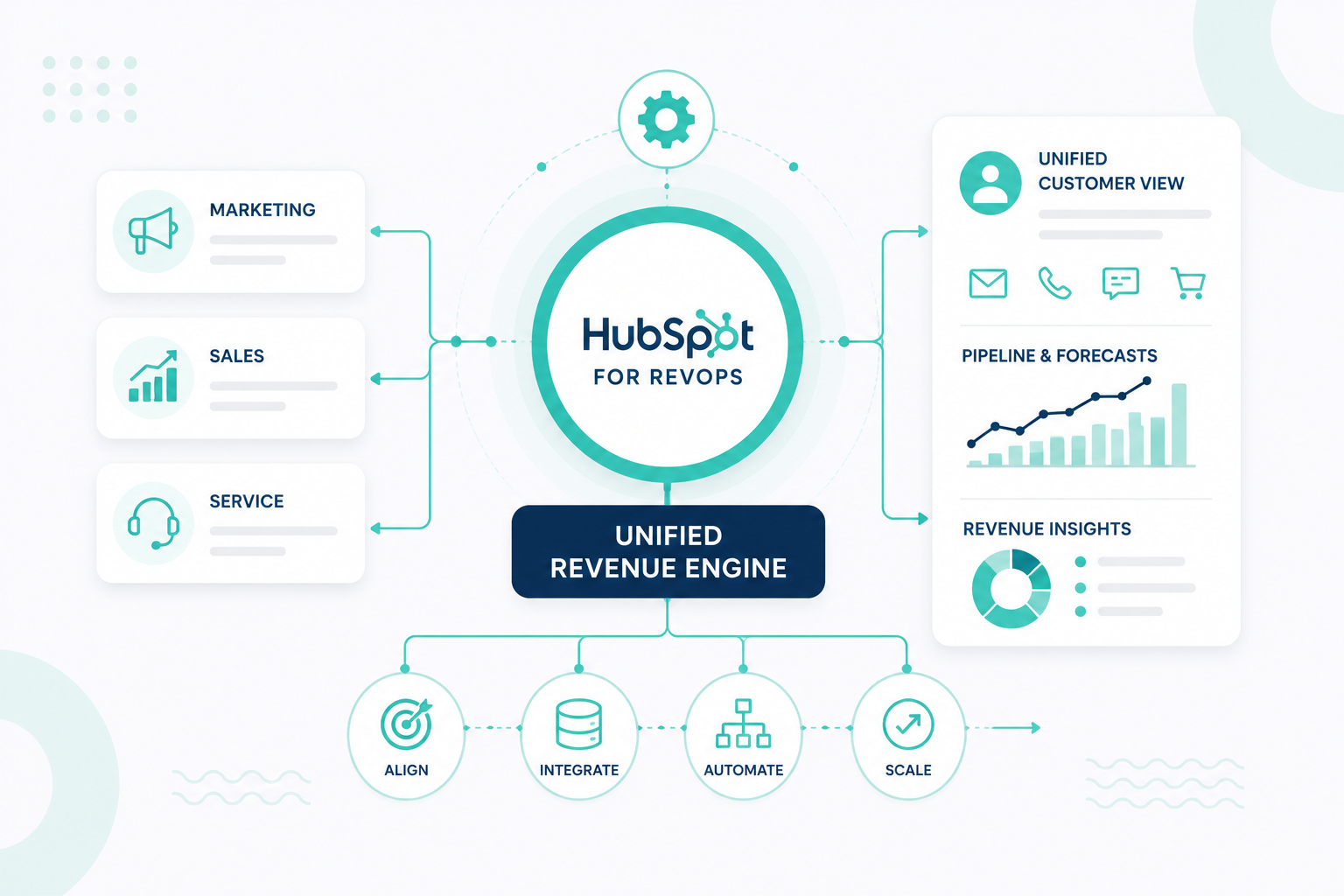
HubSpot can function as a unified revenue system if the architecture is structured deliberately. A well-designed CRM model aligns objects, properties, lifecycle definitions, and automation across marketing, sales, and service teams. The result is a platform that produces reliable reporting, supports automation, and scales with the organization.
The first step in building that foundation is understanding the structure of HubSpot’s CRM data model.
The foundation of a healthy HubSpot CRM architecture is the data model. It determines how information flows through the system and how teams understand relationships between people, organizations, and revenue opportunities.
HubSpot’s CRM includes several standard objects that form the base structure of the system:
Each object represents a different type of business relationship. Contacts represent individual people interacting with the business. Companies represent the organizations that people belong to. Deals track revenue opportunities, and tickets track support interactions.
The objects connect through associations. Associations enable HubSpot to link records across the system so that teams can see a full history of interactions. For example:
These relationships form the structural backbone of the CRM. HubSpot provides a Data Model Builder that helps administrators to visualize these relationships and understand how objects connect within the system. The tool shows associations between objects and allows administrators to modify relationships without navigating multiple settings pages.
The Data Model Builder makes it possible for administrators to:
For many B2B organizations, the company object becomes the structural “spine” of the CRM. Contacts represent people within an account, and deals represent revenue opportunities associated with that account. This company-centric model helps sales and marketing teams to understand the entire account relationship rather than tracking interactions with individuals in isolation.
Designing the data model early ensures that automation, reporting, and integrations are built on a stable foundation.

HubSpot provides data model templates to help organizations plan CRM architecture before records are imported or workflows are created. These templates illustrate how different objects interact and which objects should serve as the central entity in the model. This helps teams avoid recreating legacy database structures that may not work well within HubSpot.
Two common CRM structures appear in these templates.
In this model, the contact is the primary record. Companies may still exist in the CRM, but most automation and segmentation revolve around individuals.
This model is common for:
Marketing automation and reporting focus on individual behavior rather than account-level relationships.
In this model, the company becomes the central record. Contacts represent people inside the company, and deals represent opportunities tied to the account.
This structure is typical for:
Using these templates during planning helps teams agree on a shared CRM structure before configuration begins.
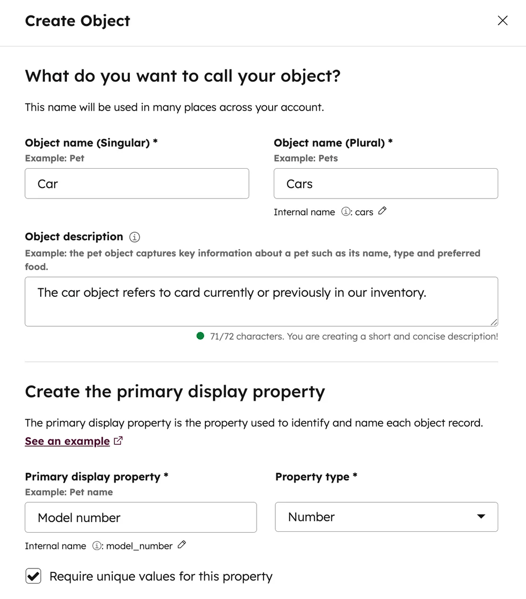
Standard CRM objects cover most operational needs, but some organizations need to track entities that do not fit naturally into contacts, companies, deals, or tickets. HubSpot supports custom objects that help teams create new record types within the CRM.
Custom objects function similarly to standard objects. They can contain properties, support associations with other objects, and appear in reporting and workflows.
Custom objects can be used to track entities such as:
To create a custom object in HubSpot:

Using custom objects carefully prevents unnecessary complexity in the CRM data model.
Properties represent the structured data fields stored on CRM records. They capture information about contacts, companies, deals, and other objects within the system.
HubSpot supports several property field types, including:
Each field type determines how the data can be used in segmentation, automation, and reporting. Choosing the correct property type improves data consistency. For example, dropdown fields restrict values to predefined options, which prevents inconsistent data such as different variations of the same industry name.
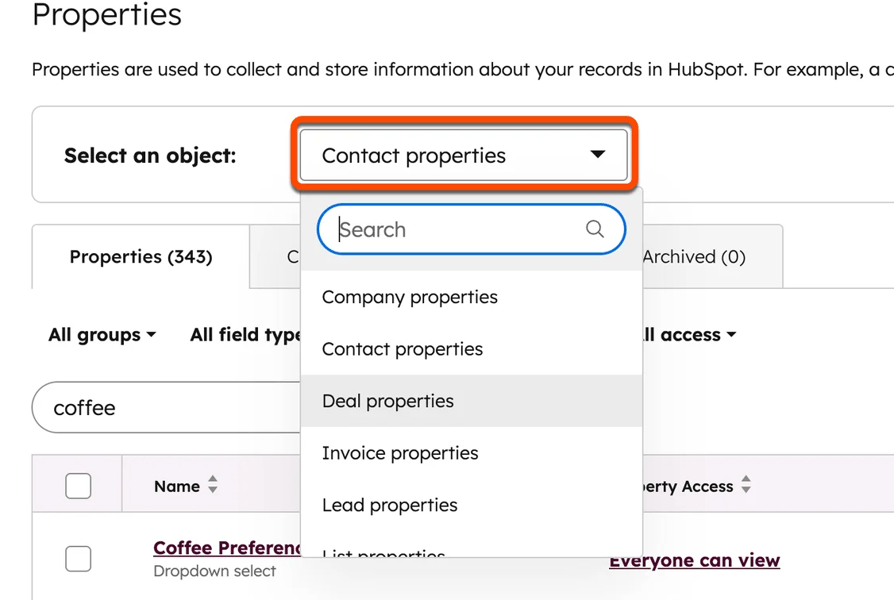
Administrators can create and manage properties directly within object settings. To create a property using the full editor:

In enterprise CRM environments, properties often fall into several functional categories.
These fields help identify and categorize contacts or companies so records can be grouped in meaningful ways. They usually describe characteristics of a contact or organization, such as industry, company size, geographic region, or customer segment. Marketing and revenue teams use this information to create targeted segments, personalize campaigns, and analyze performance across different types of customers.
These fields support the day-to-day operation of the CRM and guide how records move through internal processes. They often determine ownership, routing, or status within the system. Examples include lead owner, territory assignment, lead source, and account status. Automation and workflows rely on these fields to route records to the right teams and ensure each opportunity follows the correct process.
These fields capture information used for analytics and performance measurement. Leadership and operations teams rely on them to understand how marketing and sales activities contribute to revenue. Examples include original lead source, deal close reason, and campaign attribution fields. With this data, teams can evaluate where leads originate, why deals succeed or fail, and how campaigns influence pipeline and revenue.
These fields automatically generate values using formulas based on other data in the CRM. Instead of manual updates, the system calculates the values continuously as records change. Examples include days in the lifecycle stage, deal age, and average sales cycle length. This helps teams monitor timelines and performance trends without adding additional manual work.
Structuring properties into clear categories helps keep the CRM organized and easier to maintain. This also improves reporting clarity and reduces confusion when teams create new fields in the future.
Lifecycle stages represent the relationship between a contact or company and the organization. They track how individuals and accounts move through the revenue journey from initial engagement to becoming customers.
HubSpot provides several default lifecycle stages:
Administrators can customize lifecycle stages to reflect different revenue models. Lifecycle stages represent relationship progression, not internal sales activities. They show where a contact or company sits within the broader customer journey.
Lifecycle stages also follow a forward progression model. Records typically move forward through stages as the relationship deepens.
For example:
Subscriber → Lead → Marketing Qualified Lead → Sales Qualified Lead → Customer
Because lifecycle stages are used in reporting and automation, they often update automatically through workflows.
Lifecycle stages can apply to both contacts and companies. In many implementations, workflows keep these stages aligned so that account-level reporting reflects the overall relationship with the organization.
Pipelines track records as they move through structured operational processes. The most common pipeline in HubSpot is the deal pipeline, which represents stages in the sales process. Each pipeline contains a sequence of stages representing key milestones in the sales cycle.
Typical stages may include:
Each stage in a pipeline can be assigned a probability percentage, which HubSpot uses to calculate forecasted revenue. For example, a deal in the proposal stage might have a 60% probability of closing.
Pipeline architecture differs from lifecycle architecture. Lifecycle stages represent the relationship between a contact or company and the organization, whereas pipelines represent internal operational processes such as sales cycles.
Many CRM problems develop gradually as teams add properties, pipelines, and workflows to solve short-term operational needs. Without a shared architecture plan, these incremental changes eventually make the system difficult to maintain.
Property duplication occurs when multiple fields capture the same information. This often happens when different teams create their own properties without coordinating with administrators.
For example, a marketing team might create a property called Lead Source, while a sales team creates Original Lead Source, and another team creates First Conversion Source. Although each property attempts to track where a lead originated, the values may differ or capture data in different ways.
As duplicate fields accumulate, reporting becomes unreliable because teams may rely on different properties for the same metric. Proper governance prevents this issue by ensuring that each concept in the CRM has one clearly defined property.
This happens when teams create multiple pipelines without clear operational boundaries. For example, one sales team might create pipelines such as:
Another team might create pipelines like:
If these pipelines track similar sales processes but use different stage structures, forecasting and reporting become inconsistent across the organization. In many cases, variations in sales motions can be managed using deal properties, such as product line or region, instead of creating separate pipelines.
HubSpot’s CRM relies on relationships between contacts, companies, deals, and other records. When associations are not applied consistently, teams lose the ability to view the full history of an account.
For example, if deals are associated with contacts but not with companies, account-level reporting becomes difficult. Sales leaders may struggle to understand how much revenue is connected to a specific organization because the deals are tied only to individuals.
A consistent association model ensures that records reflect real business relationships across the CRM.
A single person may appear multiple times in the CRM with slightly different information, often due to form submissions or data imports.
Duplicate records can affect several areas:
HubSpot’s data quality tools help identify and merge duplicates, but preventing duplicates through consistent data management is far more effective.
When these issues accumulate, teams often begin exporting data into spreadsheets because they no longer trust the CRM. This behavior signals that the CRM architecture needs attention.

As your organization expands into new regions, adds products, and connects more systems, the data model and processes must remain consistent. The following design decisions show how to structure HubSpot so pipelines, properties, integrations, and AI tools continue to work as your business scales.
When your organization operates across multiple geographic markets, create a Region or Territory property on the Company object. This enables each company's records to store the geographic market it belongs to. Deals associated with those companies can then inherit the same regional context through reporting or workflow automation.
Instead of building a separate sales pipeline for every region, keep one shared pipeline that reflects the organization’s standard sales process. Workflows can assign deal owners or sales teams based on the company’s region property. This makes opportunities follow the same stages while routing them to the appropriate regional team.
Reporting can also filter deals using the region property. This keeps global pipeline visibility consistent even as new regions are added.
When your business sells several products or services, avoid creating separate pipelines for each offering. Multiple pipelines often divide the sales process and make forecasting difficult across the organization.
A more scalable approach is to track product information directly on deals using product line items in HubSpot’s product library. Each deal can include one or more products with associated pricing and quantities. This helps revenue reporting break down performance by product while the sales team continues to work within a single pipeline.
If the sales process requires product categorization, you can also create deal properties such as Product Category or Solution Type. These fields enable reporting, segmentation, and automation to analyze pipeline performance across product groups without duplicating sales processes.
HubSpot often connects with other operational platforms such as ERP systems, billing software, product databases, and customer support tools. Designing your CRM with integrations in mind helps ensure that data flows consistently between these systems.
Start with a clear data model that defines how objects relate to one another. HubSpot’s core structure typically connects contacts, companies, deals, and tickets, with additional custom objects when needed. Properties should follow consistent naming conventions and avoid duplicate fields that represent the same data.
When these relationships and properties are structured properly, integrations can sync records reliably through APIs or integration tools. Systems can exchange customer data, deal information, billing details, and support activity without requiring complex data transformations or manual reconciliation.
HubSpot’s AI platform, Breeze, works directly on CRM data to generate insights, automate tasks, and support teams across marketing, sales, and service. Breeze includes AI assistants, automated agents, and intelligence tools that analyze CRM records, recommend actions, and help teams prioritize opportunities.
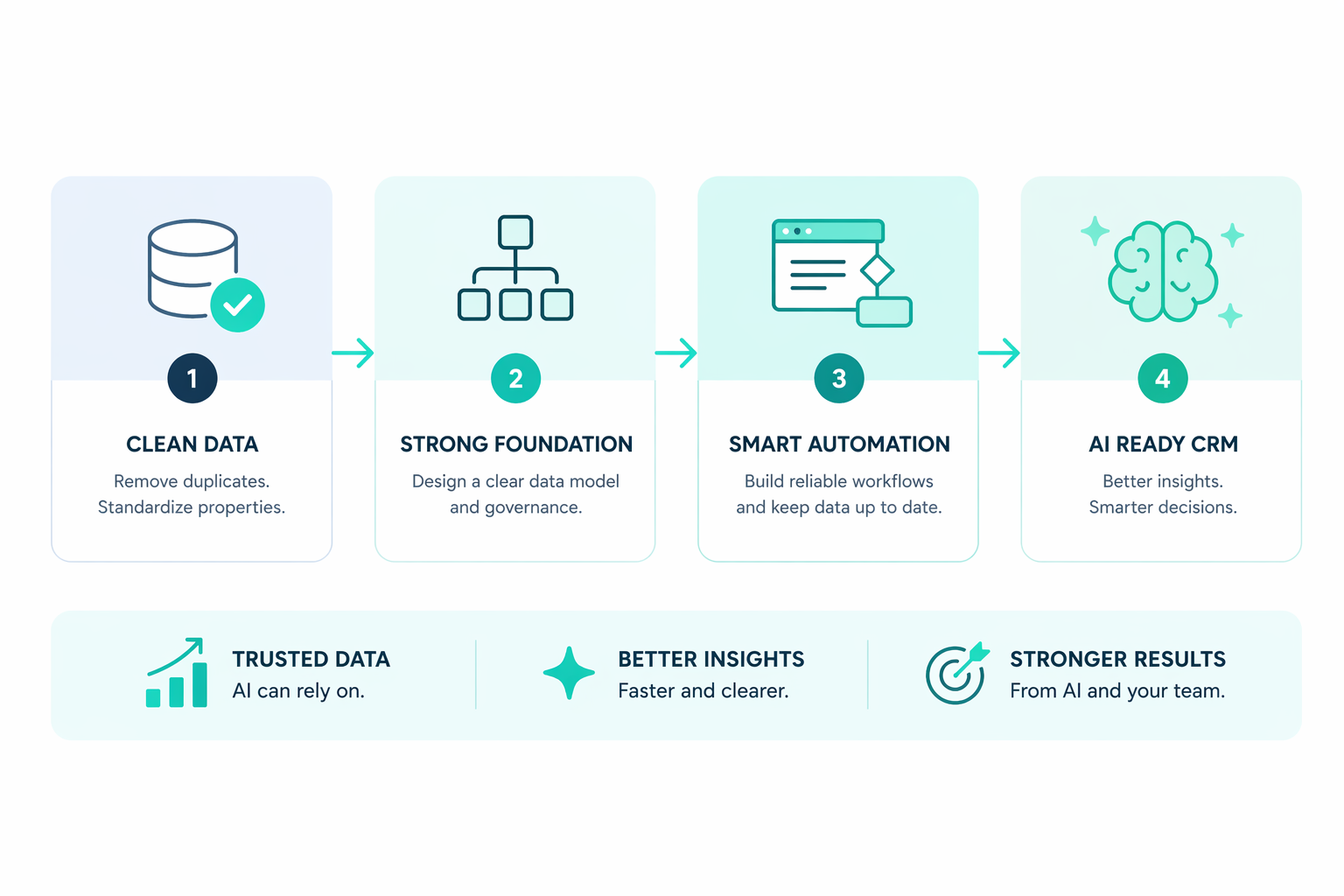
Because Breeze relies on existing CRM data, the quality of your architecture directly affects the quality of the insights it generates. Systems with structured lifecycle stages, consistent properties, and accurate associations between contacts, companies, and deals enable AI models to identify patterns in customer behavior more effectively.
For example, Breeze uses clean CRM data to prioritize leads, assist with prospecting, generate content, and produce predictive insights across the revenue pipeline. If properties are inconsistent or relationships between records are unclear, the data becomes unreliable, and AI recommendations become less accurate.
A well-designed HubSpot architecture ensures that both automation and AI features operate on structured data. As new capabilities such as Breeze continue to evolve, organizations with clean CRM foundations can adopt these features without needing to rebuild their data structure.
HubSpot performs best when the CRM architecture reflects how your organization actually manages customers and revenue.
Start with a clear data model that defines how contacts, companies, deals, and custom objects relate to each other. Once these relationships are designed early, automation, reporting, and integrations operate on consistent data instead of fragmented records.
HubSpot becomes more than a place to store records. It becomes a system that helps teams understand customer relationships, track revenue activity, and make informed decisions as the business grows.
If everyone creates their own properties, you quickly end up with duplicate or conflicting fields that break reporting. Limiting who can create properties keeps your data structure consistent.
Use custom objects if the entity you want to track does not fit into contacts, companies, deals, or tickets and needs its own properties and relationships. Examples include subscriptions, assets, or memberships.
Create a new pipeline only if the process has different stages or workflows. If the process stays the same but varies by product, region, or segment, use properties instead.
Lifecycle stages show how contacts and companies move through your customer journey, which helps you measure conversion between stages. This helps your marketing and sales teams to track funnel performance.
HubSpot’s data quality tools flag duplicate records, missing values, and inconsistent formats. This helps you keep your CRM data clean so automation and reporting remain accurate.
AI Opportunity in CRM AI is rapidly transforming CRM capabilities through predictive insights, automation, and personalization, but many...
HubSpot ERP integration often starts as a technical task. Teams connect systems, map fields, and sync data between HubSpot and platforms such as...
HubSpot marketing automation isn't just a game-changer; it’s the ultimate catalyst for transforming how your business operates.