











Skip to the main content.

WEBSITE GROWTH & CONVERSION

• Web Design & Development


• SEO & AEO


• Conversion Rate Optimization


• Lead Generation Strategies


HUBSPOT SUPPORT & ENABLEMENT

• HubDesk


• HubSpot Training


• HubSpot Change Management

FREE TOOLS & ASSESSMENTS

• HubSpot Portal Audit


• HubSpot Al Readiness Scorecard


• HubSpot Al Solutions Design


LEARN & WATCH

• View All Resources


• Ebooks & Templates


• Webinars On-Demand


• Expert Videos

HUBSPOT INSIGHTS

• AEO & AI Search


• Automations


• HubSpot Software


• Migration & Replatforming


• Marketing & Content


• Lead Generation


• Integrations


PLATFORM GUIDES

• HubSpot vs. Zendesk


• WordPress vs. HubSpot CMS

CC Square Image (20)


HubSpot Solutions by Industry

INDUSTRY ONBOARDING

• HubSpot for Healthcare


• HubSpot for Software


• HubSpot for IT Services


• HubSpot for Franchises


• HubSpot for Consumer & Retail


• HubSpot for Manufacturing


• HubSpot for Real Estate


• HubSpot for Construction


• HubSpot for Automotive


• HubSpot for Financial Services


• HubSpot for Professional Services


• HubSpot for Life Sciences


• HubSpot for Marketing & Advertising


8 min read

How Consulting Firms Run a Conflict Check Process in HubSpot Before a Pitch

How Consulting Firms Run a Conflict Check Process in HubSpot Before a Pitch

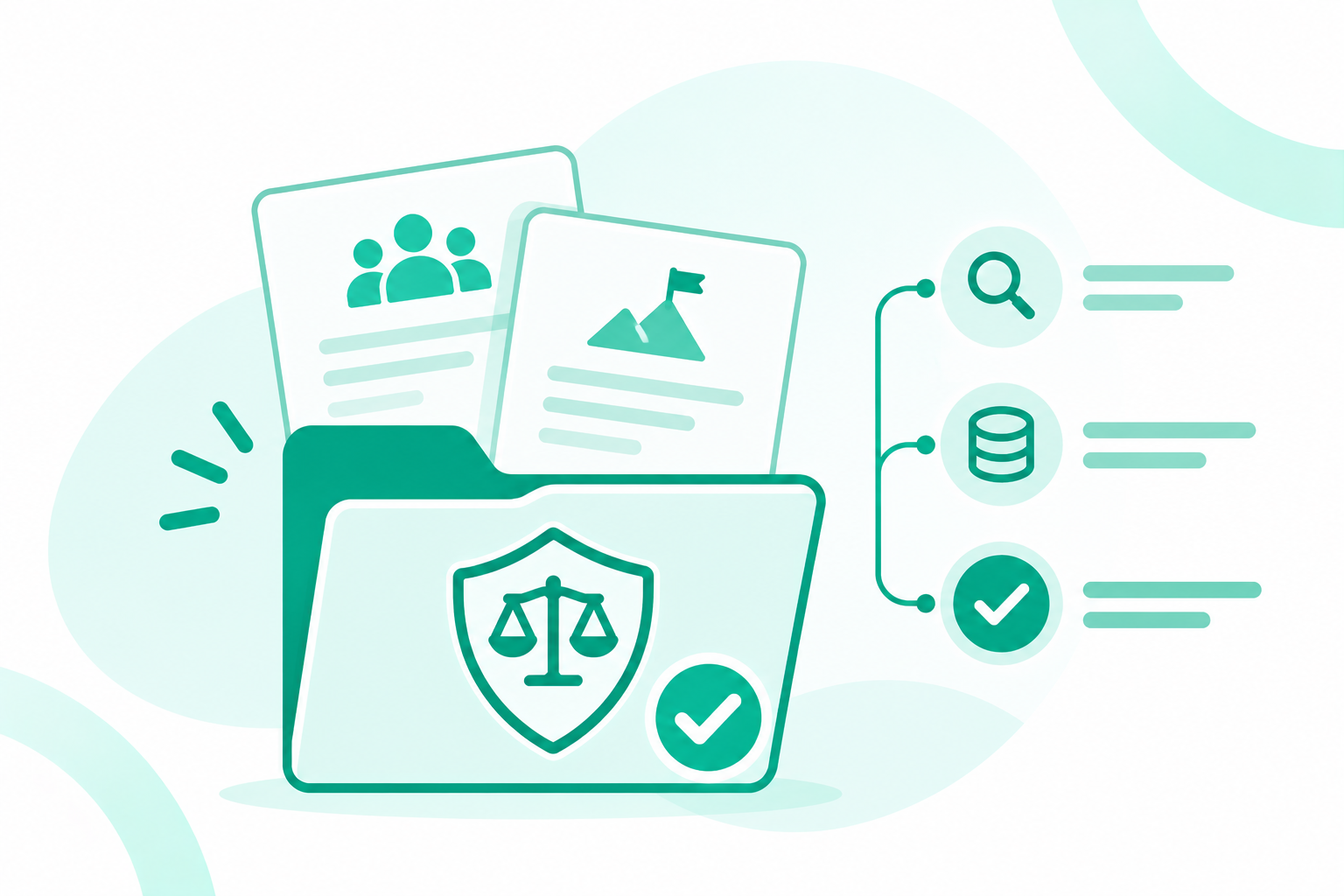
A conflict check process confirms that a new pitch doesn't clash with a current client, a past engagement, or a client's direct competitor. In HubSpot, consulting firms build it from standard CRM features. They search company records and corporate families, and they tag related companies with association labels. Then they record the result on the deal and require a partner's sign-off before the proposal goes out.

Modern Deal Review Meeting

A missed conflict tends to surface after the proposal is out, when a current client hears about it from someone else. With the check inside the CRM, partners get the answer from records they already keep. Nobody has to dig through a firmwide email thread. If your check still happens over email, our technology consulting team can map the process and automate the slow steps.

Key Takeaways

  • HubSpot has no single conflict check feature, so firms build the process from company records, association labels, deal properties, workflows, and approvals.
  • A useful check covers 5 groups, including current and past clients, client competitors, corporate families, and people the firm knows at the prospect.
  • Association labels and workflows need a Professional subscription, and each object pair can hold up to 50 labels.
  • A formal approval stage that blocks deals until a reviewer signs off needs Sales Hub Enterprise.
  • The check is only as good as the company records behind it, so duplicate cleanup comes before any automation.

Table of Contents

  1. What Is a Conflict Check at a Consulting Firm?
  2. Can HubSpot Run a Conflict Check?
  3. What Should a Consulting Firm Check Before a Pitch?
  4. How Do You Set Up a Conflict Check Process in HubSpot?
  5. What HubSpot Edition Does a Conflict Check Process Need?
  6. How Do You Keep Conflict Check Data Accurate Over Time?
  7. When Does a Consulting Firm Need Dedicated Conflict Check Software?
  8. How Can a HubSpot Partner Help Set Up Conflict Checks?
  9. Recap
  10. Frequently Asked Questions

What Is a Conflict Check at a Consulting Firm?

A conflict check is a review a consulting firm runs before it pitches or accepts new work. It confirms the engagement won't harm a current client, expose confidential information, or put the firm's objectivity in doubt.

Conflicts at consulting firms usually fall into three types.

Conflict type What it looks like Typical response
Direct client conflict The prospect is in a dispute, negotiation, or deal with a current client Decline, or get informed consent from both parties
Competitive conflict The prospect competes head-to-head with a client in the same market Partner review, separate teams, or decline
Information conflict The team holds confidential knowledge from past work that would help the prospect Staff the engagement with people who weren't on the earlier project

A perceived conflict can end a client relationship as fast as a real one. A client who learns you're advising their closest competitor may not wait to hear how you separated the teams. The check has to happen before anyone pitches.

Can HubSpot Run a Conflict Check?

HubSpot can run a conflict check, though it has no dedicated conflict check tool. You can build the process from features already in the CRM, and teams usually combine the five below.

HubSpot feature Role in the conflict check
Company records and duplicate detection One record per organization, so a search returns one clear answer
Association labels Tag links such as "Competitor of client" or "Subsidiary of" between companies
Custom deal properties Record the check status, the reviewer, and the date on every new opportunity
Workflows Create a review task for the right partner when a deal is created
Deal approvals Block a deal from moving past a set stage until a reviewer approves it

Firms that don't run checks in a CRM tend to send a firmwide email describing the prospect, or they check the prospect against a spreadsheet of current and past clients. Both methods depend on people reading carefully and on someone keeping the client list complete. HubSpot already holds the client list, the engagement history, and the relationships, so the check runs on data your team updates anyway.

What Should a Consulting Firm Check Before a Pitch?

A firm should check the prospect against five groups before a pitch. Each group answers a different question, and skipping one leaves a gap a client may find before you do.

  1. Current clients. Search for the prospect's name and domain. Then look for open deals or engagements with companies on the other side of the prospect's deal, dispute, or market.
  2. Past clients. Review closed engagements from a look-back window your partners agree on. Confidential knowledge from past work can still create an information conflict.
  3. Competitors of current clients. Look for any current client that names the prospect as a direct competitor. A name search won't connect the two companies, so this conflict is hard to find without labels.
  4. Corporate families. Check the prospect's parent company, subsidiaries, and sister brands. A client is often a group of companies, and a conflict with one entity can affect the whole group.
  5. People the firm already knows. Look at the contacts linked to the prospect. A partner on the prospect's advisory board, or a former employee now in a senior role, can create a personal conflict.

Groups 3 and 4 are where firms usually miss conflicts. A name search finds "Acme Logistics," but it won't show that Acme's parent owns your client's main competitor unless someone recorded that link.

Log the outcome on the deal as one of three decisions. The check is cleared, cleared with conditions (such as separate teams), or declined.

How Do You Set Up a Conflict Check Process in HubSpot?

1. Clean Up Company Records First

Start by making sure each organization exists once in the CRM. HubSpot checks the primary company domain and alerts users who try to create a duplicate company by hand. Companies created through the API, including those from installed sync apps, skip that domain check.

The manage duplicates tool compares company domain, name, country, phone number, and industry to suggest likely duplicates, and it's available on Professional and Enterprise tiers. If your records came from several partners' address books, our HubSpot deduplicate guide walks through the merge process step by step.

2. Label Company Relationships

Create association labels for the links your check depends on. A paired label uses different names for each side, such as Parent and Child, and setting one side sets the other automatically.

Consulting firms usually need four company-to-company labels.

  • Parent company and Subsidiary
  • Competitor of client
  • Counterparty (for disputes, acquisitions, or negotiations)
  • Referral source

Once the labels exist, a partner can open the prospect's record and find every related client in its associations.

3. Add Conflict Check Properties to Deals

Create a short set of custom deal properties to hold the check. Partners skip long forms, so four fields are enough.

Property Type Example values
Conflict check status Dropdown Not started, In review, Cleared, Cleared with conditions, Declined
Conflict reviewer HubSpot user The risk partner or practice lead
Conflict check date Date picker The date the decision was made
Conflict notes Multi-line text Conditions, such as separate teams or informed consent

You can make these properties required when a deal moves into a stage. Conditional stage properties show certain properties when users move a record into a specific stage. Users can't save the move until the required fields have values.

4. Route Each New Deal to a Reviewer

Build a workflow that starts when someone creates a deal in your new business pipeline. The workflow sets the status to "In review," creates a task for the conflict reviewer, and sends an internal notification. Workflows are available on Professional and Enterprise tiers.

Route reviews by practice or region, so each partner gets only the checks they own. Workflow enrollment can also filter on association labels. A second workflow can then alert the account owner when the prospect has a labeled link to a current client.

5. Gate the Pipeline Before the Proposal Stage

Place the conflict check before any stage where the team starts scoping or writing the proposal. On Sales Hub Enterprise, deal approvals require reviewers to sign off before a deal moves forward. Users also can't create deals past the approval stage, including deals created by workflows.

Approval conditions narrow the gate. For example, you can require formal approval only for deals above a certain amount or in certain practices. On Professional, a required "Conflict check status" property at the proposal stage gives you a lighter version of the same gate.

6. Record the Decision and Report on It

Record the outcome on the deal and build a simple report. A deal report filtered by "Conflict check status" shows open reviews, outcomes by practice, and declined opportunities.

Leadership can use that report to find where checks slow down new business. The deal history also gives the firm a written record if a client asks how a conflict was handled.

What HubSpot Edition Does a Conflict Check Process Need?

A basic conflict check process needs a Professional subscription, and a formal approval gate needs Sales Hub Enterprise. Free and Starter tiers can store the records, but they lack the labels and automation that keep the check consistent.

Capability Starter Professional Enterprise
Company records and automatic domain matching Yes Yes Yes
Manage duplicates tool No Yes Yes
Association labels (up to 50 per object pair) No Yes Yes
Workflows for review tasks No Yes Yes
Deal approvals No No Yes (Sales Hub)
Custom objects for engagement records No No Yes (Smart CRM)

The HubSpot Product and Services Catalog lists 50 association labels on Professional and Enterprise. Smart CRM Enterprise supports 10 custom object definitions and 1 million custom object records. HubSpot updates its packaging often, so confirm current tiers before you buy.

Smaller firms can run a solid process on Professional with required properties and workflow tasks. Firms with many practices, formal risk committees, or public company clients usually get more value from the Enterprise approval stage.

How Do You Keep Conflict Check Data Accurate Over Time?

You can keep conflict check data accurate by giving one person ownership of company relationships and reviewing labels on a fixed schedule. A check built on stale data can tell partners a prospect is clear when it isn't.

Four habits keep the data current.

  • Name one operations lead who approves new association labels and merges duplicate companies.
  • Add a closing task to each engagement that asks the partner to confirm competitors and counterparties.
  • Review corporate families every quarter, since acquisitions change parent and subsidiary links faster than anyone updates them.
  • Watch records synced from accounting or delivery tools, because API-created companies can skip domain matching and create duplicates.

Ongoing deduplication and property hygiene belong in a broader HubSpot data cleanup strategy. Permissions belong in the same plan, and clear HubSpot governance rules decide who can edit labels and approve exceptions.

When Does a Consulting Firm Need Dedicated Conflict Check Software?

A consulting firm needs dedicated conflict check software when its checks cover complex corporate trees, regulatory screening, or strict audit requirements. Large firms often run both systems side by side.

Dedicated tools handle scale better. Corporate trees have to be checked against each other, and doing that by hand isn't practical once a firm has thousands of clients. Some products for professional firms also run team conflict checks on the proposed engagement team, along with the client.

Situation HubSpot alone Dedicated tool plus HubSpot
Boutique or mid-size firm with a few hundred clients Usually enough Often more than needed
Firm with many practices and a risk committee Works with approvals on Enterprise Worth evaluating
Restructuring, M&A, or regulated advisory work Covers the sales side Usually needed for screening and audit trails
Clients with deep corporate hierarchies Possible with careful labels Better suited

When a firm uses both, partners keep managing relationships and pipeline in HubSpot. The dedicated tool runs the formal screening and sends the result back to the deal. If the conflict tool has no HubSpot app, that connection needs custom HubSpot integration development.

How Can a HubSpot Partner Help Set Up Conflict Checks?

Conflict checks break down when company records are duplicated, and relationships live in partners' heads. When we set up HubSpot for professional services firms, we clean and merge company data first. Then we build the labels, deal properties, workflows, and approval stages around how your partners already review new work.

Our onboarding team has completed 875+ HubSpot implementations for firms new to HubSpot and firms fixing an existing portal. If you're planning a setup, learn how our HubSpot onboarding and setup service works.

Recap

A conflict check process in HubSpot runs on clean company records, labeled relationships, and a clear sign-off before the proposal stage. Professional tiers cover labels, required properties, and review workflows, and Sales Hub Enterprise adds a formal approval gate.

Get your HubSpot portal set up right the first time with our onboarding team, and build conflict checks into your pipeline from day one.

Frequently Asked Questions

How Long Should a Conflict Check Take at a Consulting Firm?

A routine conflict check should finish before the team starts the proposal. Complex cases involving corporate families or competitors take longer, so set a target turnaround and track it in your reports.

Who Should Approve a Conflict Check?

A partner outside the pitch team should approve the check. Larger firms often name a risk partner or general counsel, and smaller firms usually rotate the role among senior partners.

Should a Firm Tell the Prospect About a Conflict Check?

Yes, a short note that the firm runs a standard check sets clear expectations. Never share details about other clients, since naming them would break the confidentiality the check protects.

Can a Firm Still Pitch if a Conflict Is Found?

Sometimes. If both clients give informed consent and the firm staffs separate teams, the work can go ahead, but some conflicts mean declining the opportunity outright.

Do Independent Consultants Need a Conflict Check Process?

Yes, even a simple one. A short checklist and a required deal property in HubSpot keep a written record of each decision.

Should Consulting Firms Track Engagements With HubSpot Projects or Custom Objects?

Should Consulting Firms Track Engagements With HubSpot Projects or Custom Objects?

Consulting firms track engagements in HubSpot as their own records, separate from deals and tied to the client company, its contacts, and the deal...
Read More
How Do Consulting Firms Track Proposals in a HubSpot Deal Pipeline?

How Do Consulting Firms Track Proposals in a HubSpot Deal Pipeline?

Consulting firms track proposals in a HubSpot deal pipeline by creating one deal per proposed engagement. Each deal moves through stages that run...

Read More
How Professional Service Firms Send Proposal That Connects to CRM With HubSpot

How Professional Service Firms Send Proposal That Connects to CRM With HubSpot

The right proposal software for an accounting firm that runs on HubSpot depends on how many engagement letters you send and how complex they are. If...

Read More