










 Campaign Creators
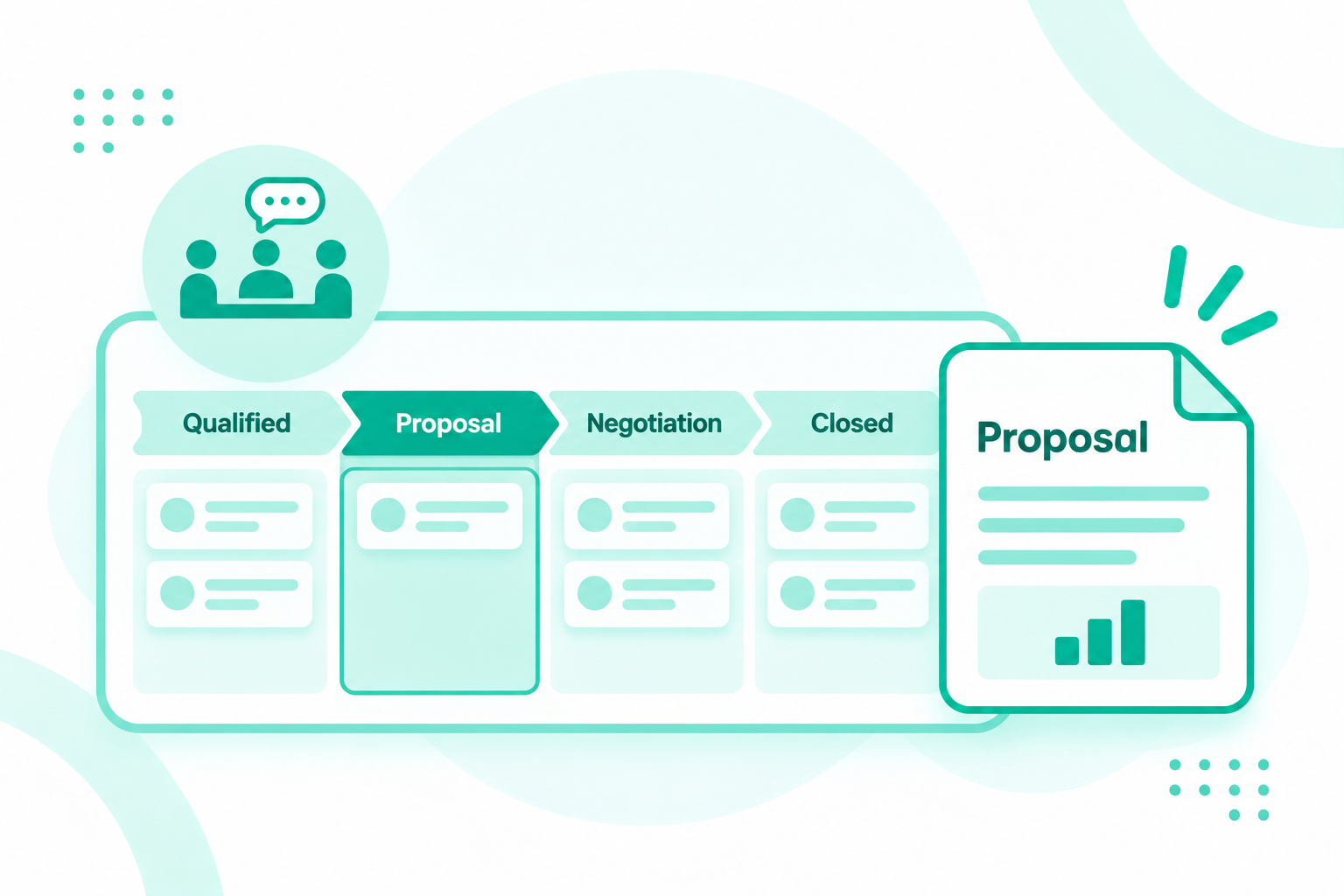
Consulting firms track proposals in a HubSpot deal pipeline by creating one deal per proposed engagement. Each deal moves through stages that run from first call through scoping, proposal, and statement of work (SOW) review to a signed SOW. A Practice property on every deal, plus HubSpot's forecast tool, turns that pipeline into revenue forecasts by practice.

A proposal sitting in one partner's inbox is invisible to the rest of the firm. When your stages, properties, and reports follow the way your practices win work, leadership can get a forecast without a status meeting. Partners also spend less time on admin between billable hours. If your proposals still live in spreadsheets or an older CRM, our HubSpot migration team can move that history into a working pipeline.
Key Takeaways
- A consulting deal pipeline works best with 6 to 7 stages that mirror the proposal process, from introductory call to signed SOW.
- One pipeline with a Practice property fits firms where every practice sells the same way, and separate pipelines fit different sales motions.
- HubSpot Starter accounts can create 15 custom pipelines, Professional accounts 100, and Enterprise accounts 350, shared across all objects.
- Required properties at each stage keep proposal dates, fee amounts, and practice tags complete, so reports reflect what is really in play.
Table of Contents
- What Deal Stages Should a Consulting Firm Use in HubSpot?
- Should Each Practice Get Its Own Deal Pipeline?
- What Should a Consulting Deal Record Track?
- How Do You Keep Proposals Moving Through the Pipeline?
- How Do You Attach Proposals and SOWs to a HubSpot Deal?
- How Do You Forecast Revenue by Practice in HubSpot?
- What Pipeline Reports Should Consulting Leaders Watch?
- How Can a HubSpot Partner Set Up a Consulting Deal Pipeline?
- Recap
- Frequently Asked Questions
What Deal Stages Should a Consulting Firm Use in HubSpot?
A consulting firm should use deal stages that follow its proposal process, from introductory call through discovery, proposal, and SOW review to a signed engagement. HubSpot's default stages, such as Appointment Scheduled and Presentation Scheduled, were built around a product sale. They don't describe how a partner wins advisory work.
A consulting sale turns on the proposal. The partner learns about the problem, scopes the work, and writes and revises a proposal. Then the firm waits on the client's legal or procurement team to sign the SOW. Your stages should make each of those steps visible.
A Starting Stage Set for Consulting Proposals
Treat these stages as a starting point. Rename them to match your firm's language, and reset the probabilities from your own history once you have a few quarters of closed deals.
| Stage | What it means | Exit criteria before moving on | Starting probability |
|---|---|---|---|
| Introductory Call | A partner or BD lead has had a first conversation about a client problem | The client confirmed a real problem and agreed to a scoping conversation | 10% |
| Discovery and Scoping | The firm is learning the problem, the sponsor, and the decision process | Scope, sponsor, budget range, and decision date are known | 20% |
| Proposal in Development | The team is writing the proposal and pricing the engagement | Internal review is done, and the fee is approved | 30% |
| Proposal Sent | The client has the proposal | The sponsor gave verbal approval or asked for an SOW | 50% |
| SOW in Review | The client's legal or procurement team is reviewing the SOW or MSA | All parties agreed on final terms | 80% |
| Closed Won (SOW Signed) | The SOW is signed | None | 100% |
| Closed Lost | The client chose another firm, paused, or declined | None | 0% |
Keep a Closed Won and a Closed Lost stage in every pipeline. HubSpot's sales reports and analytics need both to process deals correctly.
Write exit criteria as things the client does. "Proposal sent" tells you the partner finished a task, and "sponsor asked for an SOW" tells you the client is moving.
Keep contact lifecycle and deal stages apart. A contact's lifecycle stage shows where a person is in their relationship with the firm, and a deal stage shows where one proposal stands. Mixing the two leads to duplicate tracking, so use lifecycle stages for contacts and companies only.
Why Probabilities Affect Your Forecast
Each deal stage carries a probability. HubSpot multiplies the total amount in each stage by that probability to show a weighted amount on the board view. A $200,000 proposal in Proposal Sent at 50% counts as $100,000 of weighted pipeline. Probabilities that are too optimistic inflate every forecast built on them. Review them against your real proposal-to-SOW conversion once or twice a year.
Should Each Practice Get Its Own Deal Pipeline?
Each practice should get its own deal pipeline only when its sales process has different stages. When every practice sells through the same proposal-to-SOW steps, one pipeline with a Practice property gives cleaner reporting and less admin.
Separate pipelines make sense when a process has unique stages that one shared set can't describe. A strategy practice and an operations practice that both scope, propose, and sign SOWs don't meet that test. A practice that sells through formal RFPs with a shortlist and oral presentation might.
Compare the Three Common Structures
| Structure | Best fit | Forecasting by practice | Trade-offs |
|---|---|---|---|
| One pipeline plus a Practice property | Firms where every practice sells through proposal, SOW, and signature | Group reports by the Practice property | Simplest to maintain, and every partner learns one set of stages |
| One pipeline per practice | Practices with truly different steps, such as an RFP-driven public sector practice | Filter the forecast by pipeline | More stages and automations to maintain, and cross-practice reports need extra setup |
| One pipeline per sales motion | Firms that sell new engagements and also renew retainers or extend existing work | Practice property inside each pipeline | Keeps renewals from crowding new-business numbers |
What Real Firms Have Done
Our client Advisor Growth Strategies is an M&A and transaction advisory firm serving registered investment advisors. After years in Highrise, where deal stages lived as contact tags, the firm wanted a structured deal pipeline. We built one HubSpot deal pipeline with a custom Project Type property that separates core consulting engagements from M&A advisory engagements. The firm can report on both business lines from a single pipeline, with no second system to maintain.
A different pattern fits a firm with two revenue motions. When we worked with our client Everis, we built a Recurring Revenue pipeline alongside its Capital pipeline. Long-cycle capital equipment sales and recurring revenue follow different sales cycles. Consulting firms with a large retainer book can use the same idea, with one pipeline for new engagements and one for retainer renewals.
Check Your Pipeline Limits
Custom pipeline limits are shared across all objects, and each object's default pipeline doesn't count. Starter accounts get 15 custom pipelines, Professional accounts get 100, and Enterprise accounts get 350. A firm with eight practices and a pipeline for each would use 8 of its 15 Starter pipelines on deals alone. That leaves 7 for tickets and every other object.
What Should a Consulting Deal Record Track?
A consulting deal record should track the practice, the engagement type, the fee structure, the originating partner, the referral source, and the proposal dates. Those fields answer the questions leadership asks every month. Leaders want to know what practice is growing, where referrals come from, and how long proposals wait for a decision.
Recommended Deal Properties
| Property | Field type | Why it helps |
|---|---|---|
| Practice | Dropdown | Groups pipeline, forecasts, and win rates by practice |
| Engagement Type | Dropdown (project, retainer, fractional, workshop) | Separates one-time work from recurring advisory fees |
| Fee Structure | Dropdown (fixed fee, time and materials, retainer) | Helps finance read the amount correctly |
| Amount | Currency | The proposed fee, updated with each proposal revision |
| Originating Partner | HubSpot user | Credits the partner who brought in the work, even when someone else owns the deal |
| Referral Source | Dropdown, plus an associated contact | Shows the alliances and former clients that send work |
| Proposal Sent Date | Date | Measures how long proposals wait for a decision |
| Proposal Version | Number | Tracks how many revisions a proposal needed |
| Expected Start Date | Date | Gives delivery leaders an early view of staffing needs |
| Closed Lost Reason | Dropdown | Shows why proposals don't convert (fee, timing, scope, competitor) |
Keep the list short. Every extra required field is one more task for a partner between client meetings. Partners stop updating records that feel like paperwork.
Make Key Fields Required at the Right Stage
Conditional stage properties show selected fields when a deal is created in or moved into a stage. Marking one as required blocks the update until it has a value. A deal then can't reach Proposal Sent without a Proposal Sent Date, an Amount, and a Practice. Blank fields like these are a common source of dirty CRM data in forecasts.
Know When a Property Isn't Enough
Deals track the sale. Once the SOW is signed, delivery details like milestones, staffing, and hours belong somewhere else. If you're deciding how to record engagements after the sale, our custom object vs. custom property guide walks through when a new object is worth the extra structure.
How Do You Keep Proposals Moving Through the Pipeline?
You can keep proposals moving with pipeline automations that create follow-up tasks at each stage and pipeline rules that stop deals from skipping steps. Together, they make the pipeline do the reminding, so a proposal doesn't stall because a partner got pulled into delivery work.
Add Stage Automations
Pipeline automations run when a deal enters a stage. The templated options create and assign a task, send an internal email notification, or edit a record. Each one is saved as a workflow attached to the stage. Three are worth setting up in a consulting pipeline.
- Create a follow-up task for the deal owner when a deal enters Proposal Sent, due a few business days out.
- Notify the practice leader when a deal enters SOW in Review, so the leader can check scope and staffing before the client signs.
- Notify finance or operations when a deal moves to Closed Won, so the handoff to delivery and billing starts the same day.
A separate workflow can raise the Proposal Version number each time the Amount changes. Revisions then get counted without anyone keeping track by hand.
Set Pipeline Rules
Pipeline rules control how deals move. On Professional and Enterprise accounts, you can restrict skipping stages, restrict moving deals backward, and limit who can edit deals in certain stages. Sales Hub Enterprise adds a deal approval process.
Super Admins, users with Edit property settings permissions, and workflows can bypass most rules. Deal approval is the one rule nobody can bypass. Once rules are on, users can't bulk edit the pipeline or stage of its deals. Finish any bulk cleanup before you turn them on.
How Do You Attach Proposals and SOWs to a HubSpot Deal?
You can attach proposals and SOWs to a HubSpot deal by building quotes from the deal record or uploading the document to the deal. Either way, the proposal sits with the emails, notes, and meetings for that engagement. The right method depends on your HubSpot tier and how your firm writes proposals.
Use Quote Templates for Standard Fee Proposals
Quote templates are available in Revenue Hub Professional and Enterprise. They let your firm build standardized quotes with a cover letter, executive summary, line items, terms, payment options, and acceptance method. For a consulting firm, the executive summary can hold the scope, and the line items can hold phases or monthly retainer fees. The terms section can reference the MSA. Accounts without Revenue Hub Professional or Enterprise use legacy quotes.
Fewer templates are easier to keep consistent. When we worked with our client Everis, five legacy quote templates came over from Salesforce with no HubSpot equivalent. We consolidated them into two templates and added a workflow that routes any line-item discount over 10% for internal review. A consulting firm can apply the same control to fee discounts so partners don't cut rates without a second look.
Keep Custom Proposals on the Deal Record
Many consulting proposals are custom documents written for one client. Upload the final proposal and SOW to the deal record, and log the send as an email or note. Update the Proposal Version and Amount properties each time the document changes. Anyone who picks up the deal later can find the current version without searching a partner's inbox.
How Do You Forecast Revenue by Practice in HubSpot?
You can forecast revenue by practice by turning on HubSpot's forecast tool with weighted deal amounts. Then you group deals by practice through teams, separate pipelines, or a Practice property. The forecast tool is available in Sales Hub and Service Hub Professional and Enterprise, and each user needs an assigned Sales or Service seat.
Set Up the Forecast Tool
- Choose the forecast deal amount. New users with Forecast permissions default to weighted amount, so the stage probabilities you set earlier feed the forecast directly.
- Pick a monthly or quarterly forecast period for all pipelines. Changing the period later resets revenue goals and forecast submissions, so decide once.
- Map deal stages to forecast categories. The defaults include Pipeline, Best Case, Most Likely, and Commit, and HubSpot can update a deal's category automatically when its stage changes.
- Assign forecastable revenue goals to each partner or BD lead.
- Schedule forecast submissions for practice leaders each month or quarter, so you can compare their judgment with the weighted numbers.
Group the Forecast by Practice
| Method | How it works | Best for |
|---|---|---|
| Teams | Create a HubSpot team for each practice and review the forecast by team | Firms where partners belong to one practice |
| Separate pipelines | Filter the forecast by pipeline | Firms that already run a pipeline per practice |
| Practice property | Build a report on weighted amount grouped by Practice and close date | Firms where partners sell across practices |
The Practice property method works even when one partner sells for two practices, because the practice lives on the deal, not on the person. Teams work well when your org chart and your practices line up.
What Pipeline Reports Should Consulting Leaders Watch?
Consulting leaders should watch win rate by practice, time in stage, proposals with no next step, pipeline coverage, and loss reasons. Those five views show where the firm wins, where proposals stall, and if next quarter's revenue is already in the pipeline.
Win rate is also the easiest number to compare with outside benchmarks. In the 2026 SPI Professional Services Maturity Benchmark, high-performing professional services organizations reported a 56.5% bid win rate compared with 45.1% for everyone else. You can only compare your firm against numbers like these if every proposal is a deal with a closed outcome.
Five Reports Worth Building
- Win rate by practice divides Closed Won deals by all closed deals for each practice. A practice with a low win rate may be proposing on work it doesn't usually win.
- Average time in stage shows where proposals stall. Long waits in SOW in Review often point to procurement or legal steps that partners can plan for earlier.
- Open proposals with no next activity list deals in Proposal Sent or SOW in Review with no scheduled task or meeting. It works as each partner's weekly to-do list.
- Pipeline coverage compares open weighted pipeline with the revenue target for the period.
- Closed Lost reasons by practice show if the firm loses on fee, timing, scope, or to a competitor. Pricing decisions can then come from data.
Add Originating Partner and Referral Source as filters on the win rate report. You can then spot the partners who bring in the most signed work and the referral sources that convert best.
How Can a HubSpot Partner Set Up a Consulting Deal Pipeline?
A HubSpot partner can design your stages, properties, automations, and forecast setup around how your practices sell, then train partners to use them. Consulting firms often run on spreadsheets or a CRM that only one partner updates, so the setup has to fit busy partners from day one.
Our HubSpot onboarding team maps your proposal process first, then builds the pipeline, required fields, and reports in Sales Hub. We've used the same approach across 875+ HubSpot implementations.
Recap
Consulting firms track proposals in HubSpot by giving every proposed engagement its own deal and moving it through stages from introductory call to signed SOW. A Practice property, required fields at the right stages, and weighted forecasting turn that pipeline into revenue numbers by practice that leaders can act on.
Already running HubSpot with default deal stages? Get a HubSpot specialist on call to rebuild your pipeline around the way your firm wins work.
