Skip to the main content.

WEBSITE GROWTH & CONVERSION

• Web Design & Development


• SEO & AEO


• Conversion Rate Optimization


• Lead Generation Strategies


HUBSPOT SUPPORT & ENABLEMENT

• HubDesk


• HubSpot Training


• HubSpot Change Management

FREE TOOLS & ASSESSMENTS

• AEO Auditor


• HubSpot Al Readiness Scorecard


• HubSpot Al Solutions Design


LEARN & WATCH

• View All Resources


• Ebooks & Templates


• Webinars On-Demand


• Expert Videos

10 min read

Can a Vibe-Coded CRM Become a Second Source of Truth? Not Reliably

Can a Vibe-Coded CRM Become a Second Source of Truth? Not Reliably

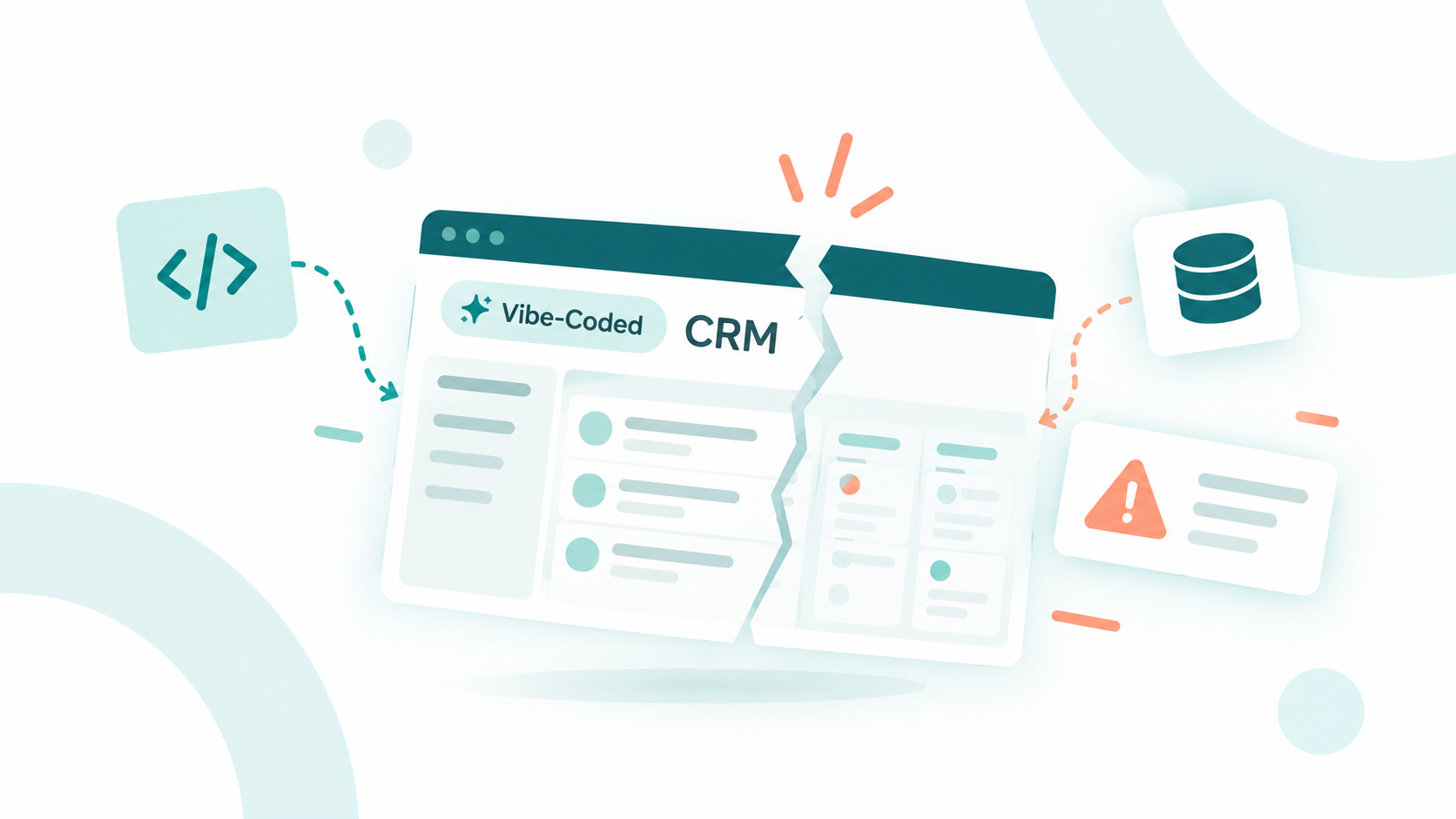
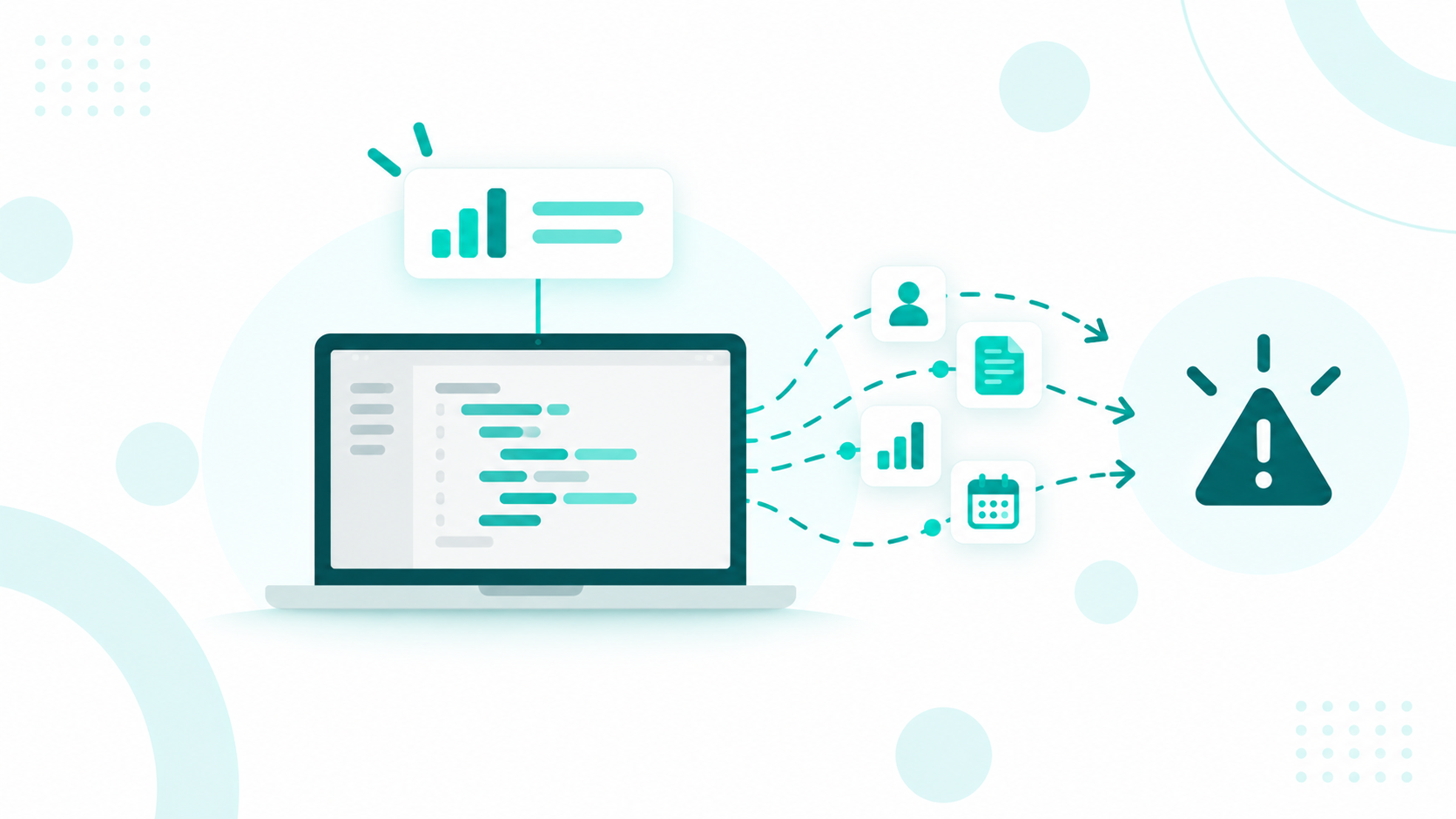
No, a vibe-coded CRM can't reliably serve as a second source of truth. It's a CRM built by describing what you want to an AI coding tool, which then writes the code for you. The problem starts when it keeps its own contacts, deals, and customer statuses alongside your main CRM, creating two competing versions of the same customer data.

Those competing versions cause problems fast, especially with your data. Duplicate records pile up, updates in one system overwrite the other, unsubscribes and privacy requests get missed, and reports stop matching. AI-built apps also tend to ship with security gaps, break without warning, and depend on the one person who built them.

Campaign Creators can help you set up a real CRM like HubSpot, where you can manage your customer data in one connected system and use the different Hubs for marketing, sales, service, content, and other business needs. That gives you room to build the tools and workflows your team actually needs without creating a second database that competes with your CRM.

Below, we'll walk through each pitfall and explain why a CRM like HubSpot is the right home for your customer data.

Key Takeaways

  • A vibe-coded CRM is a CRM built by prompting an AI coding tool, and it can't work as a reliable second source of truth next to a main CRM
  • Running two customer databases leads to duplicate records, overwritten updates, missing change history, and reports and forecasts that don't match.
  • HubSpot already covers many of the tools teams try to vibe code, including lead scoring, dashboards, client portals, quotes, and custom databases.

Why Are Teams Vibe Coding Their Own CRMs?

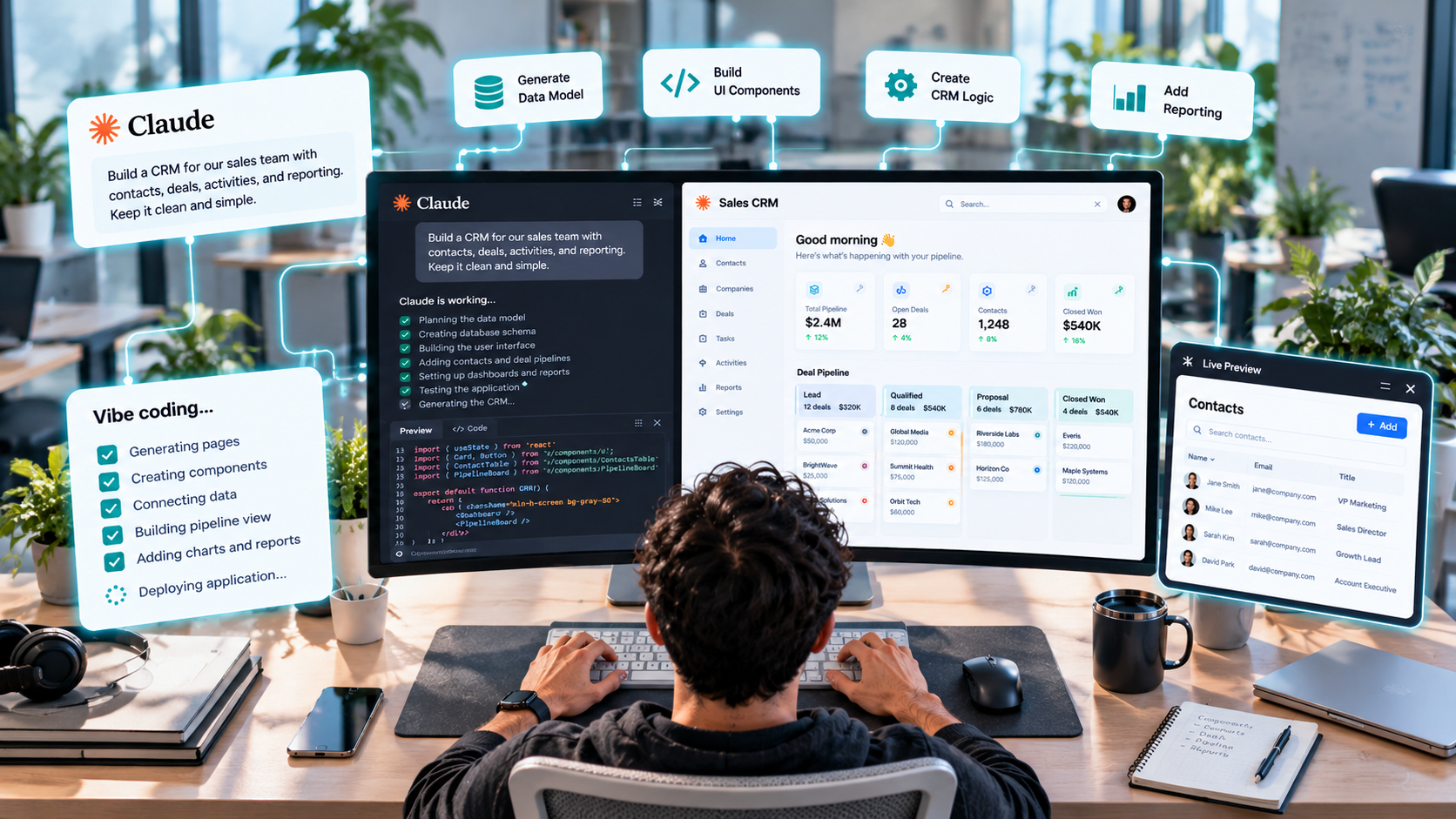
Claude-Powered CRM Workspace

Teams are vibe coding their own CRMs because AI makes it quick and cheap to build a tool that fits exactly how they work. They skip the wait for developers and don't pay for features they never use. Small businesses in particular are turning to vibe coding to build lightweight CRM tools, especially when missed follow-ups are becoming a problem.

It's part of a bigger shift away from buying software. A global survey of business leaders found that 32% of organizations had chosen not to buy at least one software product or feature because they believed they could build it themselves using AI coding tools. Another 2026 survey found that 35% of teams had already replaced at least one subscription software tool with a custom build, with CRMs on its list of tools at growing risk.

The appeal usually comes down to four things.

  • Speed: A working prototype can be ready in hours or days, not weeks.
  • A better fit: Teams get the exact fields, screens, and labels their process uses, with nothing extra.
  • Lower upfront cost: AI writes much of the code, so trying an idea costs very little at the start.
  • A simpler screen: Reps get a focused tool built for one job, not a big platform full of features they never touch.

The catch is that these benefits show up on day one while the costs show up later. A quick build still needs security reviews, testing, integrations, and someone to fix it when it breaks. That upkeep can wipe out the savings that justified the build. Gartner also advises against using vibe coding to replace a licensed CRM. The bigger problems start once your customer data lives in two places.

Why Can't a Vibe-Coded CRM Be a Second Source of Truth?

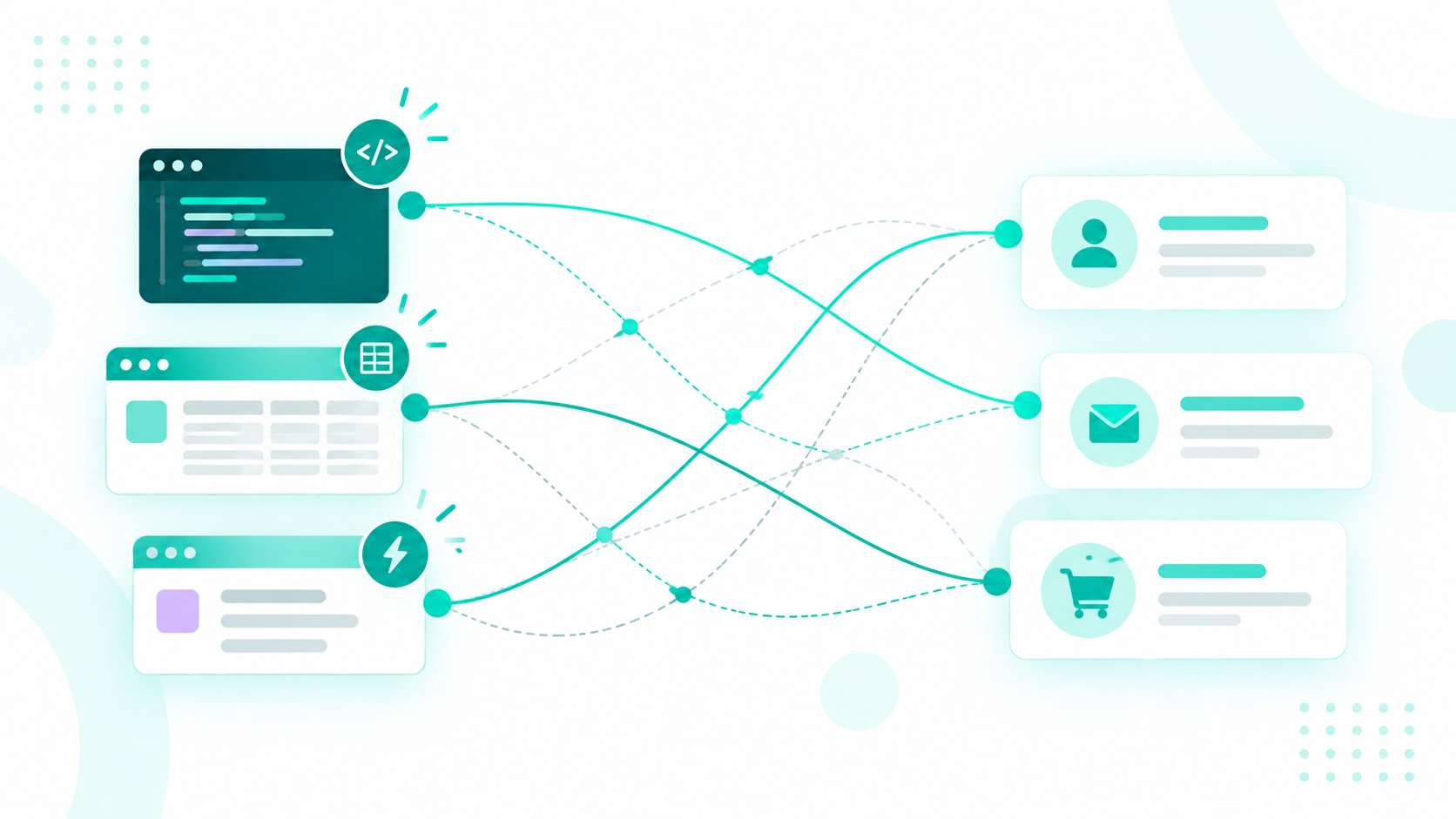
A vibe-coded CRM can't be a second source of truth because a source of truth only works when everyone checks one place for the answer. Once the app starts keeping its own customer records, your team has two places to check, and the two rarely stay in agreement for long.

For example, a simple app built for a specialized sales process. At first, it pulls contacts and deals from HubSpot, gives reps an easier screen, and sends updates back. Things change once it starts creating its own contacts, tracking deal stages separately, or storing customer statuses that don't reliably sync. From that point on, two systems claim to represent the same customer.

Stays connected to HubSpot

Competes with HubSpot

Reads customer data from HubSpot

Creates its own customer records

Uses HubSpot record IDs and properties

Keeps its own version of each customer

Sends changes back to HubSpot

Keeps changes only in its own database

Adds a new screen or workflow

Becomes the place where customer status is tracked


It Starts Small and Keeps Growing

Nobody sets out to build a second CRM. A tool usually starts with one request, like a better account-planning view, and then keeps growing. Someone adds notes, another person adds customer status, and a third adds pipeline data. Before long, the app has its own database, permissions, workflows, and reports, and it has turned into a CRM without anyone ever deciding it should.

Your Team Stops Knowing Which System Is Right

The clearest warning sign is when people start going to the new tool to answer basic customer questions. Those include who the customer is, what stage they're in, what happened in the last conversation, who owns the account, and how much revenue is tied to them.

What Data Problems Does a Vibe-Coded CRM Create?

A vibe-coded CRM can create duplicate and conflicting customer data. When customer information lives in both the custom CRM and your main CRM, records can become duplicated, fields can fall out of sync, updates can conflict, and important history or consent data can be lost. Syncing the two systems helps, but it doesn't solve the problem of having two sources managing the same customer data.

The Same Customer Ends Up With Two Records

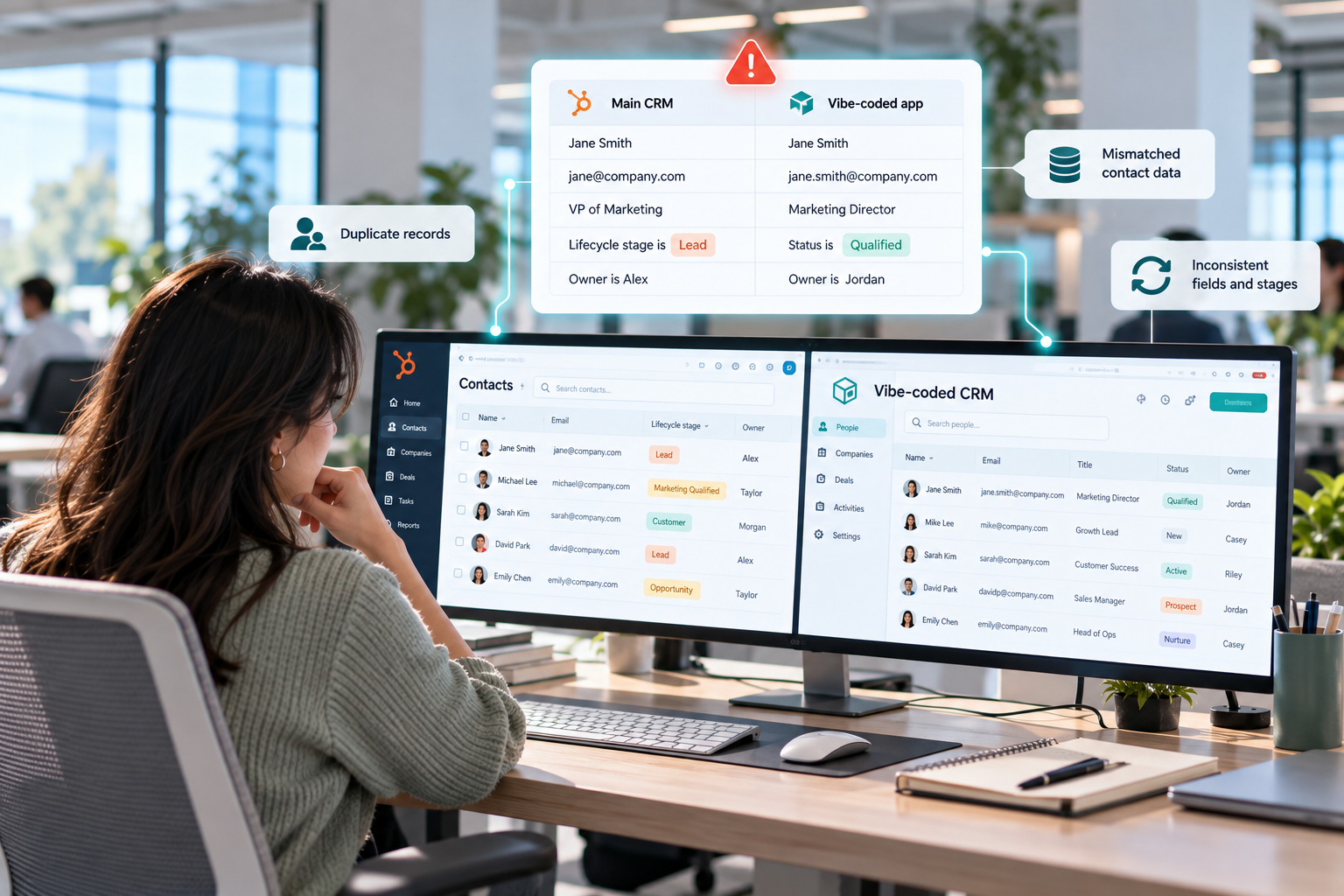
If the app creates its own customer record, the same person now exists twice, usually with small differences like these.


The Same Customer Ends Up With Two Records

Neither system knows these records belong to the same person. That throws off segmentation, personalization, ownership, attribution, and every automation built on top of them. Duplicates were a common headache even before AI tools came along. Among companies in a CRM Data Management study said they struggle with data quality, and 53% named duplicate records as a problem.

Updates Overwrite Each Other

When both systems can edit the same fields, you need clear answers to a few questions. Which update wins, and which system owns each field? How fast should changes sync, and what happens if both systems change a record before the sync runs? How do you recover if a bad update overwrites good data?

HubSpot's data sync handles this with field mappings that decide which fields sync, in which direction, and which system wins a conflict. Those settings have real consequences. If a sync favors the other app and the phone numbers don't match, the number in HubSpot gets overwritten.

Custom Fields Drift Away From Your Main CRM

Vibe-coded apps often create their own fields. For example, they might use a “Status” field instead of your main CRM’s lifecycle stage, or a free-text “Industry” field instead of a standardized dropdown. When fields don't match, the data won't sync cleanly. Deal stages are a good example. A deal stage may only sync correctly when both systems use the same labels.

Changes Leave No Trail

Quick builds rarely include a proper change history. When a deal amount changes or a contact gets reassigned in the custom app, there may be no record of who made the change or when. That makes mistakes difficult to trace and even harder to undo once multiple people are using the tool every day.

Consent and Privacy Requests Slip Through

When someone unsubscribes in the custom app but that change doesn't reach your main CRM, a marketing email could still be sent based on outdated consent data. Privacy requests become harder too. Regulations such as GDPR and CCPA give people rights around accessing and deleting their data, and every system holding a copy needs to be included in that process. A custom CRM that gets left out can create compliance risks without anyone noticing.

Automations Act on the Wrong Data

Say the custom app marks an account as “Ready for Outreach” while your main CRM still shows the contact as a new lead. The custom app triggers one action while your main CRM triggers another based on its own record. The customer could receive duplicate emails, get assigned to the wrong rep, or enter a sequence too early. The more automated your customer journey is, the more problems this can create.

Reports and Forecasts Stop Matching

If the custom app shows 1,200 customers and your main CRM shows 1,080, which number should leadership trust? Pipeline is even more complicated. A forecast built from your main CRM's deal records won't match one built from the custom app's deal stages. When pipeline data is split between two systems, neither view gives you the full picture. Data that stays in the custom app also won't appear in your main CRM reports, leaving gaps in your dashboards.

Every one of these problems comes back to the same issue: two systems are holding the same customer data without a clear rule for which system is the source of truth.

What Are the Security and Maintenance Risks of a Vibe-Coded CRM?

The main risks are security flaws, weak access controls, data exposure, and maintenance problems. A vibe-coded CRM can go live without proper security testing, permission setup, or integration checks. It can also break or become difficult to update when the person who built it moves on.

Security Gaps in AI-Built Apps

A CRM holds contact details, deals, and conversations, so it has to control exactly who can see, edit, export, or delete each record. That's where AI-written code tends to struggle. A recent study of real-world vibe-coded apps found at least one security flaw in 91% of the apps it checked. About two-thirds of those flaws were rated critical or high, and many were tied to access control and login security. The researchers also found that better prompts reduced the problem without getting rid of it.

In testing of more than 100 AI models, generated code introduced well-known security flaws in 45% of tasks. Researchers also regularly find private keys, settings files, and debug logs bundled into vibe-coded projects. On some popular vibe coding platforms, new apps were public by default unless the builder switched them to private, which exposed financial records and full customer service transcripts.

Customer Data Leaves a Protected System

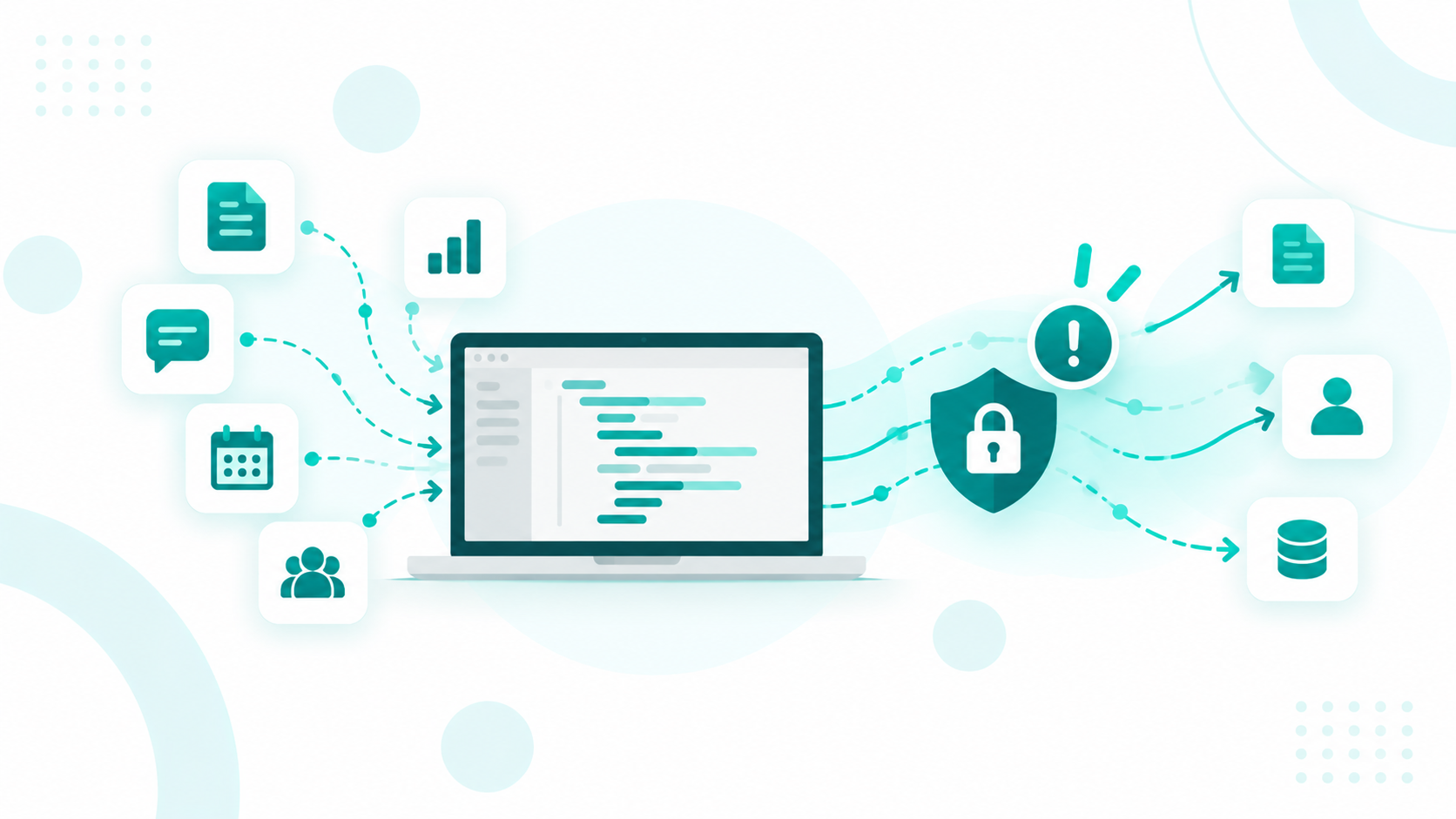
A vibe-coded app might copy customer data into its own database, pass it through another service, send it to an outside AI model, or save it in logs. Each time, that data leaves behind the permissions, encryption, and monitoring your CRM already has. Your team then has to track and secure each of those new locations on its own.

Things Break Without Warning

Quick builds rarely come with error alerts, so when a sync fails, the app can keep running while data quietly stops updating. Volume causes trouble too. CRM APIs limit how many requests an app can make, and a tool that works fine with 50 records can start failing at 50,000. APIs also change over time.

Nobody Owns the App

When someone in sales, marketing, or operations builds a CRM-like tool, it can quickly become part of a critical process without going through a security review. Employees may end up building and running apps that handle company data without IT or security teams being involved. Over time, the tool can accumulate undocumented prompts, AI-generated code, third-party add-ons, and business rules that only the original builder understands. When that person leaves, the team is left with a system that nobody fully understands or feels confident changing.

Does HubSpot Already Do What You Want to Vibe Code?

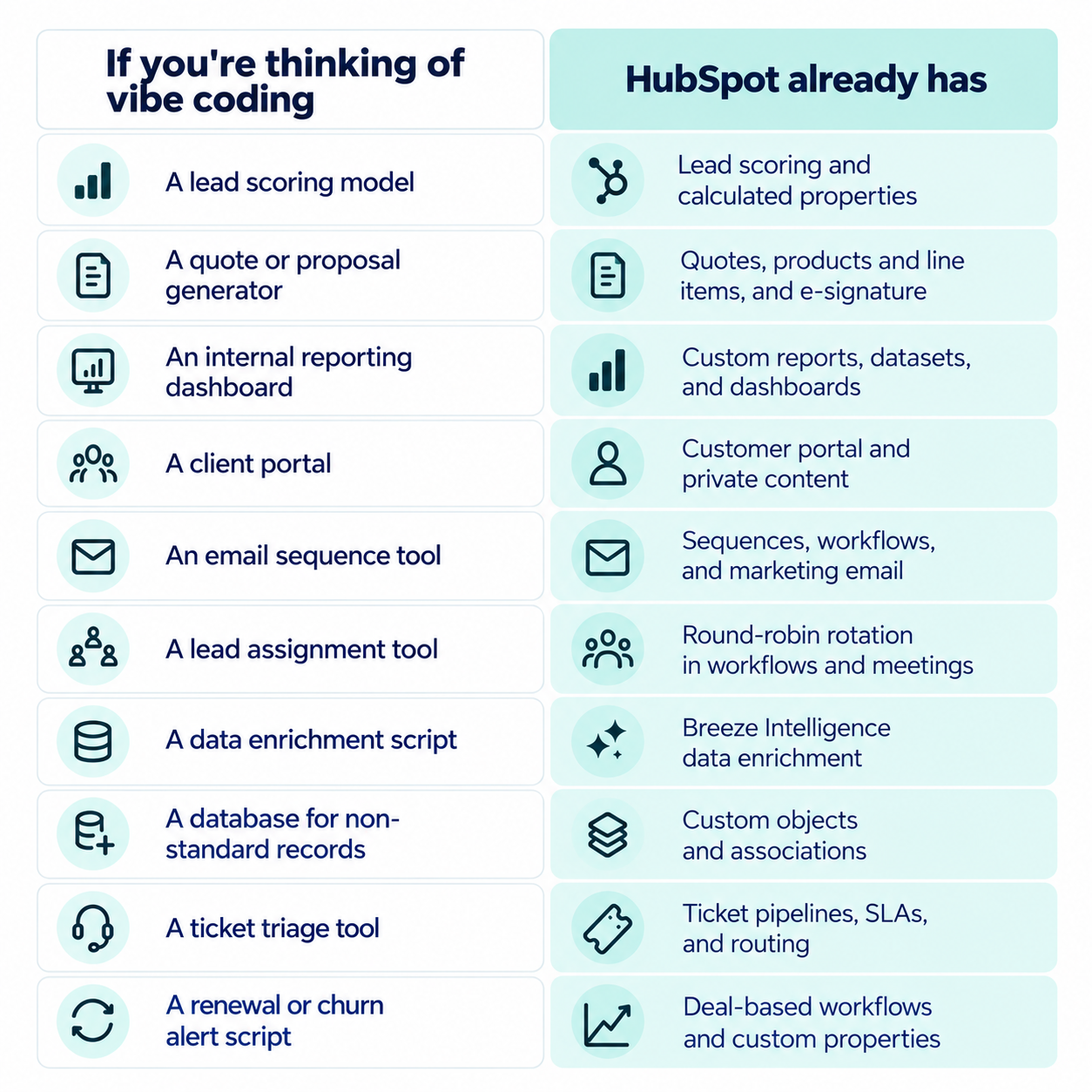
In many cases, yes. HubSpot already includes features for the tools teams most often try to vibe code, such as lead scoring, internal dashboards, client portals, quote generators, and databases for custom records. Before building anything, check this list, keeping in mind that some features depend on your HubSpot plan.

Alt Text: a-checklist-before-you-vibe-code

Using the built-in feature keeps your data in one place. It also helps with adoption, since sales reps spend their day in the CRM and tend to ignore tools that live somewhere else.

If You Need Something Custom, Build It Inside HubSpot

If HubSpot truly doesn't have what you need, build it as an extension of HubSpot. HubSpot's app cards can show extra details, trigger workflows, and display custom tables and charts right on a record. App Home pages add full-page dashboards and step-by-step processes inside HubSpot. If the tool needs to store its own data, App Objects keep that data inside HubSpot as custom objects connected to your other records.

A few rules keep a custom tool from turning into a second CRM.

  • Link to existing HubSpot records by their record ID and skip creating new contacts or companies.
  • Read the fields you need from HubSpot and save any changes back to HubSpot.
  • Use HubSpot's existing properties, like lifecycle stage and deal stage, and avoid creating new fields that mean the same thing.
  • Give the app only the HubSpot access its job requires.
  • Assign a named person to own the app and its upkeep.

We can help you design and build custom solutions within HubSpot, so you can extend your CRM without creating another system to manage, secure, and maintain.

Why Is a CRM Like HubSpot Better Than a Vibe-Coded CRM?

A CRM like HubSpot is the better choice because it keeps one clean record for every customer. It also already includes the data management, security, and reporting a vibe-coded CRM would have to rebuild and maintain from scratch. You still get room to customize, without splitting your customer data across two systems.

One Customer Record Everyone Can Trust

HubSpot connects contacts, companies, deals, and tickets in one place, so marketing, sales, and service all work from the same customer record. It also keeps a history of past values on each record property, so you can see what changed and when. When you connect other tools, HubSpot stays the main record and the sync rules are set from the start, so nobody has to guess which system is right.

Security and Compliance Controls Come Built In

HubSpot gives sensitive information extra protection. Properties marked as Sensitive Data get an extra layer of encryption, and only specific HubSpot apps and private apps the account has approved can see the unencrypted values. Super Admins can also limit who can view or edit those properties and review related activity in the audit log.

For connected apps, HubSpot started splitting its remaining broad app permissions into narrower ones in September 2026. That means an app can get read access without write access, or access to one type of record without the others. Custom features built with HubSpot's UI extensions also run in an isolated, secure environment, and apps that use sensitive data permissions can't send that data to outside services.

Clean Data Gives AI Tools Better Context

AI tools can only give good recommendations when they see the full customer picture. If data is scattered across HubSpot, spreadsheets, and custom apps, they may only see part of a customer's history. Keeping every customer in one clean HubSpot record gives HubSpot's AI features, and any AI tool you add later, a reliable starting point.

You Don't Have to Maintain the Platform

With HubSpot, platform updates, security patches, and infrastructure are handled for you. Your team can spend its time using customer data and not keeping a homemade system running.

A vibe-coded CRM can't give you a reliable second source of truth. A well-structured CRM such as the HubSpot portal gives your whole team one source of truth it can count on.

Need Help Keeping Your Customer Data in One Place With HubSpot?

HubSpot gives you one customer record, built-in data management and security, reports that match across teams, and features that cover much of what teams try to vibe code. How much of that you actually get depends on how your portal is structured, and that's where Campaign Creators comes in.

We can help design your HubSpot data model and set up the properties, pipelines, custom objects, and associations your process needs. We also connect your other tools with clear sync rules and move customer data out of spreadsheets and homemade apps into HubSpot.

You end up with one CRM your whole team trusts, with no need for a second one.

Frequently Asked Questions

Is Vibe Coding the Same as Low-Code or No-Code?

No, low-code and no-code tools give you drag-and-drop builders with built-in limits, while vibe coding has AI write actual code from your instructions, which someone still needs to review and maintain.

Do You Need a Developer to Build a HubSpot UI Extension?

Usually yes, because HubSpot UI extensions are built in React and set up through HubSpot's developer tools, although AI coding tools can speed up the work.

Which HubSpot Plan Do You Need to Customize Data Sync?

You need Data Hub Starter, Professional, or Enterprise to create and customize data sync field mappings.

Does HubSpot Have a Tool for Merging Duplicate Records?

Yes, HubSpot's duplicate management tool flags likely duplicate contacts and companies so you can review and merge them, with availability depending on your plan.

Can AI Assistants Use HubSpot Data Without a Custom-Built CRM?

Yes, HubSpot launched a connector for Claude in July 2025 that brings your CRM data into Claude for personalized AI insights.

AI Made Content Cheaper. It Didn't Make Attention Infinite.

AI Made Content Cheaper. It Didn't Make Attention Infinite.

AI made the marginal cost of producing a polished blog post, a LinkedIn carousel, a nurture email, or a sales deck approach zero. For B2B teams with...

Read More
AI Is Changing Who Gets to Build the GTM System

AI Is Changing Who Gets to Build the GTM System

If your go-to-market team runs on HubSpot, you have probably noticed something shifting. The person building your next workflow, report, or...

Read More
Enterprise HubSpot CRM Architecture Best Practices

Enterprise HubSpot CRM Architecture Best Practices

Many HubSpot CRM environments grow as more teams begin using the system. Marketing adds contacts, sales builds pipelines, service teams manage tickets

Read More