









 Campaign Creators
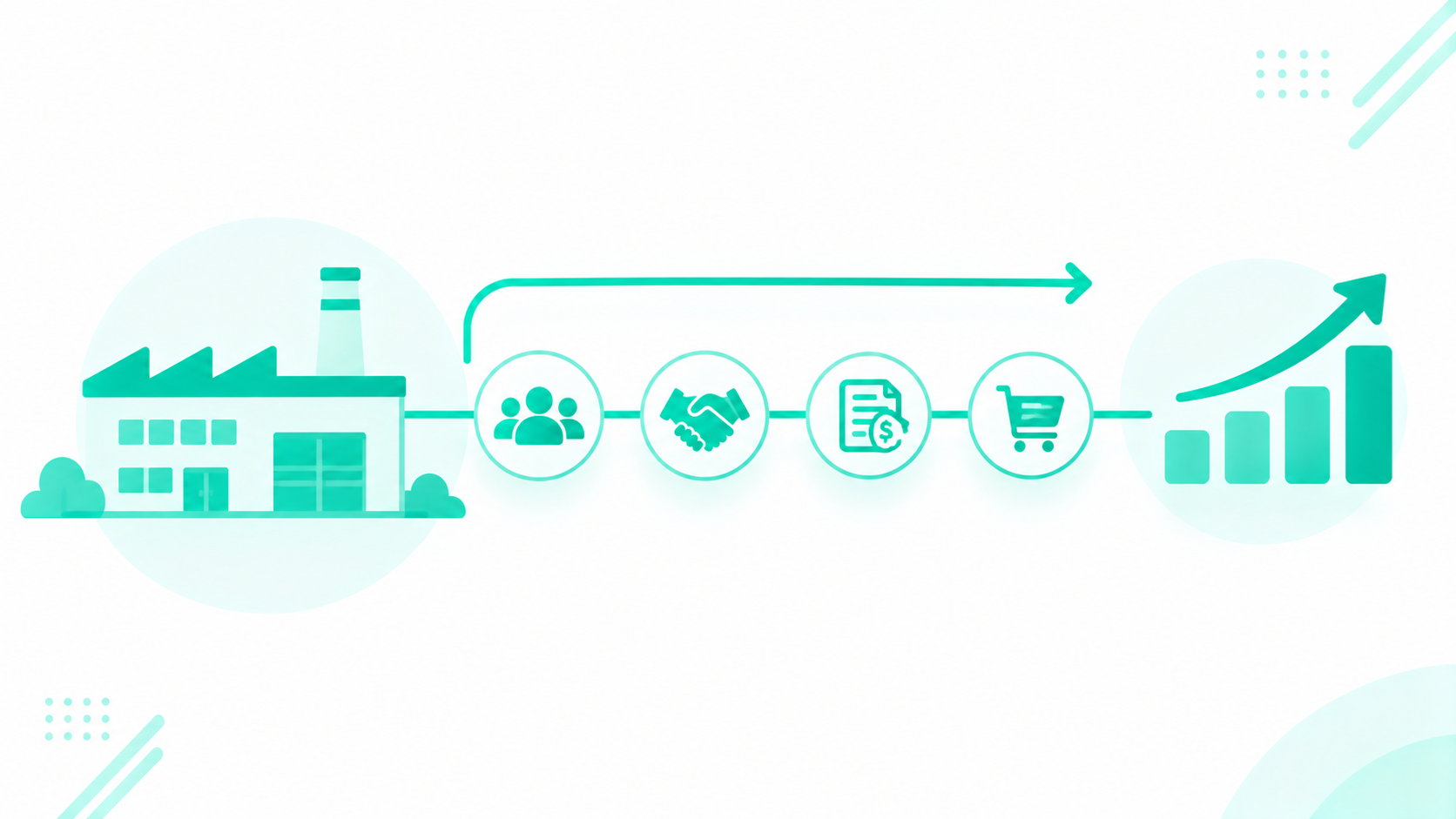
Manufacturers grow aftermarket sales in HubSpot by building a separate deal pipeline for parts, service contracts, and upgrades. Each pipeline starts from a trigger on the installed base or a service ticket, and each has its own stages, required fields, and owner. The ERP keeps inventory, pricing, and orders, and HubSpot runs the selling motion around them.
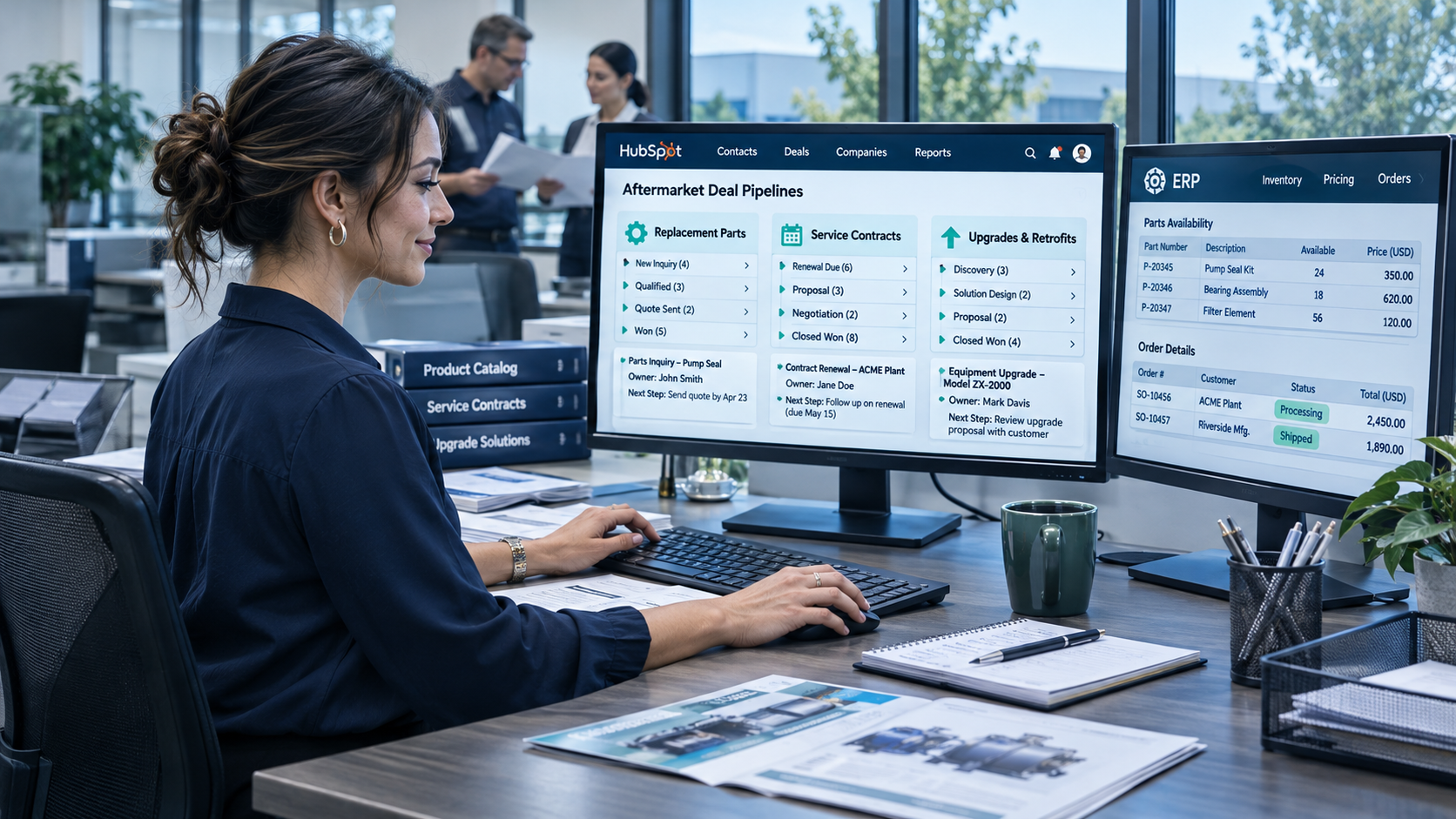
Aftermarket sales cover the revenue a manufacturer earns after the original equipment sale: replacement parts, consumables, service contracts and preventive maintenance, upgrades and retrofits, and repairs. For equipment and machinery OEMs, that revenue carries real weight. In a 2025 survey of roughly 100 industrial machinery companies, Boston Consulting Group found that services carry gross margins about twice the 15% to 25% typical of equipment sales, with spare parts and consumables averaging 50% gross margin. The same research put service revenue near 33% of sales for equipment makers that sell direct to customers.
Each of those revenue streams arrives through a different door. A maintenance manager emails for a part number. A service contract comes up for renewal. A ten-year-old line becomes a retrofit candidate. Each has a different buyer, cycle, and price source, and HubSpot can give each one a pipeline built for how it actually sells.
Key Takeaways
- Build three deal pipelines for aftermarket sales: a parts pipeline, a service contract pipeline, and an upgrade and retrofit pipeline, each with its own entry rule, stages, and owner.
- Start deals from triggers on the installed base (warranty end, service interval, renewal date, unit age) and from service tickets that show a part need or a repeat failure.
- Keep inventory, price lists, and orders in the ERP, and sync stock, lead time, and price onto the deal so the parts desk can quote fast.
- Route parts requests by product line, region, and channel so direct aftermarket reps and distributors each know which requests are theirs.
- Report on aftermarket revenue by pipeline, attach rate, renewal rate, and quote response time to see which stream is growing.
Table of Contents
- How Should Manufacturers Build Aftermarket Pipelines in HubSpot
- What Are the Three Aftermarket Pipelines
- What Starts an Aftermarket Deal
- How Do Reps See Stock, Lead Time, and Price From the ERP
- How Do You Route Parts Requests Without Channel Conflict
- Which Reports Show Aftermarket Revenue and Attach Rate
- Recap
- Frequently Asked Questions
How Should Manufacturers Build Aftermarket Pipelines in HubSpot
Build one deal pipeline per kind of aftermarket sale, and give each pipeline a clear entry trigger, a short set of stages, required properties at each stage, and a named owner. Use separate pipelines when the stages differ, and use a property on one pipeline when only the label differs.
HubSpot's own guidance follows the same line. HubSpot recommends separate pipelines only when processes have unique stages, and suggests one shared pipeline with team permissions when the steps are the same. A parts order, a contract renewal, and a retrofit project move through different steps, so each earns its own pipeline. Parts for two product lines that follow the same steps can share the parts pipeline, with a product line property to split reporting.
Custom pipelines come from a shared pool across all objects, so check your tier before you plan. Per HubSpot's knowledge base (updated September 4, 2026), seat-based portals get 15 custom pipelines on Starter, 100 on Professional, and 350 on Enterprise, with 0 on free tools. Portals on Flexible Seats and Credits pricing get 15 on Starter and 350 on Professional. Three aftermarket deal pipelines fit comfortably in any paid tier, but the pool is shared with ticket and other object pipelines, so count your service pipelines in the plan.
What Does Aftermarket Sales Include
Aftermarket sales include every sale to an existing equipment owner after the original purchase: parts, consumables, service contracts, preventive maintenance, repairs, and upgrades or retrofits.
McKinsey describes industrial aftermarket services as the parts, repair, maintenance, and digital services an OEM provides for equipment it already sold, and its benchmarking found that one power-equipment maker grew aftermarket revenue 20% by bundling offerings and building new services. For pipeline design, group these streams by how they sell:
- Parts and consumables: fast, transactional, often repeat orders priced from a price list.
- Service contracts and preventive maintenance: recurring agreements with a term, scope, and renewal date.
- Upgrades and retrofits: project sales that need sales engineering input and approval.
- Repairs: usually handled as service tickets, which can feed any of the three pipelines above.
Why Does One Pipeline Hide What Is Working
One pipeline mixes a two-day parts order with a nine-month retrofit, so stage conversion, cycle time, and forecast numbers blur into averages that describe no real sale.
When every aftermarket deal shares the same stages, a parts quote sits in "Proposal" next to a retrofit proposal, and the report can't tell which one is stalling. Win rate for parts looks low because retrofits drag it down, and contract renewals vanish into the same forecast as one-off orders. Separate pipelines give each stream its own conversion rates, cycle times, and owners, so leaders can see which door is bringing revenue in and which one needs work.
What Are the Three Aftermarket Pipelines
The three aftermarket pipelines are the parts pipeline, the service contract pipeline, and the upgrade and retrofit pipeline. Each one has its own trigger, stages, owner, and ERP data, and the comparison table at the end of this section lines them up side by side.
How Does the Parts Pipeline Work
The parts pipeline handles requests for replacement parts and consumables, moves fast, and reads price and stock from the ERP. Its owner is the parts desk or inside sales team.
Illustrative stages: Request received, Quoted, Order confirmed, Shipped, Closed won, and Closed lost.
- Trigger: a parts request form, an email to the parts inbox, a logged phone call, a distributor request, or a service ticket that flags a needed part.
- Required properties: serial number or model, part number, quantity, urgency, and ship-to location. Require the serial number or model at "Request received" so the rep can match the part to the unit.
- Owner: the parts desk rep for the product line or region.
- ERP data it reads: list price and customer tier price, stock on hand, lead time, and the order number once the order is placed.
- Sign it's working: quote response time drops and the share of requests that turn into orders rises.
HubSpot's product library supports SKUs and tiered pricing, and products attach to deals and quotes as line items. HubSpot's knowledge base notes that a Revenue Hub seat is required to create tier-priced products. HubSpot doesn't publish a product count limit in its catalog docs, so confirm your catalog size during setup, and plan which parts load into HubSpot as products and which stay ERP-only.
How Does the Service Contract Pipeline Work
The service contract pipeline tracks renewals and new maintenance agreements, starts well ahead of the renewal date, and is owned by the account manager or service sales rep.
Illustrative stages: Renewal due, Proposal sent, Negotiation, Signed, Active, and Lost.
- Trigger: a renewal date workflow that creates a deal ahead of contract end. As an example, a team might create the deal 120 days out, with a task to the account owner at 90 days.
- Required properties: contract term, scope of coverage, covered units, renewal date, and contract value.
- Owner: the account manager, with service leadership looped in for scope changes.
- ERP data it reads: current contract value and billing status, where the ERP holds them.
- Sign it's working: renewal rate climbs and fewer contracts reach their end date without an open deal.
Contract records with term, scope, and renewal date can live on a custom object, which requires an Enterprise subscription per HubSpot's data limits documentation. For a full build of the equipment and contract records themselves, see our HubSpot for manufacturing guide.
How Does the Upgrade and Retrofit Pipeline Work
The upgrade and retrofit pipeline finds older or underperforming units, qualifies them with sales engineering, and moves them through quote and approval to a scheduled install.
Illustrative stages: Identified, Qualified, Quoted, Approved, Scheduled, Closed won, and Closed lost.
- Trigger: unit age, model end-of-support, repeat repairs on the same unit, or a service technician's recommendation.
- Required properties: unit model and install year, current issue or performance gap, proposed upgrade, and sales engineer assigned.
- Owner: the aftermarket rep or account manager, with a sales engineer required before "Quoted."
- ERP data it reads: upgrade kit pricing and lead time.
- Sign it's working: more retrofit candidates move from "Identified" to "Qualified," and approved upgrades land on the install schedule.
A simple qualification path keeps this pipeline honest: confirm the unit details, confirm the business case with the customer, and get sales engineering sign-off on scope before pricing goes out.
Aftermarket Pipeline Comparison Table
Stages, owners, and timings below are illustrative examples.
| Pipeline | Trigger | Buyer | Stages | Price source | Owner | Key report |
|---|---|---|---|---|---|---|
| Parts pipeline | Parts request, service ticket, reorder reminder | Maintenance manager, purchasing | Request received, Quoted, Order confirmed, Shipped, Closed | ERP price list and tier pricing | Parts desk or inside sales | Quote response time, win rate |
| Service contract pipeline | Renewal date approaching, new unit install | Plant or operations manager | Renewal due, Proposal sent, Negotiation, Signed, Active | ERP or contract pricing | Account manager | Renewal rate, attach rate |
| Upgrade and retrofit pipeline | Unit age, repeat repairs, technician recommendation | Plant manager, engineering, finance | Identified, Qualified, Quoted, Approved, Scheduled | ERP upgrade kit pricing | Aftermarket rep with sales engineer | Revenue by model, cycle time |
Not sure your current pipelines and properties can support three aftermarket streams? Run your portal through the HubSpot Portal Audit to see where your setup stands.
What Starts an Aftermarket Deal
Aftermarket deals start from two sources: dates on the installed base and signals in service tickets. Workflows turn each signal into a deal or a task for the right owner.
Installed base triggers. Date properties on the equipment record drive the timing. Common ones include warranty end date, next service interval, contract renewal date, and an age-based replacement date. A workflow enrolls the unit when a date comes within range, creates a deal in the right pipeline, associates it to the company and unit, and assigns a task to the owner. Our post on structured vs. unstructured CRM data covers why these dates need to live in clean date properties for triggers to fire.
Service ticket triggers. A ticket can show a part need or a repeat failure on one unit. When a technician marks a ticket with a part needed, a workflow can create a parts deal or a task for the aftermarket rep. When a unit logs a set number of repair tickets in a period, a workflow can flag it as a retrofit candidate. The handoff works best when the ticket stays open for service and the deal carries the sales follow-up, each with its own owner. Ticket SLAs and routing sit in Service Hub, where HubSpot lists basic SLA goals on Service Hub Professional and Enterprise and SLA goals across several ticket properties on Enterprise.
Lead Source Table
| Source | What it signals | How it reaches HubSpot | First action |
|---|---|---|---|
| Parts request form | Active part need on a known unit | Web form with required serial, part number, quantity, urgency | Route to parts desk, create parts deal |
| Parts inbox email | Part need, often urgent | Shared inbox connected to HubSpot | Convert to ticket or parts deal |
| Phone call | Urgent or down-machine request | Call logged by the rep | Create parts deal with urgency flagged |
| Distributor request | Dealer-served customer need | Partner form or shared inbox | Route by territory rules |
| Service ticket | Part needed or repeat failure | Ticket property change | Task or deal for aftermarket rep |
| Installed base date | Warranty end, service due, renewal, unit age | Workflow on date properties | Create deal in matching pipeline |
How Do Consumables and Reorder Cycles Fit In
Consumables run on predictable reorder cycles, so HubSpot can remind the rep before a likely reorder and keep repeat orders in the parts pipeline.
Store the last order date and typical reorder interval on the company or unit record, synced from the ERP. A workflow creates a task or a draft parts deal shortly before the next expected order. For customers on blanket orders, the ERP holds the agreement and the releases, and HubSpot can track the blanket order's end date and remaining value as properties so the rep can start the next agreement in time.
How Do Reps See Stock, Lead Time, and Price From the ERP
Reps see stock, lead time, and price on the deal through an ERP sync that writes those values into HubSpot properties or line items. The ERP stays the system of record for inventory, price lists, and orders.
There are four common routes, and the right one depends on your ERP:
- Native integration: a connector built by HubSpot for that ERP.
- Marketplace app: a HubSpot Marketplace listing built by the ERP vendor or a third party.
- Middleware: an integration platform that maps ERP fields to HubSpot.
- Custom API connection: a purpose-built sync for fields or timing the other routes don't cover.
Confirm your ERP's route on its Marketplace listing or vendor documentation before you plan. For NetSuite users, Campaign Creators maintains its own NetSuite and HubSpot integration. For other systems, our HubSpot integration development team scopes the sync. Our post on when HubSpot should be your system of record covers which system owns which data.
A sync on a schedule works well for price lists and lead times that change daily. Live stock checks at the moment of quoting call for a different build, covered in the next part of this section.
When Does an Aftermarket Build Need Custom Engineering
HubSpot pipelines, workflows, custom objects, and standard integrations cover the core aftermarket build. A few needs go further: real-time ERP availability checks at the moment of quoting, a configurator for parts kits, or a customer parts ordering portal with its own interface and permissions.
Those builds fit Brainstem Ventures by Campaign Creators, a specialized software engineering capability within Campaign Creators that delivers custom capabilities that connect to your existing systems. Keep the systems that work, and engineer what is missing. Start with the simplest path, and add engineering only where the standard build falls short.
How Do You Route Parts Requests Without Channel Conflict
Route parts requests with clear rules by product line, region, and channel, written down before the workflows are built, so direct aftermarket reps and distributors each know which requests belong to them.
Channel conflict shows up when a direct rep and a dealer both chase the same parts order. Set the rules first, then build them:
- Territory: assign each region or account to a direct rep or a distributor.
- Account type: route requests from dealer-served accounts to the dealer, and from direct accounts to the parts desk.
- Product line: some lines may sell only direct, others only through partners.
- Exceptions: define who handles urgent down-machine requests, and log the decision on the deal.
Inbound parts requests reach HubSpot through a web form, a shared parts inbox, logged calls, and distributor submissions. Required fields on every form (serial number or model, part number, quantity, and urgency) give the routing workflow what it needs. For building products manufacturers that sell replacement parts through dealers, the same rules apply, with dealer accounts as the default owner for their territories.
Who Owns Aftermarket Accounts and How Does Credit Work
Aftermarket reps own aftermarket deals, account managers own the account relationship, and reports credit revenue by deal owner and pipeline. Commission math stays in your compensation tool or the ERP.
Shared accounts are the norm in manufacturing. Give the account manager the company record and the aftermarket rep the deals in the parts pipeline, with the service contract pipeline assigned to whichever role owns renewals. Use HubSpot reports to show revenue by owner and pipeline, and keep commission calculations outside HubSpot. Our post on data contracts in HubSpot covers how to document which team owns each property.
Which Reports Show Aftermarket Revenue and Attach Rate
Six reports show how aftermarket sales are performing: revenue by pipeline, attach rate, renewal rate, quote response time, win rate, and revenue by model and account.
- Aftermarket revenue by pipeline: closed-won amount for parts, service contracts, and upgrades, month over month.
- Attach rate: the share of installed units with an active contract or a recent parts order. McKinsey cites one equipment maker that raised its attach rate from 35% to 45% in three years after reworking its service model.
- Contract renewal rate: renewals won divided by renewals due in the period.
- Quote response time: hours from parts request to quote sent.
- Win rate by pipeline: closed won as a share of closed deals in each pipeline.
- Revenue by model and by account: which equipment and which customers drive aftermarket sales.
Attach rate needs unit records with clean associations to contracts and deals, so build the data model first.
Recap
Manufacturers grow aftermarket sales in HubSpot by giving parts, service contracts, and upgrades their own pipelines, each with a trigger, stages, required fields, and an owner. Installed base dates and service tickets start the deals, and routing rules keep direct reps and distributors clear on who owns each request. The ERP stays the source for inventory, price, and orders, with stock, lead time, and price synced onto the deal. Reports on revenue by pipeline, attach rate, and renewal rate show which stream is growing.
Build Your Aftermarket Pipelines With Campaign Creators
Campaign Creators is a HubSpot Elite Solutions Partner that designs HubSpot around how manufacturers quote, sell through reps and dealers, and support an installed base. Our HubSpot implementation team builds the pipelines, properties, workflows, and reports, and our technology consulting team maps how HubSpot and your ERP share data.
Want to see how your CRM, ERP, and service tools should connect before you build? Map it in The Architecture Blueprint.
Book a consultation to design your aftermarket pipelines in HubSpot.
