9 min read
Build, Buy or Configure? A Framework for AI-Built Internal Tools
Campaign Creators
:
10/08/26
AI has made it surprisingly easy to build your own software. With today's AI coding tools, an approach many people now call "vibe coding," someone on your GTM team can describe what they want in plain language and have a working app within days.
That's exciting, and it's opening real doors for marketing, sales, and operations teams. It's also quietly changing the first question teams ask when a new need comes up. The reflex has become "Can we build this with AI?"
There's a better question to start with: "Does this need to be a new tool at all?"
For teams running on HubSpot, the honest answer is often no. HubSpot can already handle a lot through configuration, automation, and its app ecosystem. So before you build anything, walk through three options in order: configure what you have, buy something that already exists, or build something custom. Here's how to think through each one.
Key Takeaways
- Build a custom tool when the need is specific to your business and nothing existing meets it.
- AI makes internal tools faster and cheaper to build, and good architecture still decides if a tool is worth keeping.
- Buy an existing app when the problem is common and a mature product already solves it well.
Where Should This Capability Live?

Speed is only one part of the story. The questions that decide if a tool will hold up over time are the same ones teams have always had to answer.
A team can build an app over a weekend. That's a great start, and it still leaves some big questions open:
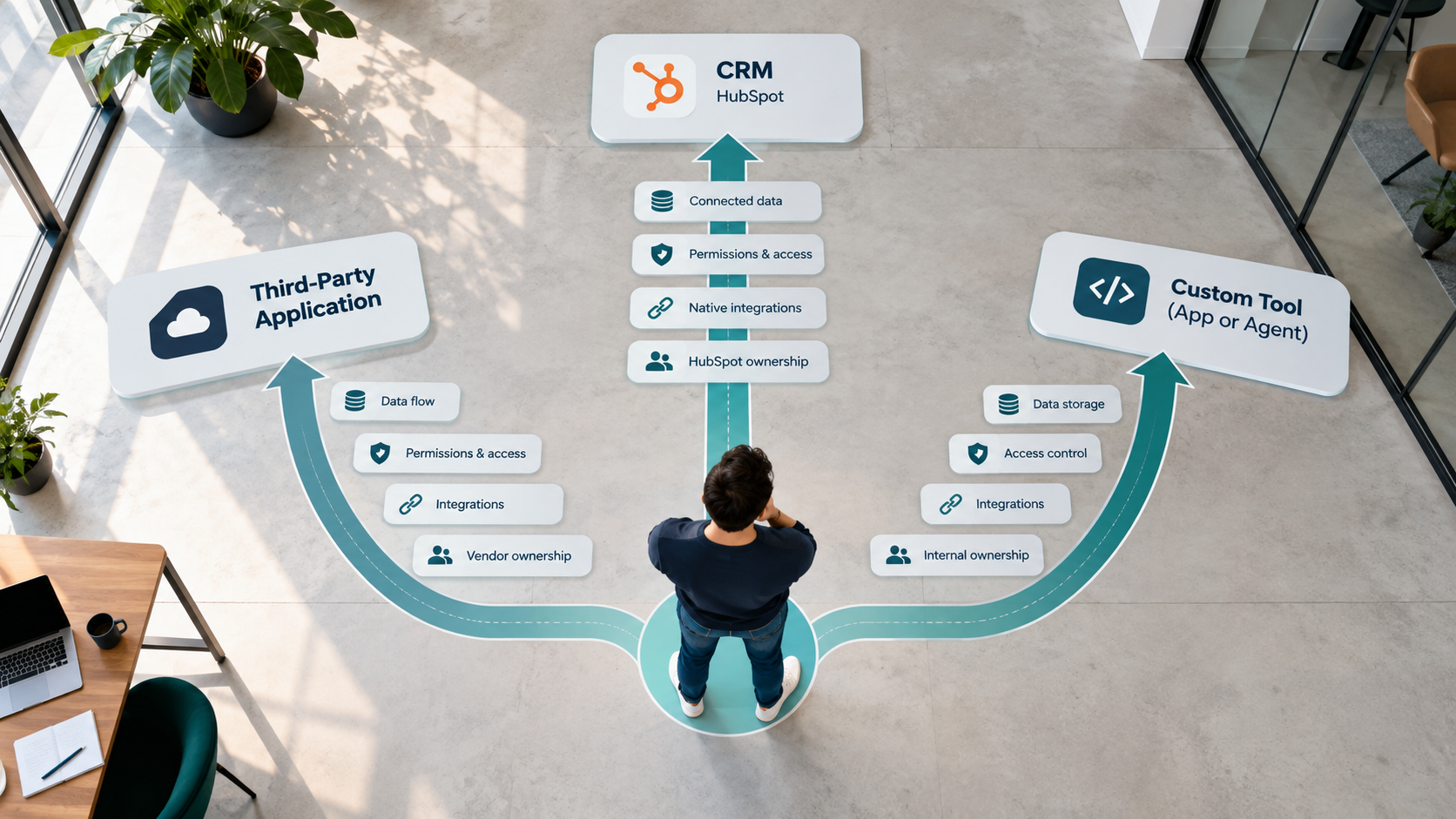
- Where does the tool's data live, and is HubSpot still your source of truth?
- What happens when the process it supports changes next quarter?
- Who owns the tool and fixes it when something breaks?
- How do people log in, and who controls access?
- How does it connect to HubSpot? Does it only read data, or does it also write updates back?
- What happens if the person who built it leaves the company?
- Does it need a security review, permissions, or an audit trail?
- Will another team end up relying on it?
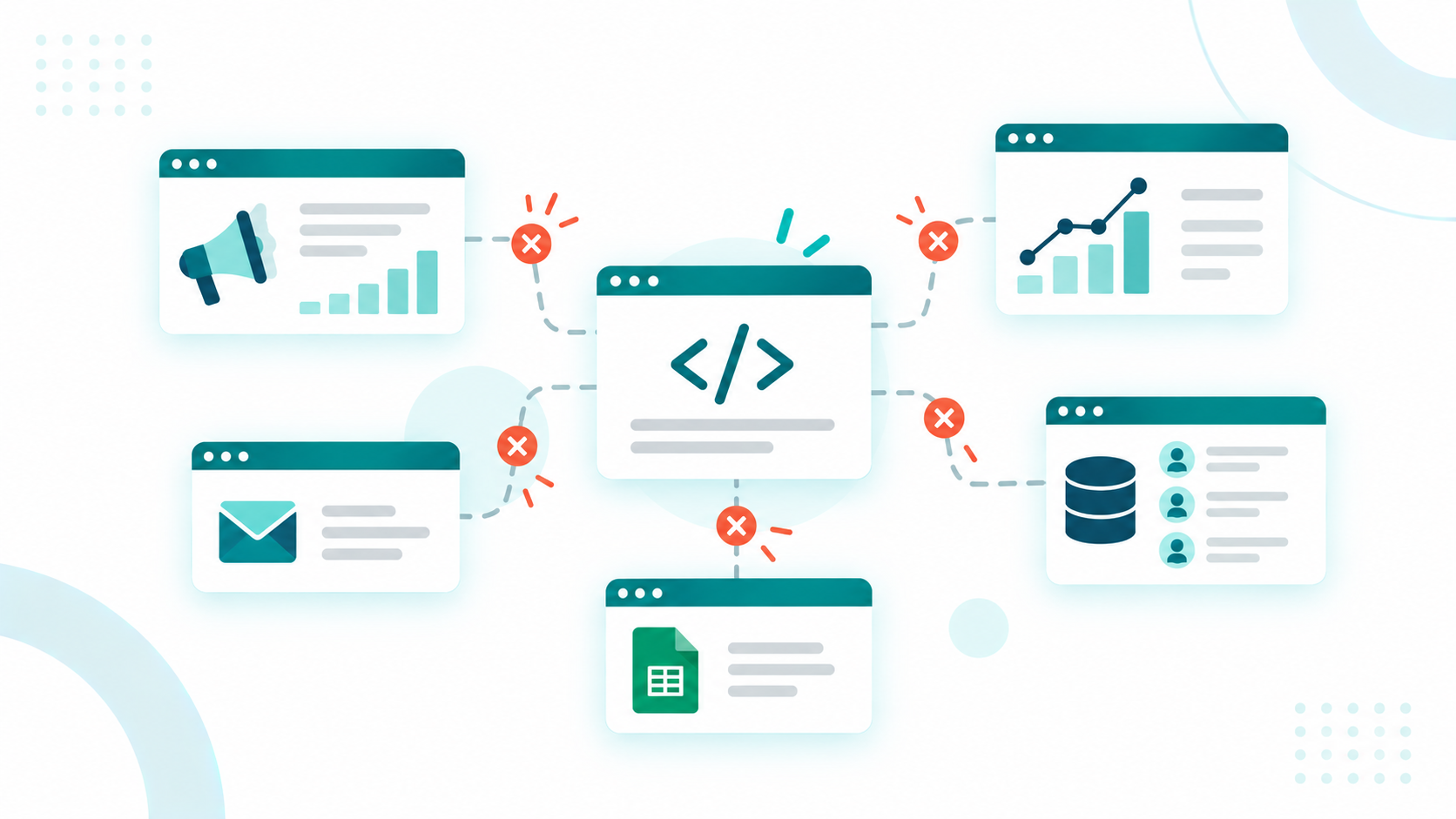
These are architecture questions. They're about how a tool fits into the rest of your systems, and they're what separate a helpful internal tool from a "shadow system." That's a tool with its own login, its own database, and its own version of the customer story, slowly drifting away from your CRM.
So it helps to start with a different question: "Where should this capability live?" Sometimes the answer is inside HubSpot. Sometimes it's a product another company builds and maintains. And sometimes it really is a custom tool. Any of those can be right, as long as you choose on purpose.
The Decision Sequence
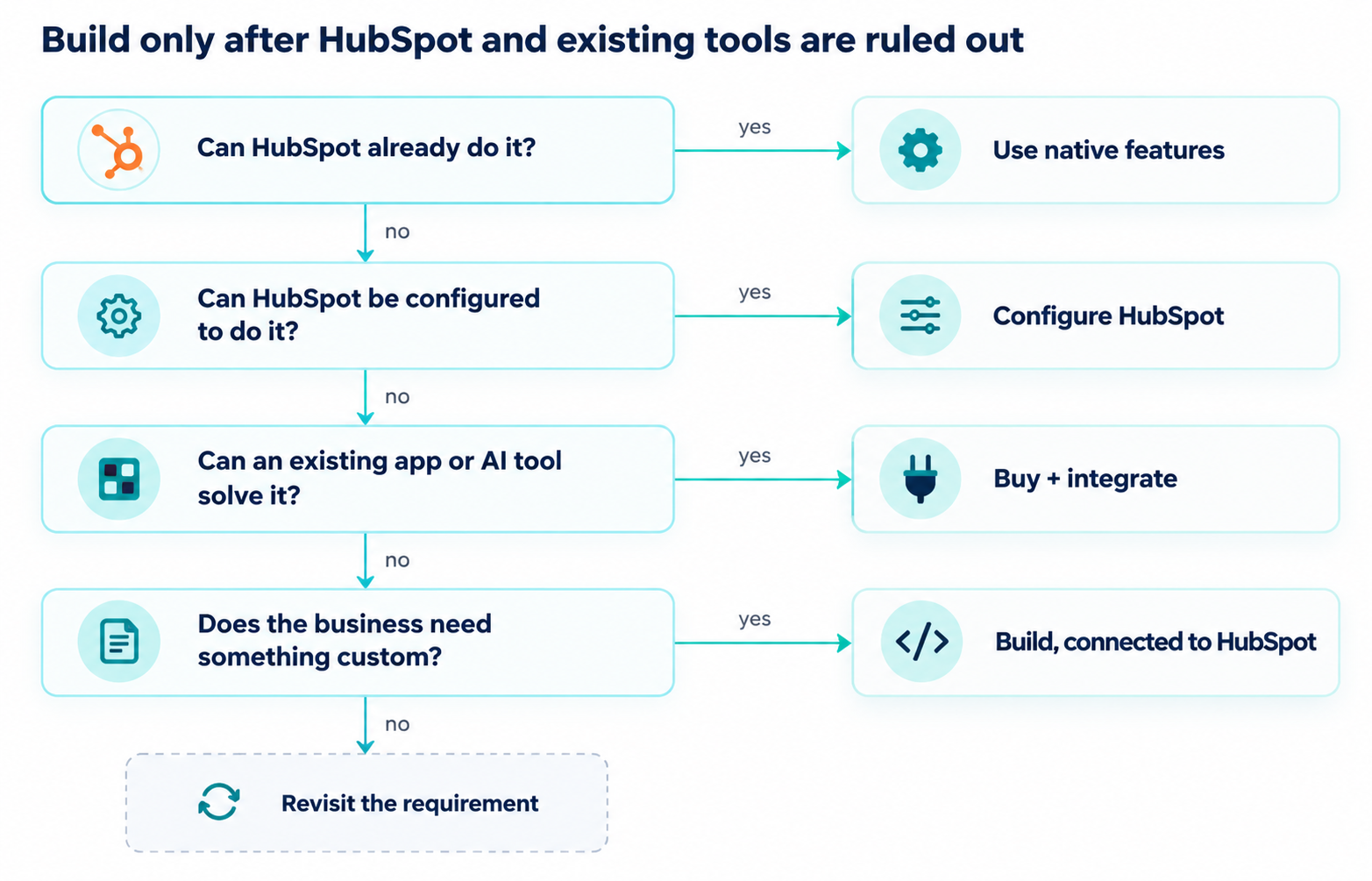
A simple way to make that choice is to run every new request through the same four questions, in order. Each step further down the list usually brings more cost, more ownership, and more integration work, so it pays to start at the top.

Every yes is a good outcome. It means you've found a simpler home for the capability, close to the data your team already uses. A custom build makes sense once the earlier questions come back no and the business truly needs something new.
Path 1: Configure What HubSpot Already Does
Configuration is the option teams skip most often. It's easy to go straight from "we need something" to "we need another tool." Yet a lot of operational requests turn out to be data, automation, or visibility problems, which is exactly what a CRM like HubSpot is built to handle.
Before anyone opens a code editor, check what HubSpot can already do:
- Properties and objects: A new process often just needs a few fields to capture it, like a stage, a score, a date, or a dropdown. If the standard records don't match how your business works, custom objects let you model it the way it really runs.
- Workflows and automation: Routing, assignments, tasks, notifications, and handoffs are everyday workflow jobs. HubSpot also lets you create workflows from scratch, from templates, or with AI, and AI can suggest the triggers and actions for you.
- Custom agents: With HubSpot's agent builder, teams can create AI agents that analyze data, generate outputs, and take actions based on their own business processes. You set the instructions, actions, and knowledge, and you can add agents to workflows. Agent runs use HubSpot Credits, so factor in the cost.
- Forms and data collection: Plenty of "we need an intake app" requests can be solved with a form, a pipeline, and a notification.
- Reports and dashboards: A surprising number of internal tools exist only to show people data. If that data is already in HubSpot, a dashboard is usually the simpler fix.
Example (Lead routing): A team wants to build an AI app for lead routing because basic round-robin assignment isn't cutting it. A good first step is to map out how routing should actually work: territory, segment, product interest, rep capacity, and fit. Each of those can be a property, and the logic can live in a workflow with branches and rotation.
If some leads need a judgment call, like reading a form submission to decide fit, a custom agent inside the workflow can handle that step. Everything stays in HubSpot, including the record, the owner, and the history. A separate app would copy all that logic into a second place, which means one more place to troubleshoot when routing goes wrong.
Example (Customer Onboarding): A customer success team wants its own onboarding app with stages, tasks, and a progress view. Before building, see what HubSpot covers already: a pipeline for onboarding stages, properties for milestones, workflows that create tasks and alert owners at each step, and a dashboard for time-to-value. If onboarding needs its own data structure, a custom object can carry it.
When it all fits, onboarding sits right next to the deal and the customer record, where sales, CS, and leadership already look. That's a big win on its own.
Configuration has its limits, of course. Hundreds of one-off properties or a tangle of fragile workflows create their own kind of mess. Still, it's the best first stop, because it keeps the capability inside the system your team already trusts.
Path 2: Buy an Existing Capability
If configuration can't get you all the way there, the next question is simple: has someone already built this? Buying usually makes sense when:
- Lots of companies share the same problem, so there's a good chance someone has turned it into a product.
- A mature product already solves it, with years of edge cases worked out.
- The capability needs constant updates, like new AI models, new data sources, or regulatory changes.
- Security, uptime, and support really matter, and you'd like a vendor to carry that load.
The HubSpot Marketplace is a natural place to start looking. Along with classic integrations, it now features AI connectors, agents, and MCP server apps. (MCP is a standard way for AI tools to connect with other software.) You'll also find workflow integrations that plug other tools into HubSpot automation, and apps with app cards that show information right on CRM records. Some apps even add their own objects, which you can use in workflows, lists, and reports like any standard object.
That last point is the key thing to check. Beyond what a tool does, ask where its information goes:
- Does it write useful information back to HubSpot records, or does it keep insights locked in its own interface?
- Can its data power HubSpot workflows and reports?
- Does it add another place where customer data lives and slowly falls out of sync?
- Who owns the vendor relationship, the renewal, and user permissions?
Buying an AI tool isn't automatically the better move. A polished vendor tool that never writes back to your CRM creates the same silo a vibe-coded app would, with a monthly bill on top.
What a mature product does give you is everything around the feature: security reviews, support, updates, integration upkeep, and reliability. Those costs are easy to miss in a weekend prototype. A year later, they're hard to ignore.
Example (Sales Intelligence): A sales team wants an AI app that pulls account context before every call, like recent emails, open deals, support tickets, and company news. The first instinct is often to build a custom screen on top of the CRM.
Start by checking what HubSpot's built-in AI features already show on the record. Then look in the Marketplace for sales intelligence apps that use app cards, so reps see the context right where they already work. If the real gap is outside information, like funding news or intent data, that's specialized data a vendor can keep fresh far more easily. In that case, buy it, connect it, and make sure the signals land on the HubSpot record.
Path 3: Build When the Requirement Justifies It
AI-assisted development has put custom tools within reach of almost any team, and that's a genuinely big shift. The best reason to build is a real business need that HubSpot and existing products can't meet. Speed on its own is a weak reason.
Building starts to make sense when:
- The workflow is very specific to how your business runs, and you can't find it in HubSpot or the Marketplace.
- The process is proprietary, and doing it well gives you a competitive edge.
- People need a specialized interface that configuration can't create.
- The tool needs features that neither HubSpot nor an existing app offers.
- A custom experience needs to work with HubSpot data in a very particular way.
Example (Pricing or qualification calculator): A company prices deals with a model it has refined for years, with tiered discounts, usage assumptions, margin floors, and approval rules. None of it fits neatly into standard quoting or calculated properties, so reps rely on a spreadsheet nobody fully trusts.
This is a strong case for building. The logic is unique to the business, the interface matters, and no off-the-shelf product will model it exactly.
Deciding to build is only half the decision, though. The other half is where the tool sits. A calculator that pulls deal and company data from HubSpot and writes its result back to the deal makes your CRM stronger. A calculator that stores quotes in its own database creates a second pricing record, and sooner or later finance, sales, and reporting will disagree about which one is right.
Building outside HubSpot can still keep HubSpot at the center. HubSpot offers APIs, webhooks, and integrations for moving data, plus UI extensions that let a custom interface appear right on CRM records. For AI-built tools, HubSpot's remote MCP server is now generally available. It lets AI tools that support MCP read from and write to your CRM, all while respecting the permissions you've already set in HubSpot.
That combination is what makes building work well. The custom tool owns the experience, and HubSpot stays the source of truth.
Before you build, write down your answers to the questions from earlier. Who owns the tool? Where does its data live? How do people log in? What happens when the builder moves on? If those answers are not clear, the tool isn't ready to be built yet, no matter how quickly it could be made.
A Practical Decision Framework
Use these questions as a guide. The right path depends on the process, the data, how it connects to HubSpot, who owns it, security needs, and how important the capability will be two years from now.
|
Question |
Likely path |
What to pressure-test |
|
Can HubSpot already support the requirement? |
Configure HubSpot |
Is the gap a missing feature, or just a missing property, pipeline, or report? |
|
Can workflows, objects, properties, automation, or agents solve it? |
Configure HubSpot |
Will it stay easy to maintain as the process changes? |
|
Is there a mature app that already solves the problem? |
Buy |
Does it write back to HubSpot, or create another data silo? |
|
Does an AI tool provide specialized capabilities HubSpot does not? |
Buy + integrate |
Who owns the vendor, the data flow, and the renewal? |
|
Is the requirement highly specific to the business? |
Consider build |
Is it truly unique, or just unfamiliar to the team? |
|
Does the tool need a completely custom user experience? |
Consider build |
Could a custom interface inside HubSpot deliver it? |
|
Does it need to become a new system of record? |
Architecture review first |
Why can't HubSpot hold this data, and who governs it if it doesn't? |
If your answers point in different directions, that's completely normal. It usually means the best setup combines a few paths.
How Configure, Buy, and Build Fit in One Architecture
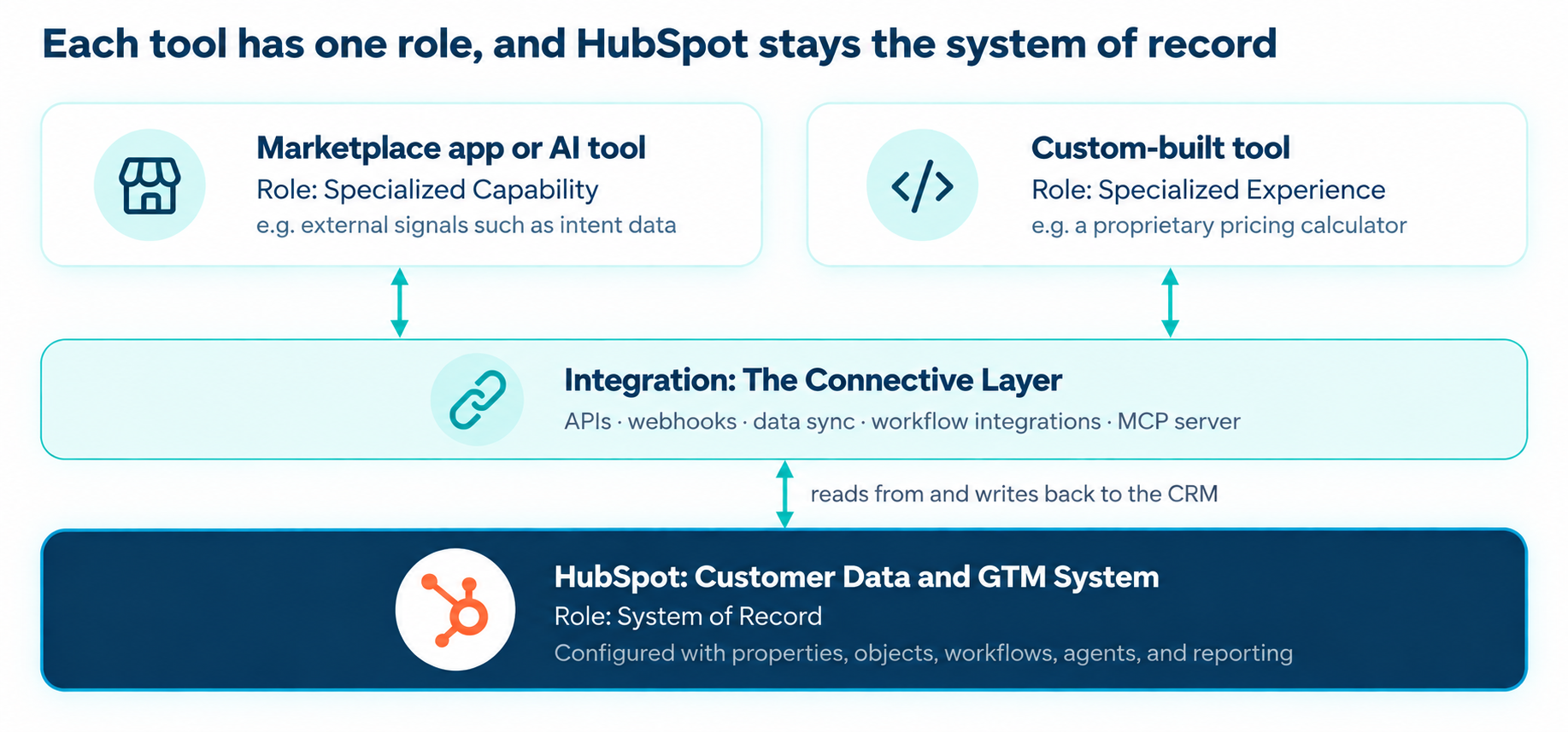
These three paths can happily coexist. In practice, a healthy setup often uses all three, with each piece doing its own job.

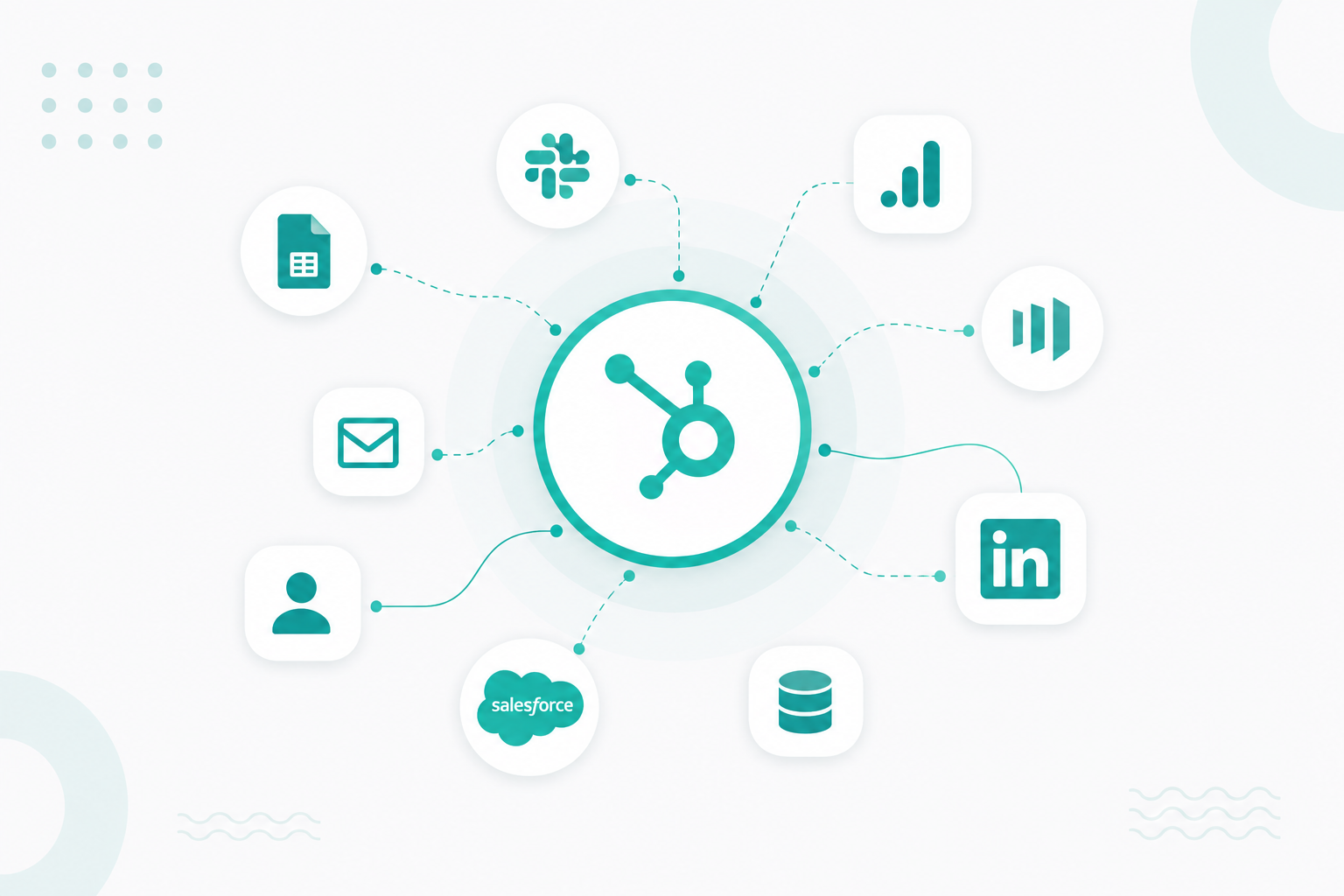
HubSpot holds your customer data and runs your GTM processes. A Marketplace app adds a specialized capability. A custom tool delivers a specialized experience. Integration is what connects them all.
This is especially important when an AI-built tool needs customer data. When it connects through the integration layer, the tool works from HubSpot's context and avoids becoming yet another copy of it.
Our View on Building in the AI Era
AI makes building faster and cheaper, and that's worth celebrating. Good architecture matters just as much as it always has. Being able to create an internal tool in a few days is valuable, and teams should use it. The trouble starts when every operational problem turns into another app, another database, another login, and another version of the truth about your customers.
Each tool looks cheap on its own. Add them all up, though, and they slowly split apart the data your AI, reporting, and automation rely on. That's the irony of this moment: the tools that make building easy work best on a clean, connected data foundation.
For HubSpot customers, the smartest starting point is knowing what the platform can already configure, automate, extend, and connect. Build something new when the need truly falls outside those capabilities, or when a custom experience adds real value.
Every tool in your stack should have a clear job, and your team should be able to say what that job is. So when your HubSpot team needs a new internal tool, here's the order to follow. Start with the HubSpot setup you already have. Explore what configuration and native features can do. Look at proven products you can buy. Then build when the business need clearly calls for something custom.
If your team is weighing a build right now, an architecture review is the cheapest step in the whole process. It's also one Campaign Creators helps HubSpot teams work through, so every new tool starts with a clear role and a clear owner.
Frequently Asked Questions
Do HubSpot Marketplace apps cost extra?
It depends on the app. Each app comes from its own provider with its own pricing, and some are free while others need a paid subscription. Check the app's listing for pricing details and any HubSpot plan requirements.
Can we start with a custom build and move it into HubSpot later?
Yes, and it can be a smart way to test an idea. Keep the move easy by storing important data in HubSpot from day one and writing results back to CRM records. That way, if HubSpot adds the capability natively or a Marketplace app comes along, switching over is simple.
How do we keep data from being duplicated between HubSpot and other tools?
Decide which system owns each type of data, and have every other tool read from or write back to that source. Favor integrations that sync both ways, and be cautious with tools that keep customer data only in their own database. A regular check for duplicate records also helps you catch problems early.
How can we tell if our HubSpot data is ready for AI tools?
Start with the basics: duplicate records, missing fields, inconsistent property values, and records with no clear owner. AI tools and agents depend on the data they're given, so clean, well-structured records lead to more reliable results.
When is it time to retire an internal tool?
It's worth retiring a tool when HubSpot or a Marketplace app now covers the same job, when nobody owns it anymore, or when people have stopped using it. Before you shut it down, move any important data into HubSpot and let users know where the capability lives now.