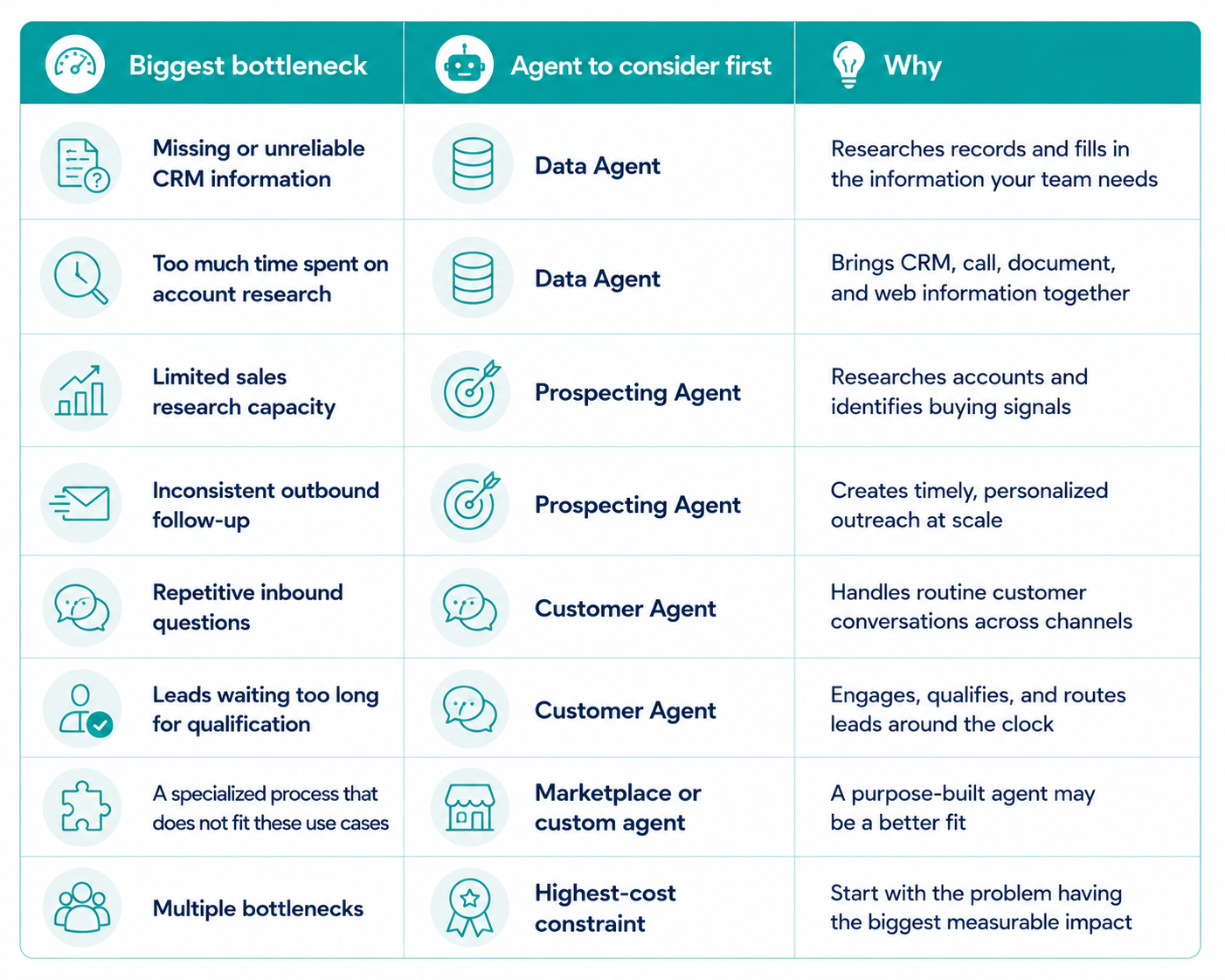
Start with the agent that solves your biggest bottleneck. If your CRM data is incomplete or unreliable, start with Data Agent. If reps lack time to research and follow up with target accounts, start with Prospecting Agent. If leads or customers wait too long for a response, start with Customer Agent. The right first agent depends on your biggest business problem.
This choice also affects your budget. Since April 2026, HubSpot’s headline agents use credits based on outcomes. Start with a specific, measurable problem so you can track the agent’s impact and value.
This guide breaks down what each agent does best, which problems it can solve, and how to decide which one to turn on first.
Key Takeaways
- Data Agent solves information problems, Prospecting Agent solves outbound capacity problems, and Customer Agent solves inbound response problems.
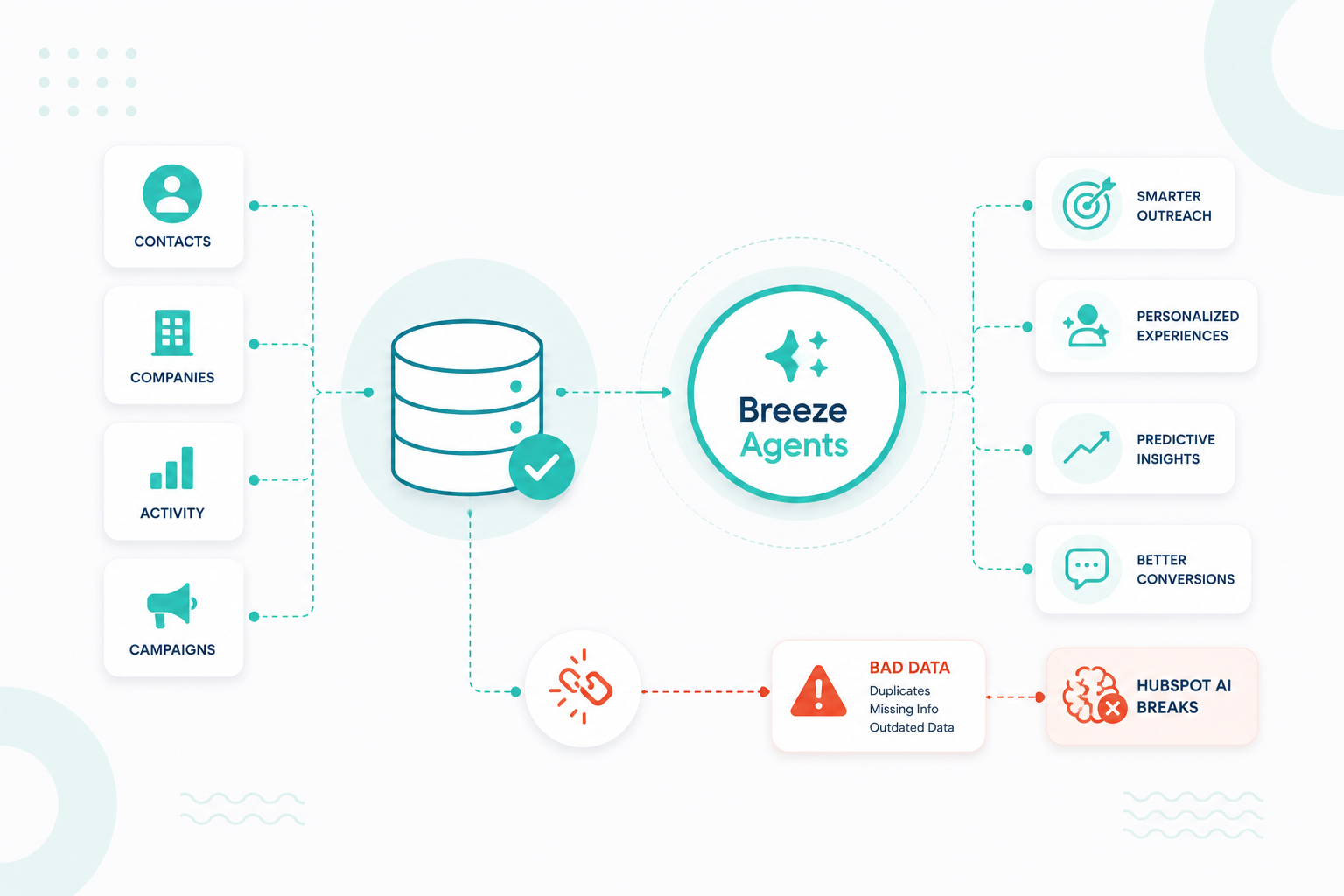
- Agent output is capped by the CRM data, business context, and permissions you give it, so fix the inputs for that one workflow before you judge the results.
- Agent actions consume HubSpot Credits from a single monthly pool shared across every AI feature, which makes scoped access and a credit limit part of the rollout.
- Every core agent has a low-risk review mode, and starting there is how you validate output quality before anything reaches a customer.
- An agent is ready when the job, the data, the context, the permissions, the boundaries, the test, and the success metric are all defined.
What Are Breeze Agents and What Can They Do? 
Breeze Agents are AI agents inside HubSpot that perform specific go-to-market tasks using your CRM data, business context, and connected tools. Unlike a general-purpose AI assistant that waits for a prompt, an agent is built for a specific job and can complete multi-step work on its own within the guardrails you set.
Breeze Assistant is conversational and works across HubSpot. It answers questions and drafts content when you ask. Breeze Agents take action on defined tasks such as research, outreach, CRM updates, and customer replies. You can manage them in Agent Hub, where you can review active agents, activate available agents, and build custom agents with Agent Builder.
What Breeze Agents Do
Across the lineup, agents handle five types of work:
- Research: Investigate contacts, companies, and CRM records using internal and web sources.
- Analyze: Surface patterns, summarize activity, and answer business questions.
- Engage: Personalize outreach and respond to customer conversations.
- Execute: Update properties, draft emails, and move defined processes forward.
- Scale: Handle repetitive work so your team can focus on higher-value decisions.
Each agent applies these capabilities to a different part of the go-to-market process, so the best choice depends on the problem you need to solve.
For a more informed decision, it is best to work with a HubSpot expert who can assess your processes and recommend the right agent for your needs.
Why Shouldn't You Turn On Every Breeze Agent at Once?
Activating everything at once buys complexity before it buys value. HubSpot recommends limiting credit-consuming AI permissions until you are certain of your account's AI strategy, and you can widen access later once an agent proves out.
More Agents Do Not Mean More Value
Data Agent, Prospecting Agent, and Customer Agent solve different problems and depend on different data, permissions, and workflows. Run three at once, and you lose the ability to say which one improved anything. One agent gives you a clean baseline.
Your CRM Sets The Ceiling
Agents work with the information available to them. Poorly structured records, duplicate companies, blank properties, and undocumented processes all shrink what a capable agent can do. An agent cannot compensate for a data problem nobody has addressed.
Agent Activity Draws Down One Credit Pool
Every paid portal includes a monthly pool of HubSpot Credits, and that pool is shared across all AI features and is not reserved per agent. Actions spend credits when they run, including automated and recurring ones, and you can buy more in packs up front or pay as you go. Recurring agents at scale are where usage climbs quietly, so set a limit before activation.
Different Teams Need Different Agents
A sales team gets fast value from Prospecting Agent. An operations team gets more from Data Agent. A service team gets more from Customer Agent. Handing every team every agent creates noise and makes governance harder than it needs to be.
Which Breeze Agent Should You Turn On First?
Choose the Breeze Agent that addresses your biggest bottleneck. HubSpot’s core agents are designed for different jobs:
- Data Agent improves CRM information,
- Prospecting Agent supports sales research and outreach, and
- Customer Agent handles inbound conversations and lead qualification.

The simplest way to choose is to identify where your team is losing the most time, opportunities, or customer responsiveness. If your data is unreliable, start with Data Agent. If sales research and follow-up are slowing pipeline generation, consider Prospecting Agent. If inbound leads are waiting for responses or qualification, consider Customer Agent.
When several problems exist, start with the one that has the clearest business impact. For example, improving CRM data first can give Prospecting Agent better information to work with. A business with strong inbound demand but slow response times may get more value from Customer Agent first.
For a highly specialized process, look at available agents in the HubSpot Marketplace or create a custom agent with Agent Builder.
The best first agent is not necessarily the most capable one. It is the one that solves a clear, measurable problem for your team.
Which Three Breeze Agents Should You Consider First?
1. Data Agent

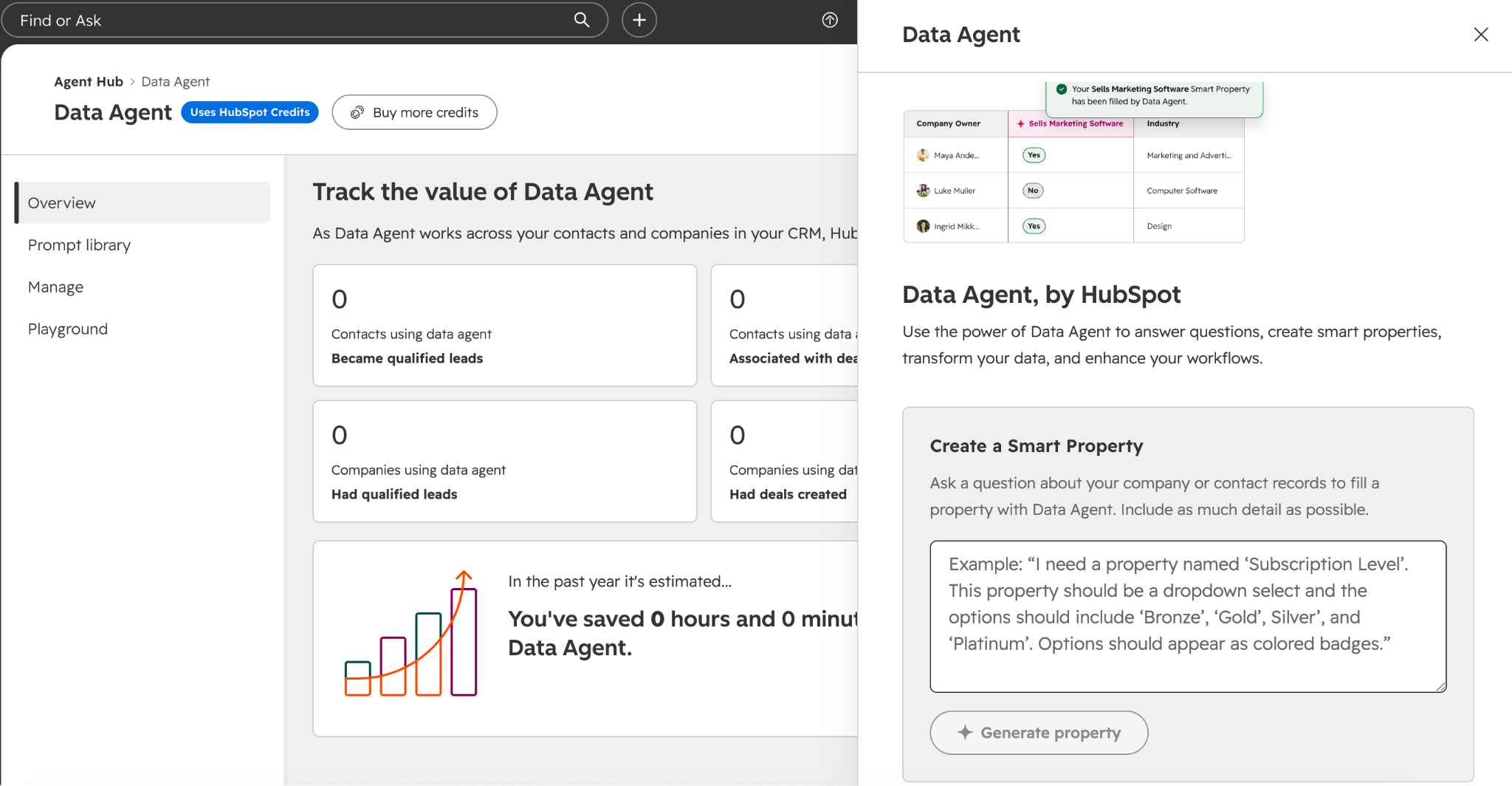
Data Agent works best for teams that lose hours researching, analyzing, and maintaining customer and prospect data. It answers custom questions about contacts and companies using CRM records, conversations, documents, and web sources, and it writes findings back into your CRM through Smart Properties, Smart Actions, and Smart Columns.
HubSpot reports users research a prospect or prep for a call around 10 times faster, across more than 5.1 million automated research and insight tasks.
HubSpot's own example is a RevOps team building a smart property called Fit or Intent Signal, which queries the web for funding rounds and hiring surges and classifies new company records as high growth or standard fit. One property, one question, one clear output your reps can sort by.
Good early candidates include the properties reps ask about most, such as technology in use, headcount growth, competitors, or renewal risk context pulled from call transcripts. Start with a single property on a filtered list of companies, review the fills for accuracy, then expand to a workflow once the answers hold up.
Data Agent is the right first pick when your people have to play detective before they can do their jobs. The signal is a team that keeps asking where information lives, who can research an account, and why a field is still blank.
2. Customer Agent

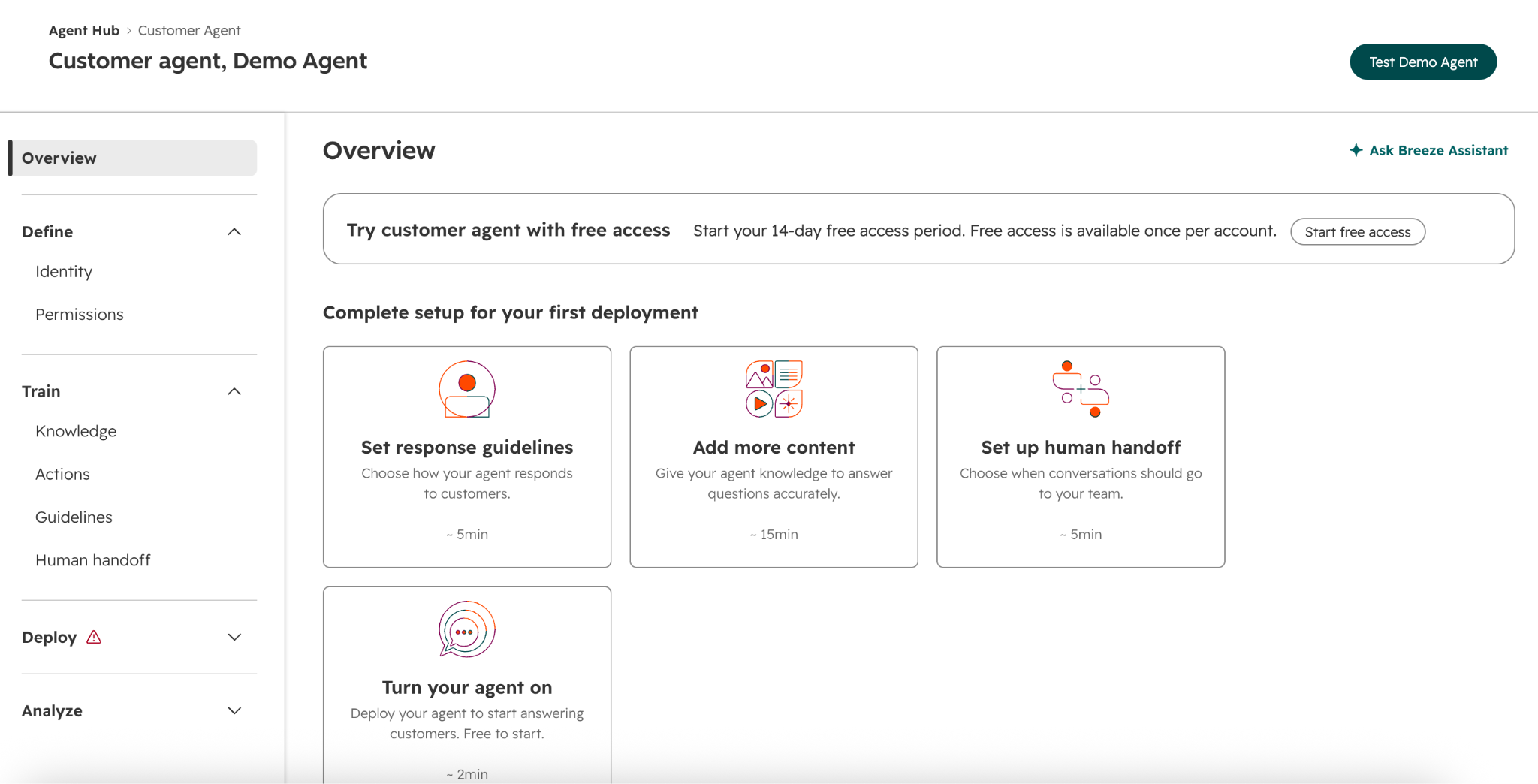
Customer Agent works best for businesses with real inbound volume across marketing, sales, and service. It answers questions, qualifies leads, captures information, books meetings, and resolves common support issues. Its behavior is confidence-based, so it either answers with a verifiable source, asks a clarifying question, or reassigns the conversation to a human.
HubSpot reports customers close 70% more tickets per month on average and resolve them 39% faster than teams not using it.
Two dependencies decide how fast you can launch. You need at least one live chat, Facebook, or WhatsApp channel connected to the conversations inbox before you can publish the agent, and the agent answers from the content you sync to it, which means knowledge base articles, website pages, and blog posts.
There is also a free way to trial the output. Reply recommendations put the agent's drafted answers in front of your reps inside the help desk without deploying it to live channels, and those recommendations do not consume credits. Two weeks of reps accepting, editing, or dismissing drafts tells you more about answer quality than any demo.
Customer Agent earns first place when the problem is response time and repetition, and when qualified visitors arrive faster than anyone can greet them.
3. Prospecting Agent

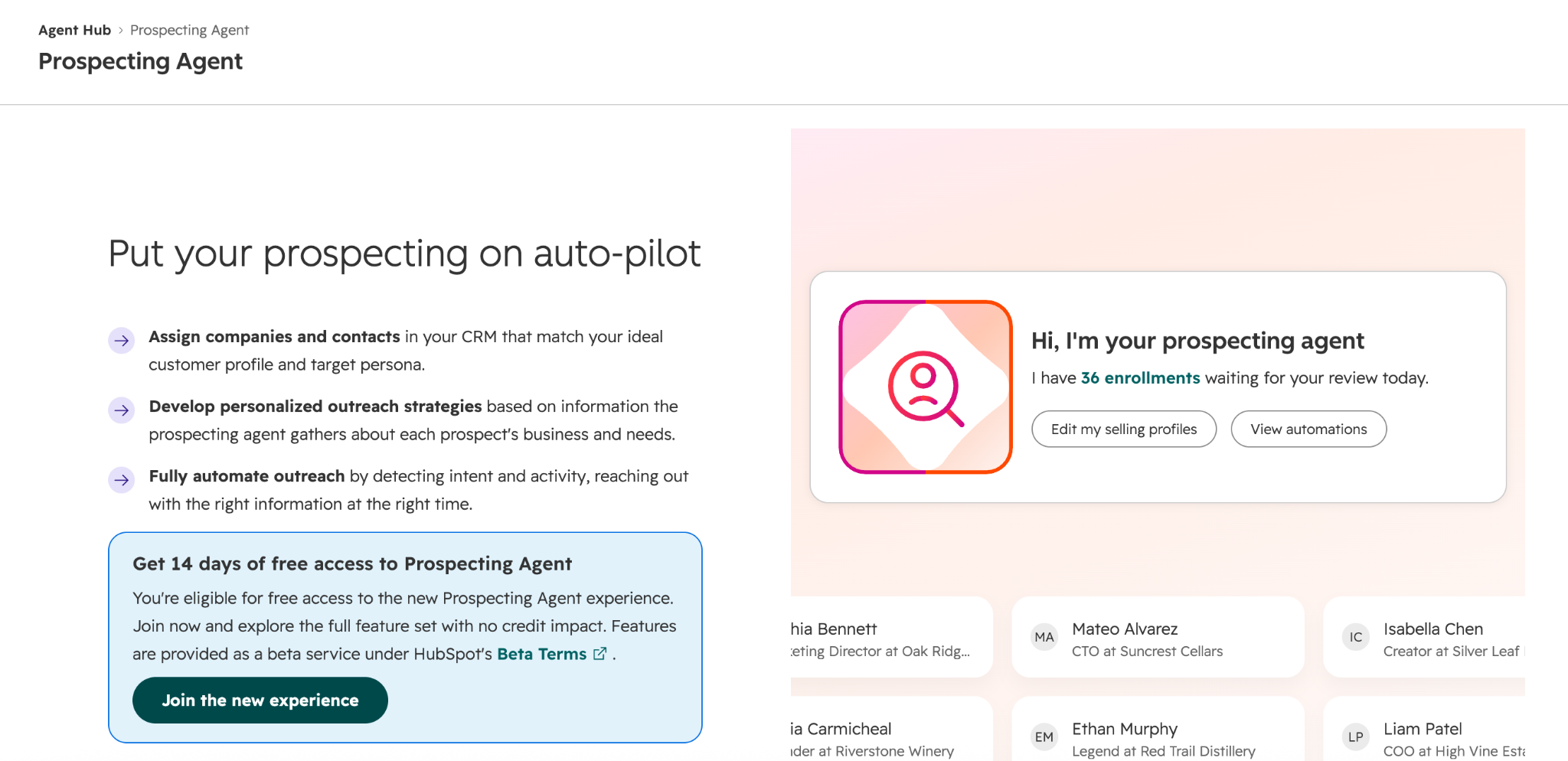
Prospecting Agent works best for sales teams that have target accounts but no capacity to work them properly. It monitors enrolled prospects for signals such as funding rounds, leadership changes, and hiring activity, researches accounts, drafts personalized outreach, and books meetings.
HubSpot reports 76% more sales leads created per month on average and a 26% higher deal win rate among users.
Setup has more moving parts than the other two. The AI settings switches for CRM data, customer conversation data, and files must be on, and users need Super Admin or prospecting agent permissions. HubSpot has listed the agent under Sales Hub Professional and Enterprise, but later 2026 updates are expected to open access to every paid tier, so check what your portal offers before you plan a rollout. The agent draws on contact engagement from the past year, including form submissions, page views, calls, meetings, notes, and email opens, and credit-based actions cannot run in a sandbox.
The configuration choices that carry the most weight are the selling profile, the autonomy mode, and the enrollment method. Selling profiles hold your products, tone, and value propositions, and weak profiles are the usual cause of generic output. Review before sending keeps a person on every draft, and send automatically removes that checkpoint. Manual enrollment handles small batches; rulesets enroll contacts as they meet criteria; and a workflow action handles more complex logic.
Two operational limits are worth knowing early. The agent researches and emails up to 1,000 contacts per account per day, with the overflow queued for the next day, and adaptive enrollments end after 30 days by default.
This is the strongest first choice when the shortage is sales time and not leads.
What Each Agent Charges For
|
Agent |
What spends credits |
Published rate |
What a 3,000-credit monthly pool covers |
|
Data Agent |
Each answer or smart property fill |
About 10 credits |
Roughly 300 responses |
|
Customer Agent |
Each resolved conversation |
About 50 credits |
Roughly 60 resolutions |
|
Prospecting Agent |
Each lead the agent recommends |
About 100 credits |
Roughly 30 recommended leads |
Those pools are shared with enrichment, workflow AI actions, and every other credit-consuming feature, so the real coverage in your portal will be lower than the arithmetic suggests.
What Should You Fix Before Turning On a Breeze Agent?
Prepare the process, data, context, and permissions the agent needs. Focus on one reliable workflow that is ready for automation.
1. Clean Only The Data The Agent Will Read
List the specific properties behind your use case, usually somewhere between five and twenty, then work only on those. For a prospecting rollout, that typically means industry, employee count, lifecycle stage, job title, country, and the engagement history on the contact record.
Run the duplicate management tool on companies before contacts, since duplicate parent records split the engagement history an agent reasons from. Convert free-text fields to dropdowns where the agent needs to compare values, and use the format data workflow action for inconsistent capitalization and phone formats.
2. Write The Job Down In One Sentence
State the trigger, the input, the action, and the handoff point. A workable version reads like this. When a contact from a target account submits a demo request, research the company, draft an outreach email using the enterprise selling profile, and hold it for rep approval. If you cannot write that sentence, the process is not ready for an agent, and Agent Builder will ask you for the same four things anyway.
3. Audit The Content The Agent Will Quote
Customer-facing agents answer from the sources you connect, including knowledge base articles, landing pages, blog posts, and files. Pull the list of what you are about to sync and check three things. Confirm pricing and packaging pages reflect current terms, retire articles describing features you no longer offer, and fill the gaps your support inbox proves exist by writing the five answers your reps currently type by hand. For internal agents, load the ICP definition, qualification criteria, and objection handling your reps use, since an agent has no access to knowledge that lives only in someone's head.
4. Scope Permissions And Cap Credits
In AI settings, a Super Admin turns on generative AI access plus the CRM data, customer conversation data, and file switches. In the permissions editor, search AI features and grant the agent permission to the named team running the pilot and not the full portal. Then set your spend controls before the first run, including a global credit limit, per-agent limits where available, and your choice between automatic capacity upgrades and pay-as-you-go overage. Check your current usage and remaining balance in the usage and limits screen so you know what a pilot has to work with.
5. Pick The Autonomy Level Per Action
Split the work into research, drafting, and acting, then decide each one separately. Research on internal records is low risk. Drafting is low risk with review turned on. Sending outbound email, updating a record, or replying to a customer without review is a different level of exposure. Start every customer-facing agent in review mode, add exclusion lists for accounts and contacts the agent must never touch, and set the escalation rule that hands a conversation to a person. Graduate one action at a time once you have seen a few hundred outputs.
6. Pilot On A Controlled Set And Compare
Pick a filtered list of 50 to 200 records, or one channel, and run the agent from the agent inbox where you can review output before it goes anywhere. Score a sample for accuracy, tone, and usefulness, and log how long the same work took your team last month so the comparison is real. Note that credit-based actions cannot run in a sandbox, so the pilot happens in production with narrow scope and a spend cap. Expand only after the output survives that review.
What Makes a Breeze Agent Ready to Turn On?
A Breeze Agent is ready for activation when you can say all seven of these.
- The job is defined in a sentence someone else would recognize.
- The data and signals the agent needs are available and usable.
- The agent has the business context for this specific task.
- Permissions are scoped, and credit limits are set.
- The agent's actions and boundaries are explicit.
- There is a way to review output before it reaches a customer or a record.
- There is one number you expect to move.
How To Measure The First Agent
Depending on the agent, you could measure faster account research, shorter response times, more qualified conversations, fewer repetitive tickets, improved CRM completeness, or time saved on repetitive tasks.
The right time to activate a Breeze Agent is when the workflow, data, and processes around it are ready to support it.
What Breeze Agent Should You Turn On Next?
Once your first agent is delivering results, choose the next agent based on the bottleneck it reveals. Data Agent can improve CRM data for Prospecting Agent, while Customer Agent can handle routine inquiries and help create qualified conversations for sales.
Use the same approach: one problem, one agent, a clear owner, a credit limit, and a measurable goal. Agent Hub helps you track what is active and delivering results.
Campaign Creators offers HubSpot AI Agent Implementation Services covering data readiness and agent setup. If you know where your process is getting stuck, we can help you choose and implement the right agent.
Frequently Asked Questions
Which HubSpot Plans Include Breeze Agents?
Agent Hub is available across Starter, Professional, and Enterprise editions, but individual agents carry their own requirements, so confirm the specific agent you want in your portal.
Do Breeze Agents Cost Extra?
Agent Hub itself is included in your subscription, and agent actions consume HubSpot Credits from a monthly pool you can extend with packs bought up front or pay-as-you-go usage.
Can You Turn On More Than One Breeze Agent At A Time?
You can, but running several at once makes it hard to attribute any improvement to a single agent, which is why one measurable use case first is the safer sequence.
What Happens If Your CRM Data Is Incomplete?
The agent works with what it can see, so incomplete or conflicting records produce vaguer output and spend credits on results nobody trusts.
Does Customer Agent Replace Your Support Team?
No, it handles routine questions around the clock and escalates anything it cannot answer confidently to a human with the conversation context attached.
How Long Before A Breeze Agent Shows Results?
Simple use cases such as reply recommendations or account research show quality signals within days, while pipeline and resolution metrics need a few weeks of consistent volume to read properly.
Can You Build A Breeze Agent For A Process HubSpot Does Not Cover?
Yes, Agent Builder lets you configure a custom agent's goal, instructions, actions, and data sources on one canvas with no code.
How to Build Scalable Agentic AI Pipelines for Customer Service Automation
Building a scalable agentic AI pipeline for customer service automation requires a system that connects CRM data, AI agents, knowledge retrieval,...
You Bought HubSpot. Are You Actually Running It?
You are running HubSpot when your team knows which features it uses, your reports get trusted without a spreadsheet double-check, and people do not...
.png?width=1920&height=553&name=cc-logo-color-horizontal%20(1).png)
Campaign Creators