











Skip to the main content.

WEBSITE GROWTH & CONVERSION

• Web Design & Development


• SEO & AEO


• Conversion Rate Optimization


• Lead Generation Strategies


HUBSPOT SUPPORT & ENABLEMENT

• HubDesk


• HubSpot Training


• HubSpot Change Management

FREE TOOLS & ASSESSMENTS

• HubSpot Portal Audit


• HubSpot Al Readiness Scorecard


• HubSpot Al Solutions Design


LEARN & WATCH

• View All Resources


• Ebooks & Templates


• Webinars On-Demand


• Expert Videos

HUBSPOT INSIGHTS

• AEO & AI Search


• Automations


• HubSpot Software


• Migration & Replatforming


• Marketing & Content


• Lead Generation


• Integrations


CC Square Image (20)


HubSpot Solutions by Industry

INDUSTRY & PLATFORM GUIDES

• HubSpot for Healthcare


• HubSpot for Software


• HubSpot for IT Services


• HubSpot for Franchises


• HubSpot for Consumer & Retail


• HubSpot for Manufacturing


• HubSpot for Real Estate


• HubSpot for Construction


• HubSpot for Automotive


• HubSpot for Financial Services


• HubSpot for Professional Services


• HubSpot for Life Sciences


• HubSpot for Marketing & Advertising


9 min read

When Should Agencies Use HubSpot Custom Objects for Service Lines?

When Should Agencies Use HubSpot Custom Objects for Service Lines?

Agencies should use HubSpot custom objects for service lines when each client engagement needs its own owner, pipeline, renewal date, and reports. A client's SEO, paid media, creative, and PR work then each get a separate record. If a service line only labels a client or a sale, company properties, line items, or the Services object need less setup. Custom objects require Enterprise.

HubSpot Workflow in a Modern Agency Office

Service lines are where agency CRMs get messy. One client buys SEO this quarter, adds paid social next quarter, and pauses creative after a rebrand, and one company record can't show all of that clearly. The structure you pick now decides how easily you can spot what each client buys, what renews next month, and where the cross-sell gaps are.

If you're planning that structure for your own portal, our HubSpot technology consulting team designs data models like this before anything gets built.

Key Takeaways

  • Custom objects need an Enterprise subscription, and each custom object type can hold up to 9 defined associations with other object types.
  • HubSpot's standard Services object covers many agency service line needs without Enterprise, so check it before building a custom object.
  • A service line needs its own record when it has its own lifecycle, owner, dates, and contacts, separate from the deal that sold it.
  • One Service Line object with a type property works better than one object per service, because reports can compare every service line side by side.
  • Association labels, with up to 50 labels per object pair, show the role each contact plays on an engagement.

Table of Contents

  1. What Are HubSpot Custom Objects, and What Subscription Do Agencies Need?
  2. How Can Agencies Track Service Lines Without a Custom Object?
  3. Should Agencies Use the HubSpot Services Object or a Custom Object?
  4. When Does a Service Line Need Its Own HubSpot Custom Object?
  5. How Do You Structure a Service Line Custom Object?
  6. How Do Service Line Records Improve Cross-Sell, Renewal, and Delivery Reporting?
  7. What Should Agencies Plan For Before Building a Custom Object?
  8. How Can Campaign Creators Help Design Your Agency's Service Line Data Model?
  9. Recap
  10. Frequently Asked Questions

What Are HubSpot Custom Objects, and What Subscription Do Agencies Need?

HubSpot custom objects are record types you define yourself when contacts, companies, deals, and tickets don't fit what you need to track. You need an Enterprise subscription to create custom objects.

Once it exists, a custom object works like a standard object. Each record gets properties, an activity timeline, and associations to other records, and it shows up in lists, reports, and workflows. For an agency, a record like "Northwind Foods, Paid Media" can sit between the client company, its contacts, and the deals that sold the work.

A few platform limits are worth knowing before you plan anything. Custom object pipelines also need Enterprise, so you need that tier to manage custom object pipelines. Seat-based Enterprise portals share a pool of 350 custom pipelines across all objects.

Each custom object type can have 9 defined associations with other object types, so map the links before you build. Record and property limits depend on your subscription, and you can check yours in the Limits tab under Data Management and Data Model.

Agencies on Professional can't create custom objects at all. For them, the real question is how far the standard objects can go. In many portals, they cover more than teams expect.

How Can Agencies Track Service Lines Without a Custom Object?

Agencies can track service lines with company properties, deal line items, separate deal pipelines, or the Projects object. Each option fits a different level of detail, works on Professional, and takes less upkeep than a custom object.

Company Properties

A multiple-checkbox property on the company, such as "Active Service Lines," shows what a client buys today. Teams usually start here because it's quick to set up and easy to filter.

A property holds a current value with no history, so you can't store a start date, an account lead, or a monthly fee per service line. Once you add "SEO Start Date," "Paid Media Start Date," and "Creative Start Date," the company record fills up with near-duplicate fields.

Deal Line Items and Products

Products in HubSpot's product library become line items when you add them to quotes, subscriptions, or invoices. An agency can create one product per service line and add it to each deal. Every sale then records what the client bought and at what price.

Line items record the sale and stop there. They don't get their own pipeline, owner, or status after the deal closes, so they can't show that the SEO retainer is paused or that paid media renews in 30 days.

Separate Deal Pipelines Per Service Line

Some agencies build one deal pipeline per service line, with stages that match how each service sells. This works well when service lines have truly different sales processes, like a fixed-fee rebrand next to a monthly SEO program.

The Projects Object

HubSpot's Projects object stores project management processes, and a Super Admin has to activate it. The knowledge base shows a company that uses projects to track service delivery and keep deal pipelines sales-focused. In that example, a workflow creates a project when a deal reaches Closed Won.

Projects fit time-bound work with a clear end, like a website build or a campaign launch. Retainers that renew every year usually need a record built around renewal dates and recurring fees.

Association Labels on Any Option

Association labels name the relationship between two records, such as "Billing Contact" or "Approver." They need a Professional or Enterprise subscription, and you can create up to 50 labels per object pair.

Labels work with every option above. Even without a custom object, a label can mark the client's marketing director as "Approver" on a deal, so the account team knows who signs off on the work.

Should Agencies Use the HubSpot Services Object or a Custom Object?

Start with the Services object if each engagement needs a pipeline, an owner, dates, and associations, and nothing more. Move to a custom object when you need full control over the data model, or when Services already handles something else in your portal.

The Services object stores offerings provided to customers, such as onboarding and consulting. A Super Admin activates it in the data model builder. HubSpot's API reference lists it as available on free and paid tiers. Service records support pipelines, target end dates, and associations with contacts, companies, and activities.

For many agencies, that's enough to model "one client, one service line, one engagement" without Enterprise. Here's how the options compare.

Option Needs Enterprise Own Pipeline Best For Watch Out For
Company property No No Showing what a client buys today No dates, owners, or history per service line
Deal line items No No Recording what was sold and at what price Nothing tracks the engagement after the deal closes
Deal pipeline per service line No Yes, for sales stages Service lines with very different sales processes Delivery and renewal data crowd the deal record
Projects object No Yes Time-bound work like web builds and launches Built for project delivery more than recurring retainers
Services object No Yes Ongoing engagements per client and service line One standard object shared by every service use case
Custom object Yes Yes Engagements with their own data model, rules, and reports Enterprise cost, plus design and governance work

A custom object makes more sense than Services in three cases. Your agency may already use Services for onboarding packages and need a separate record for ongoing retainers.

You may need a record type that isn't a service at all, like a statement of work or a client brand. Or your service line setup may need properties and associations that would make Services hard to manage for other teams.

When Does a Service Line Need Its Own HubSpot Custom Object?

A service line needs its own HubSpot custom object when it behaves like a separate engagement, with its own lifecycle, people, money, and reports. Look for at least three of these signals before you build.

  1. The engagement has its own lifecycle. SEO moves through onboarding, active, at-risk, and renewal stages that don't belong to the deal that sold it.
  2. A different account lead or specialist team runs each service line for the same client.
  3. Each service line carries its own start date, renewal date, monthly fee, or scope cap.
  4. Different client contacts are involved. The paid media contact isn't the person who approves creative or receives the SEO report.
  5. Leadership wants revenue, churn, or renewals reported per service line across all clients, not just per client.
  6. One client buys the same service line more than once. If two client brands each get their own paid media engagement, one company property can't hold both.

Our client RedWeek, a timeshare rental and resale marketplace, needed listings and bookings tracked as their own records. We built Listings and Bookings custom objects with owner, renter, broker, and affiliate labels, and the two custom objects replaced the deal pipeline.

RedWeek isn't an agency, but the pattern carries over. "Client brand, service line, and engagement" is the same many-to-many problem as "owner, listing, and booking."

If a service line has one owner, no renewal date, and no separate contacts, a custom object brings setup and upkeep without new reports.

How Do You Structure a Service Line Custom Object?

Structure a service line custom object as one record per client engagement in one service line. Give it a clear name, a short property list, a delivery pipeline, and labeled associations. Work through these steps in order, since each one builds on the last.

  1. Define what one record means in a single sentence, such as "one record equals one client's engagement in one service line." This keeps catalog entries and live engagements apart.
  2. Create one object, not one per service. Name it "Service Line" or "Engagement," then add a "Service Type" dropdown with values like SEO, Paid Media, Creative, PR, and Web. One object keeps every engagement in one report and uses fewer of your limits.
  3. Set the primary display property and a naming rule. Every record needs a primary display property, so pick a pattern like "Client Name, Service Type" and enforce it with a workflow or a form.
  4. Add only the properties delivery and finance use. Start with status, start date, renewal date, monthly fee, account lead, and scope summary, and skip fields that already live on the deal or company.
  5. Build the pipeline around delivery, with stages such as Onboarding, Active, At Risk, Paused, Renewal Due, and Ended. Keep sales stages on the deal.
  6. Associate the object with companies, contacts, and deals. Then add labels like "Client Lead," "Approver," "Billing Contact," "Original Sale," and "Expansion."
  7. Automate record creation from closed deals. A deal-based workflow can create a custom object record when a deal with a paid media line item reaches Closed Won. This only works if the custom object is associated with deals.
  8. Test in a sandbox before production. Run real sample data through the object, the pipeline, and the workflows before your team sees it.

Our client Equisoft, a Montréal insurance and wealth-management software company, wanted its Zoho product, contract, and messaging data structured in HubSpot. We built 5 HubSpot custom objects, including Product Instances, Contracts, and Product Licenses, with Zoho-style forms and views. Every record was validated in a sandbox before production, the same test-first approach a service line object needs.

How Do Service Line Records Improve Cross-Sell, Renewal, and Delivery Reporting?

Service line records let agencies report on engagements directly. Cross-sell gaps, upcoming renewals, and delivery status show up in dashboards without manual spreadsheets.

Once each engagement is its own record, you can build reports like these.

  • Revenue by service line, summing monthly fees by Service Type across every active client.
  • Single-service clients, listing companies with only one active engagement. Account leads get a ready-made cross-sell list.
  • Renewals due in the next 60 days, grouped by Service Type and account lead.
  • Delivery health, counting engagements in At Risk or Paused stages per account lead so problems surface before the renewal conversation.

Association labels make these reports more precise. In custom reports, labels decide what records to include, so a report can show only engagements where a contact is the "Approver," or only deals labeled "Expansion." Workflows can also enroll records based on labels, like alerting the account lead when an approver leaves the client.

Renewal reporting follows the same logic SaaS teams use for subscriptions. Our HubSpot subscription data model guide maps closely to agency retainers, since both need a start date, a renewal date, a recurring amount, and a clear owner.

What Should Agencies Plan For Before Building a Custom Object?

Agencies should plan for permanent choices, data migration, permissions, and ongoing ownership before building a custom object. Once workflows and reports depend on it, a custom object is hard to undo, and a short design document up front saves a rebuild later.

Deletion Is Permanent

You can delete a custom object, but you can't restore it afterward. HubSpot also blocks deletion while other tools still use the object. Treat the object name, primary display property, and associations as long-term choices.

Existing Data Needs a Migration Plan

Service line data may already live in company properties, deal fields, or a spreadsheet. Map each field to its new home before you import, and decide what system wins when values disagree. Archive the old properties once the new records are live, so the team doesn't update two places.

Permissions Need an Owner

Creating association labels and activating objects takes Super Admin access. Decide who can create engagement records, who can edit them, and who can change the pipeline. This gets more important when freelancers and contractors have HubSpot seats.

How Can Campaign Creators Help Design Your Agency's Service Line Data Model?

Agencies often reach this decision after service line data has spread across company fields, deal notes, and spreadsheets. Our team maps how each service line sells, delivers, and renews. Then we pick the lightest structure that answers your reporting questions, from the Services object to a fully custom object build.

We run our own agency on HubSpot, so we know what account leads and finance teams need from these records. Our HubSpot onboarding and setup team has used this process across 875+ HubSpot implementations as an Elite Solutions Partner.

Recap

Agencies should use HubSpot custom objects for service lines when each engagement has its own lifecycle, owner, dates, contacts, and reports, and when Enterprise is in place or worth the cost. For lighter needs, company properties, line items, the Projects object, or the Services object do the job with less setup.

Get your service line data model set up right the first time with our onboarding team. You can also browse our HubSpot case studies to learn how other companies structured theirs.

Frequently Asked Questions

Can You Convert Existing Deals Into Custom Object Records?

Not directly. The usual path is to export the deal data, import it as custom object records, and then recreate the associations to companies, contacts, and the original deals.

Do Custom Object Records Count Toward Marketing Contact Limits?

No. Only contacts set as marketing contacts count toward your contact tier. Custom object records aren't contacts, though they have their own record limits based on your subscription.

Can an Agency Use the Services Object and a Custom Object Together?

Yes. An agency can use the Services object for packaged offerings like onboarding, and a custom object for something Services doesn't fit, such as statements of work or client brands.

How Long Does It Take to Set Up a Service Line Custom Object?

Setup time depends on how much data you migrate and how many workflows and reports you need. Building the object itself is the quick part, while testing and migration take longer.

Can Service Line Records Sync With Project Management Tools?

Yes. Custom object records are available through HubSpot's APIs, so marketplace apps that support custom objects, or a custom integration, can sync them with tools like Asana or monday.com.

When Should Technology Companies Use HubSpot Custom Objects?

When Should Technology Companies Use HubSpot Custom Objects?

Technology companies can use HubSpot custom objects once standard CRM records can no longer support how the business operates. For SaaS companies,...
Read More
Build Aftermarket Sales and Service Pipelines in HubSpot

Build Aftermarket Sales and Service Pipelines in HubSpot

Manufacturers grow aftermarket sales in HubSpot by building a separate deal pipeline for parts, service contracts, and upgrades. Each pipeline starts...

Read More
How CRE Brokerages Use HubSpot as a Commercial Real Estate CRM for Tenants, Listings, and Lease Expirations

How CRE Brokerages Use HubSpot as a Commercial Real Estate CRM for Tenants, Listings, and Lease Expirations

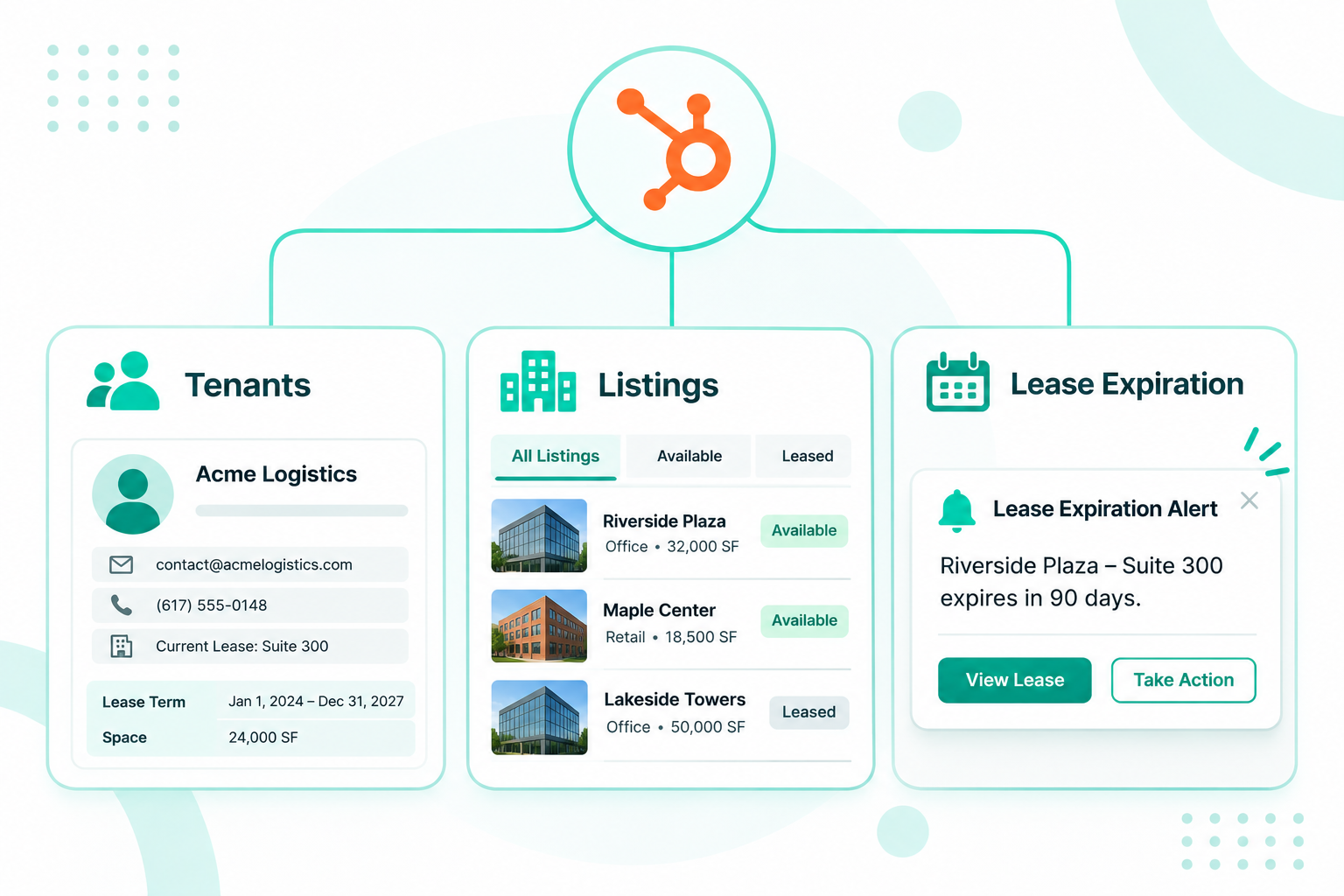
A commercial real estate CRM keeps tenants, landlords, listings, and leases as connected records, so brokers can act before each lease ends. In...

Read More