










How Consumer Brands Track Sell-In and Sell-Through in HubSpot
HubSpot tracks sell-in and sell-through for consumer brands by bringing sell-in from the ERP sync and sell-through data from retailer files into the...
11 min read
Campaign Creators
:
11/20/26
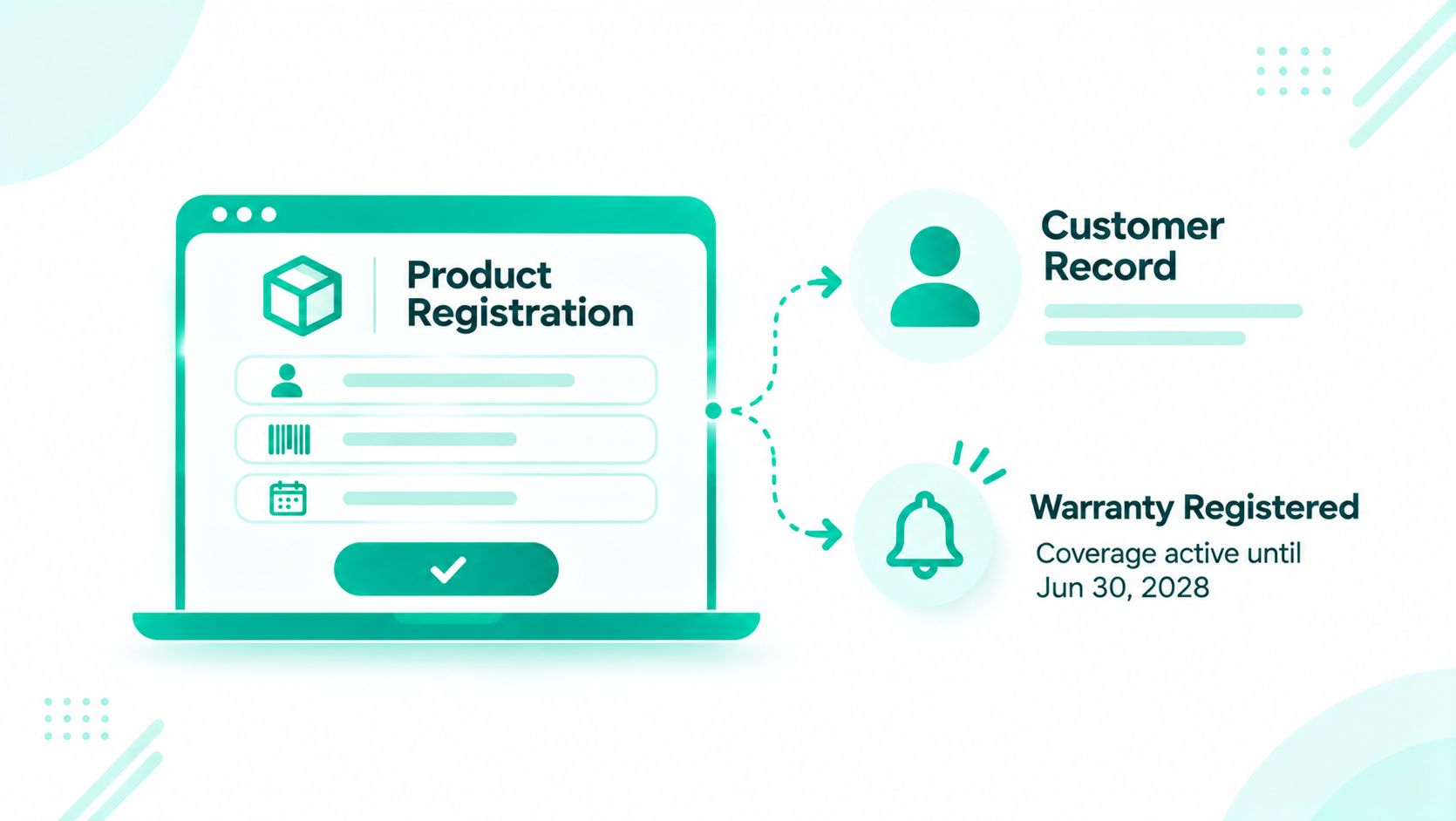
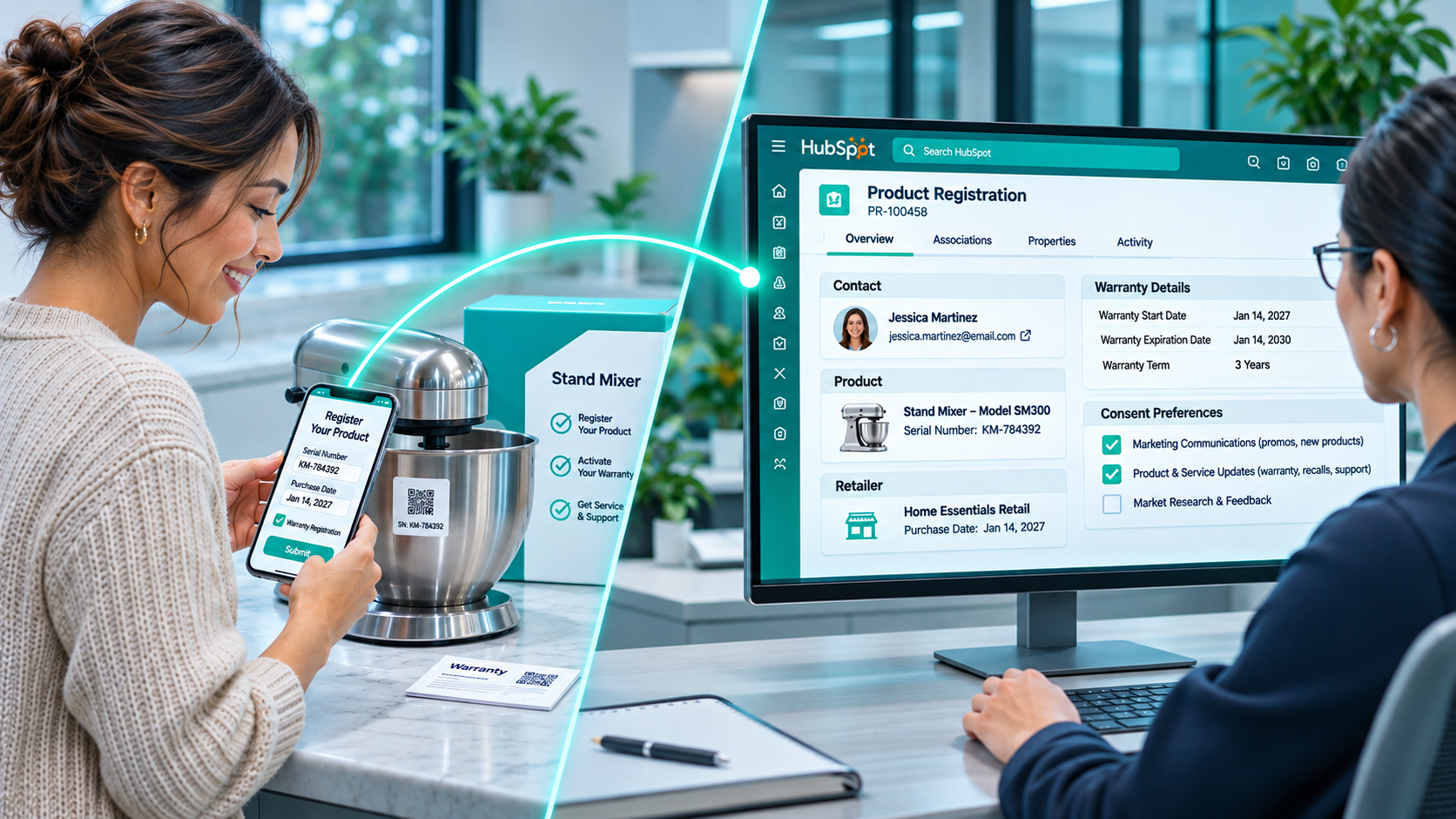
Consumer brands turn product registrations into customer records by capturing each registration with a form, storing it as a product registration record linked to the consumer and the product, matching it to any existing contact, calculating the warranty dates, and recording consent at the same moment. Product registration software and warranty systems can handle parts of this, and HubSpot keeps the customer, the product, and the permission on one record.

When a retailer owns the sale, the brand rarely learns who bought the product. Registration and warranty are the moments a buyer steps forward and says, "This one is mine." Each registration names the owner, the product, the serial number, and where it was bought, and that record feeds service, recalls, cross-sell, and first-party data. This guide covers the registration form, the registration record, contact matching, warranty dates, consent, post-purchase journeys, and the handoff to service.
Consumer brands capture customer data when retailers own the sale through the moments a buyer comes to the brand directly: product registration, warranty claims, loyalty programs, and DTC orders. Registration usually comes first, since it happens right after purchase.
| Moment | What the brand learns |
|---|---|
| Product registration | Owner, product, serial number, purchase date, and purchase location |
| Warranty claim | The owner and the product's service history |
| Loyalty program | Repeat purchases and preferences |
| DTC order | The buyer, the order, and the products |
Brands selling direct can bring DTC orders into the same records through their ecommerce marketing stack.
Consumer brands turn product registration into customer records with seven connected steps: a short form, a registration record, contact matching, warranty dates, consent, post-purchase journeys, and a service handoff. Each step adds to one record the brand owns.
Product registration ties a consumer to a specific product, serial number, purchase date, and purchase location. Warranty data adds the coverage term, the start and end dates, and any claims, so the brand knows what's covered and until when.
A registration feeds six kinds of work:
Design a short form that captures the owner, the product, the serial number, the purchase date, and the purchase location, with consent checkboxes and an optional proof-of-purchase upload. Shorter forms get finished.
| Field | Example (illustrative) | Source | Use |
|---|---|---|---|
| First name | Jordan | Registrant | Greetings and service |
| jordan@example.com | Registrant | Matching and communication | |
| Phone, optional | 555-0100 | Registrant | Service, and SMS if consented |
| Product or model | Grill Pro 450 | Dropdown built from your products | Warranty term and journeys |
| Serial number | GP450-2611-08832 | Product label | Warranty, recalls, and service |
| Purchase date | October 12, 2026 | Receipt | Warranty start |
| Purchase location | Retailer A | Dropdown of retailers and dealers | Where products sell |
| Proof of purchase, optional | Receipt photo | File upload | Warranty claims |
| Email consent | Checkbox | Registrant | Post-purchase journeys |
| SMS consent | Checkbox | Registrant | SMS messages |
HubSpot's guide to property field types notes that file properties accept uploads through forms, with each file limited to 100 MB, up to 10 files per file property, and a setting for who can view the uploaded files.
Require only what the record needs: name, email, product, serial number, purchase date, and purchase location. Make phone and proof of purchase optional, and ask for proof later when a claim needs it.
| Source | How it works |
|---|---|
| Website form | A registration page linked from the product site |
| QR code | A code on the product or packaging opens the form with the model filled in |
| Card in the box | A short URL on an insert points to the form |
| Post-purchase email | DTC buyers get a registration link after delivery |
| DTC order | The order registers the product automatically |
| Dealer-assisted | The dealer registers the product at handover |
Who owns it: marketing operations.
Sign it's working: registrants finish the form, and serial numbers arrive in the expected format.
Create a product registration record for each registered unit, associated to the consumer contact and the retailer or dealer where it was bought. On Enterprise, a custom object holds one record per unit, and contact properties work when each customer registers one product.
| Option | Best for | Limits | Tier |
|---|---|---|---|
| Product registration custom object | Customers who own several products, or products shared across a household | More setup | Enterprise |
| Contact properties | One registered product per customer | A second registration overwrites the first | Any |
HubSpot's guide to creating custom objects notes they need an Enterprise subscription and can carry their own properties and associations. Our technology consulting team can help you choose.
Store the model and SKU on each registration so it matches your product library. Associate the registration with the retailer or dealer company where the buyer purchased it. That association also shows the brand where its products sell, store by store.
| Record | What it holds | Key associations | Example properties |
|---|---|---|---|
| Contact (registrant) | The owner | Registrations, orders, tickets | Lifecycle stage, contact type, email and SMS consent |
| Product registration (custom object) | One registered unit | Contact, retailer or dealer company, tickets | Serial number, model, SKU, purchase date, purchase location, warranty term, warranty end date, warranty status, registration source |
| Product (product library) | The model | Matched by SKU | SKU, product line, standard warranty term |
| Retailer or dealer (company) | Where the product was bought | Registrations | Company type, region |
| Order (DTC) | A direct purchase | Contact, products | Order date, items |
| Ticket | A service request | Contact, registration, order | Category, warranty status at open |
Who owns it: the CRM or customer data owner.
Sign it's working: every registration has a contact, a serial number, and a purchase location.
Want a second look at your registration model? The Architecture Blueprint maps your current HubSpot setup against where it needs to be, including the records and associations behind product registration.
Match each registration to the existing contact with the same email, and plan for the cases email can't solve: guest checkouts, shared household emails, and typos. Make the plan before launch, since preventing duplicates takes less work up front and merging them later can't be undone.
| Case | Rule |
|---|---|
| Email matches an existing contact | Attach the registration to that contact |
| Guest DTC checkout with the same email | Attach the order and the registration to the same contact |
| Shared household email | Keep one contact, and record each registered owner's name on the registration |
| New email, same name and phone as an existing contact | Send to the duplicates review |
HubSpot's guide to managing duplicate records notes that Professional and Enterprise subscriptions can manage individual duplicate contacts and companies, and Data Hub Professional or Enterprise adds bulk management and custom duplicate rules. Our guide to improving HubSpot AI readiness covers the same cleanup steps for contact data.
Who owns it: the CRM or customer data owner.
Sign it's working: the duplicates queue stays small after each month of registrations.
Calculate the warranty end date from the purchase date and the warranty term, and keep a status that changes as the end date approaches. Agents, journeys, and reports all read the same two fields.
HubSpot's guide to creating calculation properties notes that custom equations can return number, boolean, string, date, or date time values, and that Time until properties count down to a date. Calculation properties need a Professional or Enterprise subscription. Test the warranty end date formula with a few known purchase dates before launch.
| Property | How it's set |
|---|---|
| Warranty term | From the model's standard term, or the extended term if purchased |
| Warranty start date | The purchase date |
| Warranty end date | A calculation from the start date and the term |
| Days until warranty ends | A Time until calculation on the end date |
| Warranty status | Active, Expiring, Expired, or Claimed, updated by a workflow |
Keep the standard term and any extended term as separate properties, so agents can see both and journeys can offer extended coverage before the standard term ends.
Who owns it: customer experience, with terms set by the warranty team.
Sign it's working: warranty status matches the warranty team's records for a sample of units.
Ask for email and SMS consent on the registration form with clear opt-ins, and record the source and time with each one. Registration is the best moment to ask, since the buyer is already sharing details.

HubSpot's guide to setting up email subscription types covers subscription types on Marketing Hub Starter, Professional, and Enterprise. For SMS, HubSpot's guide to setting up SMS messaging notes that the Marketing SMS add-on needs Marketing Hub Professional or Enterprise and reaches the United States and Canada.
The FCC's 2023 order on unlawful text messages states that texters and callers must get a consumer's prior express written consent to robocall or robotext them about the seller's business. Record the consent text, the source, and the timestamp, and confirm your obligations with your advisors.
Use lifecycle stages and a Contact type property, such as Consumer, Retailer, Dealer, and Distributor, so registrants stay separate from trade contacts in segments and reports.
Per HubSpot's guide to setting contacts as marketing, HubSpot forms set new contacts as marketing contacts by default, and each form has a setting to change that. Non-marketing contacts don't count toward your marketing contact tier. Decide the registration form's setting before launch, and set registrants who opted in as marketing contacts with a workflow.
Who owns it: marketing operations, with consent language approved by your advisors.
Sign it's working: every registrant has a recorded email and SMS consent status with a source.
Build journeys that start at registration and follow the product's life: a confirmation, setup tips, care reminders, accessory timing, a review request, and warranty notices. Workflows need a Professional or Enterprise subscription, per HubSpot's guide to creating workflows.
| Timing (illustrative) | Message |
|---|---|
| At registration | Confirmation with warranty end date and support link |
| Week 1 | Setup and care tips for the model |
| Month 2 | Accessories that fit the model |
| Month 3 | Review request |
| Before consumables run out | Replenishment reminder |
| 60 days before warranty ends | Warranty reminder and any extended coverage offer |
Send marketing messages only to registrants who opted in. Our lead nurturing team builds these journeys.
Who owns it: marketing.
Sign it's working: opted-in registrants receive each step on time, and accessory orders follow.
Associate every service ticket with the registration and the order, so agents see the product, serial number, and warranty status before they reply. The registration turns a cold inquiry into a known customer with a known product.
Set the ticket form or workflow to look up the registration by serial number or email, then associate the ticket to it. Copy the warranty status onto the ticket when it opens, so reports show coverage at the time of each request. Teams building a full service process can use HubSpot Service Hub for routing, pipelines, and SLAs.
Service operations at durable goods brands often involve physical products moving through repair. In Campaign Creators' Zippo Service Hub case study, about 1.1 million customer records from three Shopify storefronts were unified into one system, and the new Case warranty form reached nearly a 50% conversion rate during user acceptance testing.
Who owns it: customer experience.
Sign it's working: agents answer warranty questions without asking for the serial number twice.
A dedicated warranty system or product registration software can handle claims processing, parts, and service partner payments, while HubSpot holds the customer record and the relationship. Each system keeps the work it handles best, and the two share the registration and its status.
| Work | Typical home |
|---|---|
| Registration capture and the customer record | HubSpot |
| Consent and post-purchase journeys | HubSpot |
| Warranty status for agents and journeys | HubSpot, synced from the warranty system when one exists |
| Claim adjudication, parts, and service partner payments | Warranty system |
| Serial number validation against manufacturing data | ERP or warranty system |
Our guide on when HubSpot should be your system of record covers how to split ownership between systems. Confirm any warranty system connection on the HubSpot App Marketplace and in the vendor's documentation. Our HubSpot integration library lists connections we've built, and HubSpot integration development covers systems without a listed app.
Forms, custom objects, workflows, and standard integrations cover product registration for most brands. When registrants need a portal with its own interface, serial numbers need validation against ERP data, or a DTC sync needs unusual transformations, Brainstem Ventures by Campaign Creators adds custom capabilities that connect to your existing systems. It's a specialized software engineering capability within Campaign Creators, built to keep the systems that work and engineer what's missing.
Registration data supports five reports: registrations by product, retailer, and channel, registration rate against units sold, warranty expirations by month, opt-in rate at registration, and repeat purchasers.
| Report | Built from | What it answers |
|---|---|---|
| Registrations by product, retailer, and channel | Registration model, purchase location, and source | Where are registered products sold, and how do owners register? |
| Registration rate | Registrations divided by units sold, where sell-in is known | What share of buyers register? |
| Warranty expirations by month | Warranty end date | When will extended coverage offers go out? |
| Opt-in rate at registration | Email and SMS consent on new registrants | How many registrants agree to hear from the brand? |
| Repeat purchasers | Contacts with several registrations or orders | Which owners buy again? |
Reports that combine contacts, registrations, and companies use HubSpot's custom report builder, available on Professional and Enterprise subscriptions. When your team wants help keeping these reports current, ongoing HubSpot support covers report fixes and new views.
Collect only the fields you use, limit who sees registrant data, and set a retention period. Fewer fields make the form faster and the data easier to protect.
California's Attorney General summarizes consumer rights under the California Consumer Privacy Act, including the rights to know, delete, correct, and opt out of the sale or sharing of personal information. Map how a registrant's request to know or delete reaches each registration record, and confirm your obligations with your advisors.
Consumer brands turn product registrations into customer records in HubSpot with a short form, a registration record linked to the consumer and the retailer, matching rules for existing contacts, calculated warranty dates, and consent captured at the same moment. Post-purchase journeys and service tickets read the same record, and a dedicated warranty system can handle claims beside it. Each registration turns an anonymous retail buyer into a known customer the brand can serve.
Campaign Creators designs HubSpot around consumers, products, and orders for brands that sell through retailers, dealers, and DTC channels. As a HubSpot Elite Solutions Partner, we apply CRM architecture expertise to how consumer and durable goods brands build their own customer records.
We map your registration sources, implement the registration and warranty model in HubSpot, connect your DTC store and warranty system, and build the journeys and reports your marketing and service teams use.
Ready to turn registrations into customer records? Book a consultation with our team.
Through product registration, warranty claims, loyalty programs, and DTC orders, the moments a buyer comes to the brand directly and shares who they are.
Capture each registration with a form, store it as a registration record linked to the contact and retailer, match it to existing contacts, calculate warranty dates, and record consent at the same time.
Use a custom object on Enterprise when customers register several products, and use contact properties when each customer registers one product.
Yes. A custom equation calculation property, available on Professional and Enterprise, can return a date, so the warranty end date can be calculated from the purchase date and term.
HubSpot forms set new contacts as marketing contacts by default. Each form has a setting to change that, so decide it before launch and set opted-in registrants as marketing contacts.
Many brands use both. A warranty system can handle claims, parts, and service partner payments, while HubSpot holds the customer record, consent, journeys, and service history.
HubSpot tracks sell-in and sell-through for consumer brands by bringing sell-in from the ERP sync and sell-through data from retailer files into the...
Consumer brands manage independent sales reps and rep groups in HubSpot by recording each rep group as a company with labeled rep contacts, mapping...
1 min read
Full account numbers and tax IDs belong in your system of record, such as your custodian, core banking platform, or loan origination system. HubSpot...