Sales reps, customer success managers, and support agents spend much of their day jumping between inboxes, calendars, CRM records, and reports. Every jump pulls a little focus away from the customer.
In a Harvard Business Review study of 137 workers at three Fortune 500 companies, people toggled between apps and websites about 1,200 times a day and lost just under four hours a week getting back on task.
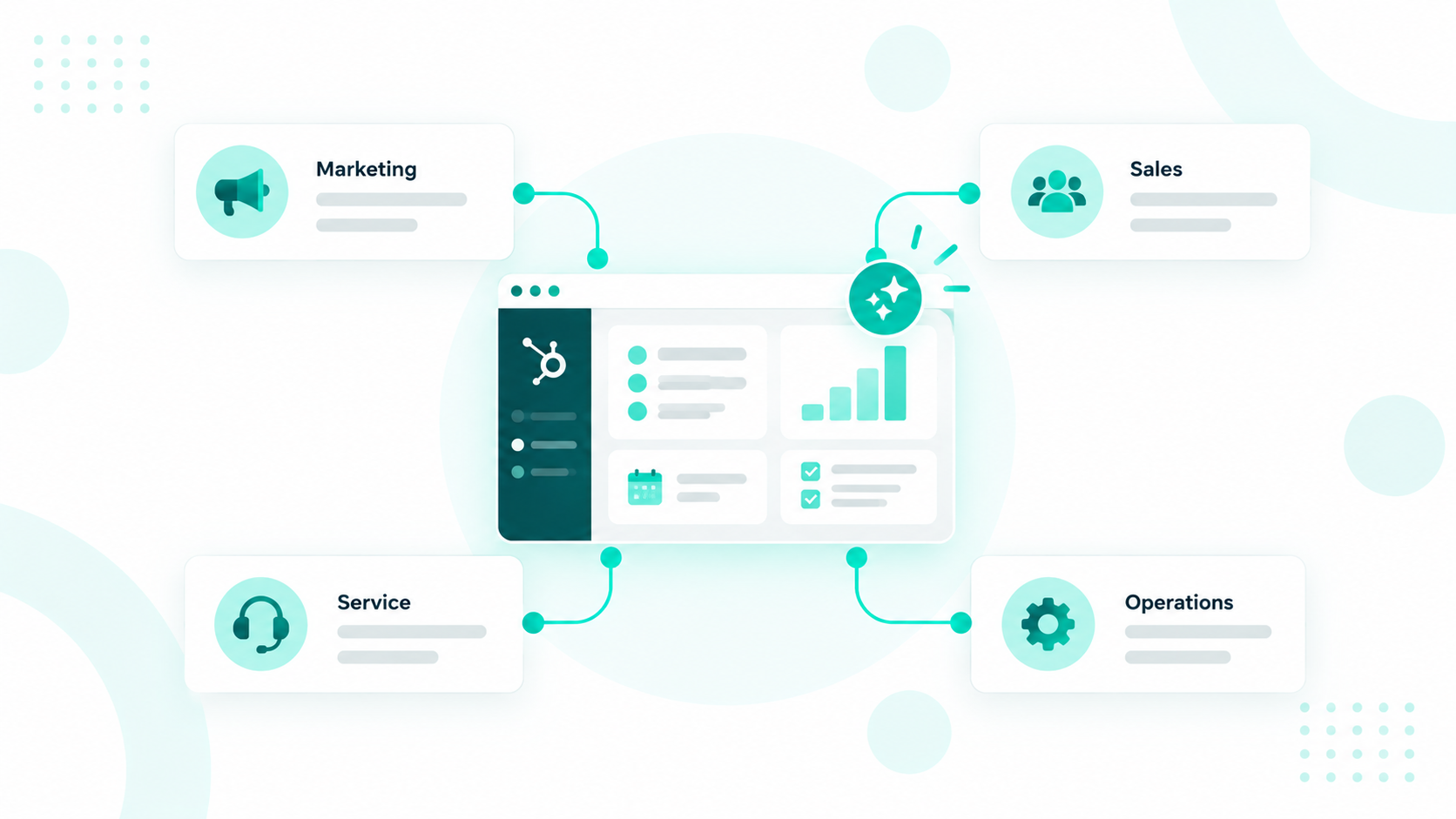
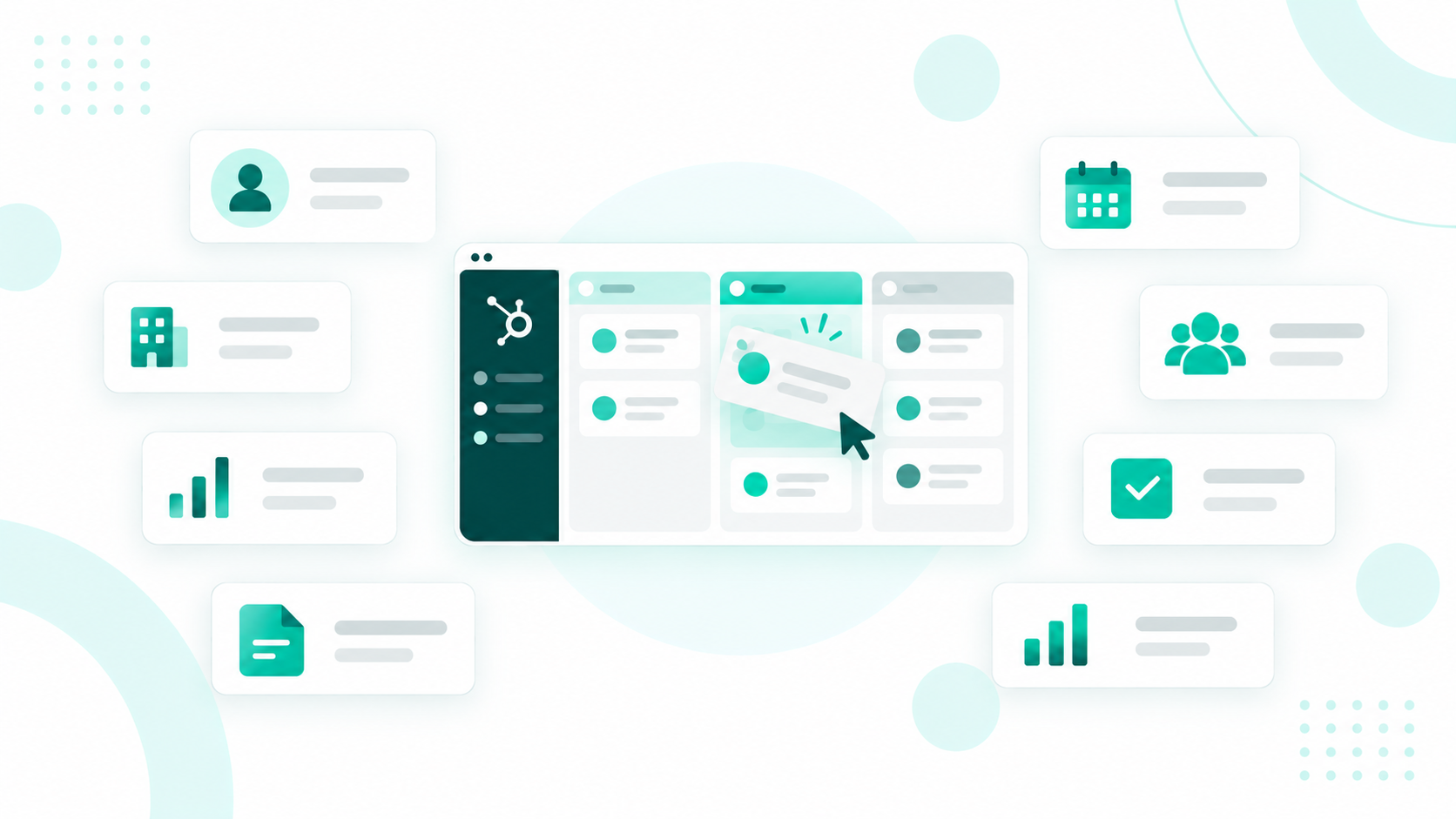
HubSpot workspaces are built to win back that time. They give each customer-facing team a single starting point in HubSpot, with AI that helps reps decide what to do next.
Key Takeaways
- HubSpot workspaces give sales, customer success, and support teams a role-based home for their records, tasks, and AI tools inside HubSpot.
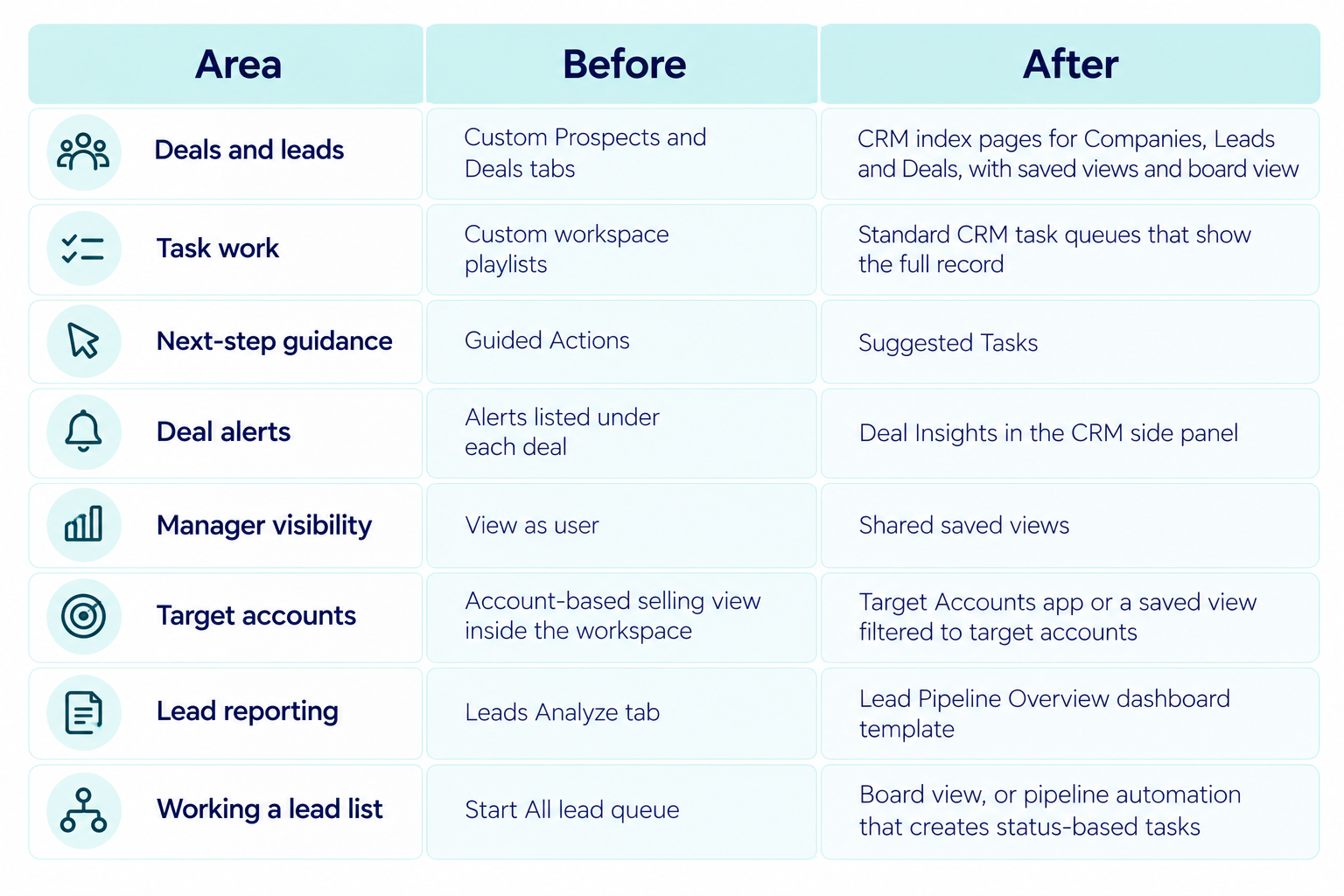
- As of May 18, 2026, every Sales Workspace runs on native Smart CRM pages, with Suggested Tasks replacing Guided Actions and shared saved views replacing View as user.
- Breeze Assistant can now act on a request, assign specialized agents like Prospecting Agent, and return finished work.
- Marketing teams get their own campaign workspace in Marketing Studio, a beta for Marketing Hub Professional and Enterprise.
What Are HubSpot Workspaces?

HubSpot workspaces are role-based home screens where reps manage their records, tasks, meetings, and reports without leaving HubSpot. Each one runs on the Smart CRM and includes AI features tuned to that role's daily decisions.
Reps work directly inside a workspace. They can update a deal, start a task queue, or reply to a ticket from the same screen they use to plan the day. That hands-on design is what separates a workspace from a reporting dashboard.
The Sales Workspace began in 2023 as the Prospecting Workspace. HubSpot presented Sales, Customer Success, and Help Desk as AI-powered workspaces at its Spring 2025 Spotlight.
Which Workspaces Does HubSpot Offer?
HubSpot offers three role-based workspaces for customer-facing teams, each shaped around one role and the calls that role makes every day.
Sales
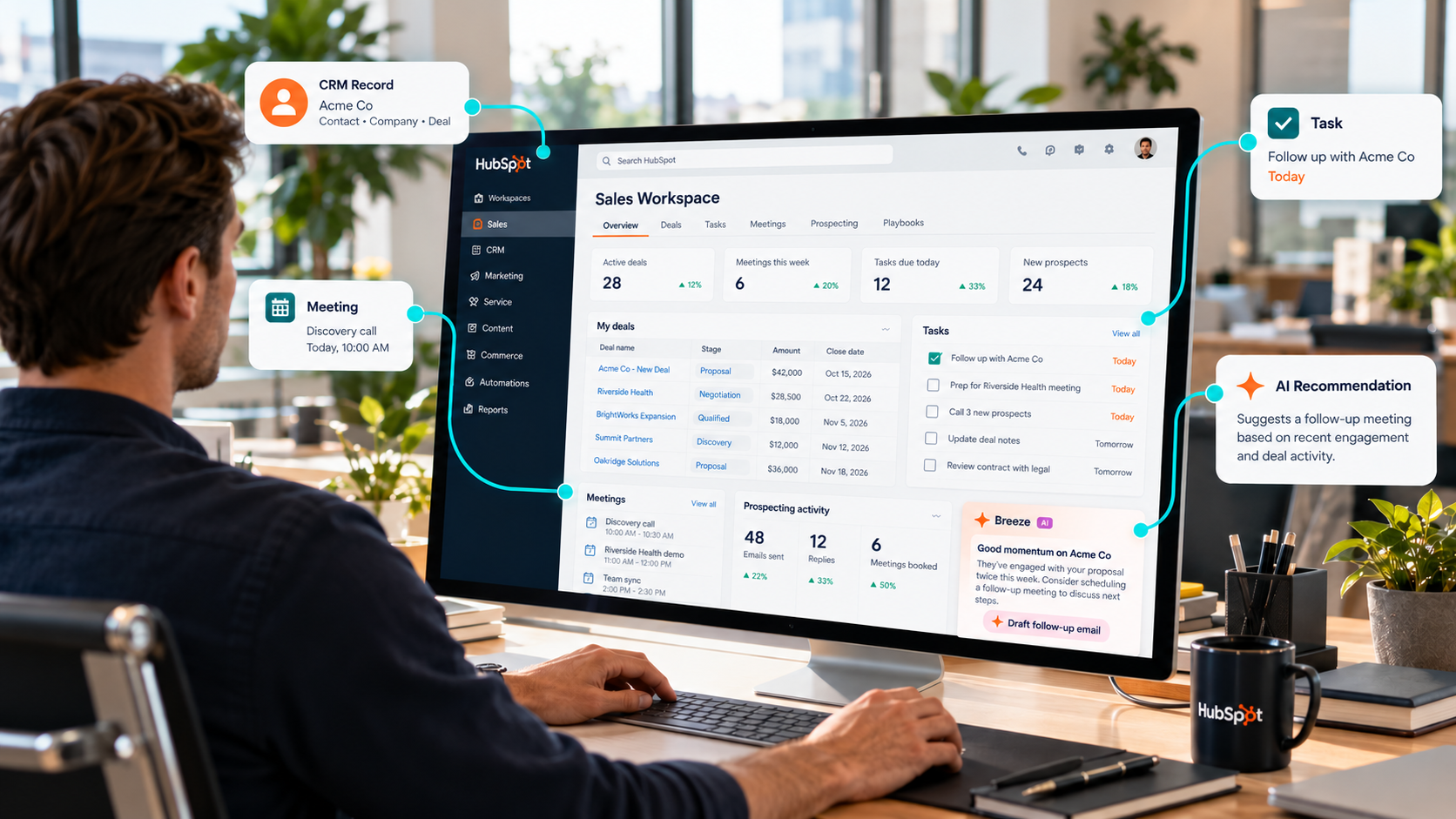
The Sales Workspace is where reps find, prioritize, and close business. It opens on a Summary tab of drag-and-drop cards covering tasks, outreach activity, stalled deals, and meetings that still need follow-up. Separate tabs cover Companies, Leads, Deals, Tasks, and Schedule.
Its AI features help reps decide what to do next. Suggested Tasks recommend actions based on recent activity and disappear once they go stale. Each deal's side panel can also show Deal Score, Deal Insights, and a Breeze summary.
Customer Success
The Customer Success Workspace gives CSMs their schedule, tasks, key reports, and book of business in one view. Its Summary tab adds daily task progress, a health score summary, and reporting metrics.
Health scores drive the daily prioritization here. The workspace sorts customers into At-risk, Neutral, and Healthy groups, and alerts flag any change in a customer's health status. That gives CSMs time to step in before a renewal slips.
AI also helps at handoff time. Accounts in the Automated Sales to CS Handoff beta can generate an AI summary of a customer's key contacts, goals, and concerns right from the record.
Help Desk
The Help Desk Workspace pulls support requests from every connected channel into one queue. Teams can connect chat, email, forms, calling, WhatsApp, Facebook Messenger, and custom channels, and incoming messages become tickets automatically.
AI handles the first pass on triage. It can categorize tickets, detect language, write descriptive ticket names, and flag urgent issues. Reply recommendations then draft responses from the ticket thread and the knowledge base articles and web pages a team selects.
For bigger requests, Ticket Splitting breaks one complex issue into parts that different teams can handle, and Team Spaces sort tickets dynamically so teams can collaborate on them faster.
What Changed in the 2026 Sales Workspace Update?
HubSpot rebuilt the Sales Workspace on native Smart CRM pages in 2025, and every remaining Sales Hub Professional and Enterprise account switched to the new version on April 27, 2026. HubSpot's rollout plan made the switch permanent on May 18, 2026, according to its community announcement.
The rebuild ends double setup. Teams no longer configure the same views twice, and new Smart CRM features reach workspace users as soon as they ship.

Rep reaction has been mixed. In the same community thread, users said they miss View as user and the Start All queue, and HubSpot said it is still exploring ways to bring View as user back.
Is There a Workspace for Marketing Teams?
Yes. Marketing Studio is HubSpot's campaign workspace for planning campaigns, creating assets across channels, and tracking performance in one place. It's in beta for Marketing Hub Professional and Enterprise under Marketing > Marketing Studio.
HubSpot launched an all-new version at the Fall 2026 Spotlight. It opens on insights like AEO visibility, underperforming segments, and leads that never got a follow-up. Breeze Assistant then brings in content and campaign agents to plan the campaign, create the content, and personalize nurture campaigns for each contact.
Early customers using Marketing Studio create 81% more campaigns on average, according to the same HubSpot announcement.
How Does AI Work Across Workspaces?
HubSpot's AI runs through every workspace and reads from the same CRM records the workspaces display. That shared data keeps its suggestions grounded in each customer's actual history.
Breeze Assistant is the main entry point. Since the Fall 2026 Spotlight, it can act on a request, assign the right agents, and return finished work like proposals, reports, and campaign plans.
Specialized agents take on repeatable jobs inside each workspace.
- Prospecting Agent monitors 40+ buying signals, assembles buying groups, and drafts personalized outreach for sales reps.
- Customer Agent answers routine customer questions 24/7 using knowledge bases, past conversations, and product documentation. It hands a conversation to a person when a human is needed.
- Data Agent enriches records, surfaces buying-intent signals, and prioritizes best-fit accounts, which gives marketing and sales a clearer view of prospects.
Every agent depends on current records. HubSpot's self-updating Smart CRM now captures calls, emails, and meetings automatically, and Context Home scores how complete a team's data is and where the gaps sit. A workspace with patchy records gives AI less to work with, so setup starts with data.
Worth a read: Which Breeze Agent Should You Turn On First?
Where Does HubSpot Work Fit In?
HubSpot Work handles the internal projects that sit around the CRM, like client onboarding, webinar planning, deal desk requests, and content pipelines.
Teams describe a process in plain language, and an AI assistant builds the project's tables, documents, forms, and agents. Because it runs on CRM data, an onboarding tracker can update when a deal closes, and an agent can route requests based on real deal properties.
Access requires a Core, Sales, or Service seat, and a Super Admin must enroll the account in the beta and turn on generative AI. Starter plans and up qualify, and AI actions inside Work agents use HubSpot Credits. Projects in HubSpot Work are also separate from the projects object shown in the Customer Success Workspace.
How Should Teams Set Up Workspaces?
Start by confirming who has access, then shape each workspace around how the team already works.
|
Workspace |
Where to Find It |
Subscription |
Access Needed |
|
Sales > Sales Workspace |
Sales Hub Professional or Enterprise |
Assigned Sales or Service seat plus Sales Access permissions |
|
|
Service > Customer Success |
Service Hub Professional or Enterprise |
Assigned Service seat |
|
|
Service > Help Desk |
Service Hub Professional or Enterprise |
Service or Sales Access permissions, plus a Service seat for advanced features like reply recommendations |
- Clean the data first: Workspaces and their AI pull straight from CRM records, so duplicates, missing owners, and stale deal stages surface everywhere. Owner fields need extra care because the Customer Success Workspace uses the Owner property to build each CSM's customer views.
- Choose what each team sees: Super Admins can pick which record types appear in the Sales Workspace and which users get each tab. In the Customer Success Workspace, admins decide which teams see the Projects and Revenue tabs.
- Add the dashboards reps check daily: The Customer Success Workspace holds up to five dashboards, and Super Admins can add dashboards to a Dashboard tab in the Sales Workspace. Pick reports that change what a rep does today.
- Turn on AI settings: Help desk AI needs generative AI access switched on under Settings > AI, plus the Category identification switch in the help desk AI tools. Then choose the articles and pages reply recommendations should draw from.
- Roll out one team at a time: Launch with the team that juggles the most tools and record a baseline, such as first response time or meetings booked. Compare the same metric after 30 days.
A monthly look at views and dashboards keeps each workspace in step with how the team sells and supports customers.
How Does HubSpot Charge for AI in Workspaces?
Workspaces come with the hub subscriptions and seats listed above, and HubSpot bills AI agent work through HubSpot Credits. Every account on seat-based pricing gets a monthly credit allowance based on its highest subscription tier.
Since April 14, 2026, HubSpot's two flagship agents have been priced on outcomes. Customer Agent costs $0.50 per resolved conversation, and Prospecting Agent costs $1 per lead recommended for outreach, both charged in credits.
Credits reset each month, and unused credits expire. If an account runs out and hasn't bought extra capacity, credit-based features pause until the next reset, so admins should set usage limits before turning agents on for a whole team.
What Results Are Teams Seeing?
Teams that adopt workspace AI features report shorter sales cycles and higher win and resolution rates. One company featured in HubSpot’s Spring 2025 announcement cut its sales cycle from eight months to three after its reps moved into the Sales Workspace.
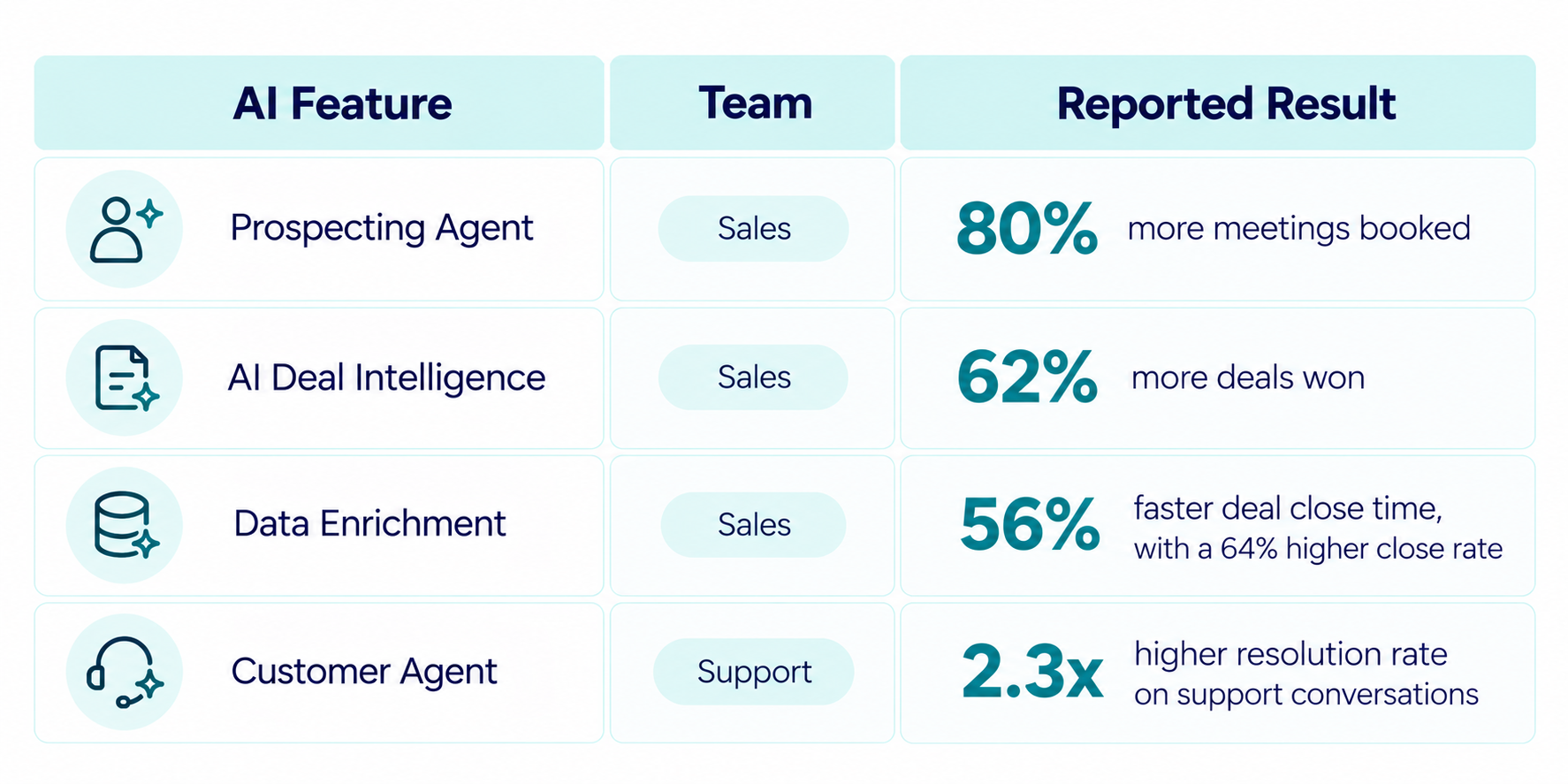
HubSpot's own customer data points the same way.

These figures come from HubSpot's 2026 analysis of Professional and Enterprise customers with and without each feature. The same report says Customer Agent resolves over 70% of conversations without a human.
Treat these numbers as benchmarks. Teams that adopt AI early may already have cleaner data and tighter processes, so the fairest test is a before-and-after comparison inside your own portal.
Ready to Put HubSpot Workspaces to Work?
HubSpot workspaces give each customer-facing team one place to plan and act, and the 2026 releases handed more of that work to AI. Sales reps now work from native CRM pages, marketers have Marketing Studio, and HubSpot Work brings internal projects into the same platform as customer data.
The payoff depends on the data underneath. Teams that clean their records, shape each workspace around real routines, and measure against their own baseline will get the clearest read on what AI is adding.
Campaign Creators can help with every step. As a HubSpot Elite Solutions Partner, our team handles HubSpot onboarding and setup, CRM architecture, RevOps, integrations, and migrations, so each workspace runs on clean, connected data. To see where your portal stands before you start, take the HubSpot AI Readiness Scorecard.
Frequently Asked Questions
How Are Workspaces Different From Agent Hub?
Workspaces are where people do their daily work. Agent Hub is where teams build, monitor, and manage the AI agents that support that work. It's open to all Professional and Enterprise customers and includes Agent Builder for creating custom agents from plain-language instructions.
Can Managers See a Rep's Workspace?
It depends on the workspace. In the Customer Success Workspace, Super Admins and users with the Manage Customer Success Settings permission can switch to a rep's view of the Summary tab. In the Sales Workspace, managers use shared saved views, and Sales Hub Enterprise accounts can use Log in as another user.
Do Workspaces Replace CRM Record Pages?
No. Records still live in the CRM, and each workspace displays them in views built for one role. Reps can open and edit a record from a workspace table, and the change saves to the same record everyone else sees.
How Are Customer Health Scores Calculated?
Teams build them from criteria that add or subtract points for each record, with optional score decay over time. Service Hub Professional accounts can create one health score and up to five drafts.
Can Teams Use the Help Desk on Mobile?
Not yet. HubSpot's knowledge base notes the help desk isn't available in the HubSpot mobile app. Teams can still sync and manage help desk tickets in Slack, Microsoft Teams, and Google Chat.
Campaign Creators