11 min read
HubSpot Support for Healthcare Teams: What Specialized Help Should Include?
Campaign Creators
:
09/04/26
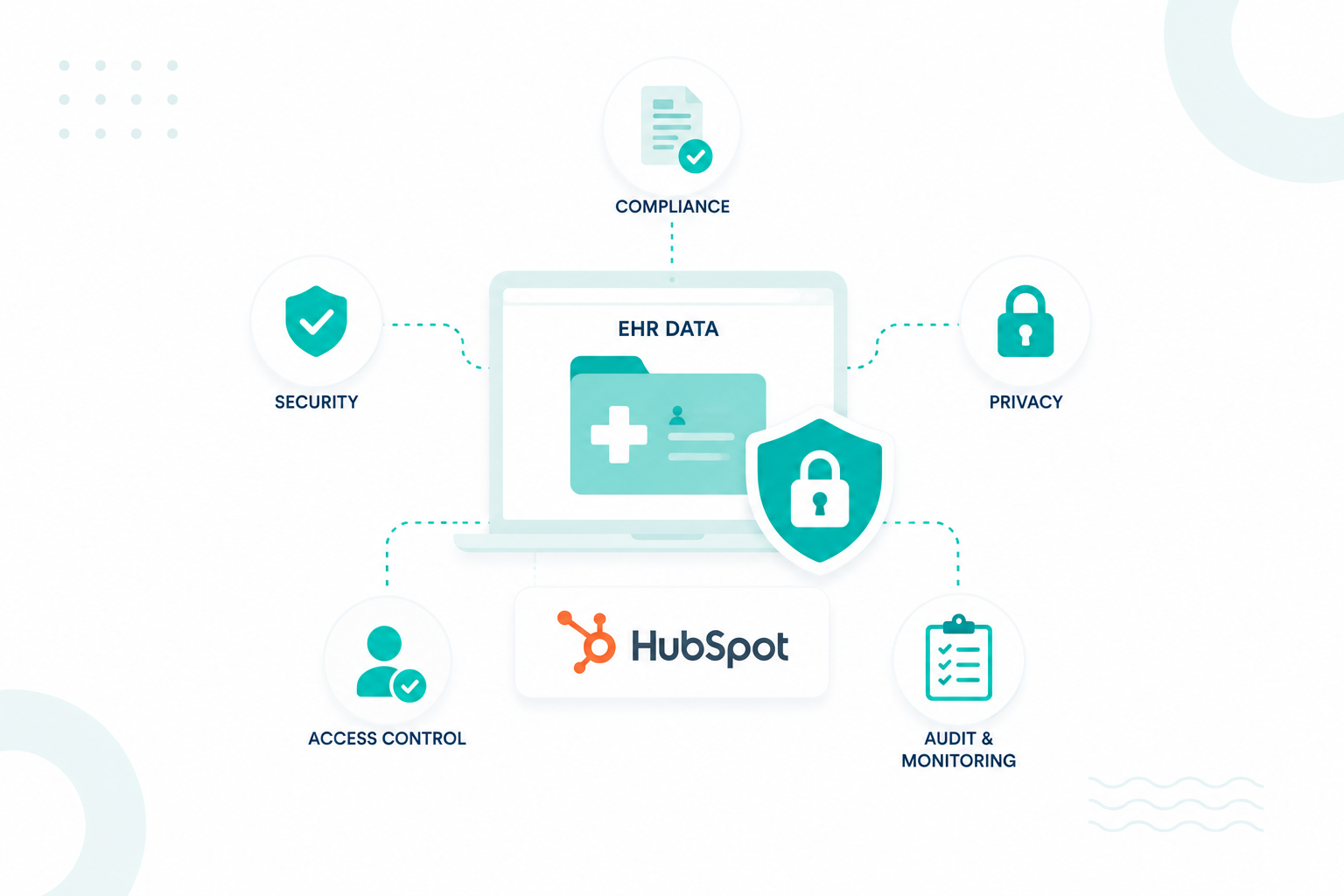
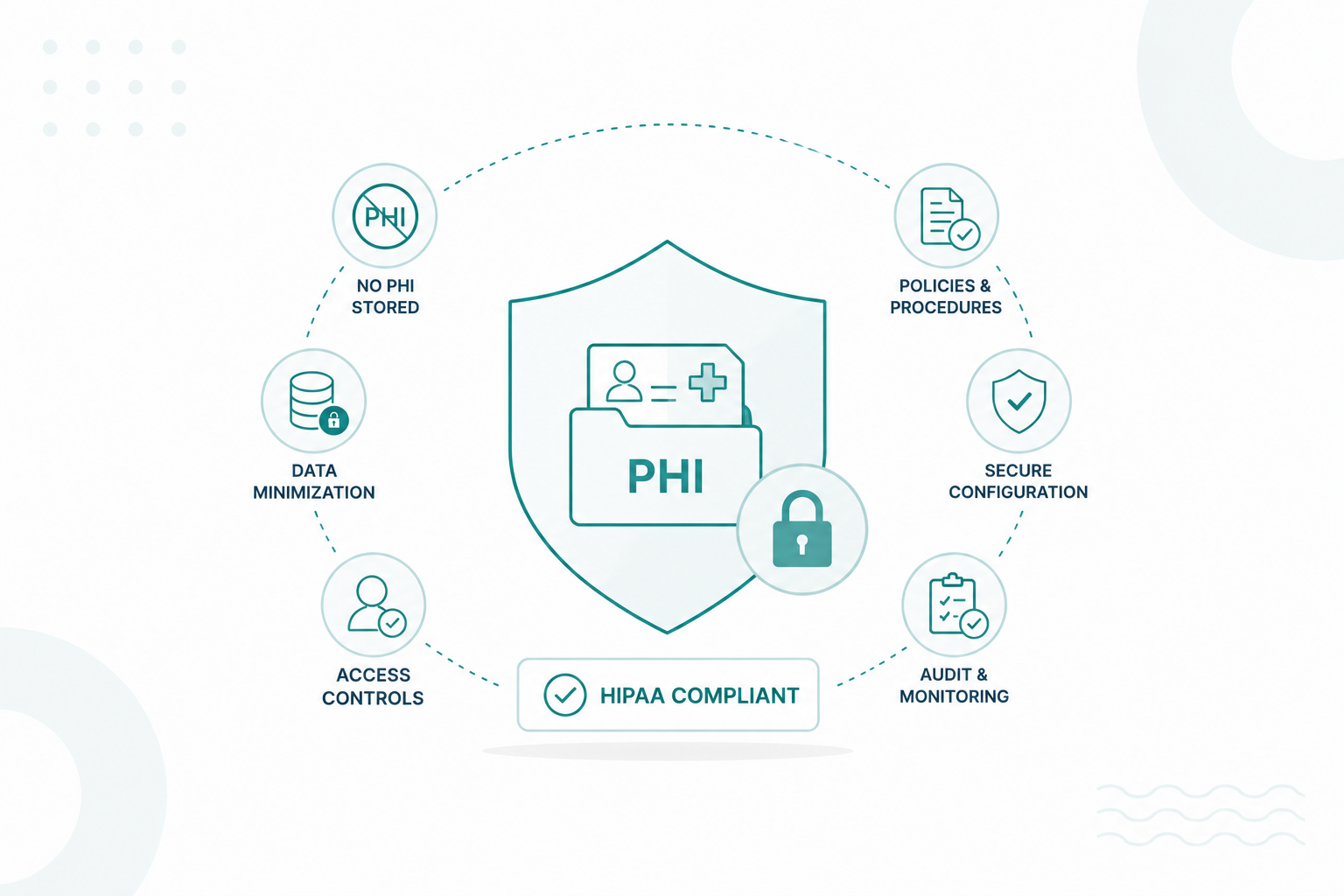
Specialized HubSpot support for a healthcare team covers everything general support covers, plus the parts of the portal that touch protected health information. That means user permissions, sensitive data properties, workflow behavior, integration mappings, and a written record of how the portal is built and why.
HubSpot’s Sensitive Data features are available only with Enterprise subscriptions and require Super Admin permissions to enable. Once enabled, they cannot be turned off. Any property marked as sensitive remains sensitive for its entire lifecycle, so these decisions are much easier to get right upfront than to reverse later.
Healthcare organizations reported 772 large data breaches to the HHS Office for Civil Rights in 2025, a new annual record. IBM's 2026 Cost of a Data Breach Report puts the average healthcare breach at $6.64 million, the highest of any industry for the thirteenth consecutive year. A CRM is one of several places patient data lives, so how it gets administered is part of that picture.
Key Takeaways
- HubSpot Sensitive Data requires an Enterprise subscription and cannot be turned off after activation.
- Specialized support checks what a change touches across properties, permissions, workflows, reporting, and integrations before making it.
- HubSpot's own support team has limited visibility into third-party integrations and custom code, which is the gap a partner fills.
- Compliance-aware support reviews access, automation, and integrations on a schedule and records what was configured and why.
- A support partner can configure and maintain the technology, and your organization keeps ownership of its HIPAA program.
What Makes HubSpot Support Different for Healthcare Teams?

HubSpot support for healthcare teams differs in one way that shapes everything else: it has to account for protected health information at every step. A general support request ends when the feature works. A healthcare support request also needs to address what data the change touched, who can access it, which systems received it, and what it affects downstream.
That extra level of review exists because the HIPAA Security Rule requires administrative, physical, and technical safeguards for electronic protected health information, along with risk analysis, information access management, authentication, audit controls, and periodic evaluation.
Some HubSpot Decisions Cannot Be Undone
Turning on Sensitive Data takes Super Admin permissions and an Enterprise subscription of Marketing Hub, Sales Hub, Service Hub, Data Hub, Content Hub, Revenue Hub, or Smart CRM. Once it is on, you cannot switch it back off, and you cannot remove a data category you already selected.
To store HIPAA-covered data, you have to select both the Health/Medical Data category and the confirmation that you are a covered entity or business associate, which is what applies HubSpot's Business Associate Agreement.
Property-level choices are just as permanent. A property's sensitivity setting locks at creation, so a standard property cannot be converted to sensitive later and a sensitive one cannot be relaxed. Sensitive properties are also blocked from personalization tokens, sandboxes, chatbots, and playbooks, which a team designing a patient nurture sequence tends to discover at the worst possible moment.
One Change Reaches Further Than Its Screen
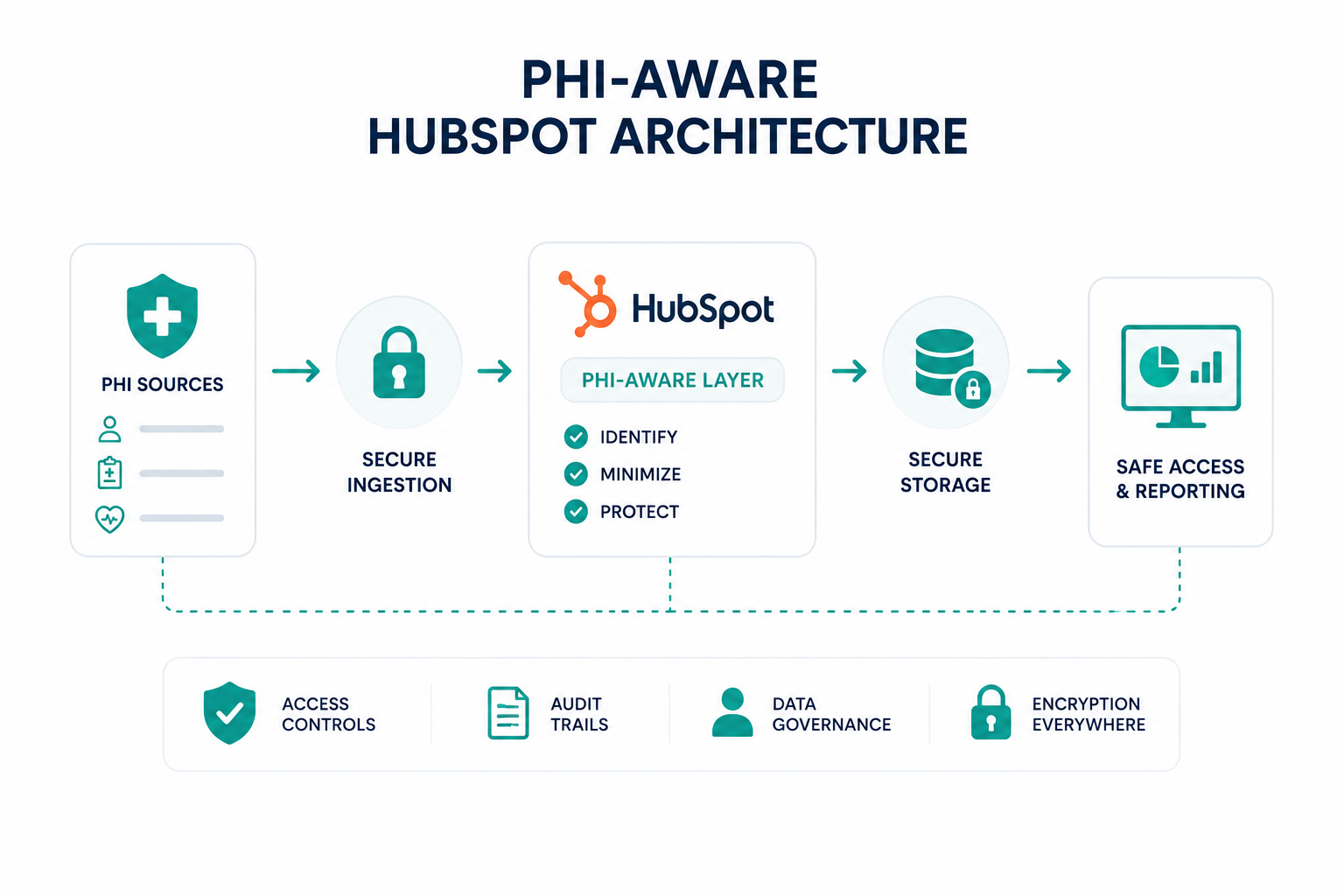
Healthcare data does not sit still in one field. It arrives through a form, gets updated by a user, triggers a workflow, lands in a report, moves through an integration, and surfaces somewhere else in the portal. HubSpot supports sensitive data across properties, CRM activities, the objects API, lists, workflows, search, reporting, integrations, forms, and record attachments, so creating a single property is a decision about access, automation, reporting, and every connected system at once.
Continuity Is Part Of The Value
Technical debt builds up when changes get handled one ticket at a time by different people. One team builds a workflow. Someone else connects an app. A new hire gets elevated access to solve a short-term problem. Six months on, nobody can explain why the portal behaves the way it does.
A HubSpot partner working in the same portal over time knows the data structure, the users, the automation, and the integrations behind it. Healthcare teams do not need a different CRM. They need a higher standard of CRM support, one that treats data sensitivity, access, and documentation as part of normal operations.
That is the kind of ongoing support Campaign Creators provides. As a healthcare-accredited HubSpot partner, we help healthcare teams manage and support their HubSpot portal with those considerations in mind.
When Does a Healthcare Team Need Specialized HubSpot Support?
A healthcare team needs specialized HubSpot support once the portal holds sensitive data, connects to other systems, or serves several teams with different access levels, and nobody internally owns its architecture.
1. Your Portal Has Outgrown Casual Administration
You started with contacts and email. Now there are several pipelines, custom properties, dozens of workflows, forms, integrations, and permission sets. At that point, a change in one place lands in three others. Editing a property can hit a workflow, a report, an integration, and a list at the same time. Adding a user can call for a different access setup from the person sitting beside them.
Fast feature adoption compounds it. HubSpot releases new functionality constantly, and turning each one on without checking it against the existing build adds complexity nobody owns.
2. No One Internally Owns HubSpot Architecture
Healthcare organizations often have people who know the business inside and out, but no one whose main role is CRM architecture. Marketing knows the campaigns. Operations knows the processes. IT manages identity and security. The HubSpot portal has to connect all three.
Your team knows what it needs HubSpot to do, but the challenge is figuring out how to build it without creating problems elsewhere in the portal.
3. Changes Roll Out Without Impact Checks
Frequent change is fine. The problem is change that happens without checking what else it affects. HubSpot’s Sensitive Data Terms cover properties, activities, workflows, lists, reporting, integrations, forms, and APIs. That means a change made in one part of the portal can affect areas the person making the change may never see.
Specialized support earns its cost here, looking at the whole system before the change goes in and confirming the surrounding process still runs afterward.
4. Users And Teams Are Growing Faster Than Permissions
New hires need access, people move between departments, contractors may need temporary logins, and departing employees need their access removed. Some users may also need access to specific records or properties based on their role.
HubSpot provides user and team permissions, record-level access, field-level restrictions for viewing and editing, single sign-on, and provisioning. Knowing these controls exist is the easy part. The real work is mapping them to your organizational structure and keeping those permissions aligned as roles and responsibilities change.
5. HubSpot Is Connected To Several Other Systems
Scheduling platforms, websites, communication tools, analytics, EHRs, practice management systems. Once a handful of systems are wired together, a sync failure could trace back to an API change, a field mapping, an expired authentication token, a data format mismatch, or a workflow.
HubSpot documents limited troubleshooting for third-party integrations because it has no visibility into the external application, and it points customers to developer resources for custom code. That gap is where partner expertise pays for itself.
What Does Ongoing HubSpot Support Include?
Ongoing HubSpot support includes portal administration, user and permission management, data quality work, workflow upkeep, integration monitoring, change management, documentation, and strategic guidance as the portal grows.
Portal Administration And Maintenance
Reviewing configuration, maintaining core CRM settings, organizing properties and pipelines, retiring unused assets, and keeping the build aligned to how the organization runs today. HubSpot also includes a scan that flags unsecured sensitive information sitting in standard properties, which makes a useful periodic check for a healthcare portal.
Plenty of this groundwork you can start on your own. Our free HubSpot Portal Audit Checklist walks through database cleanup and asset organization in the same order we work through them with clients, so it doubles as a way to baseline your portal before deciding how much outside help you need.
Users, Teams, And Permissions
Onboarding, offboarding, role changes, temporary contractor access, and record or property-level restrictions. HubSpot keeps permission history, so changes stay traceable. Day to day, this is the area most likely to drift, since access gets granted in minutes and reviewed in months.
Data Quality And CRM Hygiene
Reviewing duplicates, standardizing properties, retiring dead fields, and keeping teams on shared naming conventions. In a healthcare portal, this work also keeps sensitive values from being copied into extra properties, notes, or attachments where nobody is tracking them.
Workflows And Automation
Auditing existing automation, testing edits before they go live, fixing failed actions, updating enrollment criteria, and recording dependencies ahead of any change. The Connections tab in the workflow editor shows both the assets a workflow uses and the assets that use it, which shortens that review considerably.
Integration Management
Monitoring connections, diagnosing sync failures, evaluating new integration requests, and knowing exactly what data crosses each connection. Since HubSpot support has limited visibility into third-party applications, integration problems usually need someone who can work both ends of the connection at once.
Reporting And Dashboards
Reports go stale as pipelines, properties, and record ownership change. Support here means reviewing dashboards, updating report logic, retiring reports nobody opens, and building new views as priorities move. Reporting sits inside HubSpot's supported list for sensitive data, and individual tools carry their own limits, so the Sensitive Data Terms are worth checking before a healthcare reporting request gets built.
Change Management And Troubleshooting
Some work will always be reactive. A workflow stops enrolling, a report returns numbers nobody believes, or an integration quietly stops syncing. Having someone who already knows the portal can shorten the diagnosis and help separate a HubSpot product issue from a configuration problem, a process problem, or an issue with a connected system.
We also offer HubSpot Change Management & Adoption Services to help teams manage planned changes and make sure new HubSpot processes are adopted across the organization.
Documentation And Knowledge Transfer
A healthy portal should not depend on one person's memory. Useful documentation covers CRM architecture, key workflows, integration mappings, property structures, and the reasoning behind significant configuration choices. New hires get a reference point, and institutional knowledge survives turnover.
Strategic Guidance As The Portal Grows
The strongest support helps decide what should change in the first place. Reviewing underused features, spotting manual work worth automating, judging if a new integration earns the complexity it adds, proposing cleaner data structures, and getting more out of the subscription you already pay for.
Put together, ongoing support looks less like fixing HubSpot and more like keeping HubSpot aligned to the organization as both keep changing.
How Should Compliance and Sensitive Data Be Handled in Ongoing Support?
Ongoing support should account for compliance whenever a CRM change affects sensitive data, access, automation, integrations, or data flows. Teams need to know what data belongs in HubSpot, who can access it, and why the current configuration exists.
Compliance Belongs in the Change Process
A support request can affect sensitive data even when the request appears purely operational. Adding a user, creating a property, editing a workflow, connecting an app, changing a form, building a report, adjusting permissions, or restructuring the CRM can change what data is collected, where it travels, or who can access it.
Support does not need to treat every ticket as a formal compliance review. It does need to recognize changes that could affect sensitive data or access and involve the appropriate privacy, security, or compliance stakeholders before the change goes live.
Not All CRM Data Is Equally Sensitive
HubSpot separates Sensitive Data from Highly Sensitive Data and defines which types of data and features are permitted under its Sensitive Data terms. HubSpot also supports storing HIPAA-protected health information for eligible customers that meet the applicable requirements and configure the account accordingly.
The key question is not simply whether a field contains sensitive information. Teams also need to consider why the information belongs in HubSpot, who needs access to it, which systems use it, and which processes depend on it.
Access Reviews Need a Schedule
Access can change as teams grow, roles change, contractors join or leave, departments reorganize, and temporary permissions remain active after the original need has ended.
A recurring access review should cover who can access sensitive data, what they can view or edit, which teams can access sensitive properties, whether former users have been removed, and whether elevated permissions remain necessary. HubSpot also provides settings for managing access to sensitive properties, including controls that determine who can view and edit the property values.
Automation and Integrations Widen the Data Boundary
Workflows can move or modify data without anyone manually opening a record. Integrations can send data from HubSpot to other systems, extending the environment in which that data needs to be protected.
Both need to be reviewed when their configuration changes. A workflow review should cover what enrolls a record, which properties the workflow reads or changes, what actions it performs, who can see the resulting activity, and how changes to properties or permissions could affect its behavior.
An integration review should cover what data leaves HubSpot, which system receives it, what permissions the connection has, how fields are mapped, and what happens when records are updated or deleted.
Interesting read: What You Should and Shouldn’t Automate in HubSpot for HIPAA Compliance
What Support Cannot Replace
A support partner can configure HubSpot, but it cannot determine an organization's HIPAA compliance posture or replace its legal, privacy, security, or compliance functions.
HHS does not prescribe one security approach for every organization. The Security Rule requires safeguards appropriate to the organization's circumstances and risks. Support works best as part of that broader process, with compliance and security decisions remaining with the people responsible for those functions.
What the Proposed Security Rule Could Mean for Ongoing Support
HHS published a proposed update to the HIPAA Security Rule in January 2025. The proposal includes changes such as stronger authentication requirements, expanded encryption requirements, technology asset inventories, network maps, and more specific cybersecurity controls
The proposal does not change the requirements that apply to a portal today. It does reinforce the value of maintaining an accurate inventory of systems, integrations, access, and data flows. Those records already support effective ongoing CRM management and can make future regulatory changes easier to address.
Learn how to conduct a HubSpot HIPAA Compliance Risk Assessment in this guide.
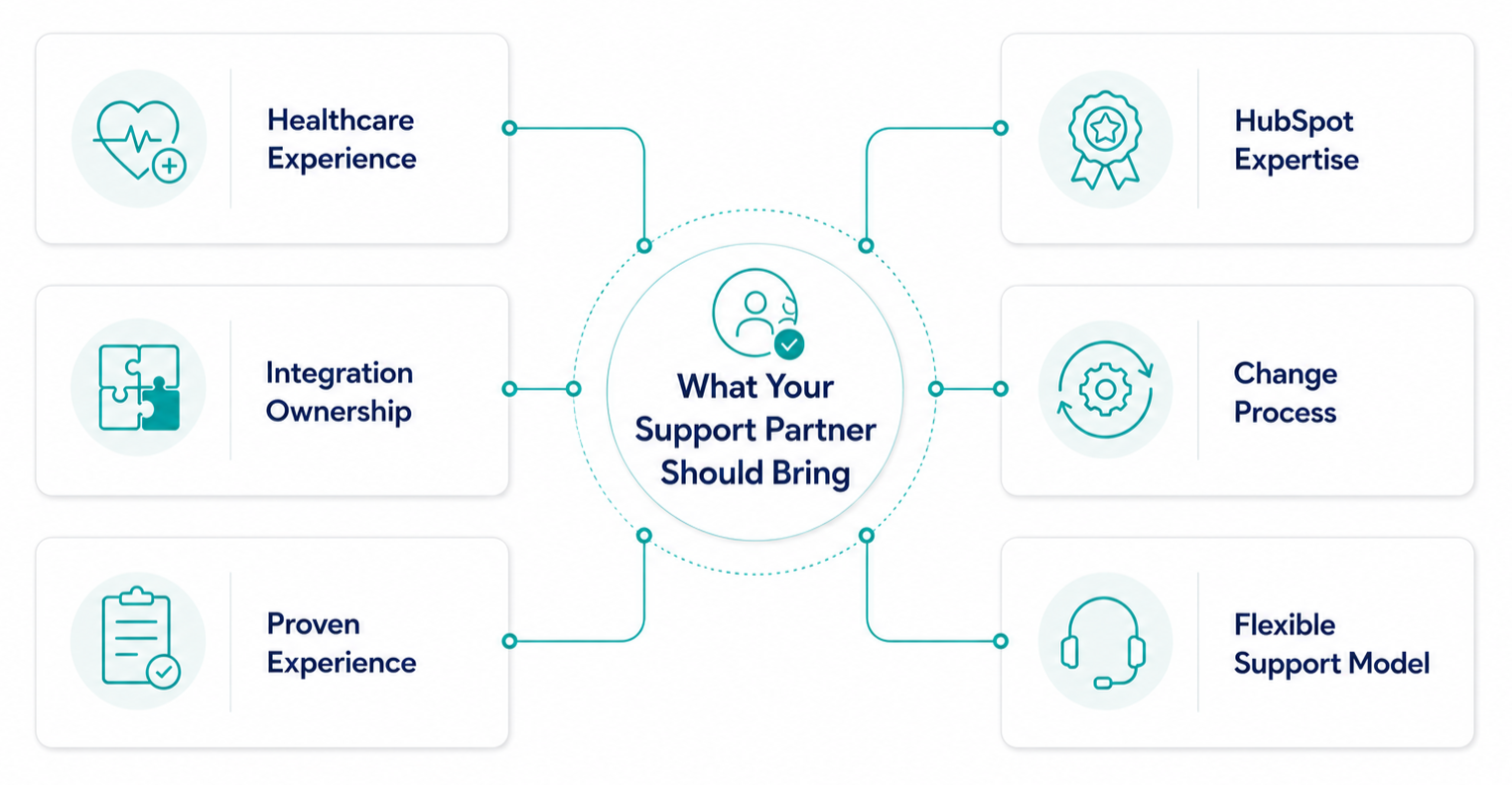
What Should You Look for in a Healthcare HubSpot Support Partner?

The partner needs to understand how the CRM fits healthcare operations, how sensitive data gets handled, and how portal changes ripple through users, workflows, integrations, and access.
Healthcare Operating Experience Beyond One Client
Healthcare experience is important because the same HubSpot process can carry different requirements across organizations. Referrals, intake, patient communication, provider relationships, service requests, and teams working in the same portal can all involve different workflows and data considerations.
Campaign Creators have supported multiple healthcare organizations with HubSpot. Our team has experience across different healthcare processes and CRM requirements. You can see examples in our case studies by selecting the Healthcare industry filter.
HubSpot Accreditations And Technical Depth
Check partner tier and accreditations, which HubSpot awards in areas including CRM implementation, custom integrations, and data migration, and look for industry accreditation in healthcare specifically. Then test depth against your portal. Restructuring a pipeline, redesigning automation, debugging a sync, or judging where a new feature fits all take more than certification badges.
Integration Ownership Beyond The Initial Connection
Connecting systems is the easy half. Ask how they handle field mapping, sync failures, API version changes, expired authentication, duplicate creation, data ownership, monitoring, and changes made on the other side of the connection. Stronger partners describe the full lifecycle without being prompted.
A Documented Change Process
You should know how changes get handled before one gets made. Ask them to walk through a recent example end to end, including what they checked beforehand and what they wrote down afterward. Vague answers here tend to predict vague work later.
Evidence You Can Check
Healthcare experience is easy to claim. Look for case studies, partner directory profiles, references, and specific descriptions of problems solved. A partner who can explain what they built, why they built it that way, and what changed as a result gives you a far better read than a capability list.
A Model That Fits Your Team
The best partner does not try to absorb everything. Some organizations want hands-on administration. Others have internal RevOps or IT and need expertise for the complex work. The question is less "can you manage our portal" and more "can you close our gaps without creating a new dependency."
A partner should also explain recommendations in business terms. Understanding why a workflow should change, why a permission structure needs adjusting, or why a process should stay manual builds real ownership on your side.
Questions Worth Asking Before You Sign
- Which healthcare clients have you supported, and what did you build for them?
- Which HubSpot accreditations do you hold, and who on your team holds them?
- How do you assess the impact of a change before making it?
- What happens between support tickets?
- How do you document our portal, and do we own that documentation?
- How do you handle an integration failure where the fault sits in the other system?
- What are you responsible for in compliance, and what stays with us?
The strongest fit usually has four qualities at once. Healthcare context, real technical depth in HubSpot, compliance awareness built into everyday decisions, and a proactive habit that catches problems before they surface.
Is Your HubSpot Portal Getting the Right Support?
You don’t have to manage every part of your HubSpot portal internally. When sensitive information is involved, it helps to have support from someone who knows HubSpot and understands the extra care healthcare data requires. The right support can help your team manage permissions, integrations, workflows, and larger changes with more confidence.
Campaign Creators is a HubSpot Elite Solutions Partner with Healthcare industry accreditation. We’ve supported healthcare clients over the years with ongoing HubSpot support and larger portal projects.
Frequently Asked Questions
Which HubSpot Subscriptions Support Sensitive Data?
Sensitive Data is available on Enterprise tiers of Marketing Hub, Sales Hub, Service Hub, Data Hub, Content Hub, Revenue Hub, and Smart CRM, and it is not included in Starter or Professional.
Does A HubSpot Support Partner Need A Business Associate Agreement?
Yes, if the partner's team can access PHI in your portal, since your BAA with HubSpot covers HubSpot and not your agency or the other vendors connected to your portal.
What Is The Difference Between HubSpot Onboarding And Ongoing Support?
Onboarding builds the initial setup and gets teams live, and ongoing support maintains and adapts that setup as users, processes, integrations, and HubSpot itself change.
Do Small Healthcare Practices Need Specialized HubSpot Support?
Not always, since a small practice with a simple portal, one clear owner, and no PHI in the CRM can often manage on its own, and the need appears once sensitive data lands in the portal, several systems connect, multiple teams hold different access, or nobody internally owns the architecture.
.png?width=1920&height=553&name=cc-logo-color-horizontal%20(1).png)