



Skip to the main content.

WEBSITE GROWTH & CONVERSION

• Web Design & Development


• SEO & AEO


• Conversion Rate Optimization


• Lead Generation Strategies


HUBSPOT SUPPORT & ENABLEMENT

• HubDesk


• HubSpot Training


• HubSpot Change Management

FREE TOOLS & ASSESSMENTS

• AEO Auditor


• HubSpot Al Readiness Scorecard


• HubSpot Al Solutions Design


LEARN & WATCH

• View All Resources


• Ebooks & Templates


• Webinars On-Demand


• Expert Videos

8 min read

How to Track AI Search Traffic to Pipeline and Revenue in HubSpot

How to Track AI Search Traffic to Pipeline and Revenue in HubSpot


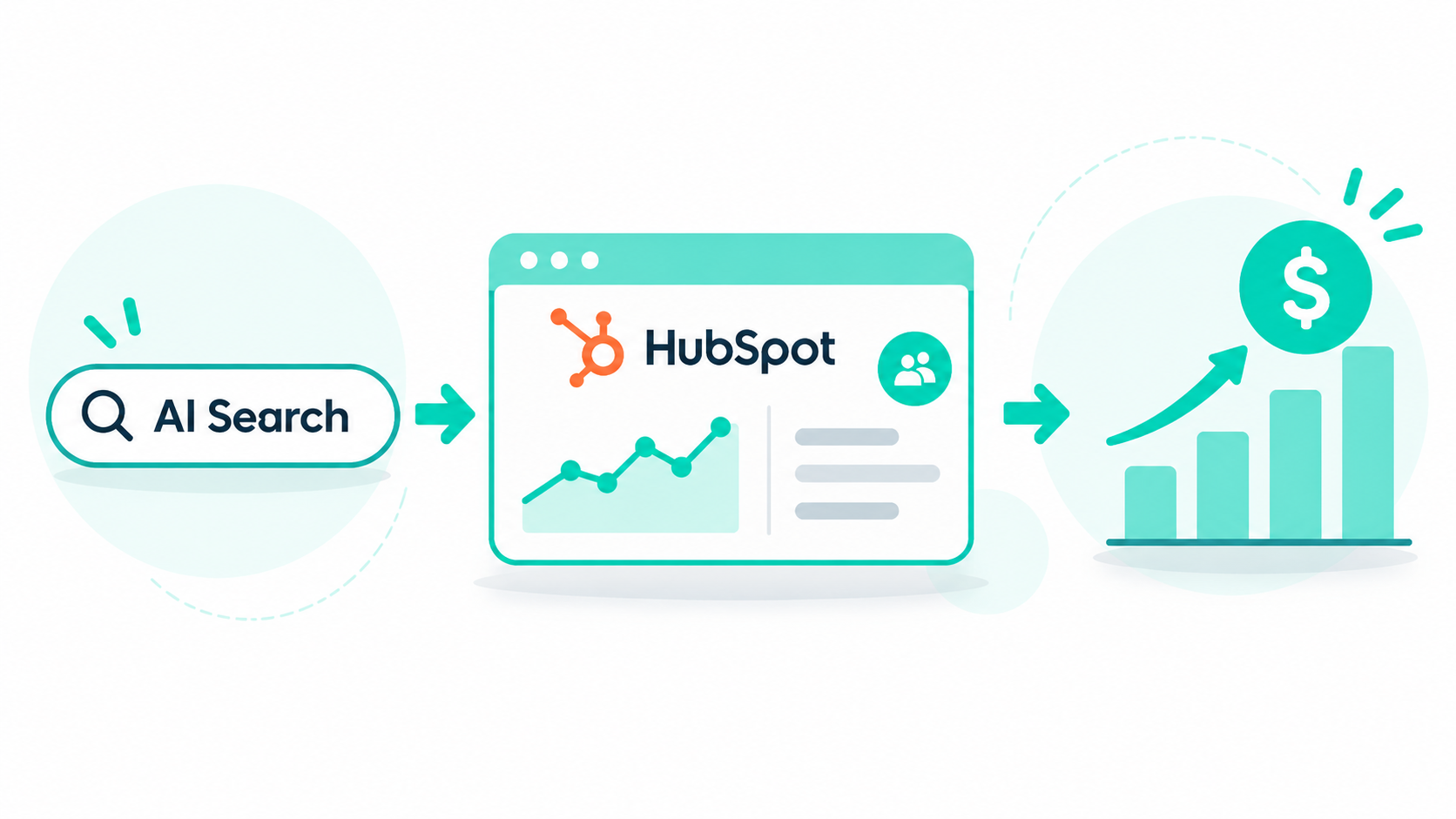
HubSpot AI Referrals is a traffic source that labels visits coming from AI assistants such as ChatGPT, Perplexity, and Gemini. When an AI-referred visitor converts, HubSpot sets the contact's Original or Latest Traffic Source to AI Referrals and records the platform's domain. Associated deals carry the same source, so you can report on AI-sourced contacts, pipeline, and closed revenue.

Most teams can already spot AI traffic in their analytics, but few can show leadership what it's worth in pipeline. Once AI Referrals sits inside your attribution reports, you can compare AI search with paid search and email on contacts, deals, and revenue.

If you want AI search to show up in your revenue numbers, our SEO & AEO team connects AEO work to HubSpot reporting.

Key Takeaways

  • HubSpot recognizes 9 AI platforms as AI Referrals, including ChatGPT, Claude, Perplexity, Microsoft Copilot, and Google Gemini.
  • AI Referrals can appear in both Original and Latest Traffic Source, and associated companies and deals carry the same value.
  • Contact create attribution works on Marketing Hub Professional, but deal create and revenue attribution need Marketing Hub Enterprise.

Table of Contents

  1. What Are AI Referrals in HubSpot?
  2. How Does HubSpot Identify AI Referral Traffic?
  3. How Do You Report on AI Referral Traffic in HubSpot?
  4. How Do AI Referrals Become Contacts and Deals?
  5. How Do You Attribute Revenue to AI Search in HubSpot?
  6. What Does HubSpot Miss When Tracking AI Search?
  7. How Do Organic AI Referrals Compare With ChatGPT Ads in HubSpot?
  8. How Can Campaign Creators Help You Connect AI Search to Revenue?
  9. Frequently Asked Questions

What Are AI Referrals in HubSpot?

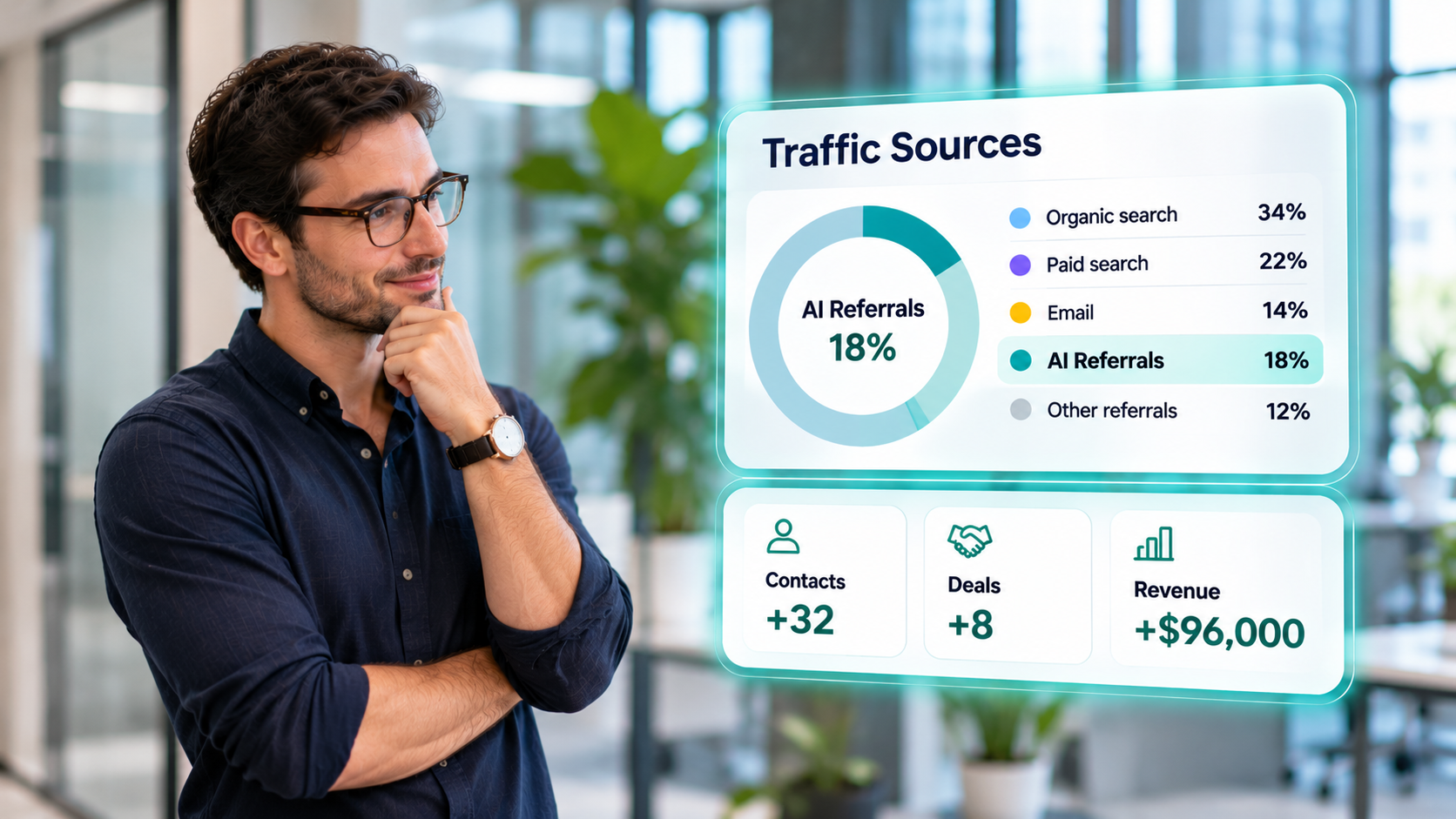
marketer-reviewing-ai-referral-traffic-and-revenue-dashboard

AI Referrals are visits and contacts that HubSpot credits to an AI assistant, such as ChatGPT or Perplexity. HubSpot treats AI Referrals as its own traffic source, next to organic search, paid search, email, and referrals.

The source shows up in two places. In web traffic reports, it's a row in the Sources report. On records, it's one of the values for Original and Latest Traffic Source, with two drill-down properties for more detail.

Property

What it shows for AI Referrals

Example

Original or Latest Traffic Source

The source category

AI Referrals

Traffic Source Drill-Down 1

The AI platform's domain

chatgpt.com

Traffic Source Drill-Down 2

The utm_campaign value, when the link has one

spring-guide


HubSpot sets these values automatically, and you can't edit the drill-down properties by hand. Changing a contact's traffic source by hand also clears its drill-down values, so leave AI Referrals contacts alone and fix tracking where it breaks.

How Does HubSpot Identify AI Referral Traffic?

HubSpot labels a visit as AI Referrals when the referring domain is a recognized AI platform, or when utm_source, utm_medium, or utm_campaign names one. The check is rule 8 of 15 in HubSpot's source rules.

Rule order affects your numbers. Rules 1 to 7 cover organic social, paid search, paid social, and email marketing, so an AI click tagged as paid or email lands in that source first. AI Referrals then runs before Other campaigns and the generic referral rules, so an AI visit no longer hides inside Referrals.

HubSpot recognizes these 9 platforms.

AI platform

Domain HubSpot matches

ChatGPT

chatgpt.com

Claude

claude.ai

Perplexity

perplexity.ai

Microsoft Copilot

copilot.microsoft.com

Google Gemini

gemini.google.com

Meta AI

meta.ai

Mistral

mistral.ai

Poe

poe.com

Grok

grok.com


Regular Google and Bing search stay under Organic search. Only AI-specific domains, like gemini.google.com, count as AI Referrals.

UTM tags do most of the work for ChatGPT, because many ChatGPT visits arrive without a referrer. As of October 24, 2026, 96.55% of ChatGPT answers with a cited link carried at least one link tagged utm_source=chatgpt.com. Keep that tag intact through any redirects on your site, or the visit can fall back to Direct.

How Do You Report on AI Referral Traffic in HubSpot?

You can report on AI Referral traffic in the Sources report of HubSpot's web traffic analysis tool. The tool is available on Marketing Hub and Content Hub Professional and Enterprise.

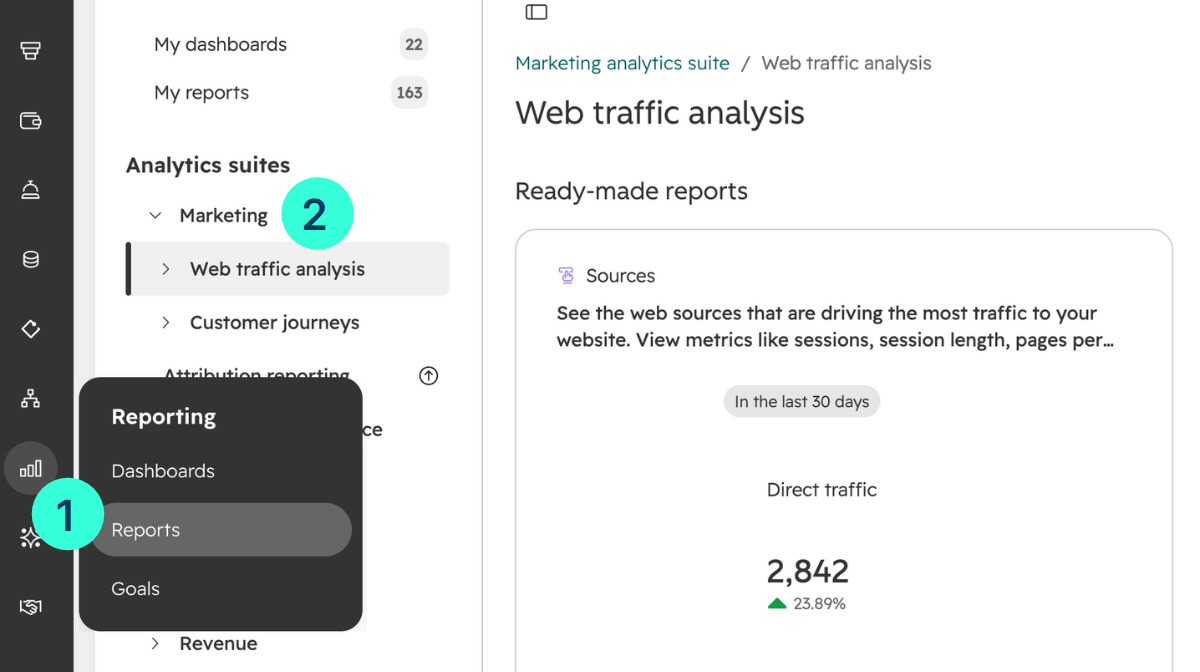
  1. Go to Reporting > Reports, then select Marketing > Web traffic analysis in the left sidebar.

hubspot-reporting-web-traffic-analysis

  1. Open the Sources report and set the Date range and Frequency in the right sidebar.
  2. Click the Sessions number on the AI Referrals row to break traffic down by platform.
  3. Click a platform's Sessions number to see the campaigns behind it.
  4. Switch the Chart metrics dropdown to New contacts or Customers to see what AI visits turn into.
  5. Click Save report above the chart and add it to a dashboard next to organic search and paid search.

Set this comparison view up before anything else. Sessions alone make AI search look small, but the session-to-contact and contact-to-customer rates often tell a different story.

How Do AI Referrals Become Contacts and Deals?

An AI-referred visitor becomes a contact when they convert, and HubSpot stamps AI Referrals on the contact's traffic source. If an AI visit is their first known touch, it becomes the Original Traffic Source. If they return later from ChatGPT, it updates the Latest Traffic Source.

Deals follow the contact. Associated companies and deals mirror the traffic source properties, so a deal tied to an AI-referred contact can show AI Referrals too. That only works when deals are associated with the right contacts, so check associations before you trust any deal report.

Set up these five pieces so AI-sourced leads get handled, not just counted.

  1. Build an active list. Filter contacts where Original Traffic Source is AI Referrals, and add a second list for Latest Traffic Source.
  2. Add a lead scoring rule. Give AI-referred contacts extra points, since they usually arrive after researching the problem in an AI assistant.
  3. Route them in a workflow. Notify the owner or assign a rep when an AI-referred contact reaches MQL.
  4. Record the platform on deals. Copy Drill-Down 1 into a custom deal property, so reps and reports can tell ChatGPT deals from Perplexity deals.
  5. Create a deal report. Build a custom report of deals by Original Traffic Source, filtered to Closed Won, and add amount.

Add the rule to your HubSpot lead scoring framework as a fit-plus-intent signal. Treat it as a reason to prioritize, not a guarantee of a sale.

Watch for deals that sales creates without a contact association. Those deals show no source at all, and AI search looks weaker than it is.

How Do You Attribute Revenue to AI Search in HubSpot?

You can attribute revenue to AI search with HubSpot's attribution reports. Those reports group interactions by the traffic source of the session they happened in, so page views and form fills from AI-referred sessions can earn credit.

Confirm AI Referrals appears in the Interaction sources filter in your portal before you build on it. The report type you can build depends on your Marketing Hub tier.

Report

What it credits

Subscription needed

Contact create attribution

New contacts

Marketing Hub or Content Hub Professional or Enterprise

Deal create attribution

New deals

Marketing Hub Enterprise

Revenue attribution

Closed-won revenue

Marketing Hub Enterprise


These attribution report requirements are current as of August 2026. On Professional, the deal report from the previous section is your best single-touch view of AI revenue.

HubSpot offers five attribution models.

  • First touch gives all credit to the first interaction.
  • Last touch gives all credit to the interaction right before conversion.
  • Linear splits credit evenly.
  • Time decay gives more credit to recent interactions.
  • Empirical gives credit based on how often each interaction type shows up across conversion paths, and it replaces the U-shaped, W-shaped, J-shaped, and Inverse J-shaped models.

It's best to run first touch and linear side by side. AI assistants often show up early in research, so first touch shows if AI search opens new deals. Linear shows if AI search assists deals that other channels close.

Attribution is only as good as your source data. TELUS Health came to us with dozens of overlapping lead sources that broke attribution. We consolidated 60+ lead sources into 15, built first-touch attribution workflows, and cleaned and standardized 350,000+ records. Do that cleanup first, or a new source like AI Referrals just becomes another unreliable row.

The same issues come up in our list of B2B revenue attribution challenges, and most trace back to dirty CRM data. Fix associations and lifecycle stages before you present AI revenue to leadership.

What Does HubSpot Miss When Tracking AI Search?

HubSpot misses any AI influence that doesn't arrive as a tagged or referred click. AI Referrals counts clicks, and most AI research never produces one.

AI search users click links about 75% less than traditional search users, by one estimate. These are the gaps we plan around.

  • Zero-click answers. A buyer reads your name in ChatGPT, closes the tab, and books a demo a week later. HubSpot never sees the AI step.
  • Google AI Overviews. Visits from regular Google results stay under Organic search, so clicks from AI Overviews aren't counted as AI Referrals.
  • Missing tags. When ChatGPT links lose their UTM tag, visits fall into Direct. That happened from October 8 to 15, 2026, when a bug during the GPT-6 rollout cut tagged links in ChatGPT answers from about 98% to 66%.
  • Typed or branded visits. A buyer who researched in AI and then typed your URL or searched your brand shows up as Direct or Organic search.
  • Unlisted tools. An AI assistant outside HubSpot's 9 recognized platforms lands in Referrals or Direct.

Close the gap with signals HubSpot can't capture on its own.

  1. Add a "How did you hear about us?" field to demo and contact forms, with an AI assistant option.
  2. Ask on sales calls what tools the buyer used to research, and log it in a contact property.
  3. Annotate October 8 to 15, 2026 in your reports, since the fix won't bring back attribution already lost in that window.
  4. Track visibility next to traffic with HubSpot AEO, and use its AI citation reports to measure the answers that never send a click.

If you're building an AI search program from scratch, our AEO and AI search guide covers how buyers research and compare vendors in AI tools. Always treat AI Referrals as the floor of AI's influence and not the full number.

How Do Organic AI Referrals Compare With ChatGPT Ads in HubSpot?


Organic AI Referrals

ChatGPT Ads in HubSpot

How the visit happens

Earned through citations and mentions

Paid placement below answers

Platforms

9 AI platforms

ChatGPT only

Where you report on it

Sources report and traffic source properties

Ads tool, Manage and Analyze tabs

Tracking

Referrer or AI platform in UTM values

UTMs that HubSpot appends to ad URLs

What drives results

Content, authority, and third-party mentions

Budget, targeting, and ad creative


The two channels feed each other. Ad data shows what conversation topics produce pipeline, and those topics become priorities for AEO content.

For most B2B teams, we'd fix organic AI Referral tracking first, since it costs nothing and shows if AI buyers convert. Once you know what topics produce pipeline, test ChatGPT Ads as a measurable revenue channel.

How Can Campaign Creators Help You Connect AI Search to Revenue?

Most AI attribution problems start with messy lead sources and unassociated deals, not missing features. Our SEO & AEO team sets up AI Referral reporting, cleans the source data and associations that attribution depends on, and connects AEO work to pipeline.

If you want AI search to show up in your revenue reports, learn how our SEO & AEO service works.

Recap

HubSpot AI Referrals tracks website visits from nine AI platforms and carries that source information through to contacts, companies, and deals. You can use lists, workflows, and attribution reports to measure how AI search contributes to pipeline and revenue. Actual influence may be higher, since not every buyer clicks through after discovering your business through AI.

Check how visible your site is in AI search with our free AEO Auditor.

Frequently Asked Questions

Can You See AI Referrals on a HubSpot Starter Plan?

Yes, on contact records. The Original and Latest Traffic Source properties work on every plan, but the Sources report and attribution reports need Marketing Hub or Content Hub Professional or higher.

How Long Before AI Referral Data Is Useful?

Give it at least one full sales cycle. Traffic and contacts show trends within weeks, but deal and revenue numbers need time for AI-referred leads to move through your pipeline.

Why Does ChatGPT Traffic Show Up as Direct in HubSpot?

The visit usually loses its UTM tag and referrer. Redirects that strip query parameters, links copied into a new tab, and tracking bugs on the AI platform's side all send AI visits to Direct.

What Is the Difference Between AI Referrals and Referrals in HubSpot?

Referrals cover visits from any external website that links to you. AI Referrals cover only recognized AI platforms, and HubSpot checks it first, so AI visits no longer get mixed in with general referral traffic.

How Should You Present AI Referral Results to Leadership?

Show contacts, deals, and closed revenue by source on one dashboard, with AI Referrals next to organic and paid search. Add a short note on what AI tracking can't capture, so the numbers read as a conservative floor.

How to Use Citation Analysis to Improve AI Search Visibility

How to Use Citation Analysis to Improve AI Search Visibility

Citation analysis helps uncover which sources AI engines trust, which competitors dominate AI-generated answers, and why certain pages earn...

Read More
How Can You Improve Third-Party Brand Mentions With HubSpot AEO?

How Can You Improve Third-Party Brand Mentions With HubSpot AEO?

Third-party brand mentions improve your AEO performance when they connect your brand to a specific topic inside sources that answer engines already...

Read More