







Skip to the main content.

WEBSITE GROWTH & CONVERSION

• Web Design & Development


• SEO & AEO


• Conversion Rate Optimization


• Lead Generation Strategies


HUBSPOT SUPPORT & ENABLEMENT

• HubDesk


• HubSpot Training


• HubSpot Change Management

FREE TOOLS & ASSESSMENTS

• HubSpot Portal Audit


• HubSpot Al Readiness Scorecard


• HubSpot Al Solutions Design


LEARN & WATCH

• View All Resources


• Ebooks & Templates


• Webinars On-Demand


• Expert Videos

HUBSPOT INSIGHTS

• AEO & AI Search


• Automations


• HubSpot Software


• Migration & Replatforming

• Marketing & Content


• Lead Generation


• Integrations


INDUSTRY & PLATFORM GUIDES

• HubSpot for Healthcare


• HubSpot for IT Services


• HubSpot for Saas


• HubSpot for Franchises


• HubSpot for Consumer Products & Retail


• HubSpot for Financial Services


• HubSpot for Construction


• HubSpot for Real Estate


• HubSpot vs. Zendesk

9 min read

How Magazine Publishers Use HubSpot to Connect Readers and Advertisers

How Magazine Publishers Use HubSpot to Connect Readers and Advertisers

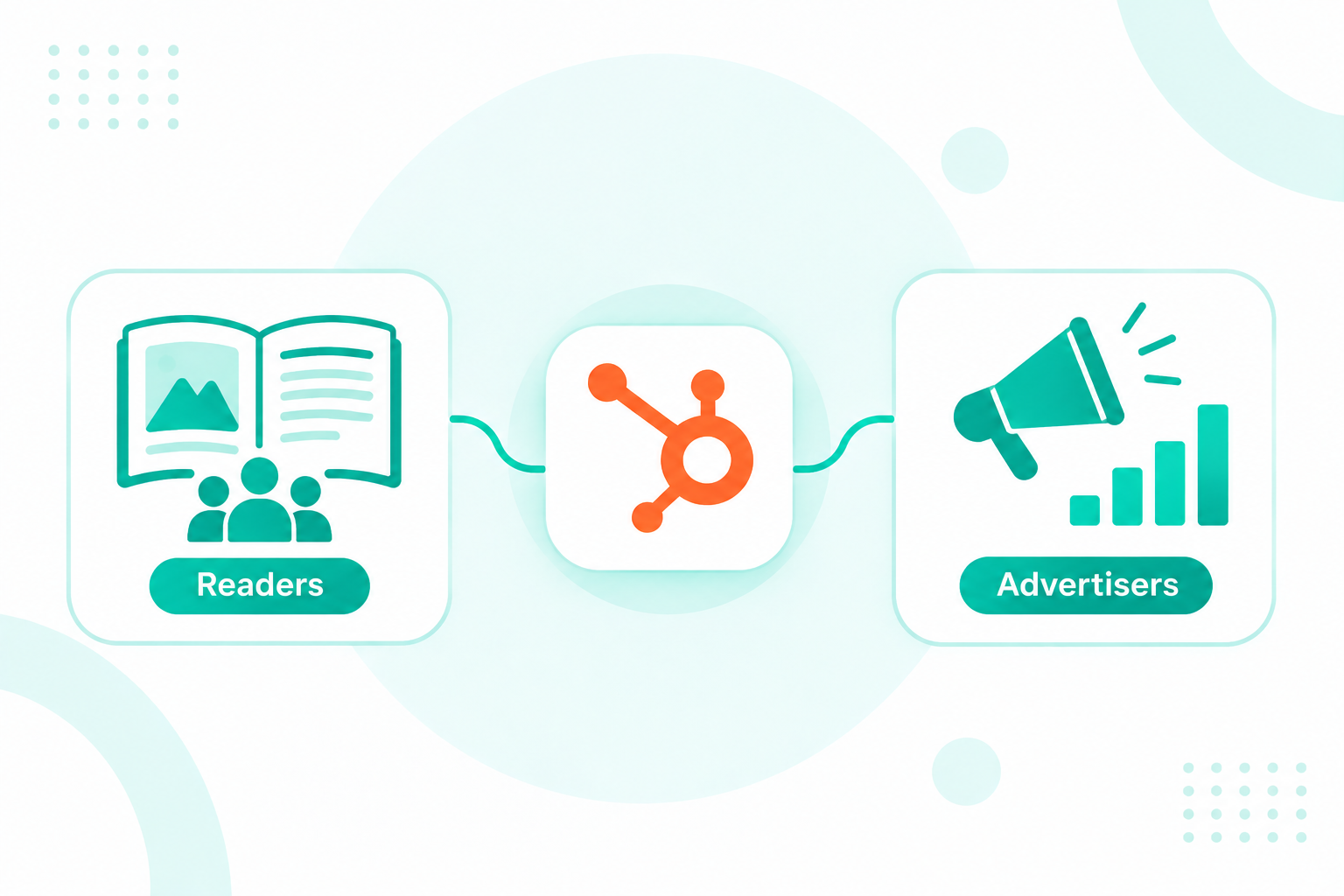
A magazine CRM keeps every reader, paying subscriber, advertiser, and agency contact on one shared record. Audience and ad sales teams then work from the same data. In HubSpot, you can do this with one contact per person, one company per advertiser or agency, and association labels that name each role. Subscription and ad order data syncs in from the systems that own it.

Daily Herald CRM Collaboration

The same person often reads the magazine, renews a print subscription, attends your summit, and signs the insertion order for their brand. When each role lives in a different tool, sales can pitch a sponsor who cancelled last week. Marketing can send a generic renewal offer to an account worth six figures in ads.

If you're setting up HubSpot for a publishing team, our onboarding team can design the record model before any data moves.

Key Takeaways

  • A magazine CRM in HubSpot works best with one contact per person and association labels for each role that person plays.
  • Custom association labels need a Professional or Enterprise subscription, and you can create up to 50 labels per object pair.
  • Your fulfillment, paywall, or ad order system can stay the source of truth while HubSpot holds the fields your teams use every day.
  • HubSpot supports up to 1,000 email subscription types, enough for every title and newsletter to have its own opt-in.

Table of Contents

  1. What Should a Magazine CRM Track?
  2. Can HubSpot Work as a Magazine CRM?
  3. How Do You Keep a Reader Who Also Buys Ads on One Record?
  4. What System Should Own Subscription and Ad Order Data?
  5. How Should Magazine Publishers Set Up Advertiser Pipelines?
  6. How Do Publishers Manage Newsletter and Title Preferences in HubSpot?
  7. What Reports Show Reader and Advertiser Revenue Together?
  8. How Can Campaign Creators Help Publishers Build a Magazine CRM?
  9. Recap
  10. Frequently Asked Questions

What Should a Magazine CRM Track?

A magazine CRM should track every person and organization that pays the publication or helps it earn money. That includes readers, paying subscribers, advertisers, agencies, sponsors, event attendees, and institutions that buy group access.

Reader revenue and ad revenue both carry the business. Subscriptions made up 54.37% of the magazine publishing market in 2025, and advertising is projected to grow fastest of any revenue model through 2031.

Publishers are working several revenue lines at once, too. In a survey of news leaders, 76% named paid content as a main focus for the year. Display advertising came in at 68% and events at 54%.

A CRM that knows only one of those revenue lines leaves the other teams guessing. Each record type should hold the following.

Who HubSpot record What to store Where the data usually comes from
Free readers and newsletter sign-ups Contact Email, newsletters opted into, engagement, first sign-up source Forms, registration wall, email platform
Paying subscribers Contact, plus a subscription record if one person holds several Plan, status, start date, renewal date, print or digital Fulfillment house, paywall, or subscription platform
Advertisers and sponsors Company Industry, annual ad spend, products bought, renewal month Ad order system, sales team
Ad buyers and brand contacts Contact associated with the advertiser company Role, decision power, campaigns they approved Sales team, insertion orders
Agencies Company associated with the brands they buy for Client brands, commission terms, primary planner Sales team
Event attendees and speakers Contact Events attended, ticket type, sessions Event platform
Institutional or group buyers Company Seats licensed, contract dates, admin contact Subscription platform, sales team

One person can fit three or four of these rows at once. A marketing director at a skincare brand might read your newsletter, pay for a print subscription, attend your conference, and approve the brand's ad buys.

Can HubSpot Work as a Magazine CRM?

Yes, HubSpot can work as a magazine CRM for the relationship side of the business, with readers, subscribers, advertisers, and agencies in one database. Publishers usually keep a separate system for print production, flat plans, and circulation fulfillment, and connect it to HubSpot.

Purpose-built publishing platforms bundle ad sales, production, billing, and subscriber management into one product. HubSpot puts marketing, sales, and service on one shared CRM and connects to the specialist systems around it.

Need HubSpot Purpose-built publishing platform
One record per reader and advertiser Yes, with contacts, companies, and association labels Yes, within the platform
Email marketing, newsletters, and preference centers Built into Marketing Hub Varies by platform, often through an add-on or integration
Ad sales pipelines and quotes Sales Hub deal pipelines and quotes Built in, with publishing terms like insertion orders and rate cards
Flatplans, pagination, and print production Not included Often built in
Circulation fulfillment and postal files Not included Often built in or handled by a fulfillment house
Service tickets and a help desk Service Hub Varies by platform
Connections to other tools Large app marketplace plus an open API Varies by platform

The right setup depends on where your team spends its day. If audience growth, newsletters, renewals, and sponsor sales drive revenue, HubSpot gives those teams one shared view. If production and pagination take up most of the week, keep that platform for production and sync contact and deal data between the two systems.

How Do You Keep a Reader Who Also Buys Ads on One Record?

You may keep a reader who also buys ads on one record by giving them a single contact. Then you associate that contact with the right companies and label each relationship. Once the model is set up, HubSpot's duplicate checks and association labels do most of the work.

HubSpot already catches obvious duplicates. When a form comes in from an email address that's already in the CRM, HubSpot adds the new data to the existing contact. Companies are matched on their primary domain name, except companies created through the API, so integrations need their own matching logic.

Duplicates usually come from people who use two addresses, such as a personal email for their subscription and a work email for ad deals.

Follow these steps to build the record model.

  1. List every role a person can play, such as Subscriber, Newsletter Reader, Ad Buyer, Agency Planner, Sponsor Contact, Event Attendee, and Contributor.
  2. Pick one unique identifier per person. Email works as the main key, and print readers who never gave an email can carry their fulfillment subscriber ID in a unique custom property.
  3. Create association labels for each role. Labels describe how two records relate, and custom labels need a Professional or Enterprise subscription plus Super Admin access.
  4. Use paired labels for two-sided relationships, such as Agency and Client Brand. Setting one side of a paired label sets the other side automatically.
  5. Merge known duplicates before go-live. Add the second email to the surviving contact as a secondary address so future form fills and imports find the right person.
  6. Give one admin ownership of the label list. You can create up to 50 labels per object pair, and the list gets messy fast when everyone adds their own.

A typical consumer or B2B magazine can start with a label set like this one.

Association Example labels
Contact to company Ad Buyer, Billing Contact, Agency Planner, Licensed Reader
Company to company Agency and Client Brand (paired), Parent and Subsidiary (paired)
Contact to deal Decision Maker, Creative Approver, Insertion Order Signer
Contact to contact Gift Giver and Gift Recipient (paired)

Many portals track roles with a single "Contact Type" dropdown, and that's where publishers run into trouble. A dropdown holds one value per person, so the ad buyer who also subscribes loses one of those roles. Labels let the same contact be an Ad Buyer at one company and a Subscriber in their own right, all on one record.

What System Should Own Subscription and Ad Order Data?

The system that bills or fulfills a subscription should own it, and the system that books the ad order should own the order. HubSpot holds a synced copy of the fields your marketing, sales, and service teams act on every day.

Publishers usually run a fulfillment house, a paywall, or a subscription platform that already handles payments, issue delivery, and renewals. Replacing that system just to get the data into one place adds risk and little value. Start by deciding when HubSpot should be the system of record and when it should mirror another one.

Map each field before anyone builds a sync. A short ownership table keeps two systems from overwriting each other.

Field Owning system Sync direction Why HubSpot needs it
Subscription status and plan Fulfillment or paywall Into HubSpot Segments for renewal and win-back emails
Renewal or expiry date Fulfillment or paywall Into HubSpot Workflow timing for renewal reminders
Billing address and payment status Fulfillment or billing Into HubSpot (read-only) Context for service tickets
Newsletter opt-ins HubSpot Out to the paywall if it emails readers One consent record for every send
Ad order value and run dates Ad order system Into HubSpot deals Renewal pipeline and revenue reports
Deal stage and owner HubSpot Out to the ad order system, if needed Sales forecasting

One reader can hold a print title, a digital-only title, and a gift subscription for a relative. A single property on the contact can't hold all three cleanly. Giving each subscription its own record solves this, and a clear subscription data model keeps those records tied to the right contact.

Custom objects can hold subscriptions or related data like contract terms, and they require an Enterprise subscription in at least one hub.

In the first phase, sync only the fields your teams will use in the first 90 days. Syncing every column from the fulfillment system fills HubSpot with properties nobody reads and makes the sync harder to maintain.

How Should Magazine Publishers Set Up Advertiser Pipelines?

Magazine publishers should set up one Sales Hub deal pipeline per product line, with stages that follow how an ad sale actually moves. Each deal is associated with the advertiser company, the agency if there is one, and the contacts who approve and sign.

A print page, a newsletter sponsorship, and an event package close on very different timelines, so separate pipelines keep forecasts honest. Brand partnerships are also climbing the list. In the same Reuters Institute survey, 64% of publishers named native and brand advertising as a focus for the year ahead.

A practical starting setup looks like this.

Pipeline Typical stages
Print advertising Media kit sent, proposal, insertion order sent, insertion order signed, materials received, ran in issue
Digital and newsletter sponsorships Discovery, proposal, insertion order signed, campaign live, reporting sent
Events and webinars Package proposed, contract signed, assets received, event delivered
Renewals Renewal due, renewal proposal, renewed, lapsed

A workflow can create a renewal deal a set number of days before an advertiser's last run date, so every advertiser gets a renewal conversation. The paired Agency and Client Brand label shows every brand an agency buys for and keeps commission talks attached to the right account.

Storing rate card items as products in the product library keeps pricing consistent across reps and makes quote line items reportable.

Keep each pipeline to a handful of stages. Pipelines with ten or more stages tend to fill with stale deals, since reps stop updating stages they find little use for.

How Do Publishers Manage Newsletter and Title Preferences in HubSpot?

Publishers manage newsletter and title preferences in HubSpot with email subscription types, one for each newsletter, title, or kind of offer. Readers opt in or out of each one on a preferences page, and HubSpot applies those choices to every marketing email.

Subscription types are categories of marketing email, and HubSpot supports up to 1,000 in one account. That covers a publisher with several titles, a set of weekly newsletters, event updates, and partner offers.

Large audiences raise a cost question. Only marketing contacts count toward your tier, and you can set contacts you don't plan to market to as non-marketing contacts. A publisher with thousands of dormant print readers can keep them in the CRM for service context without paying to email them.

Some publishers need more than the standard preferences page. Our client AVMA, the American Veterinary Medical Association, was moving its email into HubSpot and wanted one preference experience for members, non-members, and its foundation. We built two custom preference pages on HubSpot's Communication Preferences API, serving 3 audiences across 44 subscription categories.

Several choices from that project apply to magazine publishers. Grouping categories under headings like Titles, Newsletters, and Events helps readers find their newsletter faster. Storing categories in HubDB tables lets the audience team add a new newsletter without a developer.

Preference links carry a contact record ID, so email addresses stay out of URLs. Every change writes back to HubSpot's native subscription fields, and the standard send rules enforce each reader's choices.

Start with HubSpot's standard preferences page. Move to a custom build when you need grouped topics, separate audiences, or categories your staff can manage.

What Reports Show Reader and Advertiser Revenue Together?

Reports that combine reader and advertiser revenue use association labels as filters and breakdowns. One report can then show subscription and ad revenue for the same account. In custom reports, labels can decide what records appear and work as an axis, breakdown, or filter.

With labels in place, publishers can build reports like these.

  • Advertisers whose buyers also subscribe. Filter companies with open ad deals to those with an associated contact labeled Subscriber to find your most engaged ad accounts.
  • Revenue per account across both sides. Combine closed ad deal value with subscription value for each company, a useful view for institutional and B2B titles.
  • Newsletter engagement by sponsor category. Break down opens and clicks by the industry of each issue's sponsor, then use the results in your next media kit.
  • Lapsed subscribers at active advertisers. Flag contacts whose subscription lapsed but who still carry the Ad Buyer label, so the sales rep hears about it first.
  • Agency book of business. Sum deal value by agency through the paired Agency and Client Brand label.

Tying each revenue line back to the campaigns that drove it takes more planning. Publishers face the same revenue attribution challenges as technology companies, such as offline sales, long renewal cycles, and several people influencing one deal.

How Can Campaign Creators Help Publishers Build a Magazine CRM?

The hardest part of a magazine CRM is usually connecting HubSpot to the systems that already bill readers and book ads. Our team maps field ownership, designs association labels, and builds the syncs between HubSpot and your fulfillment, paywall, or ad order platform. We used the same approach when we connected AVMA's subscription categories to HubSpot's native preference fields.

We're a HubSpot Elite Solutions Partner with HubSpot's Custom Integration accreditation, and we plan each connection around one shared record. If your subscription platform has no native app, learn how our HubSpot integration development team builds custom connections.

Recap

A magazine CRM in HubSpot keeps one contact per person and uses association labels to show every role, from subscriber to ad buyer. Fulfillment, paywall, and ad order systems keep owning their data, and HubSpot holds the fields teams use daily. Subscription types, separate pipelines, and label-based reports let both sides of the business work from that one record.

Planning to bring readers and advertisers out of separate tools? Talk to our migration team before you export a single record.

Frequently Asked Questions

Can HubSpot Track Print Subscribers Without an Email Address?

Yes, HubSpot can hold contacts without an email address. Give each print reader a unique subscriber ID from your fulfillment system so imports and syncs update the same record every time.

Should Each Magazine Title Have Its Own HubSpot Portal?

Usually not. One portal keeps a reader who buys several titles on one record. HubSpot Brands, part of Marketing Hub Enterprise or sold as an add-on, can give each title its own emails and subscription preferences.

Can HubSpot Handle Group or Institutional Subscriptions?

Yes. Store the library, university, or company as a company record with seat count and contract dates. Then associate each reader with a label such as Licensed Reader.

How Do You Handle Gift Subscriptions in HubSpot?

Create a contact for both the giver and the recipient, then connect them with a paired label like Gift Giver and Gift Recipient. Renewal emails can then go to the person who pays.

Do You Need HubSpot Enterprise for a Magazine CRM?

Not always. Professional tiers cover association labels, workflows, and multiple pipelines, and Enterprise becomes worth it when you need custom objects or Brands for several titles.

How Publishers Can Automate Renewals With HubSpot Integrations

How Publishers Can Automate Renewals With HubSpot Integrations

Magazine subscription management software and HubSpot do different jobs, so publishers run them together. The subscription platform stays the system...

Read More
What Subscriber Data Should Newspaper Subscription Management Software Sync Into HubSpot?

What Subscriber Data Should Newspaper Subscription Management Software Sync Into HubSpot?

Newspaper subscription management software should sync the fields that marketing, sales, and service teams act on into HubSpot. Those fields are...

Read More
How to Improve AI Search Visibility Without Publishing More Content

How to Improve AI Search Visibility Without Publishing More Content

You can improve AI search visibility without publishing more content by making your current pages easier for AI engines to find and quote. Rewrite...

Read More