1 min read
HubSpot vs Pardot MAS (Which Is Better for Lead Nurturing?)
Why should you care about marketing automation systems (MAS)? A marketing automation system is a tool that combines many different functions of...
A team of data-driven marketers obsessed with generating revenue for our clients.
Because the proof is in the pudding.
At Campaign Creators we live by three principles: Autonomy, Mastery, Purpose.
10 min read
Campaign Creators
:
09/21/17
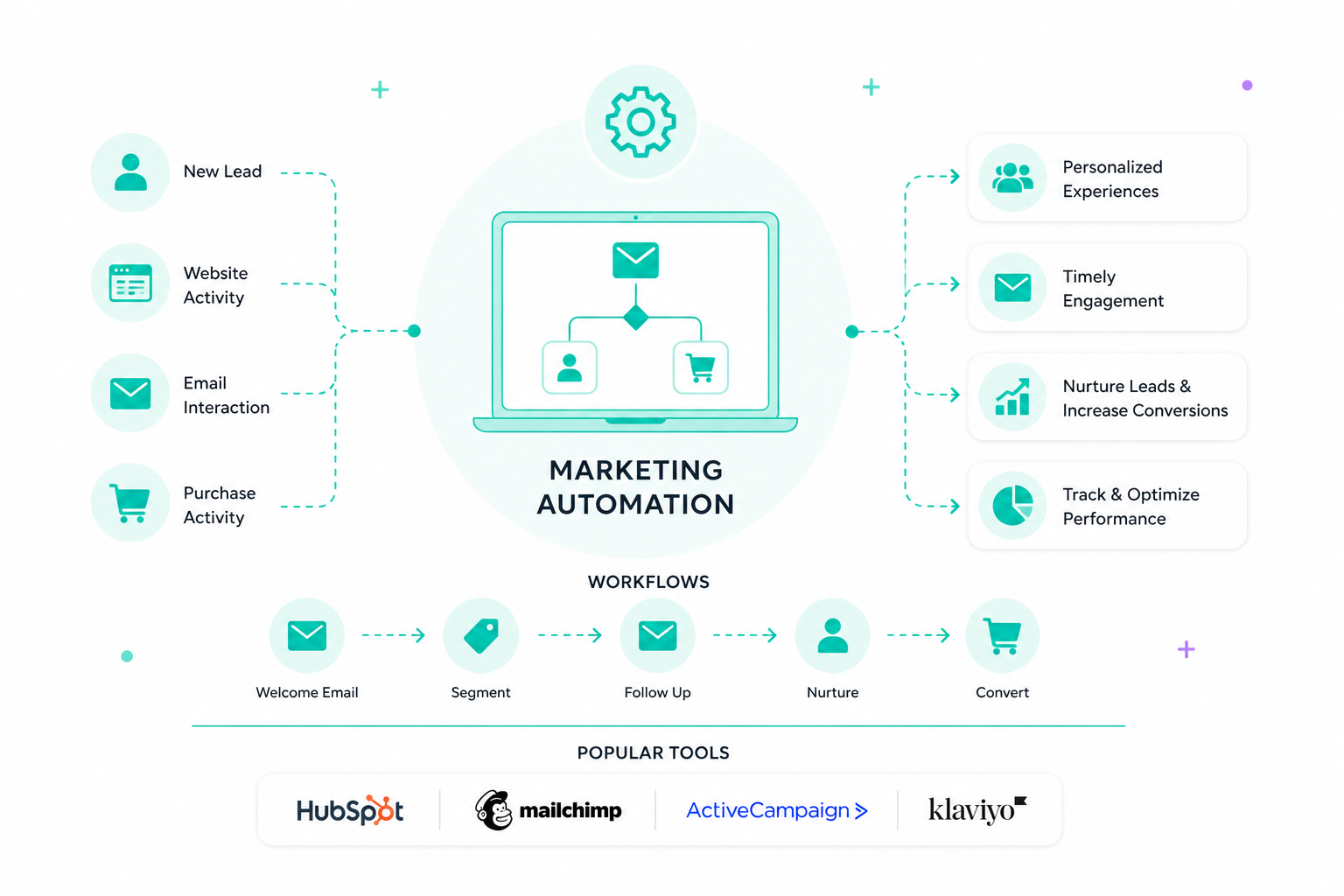
Marketing automation uses software to handle repetitive tasks like emails, social posts, and campaign management. It sets up workflows that respond to customer actions in real time, so your campaigns stay active and consistent without constant manual effort.
This shift turns disconnected tasks into coordinated, data-driven sequences. As a result, you can send more relevant messages at the right time and guide leads more smoothly toward sales conversations.
With marketing and sales teams working from the same data, lead quality improves, and conversions become more predictable. That impact shows up quickly, with around 76% of marketers reporting a positive return on investment within the first year.

Marketing automation functions with minimal human intervention, which improves operational efficiency for organizations. It covers planning, coordination, execution, and measurement of campaigns across the entire customer lifecycle.
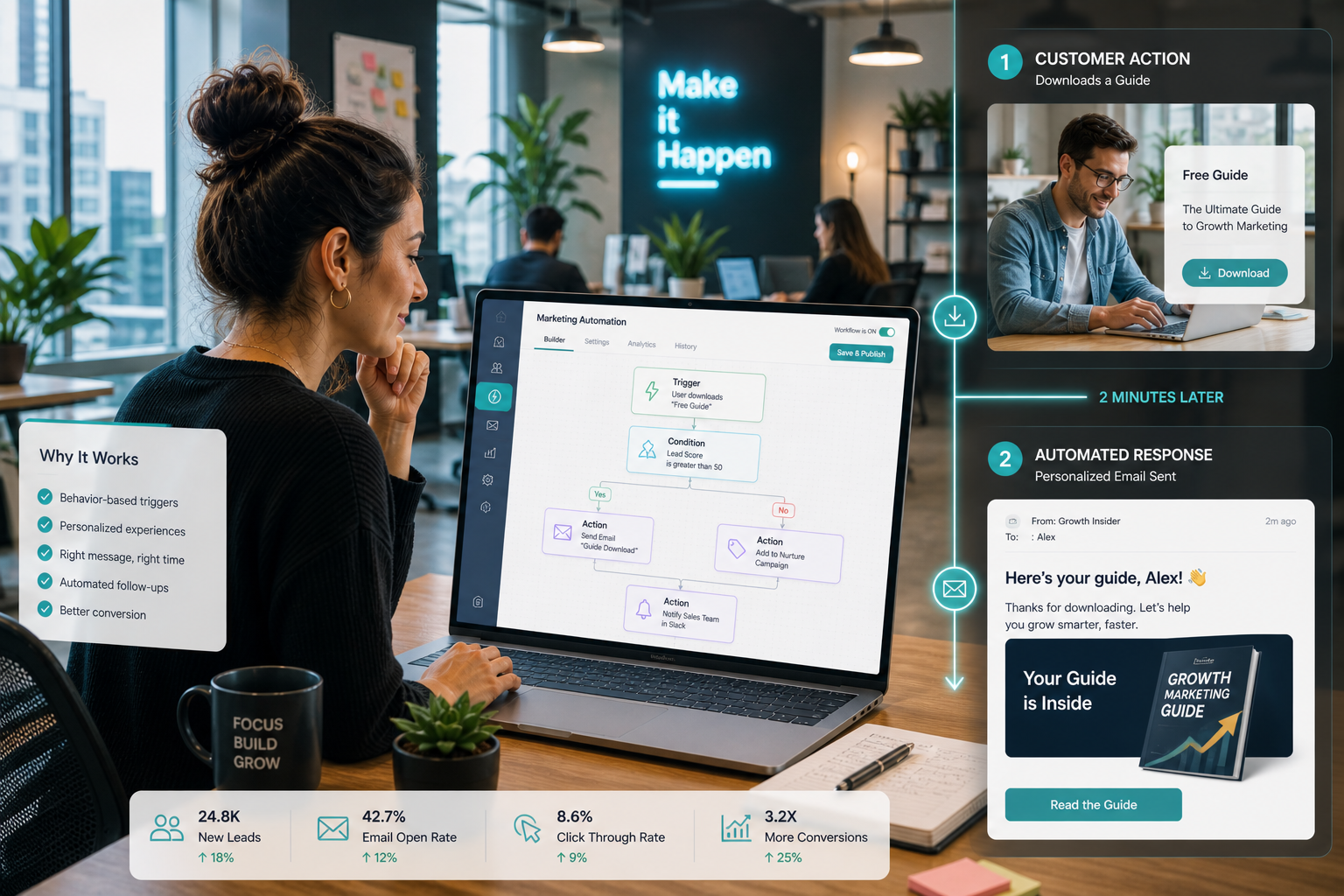
At the core are automated workflows triggered by specific actions or conditions. For example, when a prospect downloads a whitepaper, the system starts a sequence. It then applies predefined rules to deliver the next step, such as sending a follow-up email tailored to that action.
Effective marketing automation creates a continuous dialogue with your audience through:
This approach moves you from mass communication to personalized conversations. It overlaps with CRM tools, but focuses on top-of-the-funnel activities like lead generation and nurturing.
Marketing automation improves efficiency and scale. It handles repetitive tasks like email sends, lead scoring, and reporting, which frees up time for strategy and creative work. You can manage thousands of prospects with the same consistency as a small list, without relying on manual effort.
It also enables personalization at scale. Prospects expect relevant interactions based on their behavior and stage in the journey. Automation tracks these signals and delivers the right message through the right channel. This builds trust and positions your brand as helpful rather than overly sales-driven.
Marketing automation also aligns sales and marketing. Both teams work from the same data, which improves lead handoff, forecasting accuracy, and campaign tracking. It also helps maintain compliance through standardized forms and preference management aligned with regulations like GDPR or TCPA.
Specific advantages include:
These advantages feed directly into better performance. With real-time analytics, you can see what is working, adjust campaigns quickly, and continue improving results without waiting for long reporting cycles.
Email automation replaces one-time blasts with sequences that respond to user behavior. Each email is triggered by a specific action, so messages feel timely and relevant instead of generic.
A welcome series, for example, starts right after someone signs up. It can introduce your brand, deliver a discount code, and guide the subscriber toward a first purchase. Abandoned cart emails target users who leave items behind, sending reminders or incentives to recover that sale. Ongoing newsletters and product updates keep communication consistent without adding manual work.
These workflows follow simple if/then logic. For example, if a user opens your welcome email but does not click, the next email can focus on product benefits. If they click a product link but don’t purchase, the system can send a follow-up with reviews or a limited-time offer. This adapts each path based on engagement, so every subscriber receives messages that match their behavior.
Lead nurturing workflows build relationships over time and guide prospects toward a buying decision. These sequences deliver useful content based on where the prospect is in the journey.
Drip campaigns send a series of emails at set intervals, often including guides, case studies, or product insights. As prospects interact, the system gathers more information through progressive profiling, adding details to their profile without requiring long forms upfront. After a purchase, nurturing continues through onboarding emails, usage tips, and feedback requests to support retention.
These workflows adjust based on behavior. If a prospect downloads a whitepaper about “improving lead generation,” the system can send a follow-up case study showing real results. If they engage with that content, the next step might introduce a product demo. If they stop engaging, the sequence can shift to lighter, educational content instead of sales-focused messages.

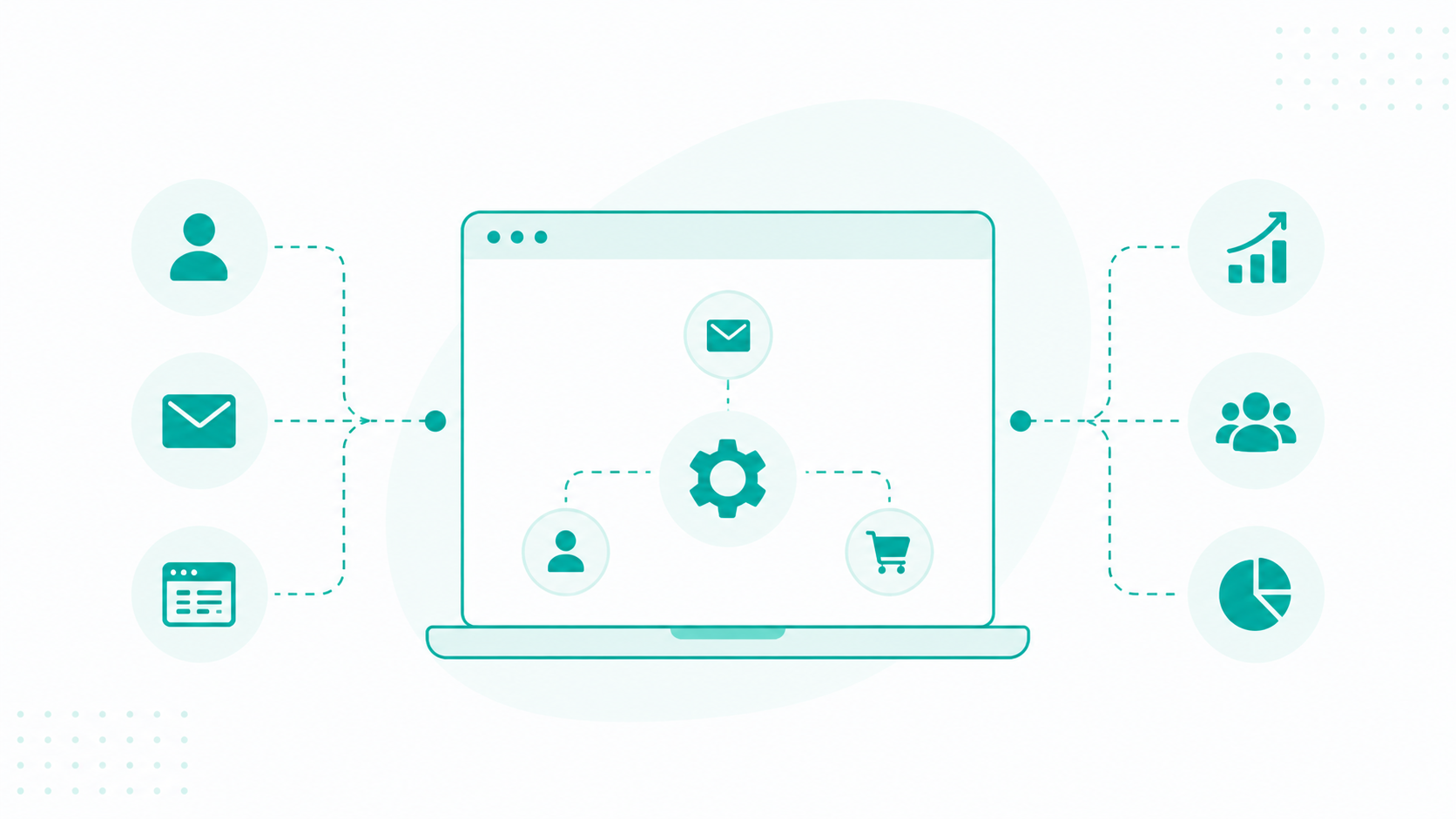
CRM automation connects your marketing system with tools like HubSpot, creating a seamless flow of data between marketing and sales. Every interaction, such as email opens, page visits, and form submissions, is tracked and stored in one place.
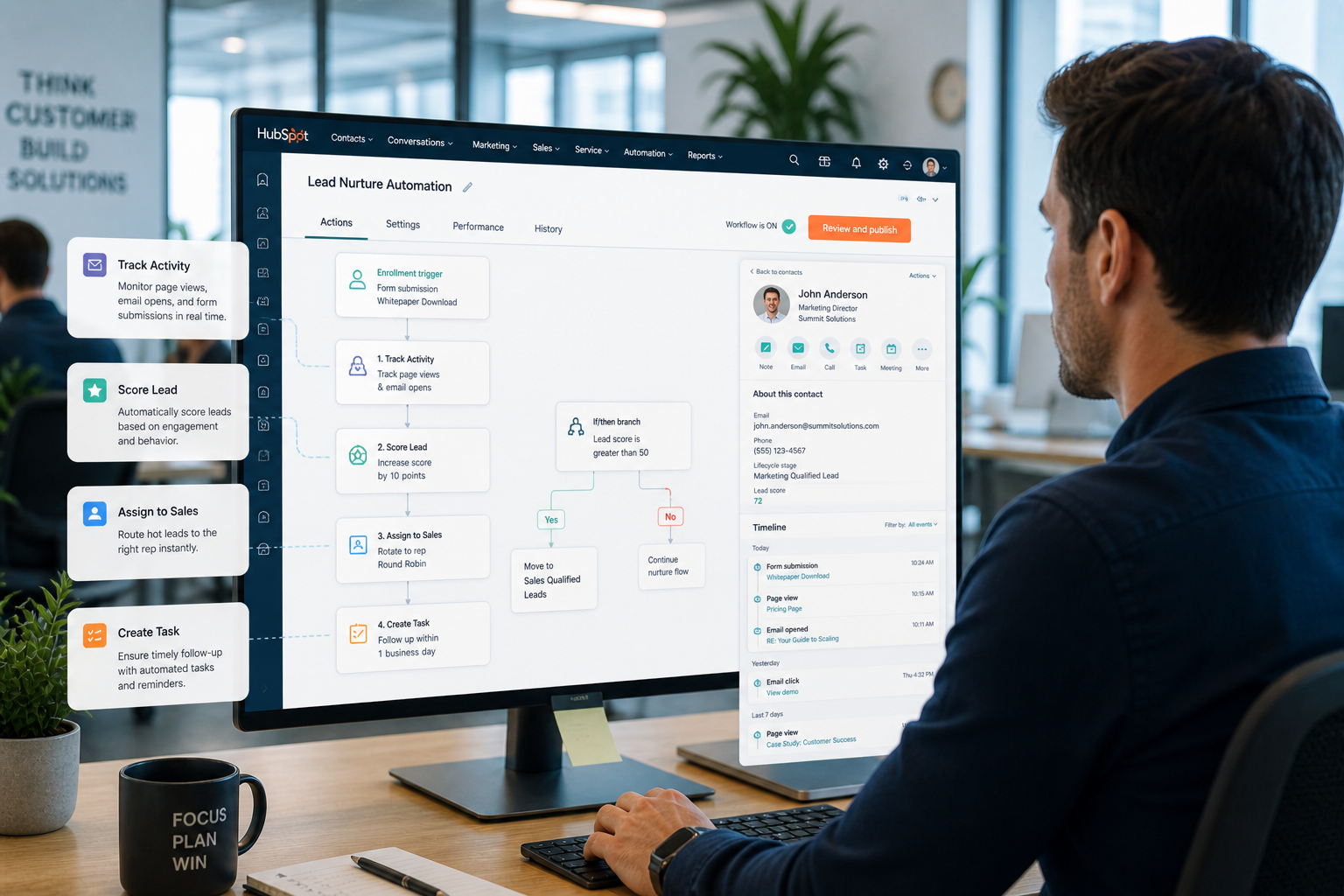
Lead scoring assigns points based on profile fit and behavior, such as visiting a pricing page or downloading a guide. When a lead reaches a set score, the system automatically routes it to the right sales representative. It also sends internal alerts and passes along the full engagement history, so sales have context before reaching out.
Tasks are created automatically to prompt follow-ups, such as calls or personalized emails. For example, if a lead visits your pricing page multiple times and downloads a case study, their score increases. Once they hit the threshold, the CRM assigns them to a sales rep in HubSpot, sends a notification, and logs a task to follow up within 24 hours. AI can flag this lead as high intent based on similar past behavior, prioritize it over others, and suggest a tailored outreach message or optimal time to contact.
Retargeting workflows reconnect you with people who have already shown interest in your brand. Instead of reaching cold audiences, you can focus on users who visited your site or viewed specific products but didn’t take the next step.
Browse abandonment is a common example. When someone views a product multiple times without adding it to their cart, the system triggers follow-up messages. These can include the exact product they viewed, customer reviews, or a reminder of key benefits to bring them back.
More advanced setups expand this across channels. Audience data can be used to show targeted ads on other websites or platforms, keeping your brand visible during the decision stage.
SMS automation gives you a direct way to reach customers with time-sensitive messages. Since texts are usually opened quickly, this channel works well for reminders, updates, and limited-time offers.
If a customer books a dental appointment, they receive a confirmation text right away. A day before the appointment, an automated reminder is sent. If they miss it, the system can follow up with a rescheduling link. For e-commerce, if someone buys skincare products, a text can be sent 30 days later, reminding them to reorder, based on typical usage timing.
Compliance is required. You need clear consent before sending promotional texts, and the system must handle opt-outs and restrict messages during quiet hours.
The examples below show how effective automation creates relevant, well-timed interactions, and how poor execution can lead to generic, intrusive, or poorly timed communication that pushes prospects away.
Successful personalization leverages customer data such as interests and interaction history to build a relevant dialogue. Effective brands use these insights to deliver helpful content addressing specific pain points instead of generic sales pitches. High-quality campaigns enable "one-to-one" engagement tailored to the unique profile of each individual.
In contrast, poor personalization relies on vague subject lines like "I want you back" or "As per my last email" that fail to demonstrate actual understanding. Another error involves launching into an aggressive hard sell before exploring common interests with the prospect. Excessive use of personal details also damages trust and makes messages feel intrusive or creepy.
Good triggers respond to actual customer signals in real-time, such as visiting a pricing page or downloading a specific guide. Intelligent systems evaluate these behaviors to execute a response tailored to the individual's current stage in the buyer journey. This approach ensures the brand is listening to what customers need.
Negative examples include "set it and forget it" tactics that ignore external context or tragic real-world events. Automated systems become pests if they repeatedly bug individuals who have not taken any action or expressed interest. Failing to honor opt-out requests or making it difficult to unsubscribe further creates a negative experience and risks legal penalties.
Optimal timing involves delivering messages at the specific moment a prospect is most likely to engage. Modern platforms use predictive analytics to select send times based on each recipient's unique history instead of using a rigid calendar. Adding delays ensures the organization does not bombard leads with too many messages at once.
Bad practices include batch-and-blast campaigns that send mass emails to everyone at the same time, such as 9 a.m. on Tuesdays. Drip campaigns become a downpour if they saturate subscribers with too many messages in a short period. Disregarding quiet hours or recipient time zones further irritates the audience and reduces overall effectiveness.
Learn more from this guide: Remarketing and Retargeting for E-Commerce Websites
Start with one clear goal for your automation. Keep it simple and measurable.
For example:
Make sure your goal connects to actual business results, such as more sales or better lead quality. This also helps marketing and sales stay aligned on what success looks like.
If you run an online store, your goal might be to recover abandoned carts. You can track how many users return and complete their purchase after receiving follow-up emails or texts. This makes it easy to see if the automation is working.
Automation works best when you group your audience based on who they are and how they behave. This helps you send messages that match their needs.
You can segment contacts using simple factors like:
HubSpot makes this easier through lifecycle stages such as subscriber, lead, marketing qualified lead (MQL), and customer. These stages help you adjust messaging based on where someone is in the buying journey. As people interact with your content, you can update their segment. This keeps your messaging relevant over time.
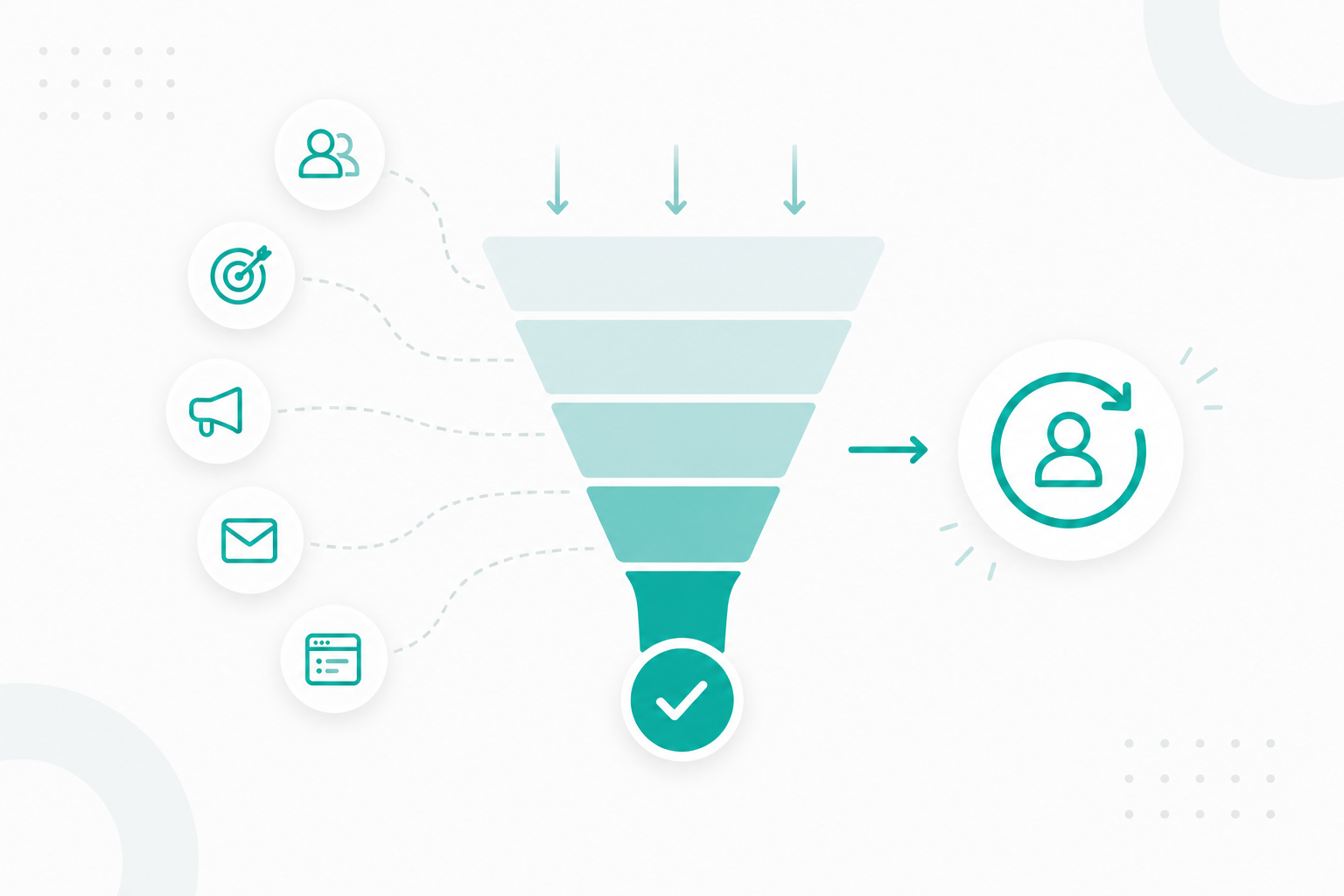
Mapping the customer journey helps you see how people move from first contact to purchase. It shows where to place automation and what should trigger each step.
Focus on key touchpoints, such as:
Think of it as a simple path. Someone discovers your brand, shows interest, compares options, then decides.
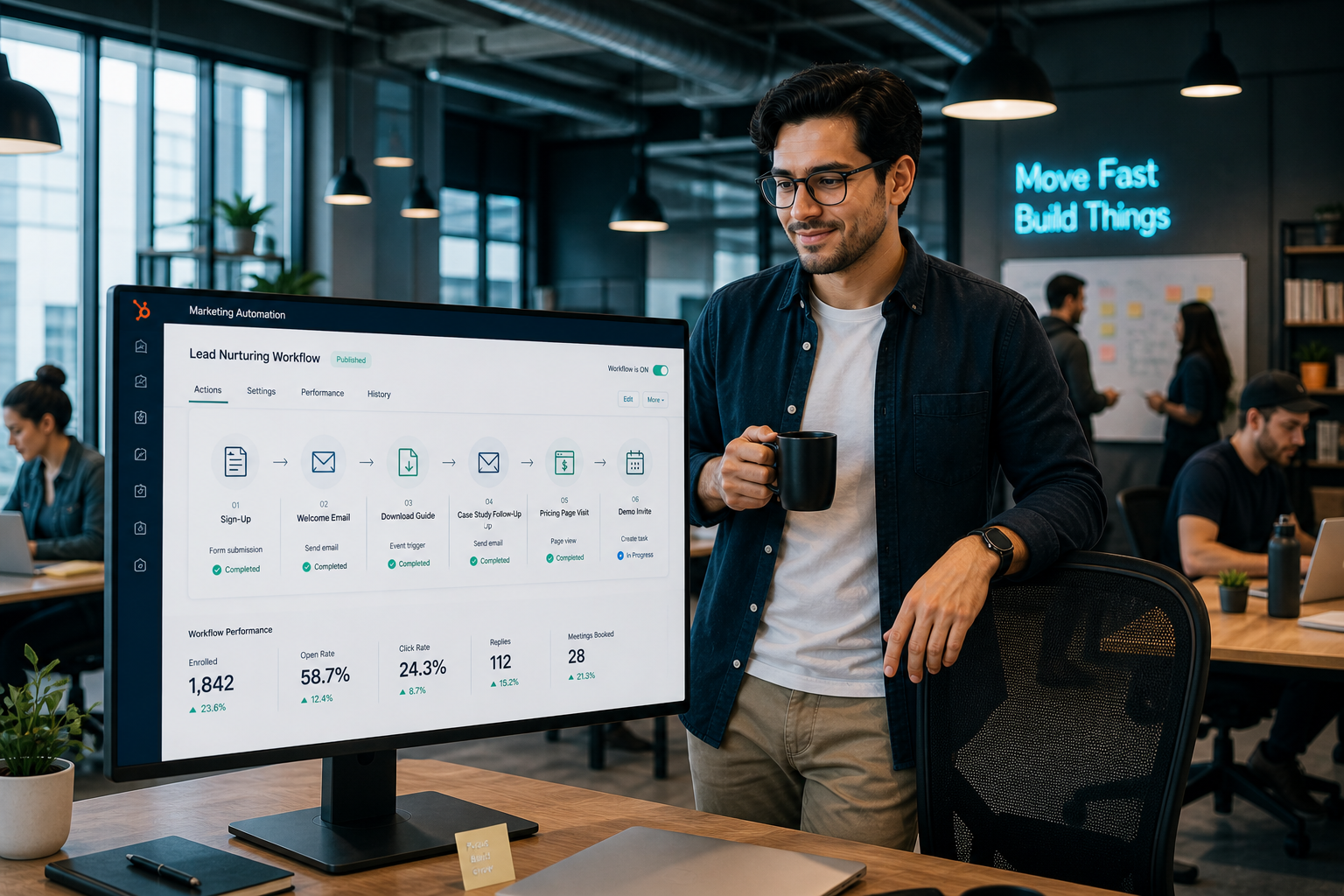
A user signs up for your email list → receives a welcome email → downloads a guide → gets a follow-up with a case study → visits your pricing page → receives a demo invite.
This kind of flow makes it easier to plan your automation and ensure every step leads naturally to the next.

Building the actual sequence requires the configuration of four core components: triggers, conditions, actions, and timing.
Setting this up in your platform lets you run these interactions across different channels. For example, you can send an SMS for urgent updates and show personalized content on your website when someone comes back.
After your workflow goes live, track how it performs and make improvements over time. Look at what’s working and what’s not. For example, check if people are opening your emails, clicking links, or completing purchases.
You can test different versions to see which performs better, such as:
This ongoing testing helps you improve results as more data comes in. Continue reading this guide to learn more about how to build an effective marketing workflow.
Modern tools offer diverse capabilities, from basic email sequences to sophisticated AI-driven orchestration across multiple digital touchpoints.
HubSpot stands out as a leading platform for marketing automation, especially if you focus on inbound growth. It brings marketing, sales, and customer service into one system, so every team works from the same data. This makes it easier to track the full customer journey, from first interaction to closed deal, without switching tools.
For example, when a lead fills out a form, HubSpot can trigger a workflow, update the contact’s lifecycle stage, notify sales, and log every interaction automatically. This keeps both teams aligned and ensures no opportunity is missed.
ActiveCampaign also offers a flexible setup that combines email marketing, automation, and CRM features. It works well for businesses that want control over how workflows and sales processes are structured. NetSuite CRM also focuses on connecting marketing with financial and sales data. It gives a full view of how campaigns impact revenue through real-time data across departments.
Adobe Marketo Engage connects marketing, sales, and operations to help build a more predictable pipeline across the entire funnel. Salesforce Pardot is another strong option, especially for account-based marketing (ABM). It alerts sales teams in real time when prospects engage, which makes follow-ups more timely and relevant.
HubSpot also competes at this level with its AI capabilities, including Breeze AI. This helps automate tasks, generate content, and suggest next steps based on customer behavior. For example, it can recommend when to follow up with a lead, draft outreach messages, or adjust workflows based on performance data, which helps teams move faster without losing accuracy.
Several tools provide specialized functionality for different business needs:
Steadily, these tools transform data-driven insights into impeccable execution at scale. Organizations often benefit from starting with a platform that meets current needs plus possesses the scalability to support future maturity.
Modern marketing automation moves away from mass messaging and focuses on real-time, behavior-based interactions. Systems now respond to what each person does, such as visiting a page or downloading content. This makes your communication feel more relevant and helpful, not overly sales-driven.
AI takes this further by learning from each interaction. It can identify high-value leads, suggest the best time to send messages, and improve workflows over time. Still, you need to guide the strategy to keep messaging aligned with real customer needs.
If you want guidance on setting this up in HubSpot, Campaign Creators helps organizations build and optimize automation systems that align marketing and sales and drive consistent growth.
Industries with longer sales cycles or high customer volume, such as SaaS, eCommerce, real estate, and education, see the strongest results. Any business that relies on lead nurturing and repeat engagement can benefit.
You should start when you have consistent traffic or leads and need a more efficient way to manage and nurture them. It becomes valuable once manual processes start slowing down growth.
Basic workflows like welcome emails are simple to set up, but advanced workflows with multiple triggers and conditions can become complex. The level of complexity depends on your goals and how personalized you want your campaigns to be.
Look for features like workflow automation, segmentation, CRM integration, analytics, and multichannel support. The right tool should also be easy to use and scalable as your business grows.
CRM software focuses on managing customer relationships and sales pipelines, while marketing automation focuses on attracting, nurturing, and engaging leads. Both systems often work together to create a seamless customer experience.
1 min read
Why should you care about marketing automation systems (MAS)? A marketing automation system is a tool that combines many different functions of...
Every time someone visits your site, opens an email, or clicks a link, your business has a chance to respond. Marketing workflows define how that...