Skip to the main content.

WEBSITE GROWTH & CONVERSION

• Web Design & Development


• SEO & AEO


• Conversion Rate Optimization


• Lead Generation Strategies


HUBSPOT SUPPORT & ENABLEMENT

• HubDesk


• HubSpot Training


• HubSpot Change Management

FREE TOOLS & ASSESSMENTS

• AEO Auditor


• HubSpot Al Readiness Scorecard


• HubSpot Al Solutions Design


LEARN & WATCH

• View All Resources


• Ebooks & Templates


• Webinars On-Demand


• Expert Videos

15 min read

AI-Assisted vs. Autonomous CRM: How Much Should Enterprise IT Let AI Decide?

AI-Assisted vs. Autonomous CRM: How Much Should Enterprise IT Let AI Decide?

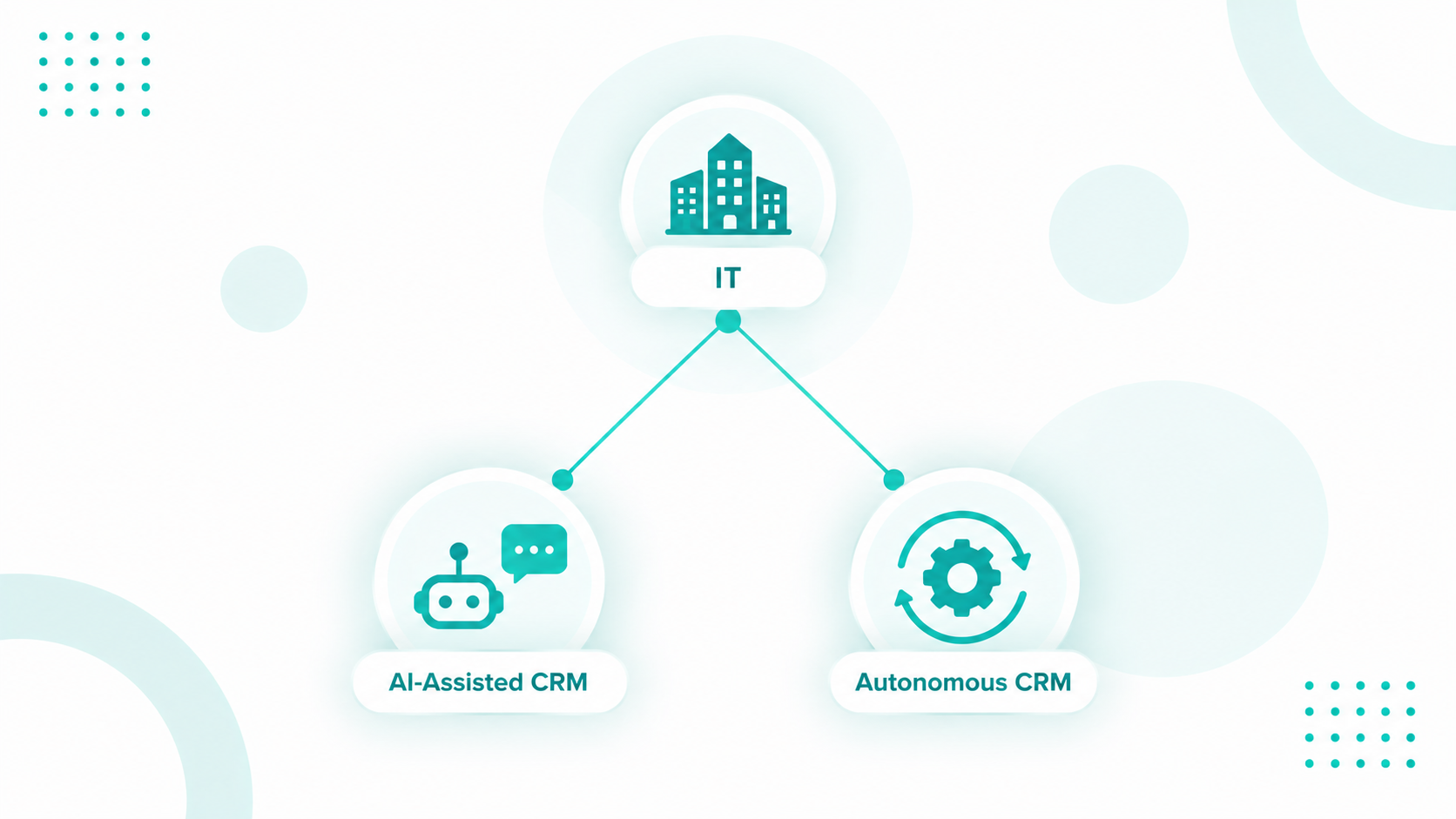
If your CRM scores leads, summarizes calls, and drafts follow-ups while your team decides what happens next, you're using AI-assisted CRM. Autonomous CRM goes a step further, with AI agents choosing the next action within limits you set and carrying it out on their own.

For enterprise IT, that shift comes down to which decisions an agent should own. Routine and reversible decisions are good candidates, while anything involving pricing, contracts, compliance, or sensitive data should stay with a person. Many companies are drawing that line right now, since 23% of organizations are already scaling an agentic AI system in at least one business function and another 39% have started experimenting with agents, according to McKinsey.

Campaign Creators can help enterprise teams define that boundary inside HubSpot. As a HubSpot Elite Solutions Partner, we look at the data, permissions, and workflows first. Then help determine which tasks can run automatically, which still need human approval, and how those processes should be monitored.

Key Takeaways

  • AI-assisted CRM recommends actions for people to take, while autonomous CRM lets AI agents decide and act within set boundaries.
  • HubSpot's Agent Hub and Agent Builder connect agents to CRM data, business context, and workflows so they can carry work forward.
  • AI can own CRM decisions that are routine, reversible, and rule-based, such as record enrichment, inquiry classification, and standard routing.
  • Bad CRM data and excessive permissions are the fastest ways for an agent to turn a small error into a large one.

What's the Difference Between AI-Assisted CRM and Autonomous CRM?

ai-assisted-crm-vs-autonomous-crm

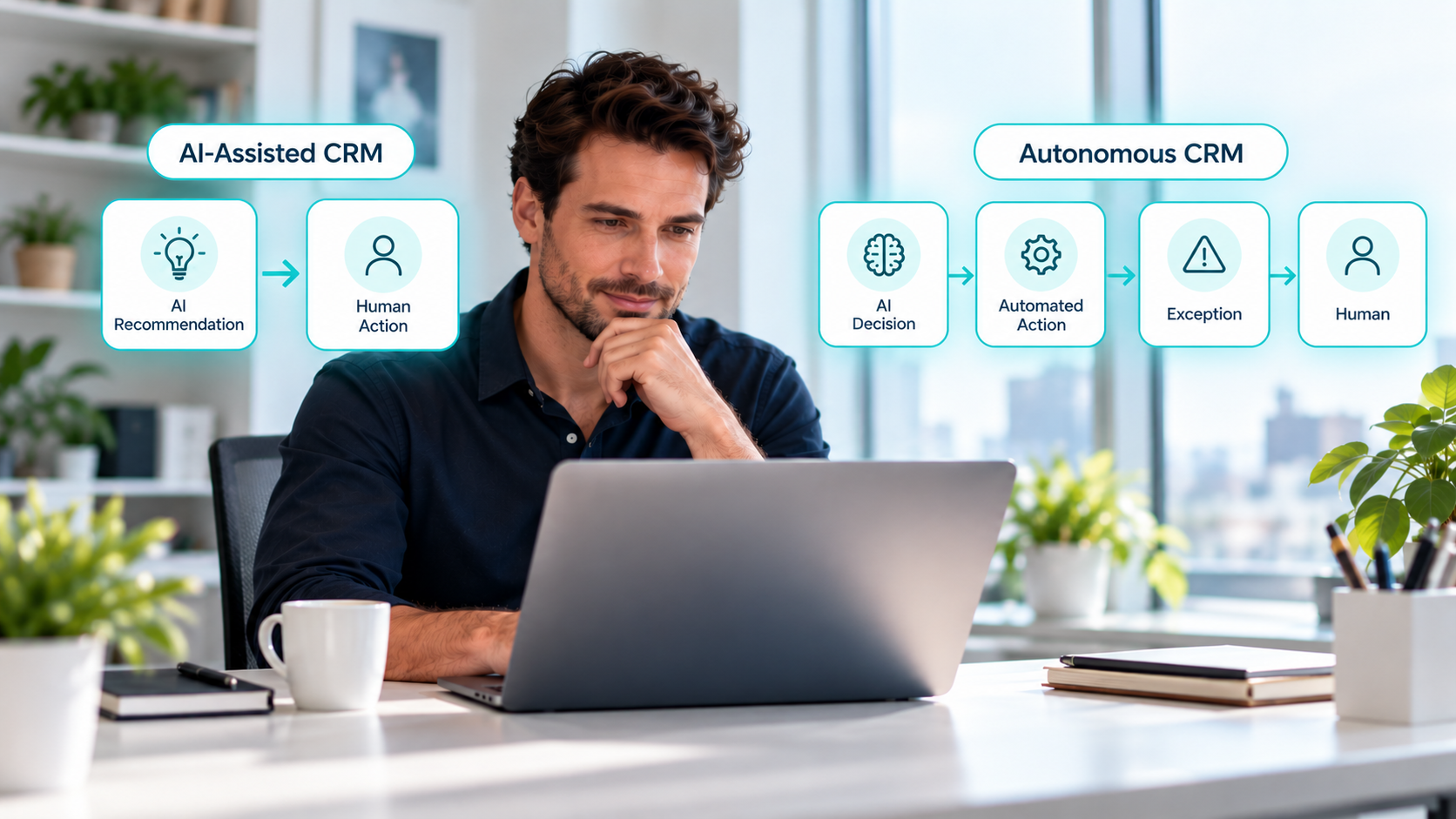
The difference between AI-assisted CRM and autonomous CRM is who takes action after the AI decides what should happen next. An AI-assisted CRM analyzes data and recommends a next step for a person to carry out. An autonomous CRM uses AI agents that decide and execute multi-step work within defined boundaries and escalate exceptions to people.

AI-Assisted CRM

Autonomous CRM

Analyzes customer data and surfaces insights

Interprets customer and operational signals continuously

Recommends the next step

Chooses the next step within defined objectives

Drafts and summarizes work

Executes approved workflows

A person starts or approves each action

A person oversees exceptions, policies, and high-risk decisions

Works as a co-pilot

Works as an operator inside set boundaries

For example, an AI-assisted CRM flags a high-intent prospect, summarizes the account history, and suggests a follow-up, and the rep decides what to send. While an autonomous CRM spots the same buying signals, confirms the account meets your criteria, updates the record, assigns an owner, starts a personalized sequence, and creates tasks. It keeps going until it reaches a condition that needs human judgment.

Interesting read: HubSpot AI Agents vs. Traditional Automation Tools

How Does an Autonomous CRM Work?

An autonomous CRM works by connecting customer data, business context, AI agents, workflows, and permissions so an agent can read a situation, decide on the next action, and carry it out in the CRM. The agent keeps moving through the process until the job is done or it reaches a boundary that requires a person.

In HubSpot, that loop runs through Agent Hub and Agent Builder. HubSpot released both in public beta on July 23, 2026, giving Professional and Enterprise customers one place to build and manage AI agents that share the same CRM context.

Context Comes First

An agent can't make a useful decision without context, and in HubSpot that context comes from CRM records plus business information your team has deliberately made available. Agent Hub's Context tab holds the business details agents draw on when responding and completing tasks, such as company messaging, tone, brand, and ICPs. HubSpot's Fall 2026 release added Context Home, where teams control how this business context powers the platform.

The agent doesn't have to guess your qualification rules or brand voice every time it runs, because it works from what the organization has defined.

The Agent Decides How To Do The Job

A classic workflow checks if a condition is true and fires a predefined action. An agent gets instructions, knowledge, tools, and a goal, then works out how to complete the task with the context available. A prospecting agent researches target companies and drafts outreach, a data agent maintains and enriches records, and a customer agent answers support questions and resolves requests.

Workflows Turn Decisions Into Actions

Autonomy becomes useful when the agent can act on its decision. Agent Hub workflows can start from triggers inside HubSpot or in third-party apps like Slack, carry out actions in HubSpot and in tools like Google Sheets, and run agents as steps inside the workflow.

That's what makes multi-step work possible. An account showing several buying signals could trigger an agent that assesses fit, researches the company, updates the records, and moves the account into the next workflow stage. Where the agent stops, and what it hands to a person, depends on how your team configures it.

Worth a read: Which Breeze Agent Should You Turn On First?

What Can AI Automate in a CRM?

AI can automate data enrichment, prospect research, personalized outreach, customer support, lead qualification, content drafts, workflow decisions, and parts of collections in a CRM like HubSpot. How much of that work runs without human review depends on how each agent is configured and which permissions it has been granted.

CRM Area

What AI Can Automate

HubSpot Tools

Data management

Fills missing contact and company fields, categorizes records, summarizes accounts, and populates Smart Properties

Data Agent, Data Enrichment, AI workflow actions

Prospecting

Monitors buying signals, identifies the right contacts, and drafts personalized outreach

Prospecting Agent, intent signals

Customer service

Answers questions from approved content, qualifies visitors, books meetings, and hands off to people

Customer Agent

Content

Drafts and refines blog posts, website pages, knowledge base articles, and CTAs

AI tools in HubSpot's content editors

Workflow execution

Runs agents as workflow steps and passes their outputs to later actions

Agent Hub workflows

Collections

Monitors open invoices, adjusts outreach based on replies, and escalates to internal contacts

Revenue Agent (beta)

Prospecting shows how the pattern changes. The updated Prospecting Agent tracks more than 40 buying signals, builds out the buying group, and drafts personalized outreach based on what moves deals. A traditional workflow assigns an owner when a lead enters the CRM and stops there. An agent evaluates the signal, checks fit and intent, finds the right contact, prepares the outreach, and hands off to the next step.

Drafting a message and sending it are separate permissions, and you can grant one without the other. HubSpot's Deal Progression works this way. It takes a meeting transcript, adds the updates it finds to the CRM, drafts follow-ups, and keeps deal plans current, with reps approving the changes in one click. Your team gets the time savings of AI while a person keeps the final say.

Which CRM Decisions Should AI Make and Which Require Human Approval?

AI can handle CRM decisions that are routine, reversible, and guided by clear rules, such as enriching records or routing standard requests. Human approval should remain in place for decisions involving pricing, contracts, customer relationships, compliance, sensitive data, or actions that are difficult to reverse. For decisions that fall between these two, AI can prepare the work or recommend an action, while a person reviews and approves it before anything happens.

Accuracy alone does not determine whether an agent should make a decision. An agent might choose the right action nine times out of ten, but that tenth mistake could still affect a major account, create a compliance issue, or cause a costly error.

Five Factors That Set A Decision's Risk Level

Factor Keep A Human In Control When AI Can Own It When
Impact A wrong call affects revenue, customers, compliance, or reputation The effect is operational and limited
Reversibility The action is hard or impossible to undo The action can be reversed quickly
Ambiguity The decision needs judgment or context the CRM doesn't have The rules and expected outcome are clear
Data sensitivity The process involves personal, financial, or regulated data The data is scoped to the task
Action scope One decision can set off many downstream actions The task is narrow and well defined

Accountability sits across all five. Before an agent decides on its own, someone needs to own the outcome if it goes wrong.


Three Decision Tiers

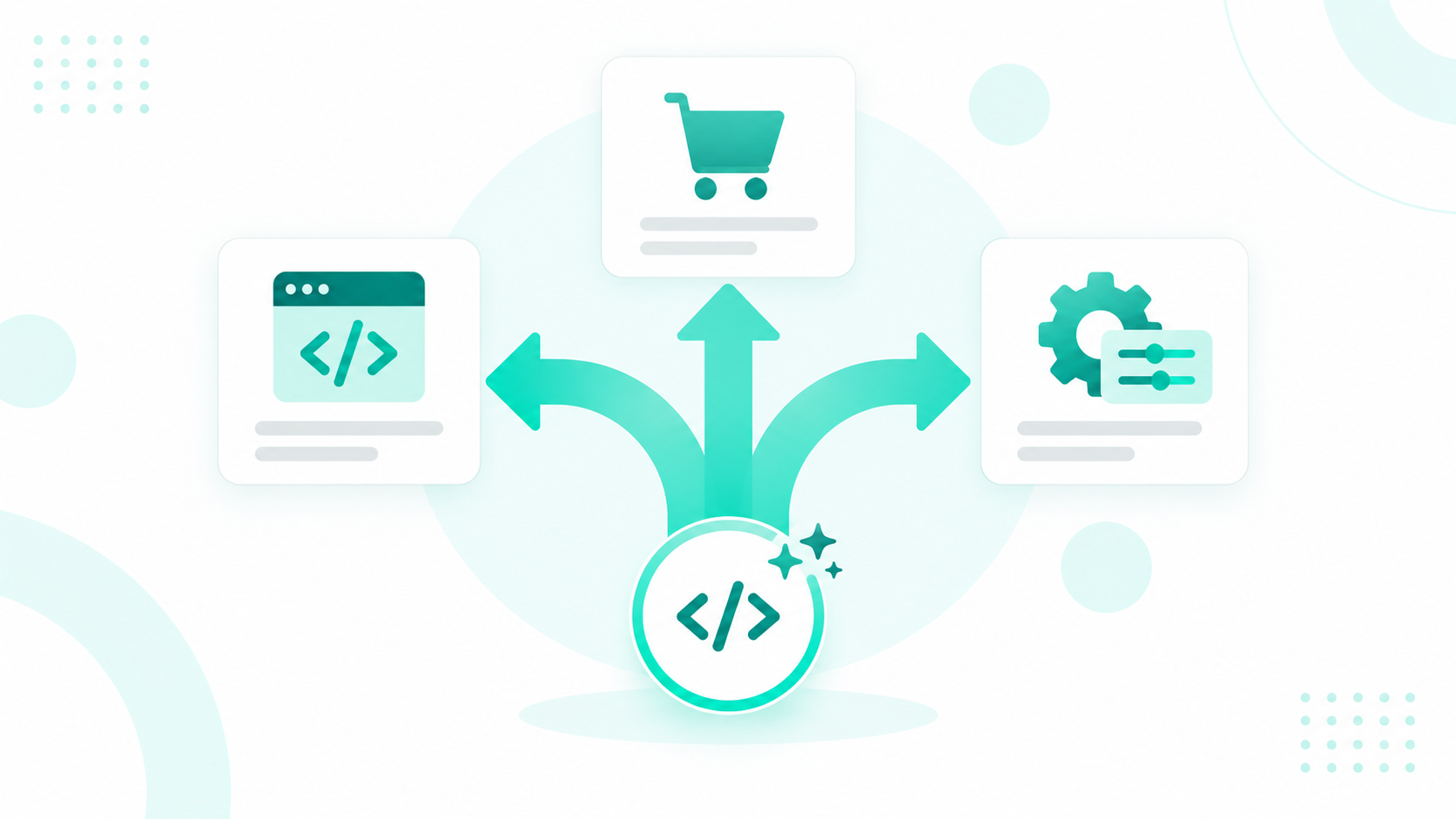
ChatGPT Image Sep 28, 2026, 07_15_33 PMNot every CRM decision deserves the same scrutiny. Treating them all as equal either slows your team down on work that should be automatic or hands AI authority over things it should never hold alone. The practical approach sorts decisions by two questions: how much damage a wrong call does, and how easily you can undo it. Three tiers fall out of that.

Low Impact and Reversible: AI Decides and Executes

When a mistake costs little and can be corrected in a click, AI should act without waiting for anyone. Categorizing inbound inquiries, enriching records with firmographic data, routing routine requests, answering common support questions, and advancing standard workflow steps all belong here. A miscategorized inquiry gets recategorized. A wrong route gets rerouted. Your team's role is to monitor results in aggregate and adjust the rules when patterns drift, not to approve each action one at a time.

Moderate Impact or Judgment-Heavy: AI Recommends, Humans Approve

Some decisions carry enough weight, or enough nuance, that a human needs to see them before they land. AI does the work of getting there: researching the account, drafting the outreach, assembling the recommendation. A person reviews and approves. Prioritizing strategic accounts, high-value sales outreach, retention offers, non-standard service resolutions, and anything stating the company's official position all sit in this tier. The efficiency gain is real here even with a human in the loop, because reviewing a prepared recommendation takes a fraction of the time building one does.

High Impact, Sensitive, or Irreversible: Humans Decide

Discounts and custom commercial terms. Closing major deals. Unusual refunds or credits. Deleting records. Changing access or permissions. Anything with legal or regulatory exposure. AI's job in this tier is analysis and escalation: surfacing the situation, laying out the context, flagging what needs attention. The decision itself stays with a person, and it stays there permanently, not until the model proves itself.

This structure avoids two common mistakes. The first is over-automation, where AI gets authority because a task looks repetitive. The second is over-supervision, where people approve hundreds of low-risk actions an agent could handle, which erases the time savings that justified the agent in the first place.

Worth a read: Breeze Agents Run on Data. Here's What Breaks Them.


What Is Human-in-the-Loop AI and How Does It Apply to CRM?

Human-in-the-loop (HITL) AI is an operating model where AI handles analysis and routine work while people keep authority over selected decisions or step in when the AI reaches a defined boundary. In a CRM, HITL means building handoffs, approvals, and oversight directly into workflows so escalation happens automatically.

Enterprises are leaning toward this model. Capgemini found that trust in fully autonomous AI agents fell from 43% to 27% in a single year, and nearly three-quarters of executives said the benefits of human oversight outweigh its costs.

Handoff, Approval, And Oversight Do Different Jobs

  • Handoff: The AI stops and passes the work to a person.
  • Approval: The AI prepares or starts an action, and the action waits until an authorized person signs off.
  • Oversight: People monitor outcomes and patterns without reviewing each action.

A mature CRM uses all three. The agent handles the normal case, escalates exceptions, and waits for sign-off on high-risk actions.

HubSpot's Built-In Checkpoints

HubSpot's Customer Agent is the clearest example of handoff. By default, it passes a conversation to a person when it can't answer, when the visitor asks for a human, or when the agent is paused. Teams can add custom triggers, such as a visitor mentioning a cancellation, refund, or login problem, and choose to transfer immediately, later, or keep the agent assigned. As of the Fall 2026 release, the handoff carries the full conversation context to the person taking over.

The agent can also escalate on uncertainty. Depending on its confidence, the Customer Agent gives a sourced answer, asks a follow-up question, or reassigns the conversation to a person. It doesn't need to know it's wrong. It only needs to recognize that the situation falls outside the conditions it's authorized to handle.

Approvals cover actions that should wait for sign-off. HubSpot approvals can require designated users to review records, content, exports, quotes, or marketing assets before they move forward, such as a deal reaching a closed stage or a marketing email going out. Super Admins can skip content approvals, so keep Super Admin access tight if approvals are part of your compliance controls.

Agent Builder brings the same thinking to custom agents, where teams set the guardrails and choose which actions run on their own.

Reviewers Need Enough Context To Say No

A weak checkpoint sends a notice that says "AI needs approval." A strong one shows the reviewer what the agent observed, what it proposes, why, and what happens after approval. Without that, reviewers start rubber-stamping, and the checkpoint stops adding judgment.

There's a legal side to this too. Under GDPR, a sign-off from someone with no real ability or authority to override the output can still count as a solely automated decision, which the EU's top court confirmed in its 2023 SCHUFA ruling (SecurePrivacy). A human checkpoint needs a reviewer with the information and authority to change the outcome.


What Is AI Agent Governance for Enterprise CRM?

AI agent governance for enterprise CRM is the set of policies, permissions, decision rights, monitoring practices, and ownership rules that control what an AI agent can access, decide, and do inside the CRM. It becomes necessary the moment agents can update records, trigger workflows, or communicate with customers.

Many organizations haven't caught up. In a SailPoint survey of IT and security professionals, 92% said governing AI agents is crucial to enterprise security, but only 44% had implemented relevant policies.

Governance Area

What It Determines

Ownership

Who answers for the agent's behavior and outcomes

Data access

Which records, data sources, and knowledge the agent can read

Business context

Which definitions, messaging, and rules shape its decisions

Decision rights

Which decisions it makes without a person

Actions and tools

Which CRM actions, workflows, and connected apps it can run

Human intervention

Which situations trigger approval, review, or handoff

Monitoring and audit

How activity, errors, and exceptions are logged and reviewed


For a formal program, the NIST AI Risk Management Framework organizes AI risk management into four functions called Govern, Map, Measure, and Manage. This gives IT a shared vocabulary with legal and security teams.

Access, Actions, And Decision Rights

Start with least privilege. Each agent gets the minimum data and action authority its job requires, with no extra access by default. In HubSpot, admins manage AI feature access and configure what data is shared in AI settings, and the Customer Agent only gets the specific CRM properties you grant it, which it uses to answer customers and update records.

Seeing data and changing it are separate permissions. An agent might read customer records without editing them, update a property without sending external messages, or trigger a workflow without changing the workflow itself. Microsoft's security guidance recommends separate roles for reading and writing, with step-up approvals in front of high-impact actions like deletes, exports, and privilege changes. HubSpot covers part of this with a beta approval requirement for exporting records.

Decision rights sit on top of access. Map each agent action to one of the three decision tiers above and document it alongside the agent's permissions.

Monitoring, Audit, And Ownership

After an agent acts, IT should be able to trace what it did, which data it used, what triggered the action, and if a person approved or overrode anything along the way. Agent Hub's home screen shows engagement and usage across all your agents, which gives IT one place to see what's running.

Each agent should also have a named owner, a written purpose, documented permissions, a review schedule, and a clear way to pause or retire it. We recommend a dedicated identity for every agent with a named owner and explicit purpose, plus end-to-end auditability.

Governance doesn't remove responsibility. It moves it upstream, since nobody approves every action in an autonomous CRM and the organization has to decide ahead of time what each agent can do and when it must escalate.

What Are the Risks of Autonomous CRM?

The main risks of autonomous CRM are wrong decisions becoming real CRM actions, poor data producing poor decisions, over-permissioned agents, prompt injection, sensitive data exposure, agent sprawl, and compliance gaps. Each risk can be reduced with clear permissions, approval rules, and monitoring, so none of them rule out autonomy.

Wrong Answers Become Wrong Actions

AI output is not always accurate, and the actions an agent takes can create real business consequences. An incorrect summary may be easy to fix. An incorrect decision that changes a lifecycle stage, assigns an account to the wrong owner, or sends a customer message can affect the customer experience and downstream processes.

The bigger risk is when one mistake triggers several more actions. A bad classification can lead to incorrect routing, which triggers the wrong workflow, sends the wrong email, and updates additional records. Each action may follow the previous one automatically, making the original error harder to catch. That is why enterprise teams need to look at the full chain of actions an agent can trigger and not just whether it can complete its first task correctly.

Bad Data Produces Confident Bad Decisions

An agent can make a reasonable decision based on incorrect information. Duplicate records, outdated lifecycle stages, and conflicting property definitions can all lead an agent in the wrong direction, especially when those decisions are made at scale. Data quality is no longer just a reporting issue. When agents use CRM data to make decisions, it directly affects the quality of those decisions.

HubSpot reports that businesses using AI with high-quality HubSpot context create 3.6x more MQLs, win 3.2x more deals, and close more than twice as many tickets. However, the comparison is between customers using AI with high-quality context and customers not using AI, so the figures should be treated as directional rather than proof of causation.

Over-Permissioned Agents Are Easier To Misuse

OWASP defines excessive agency as a vulnerability that occurs when an AI system has too much functionality, permission, or autonomy to take damaging actions based on unexpected or manipulated input. The more access an agent has, the more potential impact a mistake or manipulated instruction can have.

Prompt injection is one way this can happen. An agent that reads emails, documents, web pages, or CRM notes may encounter instructions that were not part of its original task. That creates a risk when the agent also has permission to change records, send data, or trigger workflows. OWASP recommends requiring human approval for high-impact actions and enforcing permissions in downstream systems rather than allowing the AI to decide what it is permitted to do.

Sensitive data creates a similar concern. HubSpot's terms note that some AI features use third-party AI providers that may process AI inputs and outputs, including customer data. For every agent, IT teams should know what data it can access, where that data can go, and what actions it is allowed to take.

Agent Sprawl Weakens Accountability

Once teams can build custom agents and install more from HubSpot's Agent Marketplace, the challenge shifts from governing one agent to governing dozens. Overlapping agents with inconsistent permissions and no clear owner are hard to secure and harder to explain. For example, a prospecting agent emailing an account the same week a service agent is handling that account's open complaint, with neither aware of the other. An agent inventory with owners, purposes, and permissions keeps this in check.

Compliance Stays With Your Organization

An agent never becomes the legal owner of its actions. HubSpot's Acceptable Use Policy restricts using AI agents for automated decision-making that poses material risks to health, safety, or fundamental rights where the law prohibits it. In the EU, GDPR Article 22 gives people the right not to be subject to decisions based solely on automated processing that produce legal effects or similarly significant effects. Requirements differ by use case and jurisdiction, so involve legal counsel before agents make decisions about individual customers.


How Much Autonomy Should Enterprise CRM Give AI?

Enterprise CRM should give AI autonomy one decision type at a time, based on risk. Agents can take on more independent work where tasks are low-risk, repeatable, and reversible, while people stay in control of consequential or ambiguous decisions. Autonomy should expand only after testing shows an agent handles a process reliably.

Four Autonomy Levels

"AI-powered" gets used to describe everything from a summarization button to a system that runs a collections sequence on its own. Those are very different things to deploy, and the difference comes down to how much the AI decides without you. Four levels cover the range, and each one earns a different amount of trust.

how-ai-autonomy-progresses-in-enterprise-crm

Level 1: Assist

At this level AI analyzes information and produces an output a person then acts on. Summarizing an account before a sales call is the clearest example. The rep still makes every call about what to do with that summary, and the AI never touches a record or a customer. This is the safest place to start and the easiest to evaluate, because the output sits in front of a human before anything happens.

Level 2: Recommend

Here AI goes a step further and proposes a specific action, which a person approves before it happens. Flagging a strategic account and suggesting outreach belongs at this level. The judgment about whether to act stays human, but the work of identifying the opportunity and shaping the response gets done in advance. Reviewing a recommendation takes far less time than producing one, which is where the efficiency comes from.

Level 3: Execute Within Guardrails

At Level 3, AI makes and carries out predefined types of decisions without individual approval. Enriching records and routing routine requests run here. Nobody signs off on each action, because the decisions are bounded in advance by rules you set. The oversight shifts from approving individual actions to monitoring patterns and adjusting the guardrails when something drifts.

Level 4: Act and Adapt

The highest level runs a multi-step process and adjusts to new information along the way, continuing until it reaches its goal or hits an escalation point. Adjusting collections outreach based on customer replies is the example. The AI is not executing a fixed sequence here, it is responding to what comes back and changing course. That capability is genuinely useful, and it is also where the escalation point matters more than anything else in the design, because it is the only thing standing between an adaptive process and one that adapts in a direction nobody intended.

Not every process needs to reach Level 4. Plenty of high-value processes should stay at Level 2 permanently.


Earn Autonomy With Evidence

Autonomy should grow from results. HubSpot's Agent Builder lets teams test an agent before turning it live and lets it run on its own once they're ready. For the Customer Agent, HubSpot suggests deploying to a single channel first, then reviewing escalations, spotting knowledge gaps, and adjusting content sources or handoff rules before expanding.

Fix The Foundation Before Granting More Authority

The limiting factor is usually the CRM around the agent and not the AI model. Inconsistent lifecycle stages, duplicate records, unclear ownership, missing approval rules, and fragmented customer data should be fixed before an agent gets broader decision rights, because more autonomy amplifies whatever weaknesses already exist. HubSpot's Context Home scores how complete a portal's context foundation is and shows where the gaps sit, which makes it a practical first checkpoint.

IT Sets The Boundaries And Business Teams Work Inside Them

At enterprise scale, IT does not need to approve every automation, and business teams need clear limits for what they can build. IT and security define the rules, including what data agents can access, which actions require approval, what triggers escalation, what permissions are allowed, how agents are tested, and what gets logged.

Business teams can then build and manage automations within those rules. This allows routine, low-risk work to move quickly while decisions with greater business or compliance risk remain under tighter control.


Is Your HubSpot Portal Ready for Autonomous Agents?

A HubSpot portal is ready for autonomous agents when its data is clean, property definitions are clear, integrations are reliable, workflows are well-defined, and permissions match each agent’s role. It should also be clear which actions can happen automatically and which require human approval.

The HubSpot AI Readiness Scorecard can help you see where your portal is ready and where there are still gaps to address. And if you want help figuring out where agents should have more freedom and where people should stay in control, book a strategy session with our team.

Frequently Asked Questions

Do You Need Developers To Build Custom AI Agents In HubSpot?

No, Agent Builder is a no-code canvas that assembles agents from plain-language instructions and the customer context already in Smart CRM, and custom code actions are available in Agent Hub workflows for more complex logic.

Is Agent Hub Included In HubSpot Professional And Enterprise Plans?

Yes, Agent Hub is included for Professional and Enterprise during the public beta, and custom agents run on HubSpot Credits when they perform configured actions.

What Happens To HubSpot's Customer Agent When Credits Run Out?

It temporarily stops being assigned to new conversations across all connected channels until your credits reset or you buy more.

Is Autonomous CRM Only For Large Enterprises?

No, smaller teams can use agents too, but enterprises need more formal governance because they manage more data, integrations, users, and regulatory obligations.

Will Autonomous CRM Replace RevOps Teams?

No, it shifts RevOps work toward designing decision rules, maintaining business context, managing agent permissions, and handling the exceptions agents escalate.