Healthcare is shifting toward a full patient experience, where you’re expected to deliver the same smooth digital interactions found in retail and banking. The problem is that many organizations still rely on disconnected systems, with clinical, marketing, and financial data stored separately. This forces your team to spend hours searching for information, slowing operations and impacting both efficiency and patient care. A CRM solves this by unifying your data, improving communication, and helping you manage the entire patient journey in one place.
You’re now choosing between two paths: traditional healthcare CRMs built for clinical depth and compliance, or flexible platforms like HubSpot that focus on usability and patient engagement. Legacy systems have been the standard, but newer platforms now support healthcare needs, including secure handling of protected health information through enterprise-grade security and Business Associate Agreements (BAA). This guide shows how each option differs so you can choose what fits your operations, compliance needs, and growth plans.
What Is HubSpot in a Healthcare Context?

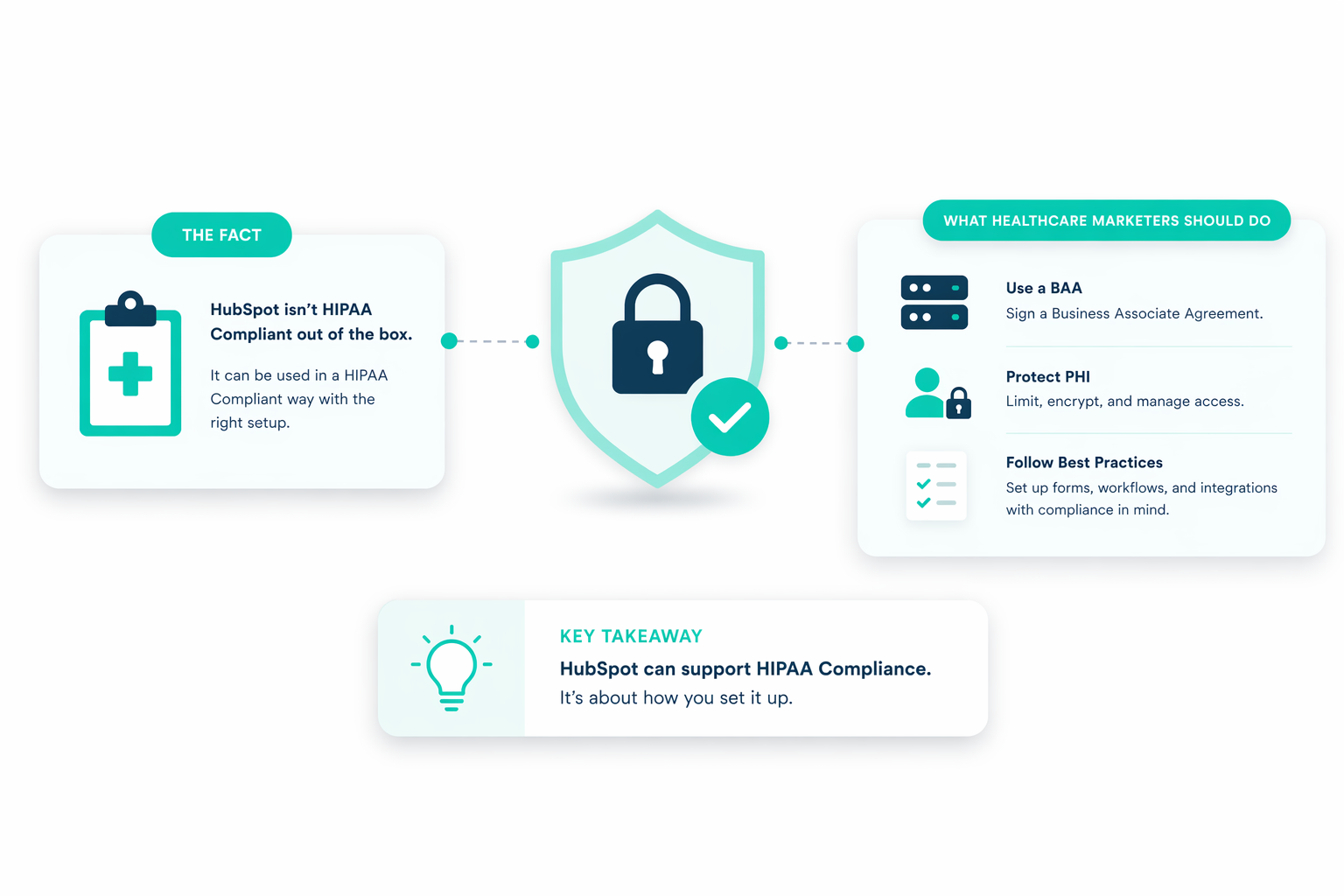
In healthcare, HubSpot works as a single smart CRM that brings patient communication, marketing, and service workflows into one system. It started as a general CRM, but now includes enterprise-grade security and a sensitive data layer built to support HIPAA requirements. You can securely manage protected health information after signing a Business Associate Agreement, so you can run patient engagement efforts without risking compliance.
HubSpot doesn’t replace your clinical systems. It connects to them. Organizations can integrate it with tools like Epic, athenahealth, or NextGen Healthcare to get a single view of each patient across marketing, intake, and service. This lets your team trigger actions based on real data, like sending preventive care reminders or follow-ups after discharge.
It’s also built for ease of use. Staff can manage complex patient journeys without the steep learning curve common in legacy systems. With its Marketing, Sales, Service, and Operations hubs, your organization gets automation, AI support, scheduling, and unified reporting. This reduces admin work and keeps patient interactions consistent and personal.
What Are Traditional Healthcare CRM Systems?

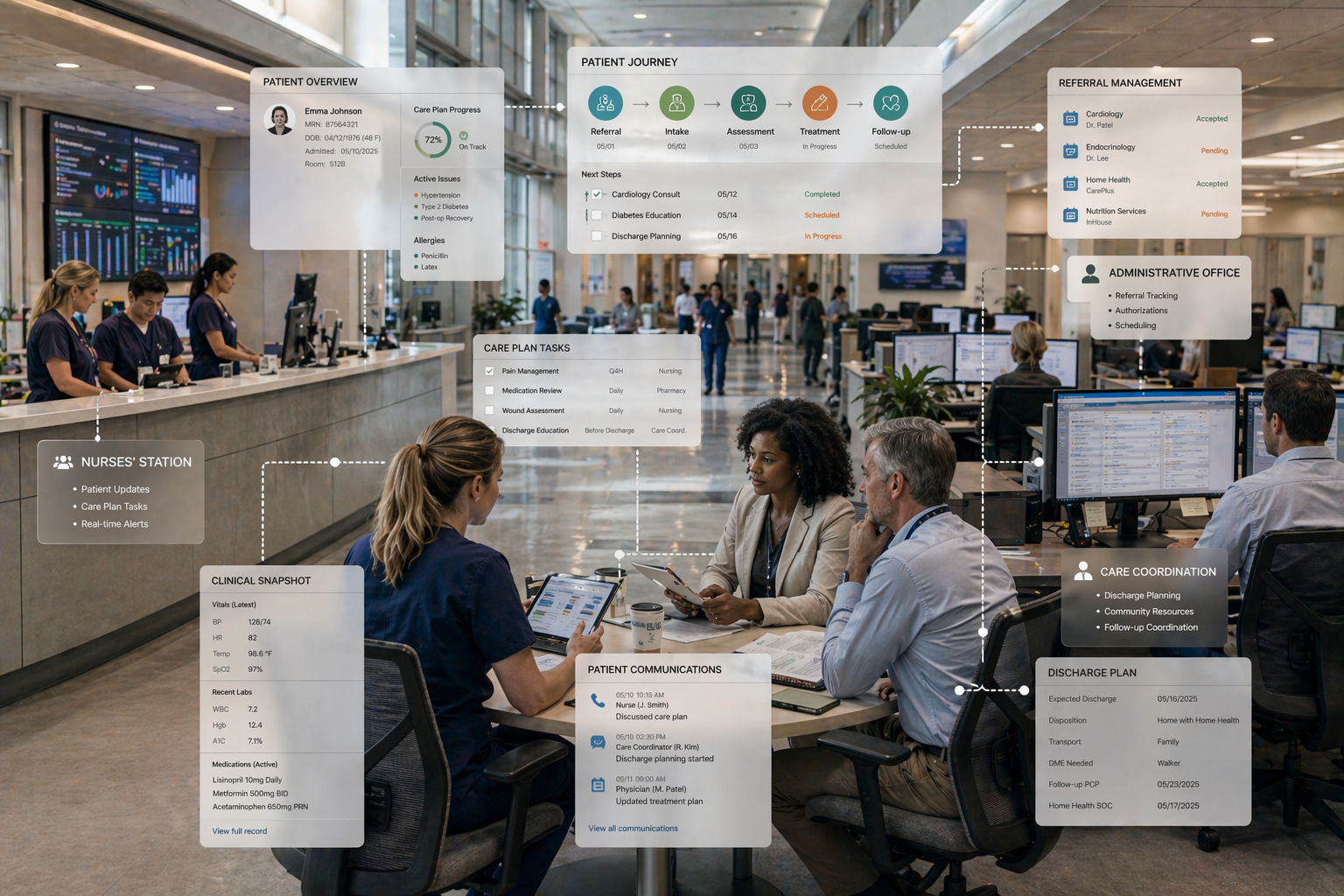
Traditional healthcare CRM systems are enterprise platforms built for strict medical regulations. Examples include Salesforce Health Cloud, Microsoft Dynamics 365, and Oracle Siebel. These systems focus more on clinical record-keeping and administrative coordination than on marketing flexibility. They usually split functions into operational, analytical, and collaborative tools to manage workflows and coordinate care across providers.
The main issue is fragmentation. Data often sits in separate systems. Clinical history in an EHR, financial data in an ERP, and engagement data in the CRM. This creates a disconnected view of the patient. Most legacy CRMs also struggle to trigger actions based on real-time clinical events, like missed screenings or new diagnoses.
These platforms are also complex to implement. You may deal with long onboarding times, often several weeks, just to learn the basics. Ongoing use usually requires dedicated admins and technical experts, which makes them harder to manage, especially in smaller practices.
Costs are another factor. Many of these systems charge high monthly fees per user, not including setup, data migration, and maintenance. They often meet HIPAA requirements out of the box, but their complexity can slow down operations and add to staff workload.
HubSpot vs Traditional Healthcare CRMs: Key Differences
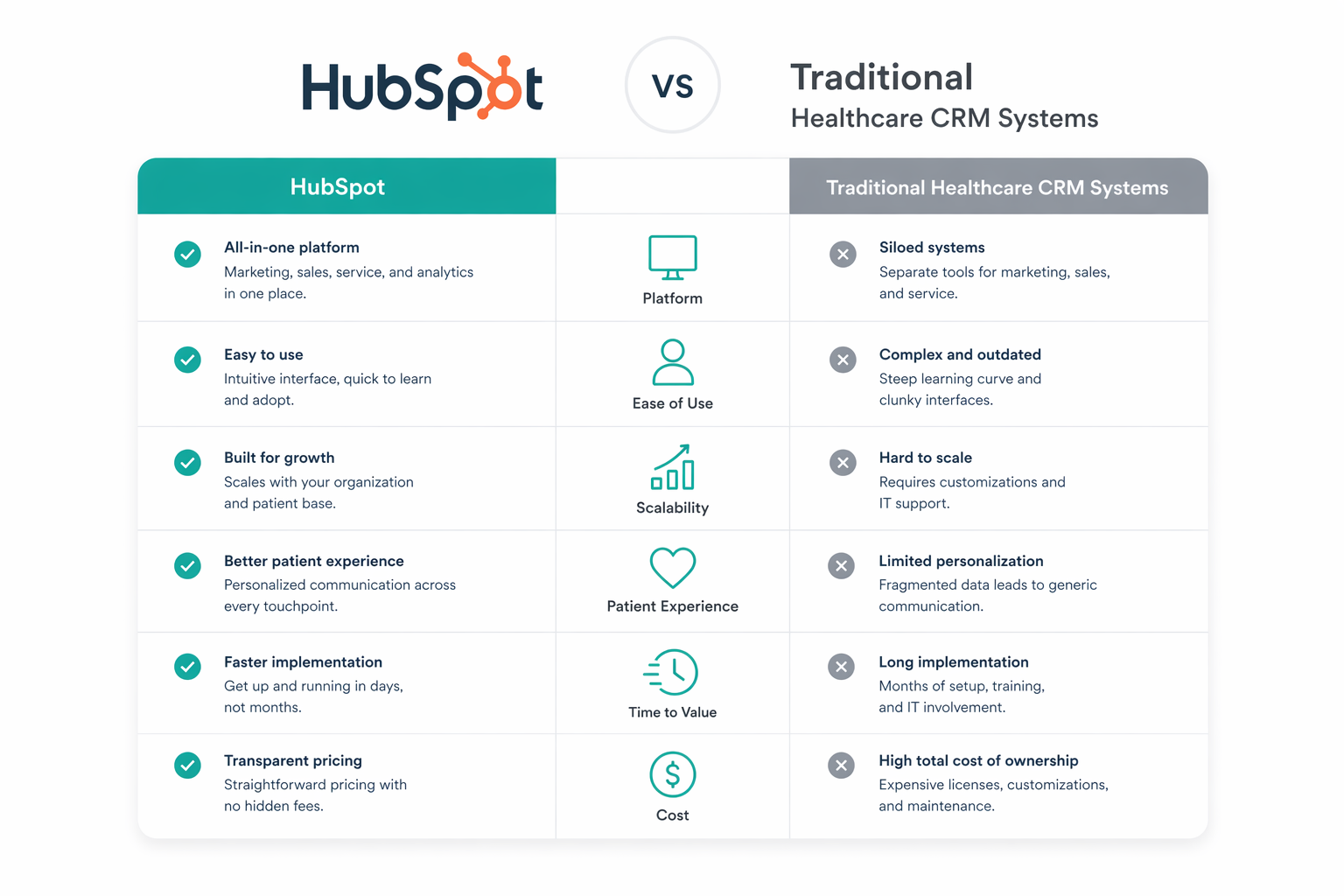
Both aim to manage patient relationships, but their architectural philosophies, user experiences, and financial models differ significantly.
Unified Ecosystem vs Functional Silos
HubSpot works as a single system that connects marketing, sales, service, and operations, giving you one clear view of each patient. In traditional healthcare setups, your data is split. Clinical records in an EHR, engagement data in a separate CRM, and financial data in an ERP. Healthcare organizations manage an average of 18.3 clinical systems, yet only 26.2% are effectively connected. Because of this, your team can spend around 6 hours each week searching for and reconciling patient information.
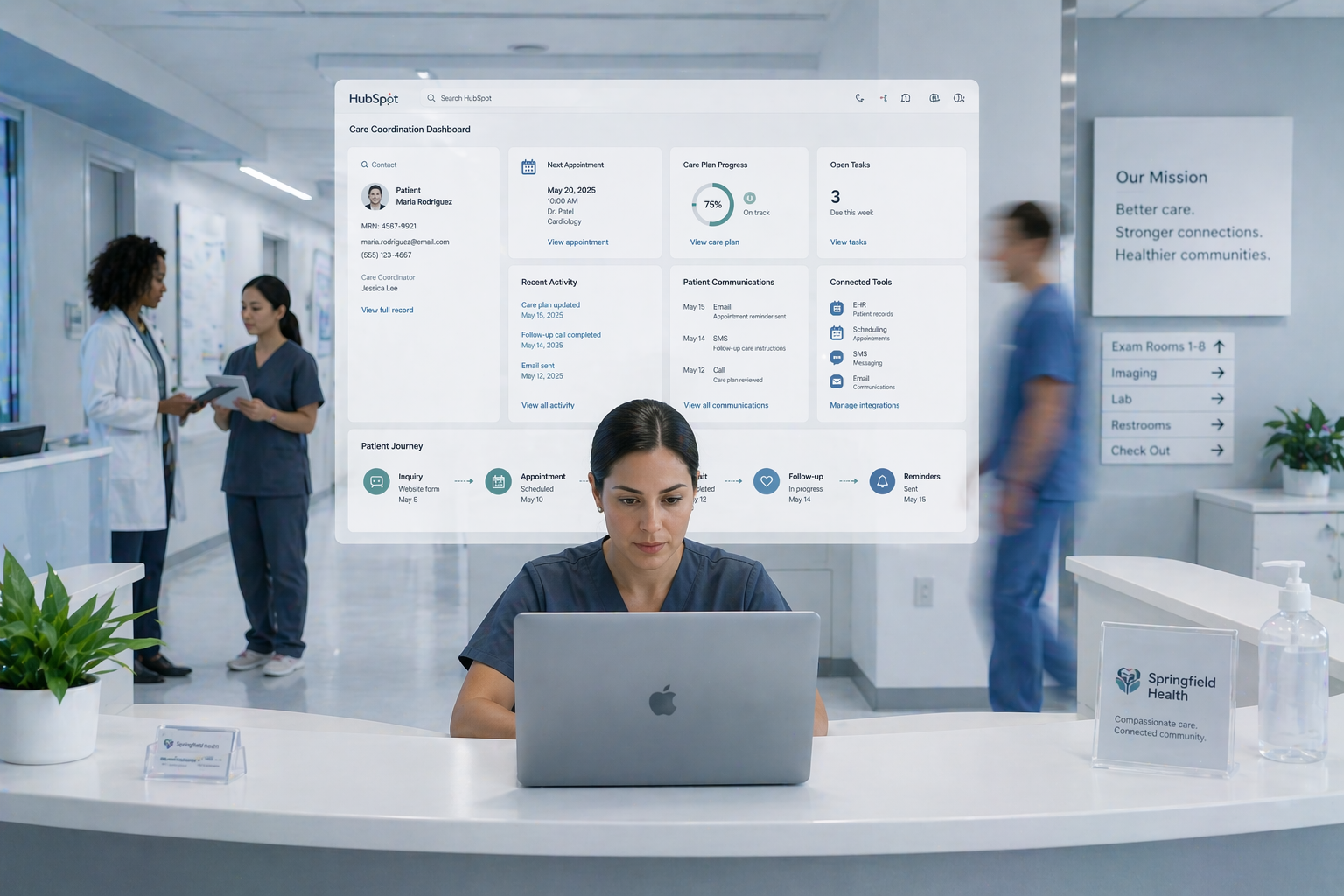
HubSpot fixes this by tracking the entire patient journey in one place. Every interaction, from appointments, communications, and follow-ups, connects into a single view, so your team can act on information immediately instead of piecing it together.
Speed of Implementation and User Proficiency
A key difference is how quickly you see value and how easy the system is to adopt. HubSpot is built for speed. 64% of users complete implementation within three months, and many are up and running in just two to four weeks with onboarding support. Its interface is simple enough for non-technical teams, so your staff can start using it without long training periods.
Traditional platforms take longer to roll out. You often deal with a steep learning curve, with onboarding that can take six to eight weeks. Ongoing use usually requires dedicated admins to manage the system, which adds time and complexity.
Adaptability and Tailored Workflows
HubSpot gives you flexibility without heavy technical work. You can customize pipelines, dashboards, and workflows to match your patient care processes, and update them as your needs change. Your team can build things like post-discharge follow-ups or preventive care reminders on their own, without relying on developers.
Traditional platforms offer deep customization, but getting there usually requires both technical skills and healthcare expertise. Customizing these systems can also become expensive, especially when you need ongoing support to maintain or adjust workflows.
Clinical Integration and Data Connectivity
Modern healthcare demands interoperability between engagement tools and clinical records. HubSpot integrates with over 1000 applications. It also integrates with enterprise EHRs like Epic, athenahealth, and NextGen through middleware. These integrations use modern standards like FHIR and APIs to ensure patient data flows securely between systems.
Traditional healthcare CRMs often provide industry-specific tools for care coordination and complex care plans natively, yet they frequently require expensive custom development to connect with legacy clinical platforms.
Security Infrastructure and Compliance
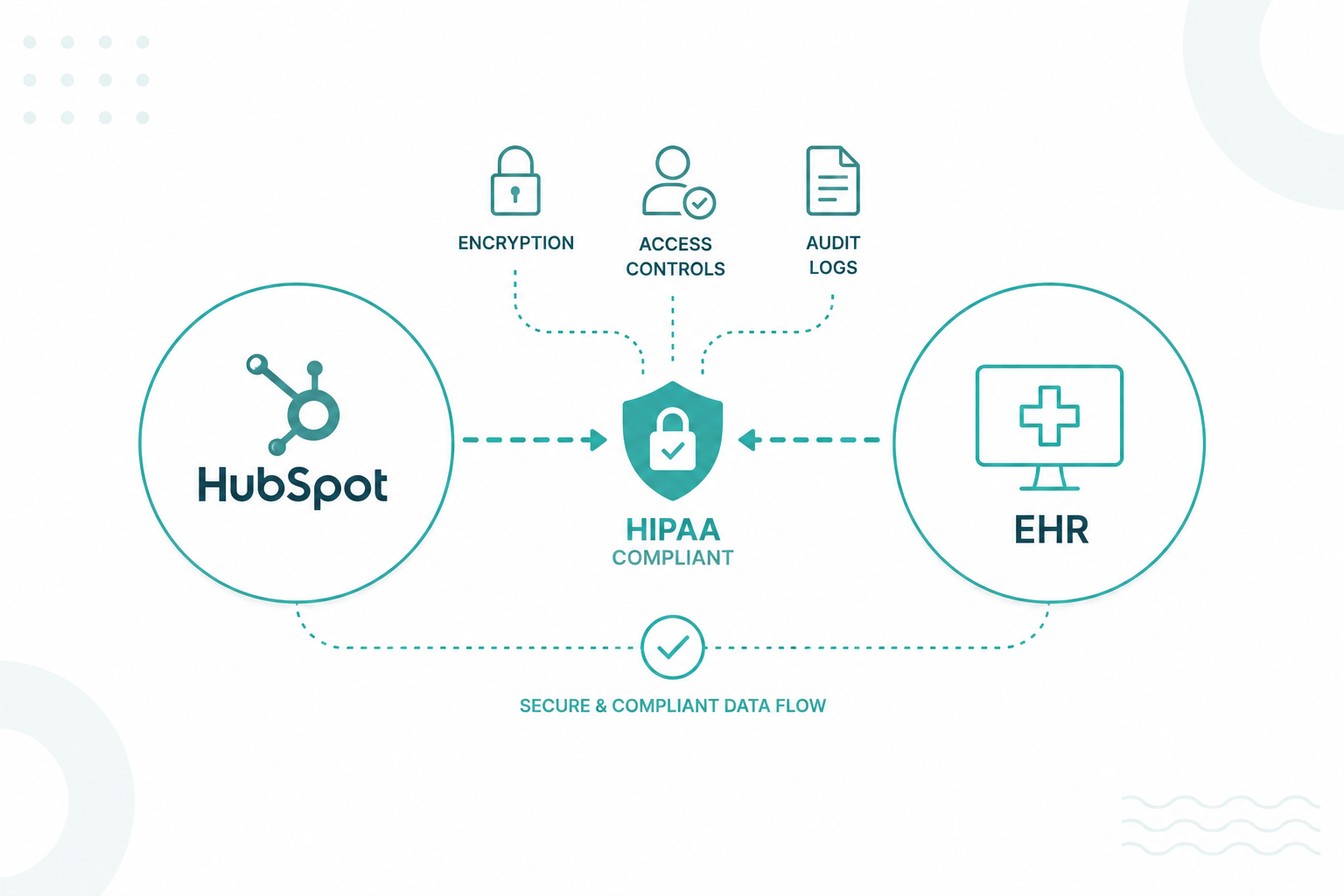
Historically, traditional healthcare CRMs held an advantage in being HIPAA-compliant from the outset. However, HubSpot has closed this gap through the introduction of a sensitive data backend and enterprise-grade security tools. Healthcare organizations can now sign a Business Associate Agreement with HubSpot, meeting stringent regulatory requirements while leveraging advanced marketing automation.
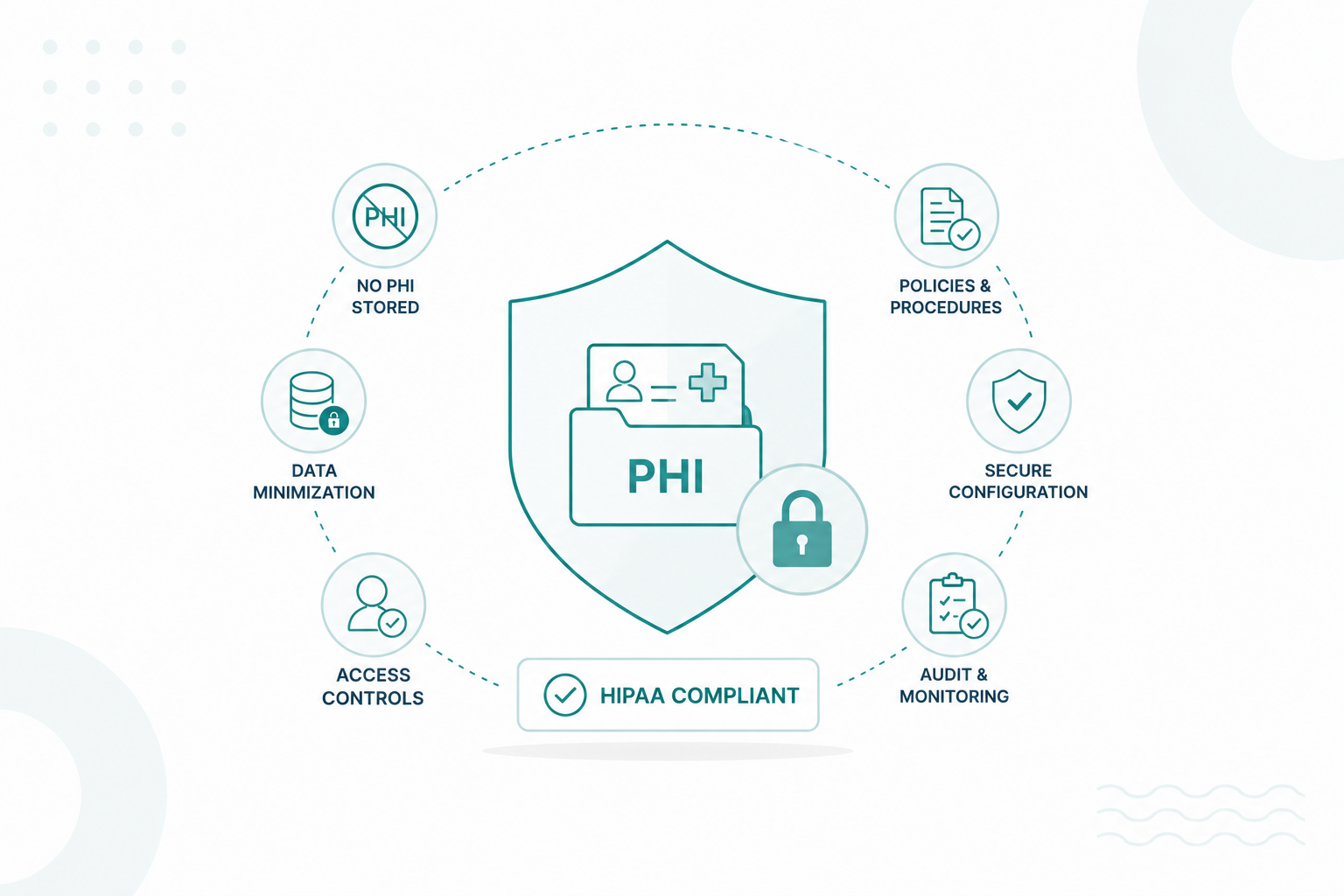
While some traditional systems offer robust encryption and FedRAMP authorization for government-level security, HubSpot now provides comparable tools, including audit logs, secure access controls, and advanced data encryption to protect sensitive health information.
Financial Investment and Long-term Value
The cost structure represents a major point of divergence. HubSpot uses a freemium and tiered pricing model, making it accessible for organizations of all sizes and enabling them to scale features as they grow. Conversely, traditional enterprise CRMs command premium pricing and often require high upfront costs, including licensing, implementation, and customization. Beyond subscription fees, traditional systems involve a higher total cost of ownership due to the need for internal resource allocation and external vendor costs for data migration and ongoing maintenance.
Summary Table
|
Category |
HubSpot |
Traditional Healthcare CRMs |
|
System Architecture |
Unified platform connecting marketing, sales, service, and operations in one system |
Fragmented systems with data split across EHR, CRM, and ERP |
|
Data Visibility |
Single view of the entire patient journey with all interactions in one place |
Disconnected patient view requiring manual data reconciliation |
|
Operational Efficiency |
Reduces time spent searching for data with centralized information |
Staff may spend hours weekly locating and reconciling patient data |
|
Implementation Speed |
Fast setup; many teams onboard in 2–4 weeks, majority within 3 months |
Longer rollout; onboarding often takes 6–8 weeks or more |
|
Ease of Use |
User-friendly interface designed for non-technical teams |
Steep learning curve, often requiring dedicated admins |
|
Workflow Flexibility |
Easily customizable pipelines, dashboards, and automation without heavy technical work |
Deep customization is possible but requires technical expertise and ongoing support |
|
Adaptability |
Quick updates to workflows as patient care processes evolve |
Changes can be complex, time-consuming, and costly |
|
Integration & Connectivity |
Integrates with 1,000+ apps and EHRs like Epic, athenahealth, and NextGen using APIs and FHIR |
Often requires middleware or custom development to connect legacy systems |
|
Clinical Capabilities |
Focused on patient engagement and communication, integrates with clinical systems |
Strong native support for care coordination and complex clinical workflows |
|
Security & Compliance |
HIPAA-ready with BAA, audit logs, encryption, and access controls |
Built-in compliance, often with advanced security like FedRAMP |
|
Cost Structure |
Freemium and tiered pricing, scalable as you grow |
High upfront costs plus ongoing expenses for maintenance and support |
|
Total Cost of Ownership |
Lower overall cost with less need for internal technical resources |
Higher TCO due to implementation, customization, and resource requirements |
Which One Fits Your Healthcare Organization?
Your choice comes down to what matters more: speed and patient engagement, or deep clinical coordination and enterprise control. Different healthcare organizations prioritize different outcomes, so the right system depends on how they operate and what they need to scale.
Small to Mid-Sized Practices and Ambulatory Care
Small to mid-sized ambulatory practices often find HubSpot the most effective choice because of its rapid implementation and intuitive interface. These organizations require systems that provide immediate value without needing a dedicated technical team for maintenance.
With a shorter onboarding timeline and a user-friendly design, your staff can start using the platform quickly without extensive training or technical support. This reduces administrative workload, improves day-to-day efficiency, and keeps your focus on patient care rather than system management.
Large-Scale Hospital Networks and Health Systems
Large hospital networks managing over 10,000 patient relationships often rely on platforms like Salesforce Health Cloud for complex clinical coordination. These systems support care plans and provide built-in compliance through tools like Salesforce Shield.
HubSpot can also be a strong alternative when your priority leans more toward patient engagement, marketing performance, and ease of use. You may not need the full weight of a traditional enterprise system if your focus is on improving communication, increasing patient acquisition, and streamlining workflows across teams. In these scenarios, HubSpot gives you a more flexible and faster-to-deploy option without sacrificing core functionality.

Specialty and Elective Medicine Providers
Specialty and elective medicine clinics rely on tools tailored to their workflows, often combined with a CRM for patient engagement. Platforms like PatientNow help aesthetic providers track treatment ROI and automate follow-ups after procedures. Wellness centers often use Mindbody to manage memberships, while HME providers depend on Brightree for inventory and patient coordination. Tools like Acuity Scheduling support flexible booking across smaller teams.
HubSpot can also serve as a strong alternative if you want a more unified system without relying heavily on multiple specialized tools. You can manage the full patient journey from first inquiry to follow-up in one place, with automation and communication built in. This works well if your focus is simplifying your tech stack, improving patient experience, and maintaining flexibility as your services grow.
How to Choose the Right Healthcare CRM
Following these strategic steps ensures the chosen solution aligns with both clinical and business goals.
Step 1: Define Clinical and Operational Objectives
The initial phase involves establishing clear goals, such as improving patient engagement, increasing sales efficiency, or enhancing customer support. A precise understanding of these objectives helps identify essential functions and prevents the acquisition of unnecessary features. Organizations should assess whether they require basic contact management or advanced capabilities like automated analytics and workflow coordination.
Step 2: Verify Regulatory Compliance and Security
Given the sensitive nature of medical data, the CRM must meet HIPAA or GDPR standards to protect patient privacy and maintain trust. Essential security features include advanced data encryption, secure access controls, and comprehensive audit logs. Crucially, the vendor must sign a Business Associate Agreement, which formalizes their responsibility in protecting Protected Health Information.
Step 3: Audit Data Flow and Integration Requirements
Mapping the path of patient data is critical for identifying manual "copy-paste" gaps where errors often occur. The selected system needs to connect seamlessly with existing infrastructure, such as Electronic Health Records, billing tools, and telehealth platforms. Poor integration leads to data silos and increased administrative burdens, so organizations must evaluate compatibility through APIs or industry standards like FHIR.
Step 4: Assess Usability and Adoption Hurdles
A complex user interface frequently leads to low adoption rates, diminishing the system's effectiveness. Selecting an intuitive, user-friendly design ensures that clinical staff can integrate the tool into their daily routines without extensive technical training. Requesting demos or trial versions enables teams to evaluate mobile accessibility and the general user experience before committing to a platform.
Step 5: Calculate the Total Cost of Ownership (TCO)
Financial analysis must extend beyond initial software licenses to include implementation, customization, employee training, and ongoing maintenance. Subscription fees represent only a portion of the investment; the costs associated with internal resource allocation and system updates often represent the majority of the budget throughout a three-year lifecycle. Conducting a cost-benefit analysis helps determine if the platform provides sustainable value.
Step 6: Utilize a Structured Selection Framework
Organizations can make data-driven decisions using frameworks like Multi-Criteria Decision Analysis (MCDA), which evaluates options based on functionality, cost, and ease of use. This approach moves beyond subjective vendor claims toward measurable outcomes. Implementing a limited pilot program with a small team further reduces risk, providing real-world data to validate the platform's fit before full-scale deployment.
Learn more from this guide: CRM Data Migration for HubSpot Re-Platforming
Hybrid Approach: Combining HubSpot with Healthcare Systems
Through this approach, healthcare leaders can break down data silos and create a 360-degree view of the patient journey without replacing their specialized clinical systems.
Bridging Clinical and Communication Gaps
A major advantage of this model is the ability to bridge the gap between clinical history and patient outreach. For example, when an enterprise EHR like Epic syncs demographics or appointment history with HubSpot, marketing teams launch automated post-discharge follow-ups or preventive care reminders based on specific clinical triggers. This connectivity ensures that patients receive timely, relevant communications that are grounded in their actual medical history.
Streamlining Intake and Scheduling
For ambulatory practices, connecting tools such as athenahealth with HubSpot eliminates manual entry through automated patient registration. New leads from a website push directly into the EHR as patient records, which reduces administrative errors. Furthermore, real-time scheduling data from Acuity triggers automated SMS reminders, which decrease no-show rates and improve care adherence. These integrations turn every booking event into a tracked marketing interaction. They provide visibility into which channels generate the most patient appointments.
Specialized Workflows and Revenue Tracking
In elective medicine, integrating specialized systems with your CRM helps track the exact ROI of marketing campaigns. Revenue from completed procedures can sync back to CRM records, giving you clear visibility into which advertisements drive the most profitable treatments. Similarly, for Home Medical Equipment (HME) providers, connecting inventory and patient management systems with your CRM supports resupply automation. When inventory data shows a patient needs new supplies, the CRM can trigger a reminder while the backend system handles inventory logic. This shortens the gap between identifying a need and reaching out to the patient.
Ensuring Secure Data Flow
Operating a hybrid system requires strict adherence to HIPAA regulations. Organizations must use HubSpot's sensitive data backend and sign a Business Associate Agreement to ensure Protected Health Information remains secure during these transfers. Using specialized Clinical Objects or secure fields prevents sensitive medical notes from appearing in unsecured areas of the CRM. Bi-directional syncs are essential to this approach, ensuring that when a patient updates their information in a HubSpot form, the EHR reflects those changes instantly.
Read this informative guide: HubSpot Strategy, CRM Architecture & Marketing Automation
Make the Right CRM Choice!
The healthcare sector is moving away from fragmented, clinical-only records toward unified, patient-centric ecosystems. Choosing between HubSpot and traditional enterprise platforms depends on an organization’s specific scale and workflow complexity. While legacy systems provide deep clinical coordination, modern platforms offer the agility and user-friendliness necessary for rapid growth and proactive patient outreach.
The transition toward real-time, data-driven communication remains essential for building long-term patient trust and ensuring sustainable operational success in an increasingly regulated environment.
If your organization wants to set up with a smart, modern CRM, partnering with a HubSpot-focused team can help you implement it in a way that fits your operations and compliance requirements. At Campaign Creators, we help organizations design and implement HubSpot environments that align with HIPAA from the ground up.
Frequently Asked Questions
How does data migration work when switching from a legacy healthcare CRM to HubSpot?
Data migration typically involves exporting patient and operational data from your legacy system, cleaning and mapping it to HubSpot fields, then importing it through integrations or APIs, often with validation steps to prevent data loss or errors.
How do audits work when using HubSpot for patient data?
Audits rely on HubSpot’s audit logs, access history, and data tracking tools, which allow you to review who accessed or modified patient information and verify compliance with HIPAA requirements.
Can HubSpot store sensitive clinical notes safely?
HubSpot can store sensitive clinical data only if you use its secure data features and configure access controls properly, but it is generally better suited for engagement data rather than detailed clinical documentation.
At what point should a healthcare organization switch from HubSpot to a traditional CRM?
You would consider switching when your organization requires advanced care coordination, complex clinical workflows, or deep native EHR functionality that goes beyond HubSpot’s engagement-focused capabilities.
.png?width=420&height=121&name=cc-logo-color%20(2024).png)
Campaign Creators