How TELUS Health Consolidated 335 Landing Pages and 1,705 Blog Posts Into One Multilingual HubSpot CMS
TELUS Health migrated its multilingual blog library and priority landing pages into a standardized HubSpot CMS architecture, replacing hard-coded theme dependencies with a structure content teams can manage directly. The migration included two new custom objects built specifically to support gated, language-specific content delivery.
0
Blog posts migrated into native multilingual groupings
0
Landing and web pages rebuilt into the new HubSpot CMS architecture
0
Additional landing page templates brought into the new architecture in a follow-on cleanup phase
0
New systems of record established for multilingual gated-content delivery
TELUS Health operates at a global scale, managing marketing and sales across regions including North America, the UK and Europe, Asia-Pacific, and Latin America. Its growth depends on accurate data to support campaign performance, lead management, and revenue reporting.
Behind these operations sat a CRM environment that had become increasingly difficult to manage. Over time, inconsistent data structures, legacy workflows, and a failing integration created gaps across systems.
Marketing could not confidently report on ROI, and sales teams questioned the quality of incoming leads. Attribution lacked consistency, routing logic was overly complex, and sync errors disrupted the flow of information between HubSpot and Salesforce.
TELUS Health needed more than a platform migration. The situation required a complete redesign of how data, attribution, and system integration worked together.
Campaign Creators partnered with TELUS Health to rebuild this foundation, restore data integrity, and create a unified system across HubSpot and Salesforce.
Industry
Healthcare / Enterprise SaaS / Employee Wellness
Tools Used
HubSpot Marketing Hub Enterprise
HubSpot CMS Hub
HubSpot Custom Objects
Services
CMS Migration
Multilingual Content Architecture
Content Consolidation
The Challenge
TELUS Health's legacy HubSpot portal held years of accumulated blog and landing page content across multiple languages, with navigation, footers, and blog display logic hard-coded into theme files, not editable through the standard HubSpot content editor. Making a routine content change meant involving a developer, and no system existed for grouping the same blog post across its language variants or for delivering gated, language-specific assets such as TELUS Health's Mental Health Index report.
Left unaddressed, every new blog post or landing page added to the legacy portal meant more redundant, ungrouped multilingual content and a growing dependency on developer time for changes a content team should have been able to make on its own. A migration at this scale, more than 2,000 combined blog posts and priority landing pages across as many as nine languages, carried real risk of broken redirects, lost search visibility, and duplicated content if not sequenced and verified carefully.
1. Hard-coded theme logic.
Site navigation, footers, and blog display logic lived inside theme files, outside the standard HubSpot content editor. Every routine content change required direct developer involvement, closing off self-service editing for the content team.
2. No multilingual blog grouping.
TELUS Health's Heartbeat Blog and Global Blog properties had no native structure linking a post to its language variants. Regional teams managed translated versions of the same post as separate, disconnected assets.
3. No structure for gated multilingual content.
Assets like the Mental Health Index report had no supporting object model for gated, language-specific delivery. Each new gated campaign was built manually from scratch, with no repeatable system to reuse.
4. Migration tooling limitations.
HubSpot's native asset migrator could not correctly transfer a subset of legacy forms due to field name and type mismatches between the old and new portals. Each affected form required manual rebuilding to preserve data integrity during the cutover.
5. Contractually fixed legacy pages.
Three legal and policy pages were required to remain on the legacy go.lifeworks.com domain even as the rest of the site moved to telushealth.com. The cutover needed a domain-splitting approach that kept those pages functional without folding them into the new architecture.
"A migration like this fails when every language variant gets treated as its own one-off page. We built TELUS Health's architecture so a content team member manages one post and its translations as a single asset, not nine separate problems."
TELUS Health needed a partner who could migrate a large multilingual content library without breaking historical search value or interrupting a global, always-on audience. The engagement's technical requirements included:
Native HubSpot multilingual blog grouping for two blog properties
A repeatable structure for gated, language-specific content delivery
An "as-is" rebuild of priority landing pages with corrected metadata, SEO fields, and a new URL structure
Verified redirect integrity across the full migrated content set, checked before and after cutover
A phased rollout able to accommodate a required domain split for legacy legal and policy pages
How Campaign Creators Rebuilt TELUS Health's Multilingual Content Architecture
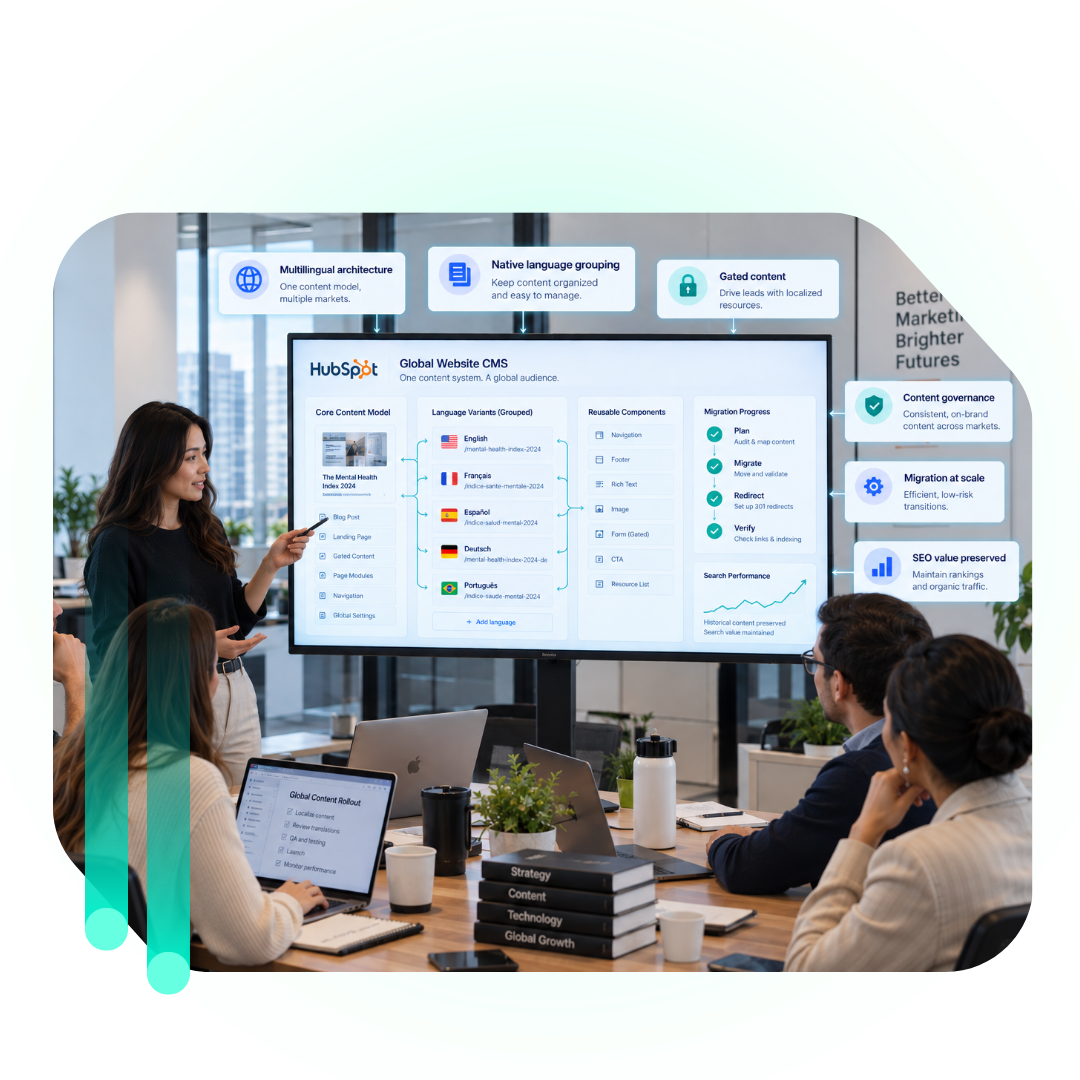
Campaign Creators sequenced the engagement in phases: a Blog Migration Phase 2 covering both blog properties, followed by a Landing Page Migration covering 335 priority pages, followed by a Post-Migration Theme Cleanup Audit covering an additional 71 templates once the core cutover was verified stable.
Two Custom Objects for Language-Specific Gated Assets
Gated content had previously run through ad hoc forms, with no data model tying a gated asset to its own submissions. Campaign Creators built two new custom objects, Gated Content Files and Gated Content Form Submissions, to give TELUS Health a dedicated data model for language-specific gated assets. This decision means a new gated campaign in any language follows an established object structure going forward, not a one-off build each time.
Gated Assets Tied to Their Host Pages
Gated assets needed to connect directly to the blog and landing page content they supported, not sit as disconnected records checked by hand against the page delivering them. Campaign Creators connected the two new custom objects directly into the surrounding HubSpot CMS content model, so a gated asset and its host page reference the same underlying record. That connection is what lets a content editor manage a gated asset and its page as one unit, not two systems synced manually.
1,705 Posts Across 9 Languages, Blogs First
Blog content had to move as two batches of very different scale and structure at once, 504 posts across 9 languages on the Heartbeat Blog and 1,201 posts across 5 languages on the Global Blog, without breaking either property's existing search visibility mid-migration. Campaign Creators migrated both properties into HubSpot's native multilingual blog grouping, followed by an "as-is" rebuild of 335 priority landing and web pages with corrected metadata, SEO fields, and a new URL structure. Sequencing the blog migration ahead of the landing page rebuild let the team validate the new multilingual grouping model on a smaller, contained content set before applying the same approach at landing-page scale.
Separate Field Sets for Assets and Submissions
A single flat record could not separate a gated asset from each visitor's individual form submission, which would have made it impossible to report on either one without disentangling the other by hand. Campaign Creators defined distinct field sets for the two new objects, so each record type carries only the fields relevant to it, gated-asset metadata on one object and submission data on the other. That separation lets TELUS Health track a gated asset and its submissions independently, in any language, without redefining the distinction for each new campaign.
Content Edits Out of the Developer Queue
Publishing a routine update under the legacy structure meant filing a developer request regardless of how small the change was, from a single blog post edit to a sitewide footer link. Campaign Creators separated the two going forward: standard content changes now run through the content team's own HubSpot content editor, and only structural theme-level changes route to a developer. Day-to-day publishing volume no longer depends on developer availability.
Workflows Rebuilt for Multilingual Groupings
Both workflows tied to the legacy blog properties were built against a single-language structure and would have broken the moment posts moved into native multilingual groupings. Campaign Creators rebuilt both workflows to run correctly against the new multilingual post structure as part of the same migration. Neither workflow needs a separate rebuild each time a new language is added going forward.
Verified Redirects at 2,000+ Pages
A migration touching more than 2,000 combined blog posts and pages had no way to confirm redirect and URL integrity except checking pages individually, which would not hold up against a fixed go-live date. Campaign Creators ran systematic Screaming Frog crawls before and after cutover to verify redirects and URLs across the full migrated set. That gave the team a documented, page-by-page baseline for confirming go-live, not a spot-check.
The Results
The completed migration replaced TELUS Health's developer-dependent legacy portal with a single, standardized multilingual content architecture. Key outcomes included:
Both blog properties, Heartbeat Blog and Global Blog, now publish through one native multilingual grouping model, not nine disconnected language variants per post
335 priority pages carry corrected metadata, SEO fields, and a new URL structure under the rebuilt CMS architecture
The Post-Migration Theme Cleanup Audit extended that same rebuild to 71 more templates after the original migration closed
Gated campaigns, including the Mental Health Index report, now run through a defined two-object structure, not a one-off build each time
3 legacy legal and policy pages stayed live and functional on their required domain throughout the cutover
The relationship continued past the original contract, with the cleanup audit scoped and delivered as a separate, later engagement
Each of these outcomes ties back to one standardized content architecture, not a one-time cleanup project.
Impact: A Content Architecture Built to Scale Without Rebuilding Again
TELUS Health's blog and landing page content now lives in one standardized HubSpot CMS architecture, not scattered across theme-level customizations only a developer could touch. Routine content work runs through the content team's own tools, with developer time reserved for structural changes, not day-to-day publishing. As TELUS Health adds new markets or languages, the same multilingual grouping model extends to them directly, without a separate redesign for each one.
Solve Multilingual Content Migration and CMS Consolidation With Campaign Creators
Global organizations that grow through acquisitions and regional expansion often end up with content scattered across inconsistent language variants and theme-level customizations that only a developer can touch. Every new market or language adds to that debt without a plan to resolve it.
Closing that gap requires a content architecture built on native multilingual grouping and a repeatable object model for gated content, sequenced so historical search value carries over, not traded away for speed.
Campaign Creators builds HubSpot CMS architectures that give global teams direct control over multilingual content, a governance-ready structure for gated assets, and a migration approach built to protect search value and historical content at scale.
Build a HubSpot Foundation Your Team Can Run Itself
Whatever you're migrating from, the goal is the same: a system your own team can manage without a specialist behind every change. Tell us what you're working with and we'll map what it takes.








.png?width=1200&height=800&name=CC%20Blog%20Images%20(51).png)