










Energy & Utilities Success Story
How Suburban Propane Set Up HubSpot Marketing Hub Enterprise and Mapped 46 Onboarding Platform Fields to HubSpot Contacts
Suburban Propane distributes propane, fuel oil, and related products and services, and its marketing team sent a customer-retention email from Mailchimp using lists uploaded by hand. Between January 28 and April 28, 2026, Campaign Creators onboarded the team onto HubSpot Marketing Hub Enterprise and mapped the fields of the company's custom onboarding platform to HubSpot contact properties. The work covered the hub setup, the data model for the platform's records, a written integration brief for the client's vendor, and training for the marketing team.
0
SCO fields mapped to HubSpot contact properties
0
HubSpot forms built
0
rebranded master templates (email and landing page)
0
one-hour HubSpot training sessions delivered

Suburban Propane is a nationwide distributor of propane, fuel oil, and related products and services, headquartered in Whippany, New Jersey, with 3,190 employees. Alongside its retail operations, the company runs a custom onboarding platform called SCO (Suburban Customer Onboarding), which holds the records of customers as they sign up.
The engagement involved the company's marketing, IT, and data analytics staff, including its retention, affinity, and growth marketing roles. The marketing team wanted HubSpot to take over customer-retention email from Mailchimp, and it wanted SCO data available in HubSpot so it could run campaigns on that data. On the growth side, the team also wanted to use the website and digital campaigns.
Industry
Energy & Utilities
Tools Used
- HubSpot Marketing Hub Enterprise
- HubSpot REST API
- SCO onboarding platform
Services
- HubSpot onboarding
- CRM strategy and data modeling
- Integration Brief
- Email and landing page template rebrand
- Training
The Challenge
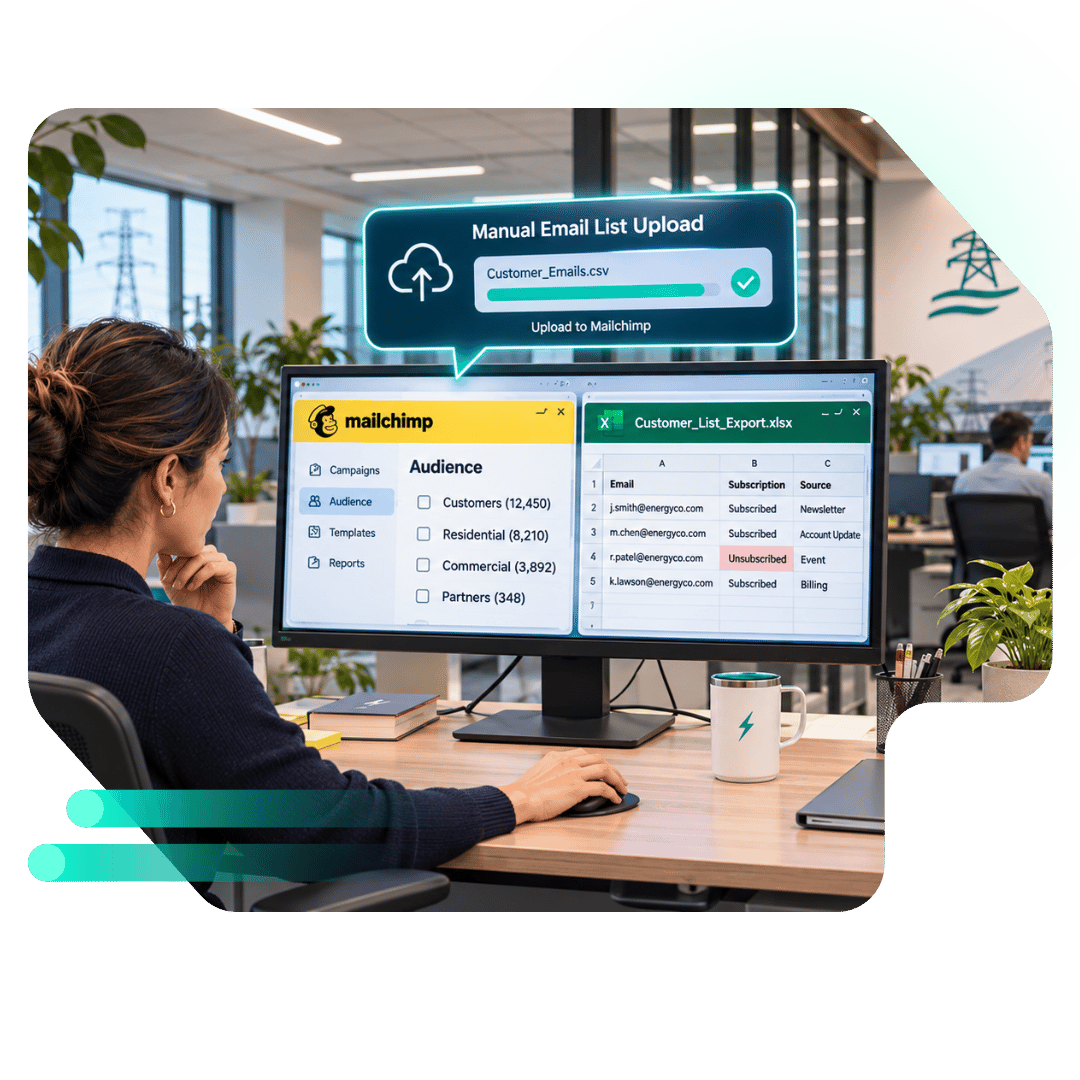
Suburban Propane's marketing team ran retention emails from Mailchimp on lists that were exported from internal systems and uploaded by hand. The team wanted HubSpot to replace Mailchimp for that email with minimal disruption during the peak heating season, and it wanted its unsubscribe lists migrated in the process.
The second goal concerned SCO. At the January 28, 2026 kickoff, the client said it wanted an SCO integration in place so that its marketing staff could pull onboarding data into HubSpot to conduct campaigns. It also wanted HubSpot structured so that a later integration with its Oracle retail system would not require rework.
Four Gaps Between Suburban Propane's Systems and HubSpot
1. Manual List Uploads
Contact lists were exported from internal systems as CSV files and uploaded to Mailchimp by hand. The client's retention contact files come from a SQL query, which the team exports to CSV before each upload.
On March 5, 2026, the client's marketing strategy director confirmed that this is how the team worked in Mailchimp. Any move to HubSpot had to account for the same SQL-to-CSV files, since that process would continue to supply retention contacts.
2. A Disjointed Technology Stack
The stack included Mailchimp, a WordPress website maintained by an outside web vendor, SCO, a retail system made up of more than 200 separate customer databases, and a ZoomInfo pilot. None of these systems fed the others automatically.
Integrating the retail system and ZoomInfo was outside this engagement, so the HubSpot setup had to work without them for now. The signed scope did include support for a consistent process for importing ZoomInfo data manually, and the client asked that the setup leave room for a future Oracle retail-system integration.
3. Names Held in a Single Field
On March 5, 2026, the client's research and innovation manager described the contact file from the company's SQL database as carrying each name in one field. That file had not yet been uploaded to HubSpot.
Personalization by first name needs separate first and last name values, and automated splitting of names was outside the project scope. The team needed a way to store full names as they arrived without blocking the import.
4. A Vendor-Built SCO API With No HubSpot Specification
The SCO-side API was the responsibility of the client's vendor, Destwin, not of Campaign Creators. The vendor's developer had set up a HubSpot app but did not know what to do with it next.
On March 2, 2026, the client asked for HubSpot endpoints and keys to hand to the vendor. The signed scope covered building the HubSpot-side objects and properties, so the vendor still needed a written definition of what HubSpot expected to receive.
"Suburban Propane's vendor was building the SCO side of the connection, so our job was to define the HubSpot side. We wrote the field names, property types, and endpoints into one brief the developer could work from."
Britt Anderson-Shank, Account Executive, Campaign Creators
Why Suburban Propane Chose Campaign Creators
Campaign Creators is a HubSpot Elite Solutions Partner and has helped many businesses move off standalone email tools and bring data from custom platforms into HubSpot. That experience matched what Suburban Propane needed.
The signed scope covered these items:
- Marketing Hub Enterprise onboarding and setup. This put the portal, users, branding, and sending setup in place so HubSpot could take over retention email.
- Import of opt-out lists from the previously used system. This addressed the client's goal of migrating its unsubscribe lists from Mailchimp.
- A rebranded master landing page template and a rebranded master email template. These gave the marketing team branded starting points for the email and pages it would build in HubSpot.
- CRM strategy and data modeling consulting. This line covered defining the data model and properties and ensuring that SCO data is received and stored in HubSpot, which was the client's SCO goal. It did not include custom object creation.
- Five hours of general HubSpot training. This prepared the marketing team to run the portal after setup.
Solution: How Campaign Creators Set Up Marketing Hub Enterprise and Mapped SCO Data to HubSpot Contacts
Campaign Creators worked through a series of calls with the client's team on January 28, February 3, February 10, March 2, March 5, and March 12, 2026. The March 2 Project Connect and March 5 Integration Connect calls brought the vendor's developer into the work.
At the March 12 Implementation Review, the team walked through the settings, users and seats, brand kit, properties, marketing contact status, forms, and dashboards in the portal.

One Landing Place for SCO Records on the Contact Object
All SCO data maps to the native HubSpot Contact object, in line with a scope that excluded custom object creation. The Integration Brief states that the integration does not create or manage associations, and the portal held no company records on April 28, 2026.

An Integration Brief for the Vendor's Developer
The Integration Brief was written in February 2026 as a deliverable outside the original scope and was linked on the March 2 Project Connect call. It sets out acceptance criteria, an upsert algorithm, error handling, source-of-truth rules, and endpoints. It specifies authentication through a Private App on the HubSpot REST API, with SCO sending data to HubSpot in one direction. At Integration Connect, the developer was shown where HubSpot lists internal property names, under Settings > Properties.

Field-by-Field Mapping of 46 SCO Fields
The field mapping gives each SCO field a HubSpot label, an internal name, and a type. Its 46 fields include account_number, current_status, acquisition_date, csc, area, and region. The matching property list carries picklist options for Current Status (16 values), Previous Supplier, Acquisition Reason, Source Referral, and Customer Type.
The mapping has no first or last name rows, and at Integration Connect the client's marketing strategy director proposed a Full Name property to hold names that arrive unsplit. Acquisition Date was added to the default contact record view for all users at the Implementation Review.

Walkthrough of CSV Imports
Because retention contact files come from a SQL query exported as CSV, the team was shown how those files map into HubSpot. At Integration Connect, the import mapping screen was explained, and at the Implementation Review the use-as-template option was shown, which repeats a saved column mapping on later imports.

Forms, Templates, and Reporting
Five forms were built: Contact Us, Become A New Customer, Referral Program, Moving Out, and Authorized Resale Partner Resources. The master email and landing page templates were rebranded, and a custom report, Revenue by Campaign, was built for the marketing team.

Training Sequenced After API Data Began Flowing
On March 5, the account executive recommended that training wait until data from the API was flowing. The client's marketing strategy director asked whether the plan was a super admin session followed by a regular-user session, and the account executive recommended that route.
The HubSpot trainer then ran five one-hour sessions on March 30, March 31, April 23, April 27, and April 28, 2026. They covered the Super Admin role, Marketing Hub, segments, campaigns, retargeting and workflows, uploads, personalization and landing pages, and reporting, lead scoring, and attribution.
In the April 23 session, the trainer built a segment of contacts with eForms Current Status values on the portal's data and demonstrated a workflow with a delay and a resend branch for non-openers, without turning it on.
The Results
- Email authentication verified. The client's DNS contact completed the SPF record and the subdomains, and both were verified on March 5, 2026.
- A vendor connection started within minutes. On March 5, the vendor's developer said the Integration Brief answered his questions and that he began connecting to HubSpot within minutes of reading it and had a contact set up.
- A client verdict on the brief. The same day, the client's research and innovation manager called the Integration Brief a really good document.
- Fields confirmed in testing. On March 12, the client's research and innovation manager and marketing analytics manager checked the fields in the client's test environment and found them all coming through.
- Templates reviewed by the client. On March 5, the client's marketing strategy director said the rebranded templates looked fine and gave the team an idea of the different modules.
- Training rated by the client. The client's research and innovation manager called the April 23 session extremely valuable.

Impact: A Defined Home for SCO Data and a Team Trained on Marketing Hub
Before the engagement, SCO data had no defined place in a marketing system, and the vendor building the SCO connection had nothing that described the HubSpot side. Suburban Propane's team now holds the field mapping and the Integration Brief as written references for that connection. During the March 12 test, contacts created through the API arrived in HubSpot as non-marketing contacts, which was the expected behavior, and the portal counted one marketing contact that day.
The marketing team also moved from Mailchimp lists to a Marketing Hub Enterprise portal with verified sending, branded templates, and its own forms and reporting. A shared Drive folder holds a recording of each of the five training sessions, the last dated April 28, 2026, so the team can revisit how to build segments, workflows, landing pages, and reports in the portal.
Get Marketing Hub Enterprise Onboarding With Campaign Creators
Campaign Creators sets up Marketing Hub Enterprise, defines how data from custom platforms lands in HubSpot, and writes the integration brief that a client's own vendor builds against.
If your team sends email from exported lists and keeps customer data in a custom system, the same approach gives that data a defined place in HubSpot and gives your team the training to use it.