How PartsTrader Connected Microsoft Dynamics 365 to HubSpot With a Platform Users Custom Object
PartsTrader needed HubSpot to become the central source of truth for customer data held in Microsoft Dynamics 365. Campaign Creators mapped four Dynamics 365 objects to HubSpot and added a Platform Users custom object to hold each platform login as its own record.
0
Dynamics 365 objects mapped to HubSpot (accounts, contacts, deals and DRP records)
0
custom objects configured (DRP and Platform Users)
0
platforms connected to HubSpot (Microsoft Dynamics 365 and AskNicely)
PartsTrader is a cloud-based parts procurement platform for the collision repair industry, based in Chicago and Wellington, New Zealand. Its customers are collision repair shops that use its marketplace, which connects repair shops, suppliers, and carriers to source parts. In late 2025, it launched Orderly, which combines competitive sourcing and pricing with end-to-end workflow management in a single platform.
PartsTrader’s customer data lived in Microsoft Dynamics 365 across about 46 custom entities. Each shop is an account, each person can hold their own platform login, and the same email often appears on more than one shop account. Shops also link to DRP records through a company reference number. With a new Orderly process that uses HubSpot as the source of truth, and an earlier two-way sync that merged accounts, each record had to land on the right shop and the right person.
Industry
Automotive
Tools Used
Microsoft Dynamics 365
AskNicely
HubSpot Marketing Hub Enterprise
HubSpot Sales Hub Enterprise
Services
HubSpot and Microsoft Dynamics 365 datasync integration
Custom object data migration for DRP data
CRM strategy and data modeling
Marketing Hub Enterprise and Sales Hub Enterprise onboarding
Advanced project management
General HubSpot training
The Challenge
PartsTrader's sales and service teams wanted sales automation, follow-up and task management, visibility on account contacts and automated touchpoints, and they lacked lead nurturing with Dynamics 365.
Each new shop account added to Dynamics 365 would have added another record to match in HubSpot, while PartsTrader built a formal marketing, sales, and onboarding process for its new product, Orderly.
Five Problems the Integration Had to Solve
1. An earlier HubSpot onboarding did not take hold.
The portal held some data, but little of it was in use. A Campaign Creators audit found that so much was still needed that PartsTrader re-onboarded.
2. Dynamics 365 carried a large custom data model.
It held 46 custom entities, with custom fields on entities such as accounts and contacts. The first design question was which of them HubSpot should receive.
3. An earlier two-way sync merged accounts.
A previous bidirectional attempt between the two systems overwrote and merged accounts. The PartsTrader app also overwrote records overnight.
4. Contacts shared one email across several shop accounts.
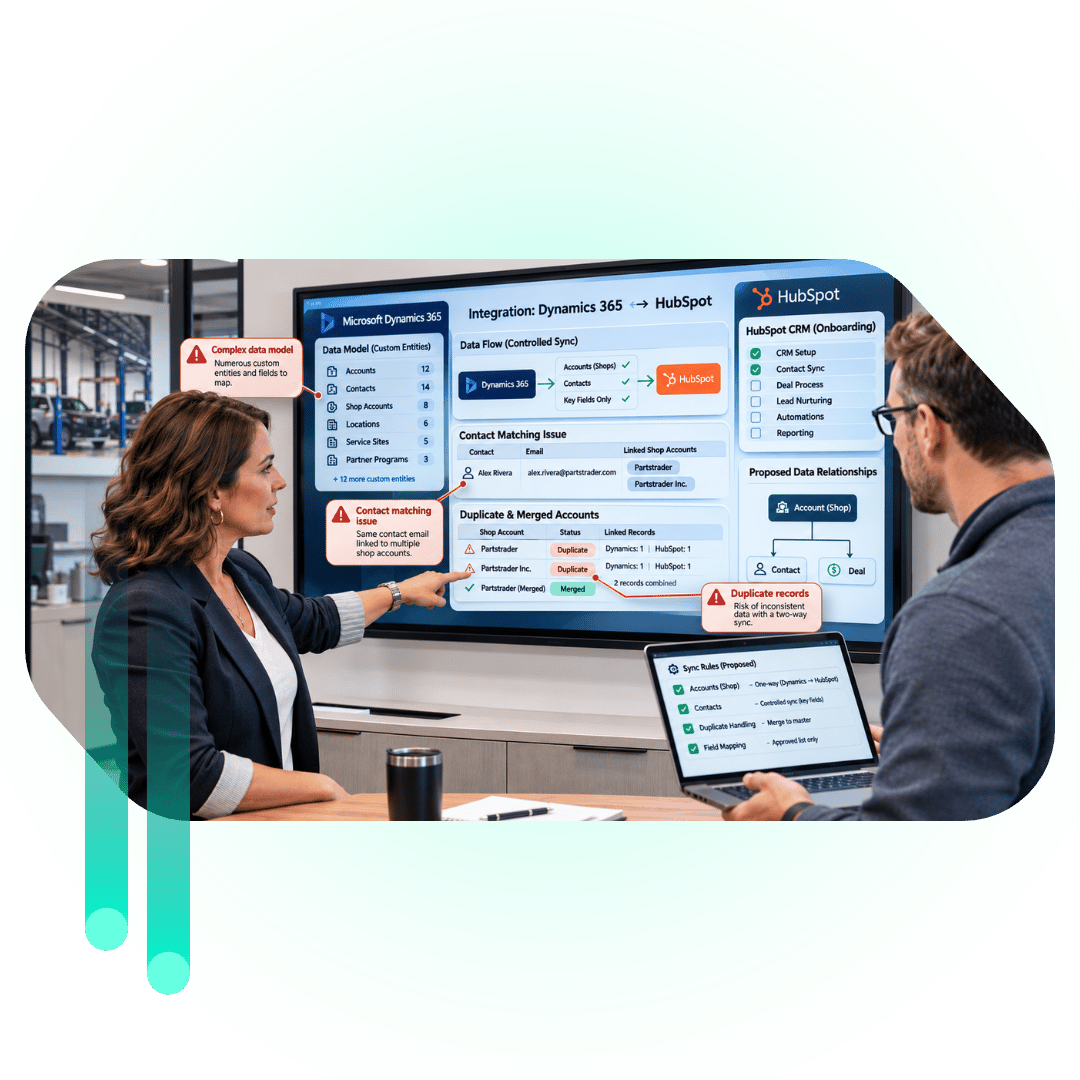
The same contact email appeared on more than one shop account in Dynamics 365. The native Dynamics 365 sync matches contacts on email, so those contacts could not sync as they stood.
5. Sales users had no single source of truth.
Sales users did not know where customer data lived or where to document it. HubSpot adoption was rated 4 out of 10, and duplicate data created skepticism of the tool.
"We made a call to give every platform login its own record. The Platform Users object holds each login on a separate record that associates to the contact and the company."
PartsTrader's signed scope covered the integration, the data model and the hub setup. It included:
A HubSpot and Microsoft Dynamics 365 datasync integration
A custom object data migration for DRP data
CRM strategy and data modeling
Marketing Hub Enterprise and Sales Hub Enterprise onboarding, including a sending domain
Advanced project management
General HubSpot training
Campaign Creators is a HubSpot Elite Solutions Partner. The build drew on two layers of the Inside-Out Experience Framework, Campaign Creators' model for building connected customer experiences from the core outward: Data Foundation, which set HubSpot as the source of truth in the sync design, and Architecture, which set the standard and custom objects.
Solution: How Campaign Creators Built the Dynamics 365 to HubSpot Sync
The build started with a data model diagram presented on 7/11/2025 and a mapping questionnaire marked done on 7/18/2025. Campaign Creators then reviewed the sync with PartsTrader on 10/14/2025.
Designing a Data Model With HubSpot as the Source of Truth
DRP records needed a custom object in HubSpot. Campaign Creators drew a Lucid data model diagram of the sync across contacts, companies, deals, the DRP custom object, field visits and cases. The model uses PartsTrader's PT_US identifiers for contacts, companies and cases. Contacts, companies and deals sync to standard HubSpot objects, and DRP records sync to the DRP custom object.
Connecting the Native Dynamics 365 Connector Through a HubSpot Service Account
The sync was already running on an existing connection. Campaign Creators configured the native HubSpot and Microsoft Dynamics 365 datasync connector on PartsTrader's existing connection, added the Platform Users and DRP syncs, moved the connection to the HubSpot service account, and documented the field mapping in a workbook with a sheet for each mapped record type. The final integration walkthrough confirmed that the connection runs on the HubSpot service account.
Importing the Opt-Out List Into Marketing Hub Enterprise
PartsTrader's opt-out status had to carry into HubSpot with its contacts. Campaign Creators imported the opt-out list from PartsTrader's previous system into Marketing Hub Enterprise. Standard object records come into HubSpot through the Dynamics 365 sync.
Creating Custom Properties From the Dynamics 365 Field Mappings
Custom Dynamics 365 fields had no counterpart in HubSpot. Mapping a custom Dynamics 365 field to HubSpot creates a matching custom property. The property set in HubSpot follows the field mapping workbook.
Configuring a Platform Users Custom Object for Logins That Share an Email
The native sync matches contacts on email, which left no place for a second login on the same email. Campaign Creators configured the HubSpot side of a Platform Users custom object, related one-to-many to a contact, by the 10/14/2025 review. The Platform Users sync matches on record ID and uses the login name as its key. In the sandbox, 29 test accounts synced across.
Automating Record Association With Three Workflows
Synced Platform Users and DRP records needed an association to the right contact and company. Campaign Creators built three workflows:
Platform Users to contact and company: when a Platform Users record is created in Dynamics 365, associates it to the contact and company that match on email.
Company to DRP: associates each DRP to its company through the company reference number.
Company reference number extraction: a custom coded workflow that takes the company reference number from the front of each DRP name and matches it to the company with the same reference number.
The association workflows carry the label "do not edit or delete" because editing them breaks the associations.
Mapping the Orderly and Ad Sales Pipelines to Dynamics 365 Business Process Flows
Dynamics 365 tagged deals with an Opportunity Type, which the sync could not map as a pipeline, and the Orderly pipeline was not yet available as a mappable option at the 10/14/2025 review. Campaign Creators mapped the Orderly and Ad Sales pipelines to their Business Process Flows and scoped the deal sync to those two flows. On 10/23/2025 PartsTrader's analyst assigned six test deals to the correct flow.
Training Sales Hub and Marketing Hub Users in Separate Sessions
The project covered two hubs, and each hub had its own session. Campaign Creators held a one-hour Sales Hub session on 11/12/2025 and a one-hour Marketing Hub session on 11/14/2025. Each session has an agenda and a recording on file.
The Results
Calls, notes and meetings sync across the Dynamics 365 connection, and both hubs were configured for the sales and marketing teams.
Sales Hub Enterprise was configured with deal pipelines and stages, the meetings tool and email tracking.
Sales Hub Enterprise was configured with email templates and snippets.
Marketing Hub Enterprise was configured with a sending domain, email senders and a resubscription email.
Marketing Hub Enterprise was configured with email subscription types.
A Deals association card was added to the default contact and company views during a 12/10/2025 troubleshooting session.
Impact: A Data Model Built on Standard and Custom Objects
In HubSpot, contacts, companies, and deals sit on standard objects, while DRP and Platform Users data sit on custom objects. The Platform Users object holds each platform login as its own record, so logins that share an email no longer have to collapse into one contact. Workflows associate each login to its contact and company by email. A custom-coded workflow links each DRP to its company through the company reference number. These workflows are labeled “do not edit or delete” to protect the associations.
The sync now runs on PartsTrader’s HubSpot service account instead of a named employee’s login. Calls, notes, and meetings sync between the systems, while field visits stay in HubSpot. The Orderly and Ad Sales pipelines are mapped to their Dynamics Business Process Flows. A Deals card on the default contact and company views lets sales users see related deals from either record.
Get a Dynamics 365 to HubSpot Sync With Campaign Creators
When a legacy CRM and HubSpot identify records differently, sync mismatches and duplicates build up on both sides. Campaign Creators fixes that with a data model, field mapping, and association workflows that put every record in the right place.