.png?width=420&height=121&name=cc-logo-color%20(2024).png "Campaign Creators - logo in dark blue and transparent background")


 Campaign Creators
HubSpot often sits at the center of your business operations. Marketing, sales, customer support, onboarding, billing workflows, and AI automation can all run through the same CRM. That means IT teams need to manage broader privacy and data protection responsibilities.
A simple CRM setup can quickly turn into a data governance problem. Customer information may sync across dozens of tools, appear inside AI workflows, or become visible to employees who should not access it.
HubSpot has introduced stronger privacy and sensitive data controls in recent years, including field-level permissions, sensitive data properties, audit logging, encryption layers, and consent management tools. Those features help reduce risk, but configuration quality still matters more than feature availability.
TL;DR
- HubSpot privacy management depends on governance policies, not just CRM settings.
- Role-based permissions reduce unnecessary exposure to sensitive customer information.
- Consent data should connect directly to workflows, syncing logic, and communication rules.
- Bi-directional syncs can spread protected data across systems very quickly.
- AI integrations and third-party apps create new privacy risks that IT teams need to review carefully.
Why Modern HubSpot Environments Need Governance

HubSpot needs a governance layer because customer data often flows across multiple departments, integrations, and automated workflows inside the same environment.
Many organizations treat HubSpot like a marketing platform even though it now functions more like a customer operating system. Sales records, support tickets, contracts, payment details, and regulated information frequently exist inside the same account.
That creates several privacy risks:
- Excessive employee access
- Uncontrolled exports
- Risky third-party integrations
- Duplicate customer records
- Poor retention practices
- AI exposure risks
- Unrestricted sync behavior
HubSpot’s own GDPR guidance emphasizes the importance of limiting access, securing personal data properly, and maintaining clear consent processes.
A governance framework helps IT teams define:
|
Governance Area |
Why It Matters |
|
User permissions |
Reduces unnecessary data exposure |
|
Sync policies |
Prevents sensitive fields from spreading across systems |
|
Consent standards |
Keeps communication workflows compliant |
|
Retention rules |
Reduces long-term liability |
|
Export restrictions |
Helps control data leakage |
|
Audit monitoring |
Creates accountability for changes and access |
Governance also improves operational consistency. Different teams often build workflows independently inside HubSpot. Without centralized oversight, one workflow may conflict with another team’s privacy requirements.
How IT Teams Structure Permissions Inside HubSpot
IT teams should structure HubSpot permissions around operational necessity rather than convenience.
HubSpot supports role-based permissions across contacts, companies, deals, tickets, emails, workflows, reporting, and other CRM objects. Super admins can also create field-level permissions for sensitive properties.
A strong permission structure usually includes:
- Team-specific visibility controls
- Restricted export permissions
- Limited admin access
- Sensitive field restrictions
- Workflow approval ownership
- Integration management controls
HubSpot specifically recommends field-level permissions for sensitive properties so that only select users and teams can view or edit protected information.
The Types of Data That Need Extra Restrictions
Sensitive customer data often includes financial information, health information, government identification data, salary details, immigration status, and protected support notes.
HubSpot supports both “Sensitive Data” and “Highly Sensitive Data” classifications inside Enterprise accounts. Highly sensitive properties receive additional restrictions and encryption protections.
Some HubSpot tools still do not support sensitive data usage. Current limitations include:
- Chatbots
- Personalization tokens
- Playbooks
- Sandboxes
Highly sensitive data faces even tighter restrictions across workflows and automation tools.
The Reason Audit Logs Matter
Audit logs help IT teams track permission changes, workflow edits, security activity, CRM updates, and administrative actions. HubSpot provides audit logging capabilities for Enterprise environments through both the platform and API access.
That visibility becomes important during security reviews, compliance audits, or internal investigations.
Why Consent Data Should Connect Directly to CRM Logic

Consent management works best when communication rules, automation workflows, and syncing logic all reference the same consent framework.
Many companies collect consent properly but fail to operationalize it correctly inside the CRM. A customer may unsubscribe from marketing emails yet still enter automated nurture workflows through imports or integrations.
HubSpot provides centralized data privacy settings and consent tools designed to support GDPR-related workflows.
A strong consent framework should track:
|
Consent Element |
Why It Matters |
|
Legal basis |
Supports regulatory compliance |
|
Subscription preferences |
Controls outreach eligibility |
|
Consent source |
Creates documentation history |
|
Regional requirements |
Supports GDPR and state-level privacy laws |
|
Withdrawal history |
Prevents accidental outreach |
|
Sync eligibility |
Stops unauthorized record movement |
Answer-first consent logic also improves operational consistency. Marketing automation, customer success workflows, and external integrations should all reference the same source-of-truth fields.
How AI and Tracking Tools Affect Consent
AI integrations and tracking systems create additional privacy considerations. HubSpot’s developer documentation includes privacy consent listeners that developers can use to activate tracking behavior only after consent exists.
HubSpot also states that sensitive properties do not train HubSpot AI models. However, the company advises users not to place sensitive data into AI prompts because some AI features may still process prompt information.
That distinction matters for IT governance. Employees may unknowingly expose protected customer information through AI-assisted workflows, conversation summaries, or automated enrichment tools.
How Sync Rules Create Major Privacy Problems
Sync rules can create major privacy problems because connected systems often inherit customer data automatically.
HubSpot environments frequently connect with:
- Salesforce
- Zendesk
- Stripe
- Slack
- Customer support systems
- Data warehouses
- AI tools
- Internal databases
One incorrect field mapping can distribute protected data across multiple systems within minutes. Bi-directional syncing increases the risk further because updates may overwrite existing records automatically.
Which Sync Rules Need the Most Attention?
IT teams should review:
|
Sync Area |
Risk |
|
Bi-directional updates |
Incorrect overwrites |
|
Open API scopes |
Excessive app access |
|
Broad property syncing |
Unnecessary exposure |
|
Weak filtering logic |
Sensitive records are syncing unintentionally |
|
Shared integrations |
Accountability gaps |
|
AI-connected apps |
External data processing risks |
HubSpot now requires sensitive-data-specific scopes for apps accessing protected information through APIs.
Examples include:
- crm.objects.contacts.sensitive.read
- crm.objects.contacts.sensitive.write
- Highly sensitive access scopes for protected fields
That added permission structure helps reduce unauthorized app access, but governance reviews still matter before approving integrations.
Why Sync Filters Matter
Not every system needs every customer field. A finance platform may only need billing contacts. A support platform may not need demographic data. External agencies rarely need access to highly sensitive information.
Filtered syncing reduces unnecessary data movement and limits privacy exposure across the broader software ecosystem.
What IT Teams Should Review When Managing Sensitive Customer Data in HubSpot
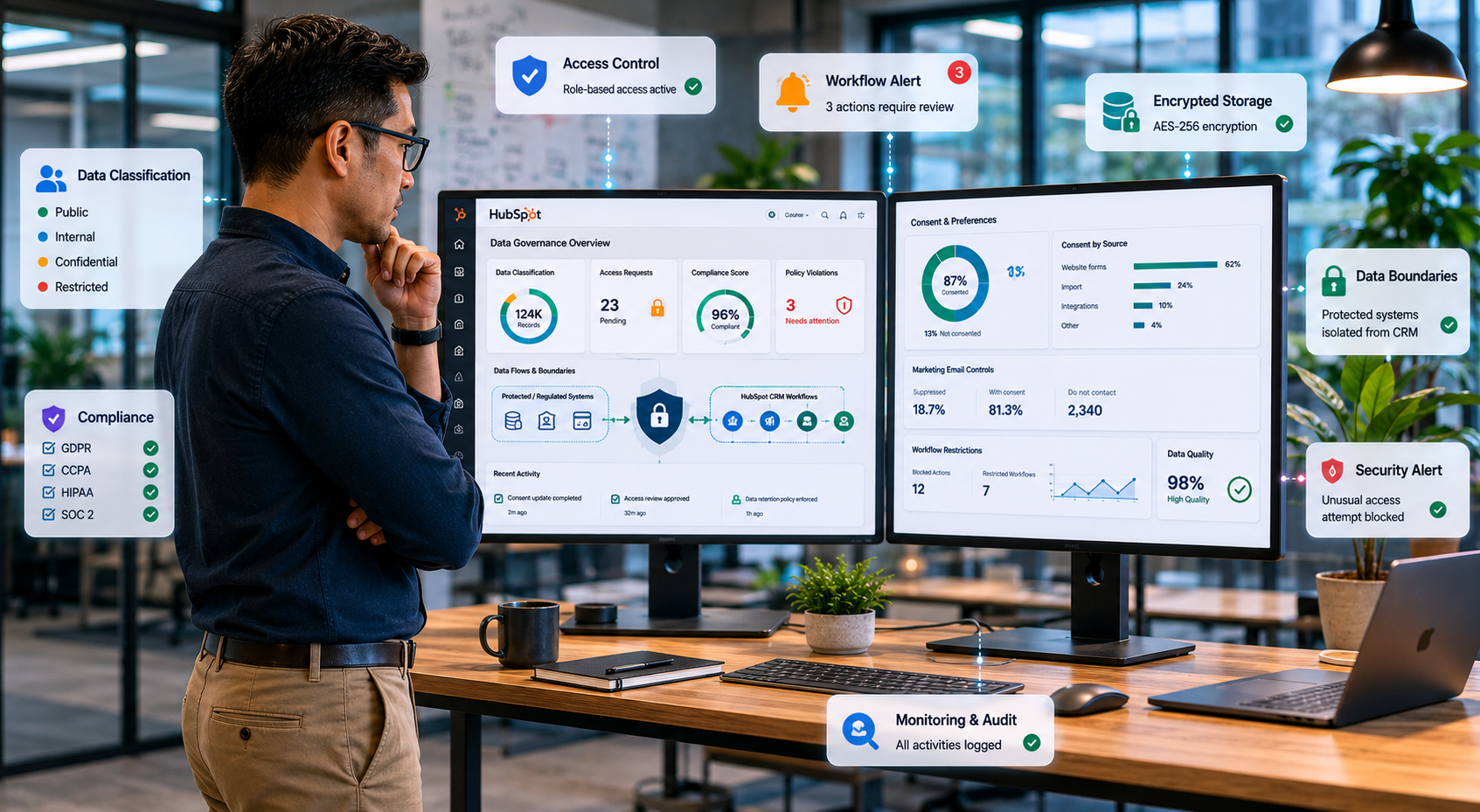
A practical framework starts with data classification and operational boundaries. IT teams should first decide which information belongs inside HubSpot versus protected systems designed specifically for regulated records.
HubSpot supports encryption in transit and at rest across stored data. Sensitive properties receive an additional application-layer encryption layer with separate encryption keys. Still, strong governance matters more than encryption alone.
A practical review process usually includes:
- Which customer data enters HubSpot
- Which users can access it
- Which integrations receive synced copies
- Which AI tools process customer information
- Which records should expire or be deleted automatically
The Operational Policies That Can Reduce Risk
The strongest HubSpot privacy environments usually include:
- Quarterly permission reviews
- Integration approval processes
- Export monitoring policies
- Sensitive field restrictions
- Retention schedules
- AI governance standards
- Documented consent workflows
Short, structured policies also improve AEO extractability because systems can identify direct operational guidance more easily.
What IT Teams Should Avoid Storing in HubSpot
Certain highly regulated records may belong in specialized systems instead of a CRM. Examples may include:
- Full medical histories
- Complete banking records
- Full government identification numbers
- Highly regulated legal documentation
HubSpot provides stronger sensitive-data support than previous versions of the platform, including HIPAA-related protections for qualifying organizations.
Even with those improvements, IT teams still need internal governance standards defining acceptable data usage, storage limitations, and approved workflows.
Build a More Secure HubSpot Environment!
HubSpot continues expanding its privacy capabilities through encryption, consent tools, audit logging, field-level controls, and scoped API permissions. Still, platform features alone are not enough. Strong internal governance standards remain the biggest factor in reducing risk and maintaining long-term operational control.
Organizations that treat HubSpot as a governed customer data system instead of just a CRM often build more secure and scalable operations over time.
If your organization needs help building governance standards, managing sensitive customer data, improving consent workflows, or securing CRM operations inside HubSpot, a qualified HubSpot expert can help create a more secure operating framework.
At Campaign Creators, we help organizations improve operational visibility across systems and create governance structures that support long-term growth, compliance, and data security.
