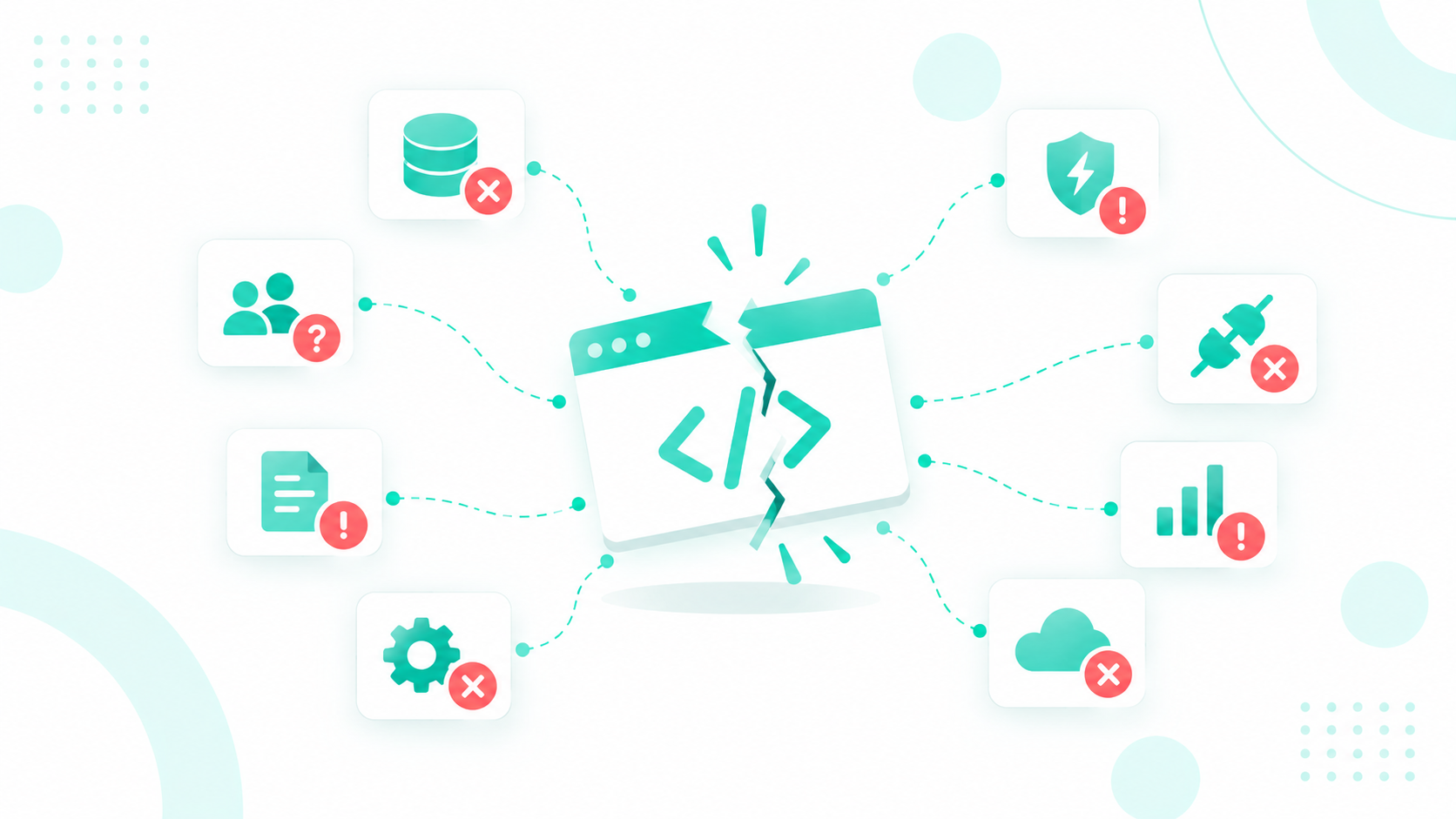
Vibe-Coded Tools and Customer Data: Why Centralization Matters More Than Ever
A vibe-coded CRM tool becomes a liability the moment it starts keeping its own version of the customer. Your marketing team builds a lead...
11 min read
Campaign Creators
:
10/07/26
Vibe coding lets anyone build a business tool by describing it to an AI, so a lead tracker or CRM add-on can be up and running in a weekend. It feels like a shortcut, but for anything your business actually runs on, it's a risky one.
These tools are built to work in a demo, not to protect customer data, keep records clean, or keep working after the next software update. The problems tend to surface months later, once your team already depends on the tool.
The safer route is to start with a CRM like HubSpot, which already handles permissions, record history, consent, and reporting, and to bring in a HubSpot partner like Campaign Creators to build anything extra the right way. Before you build or keep using a vibe-coded tool, here are 15 things that can go wrong.

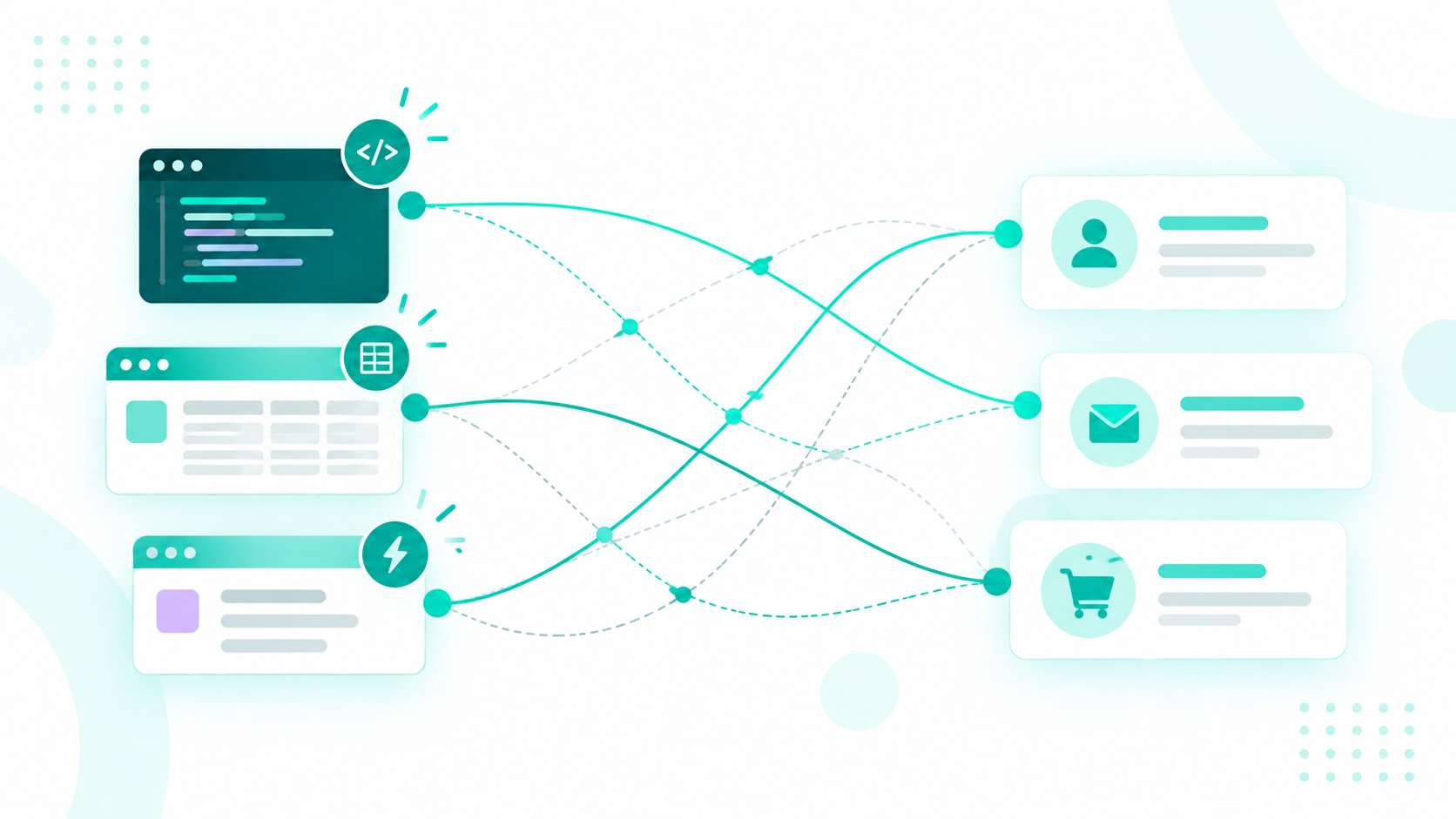
Say a rep adds a lead to your custom tool, and the tool sends it to your CRM. Jordan is already in your CRM as jordan@acme.com, but the rep typed his personal Gmail, and the tool only checks for an exact email match. It finds nothing and creates a second contact, so Jordan's emails, calls, and deal history end up split across two records that your team treats as two different people.
The tool can also overwrite good data. If it changes Jordan's phone number or owner while a CRM workflow updates the same field a minute later, whichever change lands last wins, and nobody can tell which value is right.
HubSpot has guardrails for this. It deduplicates contacts by email, and its own sync tools make you set rules for matching records before anything syncs. A vibe-coded tool skips those steps unless someone knows to build them, and messy data gets expensive fast. Gartner estimates that poor data quality costs organizations an average of $12.9 million a year.
A properly built integration checks more than one detail before creating a contact, flags likely duplicates for review, and stores the HubSpot record ID so every future update hits the right record.
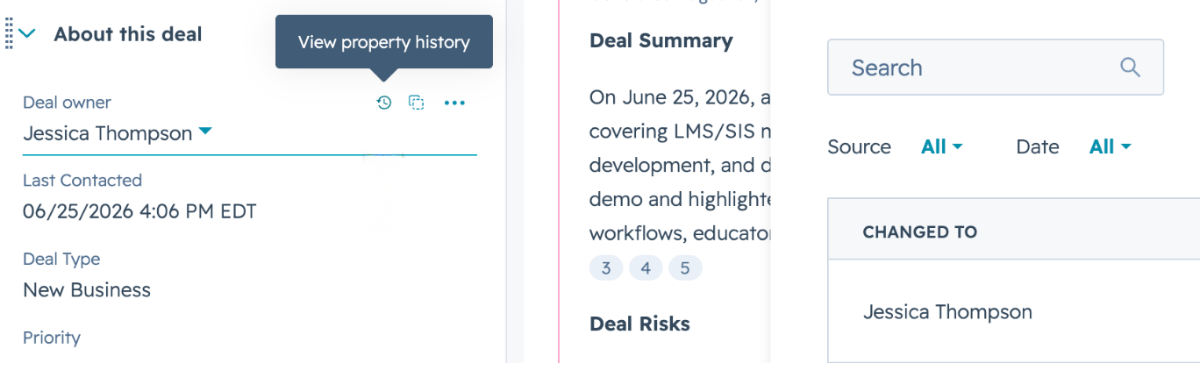
Think of a $90,000 deal that suddenly flips to Closed Lost with a new owner, and nobody remembers touching it. In HubSpot, you'd open the record's property history and see the old value, the new value, the date, and which user, workflow, or integration made the change.

If the change came from your custom tool, though, HubSpot can only tell you the integration did it, not which of the 20 people using the tool clicked the button or what logic set it off.
Vibe-coded tools are built to make changes, not to keep track of them. So when a bulk update overwrites hundreds of records or a workflow fires on bad data, there's no trail to follow, and your team is left comparing backups and error messages to figure out what happened.
Quick builds usually take two shortcuts with access. The whole team signs in with one shared login, and the tool connects to a CRM with a single admin-level key. That means a rep who should only edit their own contacts can do anything the admin key can do through the tool, and if five people share a login, there's no way to tell which one exported your entire contact list. When someone leaves, you have to change the password for everyone and hope nothing else breaks.
AI coding tools raise the stakes even higher. In July 2025, a Replit AI agent deleted a company's live production database during a code freeze. The freeze was only an instruction, and the agent still had access to the real data, so nothing actually stopped it.
Getting access right means a separate login for every person, permissions that match each role, and a connection key that can only touch the data the tool needs.
Every company with a vibe-coded tool has a version of Sarah. She built the lead router over a weekend, and she's the only one who knows where the API keys are stored, why a field maps the way it does, and how to restart the tool when it stops working. When Sarah leaves, goes on vacation, or moves to another team, you're left with a tool nobody else can safely touch.
Vibe coding makes this worse, because even Sarah may not fully understand the code. The AI wrote it, and the reasons behind each choice are buried in a chat history. Developers already feel this pain, with 45% saying debugging AI-generated code takes more time in a Stack Overflow survey, and someone inheriting Sarah's tool starts even further behind.
At a minimum, the code should live in a company account, someone besides the builder should be able to fix and relaunch it, and every login, hosting plan, and paid service it relies on should belong to the business. If the honest answer to any of those is "only Sarah," the tool becomes a crisis the day she gives notice.

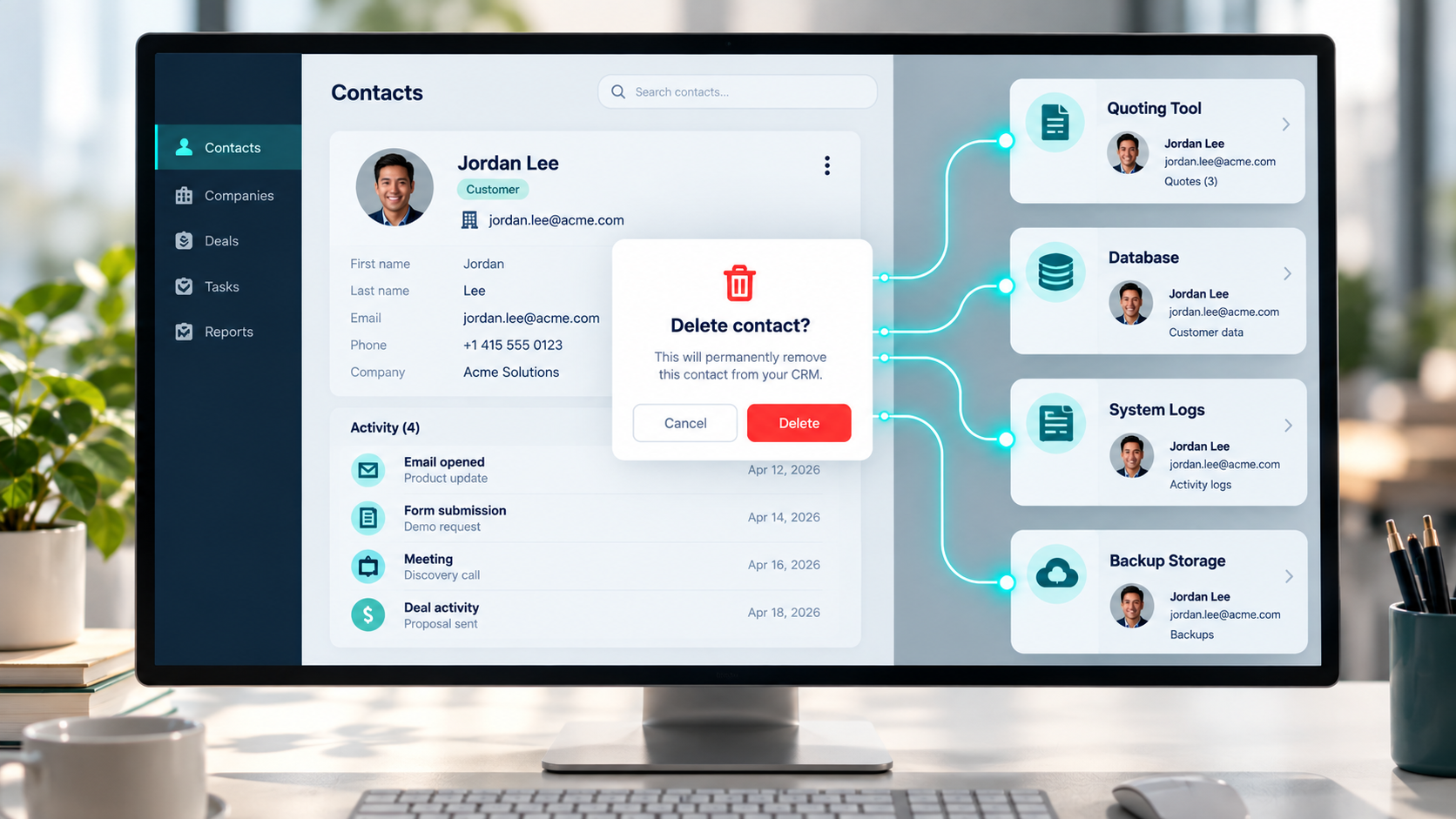
A customer emails asking you to delete their data. Your admin deletes the contact in CRM and marks the request as done. But your vibe-coded quoting tool also saved that customer's name, email, phone number, and call notes in its own database, logs, and backups, so the data is still there after you've told the customer it's gone.
Privacy laws leave little room for that. Under GDPR, you generally have one month to respond to a request, and the right to erasure covers the person's data wherever you hold it. California's CCPA gives you 45 days to respond and requires you to tell your service providers to delete the data as well.
Every custom tool that stores personal data is one more place you have to search, export from, and clean out, and it's easy to forget the tool exists until a request comes in. Keeping customer data in your CRM and having tools read it from there gives you one place to manage it.
An API key works like a password that lets one app connect to another. The fastest way to hook a tool up to your CRM is to paste that key right into the code, which is also the fastest way to leak it. If the key ends up in shared code or in the web page your browser loads, anyone who finds it can get into your CRM with whatever access that key has.
The tool's own pages can leak data too. For example, a link like yourtool.com/contacts/12345. The tool checks that you're logged in but never checks that contact 12345 is yours to see, so changing the number to 12346 shows you someone else's customer. OWASP ranks this exact flaw as the number one API security risk.
These aren't rare mistakes, either. Veracode found that AI-generated code introduced common security flaws in 45% of the coding tasks it tested, and when Escape.tech scanned live vibe-coded apps, it found more than 400 exposed secrets and 175 cases of exposed personal data. AI is good at writing code that works, but it isn't reliable at writing code that's safe.
Let's take, for example, your team builds a tool to score and route inbound leads. It records every lead that came in, how each one scored, which ones were rejected, and how fast reps followed up, but only the leads that pass make it into your CRM as contacts and deals.
Now your VP asks why pipeline dropped this quarter. Your CRM shows fewer deals, but the answer sits in the scoring tool. Maybe a new rule started rejecting good leads, or reps slowed down on follow-up. None of that appears in your CRM dashboards, so someone has to export spreadsheets from the tool and stitch them together by hand, and two people doing that will often land on two different numbers.
If the data describes your customers or your sales process, it belongs in your CRM from day one. In HubSpot, for example, custom objects can store things like lead reviews, applications, or projects, and they show up in reports and workflows just like contacts and deals.
Every CRM limits how many requests a connected app can send. HubSpot, for example, caps an app on a Professional account at 190 requests every 10 seconds, and all the apps in that account share 625,000 requests a day. That sounds like plenty until you do the math.
Say your tool updates 10,000 contacts one at a time, using five requests per contact to search, read, update, link, and log. That's 50,000 requests per run, which takes at least 44 minutes even at full speed. Run it every hour, and you'd need 1.2 million requests a day, nearly double that account's daily limit. And because that daily limit is shared, your tool also eats into the requests your other integrations need, so your data sync or reporting tools can start failing too.
Once you hit the limit, the CRM rejects every request until it resets, and a poorly built tool keeps retrying right away, which only digs the hole deeper. This is a common pattern with vibe-coded tools. They work perfectly with 50 test records and fall apart at real volume, because they were never built to update records in batches, sync only what changed, or slow down when the CRM pushes back.
A prospect fills out your demo form, and your custom tool tries to send the lead to your CRM. The tool's connection to the CRM expired overnight, so the update fails, but the tool doesn't flag it and marks the lead as processed. No owner gets assigned, no follow-up email goes out, and nobody calls. You find out two weeks later, when the prospect has already signed with a competitor.
Vibe-coded tools are full of silent failures like this, because AI tends to write code for the case where everything goes right. One failed update leaves one bad record, but a failed nightly sync means your morning reports are wrong, and an expired connection can quietly break the whole integration for days.
The pitch for vibe coding is usually the price. A weekend of prompting and a cheap AI subscription seem to replace a $5,000 implementation, but that math only counts the build, and software keeps costing money long after launch.
APIs change, security patches come out, someone renames a CRM field, and the business keeps asking for "one small change." If that adds up to five hours a month of a specialist's time, you're looking at 180 hours over three years, or $18,000 at $100 an hour, before hosting, outages, or rebuilds. Your $500 shortcut can easily turn into one of the most expensive tools you own.
Every tool connected to a CRM depends on that CRM's API, and the vendor updates it on its own schedule. HubSpot, for instance, switched to dated API versions in March 2026, releasing a new version every March and September with 18 months of support for each, and its older v4 APIs lose support on March 30, 2027.
Say your team vibe coded a tool that pulls each deal's company from an older API version. Once the vendor stops supporting that version, problems stop getting fixed, so if the request starts failing, every deal in your tool shows up with no company attached and nothing tells you why. Moving to a newer version isn't a simple swap either, because fields and formats can change between versions.
A professional integration has someone watching for these changes and updating the code before the deadline. A vibe-coded tool usually has no one, so the first warning you get is a broken workflow.
Vibe coding makes adding a field effortless. Ask the AI for a "Customer Priority" field, and it exists seconds later, but the AI doesn't work out where that field belongs in your CRM or how it lines up with the properties you already have.
For example, your CRM's Customer Tier dropdown has three options: SMB, Mid-Market, and Enterprise. A few months later, someone updates the tool to use Small, Growth, and Strategic. The tool keeps sending updates, but the CRM rejects values it doesn't recognize, or, if the field is plain text, saves them in a format no report or workflow picks up. Your Enterprise nurture list quietly stops growing, and nobody knows why.
Labels drift as well. The tool calls a lead "hot," the CRM calls it "Marketing Qualified," and a third app calls it "SQL," so sales, marketing, and customer success each pull a different number for the same question. Built-in CRM integrations, like HubSpot's, avoid this by requiring things like deal stages that match exactly, while a vibe-coded tool has no such guardrails unless someone writes down how every field maps to the CRM and keeps that list up to date.
Suppose your custom tool keeps its own "subscribed" checkbox and uses it to send product updates. A customer clicks unsubscribe on one of your marketing emails, and your email platform records it, but the tool still shows the box checked, so the next product update goes straight to someone who asked you to stop.
That's a legal problem, not just an awkward one. Under CAN-SPAM, you have 10 business days to honor an opt-out; penalties can reach $53,088 per email, and B2B email isn't exempt. Under GDPR, withdrawing consent has to be as easy as giving it.
HubSpot tracks consent by subscription type, keeps an unsubscribe in place even if the contact is deleted and added back, and won't let a workflow re-subscribe someone who opted out on their own. A checkbox in a custom tool does none of that, so any tool that sends email should check the email platform's subscription status right before each send and never keep its own copy.
Think about a rep's morning with a separate lead-qualification app. A lead lands in the CRM, so the rep opens the custom tool, reviews the lead, and records a decision, then heads back to the CRM to update the contact, update the deal, and log the call. On a busy day, the custom tool is the first thing they skip.
It's overload, not laziness. Gartner found that 49% of sellers feel overwhelmed by the number of technologies their job requires, and those sellers are 43% less likely to hit quota, so every extra login makes the problem worse.
What you end up with is half-adoption. Your most engaged reps use the tool while others ignore it, and leadership gets two sets of data that don't match, so a tool meant to standardize your process ends up splitting it. If reps need a feature, it should live inside the CRM, on the contact or deal record they already have open.
Your forecast can only count the deals your CRM can see. In HubSpot, the forecast is built from deal amount, stage, close date, and forecast category, and forecasts only connect to deals, so any pipeline sitting in a vibe-coded tracker never makes it into the number.
Say your CRM shows $4 million in open pipeline, but reps are also working $750,000 in deals they've only logged in a custom tool, so your forecast is missing about 16% of the real pipeline. Or the same deal lives in both places with different numbers, with the CRM showing $100,000 closing December 15 and the tool showing $150,000 closing November 30. Which one goes in the board deck?
Forecasting is hard enough already, and in a Gartner survey, only 45% of sales leaders and sellers had high confidence in their forecast accuracy. Since forecasts drive hiring, budgets, and spending, a split pipeline can push you to cut back when you should grow, or hire when you shouldn't. Keep every deal in your CRM, and if a tool needs its own data, link it to the CRM deal so the numbers can't drift apart.
Vibe coding is fine for a quick demo, but it's the wrong way to build tools your business depends on. Every problem above comes from rebuilding things HubSpot already does well, like permissions, record history, consent, reporting, and forecasting, without the safeguards that come with them.
If you already have custom tools wrapped around HubSpot, or you're tempted to build one, start with The Architecture Blueprint. It maps your current setup, including the custom tool your ops team is nervous to touch, and shows where you are today, where you could be, and the changes that get you there. From there, our team can help you replace risky tools with HubSpot features and integrations built to last.
Technically, yes, but adding security, access controls, error handling, testing, and documentation usually takes longer than building it properly from the start.
Check your CRM's app marketplace first, like the HubSpot App Marketplace, since an existing app comes with vendor support and keeps up with API changes for you.
Start with your CRM's list of connected apps, integrations, and API keys, then match each one to the person or team who owns it.
A vibe-coded CRM tool becomes a liability the moment it starts keeping its own version of the customer. Your marketing team builds a lead...
No, a vibe-coded CRM can't reliably serve as a second source of truth. It's a CRM built by describing what you want to an AI coding tool, which then...
You cleaned up your CRM, connected your tools, and made your data AI-ready. But when you asked AI why renewals dipped last quarter, its confident...