A HubSpot Elite Solutions Partner built to help organizations unify strategy, systems, and execution. We design HubSpot systems that scale.

See how we've solved complex HubSpot challenges across migrations, integrations, CMS, automation, and optimization.

Join a team building smarter HubSpot systems. We value strategic thinkers who move proactively, care about quality, and want to do meaningful work.

8 min read

HubSpot for RevOps: How to Build a Unified Revenue Engine

HubSpot for RevOps: How to Build a Unified Revenue Engine

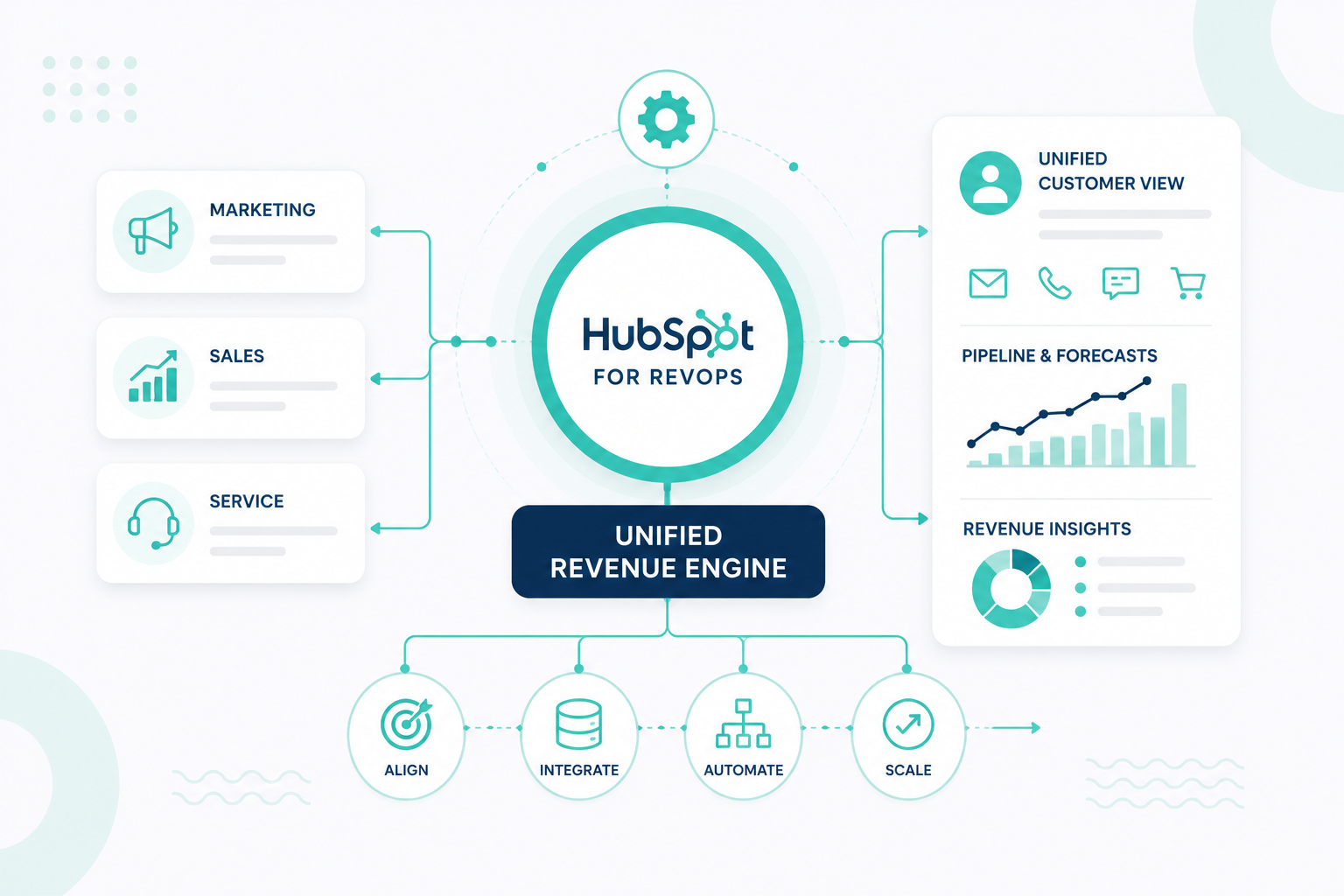
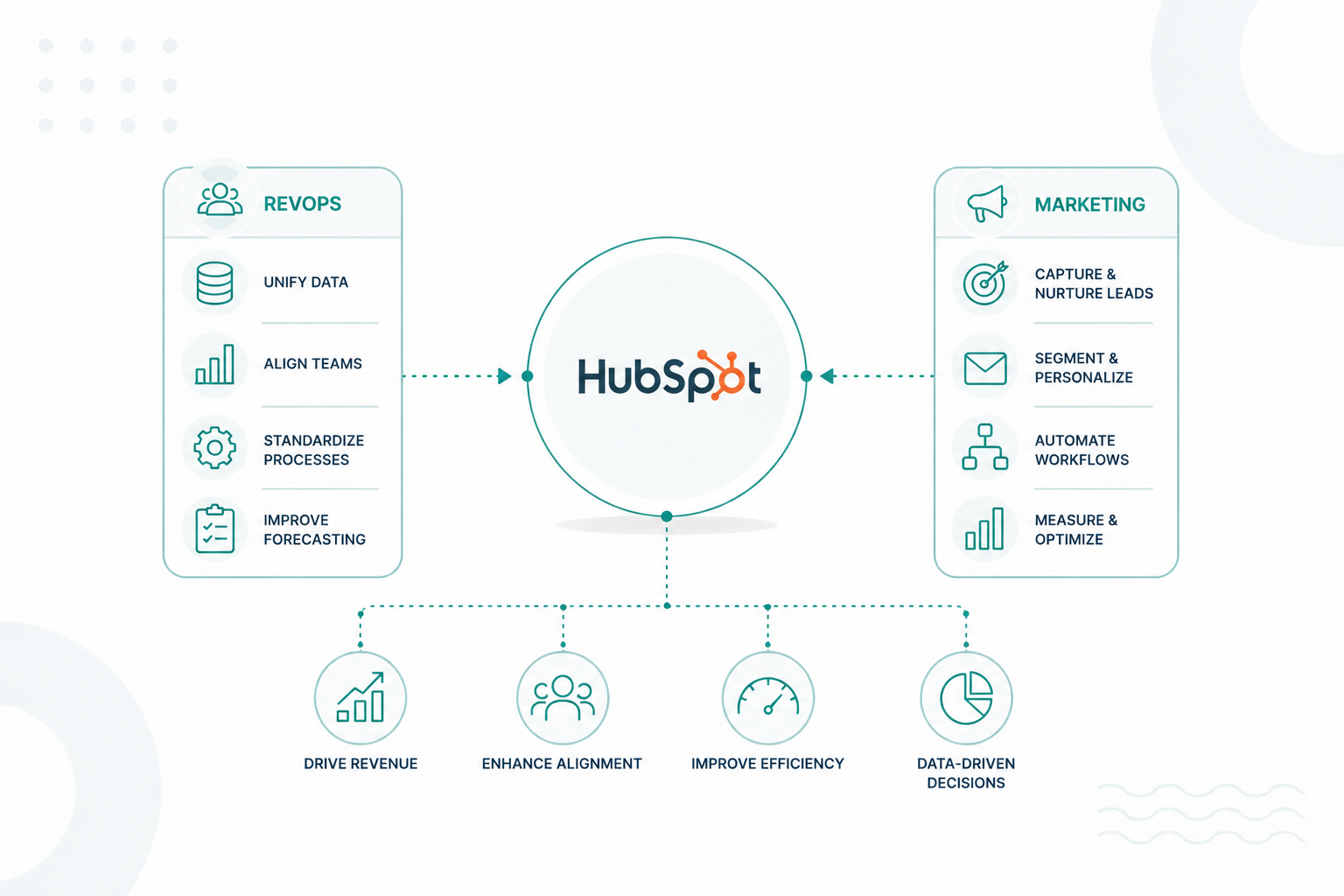
HubSpot can do much more than store contacts and track deals. When your customer data, teams, processes, automation, and reporting work together in one system, HubSpot can become the foundation of a connected revenue engine. A HubSpot revenue engine helps marketing, sales, service, and operations work from the same data and follow the same customer lifecycle.

In this article, we’ll break down how HubSpot supports RevOps, what your tech stack should include, and how to build a revenue engine that helps your organization create more predictable, scalable growth.

Key Takeaways

  • HubSpot can serve as a unified revenue engine when customer data, processes, automation, teams, and reporting connect across the full lifecycle.
  • RevOps works best when marketing, sales, and service share one CRM, creating consistent handoffs, shared definitions, and better visibility into revenue.
  • A strong HubSpot RevOps stack prioritizes integration over tool volume, with HubSpot as the central system of record for customer and revenue data.
  • Revenue engine optimization is continuous, using funnel data to identify bottlenecks, improve processes, and support more predictable, scalable growth.

What is a HubSpot Revenue Engine?

“HubSpot revenue engine” is generally a RevOps concept, not the formal name of one HubSpot feature. HubSpot defines RevOps as aligning marketing, sales, and customer success around shared data, processes, and goals to create predictable, scalable revenue growth.

What Makes it a “Revenue Engine”?

A HubSpot revenue engine connects the entire customer journey in one system:

customer-journey-campaign-creators

It brings together the data, processes, automation, teams, and reporting needed to move prospects from their first interaction through becoming and staying a customer.

A HubSpot revenue engine typically includes:

  • Unified customer data: Marketing, sales, service, and operations work from the same CRM records and definitions.
  • Lifecycle architecture: Lifecycle stages, lead statuses, pipelines, deal stages, and customer stages clearly define how someone moves through the business.
  • Automated workflows: HubSpot handles lead routing, qualification, notifications, task creation, handoffs, nurturing, and other repeatable processes.
  • Connected teams: Marketing, sales, customer success/service, and RevOps follow shared processes instead of operating independently.
  • Revenue reporting: Dashboards connect marketing activity, pipeline, conversion, sales performance, retention, and revenue so leaders can identify where growth is coming from or where it is leaking.
  • Continuous optimization: Teams use that data to find bottlenecks, improve processes, automate repetitive work, and improve conversion through the funnel.

Together, these elements turn HubSpot from a place to store customer data into a system that supports the full customer lifecycle, from the first interaction through retention and expansion.

How HubSpot Supports Revenue Operations

1. Centralized Customer, Revenue, and Technology Data

HubSpot brings contacts, companies, deals, activities, lifecycle stages, service interactions, and other customer data into one CRM. It can also connect with other business tools, giving marketing, sales, service, and operations a shared source of customer and revenue information.

This is one of the clearest benefits of a connected platform: 79% of HubSpot users say it improved their ability to centralize their data.

2. Cross-Functional Process Alignment

HubSpot helps teams standardize lifecycle stages, pipelines, ownership rules, qualification criteria, and handoffs. This gives marketing, sales, customer success, and RevOps a consistent process for moving prospects and customers through the revenue journey.

3. Workflow Automation and Lead Management

HubSpot workflows can automate lead routing, record assignment, notifications, task creation, lifecycle updates, and team handoffs. Lead scoring can also help teams consistently qualify and prioritize contacts, companies, and deals based on their data and behavior.

According to HubSpot, 86% of sales professionals report improved lead quality with HubSpot.

4. Full-Funnel Reporting and Optimization

RevOps teams can use the combined data to track acquisition, pipeline, conversion, sales performance, and retention, then identify bottlenecks and revenue leaks that need improvement.

The broader impact can be significant: 89% of HubSpot customers report productivity increases, and 84% report increased company revenue.

5. Quote-to-Cash and Revenue Management

HubSpot can support more of the revenue lifecycle beyond closing a deal, including quotes, contracts, billing, payments, renewals, and expansion. This helps sales, finance, customer success, and other teams work from connected revenue data throughout the customer lifecycle.

These capabilities enable HubSpot to function as more than a CRM. It can become the operational foundation for the revenue engine, with RevOps defining the processes, governance, ownership, and strategy that keep teams aligned and revenue moving.

Why Marketing, Sales, and Service Should Share One CRM

When marketing, sales, and service use the same CRM, each team works from the same customer information. This creates a more connected customer journey and reduces gaps between teams.

1. Everyone Works From the Same Customer Data

Marketing can see sales activity, sales can see marketing engagement, and service can see what happened before and during the sale. This reduces duplicate data, conflicting records, and different versions of the customer story.

2. Handoffs Stay Connected

Customer information stays with the record as it moves from marketing to sales and then to service. Shared lifecycle stages, ownership, deal information, activities, and tickets help each team understand what happened before they took over.

3. Sales and Service Get Better Customer Context

Sales reps can review marketing engagement, previous conversations, company information, and other CRM activity before reaching out. After the sale, service teams can access that same history and understand what the customer purchased, what was discussed, and what support they may need.

4. Marketing Can Connect Activity to Revenue

Marketing can measure beyond leads and MQLs. With sales and customer data in the same CRM, teams can connect campaigns to opportunities, closed deals, and customer outcomes to understand which activities contribute to revenue.

5. Automation Can Connect the Customer Lifecycle

A shared CRM enables activity in one team to trigger processes in another. For example:

Form submitted → Qualified lead → Sales assignment → Opportunity → Closed-won → Onboarding → Service → Renewal

Customer data stays connected throughout the journey. This reduces the need to manually transfer information between separate systems.

6. Leadership Gets a Complete View of Revenue

With marketing, sales, and service data in one CRM, leaders can connect acquisition, pipeline, conversion, customer, and service performance in shared reports. This makes it easier to understand how the entire revenue engine is performing without reconciling data from multiple systems.

A shared CRM also creates a stronger foundation for marketing automation. For more, read 6 Reasons You Should Be Using AI-Driven Marketing Automation to see how automation can strengthen your marketing strategy.

How Unified Customer Data Improves Revenue Operations

Unified customer data connects activity across marketing, sales, and service. This gives RevOps teams a clearer view of where revenue comes from, where opportunities stall, and what needs to improve.

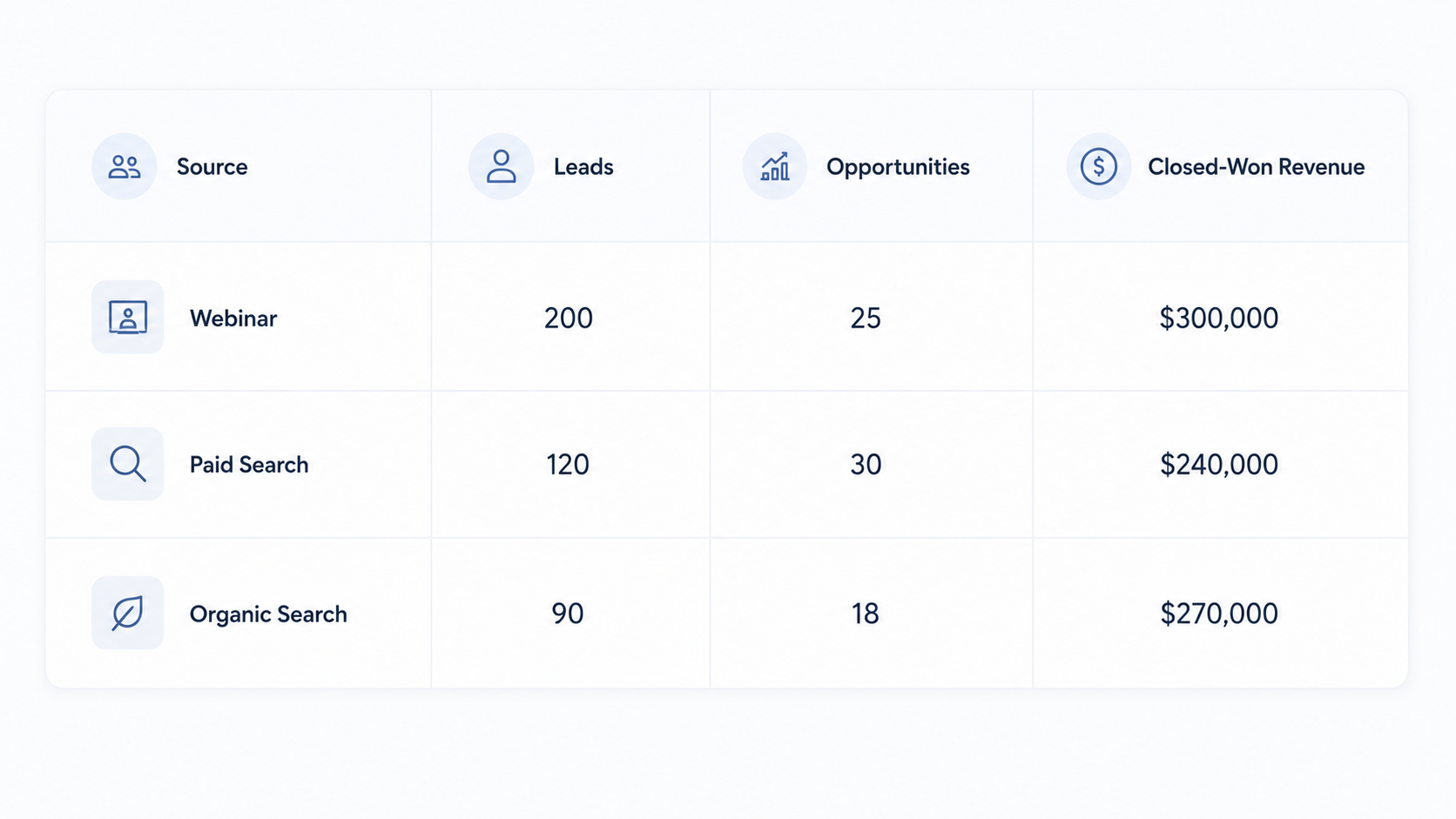
For example, a B2B SaaS company runs three campaigns:

sample-b2b-saas-company-runs-three-campaigns

Looking at marketing data alone, the webinar appears strongest because it generated 200 leads. Looking at opportunities, paid search appears strongest with 30 opportunities.

But when that data is connected to closed-won revenue, the picture changes. Organic search generated only 90 leads but produced $270,000 in revenue. That equals about $3,000 in revenue per lead, compared with $1,500 for the webinar and $2,000 for paid search.

HubSpot's attribution reporting can connect customer interactions and sources to contact creation, deal creation, and revenue. RevOps can use these insights to adjust marketing investment, improve lead scoring, change sales priorities, and track whether those changes improve pipeline and revenue.

With unified data, teams can make decisions based on the entire revenue journey rather than optimizing marketing, sales, and service metrics separately.

What a HubSpot RevOps Tech Stack Should Include

A strong HubSpot-centered RevOps stack typically includes:

Layer

What it should handle

HubSpot example

CRM & customer data

Contacts, companies, deals, lifecycle stages, ownership, customer history

HubSpot CRM

Marketing

Lead capture, campaigns, email, nurturing, attribution

Marketing Hub

Sales

Prospecting, lead management, pipeline, meetings, forecasting

Sales Hub

Customer service & success

Tickets, support, customer health, retention

Service Hub

Data management

Data quality, synchronization, integrations, governance

Data Hub

Automation

Lead routing, handoffs, property updates, notifications, tasks

HubSpot workflows

Qualification

Lead scoring and prioritization

HubSpot lead scoring

Reporting & analytics

Funnel performance, pipeline, attribution, revenue KPIs

HubSpot reporting

Integrations

Finance, ERP, product, communication, e-signature, and specialist tools

HubSpot integrations

Your stack can still include outside tools

A HubSpot RevOps stack does not mean every tool has to be HubSpot. A company might connect its accounting platform, ERP, product database, e-signature software, calling platform, or other specialized applications to HubSpot.

HubSpot's marketplace supports thousands of apps, including integrations for communication, advertising, e-signatures, automation, and other business functions.

How to Build a Revenue Engine in HubSpot

Step 1: Map Your Revenue Lifecycle and Define Each Stage

Start by documenting how a prospect moves from first interaction to customer, renewal, and expansion. Define the entry criteria, owner, required data, next action, and exit criteria for every stage.

A B2B lifecycle could look like:

Lead → MQL → SQL → Opportunity → Customer → Renewal/Expansion

Then configure those definitions as lifecycle stages in HubSpot. HubSpot enables lifecycle stages to be customized and used to track movement and handoffs between marketing and sales.

For example, an MQL could require an ICP-fit company, a relevant job title, and a high-intent action such as requesting a demo. An SQL could require sales to confirm the prospect is worth pursuing.

Step 2: Clean and Structure Your HubSpot Data

Before building automation, make sure the CRM contains data you can trust. Audit your contacts, companies, deals, properties, associations, lead sources, and owners. Merge duplicates, standardize property values, remove unnecessary properties, and establish which fields teams need to complete.

HubSpot automatically uses identifiers such as email addresses for contacts and company domains for companies to help prevent duplicates, with additional duplicate-management capabilities available depending on subscription.

You should also establish basic data governance. For every critical property, define:

  • What does it mean?
  • Who updates it?
  • Where does the value come from?
  • Which system owns it?

Clean data is essential because every workflow, report, lead score, and revenue decision built later depends on it.

Step 3: Build Your Pipelines, Qualification, and Handoff Processes

Turn the revenue lifecycle into processes your teams can actually follow. For sales, that might mean: Discovery → Qualified → Demo → Proposal → Contract → Closed Won/Lost

Define exactly what needs to happen before a deal moves forward. A deal entering Proposal, for example, might require a confirmed decision-maker, deal amount, expected close date, product or service, and documented next step.

Then define how leads move between teams. For example:

Marketing: Lead reaches qualification threshold
RevOps: HubSpot updates lifecycle stage
Sales: Lead is assigned to the correct rep
Sales: Rep qualifies the opportunity
Customer Success: Closed-won deal triggers onboarding

This creates a repeatable revenue process instead of relying on each employee to decide what happens next.

Step 4: Automate Repetitive Revenue Processes

Once the underlying process works, use HubSpot workflows to remove repetitive manual steps. A demo request workflow, for example, could:

Demo submitted → Check qualification criteria → Set lifecycle stage → Assign owner → Create sales task → Send internal notification

You can apply the same approach after a sale:

Deal becomes Closed Won → Update lifecycle stage → Notify customer success → Create onboarding tasks → Set renewal information

Focus automation on areas where speed, consistency, and accurate handoffs affect revenue. Avoid automating an unclear process. Automation will only make a poorly designed process run faster.

Step 5: Connect Your Revenue Systems and Customer Data

Identify the systems used across marketing, sales, service, finance, product, and operations. Then decide which data needs to move between those systems and HubSpot.

For example:

  • Product platform → HubSpot: Product usage data
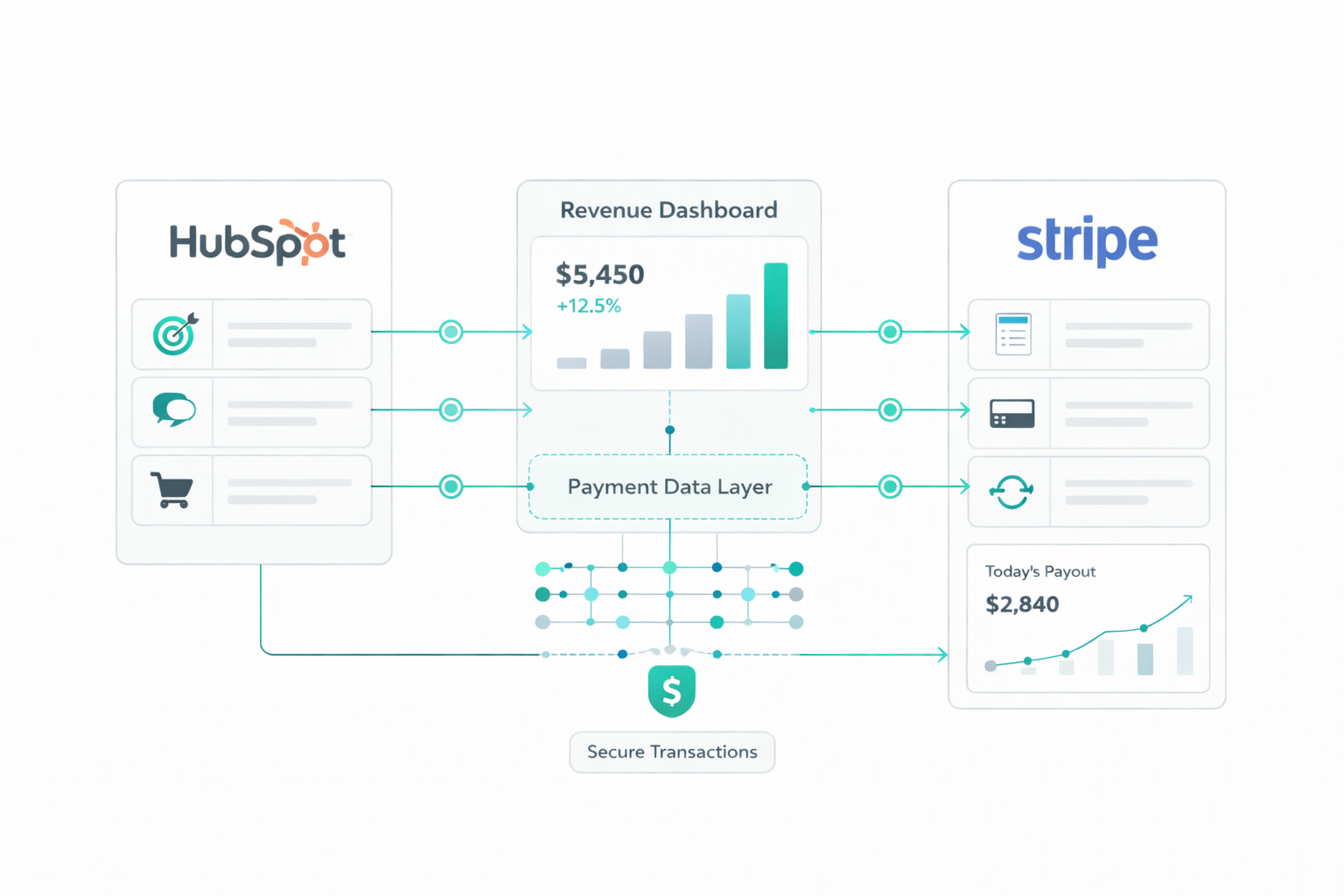
  • HubSpot → Billing system: Customer and deal information
  • Billing system → HubSpot: Subscription and payment status

HubSpot Data Sync can support one-way or two-way data synchronization with connected apps. This helps keep customer and revenue data consistent across the systems your teams use.

Step 6: Build Revenue Reporting and Optimize the Engine

Finally, build dashboards around conversion and revenue. Track metrics such as lead-to-MQL conversion, MQL-to-SQL conversion, opportunity conversion, win rate, pipeline generated, sales cycle length, revenue by source, retention, and expansion revenue where relevant.

Then review the funnel for leakage. For example: 1,000 Leads → 300 MQLs → 210 SQLs → 50 Opportunities → 20 Customers

If only 24% of SQLs become opportunities, RevOps has a specific area to investigate. The team can segment those SQLs by source, sales rep, response time, ICP fit, or other characteristics to determine why conversion is low.

The process then becomes continuous:

optimization-cycle-hubspot-revenue-engine

That final cycle is what turns a HubSpot setup into a revenue engine: the system doesn't only store customer information. It gives teams a structured way to identify where revenue is being created or lost and continuously improve how the business grows.

Transform HubSpot into a Revenue Engine!

A strong HubSpot revenue engine connects your customer data, teams, processes, automation, and reporting into a single revenue lifecycle. When each part works together, your teams get a clearer view of what drives pipeline, where revenue leaks, and what needs to change.

Campaign Creators help businesses turn HubSpot into a connected revenue system that supports marketing, sales, service, and long-term growth. From CRM structure and automation to integrations and reporting, we can help you build a HubSpot setup that supports how your organization actually operates.

Frequently Asked Questions

Should You Clean HubSpot Before Implementing RevOps?

Yes. Clean, structured CRM data gives your workflows, reports, qualification rules, and revenue analysis a more reliable foundation.

What Are Common Signs That Your HubSpot Setup Needs RevOps Optimization?

Common signs include duplicate data, unclear lifecycle stages, inconsistent pipeline use, manual handoffs, conflicting reports, low CRM adoption, and difficulty connecting activity to revenue.

Can HubSpot Automate Pipeline Management?

Yes. HubSpot can trigger actions such as tasks and internal notifications when records move between pipeline stages, although available automation features depend on your subscription.

How Do You Prevent Bad Data From Entering HubSpot?

Set clear property definitions, limit unnecessary fields, establish ownership rules, standardize data entry, and review duplicates regularly.

How Can RevOps Reduce Technology Costs?

RevOps can identify duplicate or unnecessary tools and consolidate functions where possible.

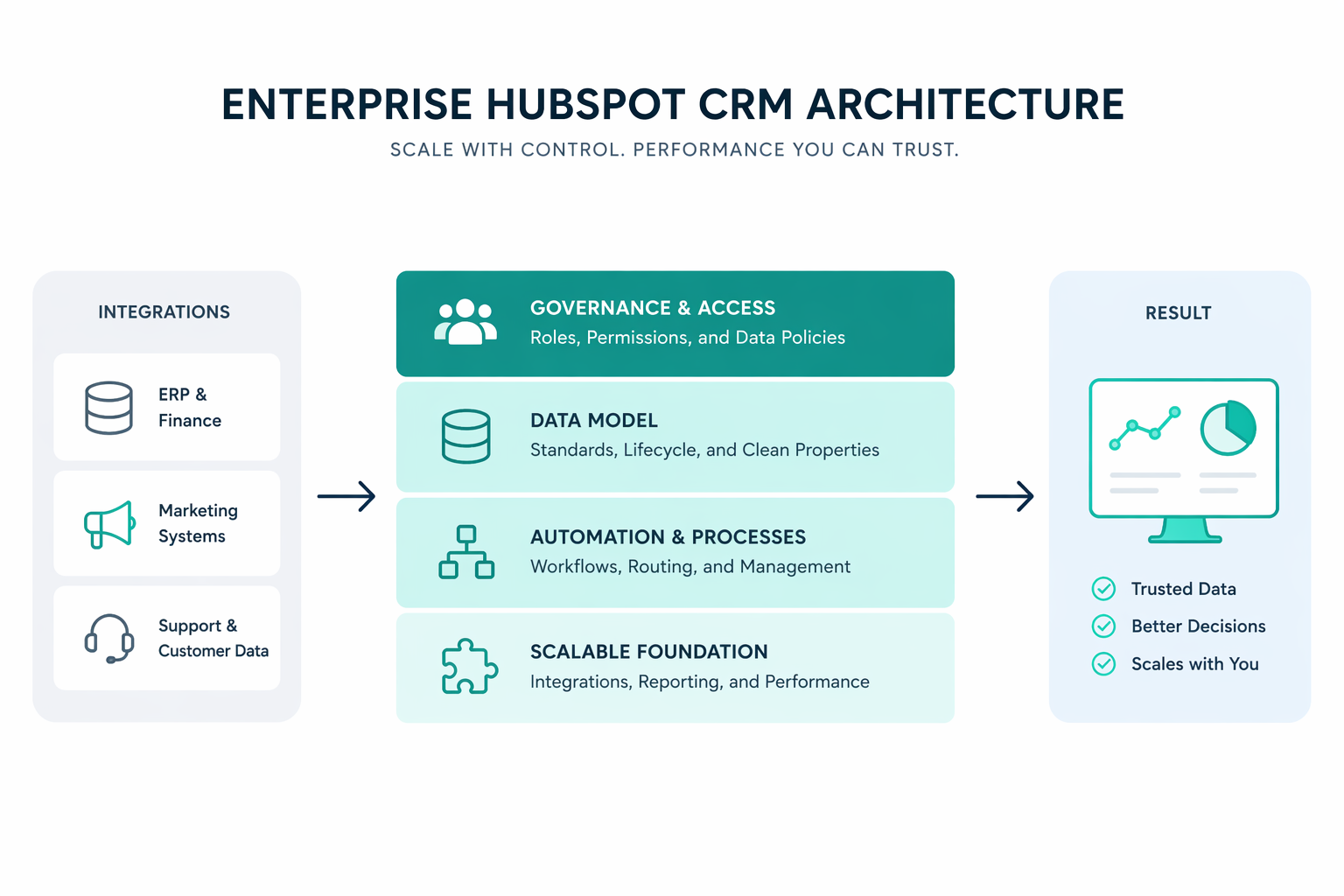
Enterprise HubSpot CRM Architecture Best Practices

Enterprise HubSpot CRM Architecture Best Practices

Many HubSpot CRM environments grow as more teams begin using the system. Marketing adds contacts, sales builds pipelines, service teams manage...

Read More
How to Use HubSpot for RevOps and Marketing Automation

How to Use HubSpot for RevOps and Marketing Automation

As businesses grow, teams often rely on separate systems and inconsistent data, and disconnected processes. These gaps create reporting issues, slow...

Read More